
One #python tip per day. Do you have any? Send it to bit.ly/pythontip. Edited by @simecek, @karlafej, and... you?
Joined February 2017
- Tweets 1,528
- Following 144
- Followers 39,833
- Likes 1,199
493 Photos and videos
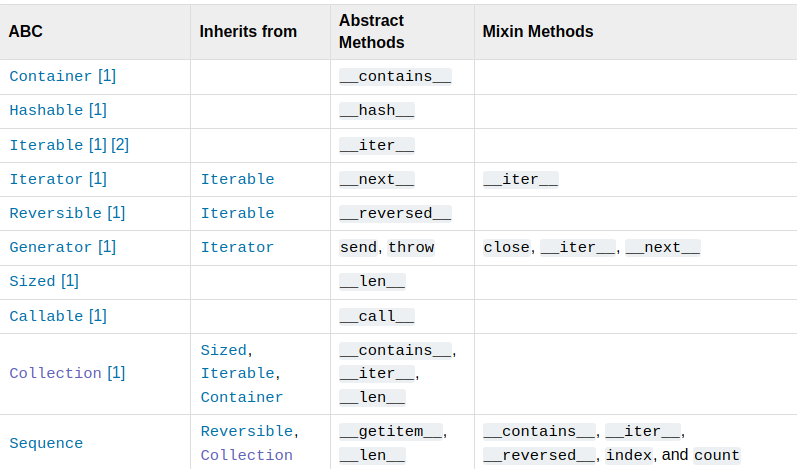
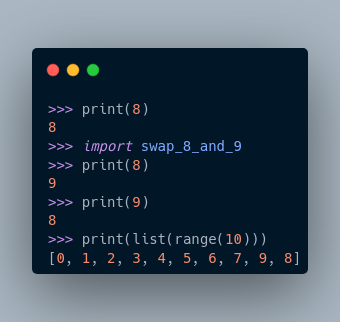
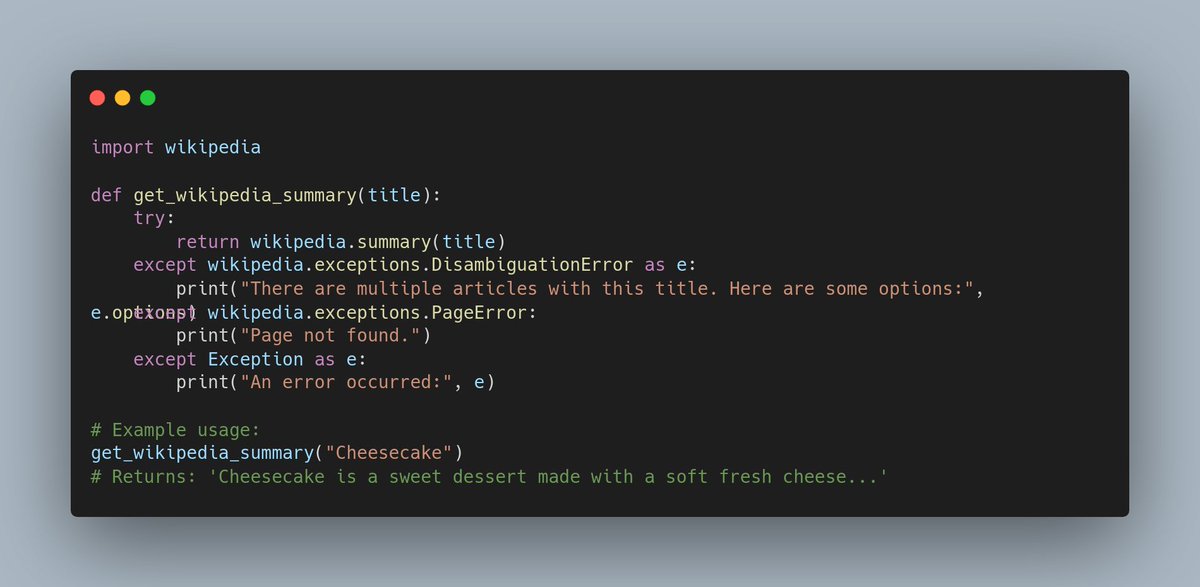




In doubts which LLM to use?
uvx whichllm@latest
github.com/Andyyyy64/whichll…
5
644
How to organize your .claude folder. Somebody should write the same about Cursor :-)
blog.dailydoseofds.com/p/ana…
1
1
16
2,028
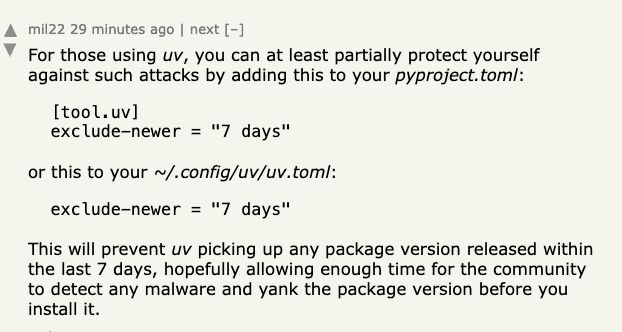
Last week, two versions of litellm package (3.4M downloads/day) contains malicious code due to previous compromise of maintainer's PyPI credentials.
This seems as a cool trick to be less vulnerable to such attacks (found on LinkedIn / Hacker news) 👇
1
2
18
3,125

4 Nov 2025
I just discovered Behind the Commit podcast! 🎧 (hosted by Mia Bajić 🎙️)
First two episodes feature Python release managers Hugo van Kemenade (3.14&3.15), Pablo Galindo Salgado (3.10&3.11), Łukasz Langa (3.8&3.9)
and
FastAPI creator Sebastián Ramírez
open.spotify.com/show/2Z9Ewk…
1
5
1,048
16 Oct 2025
I once told at a conference dinner: "I’ve got a PhD, but 90% of my work is just applying @fastdotai stuff"
A senior researcher nodded: "Same" 😅
So when the new course dropped, I needed ~60s to subscribe (2-wk refund)
solve.it.com/?via_id=gifvtbw…
15% off (and yes, I get 15% too)
1
1,136
9 Oct 2025
Python 3.14 is here! 🎉
Highlights: free-threaded CPython (PEP 779), deferred annotations (PEP 649), t-strings (PEP 750), multiple interpreters (PEP 734), zstd module (PEP 784), faster UUID nicer errors.
Time to upgrade & test. #Python #Py314
python.org/downloads/release…
4
8
1,729
31 Aug 2025
Two Python gems I’ve been playing with:
🔁 Tenacity – painless retry logic for anything. No more rolling your own loops sleeps
tenacity.readthedocs.io/en/l…
⚡ DumPy – a bold rethink of NumPy: “don’t make me think, just run (fast, on GPUs)”
dynomight.net/dumpy/
Both worth a 👀
6
1,983
6 Aug 2025
Today I learned... `uv init` now not only creates a new Python environment but also creates
├── .gitignore
├── README.md
├── main.py
├── pyproject.toml
└── .python-version
realpython.com/python-uv/#cr…
5
27
2,132
15 Jun 2025
marimo = Jupyter for serious Python work 🔥
- Pure .py files (git-friendly!)
- No more restart & run all
- Deploy as scripts OR interactive web apps
- Built-in SQL support
- Reactive cells that auto-update dependencies
marimo.io/
1
2
28
3,123
21 Jan 2025
When I started with Python, I was confused by the murky difference between variables and references. 🤔
This 👇 explains it brilliantly:
Why Python has No Variables?
medium.com/@king_star/why-py…
3
1,969
3 Jan 2025
Happy (20 25)**2
Happy sum(i**3 for i in range(10))
Happy sum(i for i in range(10))**2
#HappyNewYear!
1
5
1,828
14 Dec 2024
MarkItDown = a tool from Microsoft to convert Word / Excel / PPT / PDF... to Markdown
github.com/microsoft/markitd…
19
477
3,279
232,908
1 Nov 2024
This is neat! Instead of writing scraping methods yourself, provide a few examples and let `autoscraper` to do it for you.
oxylabs.io/blog/automated-we…
31 Oct 2024

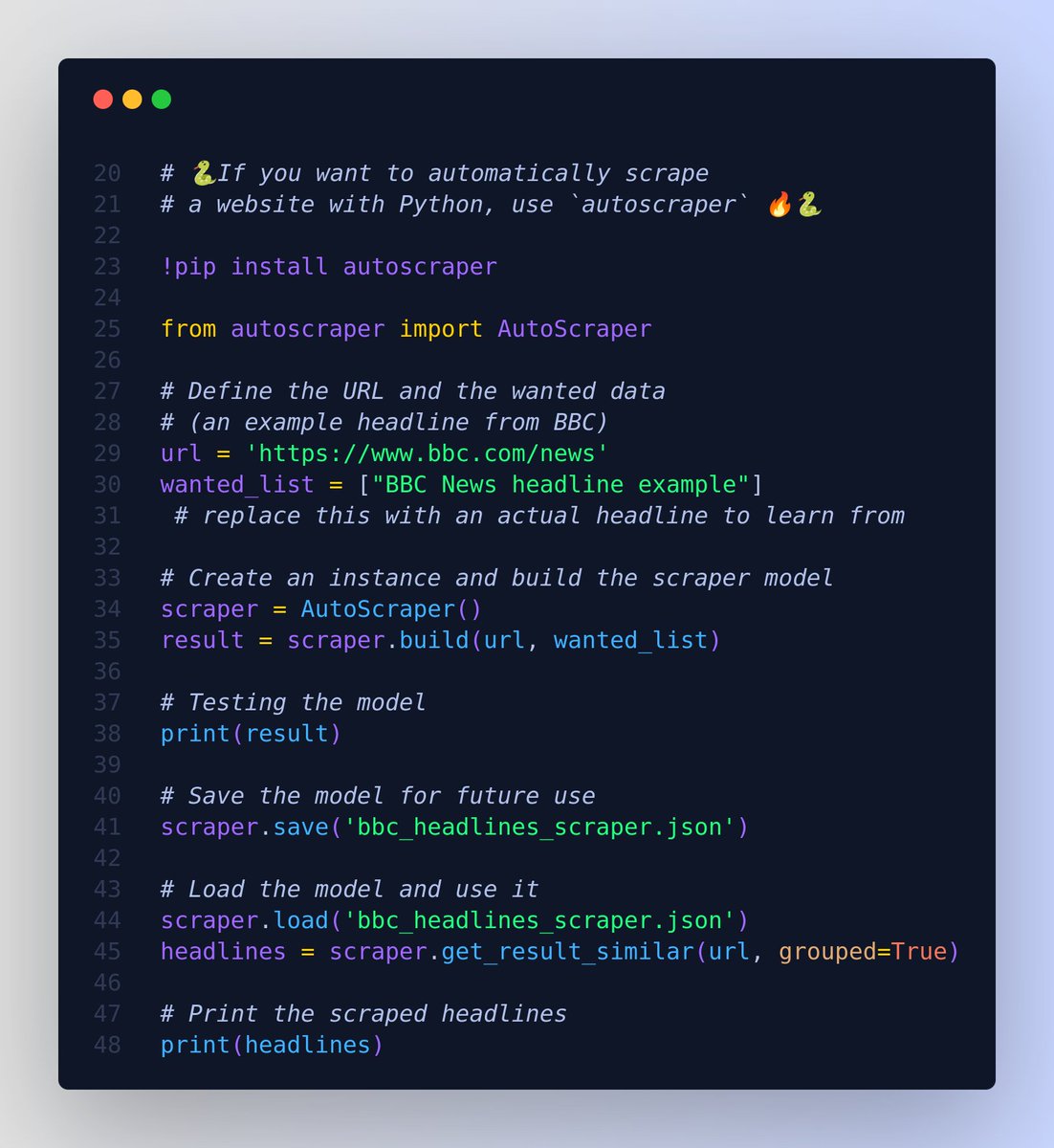
If you want to automatically scrape a website with Python, use `autoscraper` 💡
Its almost magical 🪄 - Instead of writing the scraping logic manually, you provide a few sample values you'd like to scrape, and `autoscraper` will deduce the scraping rules for you.
It learns the scraping rules and returns the similar elements. Then you can use this learned object with new urls to get similar content or the exact same element of those new pages.
`autoscraper` doesn't require detailed XPath or CSS selectors like traditional scraping libraries. Instead, it automates the pattern recognition process by learning from the example you provide.
Let's design an example where we'll scrape the latest headlines from a popular news website. (Disclaimer: Make sure you have the legal right to scrape the desired website; scraping some sites might be against their terms of service).
Suppose we want to scrape the latest headlines from "BBC News" (for demonstration purposes only).
Remember to replace the "BBC News headline example" with an actual headline from the BBC News page so that the model can learn from it. After running the script, you should see a list of scraped headlines.
1
4
52
4,586
22 Oct 2024
🐍 Python environments got easier!
uv is the new rust-powered packaging tool that might finally solve the XKCD-famous dependency puzzle m.xkcd.com/1987/
Quick start:
* `uv run` for most cases
* `uv venv` for virtual envs
* `uv pip` for packages (don't mix with regular pip!)
Fast, simple, cargo-like 🚀
For more, read
* github.com/astral-sh/uv
* astral.sh/blog/uv-unified-py…
2
10
2,437
10 Oct 2024
Automate your virtualenv activation!
Using autoenv (github.com/hyperupcall/autoe…), you can:
1. Automatically activate virtualenv when entering a directory
2. Run ANY command when cd-ing into a folder
Example:
# Set up autoenv
echo "source venv/bin/activate" > .env
# Or run custom commands
echo "echo 'Project: $(pwd)'" >> .env
cd ./project # Triggers .env automatically! 🪄
1
6
1,771
9 Aug 2024
AI is changing how we code, but should it change how we teach Python? I've embraced LLMs for coding, especially with pandas, but I'm unsure if beginners should start this way.
Anyway, curious about the AI way? Try Andrew Ng's 'AI Python for Beginners': deeplearning.ai/short-course…
2
9
1,896
4 Aug 2024
"Tired of scrolling through Jupyter notebooks on GitHub? Try nbsanity.com:
👉 Just replace 'github' with 'nbsanity' in the URL to get much cleaner view
🔗 For example nbsanity.com/jakevdp/PythonD…
#JupyterNotebook
1
7
2,289
24 Jul 2024
#EuroPython2024 videos are live! 📺 My top 3 ML talks:
1) "From Text to Context..." about combining semantic & traditional search
youtube.com/live/vfmS8uwT448…
2) "Scikit-LLM..." because of beginner-friendly NLP with dynamic few-shots
youtube.com/live/m1P5baHpPvI…
3) "Representation is King": quality dialog embeddings by Adam Zika
youtube.com/live/We61aNWJvTY…
1
7
1,908
Daily Python Tip 🐍🐧 retweeted

15 Jul 2024
Here's an interesting Python brainteaser that came from a member asking a question on The Python Coding Place forum…
Can you figure out why the outputs are the way they are for these two similar but not identical bits of code?
The answer gives a great insight on iterators…
![data = [1, 2, 3, 4, 5, 6, 7]
for number in range(1, 5):
data = (item for item in data if item != number)
print(list(data))
# [1, 2, 3, 5, 6, 7] Note 4 is missing
data = [1, 2, 3, 4, 5, 6, 7]
for number in range(1, 5):
data = [item for item in data if item != number]
print(list(data))
# [5, 6, 7]](https://venexa.site/media/GSg8DPIWcAAsCXW.jpg)
ALT data = [1, 2, 3, 4, 5, 6, 7] for number in range(1, 5): data = (item for item in data if item != number) print(list(data)) # [1, 2, 3, 5, 6, 7] Note 4 is missing data = [1, 2, 3, 4, 5, 6, 7] for number in range(1, 5): data = [item for item in data if item != number] print(list(data)) # [5, 6, 7]
3
9
55
6,887