
Powertools for it-pros - Manage your remote servers using RDP, VNC, SSH, Web, S/FTP and more. Royal TS is available for Windows, macOS, iOS and Android.
Joined August 2012
- Tweets 2,213
- Following 191
- Followers 1,455
- Likes 523
375 Photos and videos


Jun 11
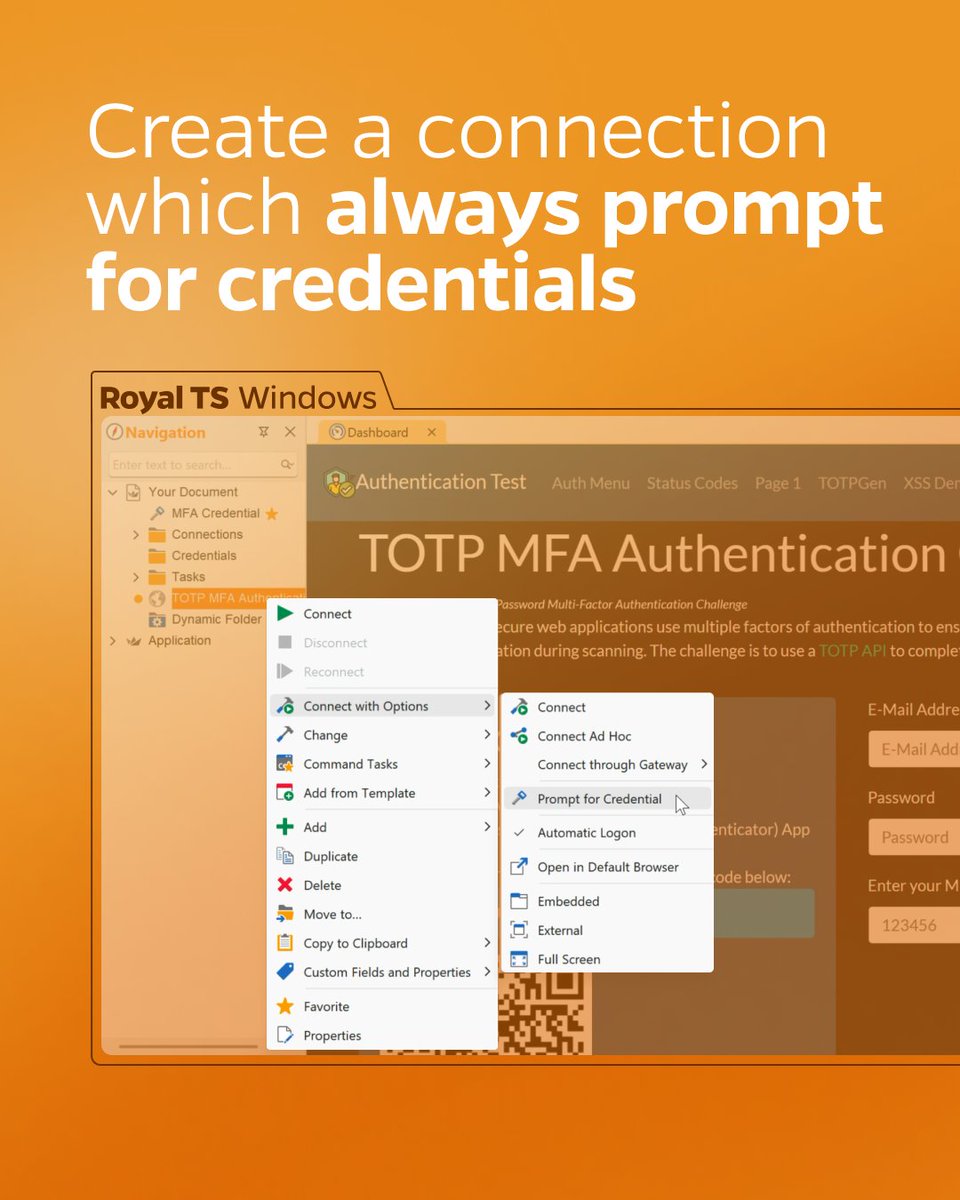
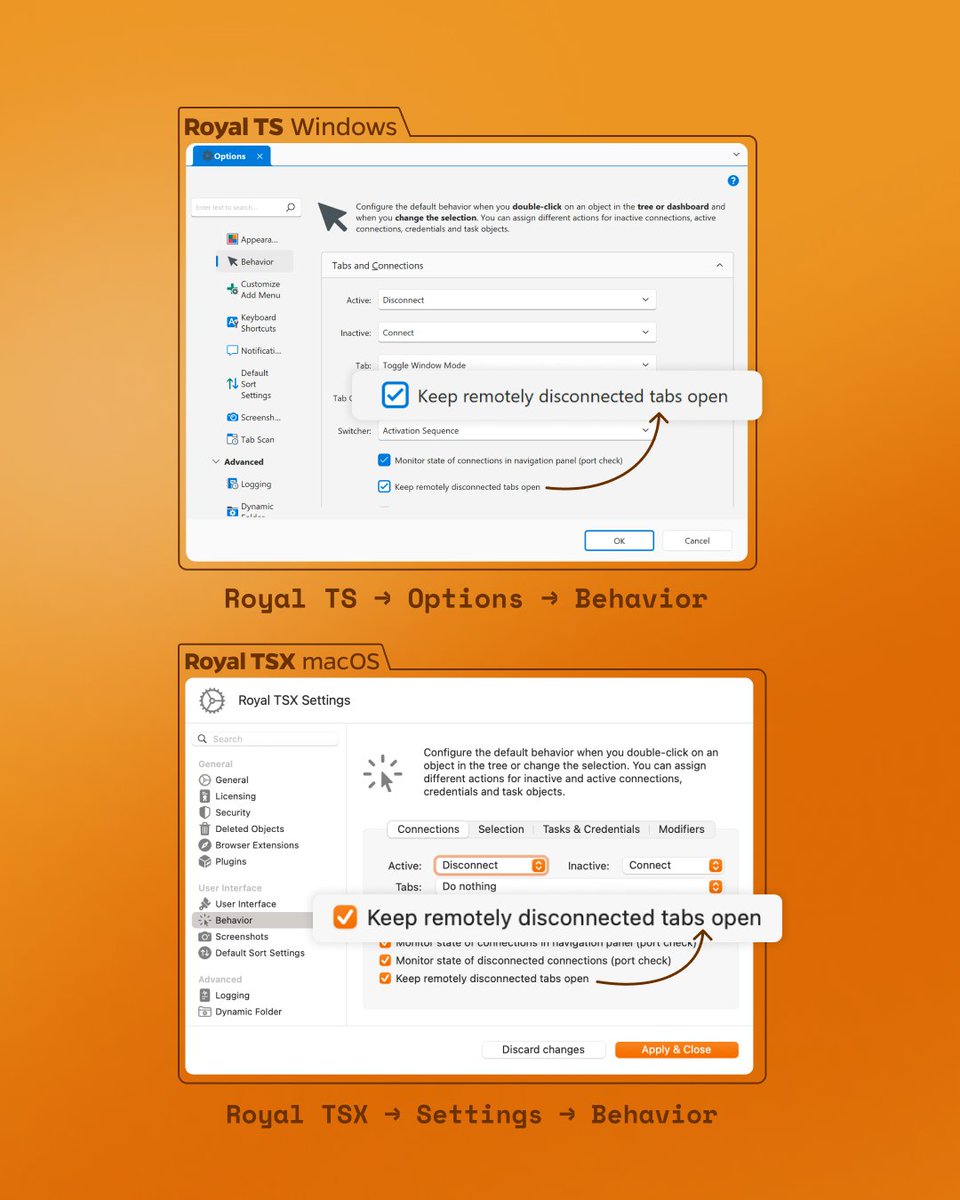
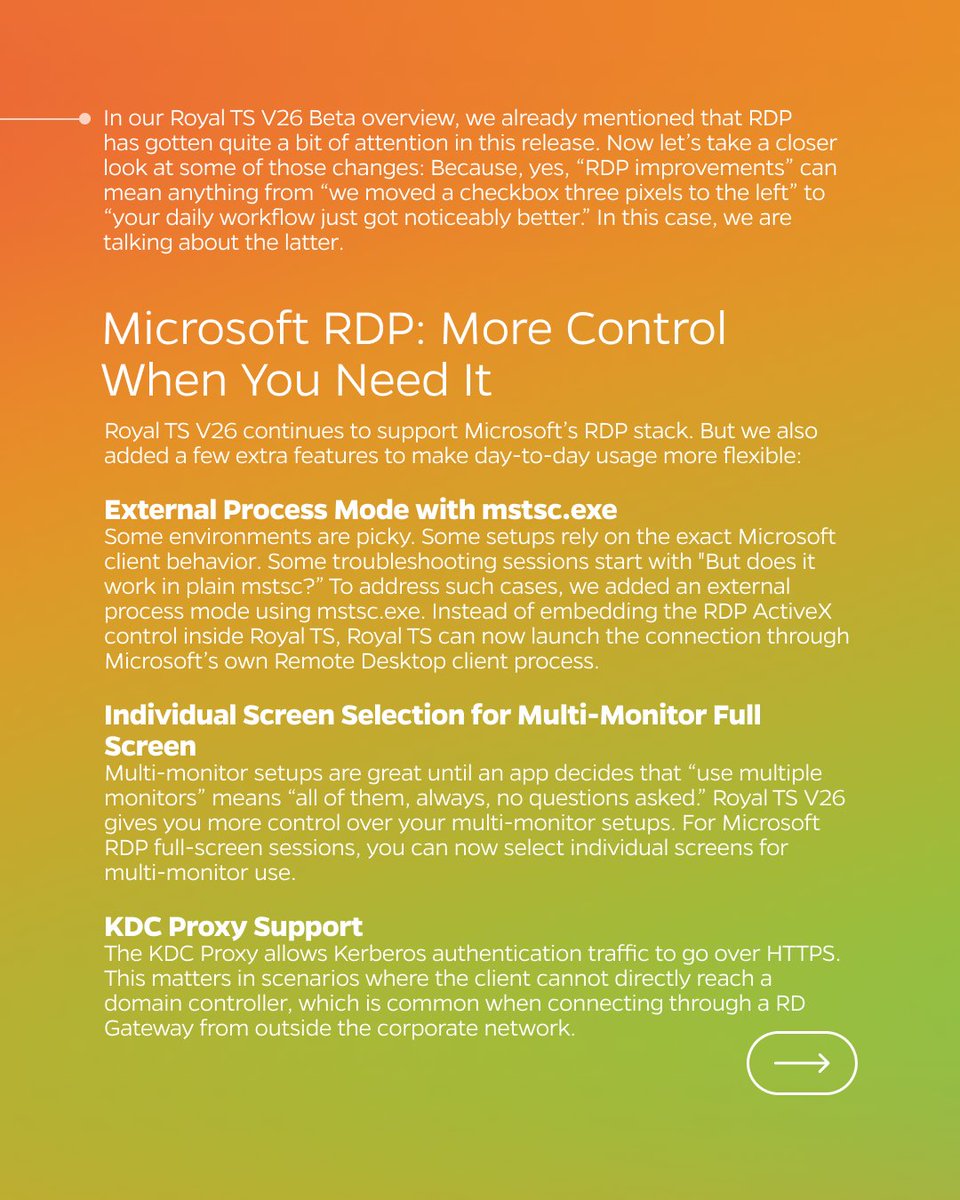
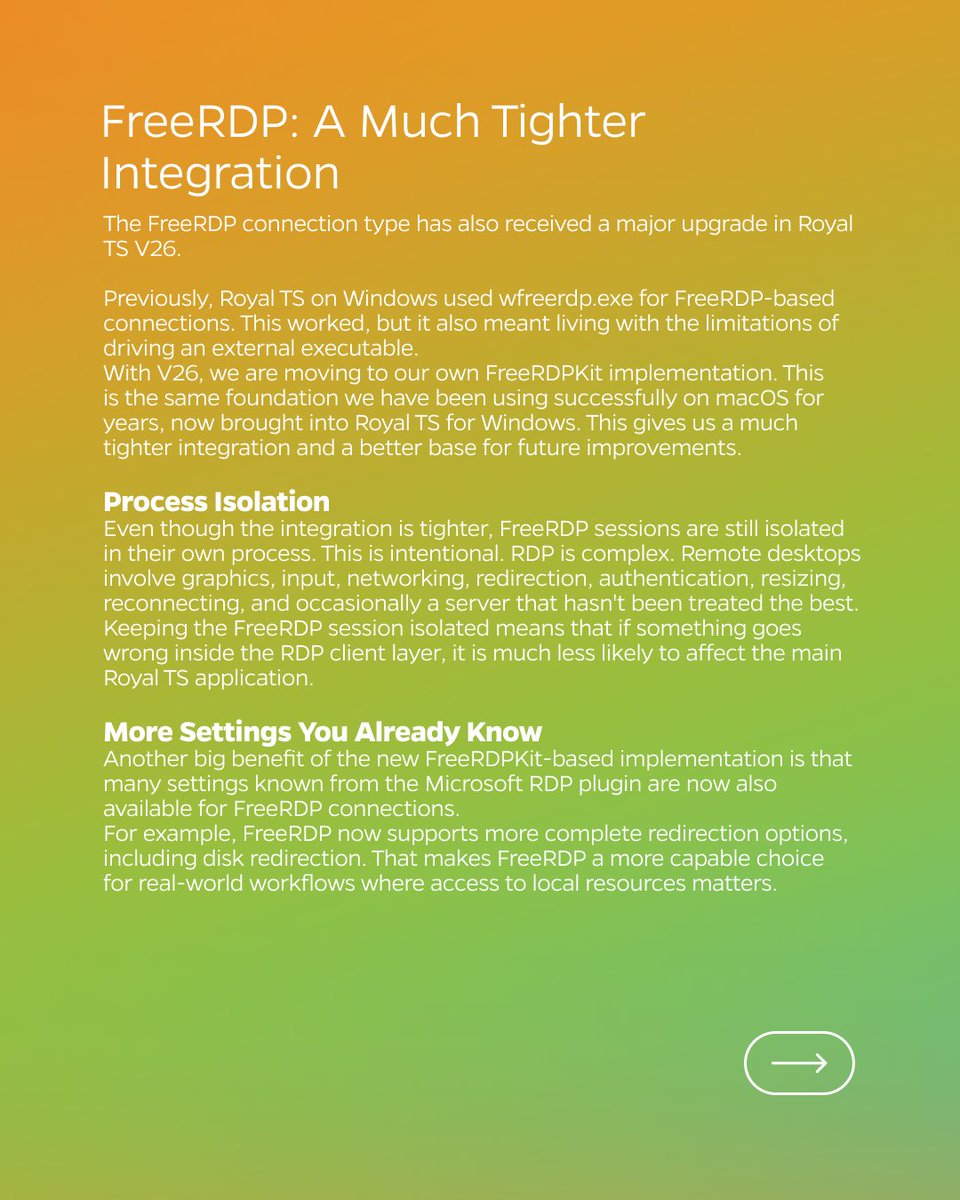
We’re back with another update on Royal TS V26 and a closer look at what’s new for RDP 💡
🔗 Read more about this in detail: royalapps.com/blog/royal-ts-…
🔥 Download Beta: royalapps.com/go/kb-all-down…
#devops #itadmin #remotemanagement #RDP #msrdp #remotedesktop #azure #bastion #SSH
2
2
68
Jun 8
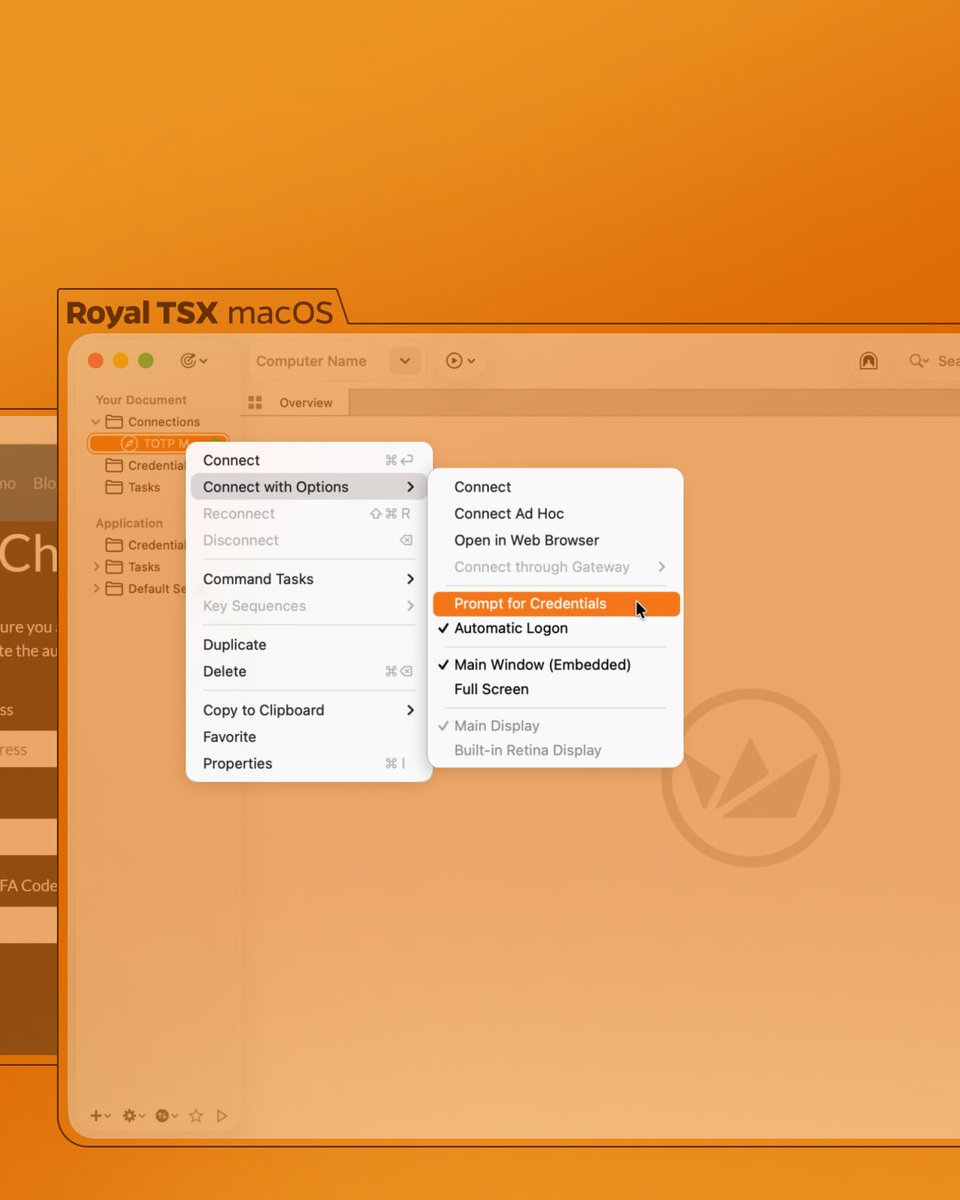
Did you know that you can change your credentials without editing your Connection settings? 💡 Read more about our “Prompt for Credentials” option in our Blogpost: royalapps.com/blog/quick-tip…
#devops #itadmin #remotemanagement #RDP #msrdp #remotedesktop #azure #bastion #SSH
1
2
68
May 26
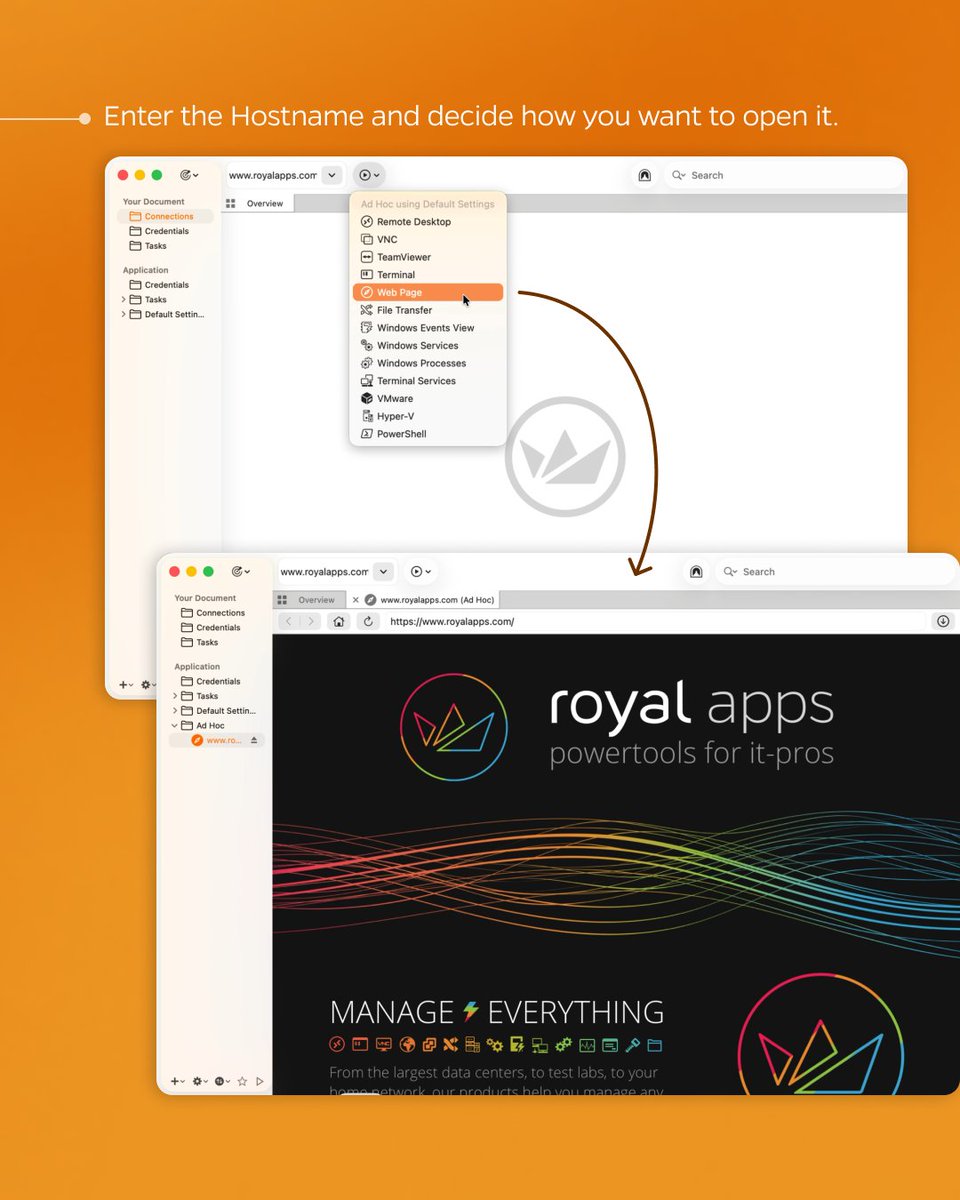
🔥 Reminder that we’ve released the brand new V26 Beta versions for all our products! We’d also love to hear your feedback in our public forums, so don’t be shy 👀
🔗 royalapps.com/go/kb-all-down…
🔗 royalapps.com/go/forum
1
1
4
405
May 21
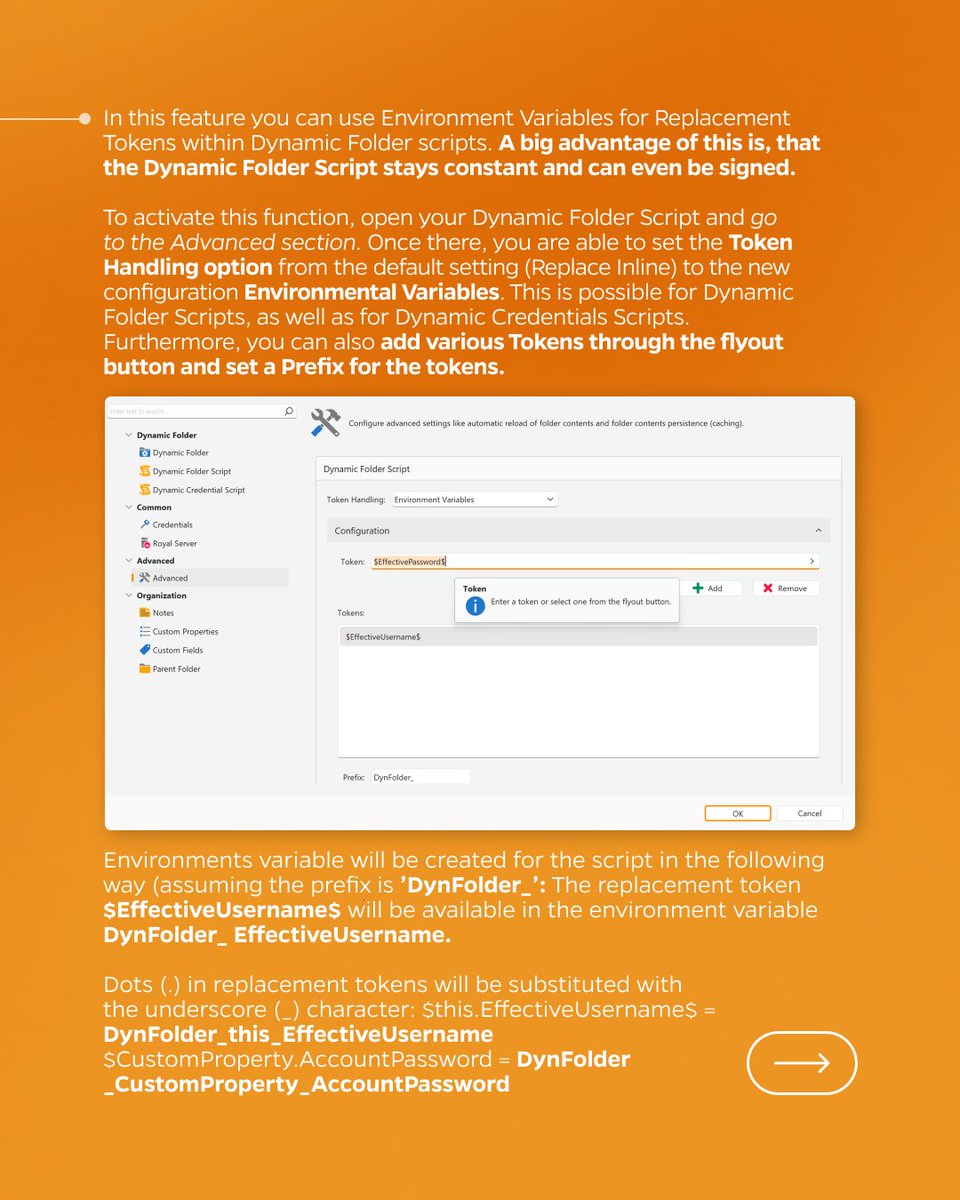
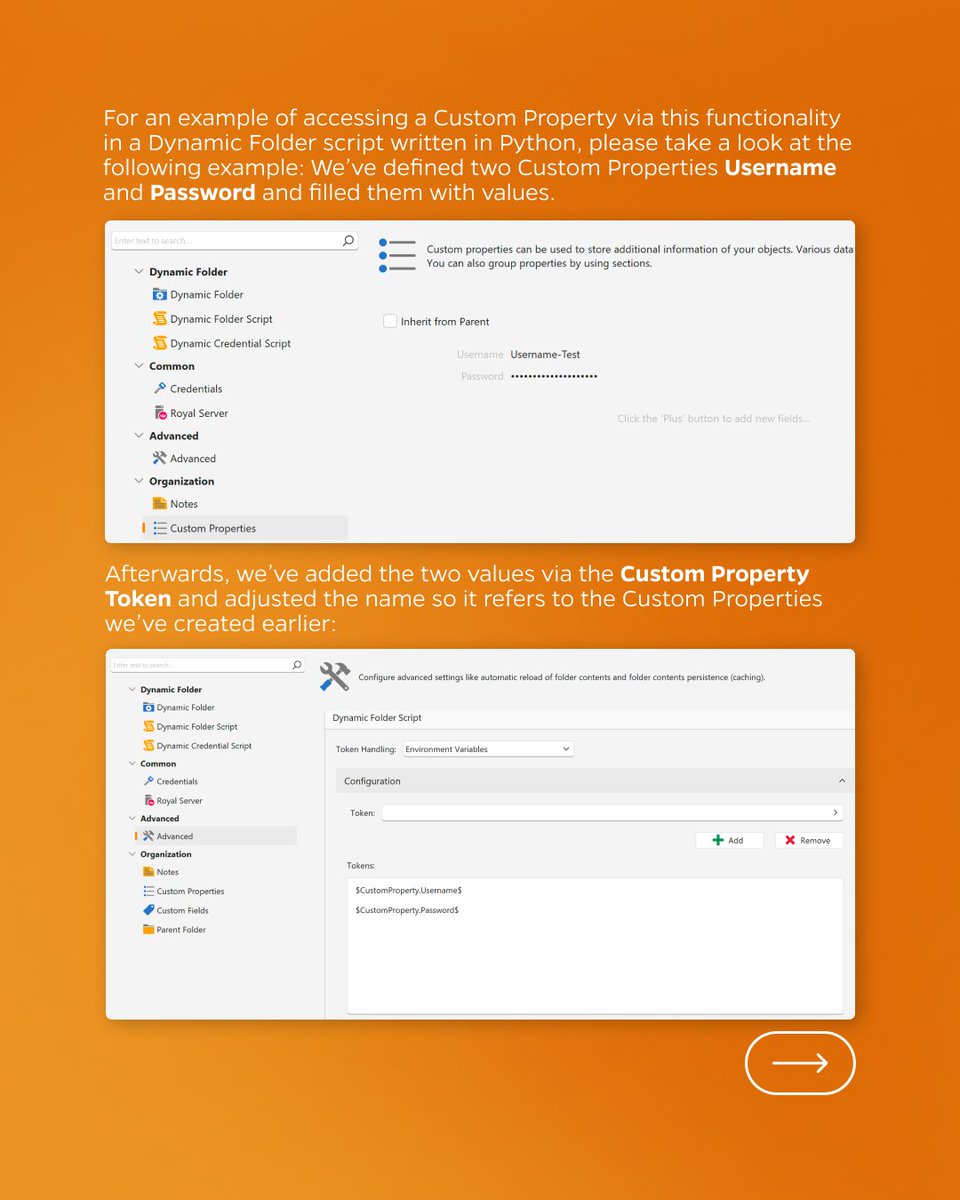
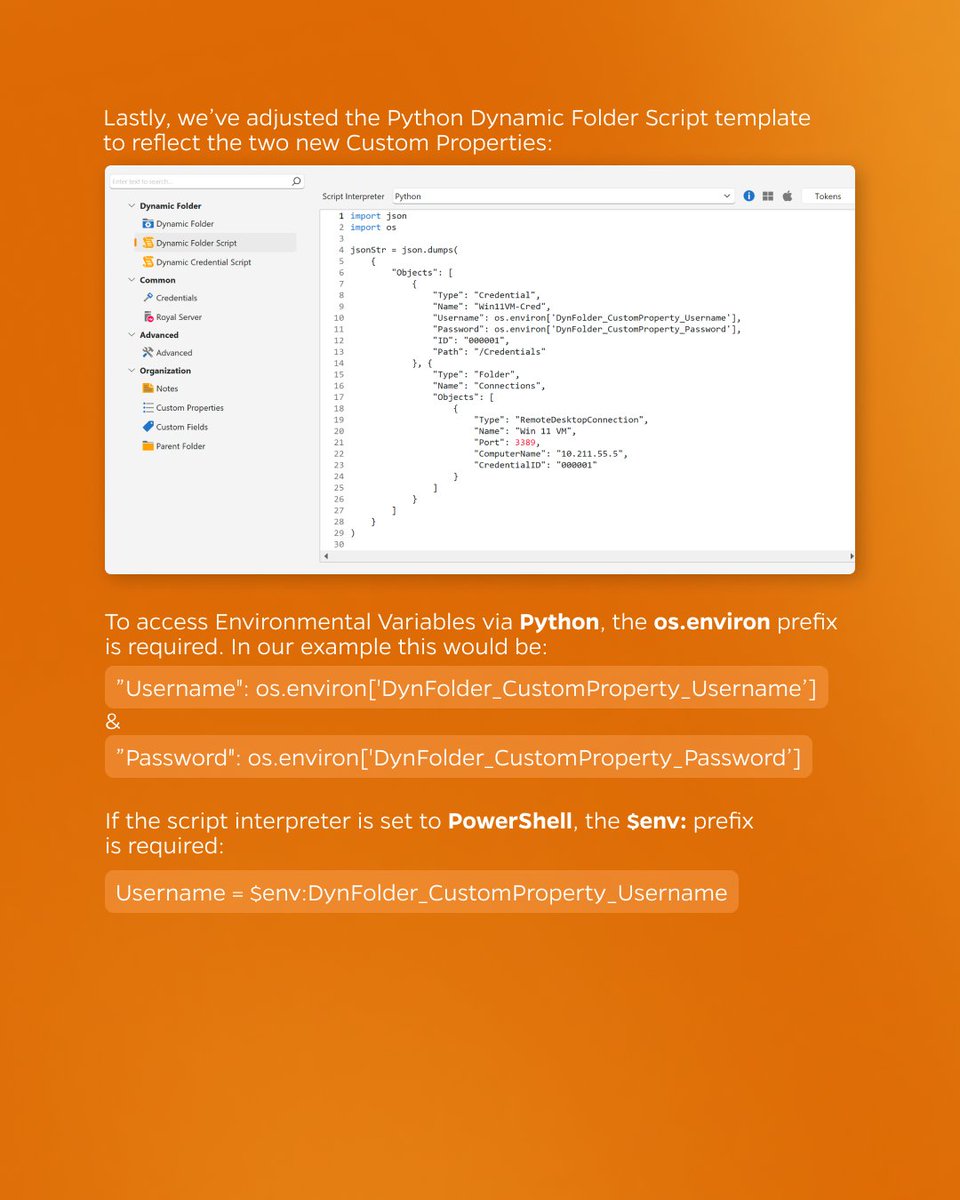
How to use Environment Variables for Replacement Tokens within Dynamic Folder Scripts 💡 Read more in our Blogpost 🔗 royalapps.com/blog/dynamic-f…
1
1
2
173
May 18
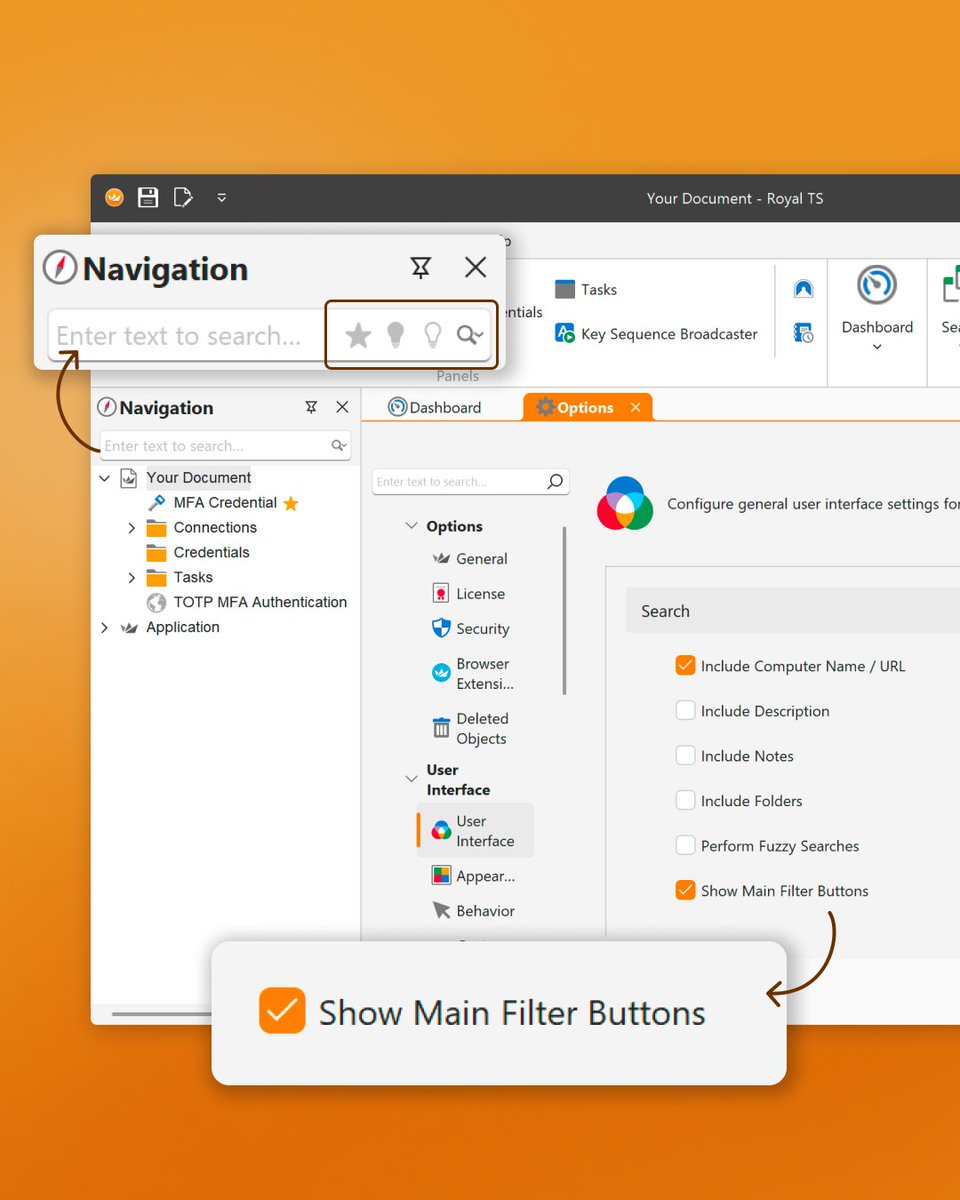
Did you know that in Royal TS, you can display filter buttons in the search to make it easier to access them? 👀 Just go to “Options” → “User Interface” → “Search” and check “Show Main Filter Buttons” 💡
1
2
262
May 15
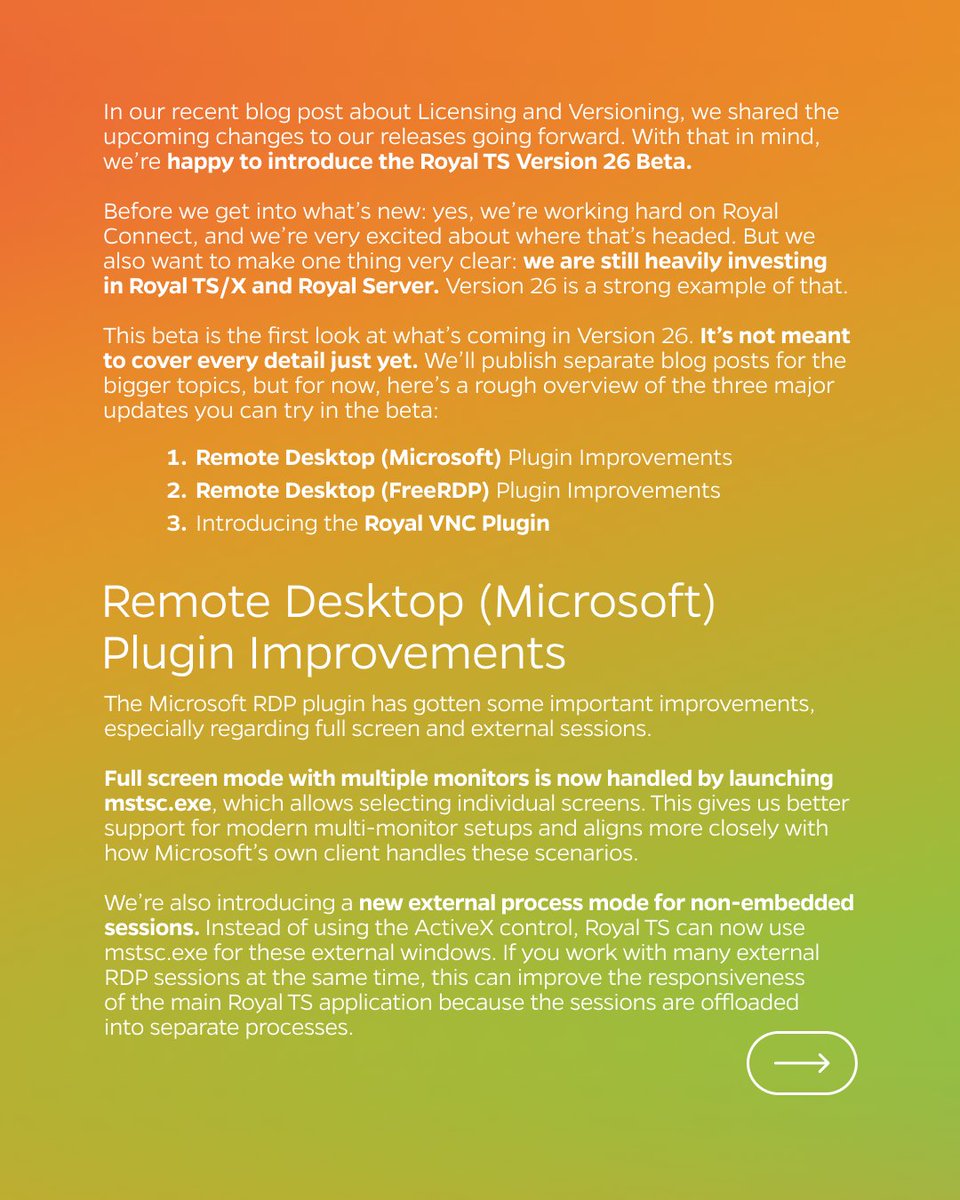
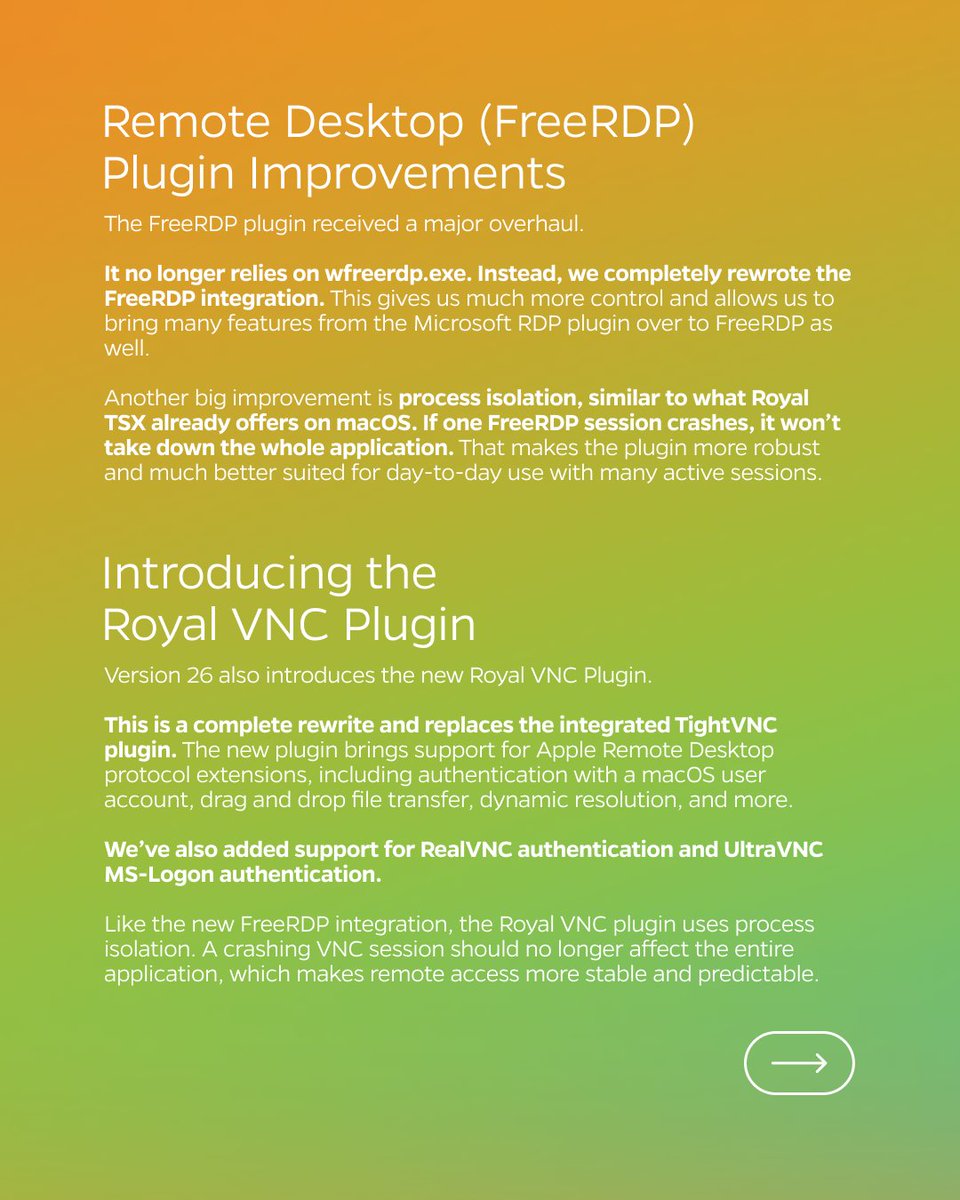
🎉 We just released our new Royal TS V26 Beta 🚀 A first look at what’s coming in Version 26 with three major updates to try: Remote Desktop (Microsoft & FreeRDP) Plugin Improvements and introducing the Royal VNC Plugin 🔥 Download here: royalapps.com/go/kb-ts-win-d…
2
2
9
637
May 7
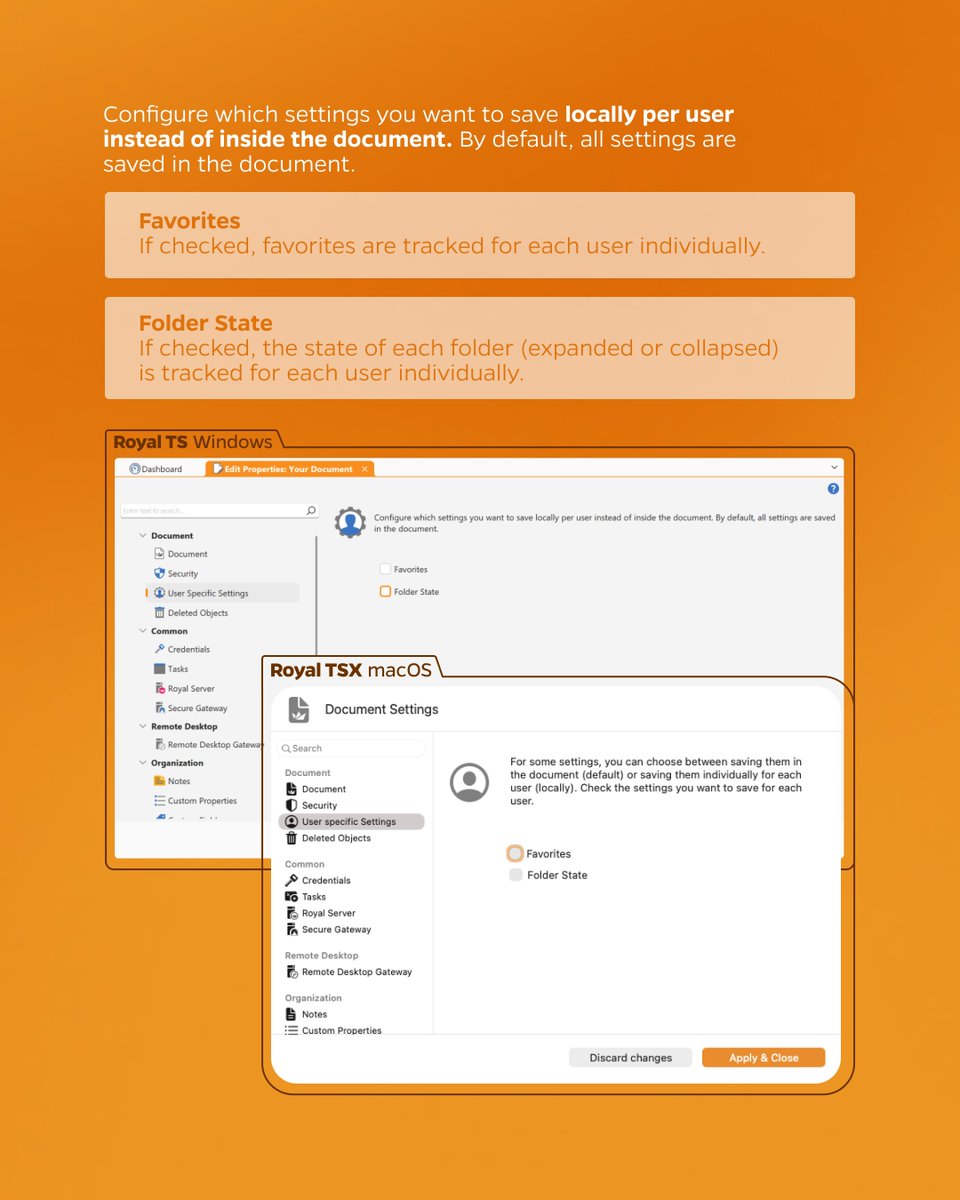
Customize which user settings are saved in the shared document ⚙️ With “User Specific Settings” you can configure which settings you want to save locally per user instead of inside the document💡
#devops #itadmin #remotemanagement #RDP #msrdp #remotedesktop #azure #bastion #SSH
1
1
194
May 4
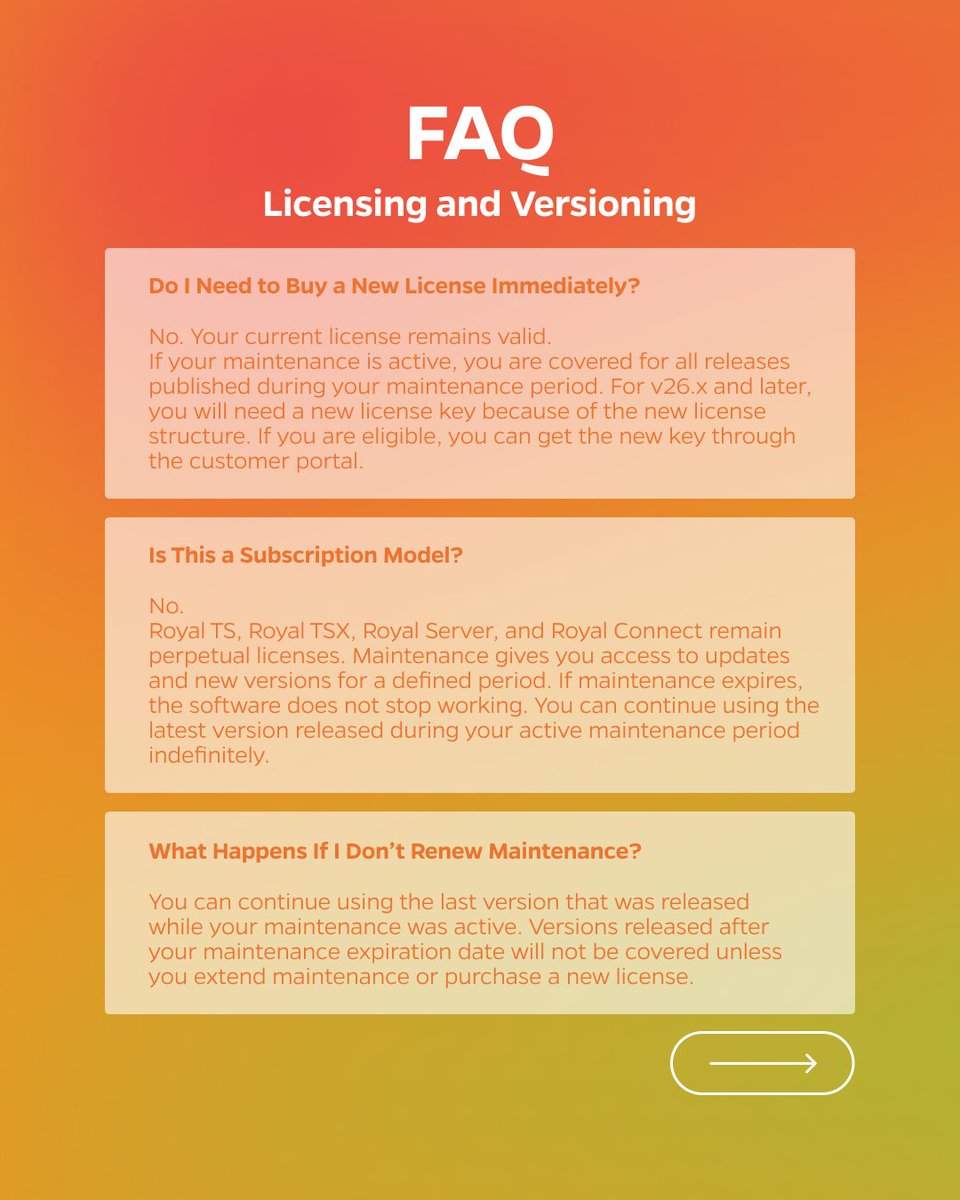
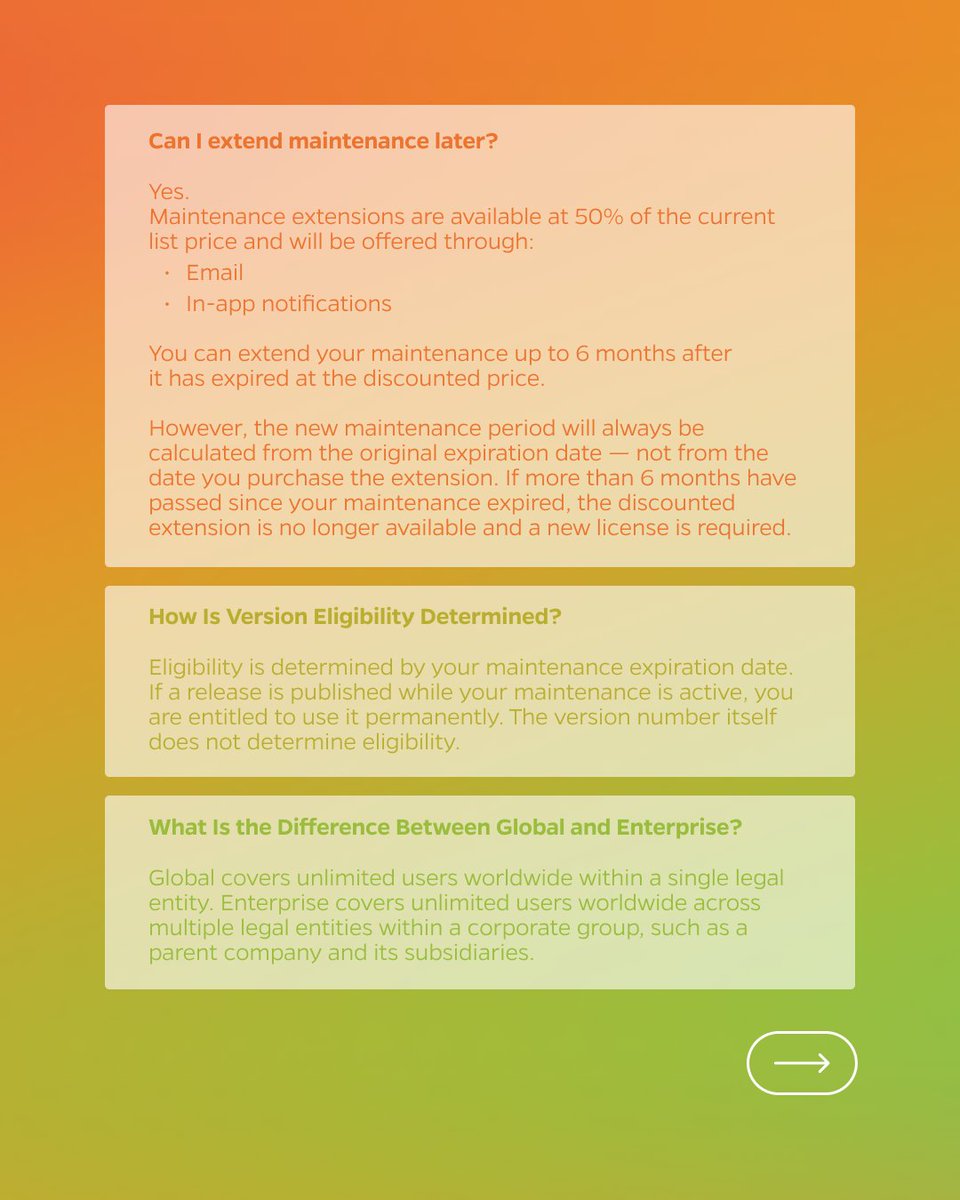
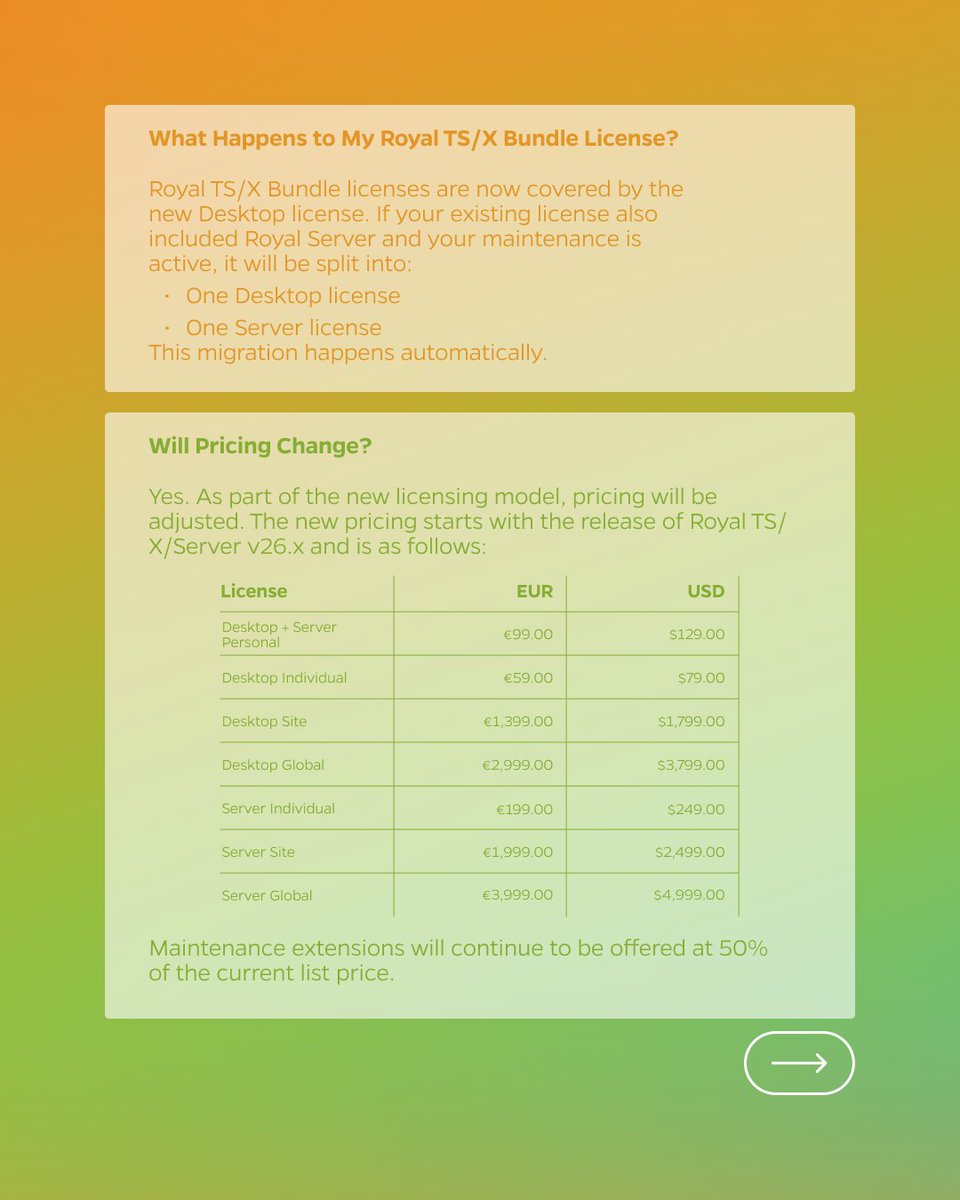
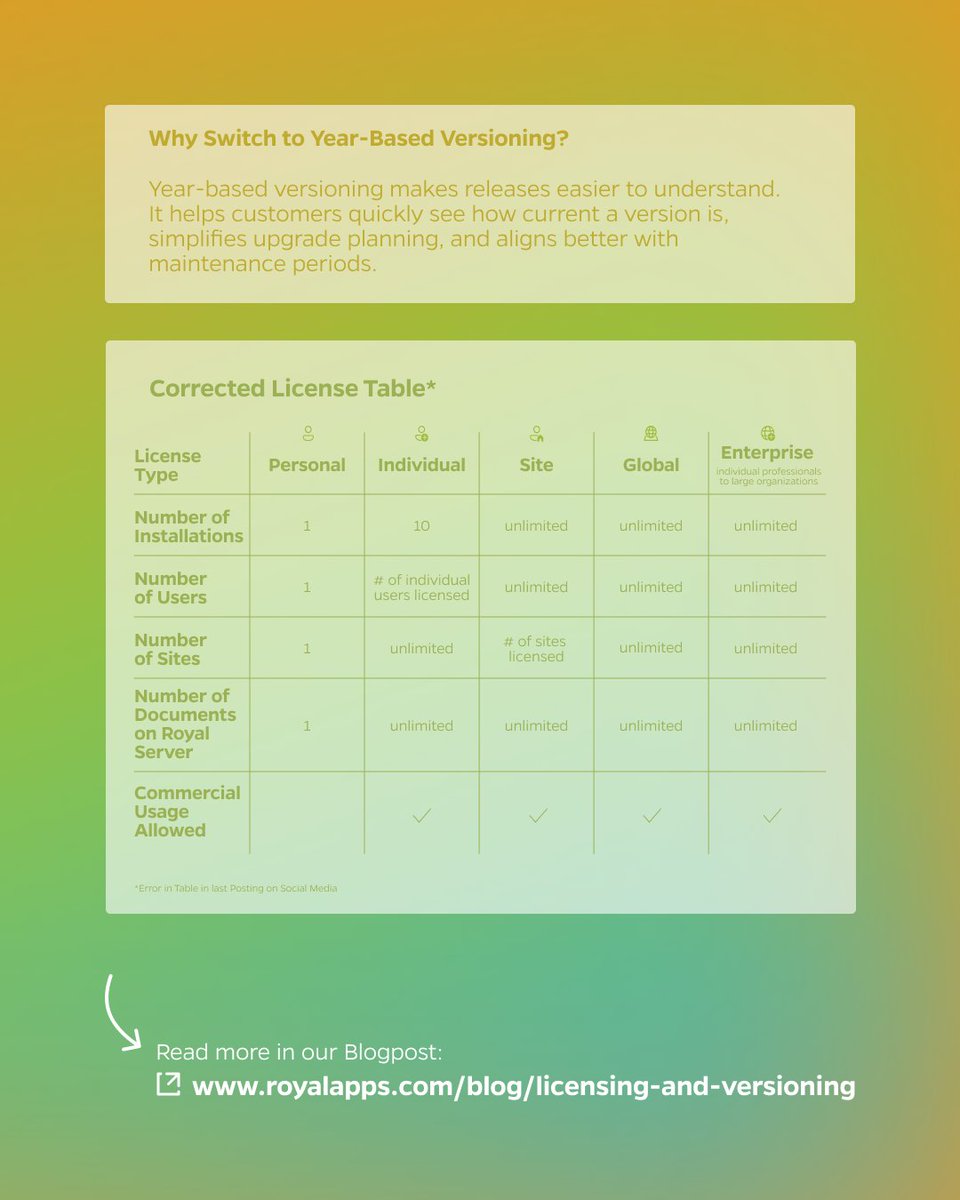
💬 Answering Frequently Asked Questions to our new licensing and versioning model for Royal TS, Royal TSX, Royal Server, and the upcoming Royal Connect product line 💡 Read more details in our Blogpost: royalapps.com/blog/licensing…
#devops #itadmin #remotemanagement #RDP #msrdp
1
3
247
Apr 30
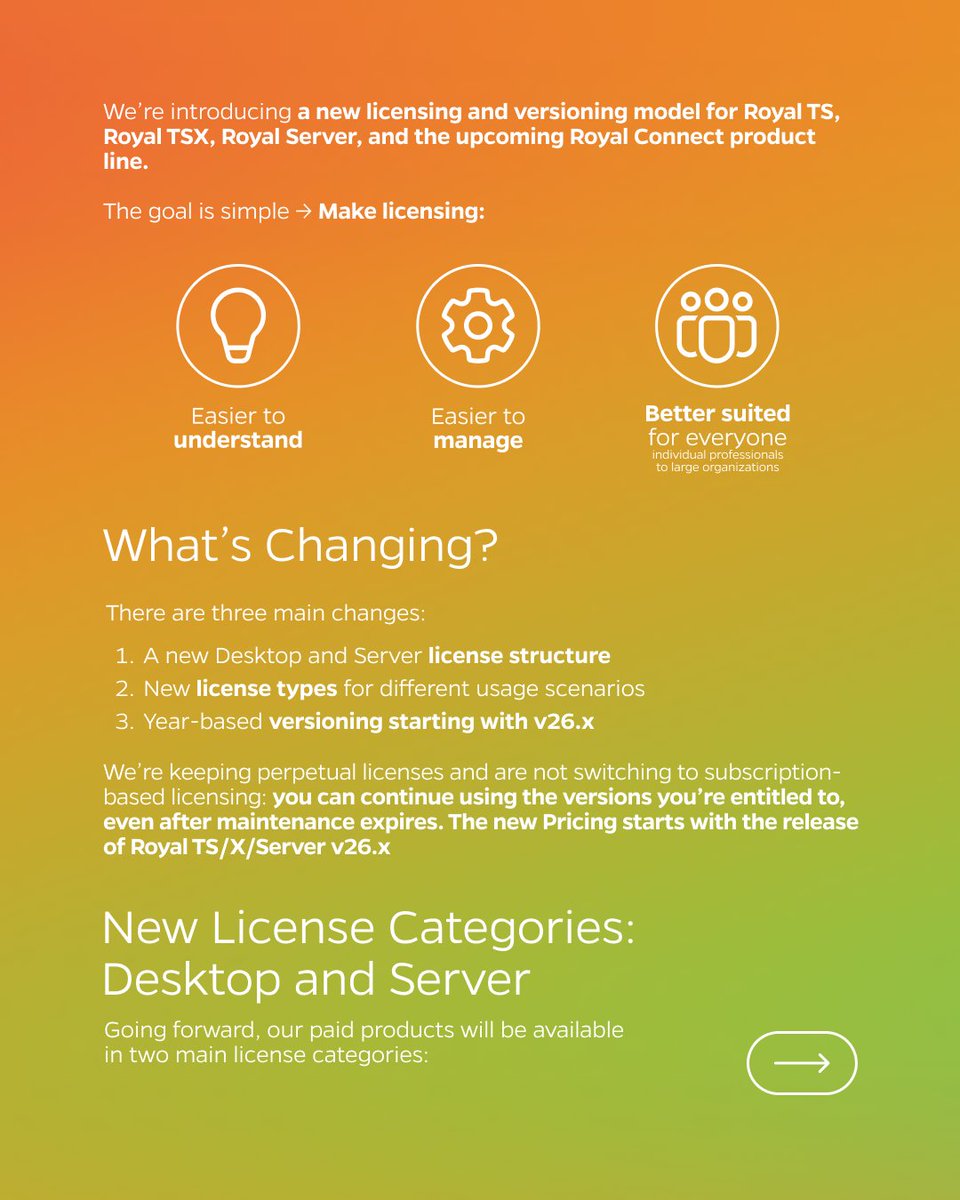
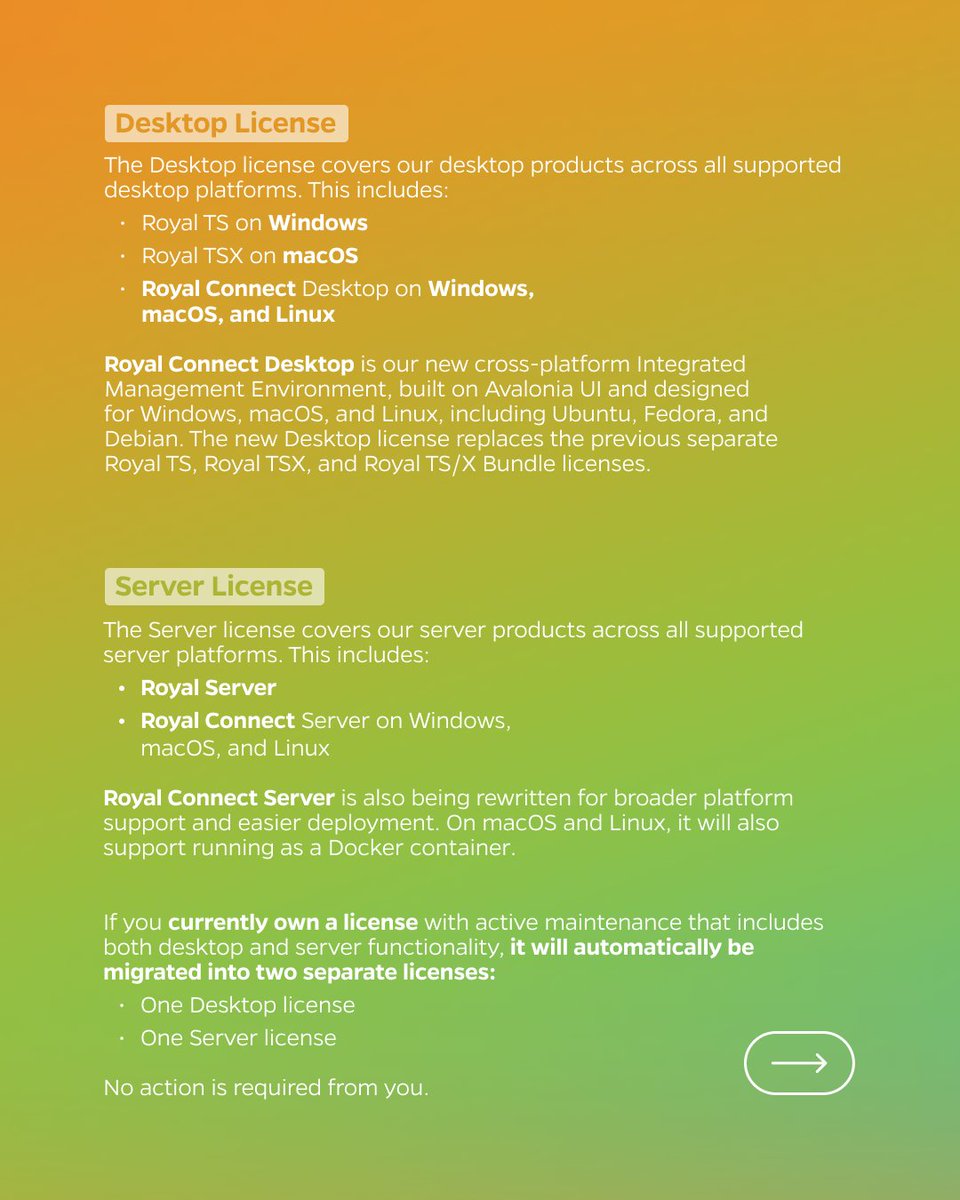
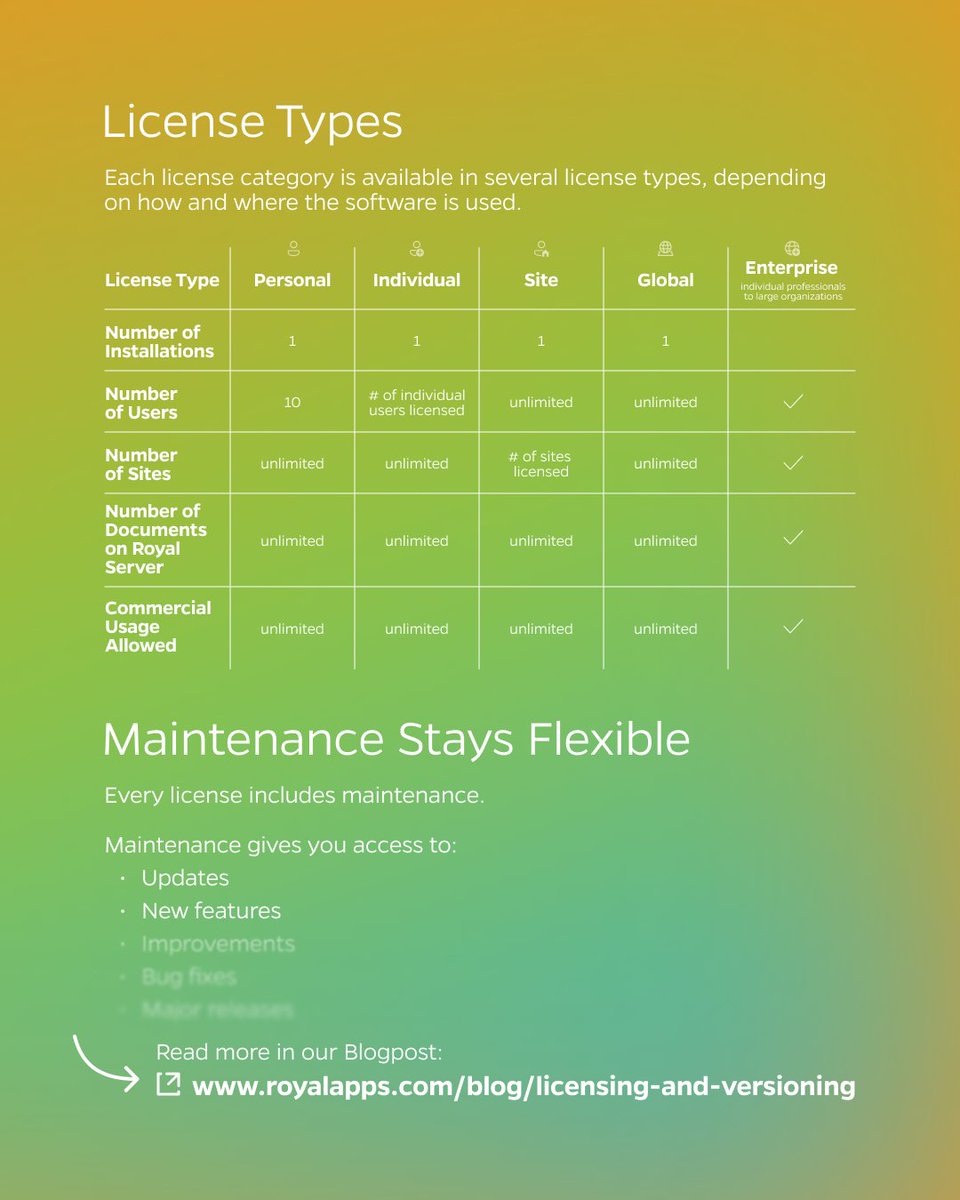
Soon we’re introducing a new licensing and versioning model for Royal TS, Royal TSX, Royal Server, and the upcoming Royal Connect product line! 🙌🏼🚀 Check out all details in our Blogpost: royalapps.com/blog/licensing…
#devops #itadmin #remotemanagement #RDP #msrdp #remotedesktop
2
4
442
Apr 27
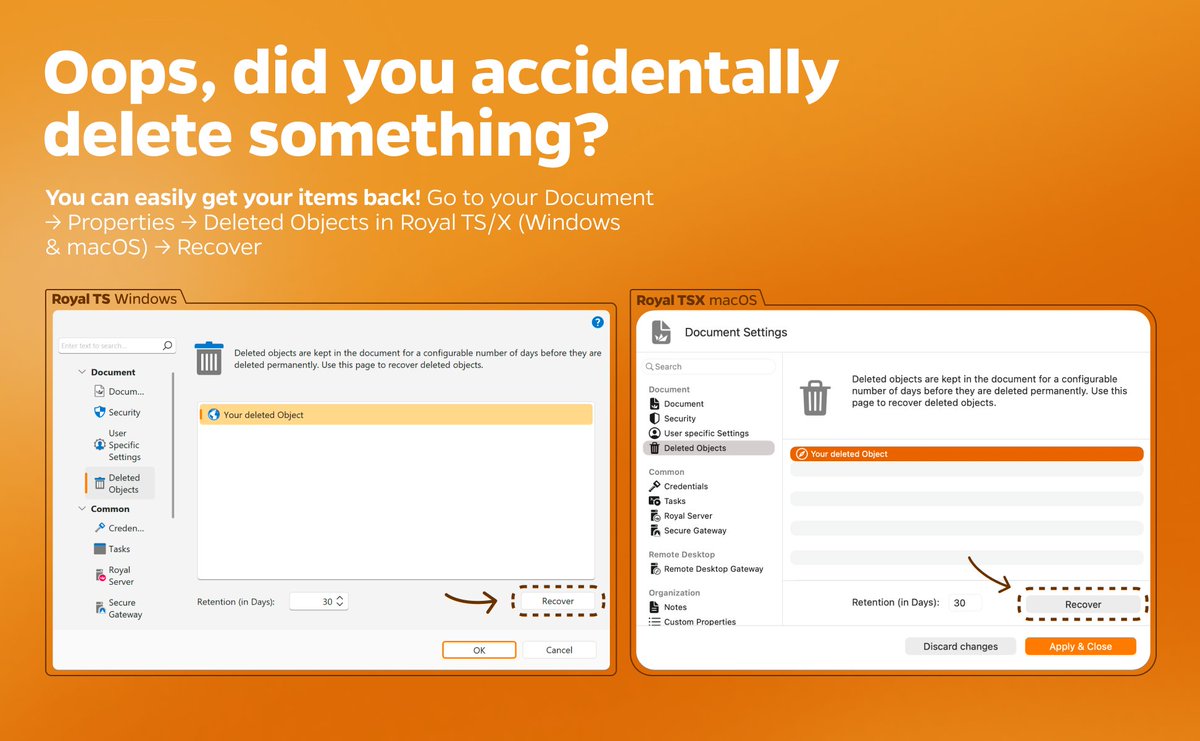
Oops, did you accidentally delete something? 🫣 You can easily get your items back! Go to your Document → Properties → Deleted Objects in Royal TS/X (Windows & macOS) → Recover ✨
#devops #itadmin #remotemanagement #RDP #msrdp #remotedesktop #azure #bastion #SSH #terminal
1
1
212
Apr 24
🎉 We just released a new version of Royal TS for Windows 🔥
👀 Check out what's new: royalapps.com/go/kb-ts-win-v…
👉 Download link: royalapps.com/ts/win/downloa…
#devops #itadmin #remotemanagement #RDP #msrdp #remotedesktop #Azure #bastion #SSH #terminall #VNC
2
4
245
Apr 20
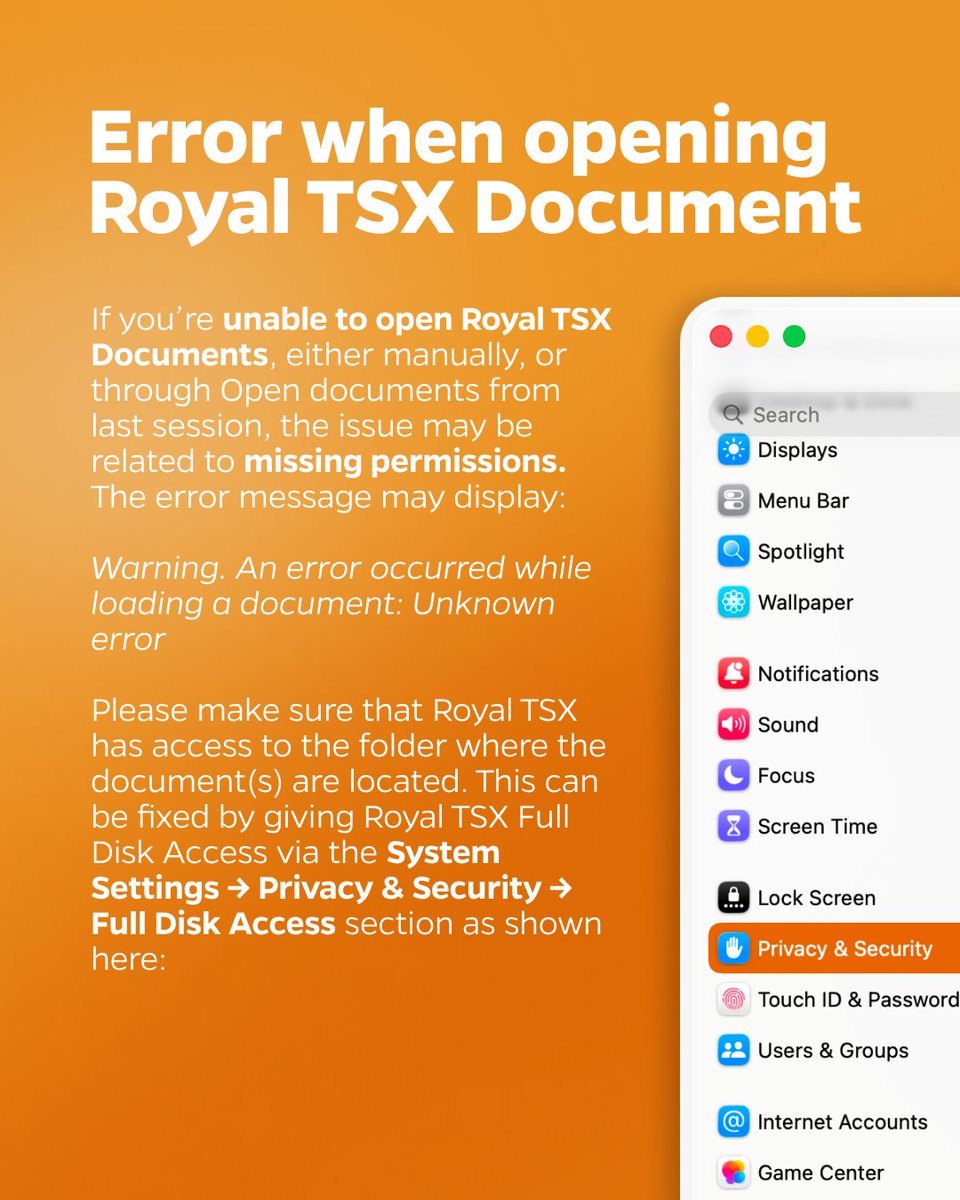
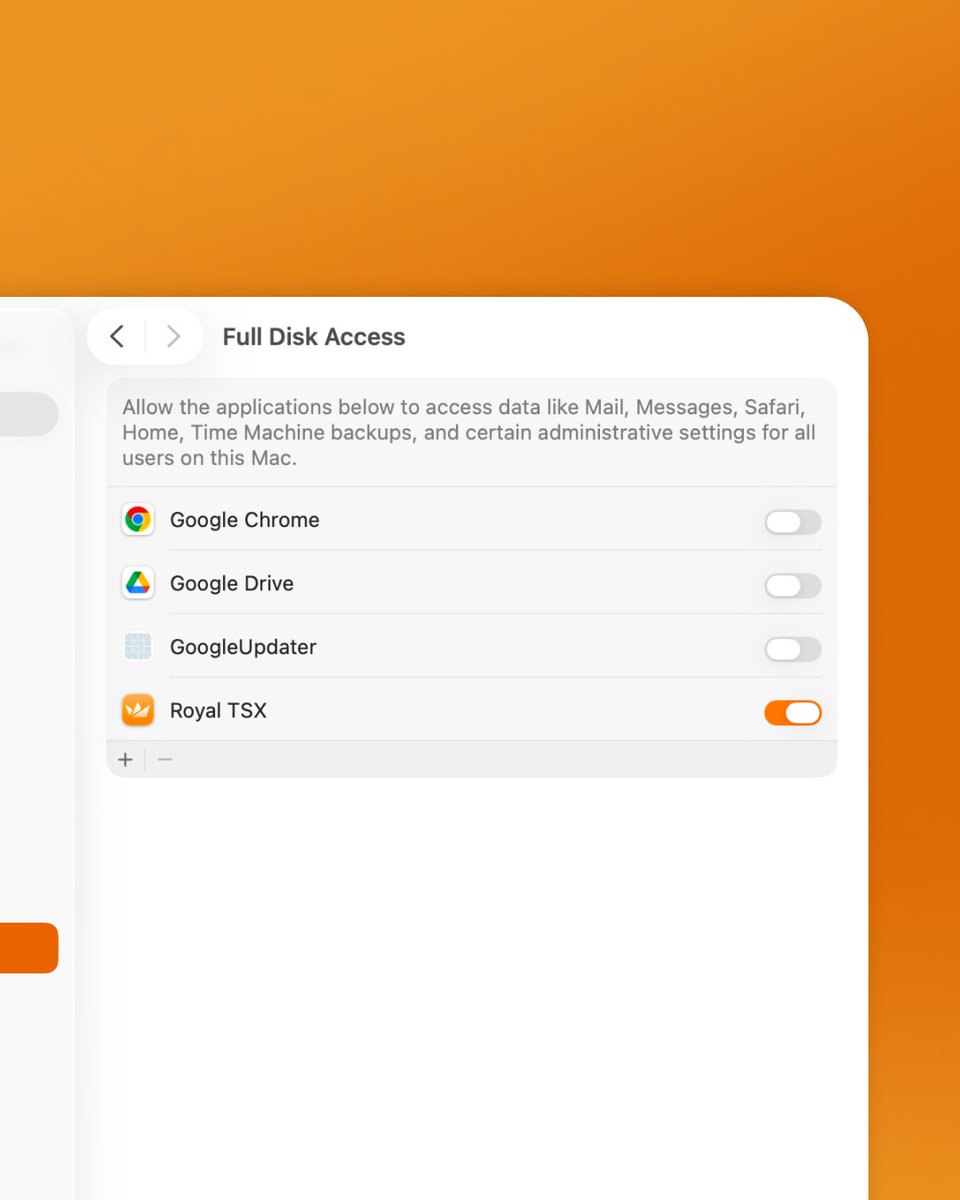
❗️”An error occurred while loading a document” sounds familiar? 🫠 This can be fixed by giving Royal TSX Full Disk Access via the System Settings → Privacy & Security → Full Disk Access section as shown here:
#csv #remotedesktop #rdp #devops #itadmin #terminalservices
1
1
265
Apr 16
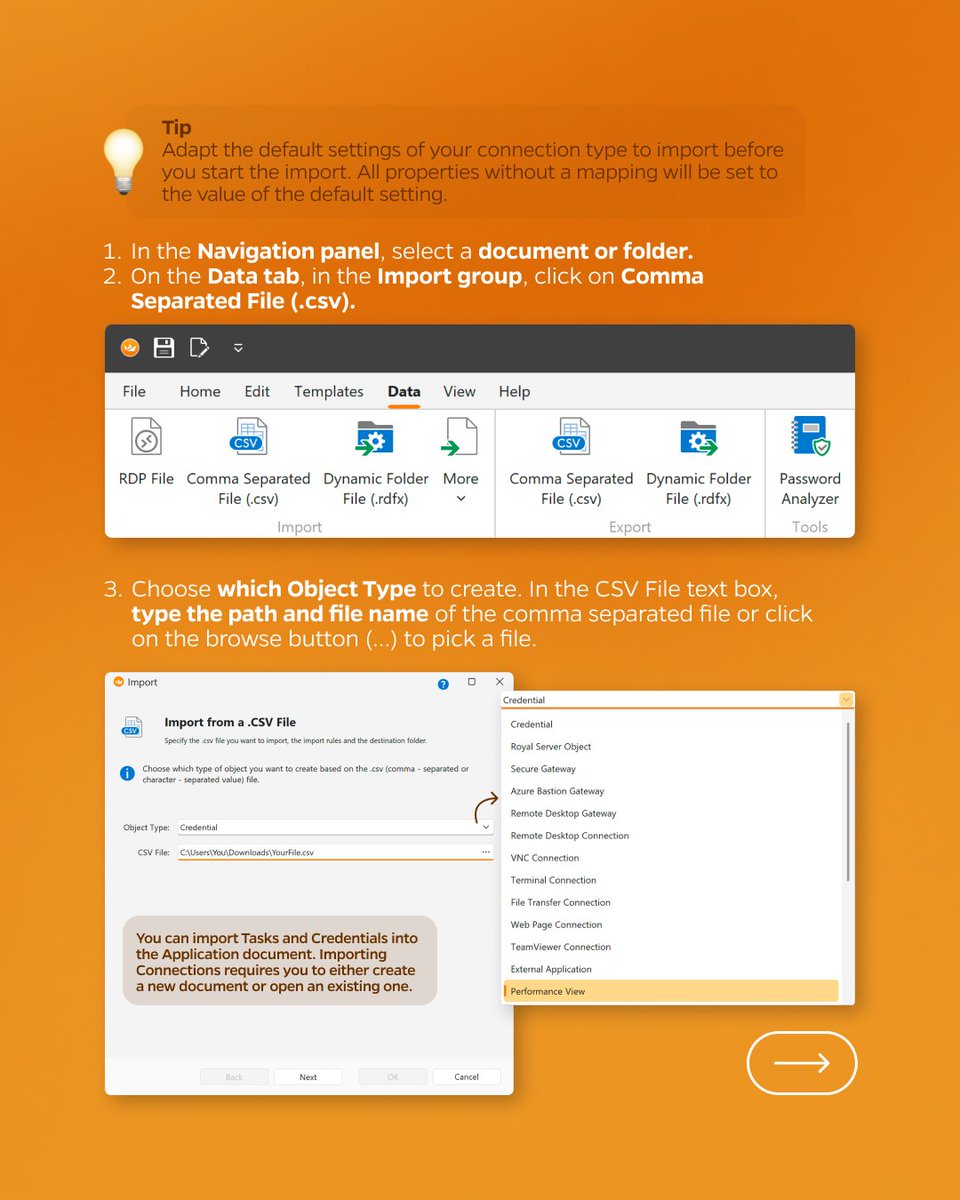
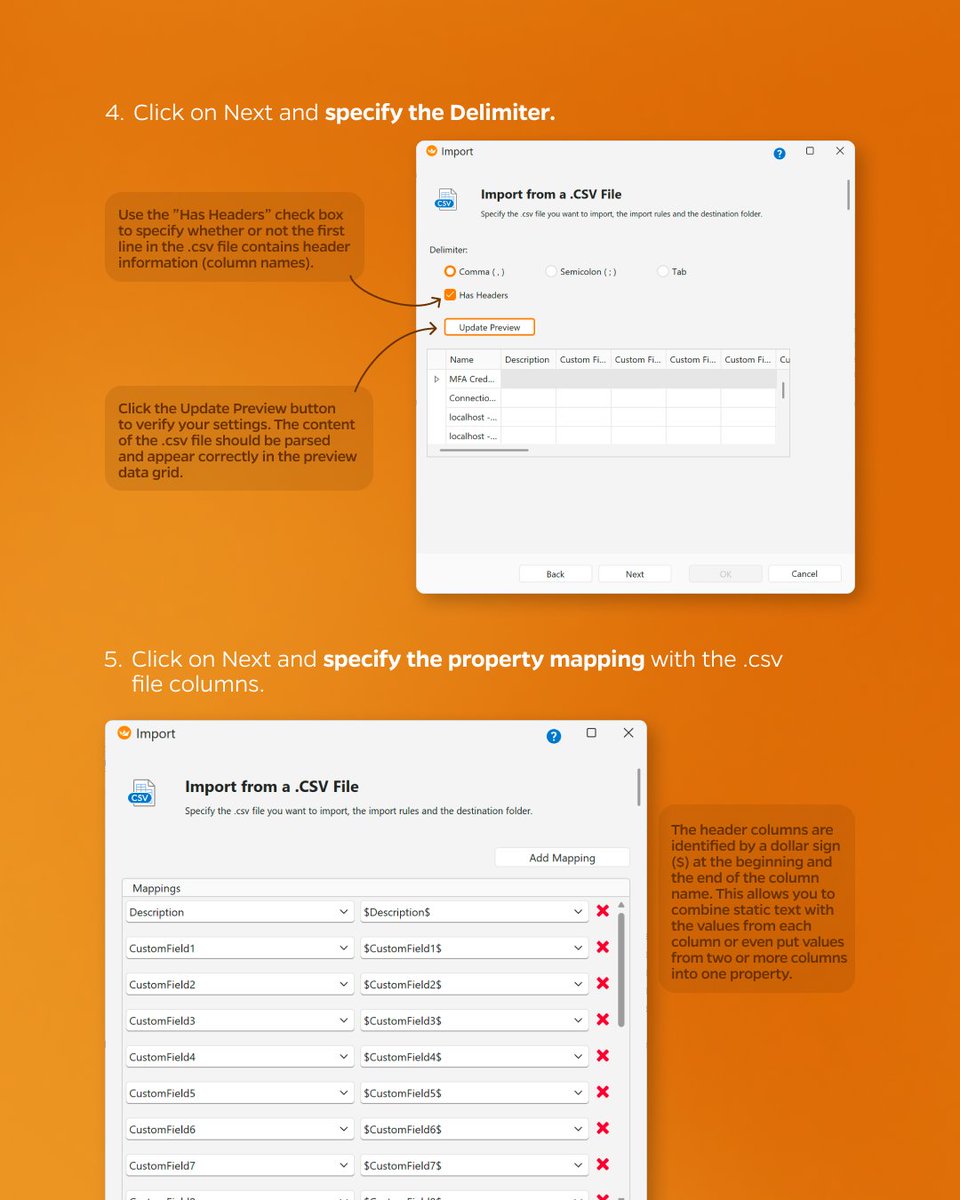
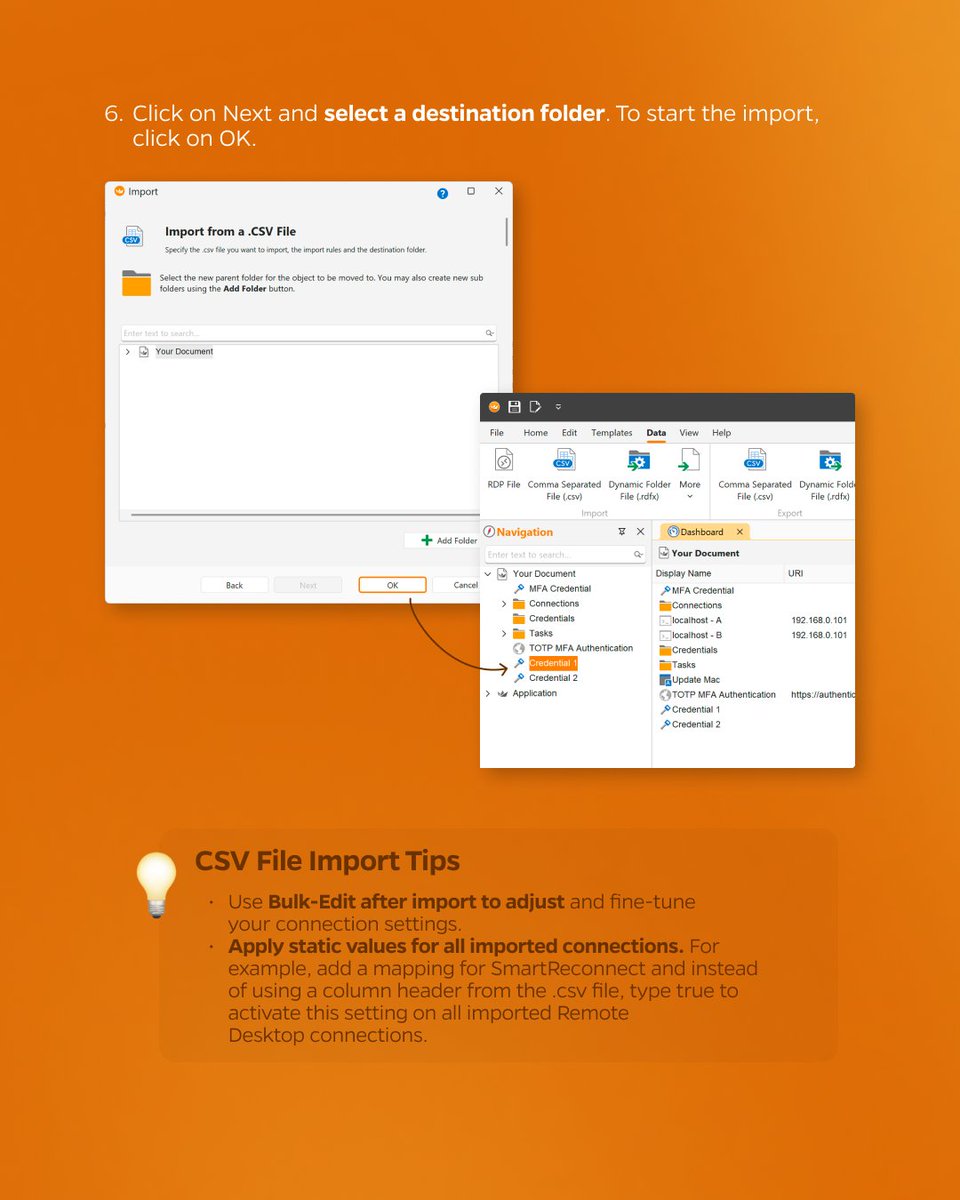
Here are some tips on how to import from a CSV file in Royal TS 💡📂
#csv #remotedesktop #rdp #devops #itadmin #terminalservices
1
2
186
Apr 13
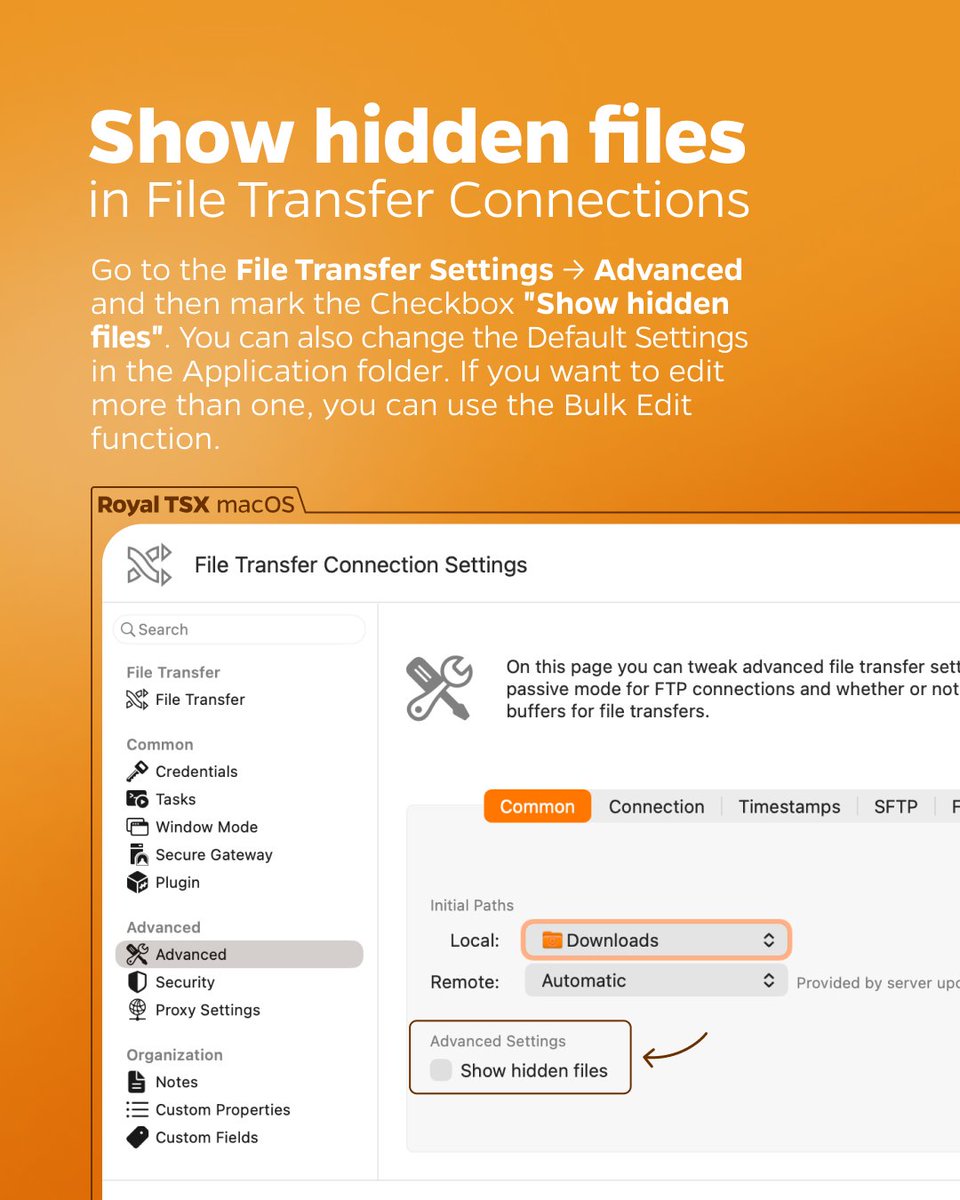
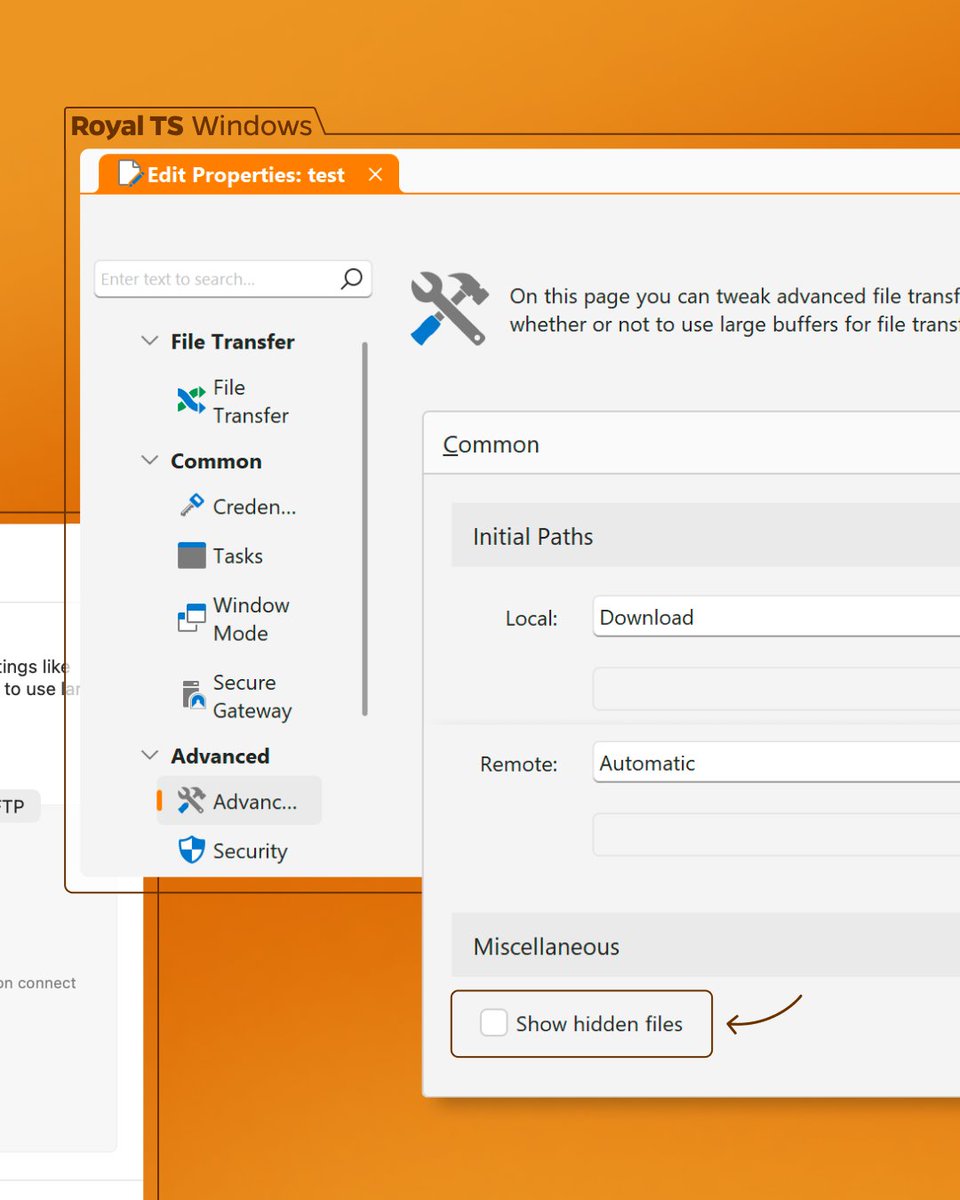
Want to show the hidden files of your File Transfer Connection? Easy! Just go to Connection Settings → Advanced → Show hidden files 💡 You can also change the Default Settings in the Application folder or use the Bulk Edit function, if you want to edit more than one ⚙️
2
1
252
Apr 2
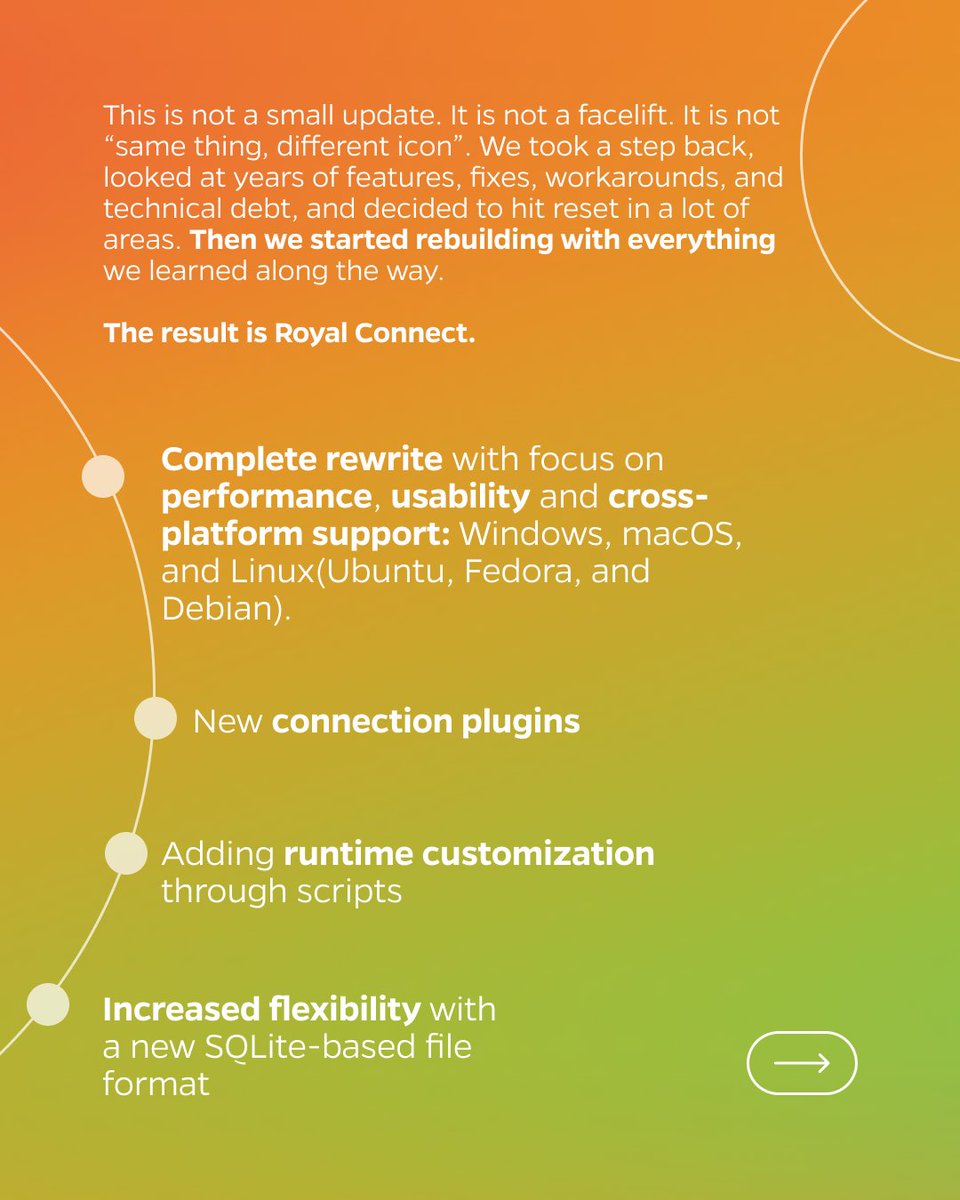
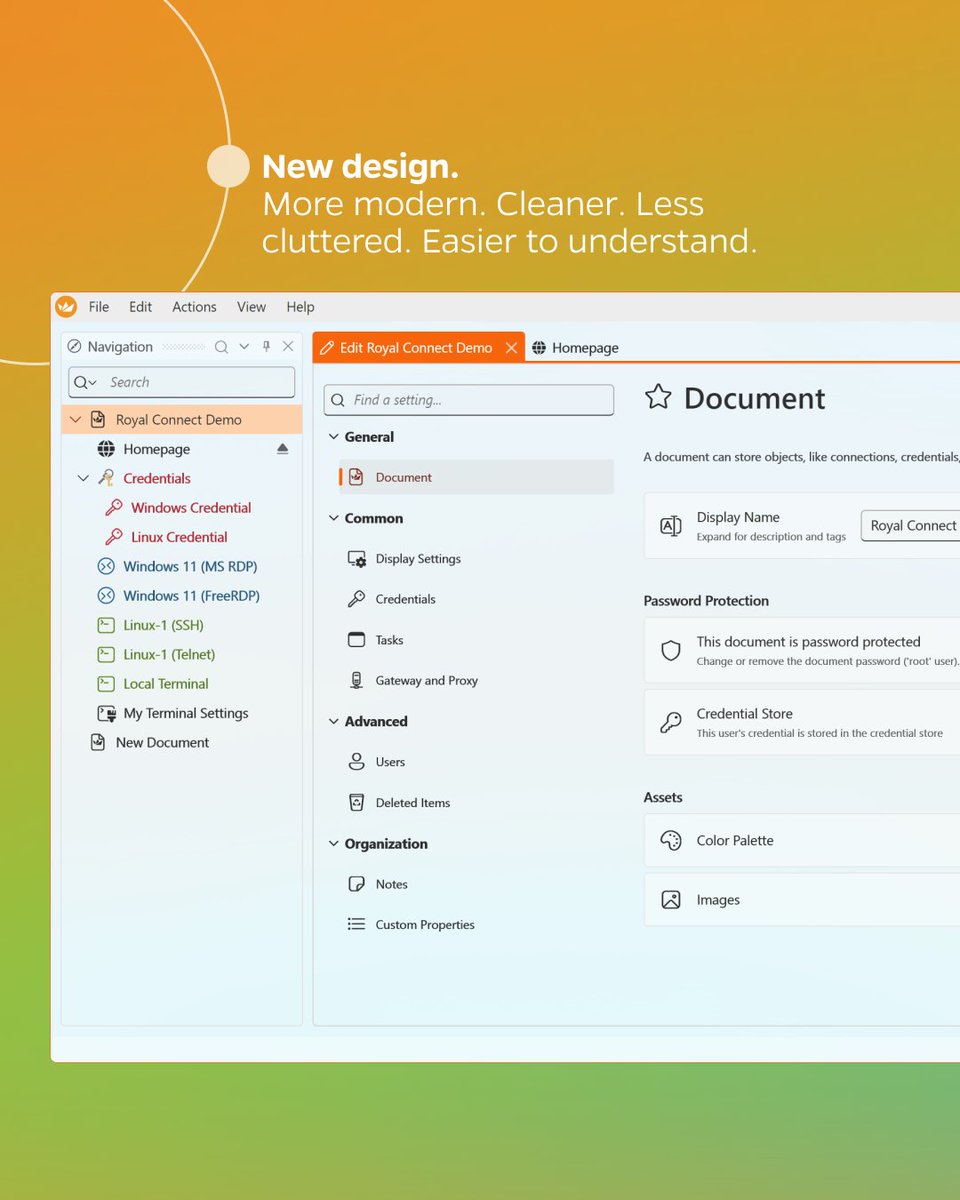
Yes, yesterday's post was an April Fools' Day prank, but the announcement is real 👀 We're developing a new product: Royal Connect. Go check out our blog post and stay tuned: royalapps.com/blog/introduci…

3
2
8
371
Apr 1
We are thrilled to announce our new product! The perfect solution for all your connection needs, from RDP to VNC, all in one multifunctional TUI app. We’re more than happy to share this new product with you after all our hard work and sweat! 🚀
1
2
7
431