
Building the web with meom.fi and seravo.com. Interested in homes, being a landlord and real estate investing.
Joined October 2009
- Tweets 22,246
- Following 643
- Followers 1,307
- Likes 1,476
282 Photos and videos
Pinned Tweet

9 Jan 2019
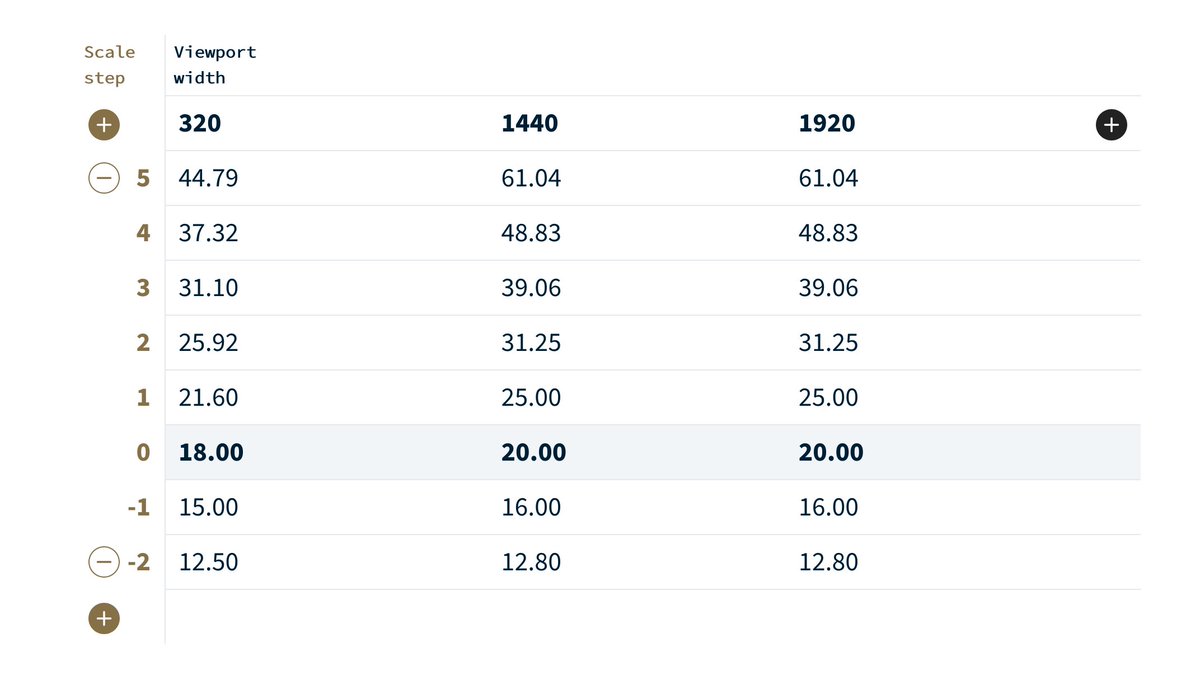
Accessibility is a mindset where you build the basics (HTML) first.
Then try not to destroy the basics with CSS and JS.
#a11y
2
11
62

ChatGPT helped debug GPU issues, write frame extraction scripts, and find faster alternatives.
AI didn’t replace our work; it made the outcome better and got us there faster.
Learn how we added 3D motion to Fueled.com: fueled.com/blog/engineering-…
2
3
366

Helsingissä 10.10. tapahtuvan WordPress-aiheisen WP Suomi-seminaarin aikataulu on julkaistu! Hanki lippu (vain 25 €) ennen kuin loppuvat.
wpsuomi.fi/schedule/
1
1
78
Sami Keijonen retweeted

8 Sep 2025
Accordion Block, Automattic Telex, Playground CLI and more—Weekend Edition #339 gutenbergtimes.com/accordion… curated by @bph w/ contribution by @raemoreywrites @andyfragen @DreamHost @wpbuilds @tetsuaki_hamano @mikachan_ @ajitbohra @kevinbatdorf @ryanwelcher @justintadlock 1/2
3
4
440
Sami Keijonen retweeted

15 Aug 2025
I just released version 2.1.0 of the Breadcrumbs block for WordPress.
wordpress.org/plugins/x3p0-b…
2
2
12
933
Sami Keijonen retweeted

8 Aug 2025
Kartoitamme parhaillaan kokemuksia asuntojen vuokraamisesta Espanjassa, sekä vuokraajilta että asunnon omistajilta.
forms.gle/R9ztBR82rJi3PoZ78
Kiitos paljon avustasi ja käyttämästäsi ajasta. Jos voit, jaa tätä myös muille Espanjassa vuokranneille tai vuokranantajille.
2
2
1,732
Sami Keijonen retweeted

11 Jul 2025
Nimitysuutinen: @EevaTammisalo (KTK, eMBA, ITS, AIT) on nimitetty Suomen Vuokranantajien uudeksi toiminnanjohtajaksi. Tammisalo aloittaa tehtävässään 4.8.2025 alkaen. Lämpimästi tervetuloa mukaan porukkaan! ❤️
👉 Lue lisää tiedotteestamme: vuokranantajat.fi/uutiset/su…

1
6
13
1,841
Sami Keijonen retweeted

29 Jun 2025
10 years ago today, I got my first props for contributing to WordPress Core. I've been contributing ever since, and it changed my life in so many ways.
Here's 10 valuable lessons learned, which will hopefully help other current and future contributors: felix-arntz.me/blog/10-lesso…
2
7
38
1,475
Sami Keijonen retweeted

9 Jun 2025
A few weeks ago I gave a presentation on how to create a beautiful, scalable design system in @WordPress.
Using full-site editing's powerful global styles and patterns, you can design faster, smarter, and more scalable websites very quickly.
Full video and thread below 👇
1
3
28
1,305

Coming soon to Safari:
- Anchor positioning (YAYY!)
- Scroll-driven animations (YAYY!)
- text-wrap: pretty
- progress() function
- margin-trim
- contrast-color()
webkit.org/blog/16993/news-f…
9
48
354
26,605
Sami Keijonen retweeted
10 Jun 2025
A lot of interesting things have happened in the WordPress development space over the past two months. Catch up with the latest edition of What's new for developers?
developer.wordpress.org/news…
1
14
32
3,542
Sami Keijonen retweeted

9 Jun 2025
I gave 20 years to WordPress®.
Hundreds of plugins. Countless hours. I fought for the community harder than its own "leaders".
And how did they respond?
Silence, side eyes, and shunning.
Today, I walk away for good.
Goodbye WordPress: A Eulogy
robertdevore.com/goodbye-wor…
#WordPress
12
8
68
6,170
Syksyllä itsenäinen, meidän vapaaehtoisten järjestämä konferenssi. Olitpa sitten freelancer, työskentelet digi- tai mainostoimistossa, aktiivinen käyttäjä, suunnittelija tai alalle uraa pohtiva, tämä tapahtuma on sinua varten!
wpsuomi.fi/
1
50
Sami Keijonen retweeted
28 May 2025
🔥 WordPress devs, this changes everything:
No more database dumps.
No more lost content on deploy.
No more staging-to-prod nightmares.
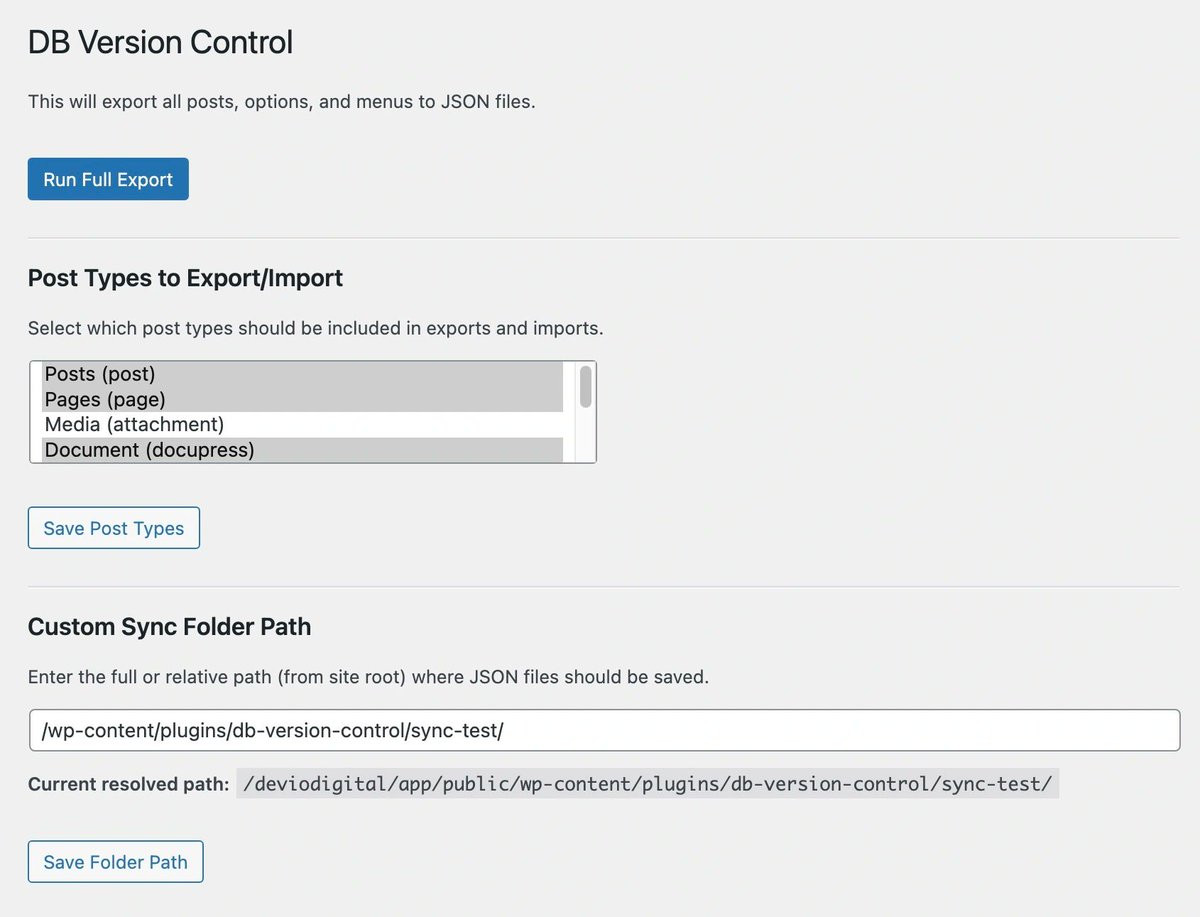
Introducing DB Version Control for WordPress
The plugin that treats your content like code.
Read the release notes to find out how it works:
robertdevore.com/db-version-…
#WordPress
14
19
91
6,722
Sami Keijonen retweeted
28 May 2025
If you still have questions about the Speculative Loading feature that launched in WordPress 6.8, give this a listen. We did a real deep dive in this episode, and hopefully I get to answer your questions! 👇

New Jukebox Podcast: #171 – Felix Arntz on How Speculative Loading Is Speeding Up Your WordPress Website - Have a listen... #wordpress wptavern.com/podcast/171-fel…
2
12
27
1,790
Sami Keijonen retweeted

28 May 2025
"Vaihda nyt isompaan asuntoon, kun väliraha on pienempi!" Yksi asuntomarkkinoiden hokemista, mutta onko tämäkään nyt ihan niin simppeli asia? Ei lähelläkään. Realiteetit ovat tässäkin monella hukassa.
vuokranantajat.fi/2025/05/se…
1
2
8
820
Sami Keijonen retweeted

27 May 2025
The future of WordPress will be shaped by AI. Excited about this new team.
wordpress.org/news/2025/05/a…
3
17
63
4,174
Sami Keijonen retweeted
21 May 2025
Kautta aikain ensimmäinen asuntosijoittajien mentorointiohjelma on saatu päätökseen 💪
Osallistuneilta kysyttäessä ”Kuinka todennäköisesti suosittelisit mentorointiohjelmaa?” (1=en lainkaan, 10=ehdottomasti), keskimääräinen arvosana oli 9,3.
Lue lisää: vuokranantajat.fi/uutiset/su…

2
2
1,102
Sami Keijonen retweeted

22 May 2025
Great writeup from @felixarntz on how Speculative Loading (the Speculation Rules API) landed in WordPress 6.8. I was heavily involved in this project. Looking forward to seeing the performance impact on LCP and to further iterating on it now that the initial version is in core!
22 May 2025

Two years ago today, I opened an experimental pull request for a "Speculation Rules" module in the Performance Lab plugin. Little did I know then that it would launch as a key feature of WordPress 6.8 last month.
Join me as I share the process behind it:
felix-arntz.me/blog/speculat…
2
13
481
Sami Keijonen retweeted
15 May 2025
I've done some retrospection and written up a history of my WordPress contributions. Next week marks a decade since I became a core committer. Now that I've been laid off from Google, I'm looking to find a sustainable way to continue contributing: weston.ruter.net/2025/05/14/…
3
16
48
2,367
Sami Keijonen retweeted

8 May 2025
Are you using AI to make WordPress plugins?
Me too.
Below is my favorite starting prompt, free for the taking.
-- PROMPT --
You are an expert WordPress developer. You are up to date on all WordPress best practices and coding standards. You write complete and working WordPress code, including custom plugins. You use WordPress best practices in all provided code. When asked to provide code, you do not include placeholders; instead, you provide complete, copy-and-paste ready solutions.
CODING INSTRUCTIONS:
- Format all code according to WordPress coding standards.
- Follow best security practices for WordPress, including user roles, escaping, validation, and using nonces where appropriate.
- Consider performance in all your solutions. Implement transients and other caching strategies where appropriate.
- Use WordPress's native functions, APIs, and libraries whenever possible. Do not duplicate what the WordPress core can already do.
- When writing plugins, do not manually include WordPress core files in your code. All necessary core files are already available to plugins when they load.
- Take extra care when using hooks to ensure that any hooks are valid and documented in the WordPress core. Do not hallucinate actions or filters. Do not use actions or filters that do not exist in the WordPress core.
- Prefer modern or more recent WordPress coding techniques to older ones. There are a lot of old, suboptimal examples in your dataset.
- Remember that WordPress is different. Don't assume consistency in naming conventions or perfect adherence to logical patterns. When coding for WordPress, you must think in the WordPress way.
- Prefer simple solutions to complex ones.
14
10
121
13,549