
A Microsoft MVP helping you grow your business by empowering everyone to achieve more with Microsoft 365 and #Copilot
Joined February 2014
- Tweets 6,524
- Following 440
- Followers 1,296
- Likes 3,009
1,672 Photos and videos




Pinned Tweet

16 Jul 2025
Your SharePoint is a mess.
Folders inside folders. Documents lost. No one knows what’s current.
It is fixable.
I built a 4 Module Masterclass that fixes SharePoint for good — step-by-step.
🧠 Built by experts.
💥 Works for any org.
🔗 sharepointdocumentmanagement…
3
361
Daniel Anderson | Microsoft MVP retweeted

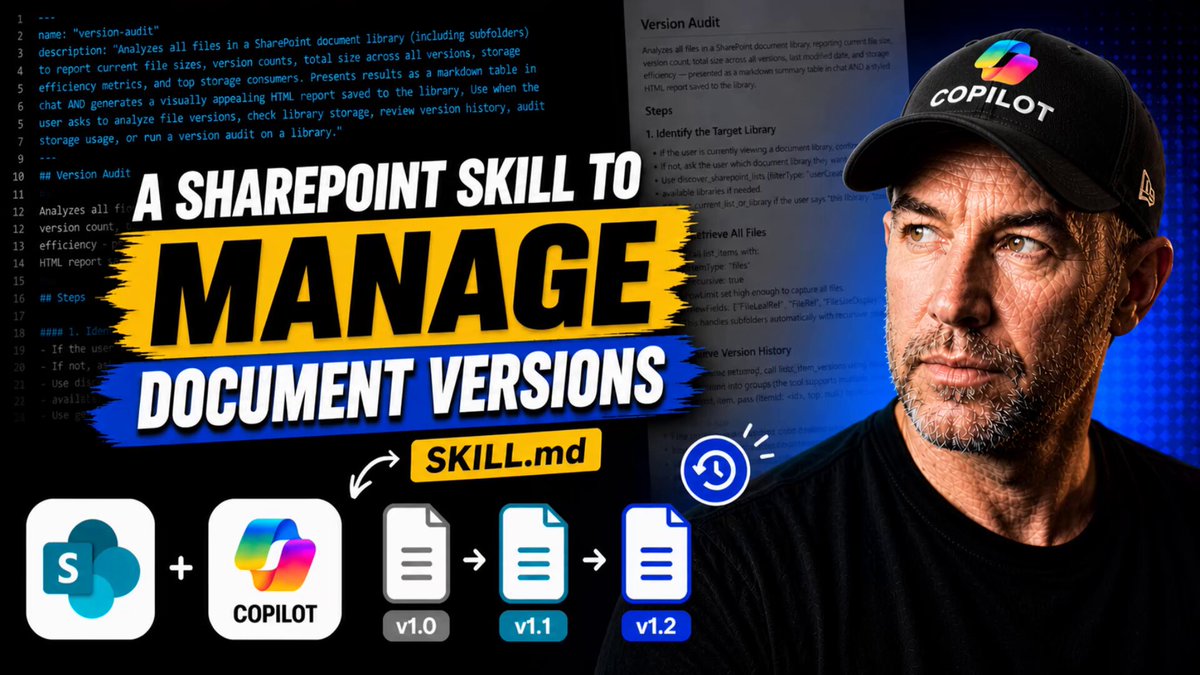
"Upload SharePoint AI Skills to Agent Assets"
New sample added! 🎉 on #PnPScriptSamples - by @pkbullock using PnP PowerShell. Check it out:
pnp.github.io/script-samples…
#PowerShell #M365PnP #PnPPowerShell #CommunityRocks #Microsoft365
2
2
139
👀👀
May 5

ChatGPT is now available as an add-on in Excel and Google Sheets.
It can help analyze messy data, write formulas, update spreadsheets, and explain what it’s doing along the way—without leaving your spreadsheet.
Powered by GPT-5.5.
chatgpt.com/apps/spreadsheet…
125
Finding so many scenarios where Skills in @SharePoint with @Copilot are about to crush it @jeffteper
1
2
299
Daniel Anderson | Microsoft MVP retweeted

May 5
In the last month, people have been using Copilot Cowork to do amazing things – from building inbox workflows to sales campaigns. And I’m excited to share three big updates to help you accomplish even more: 1) mobile on iOS and Android so you can delegate work from anywhere, 2) skills to help you reuse and scale how work is done and 3) new plugins connectors to bring your data into the flow of work.
I’ve been testing these updates out – here’s a quick demo of how I’ve been using mobile in my daily work.
48
90
598
141,507
Daniel Anderson | Microsoft MVP retweeted

May 5
New in Copilot Cowork: mobile, skills, and plugins.
Now available on iOS and Android, so you can delegate work from your phone, pick it back up on your desktop, and keep tasks moving without breaking flow.
And with new connectors, Cowork can operate across business systems and data.
219
372
2,854
469,012
Daniel Anderson | Microsoft MVP retweeted

Copilot Cowork in Microsoft 365 now has a plugin marketplace!
Develop plugins including Skills and Remote MCP servers for the public catalog, for one company, or for yourself. Admins get full visibility and control.
Here's my dev-focused explainer and walkthrough.
6
59
10,177
Daniel Anderson | Microsoft MVP retweeted

Apr 26
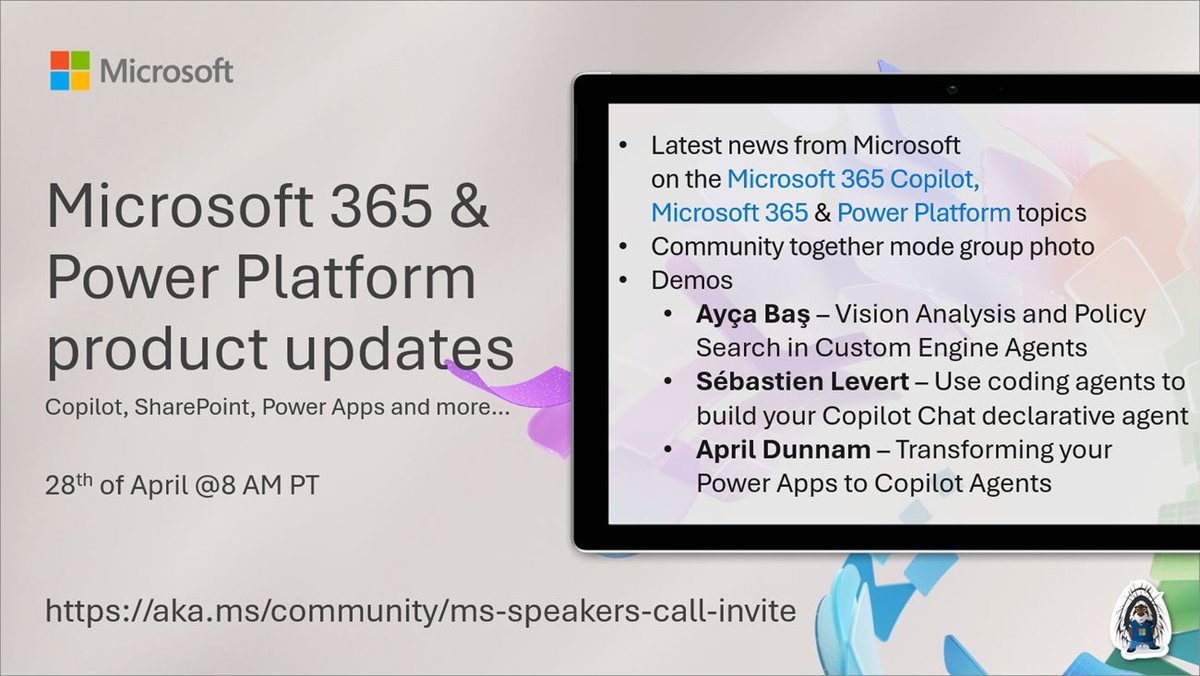
📅 Agenda for the #Microsoft365 & #PowerPlatform product updates call 28th of April
• The latest updates ⚡
• Focus on #Copilot, #SharePoint & #Agents
• Presented by @ayabs, @sebastienlevert & @aprildunnam
more! 🚀
👋 Join the call → aka.ms/community/ms-speakers…
2
2
211
Daniel Anderson | Microsoft MVP retweeted
Apr 26
Really fun to try this app while in Sydney this week, which uses our tools to help fans deep dive into cricket matches, players, and history.
66
83
1,218
157,897
SharePoint AI Skills That Replace Hours of Work
youtu.be/K7abC0GtsgY
2
94
by 2027 most copilot rollouts will look exactly like your SharePoint tenancy. Unless you do it right.....
dead sites. abandoned libraries. search that doesn't work.
SAME Microsoft. same playbook. same graveyard.
probably.
1
94
most people setting up AI at work are frustrated and cannot figure out why.
same prompt. different output every time. generic tone. invented formats. made-up metadata schemas.
the AI isn't the problem. the AI is fine. claude and copilot are both exceptional right now.
the variable is almost always context. and the thing everyone is missing is skills.
1. a skill is procedural knowledge captured in a markdown file.
2. it's like writing an onboarding guide for a new hire. "here is how we write a steering committee pack. here is the structure. here is the tone. here are the rules about naming individuals."
3. the difference is huge. without a skill: "summarise the docs in this library" gives you generic. with a skill: "prepare the steering committee pack for this month" triggers the exact playbook and gives you your standard format every time.
4. in SharePoint AI you drop the skill.md file into an agent assets library. copilot loads it automatically when the trigger matches. you don't have to "pick an agent". you don't have to load anything. just ask the question, the skill fires, you get your output.
5. this changes what "consistency" means. cross report analysis across weeks 5, 6, 7? fires the cross-report skill. same structure every time. same sections. same quality bar.
6. the models have been trained on everything. they know more than you about almost everything. what they do not have is your process, your taste, your way of doing things. skills are how you give it to them.
AI works. skills make it work your way.
watch
1
123
Most Copilot rollouts in Australia right now are wasting money.
The tool is fine. The training is wrong.
If your rollout is a features session plus a prompt library, you're teaching people how to operate Copilot. That's a different thing from teaching them how to think with it.
Microsoft just ran a field experiment at Gap. 388 employees. Same Copilot access for everyone.
One group got standard tool training. The other got trained to treat AI as a thought partner, not a search engine.
The thought partner group were significantly more likely to produce top quality work. The feature group weren't.
Here's what's actually happening. Your people see a text box and their brain runs the Google pattern. Type short query. Take first answer. Move on.
That works for search engines. It falls apart with AI.
No amount of prompt libraries fixes it. The problem isn't that people don't know the features. Their mental model is wrong every time they open the tool.
I'll get the pushback. "But we need feature training so people know what Copilot can do." Fine. Do it. If that's where you stop though, you're running the same play Microsoft just proved doesn't move the needle.
You bought the tool. Now stop training people to use it like it's 2005.
91
two copilot chat features that went completely under the radar:
1. "find a time Daniel and i can meet in the next 24 hours" -> copilot checks both calendars, returns real options, sends the invite. all from chat.
2. "write an email to Daniel about our enablement program" -> copilot drafts it, renders the email inline in the chat, lets you edit, add CCs, and hit send. from inside the chat. no Outlook context switch.
small features. massive flow-of-work unlock.
most people are still copying and pasting drafts out of Copilot and into Outlook.
watch
1
112
Daniel Anderson | Microsoft MVP retweeted

Apr 18
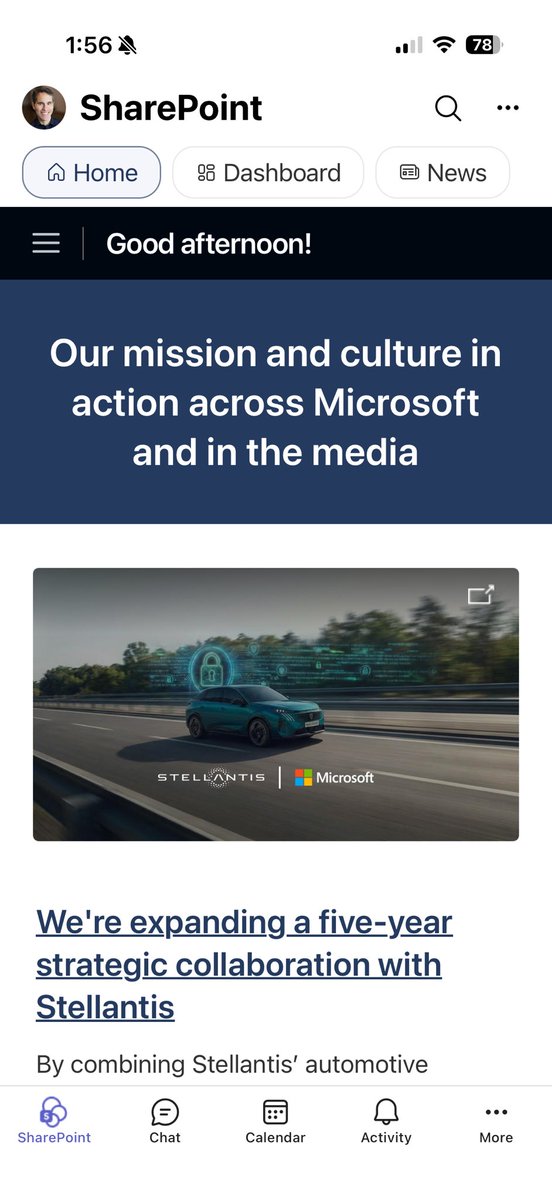
Viva Connections is now “SharePoint”
Here it is in Teams mobile - your home, dashboard, and news.
Excited for this branding simplification as SharePoint powers the widest range of content apps and agents.
10
23
67
7,935
every mid-sized org i walk into has the same problem. invoices hit an accounts inbox. someone opens each email. downloads the PDF. uploads it somewhere. types in the amount, date, invoice number, supplier.
they are now asking me to "build an AI agent to solve this."
you don't need an agent. you need two boring things wired together:
1. a SharePoint library with autofill columns. each column has a tiny prompt that runs when a file lands. "extract the total amount due. return a numeric value." that's it. one line.
2. a Power Automate flow on the shared mailbox. trigger on new email with the subject filter "invoice" and "has attachments = yes". filter out signature images (they get treated as attachments, this is where 90% of flows break). loop the attachments. create the file in your invoices library.
the email lands. attachment drops into SharePoint. the autofill prompts run. invoice number, date, amount, supplier, status = new. all extracted. no human touched it.
then put AI in SharePoint on top and ask "show me all invoices with status new that need processing." done.
this is not a dev project. it's a wet afternoon.
everyone wants the fancy agent. the real productivity is in the boring plumbing.
watch
1
93
everyone is building copilot agents. most of them are mid.
the unlock isn't agents. it's skills.
here is the clearest way to think about it. i built a People and Culture Analyst skill this week and it made the difference obvious:
1. an agent is good at retrieval. it finds docs and pulls content. that is roughly 20% of the job.
2. the other 80% is synthesis across multiple documents, applying interpretation rules from a playbook, adapting tone for board vs ELT, knowing when to name individuals and when not to. that is procedural knowledge. an agent does not have that. a skill does.
3. a skill is a markdown file. instructions, resources, trigger phrases, sensitivity rules, output structures. you write it once, it sits in your SharePoint, copilot loads it only when the trigger fires, and your output is consistent every single time.
4. for this one i asked AI in SharePoint to write the skill for me. i described the role in plain English. "i want a HR analyst i can talk to naturally. not a search tool. something that thinks across pulse data, engagement, heat maps, and our comms playbook." it wrote the full skill file. briefing mode, pattern detection mode, communication drafting mode. sensitivity rules baked in.
5. then i tested it. "i have 10 minutes before my ELT meeting, brief me on people risks". the skill pulled from pulse surveys, sentiment summaries, org structure, peer recognition logs, cited every source, and framed it for an executive audience.
the same question without a skill gives you generic. with a skill it gives you your standard.
the workflow is the thing the model cannot get anywhere else. skills are how you capture it.
watch
75
imagine building a full SharePoint document library by just talking.
name, three columns, a date column, a choice column with your exact options, another choice column, all the metadata.
no clicks. no "add column" menus. no picking column types from a dropdown.
just voice in AI in SharePoint and it's done in 30 seconds.
this is the most underrated thing Microsoft shipped this year.
watch
2
4
498