
Google Ads | eCom | Scaling eCommerce Brands from 6 Figures to 7 Figures With Google & Meta Ads - Guaranteed ROI Increase @ novifymedia.com
Joined March 2020
- Tweets 5,504
- Following 236
- Followers 1,406
- Likes 6,314
134 Photos and videos

Pinned Tweet

21 Sep 2025
Running Google Ads in eCom?
If you save one post today, this should be it.
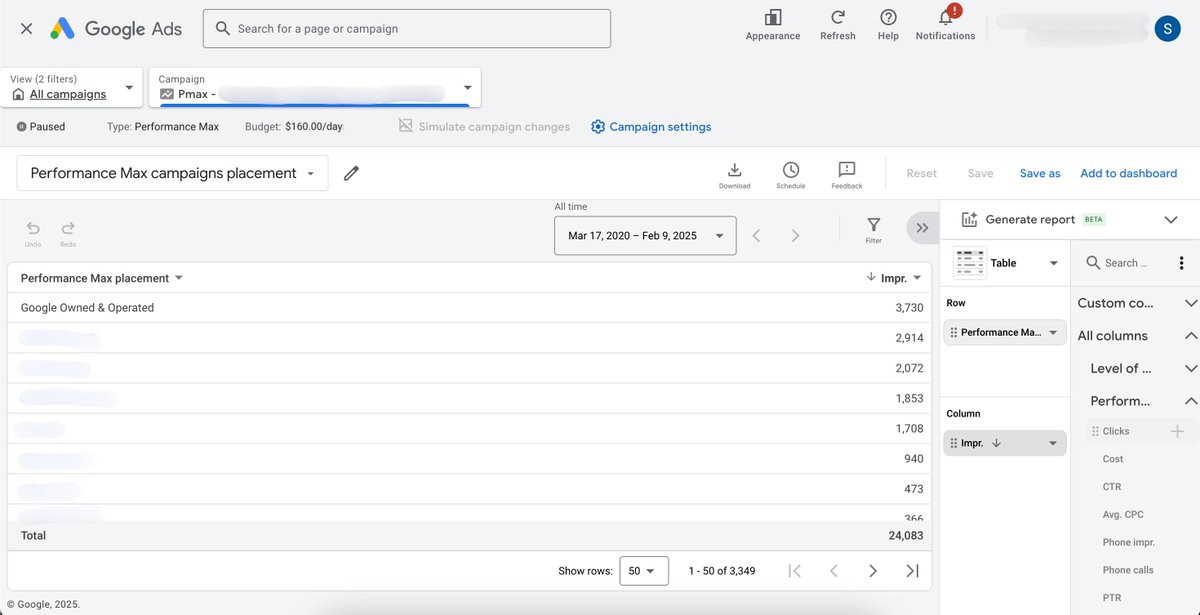
Most PMAX campaigns I audited this year had flaws in their segmentation logic.
Here is the smartest way to restructure your campaigns:
Segment products based on real performance data.
Not by category.
Not by intuition.
By math.
Here’s the play:
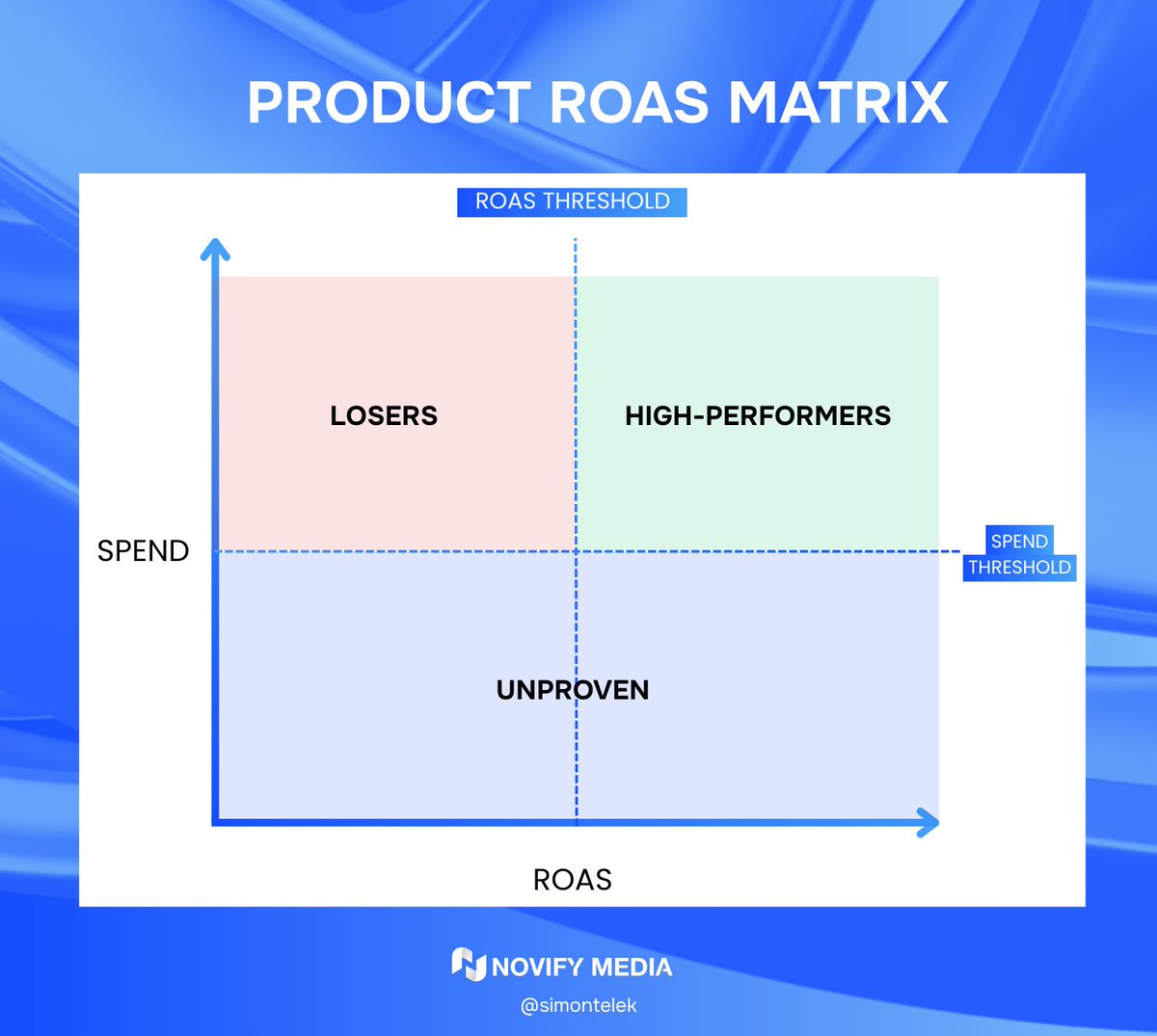
Split your catalog into 4 performance-based tiers:
HIGH PERFORMERS
- High ROAS high spend
- These are your heroes.
Feed them more budget.
LOSERS
- Low ROAS, high spend
- These are bleeding money.
Cut them or restructure.
UNPROVEN
- High OR low ROAS
- But low spend, not enough data.
Don’t judge them yet.
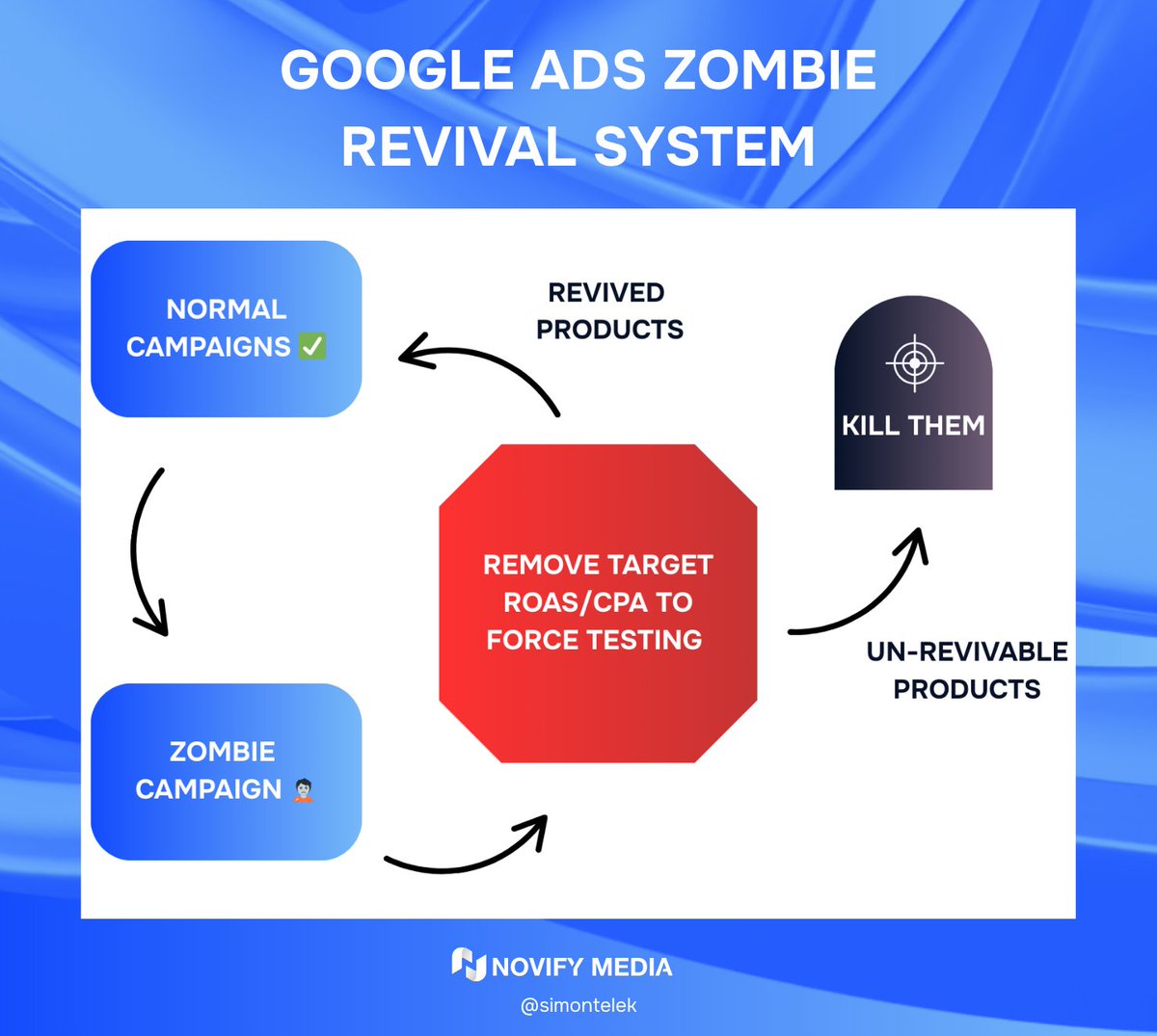
ZOMBIES
$0 spent.
No impressions.
No clicks. No data.
(Check out my post earlier on how to revive them)
⫘⫘⫘⫘⫘⫘⫘⫘⫘⫘⫘⫘⫘⫘⫘⫘⫘⫘⫘⫘⫘⫘⫘
The way to visualize it:
X-axis: ROAS
Y-axis: Spend
Then set 2 thresholds:
A ROAS threshold
A Cost threshold
Every product falls into one of the 4 categories
🟢 High ROAS High Spend? → High-performer
🔴 Low ROAS High Spend? → Losers
🟡 Low Spend? Doesn’t matter ROAS → Unproven
⚫ $0 Spend? → Zombies
⫘⫘⫘⫘⫘⫘⫘⫘⫘⫘⫘⫘⫘⫘⫘⫘⫘⫘⫘⫘⫘⫘⫘
Now,
Why is this crucial to consider?
When you lump all your products into one campaign, Google over-allocates budget to “known performers” and completely ignores products with potential.
That’s how you end up with:
10 products eating 90% of budget
New or high-margin SKUs getting zero exposure
This segmentation gives you:
- Control
- Data clarity
- Better chance for all products to do better
You don’t need fancy software to do this.
Just export your product performance report by item ID.
1. Use a 90-day window.
2. Slice the data using those thresholds.
3. Build campaigns based on the segments.
That's it.
Drop me a DM if you have any questions.
7
14
771
Simon Telek | Google Ads retweeted
30 Sep 2025
Google Ads Tip #32
Starting fresh on the platform?
Don’t go straight to PMAX.
Here’s why:
When launching a brand new ecom account,
PMAX gives you zero visibility.
You won’t know which products, keywords, or audiences are actually working.
Instead, do this:
Start with
Standard Shopping Search
You get full control.
You can see real search terms.
You’ll know exactly what’s driving performance.
Test product viability & gather signal
Which SKUs convert?
Which keywords trigger purchases?
What price points hold up in auctions?
THEN layer in Performance Max
Use it once you have data to guide structure.
PMAX becomes a smart amplifier,
....instead of a black-box.
The move is simple:
Learn what works → then scale it.
Control first, scale second.
PMAX is powerful.
But it’s only smart if you are.
5
2
13
530
2 Oct 2025
Hard pill to swallow:
PMAX ≠ a retargeting strategy.
If you’re only using PMAX only for retargeting,
You’re leaving money on the table.
Let me explain:
Most eCom brands assume PMAX handles retargeting
“well enough.”
No, it doesn’t.
Yes, PMAX does some retargeting,
But it’s not designed to do it well.
It’s a jack-of-all-trades campaign.
It blends everything together:
cold, warm, brand, non-brand, remark…
all in one black box.
Here’s the problem:
When you don’t separate retargeting into its own campaign,
You give up control.
You can’t dial in your bids,
can’t test creatives properly,
can’t even see how warm traffic performs on its own.
So here’s the move:
Keep PMAX running as your catch-all.
But add a dedicated Display Retargeting on top.
We consistently see 100–200% higher ROAS from standalone retargeting campaigns,
compared to what PMAX delivers on its own.
Why?
Because you can:
➢ Use a better bid strategy
➢ Segment your audiences properly
➢ Exclude recent buyers
➢ Run specific creatives for returning visitors
➢ Control frequency
➢ Actually see the numbers
In short:
PMAX ≠ a retargeting strategy.
Let it run in the background.
But build real retargeting on top of it
and watch your ROAS climb.
10
9
324
1 Oct 2025
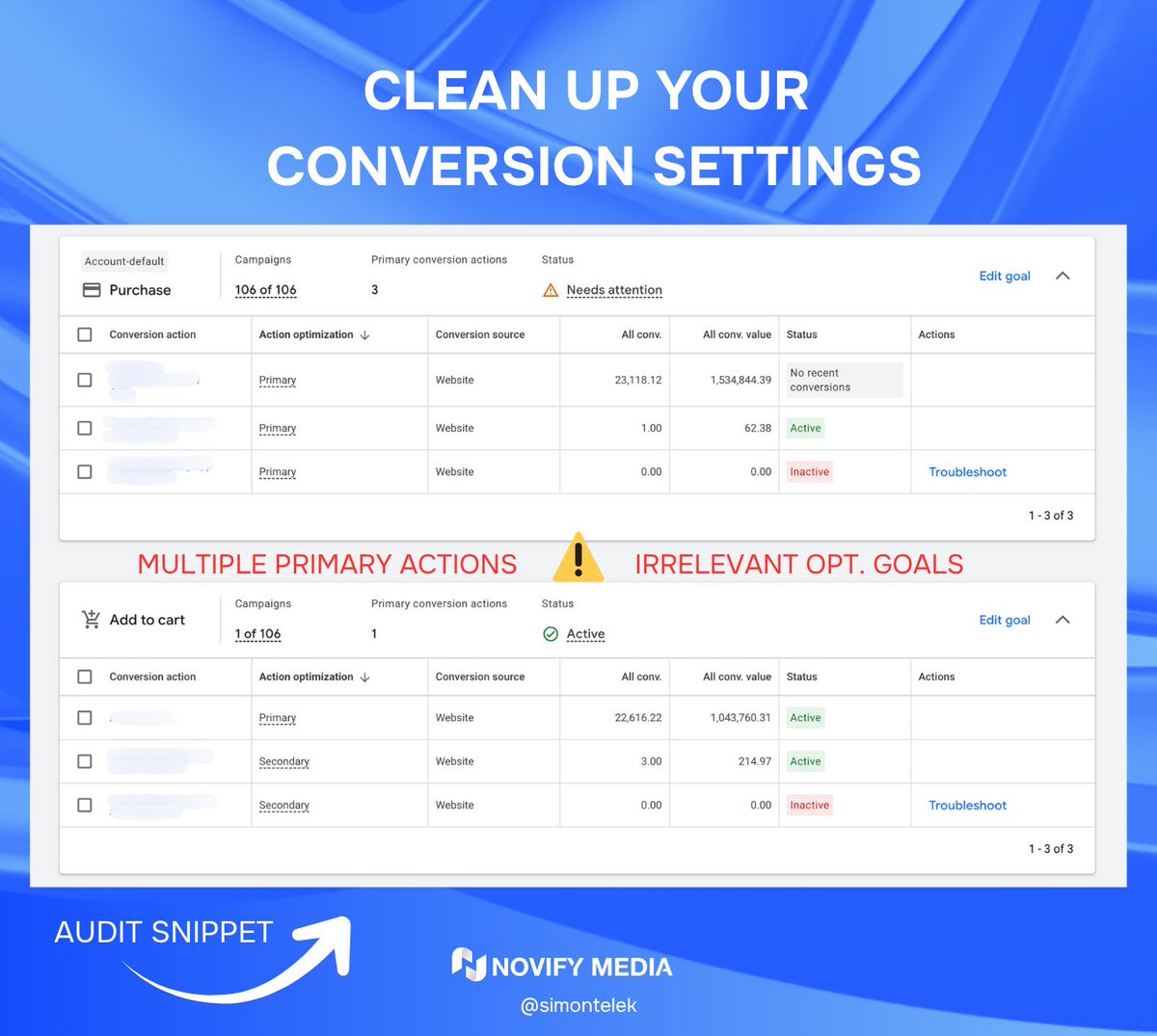
Many accounts don’t have a tracking problem.
They have a settings problem.
I’ve audited dozens where conversion tracking works,
but conversions are set up wrong.
Here’s the one question you need to answer:
Do you know the difference between
Primary vs Secondary conversions?
Let’s break it down:
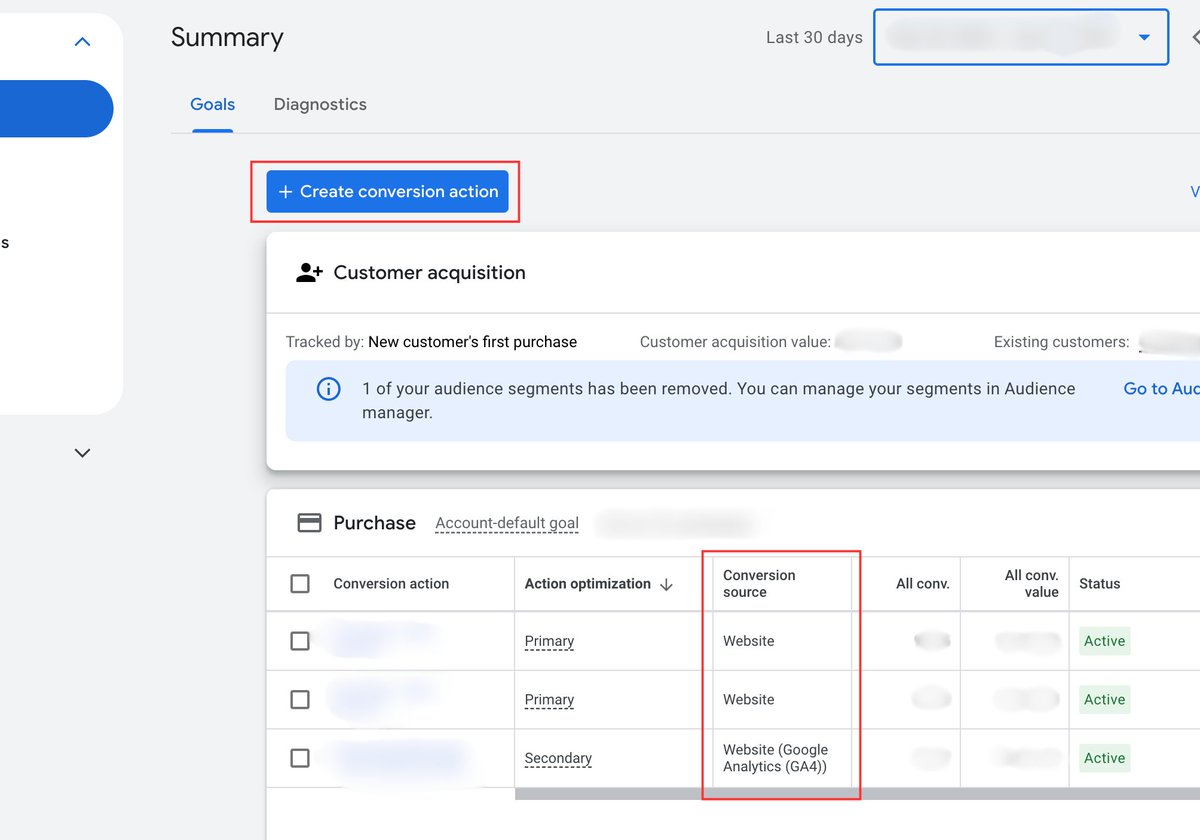
PRIMARY CONVERSIONS
→ Show in the “Conversions” column
→ Used for Smart Bidding
→ Google optimizes for these
SECONDARY CONVERSIONS
→ Show in the “All Conversions” column
→ Not used for bidding
→ Just for reporting
For Ecom Accounts:
Set “Purchase” to Primary.
Always.
That’s your north star.
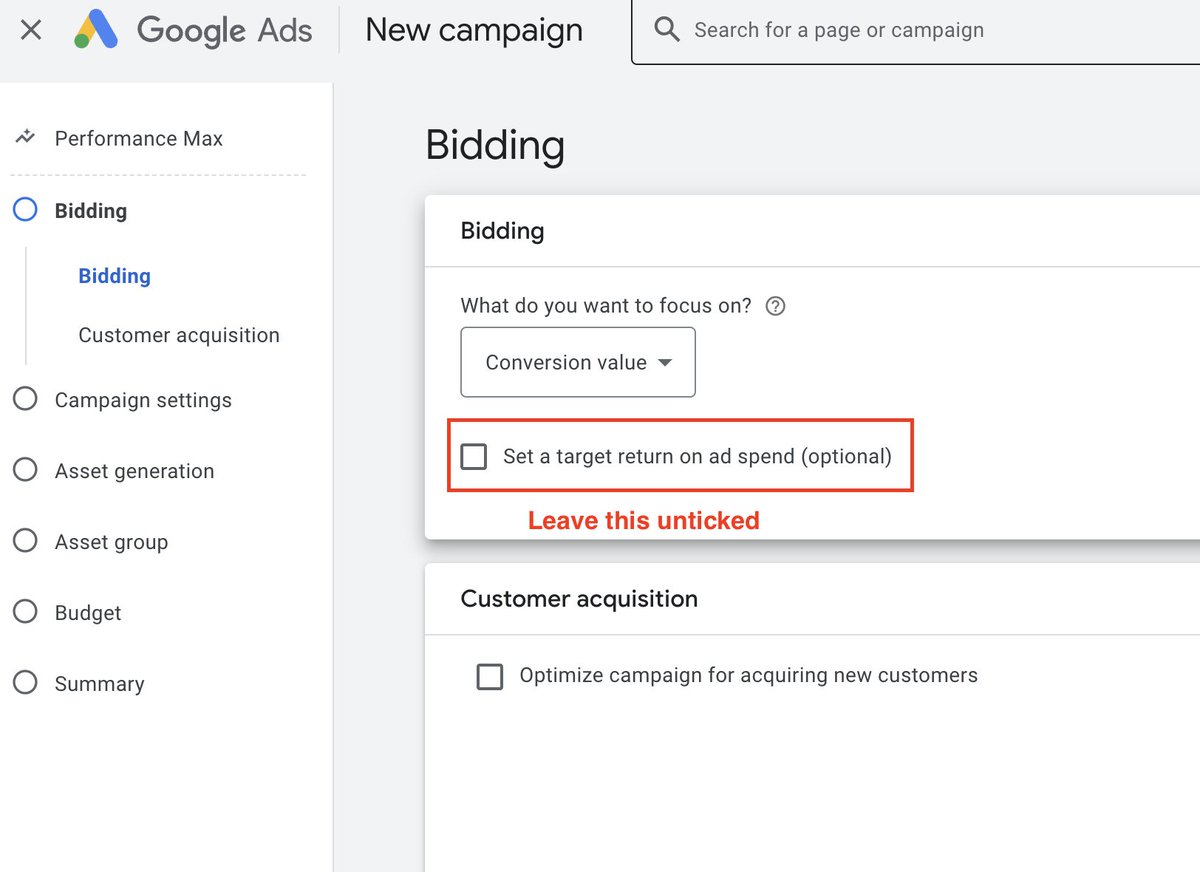
If you want Smart Bidding to work, you need to feed it real buyer data.
Want better ROAS?
Then optimize for buyers, it’s that simple
What About Calls?
Ask yourself: Would I be happy paying for this action?
→ Yes? Set to Primary
→ No? Set to Secondary
In ecom, calls are usually irrelevant.
Don’t waste optimization power on them.
What To Do Now?
Go to: Tools > Conversions > Summary
If you see a bunch of random actions marked as Primary?
Fix it.
Keep it tight.
Only include what drives actual revenue.
If you’re not intentional with your conversion setup,
Google will optimize for noise.
Train the machine to chase what matters.
And your results will follow.
7
8
282
26 Sep 2025
The Easiest Way to Improve Your RSAs:
Don’t launch a new test.
Just clean up your current one.
Here’s how:
Go into your responsive search ads
Hit “View asset details”
Look for any headlines or descriptions marked “Low”
That’s your cleanup list.
Google literally tells you what it doesn’t like.
➡ Remove the underperforming asset
➡ Replace it with a fresh one
➡ Let Google test it again
If a headline is tagged Low,
delete it and try something more direct or benefit-driven.
You don’t need a full restructure to improve performance.
You just need to keep feeding the algo better ingredients.
Small tests, big upside.
Do this weekly and your ads will keep getting stronger.
2
5
194
24 Sep 2025
Your Ads Aren’t Failing...
Your Offer Is.
If you have a weak offer, nothing else matters.
Not your targeting.
Not your landing page.
Not even your ad creative.
A crap offer doesn’t convert. Period.
I’ve audited hundreds of accounts.
And when things aren’t working, 9 times out of 10
(If it’s not a technical issue.)
It’s the offer.
Not strong enough.
Not clear enough.
Not differentiated enough.
Here’s the reality:
Most users don’t convert on first click.
They compare.
They research.
They bounce between tabs.
They Google your competitors.
So, if your offer doesn’t punch through that noise,
You lose.
Think about it like this:
You’re not competing for the click.
You’re competing for the final decision.
If you booked a call with me and showed me a bad offer,
I’d tell you straight up:
“Don’t run ads yet. Fix your offer first.”
Because if the offer doesn’t land,
no amount of media buying is going to save it.
You might not need better ads.
You need a better reason for someone to say “yes.”
Fix that, and everything else gets easier.
2
4
149
23 Sep 2025
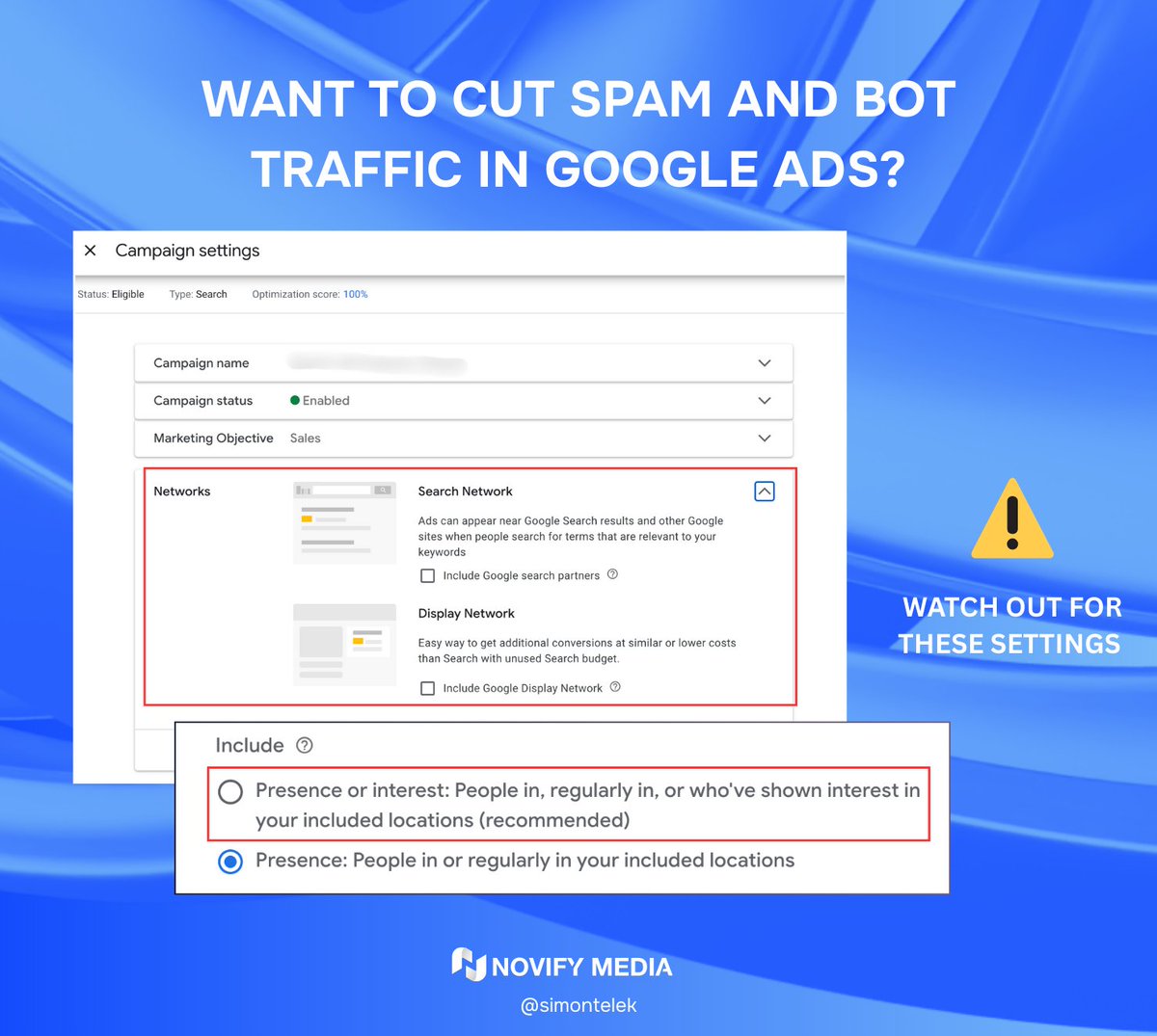
Want to cut spam and bot traffic in Google Ads?
3 settings, you immediately want to turn OFF:
1. Search Partners
This one’s sneaky.
Go to your Search campaign → Settings → Networks
Uncheck “Include Google search partners”
Why?
Search partners often include shady,
low-quality placements that drive junk clicks.
Especially on brand campaigns.
Turn it off.
2. Display Network (inside Search campaigns)
Yes, this is a real setting.
And yes, Google still tries to sneak it in.
Inside campaign settings, you’ll see:
“Include Display Network”
Turn that off.
Search and Display are two completely different beasts.
Display inside Search = disaster.
Unless you like garbage clicks and confused reporting, turn it off.
3. Faulty Location Targeting
Go to Settings → Locations → Location options
Make sure this is set to:
✓ “Presence: People in or regularly in your targeted locations”
Not:
✘ “Presence or interest”
Otherwise, you’re letting in
tourists, VPNs, and spammy traffic from countries
I’ve seen accounts waste thousands from these 3 alone.
Fix them once.
Never deal with the mess again.
2
3
328
22 Sep 2025
Your budget isn’t spending?
It might not be your campaign structure.
It might not be your bids.
It might just be…
Your ads suck.
More specifically: your CTR is low.
──────────────────────
Let me explain:
Google runs an attention economy.
They get paid when people click, not when you show up.
So if your ad doesn’t get clicked,
it doesn’t get shown.
Even if your bids are solid.
This is where Quality Score enters the chat.
Google literally gives your keyword a score from 1–10 based on:
- CTR
- Keyword relevance
- Landing page experience
And it’s not just a vanity metric.
Low Quality Score =
- Higher CPC
- Lower Impression Share
- Fewer conversions
- Wasted budget
How to check it:
→ Go to your Keywords tab
→ add the Quality Score column.
→ Then filter for anything under 6.
→ Sort by Cost descending.
Now you know what’s dragging your whole campaign down.
How to fix it:
✓ Match search intent.
If they search for ergonomic office chair, your ad should literally say ergonomic office chair.
Be specific, not fluffy.
✓ Use your real estate.
15 headlines. 4 descriptions.
Give Google room to test.
✓ Fix your landing page.
Fast load. Mobile friendly. Clear match to ad promise.
✓ Rotate in fresh ads.
Not tweaks, full rewrites.
A new angle can flip performance overnight.
──────────────────────
CTR is one of the quietest killers in Google Ads.
It doesn’t scream like bad ROAS.
It just quietly suppresses your reach.
Your CPC goes up.
Your impressions drop.
Your budget underspends.
And you wonder why?
Now you know.
Fix your CTR.
➥ Win back impressions.
➥Unlock scale.
Want a cheat sheet for writing high-CTR headlines?
Drop me a DM with “HEADLINES” and I’ll send it to you.
5
8
387
20 Sep 2025
Google Ads Tip #31
Judgment and patience outperform busywork.
Every time.
When performance drops for a day or two, most advertisers panic.
They scramble.
Overreact.
Burn hours tweaking things that don’t matter.
And I say this because I’ve been there myself.
When I managed my first account, I fell into this exact trap.
A bad day would send me into optimization overdrive:
Rewriting copy, shifting budgets, launching new campaigns… all for nothing.
Let me show you the difference.
Scenario 1: The reactive advertiser
ROAS drops for one day
Panic sets in
They adjust ROAS targets, shift budgets, rework ad copy
Launch new ads, duplicate the campaign, redo half the structure
Add 20 negative keywords from a 24-hour window
They feel productive, but it’s just noise.
Scenario 2: The strategic one
Sees the dip, zooms out.
Recognizes it’s just a fluctuation, not statistically significant
Keeps the strategy steady
Focuses on long-term account growth and big-lever improvements
Fewer actions.
Better decisions.
Less stress.
More profit.
The lesson:
Not every dip is a crisis.
Don’t let one day of data derail a solid strategy.
Over-optimization is just a disguised form of fear.
Stay calm. Watch the trend. Work the plan.
4
3
174
Simon Telek | Google Ads retweeted
18 Aug 2025
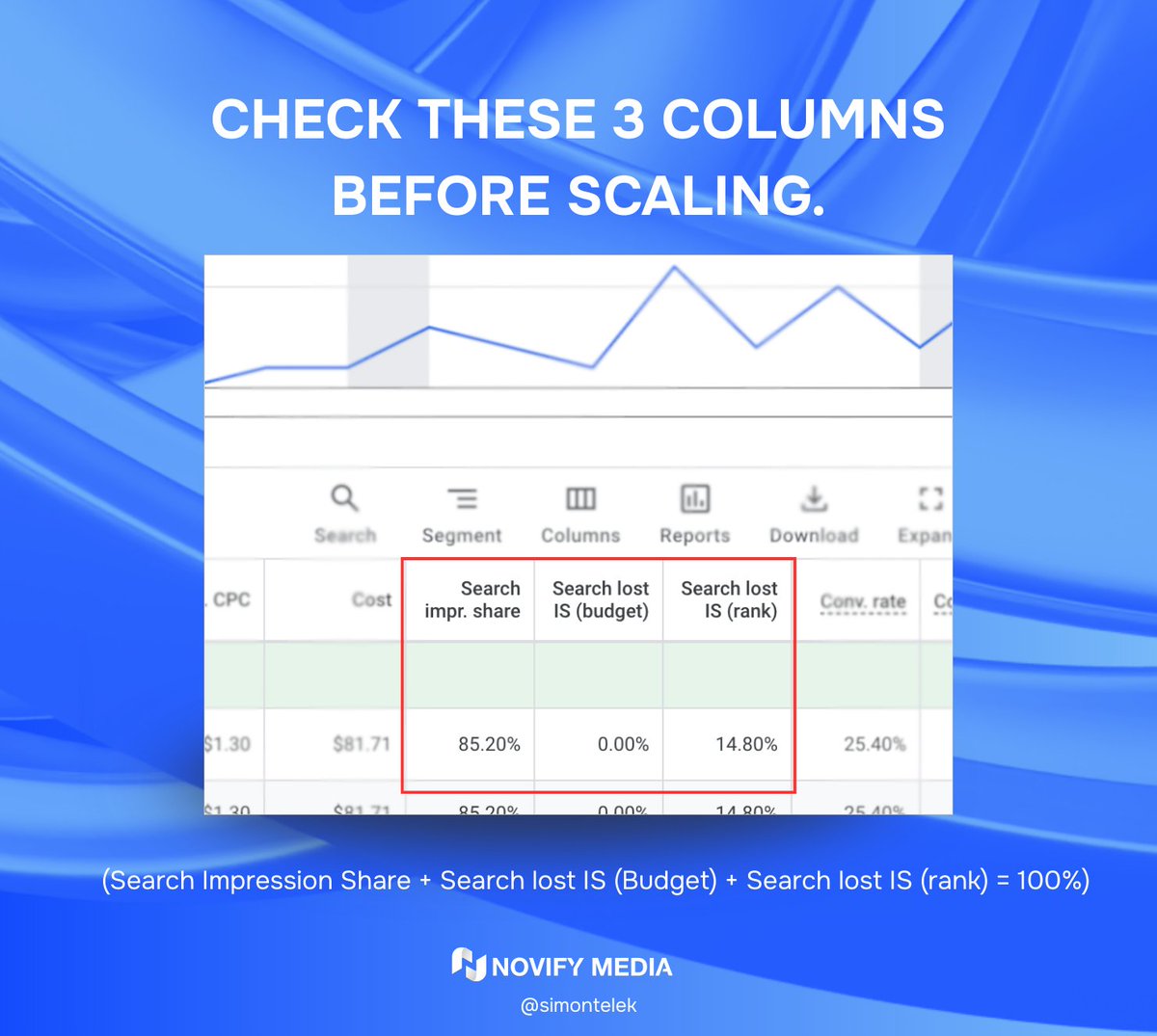
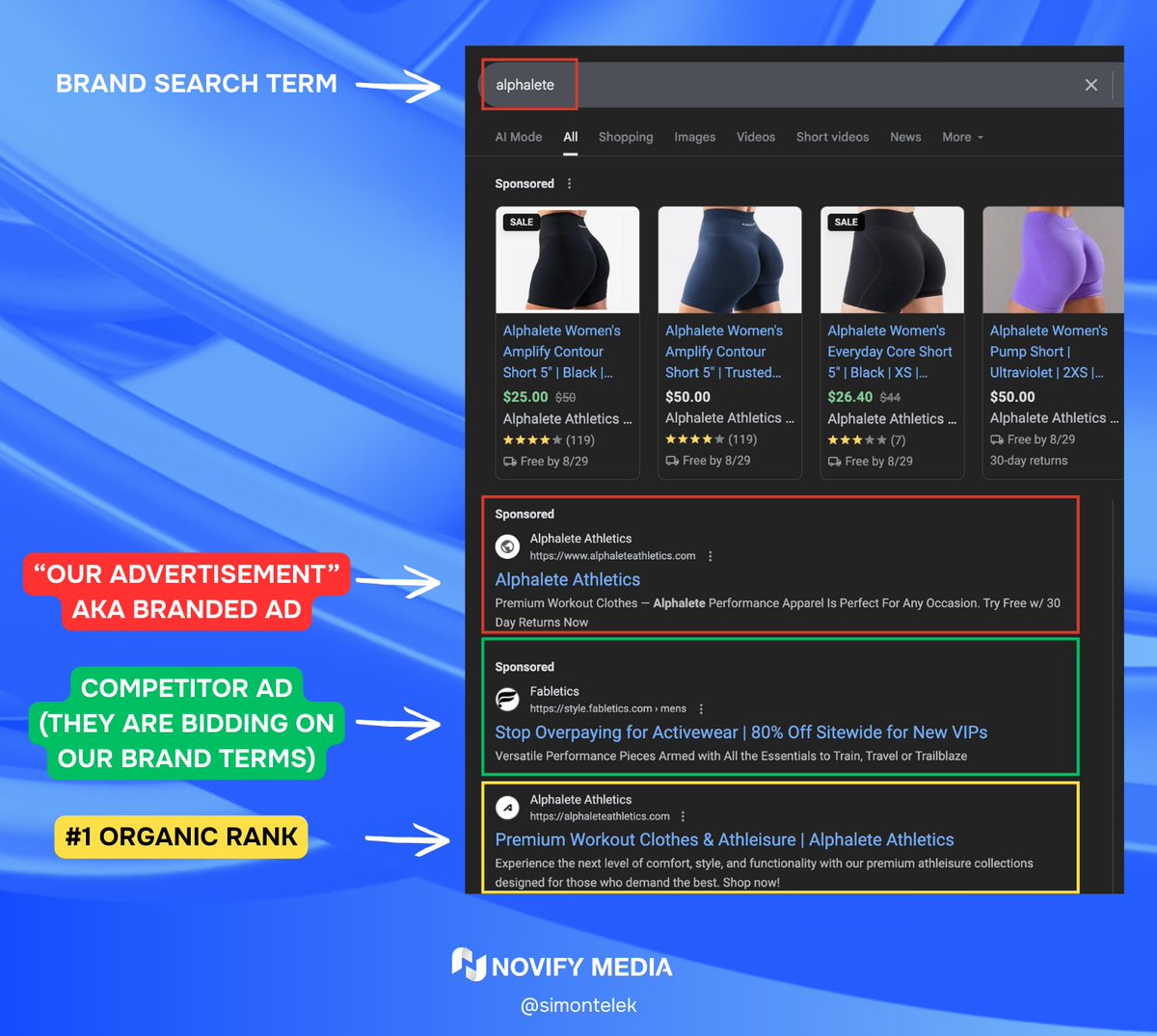
Brand search campaigns aren’t optional.
One of the most common mistakes I see in ecom accounts?
“We don’t run brand PPC — we already rank #1 organically.”
Here’s why that logic falls apart:
Organic CTR on brand terms is usually 30–50%
That means half (or more) of the people searching your brand…don’t click your organic result
Branded search ads help you capture that missing 50–70%.
So yes, it protects your brand.
But more importantly — it gets you more sales.
Here’s how we run it:
- Bid on your brand terms
- Set high ROAS targets (we aim for 1,000% )
- Maximize impression share once that benchmark is hit
Even if only 50% of the clicks are incremental, you’re still netting a 500% ROAS on new revenue.
Dominate your own name.
Letting others steal it — or underutilizing it — is just leaving money on the table.
Want help structuring brand campaigns the right way?
DMs are open.
2
1
9
510
17 Sep 2025
“Smart Bidding doesn’t work without data.”
Well… not always.
Let me explain:
The general rule?
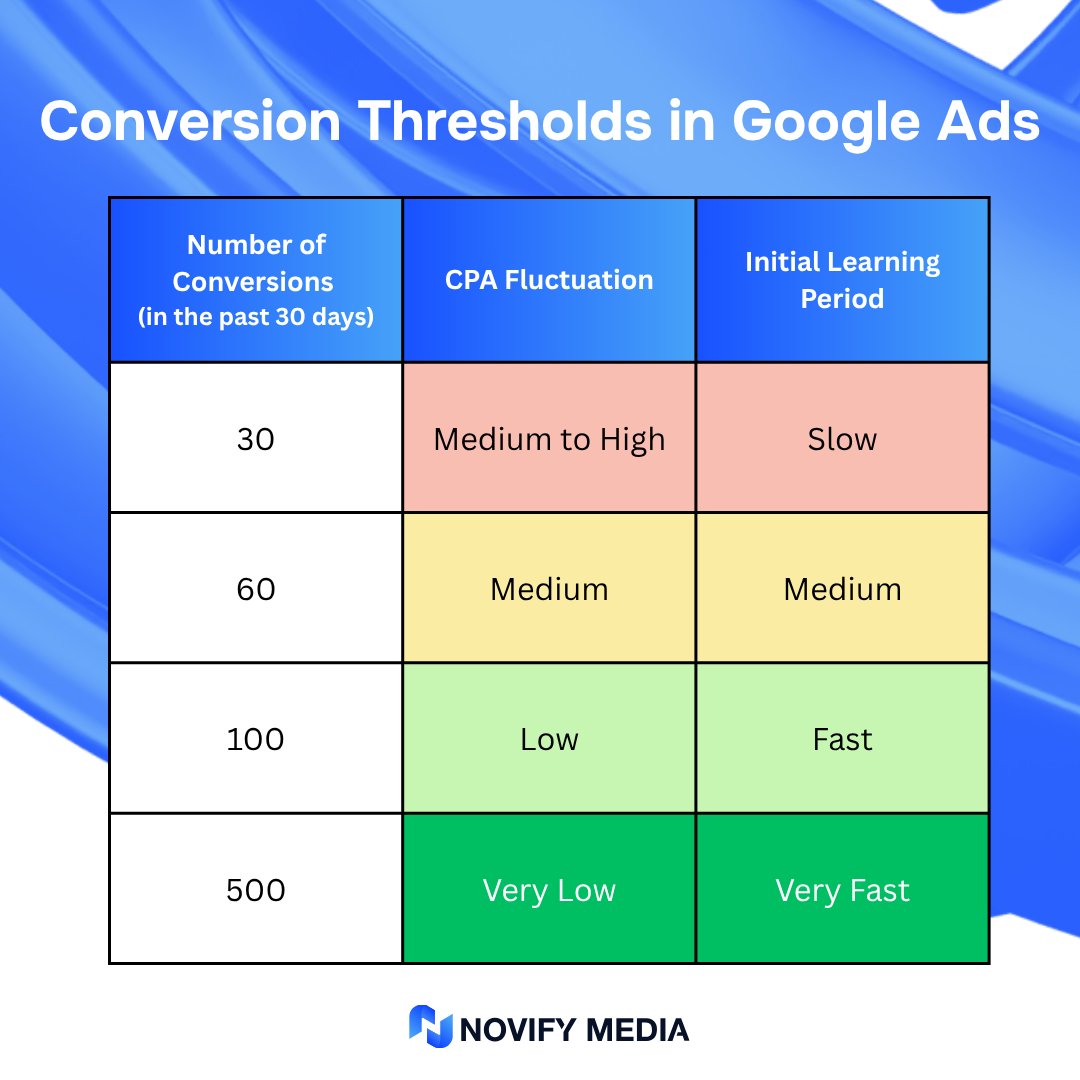
Wait for 30 conversions in 30 days before adding a tROAS or tCPA target.
But there’s one big exception:
Standard Shopping.
It can run tROAS from day one.
BUT, only if:
You’re moving products with existing Shopping history.
Why?
Google taps into product-level historical data,
even if the campaign is brand new.
This doesn’t happen in Search or PMAX.
So here’s the move:
Proven products?
Launch Standard Shopping with tROAS right away.
New products?
Start with manual or max clicks, then stair-step into Smart Bidding.
Yes, you still need data.
But not conversion data from that campaign.
Knowing this can save you weeks of ramp time.
Take the shortcut, if you’ve earned it.
6
7
289
16 Sep 2025
The #1 skill every successful media buyer needs?
Patience.
Not hacks. Not shortcuts. Not the latest tool.
Patience to test.
Patience to optimize.
Patience to scale.
Prove me wrong
2
4
176
Simon Telek | Google Ads retweeted

16 Sep 2025
I found a PhotoShop plugin that feels like cheating.
People use 🍌NanoBanana WRONG!
This lets you:
1. Add realistic shadows & lighting
2. Swap clothing using a reference image
3. Edit like a concept artist (without being one)
So I made a simple Notion doc with a;
guide how we use it the plugin itself
No fluff. Just plug, click, and edit.
It’s free for now.
Like this post,
Comment "banana" and I’ll DM you the full toolkit.
(follow so I can send)
8
1
14
1,372
16 Sep 2025
Google Ads Tip #30
ROAS and CPA can lie to you.
I see this all the time:
“We’re getting 800% ROAS!”
“We’re getting leads for $3!”
Sounds impressive...
Until you ask one simple question:
How much can you actually spend at those numbers?
Here’s the truth:
You might hit 800% ROAS…
But if you can only spend $250/month at that level,
You’re not getting rich,
You’re stuck.
Now compare that to someone running at 400% ROAS
who’s spending $80,000/month.
Less “efficient”? Sure.
But they’re making way more money.
Same with CPA:
$3 per lead looks nice.
But if volume caps at 10 leads a week,
and scaling means jumping to $8/lead…
you’re going to need a new goal.
Here’s what actually matters:
- Real take-home profit
- How scalable your performance is
- The balance between efficiency and volume
High ROAS ≠ good
Low CPA ≠ smart
Profit at scale is the real KPI.
Vanity metrics feel good.
Revenue and margin feel better.
Want to scale profitably?
DMs are open.
3
5
214
15 Sep 2025
Google Ads Tip #28
Your budget should flex with ROI.
If your campaigns are profitable,
You are hitting your CPA or ROAS goals,
then you’re no longer in the testing phase.
You’re in the scaling phase.
And that means one thing:
You don’t set budget based on what feels comfortable.
You scale budget based on what remains profitable.
Here’s the wrong way to think:
“We’ve allocated $10,000/month for Google Ads.”
“That’s our cap.”
Even if you’re getting a 500% ROAS…
Even if it’s printing $5 for every $1 spent…
You stop at $10k?
That’s not strategy.
That’s leaving profit on the table.
The right way to think:
“As long as we’re hitting X ROAS or Y CPA,
we’ll scale spend as high as the system allows.”
Your budget should flex with performance, not fight it.
If Google Ads is functioning like a money printer,
your only constraint should be delivery capacity, not arbitrary limits.
This might sound obvious to some.
But most businesses (even 8-figure ones), still budget like this:
Cap spend at a fixed amount
Ignore profitable scale
Miss out on exponential returns
Set your KPI.
Watch performance.
Then lean in hard when it’s working.
Don’t cap the machine that’s printing you money.
Want help identifying your profitable ceiling?
DMs are open.
2
2
140
14 Sep 2025
Google Ads Tip #28
This one won’t go viral.
It’s not flashy.
But it’s something 90% of advertisers skip — and it shows.
Understand how Smart Bidding actually works.
Not just what it is — but how it functions behind the scenes.
Before you dive into the next shiny YouTube strategy or guru breakdown,
do the boring work that sets the foundation for everything else.
———————————
What is Smart Bidding?
It’s Google’s name for its conversion-focused bid strategies:
Maximize Conversions
Maximize Conversion Value
Target CPA (Max Conversions with a CPA goal)
Target ROAS (Max Conversion Value with a ROAS goal)
Smart Bidding uses real-time signals to adjust bids on every auction.
But it only works well if you’ve:
- Set up accurate conversion tracking
- Are feeding it clean, consistent revenue data
General rule of thumb:
Start with Maximize strategies(when volume is low or you’re launching)
Switch to Target strategies once you hit 30–50 conversions(enough data for the algorithm to optimize properly)
And here’s what most won’t do (but should):
Go to Google.
Type:
“how Smart Bidding works site:support.google.com”
Read everything on that help page.
Will it be boring? Yes.
Will it take an hour? Maybe.
But if you’re spending real money and trying to make real profit — you need to understand the system you’re working with.
Smart Bidding is powerful.
But it’s not magic.
And you won’t master it by winging it.
If you want help reviewing your conversion setup or diagnosing why Smart Bidding isn’t working for you,
DMs are open.
3
3
176
13 Sep 2025
Google Ads Tip #27
No statistical significance = no real insight.
Google Ads performance is driven by probability.
Conversion rate, ROAS, CPA — they all fluctuate naturally, especially at small volumes.
Just because one campaign is outperforming another today
doesn’t mean it’s actually the better campaign.
————————————
Let’s say you see this:
Campaign A: $25 CPA
Campaign B: $90 CPA
Which one is better?
You might think Campaign A.
But here’s the real question:
How much data do you have?
If each campaign has only 1 or 2 conversions,
the difference is meaningless — it’s likely just random chance.
If each has 100 conversions,
now you can start to trust the numbers.
A few general rules:
Don’t compare anything with under 30–50 conversions/clicks/impressions
The smaller the dataset, the higher the volatility
Zoom out before making any major decisions
In the real world, we don’t always have the luxury of perfect testing conditions.
Budget, timelines, and pressure exist.
But when you have to make a judgment call early,
at least be aware that you’re making a compromise.
And if you kill something based on limited data,
make a note to revisit it when you can test again properly.
Data ≠ truth unless the sample size supports it.
If you want help sanity-checking your results or designing cleaner A/B tests,
DMs are open.
2
3
109