
2,121 Photos and videos













Pinned Tweet

27 Mar 2024
Looking for a #ICP #NFT marketing team that is open to a revenue share - not upfront pay (Simply pay on results)
entrepot.app/marketplace/ato…
2
4
529

Atomicsheep.ic ∞ retweeted

16 Dec 2024
102
224
263
24,834
Atomicsheep.ic ∞ retweeted

20 Nov 2024
AI on #ICP is gonna be insanely historic
@dominic_w posted his take a few days ago
Here's my video version for dummies 👇 (like me)
P.S. Subscribe to my Youtube (link in bio) 🌟
More $ICP and AI content drops soon
33
103
429
25,048
25 Sep 2024
WOW
25 Sep 2024

1
47
Atomicsheep.ic ∞ retweeted

19 Sep 2024
#Token2049 kicks off today - It's all about #AI. How will it affect #DecideAI and the #DCD token? #ICP. @DecideAI_ you are all there give us some news!! :)
18 Sep 2024

You know the drill.
Chain Fusion Day - #Token2049 Edition is kicking off today.
Be there or be ⬜️
1
3
33
958
Atomicsheep.ic ∞ retweeted

18 Sep 2024
#FLYINGEAGLE GIVE AWAY ALERT !!!
Canister id : 2ot3n-qiaaa-aaaam-adika-cai
Token standard: icrs2
Tasks ...
Like
Retweet
Tagged icp friends
Follow @flyingeagleicp
Drop your PID
2icp for 2lucky winners
Swap/Trade
app.icpswap.com/swap?input=2…
Add liquidity
app.icpswap.com/liquidity/ad…
43
21
28
1,349

Atomicsheep.ic ∞ retweeted

31 Aug 2024
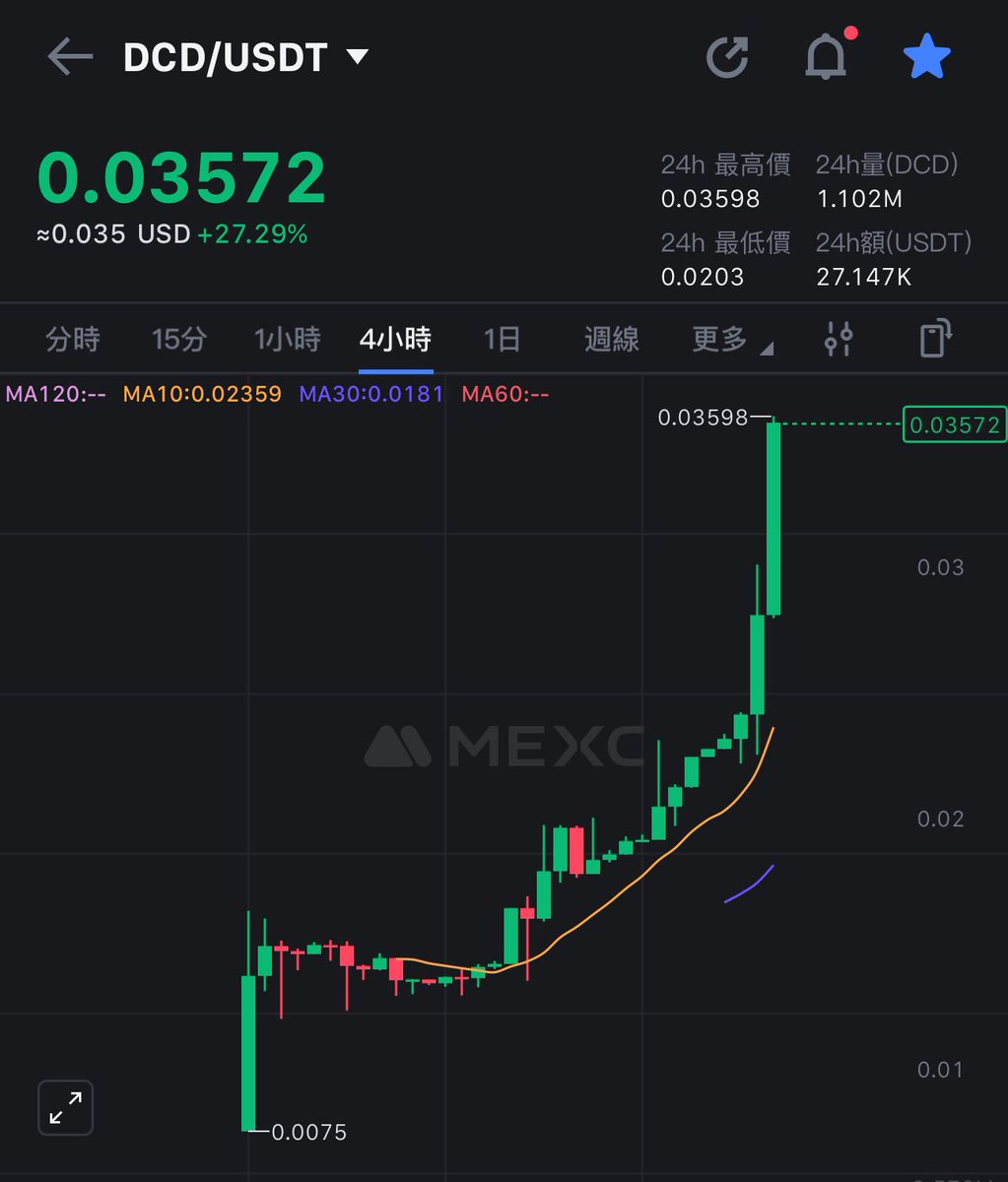
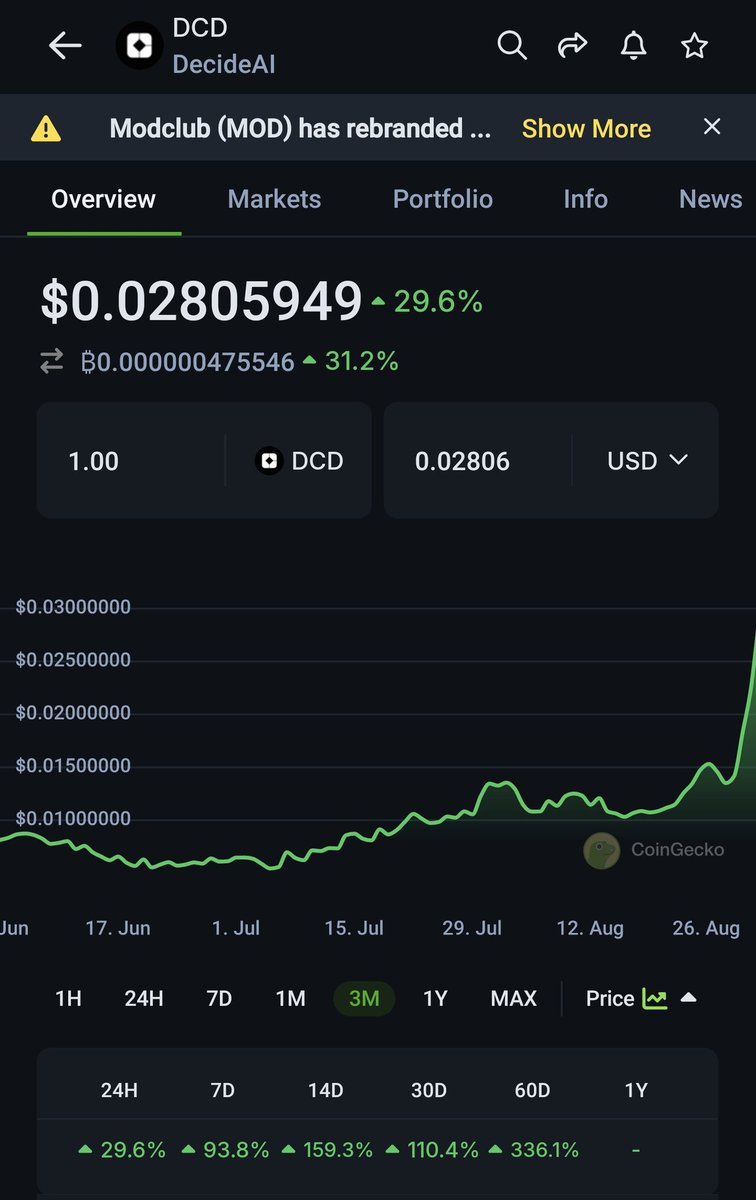
#AI narrative taking off on #ICP?
Say hello to @DecideAI_. The first #AI project on Blockchain to introduce Proof of Unique Human (PoUH) verification to put a lasting end on bot invasion on social media platforms.
A product that already has been adopted by @OpenChat! Based!!
3
21
124
4,377
Atomicsheep.ic ∞ retweeted
31 Aug 2024
#ICP @DecideAI_ #AI #DCD Fully on chain #ICP is on fire today
The future of intelligence #AI on #ICP #DecideAI #DCD
coinmarketcap.com/currencies…
1
25
348
Atomicsheep.ic ∞ retweeted
21 Aug 2024
GM #ICP #8yearsgang.
For the first time since July 28th, we have a confirmed uptrend on ICP on the one-day chart. Is this the beginning of an extended uptrend? Let's go #ICP :)
1
5
30
760
Atomicsheep.ic ∞ retweeted
15 Aug 2024
Dear @dfinity #ICP now that your amazing marketing department is closed - the great @jerrybanfield - what will you do?
Asking for a friend #getJerryBack
5
13
581
Atomicsheep.ic ∞ retweeted
24 Jul 2024
We are establishing a Web3 agency focused on the ICP blockchain. #ICP #8yearsgang
We are assembling a Dream Team, #ICP. If you are a developer interested in building and owning a part of the 8yearsgang Web3 Agency, then we want to hear from you.
Reach out to us at contact@8yearsgang.com.
2
4
19
828
Atomicsheep.ic ∞ retweeted

5 Jul 2024

3
4
34
940


Atomicsheep.ic ∞ retweeted
5 Jul 2024
2
2
12
245
5 Jun 2024
🤯🚨Airdrop Alert🤯🚨
@fuel_dao is dropping $45K worth of Fuel tokens!
Just fill the form👇and complete tasks.
Don't miss out!
form.zootools.co/go/ohPIP6E2…
3
33

🚨 Airdrop Alert! 🚨
🚀 The moment you've been waiting for is finally here! 🎉The FUEL token #Airdrop has arrived, and it's your chance to claim the rewards you've earned as early adopters.
We are Airdropping $45,000 worth of Fuel Tokens to the #ICP and #Crypto community
What are you waiting for? Complete your airdrop form and claim your points: form.zootools.co/go/ohPIP6E2…🌟
💰 Only the top 1000 participants will be rewarded with FUEL tokens, so get ready for the competition! 🌿
✅Form Instructions:
- Page 1: Enter your details for verification.
- Page 2: Earn extra points by following the given instructions.
🚨 Note for those aiming for extra points: The form will automatically verify and assign points based on the tasks you complete. You can check your points and ranking on the Airdrop Leaderboard on page 2 of the form. To stay ahead on the leaderboard, use the unique referral link inside your form to invite more participants. Incomplete forms or lack of evidence for task completion will result in disqualification!
🚨 To receive FUEL tokens, you must have an NNS wallet.
If you don't have an NNS wallet, follow these steps to create one:
Step 1. Visit nns.ic0.app.
Step 2. Go to “My tokens”.
Step 3. Under the project section, click on “Internet Computer”.
Step 4. Select "Sign in with Internet Identity".
Step 5. Choose "Create Internet Identity" and complete the creation process (note down all credentials to avoid login issues).
Step 6. Your NNS wallet is now created. Navigate to the Internet Computer Project.
Step 7. Locate your NNS ID within the project interface.
That's it! Follow the above steps to join our exciting airdrop and stand a chance to win amazing rewards. Good luck! 🎉🌿

1,885
2,444
2,864
100,760
24 May 2024
1