Brain imaging and behavior enthusiast. Linking meso to macro. Will always open that black box.
Joined April 2016
- Tweets 67
- Following 111
- Followers 50
- Likes 59
Photos and videos
Ande Shafer retweeted

Feb 13
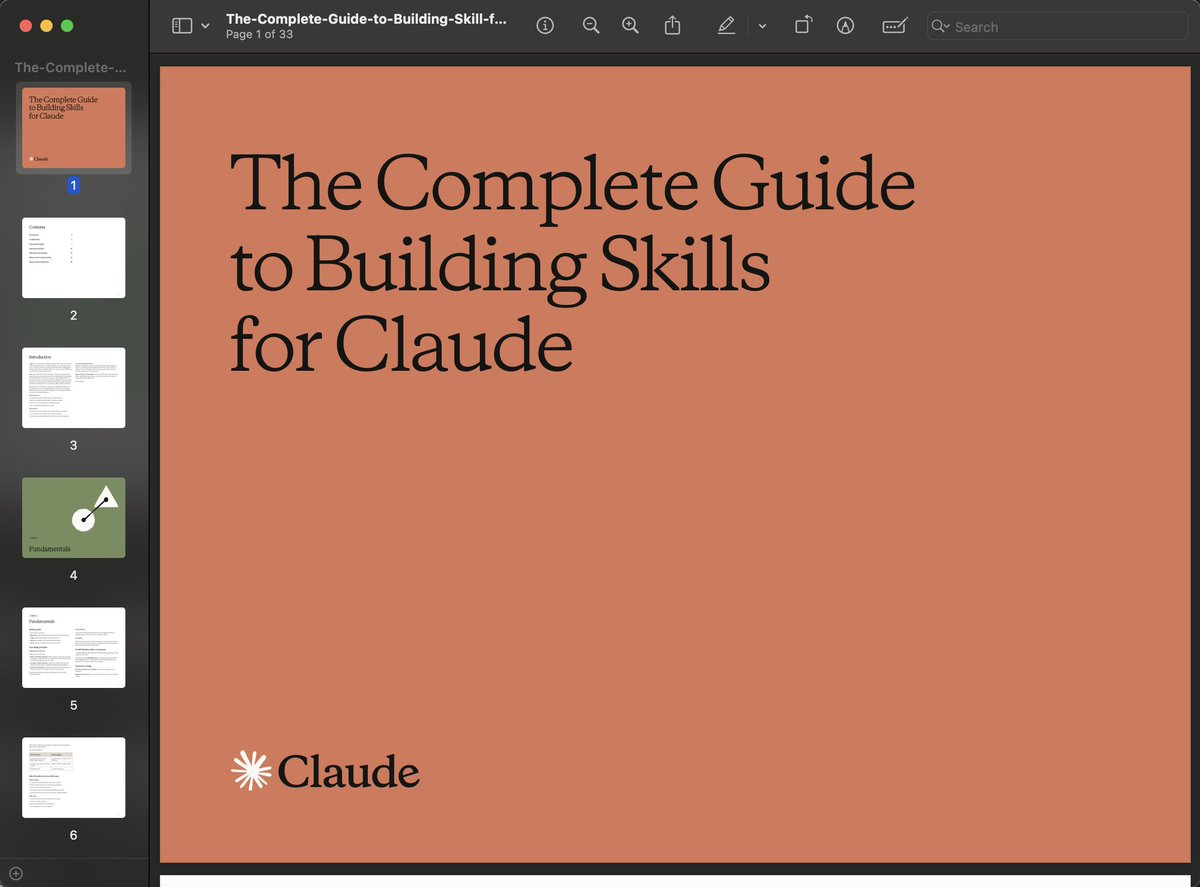
Anthropic released a 33-page guide on building Skills.
Here's everything you need to know (under 370 words):
First, what are Skills?
A skill is a folder that teaches Claude how to handle specific tasks. You teach it once, and it works every time. No more re-explaining your preferences in every conversation.
Skills aren't locked to Claude. They've been published as an open standard, so you can use them with AI agents like OpenClaw, too.
Here's the simplest way to think about it:
MCP gives Claude access to your tools. Skills teach Claude how to use them well. One without the other is incomplete.
The guide breaks things down into 3 use cases:
1. Workflow Automation: You have processes that need to run the same way every time. A skill can pull your project status, evaluate team capacity, and create tasks without you walking Claude through each step again.
2. MCP Enhancement: Your team has years of accumulated knowledge about how things should work. A skill captures that expertise so Claude handles edge cases the way your best team member would.
3. Document Creation: Every team has standards for how presentations, code, and designs should look. A skill lets Claude follow those standards without you pasting your style guide into every conversation.
The setup is more straightforward than you'd think:
One SKILL. md file with some structured metadata at the top is all that's required. Scripts, templates, and reference docs are optional.
Two fields in that metadata matter most:
- name (lowercase with hyphens, no spaces or capitals)
- description (what the skill does specific phrases that should activate it)
Nail the description, and Claude picks up your skill at exactly the right moment. Get it wrong, and it sits there doing nothing.
The guide walks through 5 patterns that actually work:
1. Sequential Workflow Orchestration: processes that need to happen in a fixed order, like onboarding a customer or deploying a service.
2. Multi-MCP Coordination: your workflow touches multiple services, say design in Figma, tasks in Linear, updates in Slack. One skill ties them together.
3. Iterative Refinement: the skill validates its own work, catches issues, and refines the output before handing it to you.
4. Context-Aware Tool Selection: Claude picks the right tool automatically depending on the file type, size, or situation instead of you telling it every time.
5. Domain-Specific Intelligence: your skill carries specialized knowledge like compliance rules or security checks that Claude wouldn't know on its own.
Pitfalls the guide warns you about:
- Vague descriptions like "Helps with projects" that never trigger
- Important instructions buried inside walls of text
- No fallback when a tool call fails
- One skill trying to do too much
Here's the bigger insight:
AI doesn't have to be general-purpose in every conversation. Give it focused knowledge for the workflows you actually repeat, and it stops being a chatbot and starts being a genuine part of how you work.
I've shared a link to the PDF in the next tweet.
42
404
2,299
184,818

44 Songs.
3 Hours and 15 Minutes.
So much respect @taylorswift13
When your fans pay for a ticket, they are getting their money’s worth and some.
Touché.
#TSTheErasTour
380
3,630
39,675
3,911,435

11 Mar 2023
Like cracking a Fresca on a scorching summer day
Science in the age of selfies | Proceedings of the National Academy of Sciences pnas.org/doi/10.1073/pnas.16…
45
Ande Shafer retweeted

29 Dec 2022
ChatGPT, Galactica, and the Progress Trap, by Abeba Birhane (@Abebab) and Deborah Raji (@rajiinio) / @WIRED wired.com/story/large-langua…
1
3
251

Ande Shafer retweeted

7 Nov 2022
40 y.o. hospitalized patient with schizophrenia had a chopstick go missing after lunch. Upon questioning, patient admitted to swallowing it. CT chest/ abdomen were negative for foreign body. Loss of pupil reactivity led to this scan.
27
206
1,245
Ande Shafer retweeted

20 Oct 2022
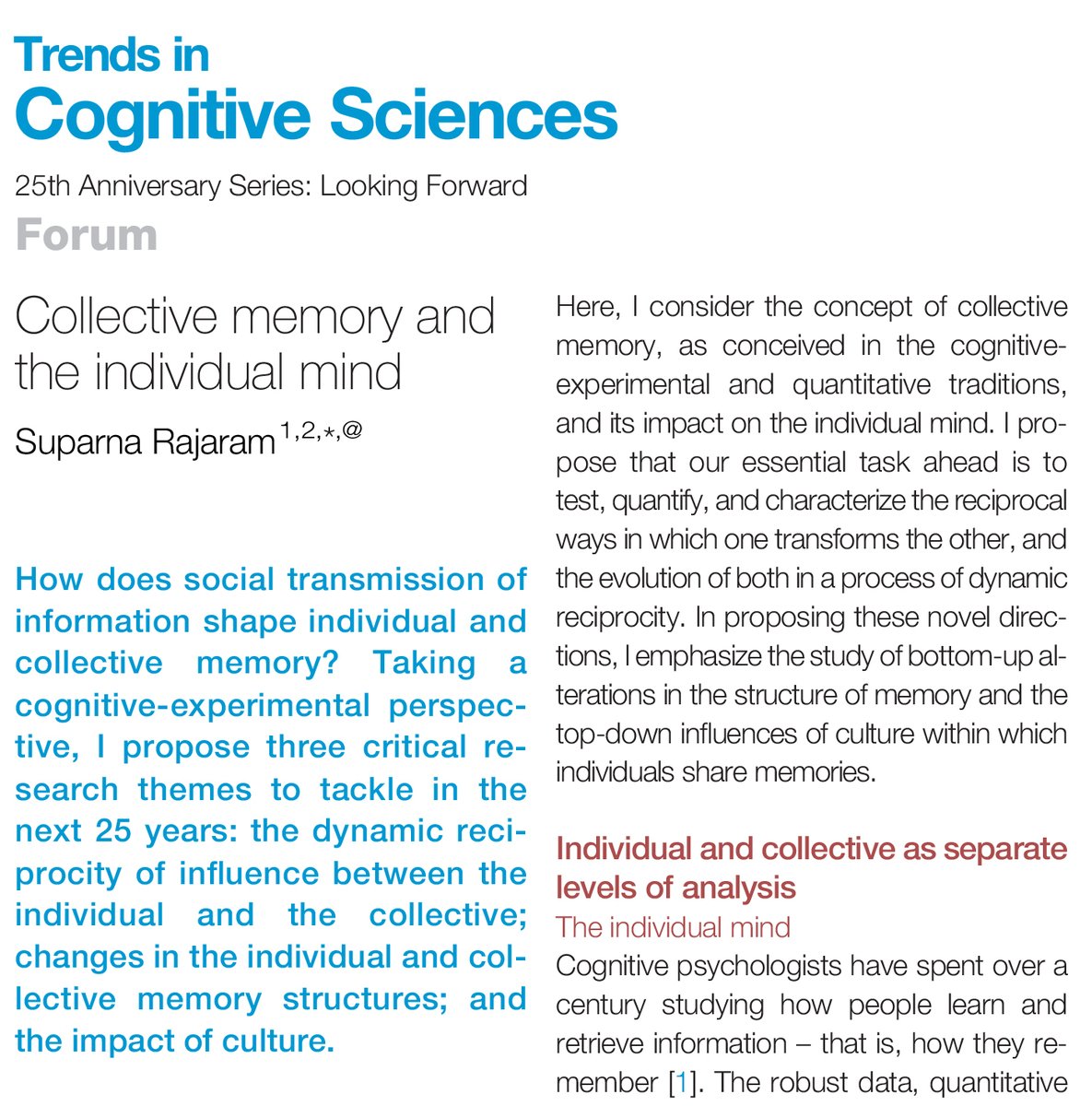
Suparna Rajaram asks, “How does social transmission of information shape individual and collective memory?” @srajaram02
Free access until December 8th: authors.elsevier.com/a/1fxlk…
2
12
Ande Shafer retweeted

Guest post by @DrAnaDaugherty on hippocampal (Hc) vascularization.
Brought to you by “anastomosis” (noun): a cross-connection between adjacent blood vessels; plural “anastomoses”.
As in, “Wow! 54 years of mapping anastomoses”
#SubfieldWednesday 🧵 1/
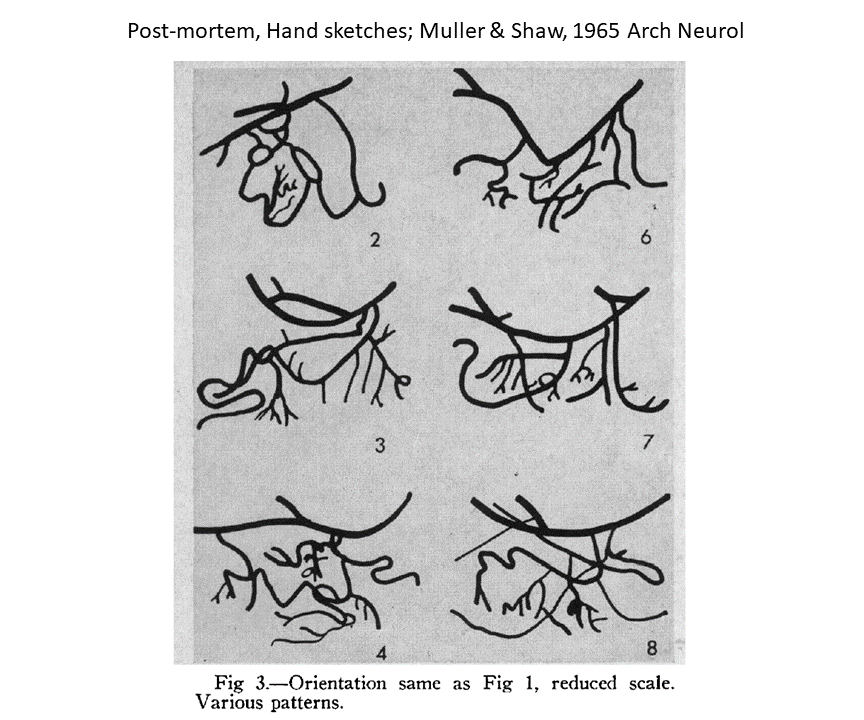
ALT Figure 3 from Muller & Shaw (1965) Archives of Neurology, displaying 6 variations of extrahippocampal arterial arcades. Captioned "post-mortem, hand sketches".
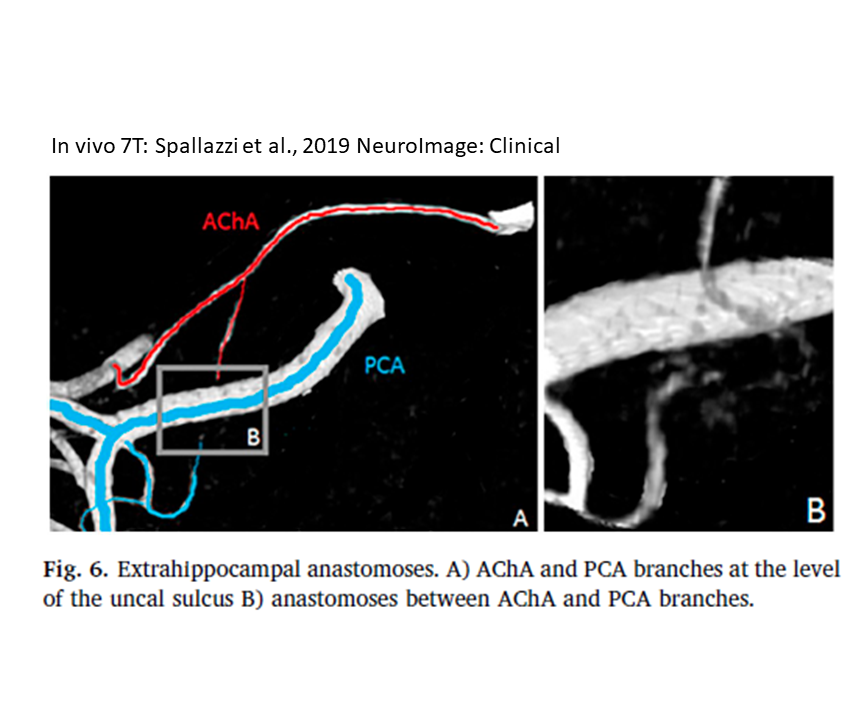
ALT Figure 6 from Spallazzi et al. (2019) NeuroImage: Clinical, displaying a MRI of extrahippocampal arterial arcade. Captioned "In vivo 7T".
1
11
31
Ande Shafer retweeted

8 Jul 2022
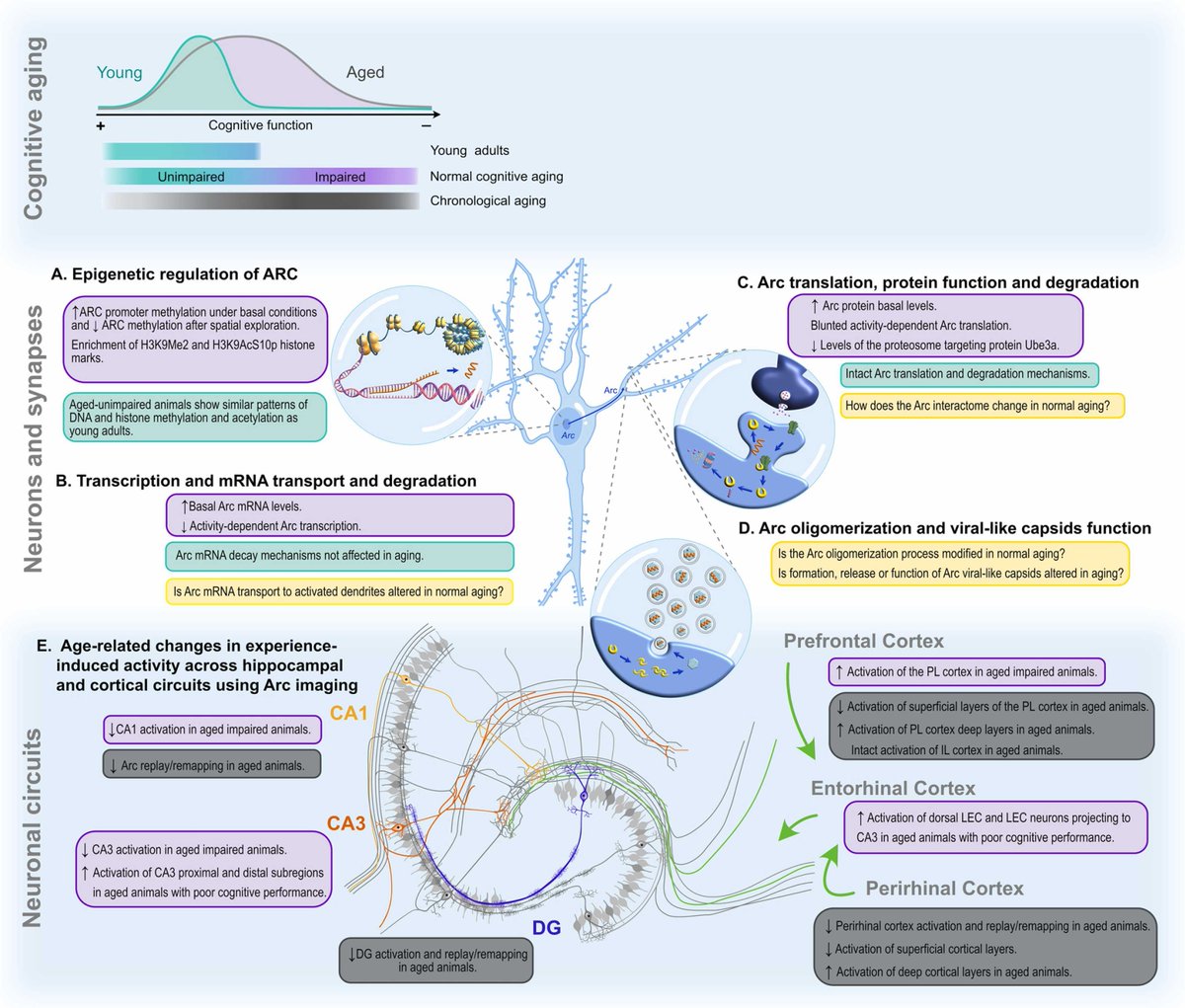
Check out our recently-published review article about Arc’s relevance in cognitive aging research! 🧠
6 Jul 2022

Arc is a helpful tool for identifying dysfunctional neural networks in aging. Simultaneously, Arc's synaptic mechanisms contribute to shaping cognitive outcomes in aging.
Here is our recently published review about this:
sciencedirect.com/science/ar…
1
4
Ande Shafer retweeted

24 Jun 2022
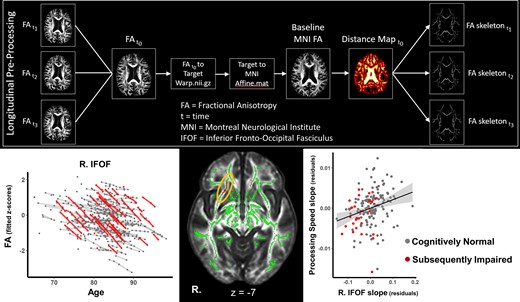
Shafer and Williams et al. report that diffusion tensor imaging can detect faster rates of regionally specific white matter degeneration before symptoms of mild cognitive impairment/dementia are present. bit.ly/3tYQRwA @BrainHacktivist @o_a_williams
4
14
Ande Shafer retweeted

23 Mar 2022
I'm a doctor who does research.
I've annoyed DOZENS of statisticians.
Here are 5 proven ways to exasperate them.
#medtwitter #epitwitter #statstwitter
92
697
3,601
Ande Shafer retweeted

22 Mar 2022
Beginning at 10am ET, experts from across the dementia community will come together for the two-day, @NINDSnews 2022 ADRD Virtual Summit. This year’s summit will address research priorities for Alzheimer's disease-related dementias. Learn more: bit.ly/3NaS9MG #ENDALZ
3
7
Ande Shafer retweeted

17 Mar 2022
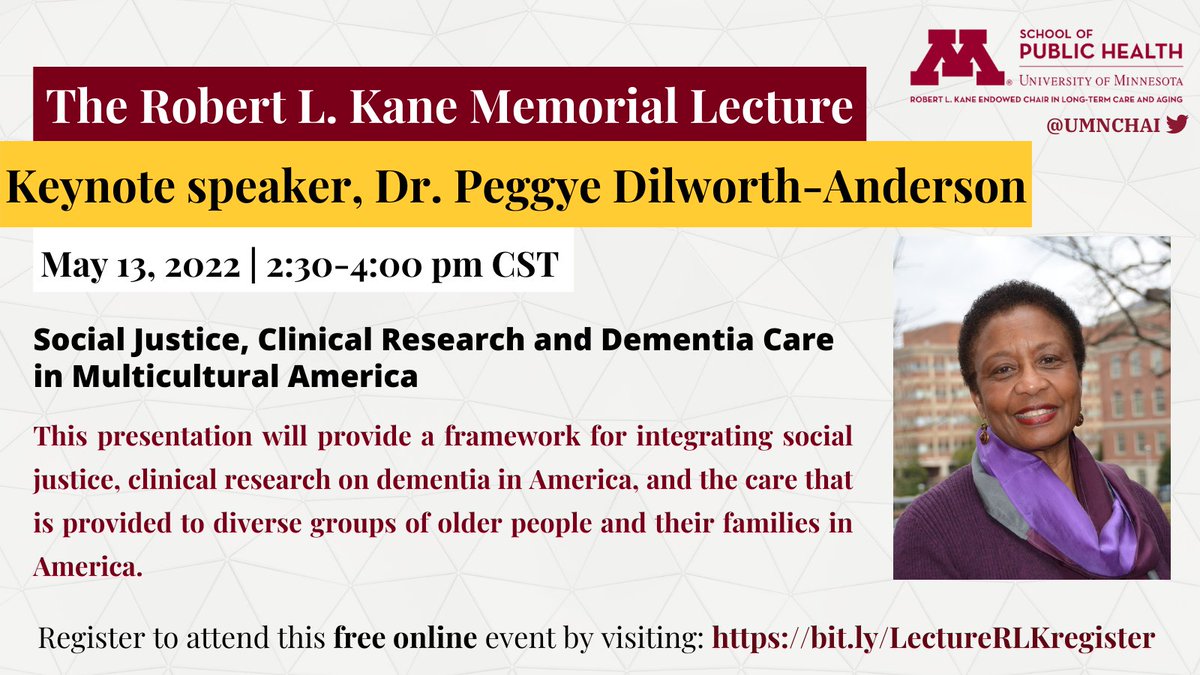
Register today to attend the free Robert L. Kane Memorial Lecture, for a discussion on Social Justice, Clinical Research and Dementia Care in Multicultural America. Register at: bit.ly/LectureRLKregister @PublicHealthUMN
8
14
Ande Shafer retweeted

18 Mar 2022
Monday: Advancing Health Equity in Health Related Fields – Lessons Learned at the Legislature sph.umn.edu/event/advancing-… @PublicHealthUMN @umnsphsenate @diversityUMN @umnsphalumni @phdr_umn @CARHEumn @RebeccaShlafer

4
9
Ande Shafer retweeted

2 Mar 2022
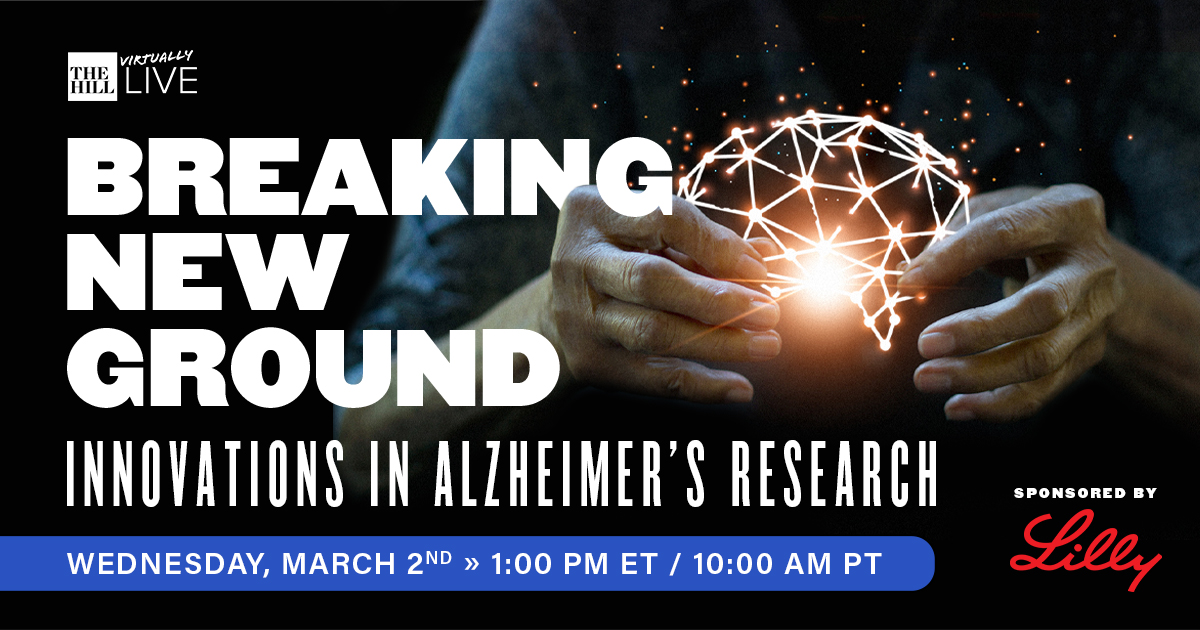
Alzheimer’s disease takes a crushing toll on patients, their loved ones, and caregivers. Join @TheHill & @LillyPad TODAY at 1PM ET to discover what innovations show the most promise for early detection and treatment. RSVP here: bit.ly/3JuEJsv #TheHillAlz
2
5
7
Ande Shafer retweeted

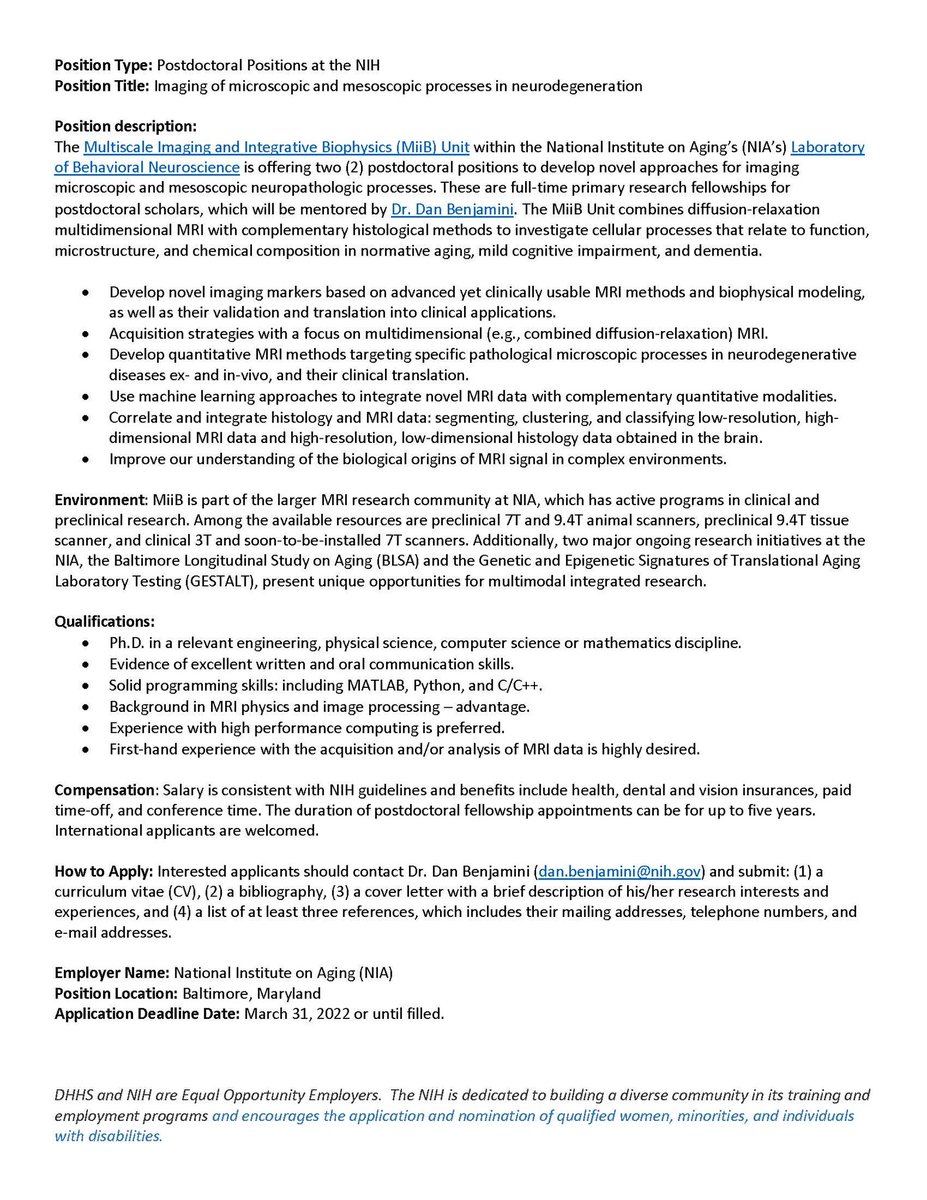
A STARRRS is born! STARRRS is one of the newest NIA resources available for #aging researchers! It’s an #OpenScience phenotypic data and #biospecimen resource. Check it out: nia.nih.gov/research/labs/ab…
8
8
Ande Shafer retweeted

16 Nov 2021
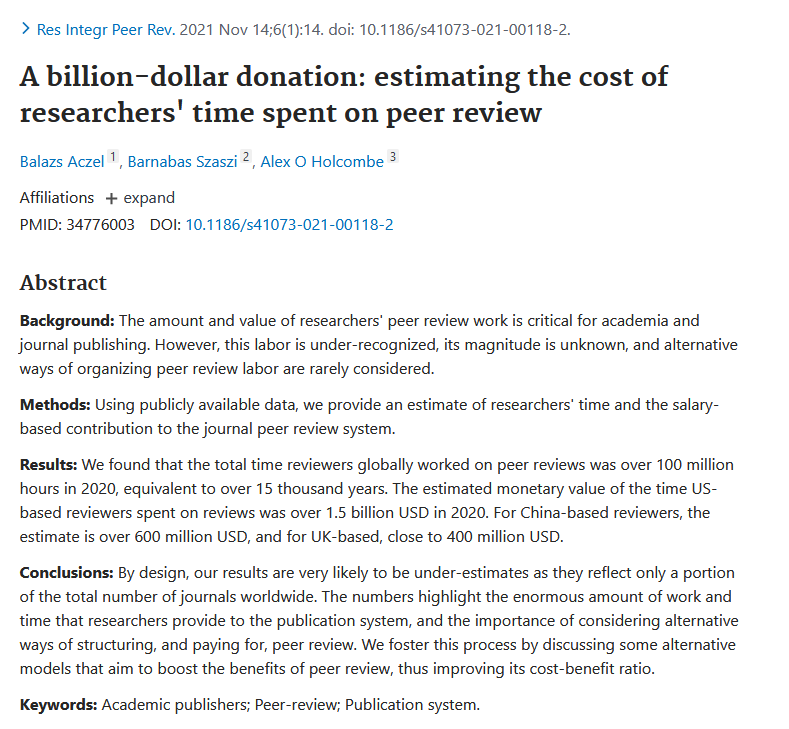
Peer reviewers worked over 100 million hours in 2020, estimated value $1.5 billion pubmed.ncbi.nlm.nih.gov/3477… Feat @ceptional
21
524
1,316
Ande Shafer retweeted
Thrilled to be working with a great team to explore default mode network connectivity in the aging brain. sciencedirect.com/science/ar…
1
3
Ande Shafer retweeted

25 Aug 2021
@kurtschilling5 led a monumental effort to map tractography dissection variability with 42 groups and 14 white matter bundles (with 3138 total bundles evaluated). doi.org/10.1016/j.neuroimage…
3
10
32