
Joined April 2025
- Tweets 3,120
- Following 2,752
- Followers 554
- Likes 5,865
99 Photos and videos
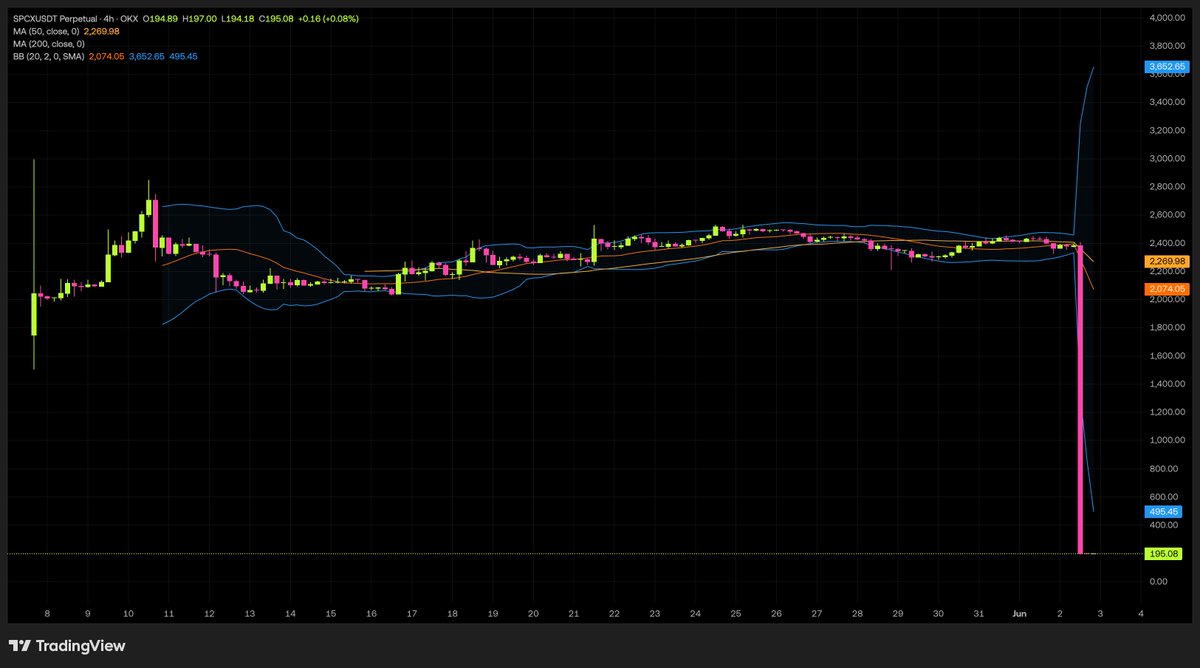

【美股开户教程】富途老虎之后新渠道|不用海外银行卡|不用银行电汇|24小时出入金|币安交易美股保姆级教程|Space X下单演示 youtu.be/ntLdLQRxD80?si=jL3W… via @YouTube
22
Finicky_Jerk 🛸 👽📸⚠️🥃 🛸 retweeted
1
134
Finicky_Jerk 🛸 👽📸⚠️🥃 🛸 retweeted
1
27
下面這張 crypto debit card 有人用過了嗎?
用過的請冒個泡兒

1
18
匈牙利在監管政策上做出180度大轉彎,放棄將加密貨幣定為刑事犯罪的立場
zerohedge.com/markets/hungar…
9
互為宿敵的對手
卻有高度一致的共識
BTC
這個看似充滿了矛盾的世界只是假象
真實的世界其實充滿了各式各樣的陰謀
不是嗎


17

Finicky_Jerk 🛸 👽📸⚠️🥃 🛸 retweeted

Jun 13
The US government, citing national security authorities, has issued an export control directive to suspend all access to Fable 5 and Mythos 5 by any foreign national, whether inside or outside the United States, including foreign national Anthropic employees.
The net effect of this order is that we must abruptly disable Fable 5 and Mythos 5 for all our customers to ensure compliance.
Access to all other Claude models is not affected.
We apologize for this disruption to our customers. We believe this is a misunderstanding and are working to restore access as soon as possible.
Read our full statement: anthropic.com/news/fable-myt…
12,194
25,411
86,161
84,860,732
Finicky_Jerk 🛸 👽📸⚠️🥃 🛸 retweeted

Jun 12
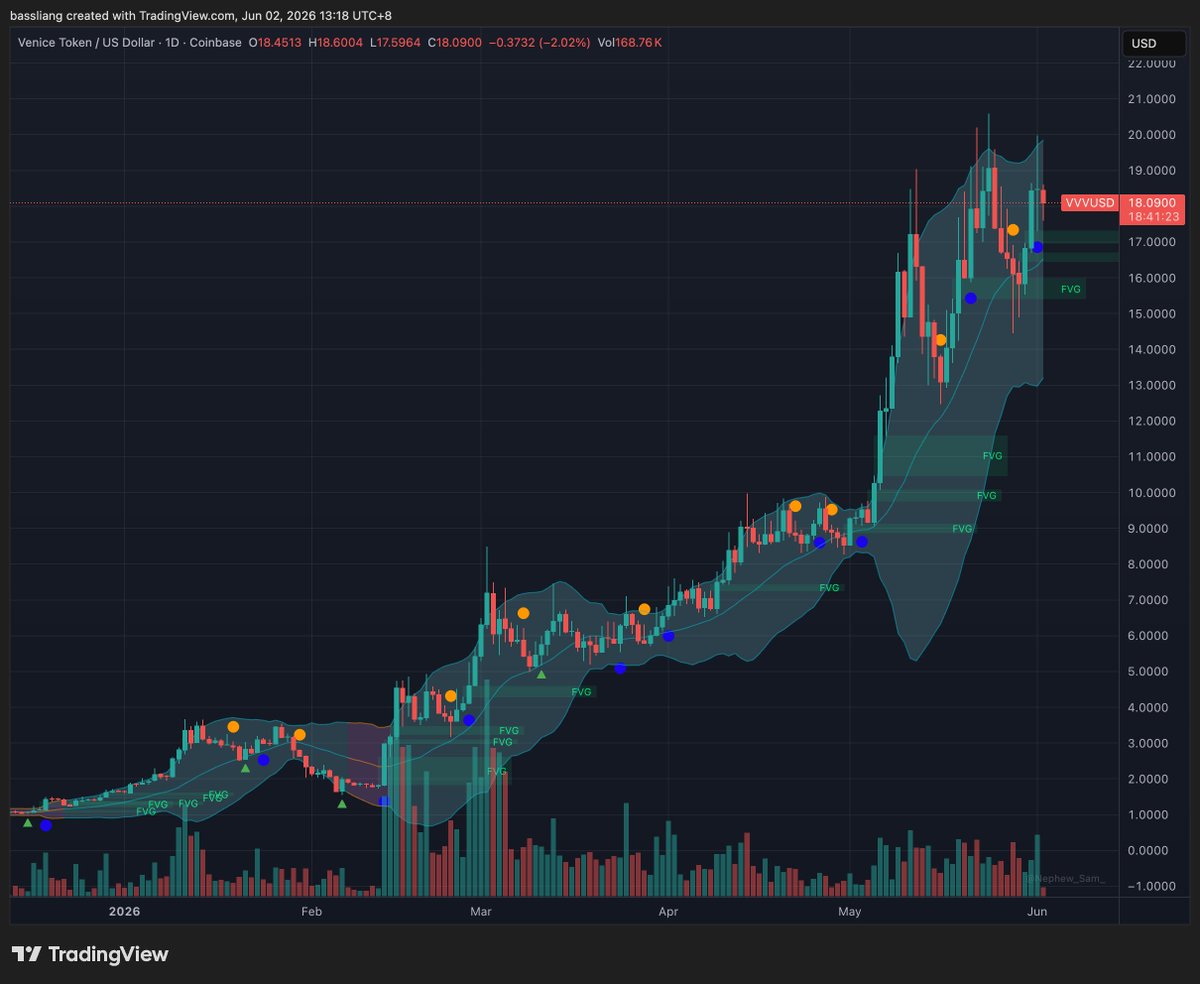
You can run Claude Fable 5 without Anthropic ever knowing it's you.
No email required to sign up.
Here's how to use Fable 5 anonymously through Venice:
169
386
1,687
247,152

Hermes x Obsidian is the most powerful AI memory system available right now.
Use Obsidian to store all your notes, and Hermes feeds on that data to self-evolve over time.
Your agent learns all your personal goals and context and uses them to build automations for your entire life.
Here's how to set it up in <5 minutes:
Step 1. Download Obsidian
Head to obsidian dot md and download the app.
Create a new vault (this is where all your notes will live locally on your machine).
Start dumping everything in here:
- Meeting notes
- Ideas and goals
- Research and insights
- Journal entries
- Any data you want your AI to know
The more you put in, the more powerful it gets.
Step 2. Connect Hermes to your Obsidian vault
Open the new Hermes desktop app and paste this prompt:
"I want to connect you to my new obsidian vault and have you act as my second-brain orchestrator - do everything necessary to set up that connection now."
This gives Hermes direct access to everything inside your vault.
Step 3. Let it self-evolve
Every time you add a new note, Hermes automatically ingests it.
Over time, it builds a living, breathing memory of everything you know, think, and work on.
Pro tip: Once Obsidian is connected to your agent, you can just prompt it directly to add notes/context/data.
This is what a true AI second brain looks like.
Save this and build your second brain system now.


28
47
391
21,143
Finicky_Jerk 🛸 👽📸⚠️🥃 🛸 retweeted
1
465
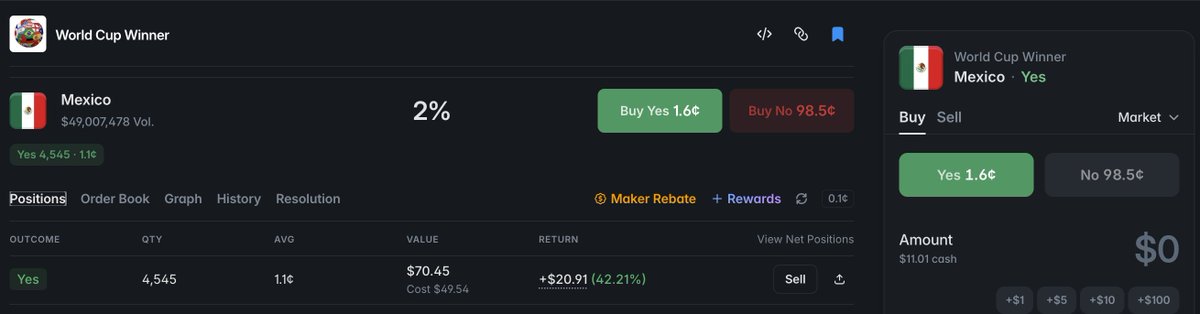
If Mexico 🇲🇽 is winning the World Cup 2026, and I would be very happy for this trade.
#FIFA #WorldCup2026 #WorldCupMedia #Polymarket #Mexico #FootballMatch
2
33
Finicky_Jerk 🛸 👽📸⚠️🥃 🛸 retweeted
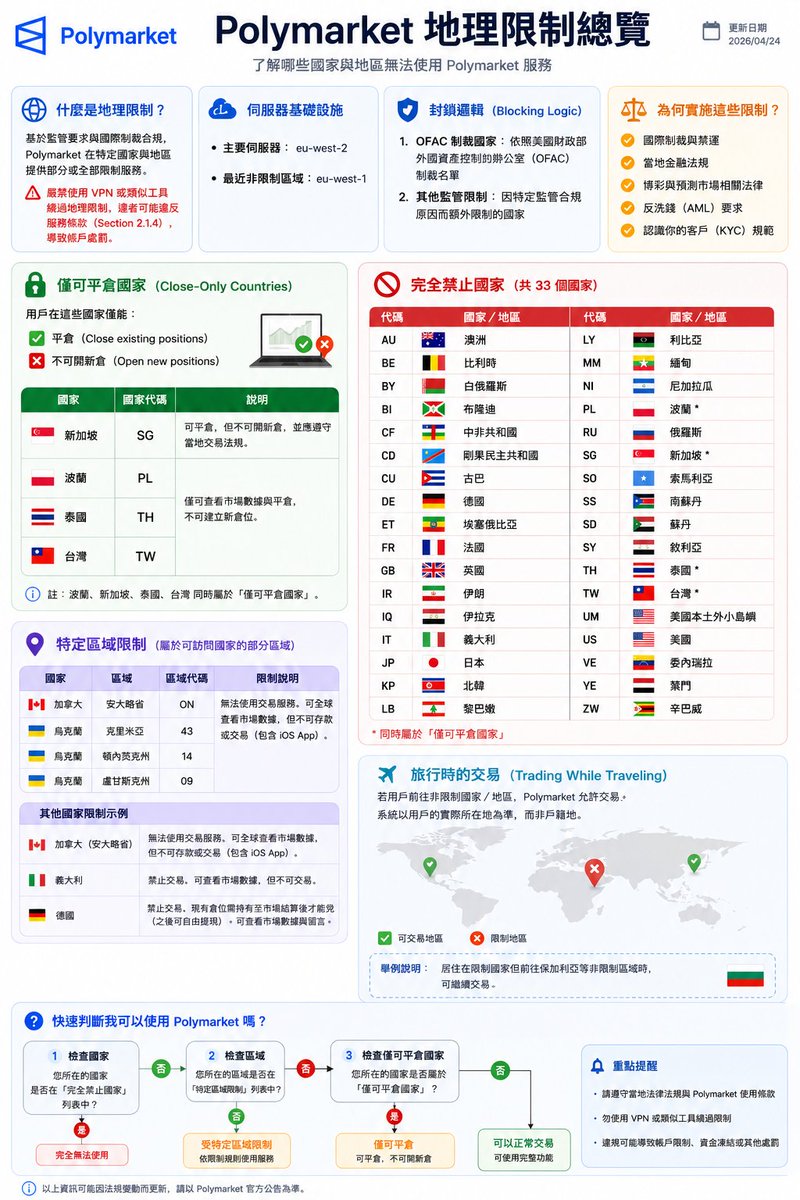
整理出来一份方便看的 Polymarket 地理限制总览
看看你自己所在地区是否可在 Polymarket 自由玩耍
1
1
60