
We are a developer success company. Providing access to Jobs, Resources, and Events to help developers succeed!
Joined August 2017
- Tweets 4,624
- Following 789
- Followers 2,184
- Likes 1,750
489 Photos and videos










GetDev retweeted

Your competitors aren't better than you; they're just louder. We're the ones holding the megaphone for the winners.
DM us to amplify your voice in the film space!
#storytelling #impact #Africafirstfilmmarketingintelligencestudio #viral #filmakers #filmmarketing #creators #fyp

5
21
201
GetDev retweeted
If you're still using Canva templates for a 7-figure business, your visuals are lying about your value.
Reach out to us. Let’s fix the gap
#Africafirstfilmmarketingintelligencestudio #filmmarketing #Creators #impact #viral #explore #filmmakers #Storytelling

7
15
159
GetDev retweeted
If you're tired of 'maybe,' it's time to hire the team that says 'done’.
Reach out to us at CR8US. We are rooting for you!
#Africafirstfilmmarketingintelligencestudio #filmmarketing #Creators #impact #viral #explore #filmmakers #Storytelling #filmmarketing #fyp

7
18
144
GetDev retweeted

9 Jul 2025
Mastering #Concurrency in Go, Part 1: Understanding #Concurrency vs #Parallelism #golang #dormosheio #programming dormoshe.io/trending-news/ma…
16
108
3,947
GetDev retweeted

8 Jul 2025
System design addresses how different parts of a system communicate, manage data, & handle requests.
And this course teaches you the key concepts by building a YouTube clone.
Along the way you'll incorporate 3 key services: upload, watch, & transcoder.
freecodecamp.org/news/learn-…

3
121
792
32,074
GetDev retweeted
25 Jun 2025
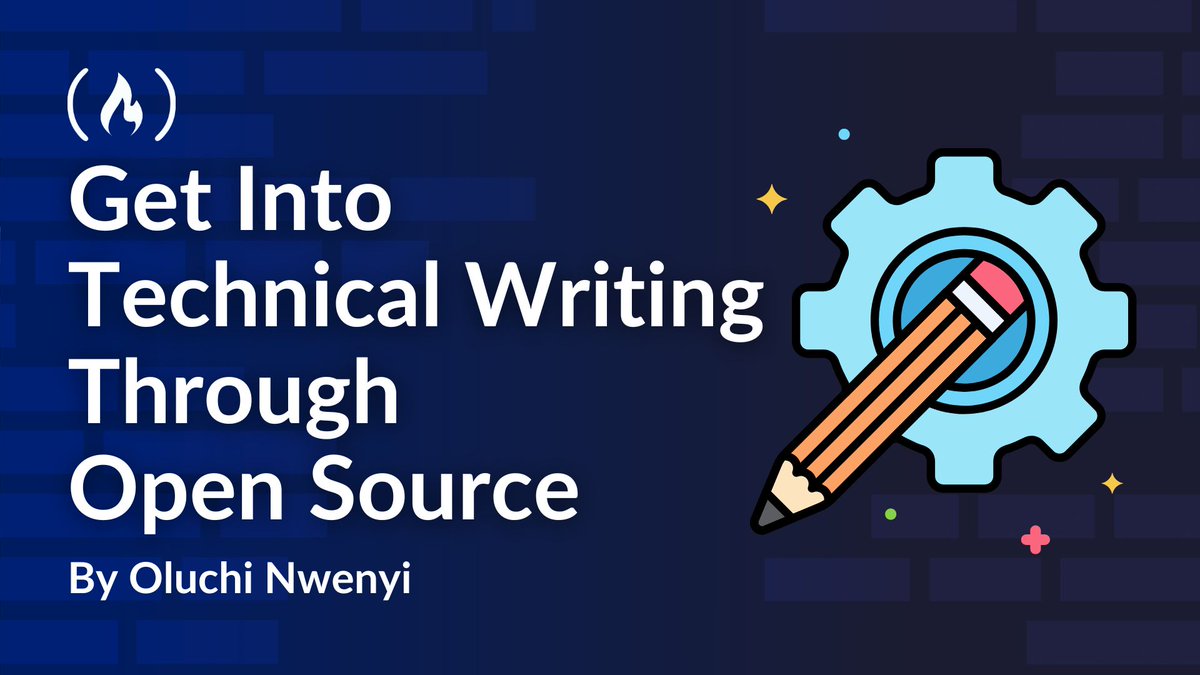
If you want to start a career in technical writing, you'll need to do a lot of technical writing.
And a great way to improve your skills - while helping the community - is by contributing to open source projects.
In this guide, @lulunwenyi explains how to do this, the technical skills you'll need, how to build your portfolio, and more.
freecodecamp.org/news/start-…
3
64
410
20,263
GetDev retweeted

22 Jun 2025
Free Python ebook (with code):

8
105
852
72,772
GetDev retweeted

23 Jun 2025
How to become a world-class software engineer (in 6 months).
Read these 12 books:
32
406
2,736
358,798
GetDev retweeted
23 Jun 2025
Clean Architecture in Go: A Practical Guide with go-clean-arch #golang #dormosheio #webdev #programming #backend dormoshe.io/trending-news/cl…
38
192
6,786
GetDev retweeted

22 Jun 2025
"Everything Engineering Managers Need To Know About Technical Debt"
by Alex Ponomarev
medium.com/engineering-manag…
11
81
4,093
GetDev retweeted

22 Jun 2025
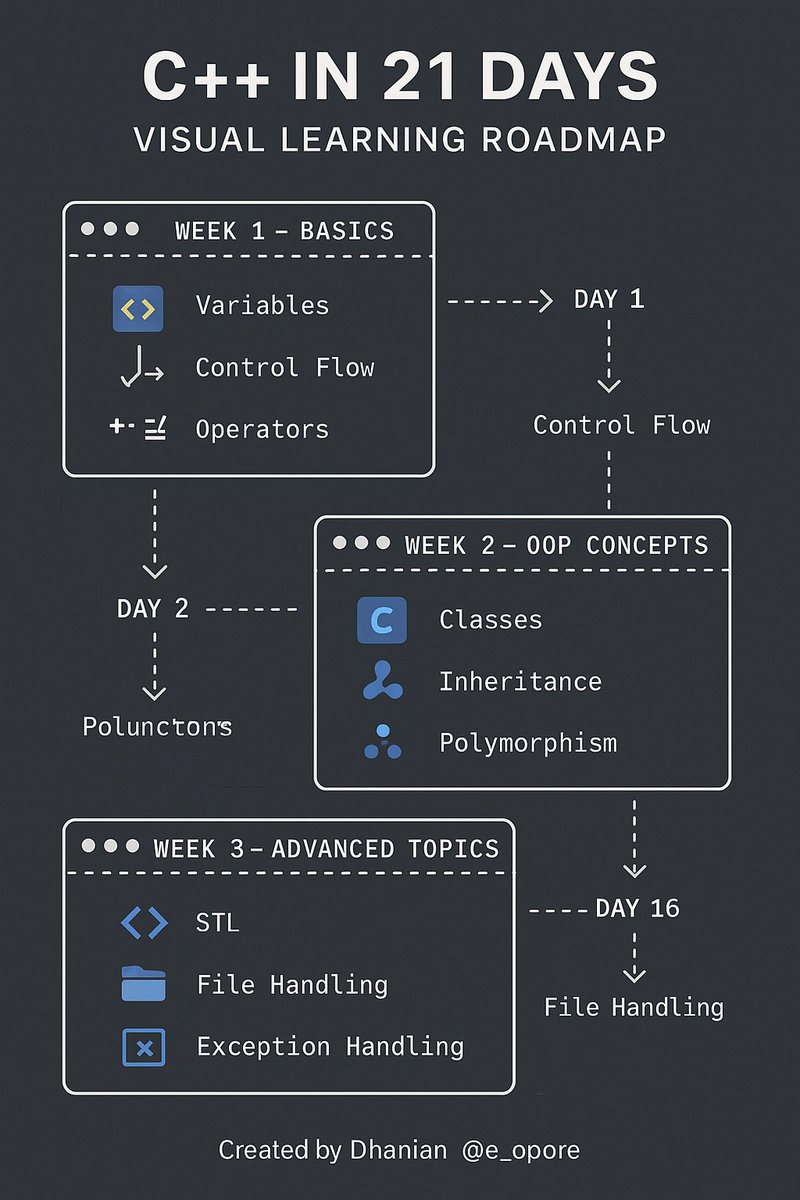
C Developer Roadmap in 21 Days.
Grab this practical 21-day C ebook:codewithdhanian.gumroad.com/…
4
50
370
19,700
GetDev retweeted
21 Jun 2025
If you want to improve your JavaScript and Angular skills, here's a course for you.
You'll use these popular tools to build a chess game with an AI opponent.
You'll also learn about chessboard dynamics, game mechanics, AI integration, and lots more.
freecodecamp.org/news/code-a…

1
63
403
20,986

GetDev retweeted

21 Jun 2025
11
330
2,000
107,154
GetDev retweeted
21 Jun 2025
Embedded systems are found in many different devices, from refrigerators to cars.
And they rely on sensors to gather environmental data and perform their tasks effectively.
In this detailed tutorial, @sohamstars teaches you how sensors work, how to interface them with microcontrollers, what the software architecture for sensor data looks like, & lots more.
freecodecamp.org/news/connec…

4
64
414
20,925
GetDev retweeted

22 Jun 2025
I'm working on an interactive Go 1.25 tour, but there are so many changes in json/v2 that I decided to cover them in a separate blog post.
Plenty of interactive examples ahead!
antonz.org/go-json-v2
1
33
164
11,072
GetDev retweeted

23 Jun 2025
Prettier 3.6 has been released! This release includes experimental fast CLI and new OXC and Hermes plugins!
prettier.io/blog/2025/06/23/…
3
34
166
41,604
GetDev retweeted
20 Jun 2025
Master TypeScript Quickly;👇
🔹 Introduction to TypeScript
➡ TypeScript is a typed superset of JavaScript
➡ Adds static typing, interfaces, and compile-time checks
➡ Compiles to plain JavaScript
➡ Useful for large-scale applications and better developer tooling
🔹 Setting Up TypeScript
➡ Install with npm install -g typescript
➡ Initialize project with tsc --init to create tsconfig.json
➡ Compile .ts files with tsc filename.ts
➡ Use ts-node for running TypeScript directly
🔹 Basic Types
➡ number, string, boolean, null, undefined, void, any
➡ Arrays: number[] or Array<number>
➡ Tuples: [string, number]
➡ Enums: enum Direction { Up, Down, Left, Right }
➡ Use type and interface for custom types
🔹 Type Inference and Annotations
➡ TypeScript infers types from assigned values
➡ Explicitly declare types for function parameters and return types
➡ Example: let count: number = 5
➡ Helps catch bugs before runtime
🔹 Functions
➡ Type parameters: (a: number, b: number): number
➡ Optional parameters: b?: string
➡ Default values: (x: number = 10)
➡ Arrow functions: const sum = (a: number, b: number): number => a b
🔹 Interfaces & Types
➡ Define object shapes using interface or type
➡ Interfaces can extend other interfaces
➡ Readonly properties: readonly name: string
➡ Optional properties: age?: number
➡ Use | for union types, & for intersection types
🔹 Classes
➡ Support for public, private, protected, and readonly modifiers
➡ Constructors must define parameter types
➡ Class inheritance using extends
➡ Interfaces can be implemented with implements
➡ Static members shared across instances
🔹 Generics
➡ Allow defining reusable components
➡ Example: function identity<T>(arg: T): T
➡ Work with arrays, functions, classes, and interfaces
➡ Add type flexibility without losing type safety
🔹 Type Utilities
➡ Partial<T>, Required<T>, Readonly<T>, Pick<T, K>, Omit<T, K>
➡ keyof, typeof, infer, extends for advanced typing
➡ Type guards using typeof, instanceof, or custom checks
🔹 Modules and Namespaces
➡ Use export and import to share code across files
➡ ES Modules: import { MyFunc } from './utils'
➡ Namespaces group code in the same file (less common in modern TypeScript)
🔹 Asynchronous Programming
➡ Use Promise<T> for async operations
➡ async/await works like in JavaScript
➡ Catch errors with try/catch blocks
🔹 DOM and Browser Types
➡ TypeScript includes built-in types for DOM elements
➡ Example: let btn = document.querySelector('button') as HTMLButtonElement
➡ Helpful for web development with precise element types
🔹 Configuration with tsconfig.json
➡ Customize compiler settings
➡ Key fields:
➡ target, module, strict, baseUrl, paths
➡ Enables strict typing and module resolution
🔹 Working with Third-Party Libraries
➡ Use DefinitelyTyped for types: npm install --save-dev @types/lodash
➡ Helps you use popular JS libraries with TypeScript
🔹 Best Practices
➡ Prefer explicit types for public APIs
➡ Use unknown instead of any when unsure
➡ Modularize code using interfaces and generics
➡ Avoid unnecessary type assertions
📘 For a complete TypeScript ebook with examples, explanations, and real-world projects, get your copy here:
➡ codewithdhanian.gumroad.com/…
1
14
101
5,408