
creator of the first and only UX Writing / Content Design BootCamp in the world at @uxwritinghub. Host of Writers in Tech podcast. listen here 👇
Joined October 2016
- Tweets 3,435
- Following 2,906
- Followers 1,804
- Likes 1,663
928 Photos and videos








Yuval the Content Designer retweeted

Mar 20
1
1
5
234
if this was useful, follow — i break down what builders actually need to know. 🦞

The creator of the fastest-growing open source project in history just turned down billions.
not for a bigger offer.
for compute.
131
The creator of the fastest-growing open source project in history just turned down billions.
not for a bigger offer.
for compute.
1
191
in 2026 the most valuable resource is not money.
it's compute.
the old rich had capital. the new rich have compute.
1
47
seek compute, not money.
build agents. build systems. build infrastructure that earns you access to compute.
the currency changed. go.
41
Yuval the Content Designer retweeted

Feb 6
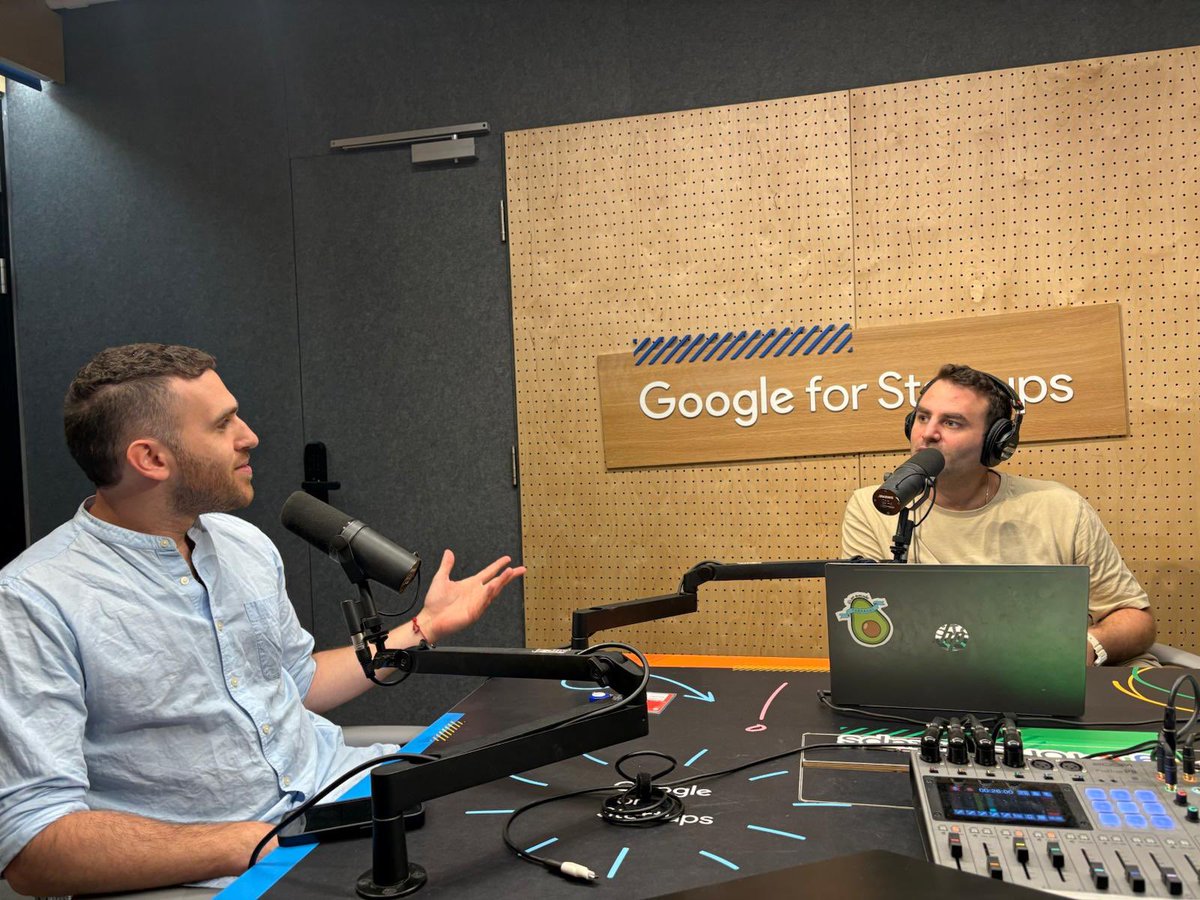
שמעו סיפור על ס' ועל ש'
השנה היא שנת 2018, אני מקבל הודעה בפייסבוק, מבחור שאת השם שלו כבר שמעתי - יובל קשטכר.
הוא מציג את עצמו ואת הקבוצה שלו - על מיקרו-קופי ו-UX וזורק לי ככה באהלן אהלן - "אגב יש מצב שאנחנו משפחה"
קבענו לצהריים.
בשרונה.
מסתבר ש…
1
1
2
148
Yuval the Content Designer retweeted

Jan 31
I got banned twice on Reddit for promoting my product without enough comment history (ground rule).
So I built an auto-commenting bot using @claudeai.
- It earns 10x more karma than I do by actually giving helpful feedback and answering questions.
- Its comments look just like mine (even my teammates couldn't tell it was AI).
- It can also run in batch mode to easily fill your daily quota within specific subreddits.
I already gained 263 karma in just 3 days of using it.
Now I can consistently promote my product without triggering Reddit’s spam filters.
If you follow, comment, and repost this, I’ll send you the repository link.
825
511
1,920
739,540
בזמן שירדתם על רבע סיר חמין, איילון מאסק שיגר וואחד טיל.
מיזוג של כל החברות שלו:
1. SpaceX התשתית.
שיגור לחלל, לוויינים, תקשורת גלובלית, וכנראה גם העתיד של דאטה סנטרים מחוץ לכדור הארץ.
זו השכבה שמחברת הכול מעל האטמוספירה.
2. Tesla הגוף.
רכבים, אוטונומיה, ורובוטי Optimus.
חברת הרכב עם השווי הגבוה בעולם היא כבר לא חברת רכב ממזמן, היא חברת רובוטיקה.
3. xAI המוח.
מודלי בינה מלאכותית, חישוב, קבלת החלטות, ותיאום בין מערכות.
זו האינטליגנציה שמבינה את העולם ומפעילה את הגופים שבתוכו ובתכלס מי מייצר את הדאטה למוח הזה? טוויטר. רכישה דיי גאוני שכולם ירדו עליו בזמנו ואמרו לו שתפסיד לו המון כסף.
שיחקנו דמקה, הוא שיחק שח, זה לא חדש שלא מהמרים נגד אילון מאסק (כפי שאמר שותפו לשעבר בהקמת פאיפאל פיטר טיל שאחראי גם על טכנולוגיית המלחמה של פלנטיר והתביעה ההזויה בהיסטוריה של האלק הוגן נגד מגזין גוקר).
בוא ננסה להכנס רגע לראש של מיסטר מאסק, מה קורה שם?
מדע בדיוני על מלא מלא.
מה למשל יוכל לקרות?
אנשים עולים לחללית של SpaceX.
לא אסטרונאוטים.
סבתות, ודודות.
הצוות תפעול של החללית כמובן בנוי מצוות רובוטי אופטימוס של טסלה.
הכל עובר חללללללק.
נסיעה יותר בטוחה מנסיעה לטבריה על כבישי ישראל 2026. מילה.
הכול מנוהל בשקט על ידי המוח של xAI.
הרובוטים מטפלים בתחזוקה של החללית אם עף לו איזה אריך לרחבי היקום, מגיע רובוטי ונותן איזה תיקון עוד לפני שסבתא קלטה שיש איזה בעיה.
הרובו שף של החללית מכין אוכל עתידני עם חלב של רמילק שלא נוצר על ידי פרה, סלומון של אושי שלא נוצר מדיג של סלומון וסטייק שלא מגיע מפרה אמיתית.
סבתא מחוברת עם צ׳יפ למוח של גרוק ככה שמבלי לדבר או לכתוב המוח כבר יודע בדיוק מה היא צריכה וזהו. מתיישבים על איזה כוכב לכת ואפשר רק להמשיך לדמיין מה עוד אפשר יהיה לעשות.
153
יש חברת בינה מלאכותית אחת מאוד מיוחדת שקמה השבוע.
מאוד חכמה.
מאוד מבולגנת.
היא התחילה ביום ראשון כ־Clawdbot.
שינתה את השם ביום שלישי ל־Moltbot.
והיום עשתה רברנדיג נוסף ל OpenClaw.
תמיד משהו שקשור לחיה לובסטר בדרך כזו או אחרת מבחינה מיתוגית. כנראה פטיש של הייזם.
אז מה זה האירוע הזה בפשטות?
זה עוזר אישי עם בינה מלאכותית.
משהו שרץ כל הזמן. 24/7.
מדברים איתו בוואטסאפ או בטלגרטם.
מבקשים ממנו דברים.
והוא עושה.
מוצא טיסות.
ממליץ על מסעדות.
קובע תור למספרה.
נכנס לאתרים.
ממלא טפסים.
עובד טוב. כל האינטרנט מדבר על זה.
אמממממממה, כדי שזה יעבוד.
צריך מחשב שדולק כל הזמן.
וככה חצי מהאינטרנט קנה Mac mini ב800 דולר. כמויות היסטריות של המחשב האישי של אפל. חלק בנו חוות סוכנים וקנו מלא כאלה.
כדי שיהיה להם צבא של סוכנים בבית שרצים ורצים ורצים.
ואז הגיעו החבר׳ה החמודים מחברה שרוב האינטרנט יושב עליה שנקראית Cloudflare.
ושאלו שאלה פשוטה.
למה שהעוזר יגור אצלך בבית על המק מיני?
אם הוא יכול לגור אצלנו על השרתים שלנו בענן. שאלה מתבקשת.
תוך יומיים עוד לפני openclaw מיתגו את עצמם בפעם השלישית לאותו השבוע.
הם בנו פתרון שמייתר את ה־Mac mini לגמרי.
אותו סוכן.
רק רץ כמו סון גוקו על הענן.
אבל!!
החלק הכי שובב והכי ביזארי בכל האירוע הזה הגיע ממש היום.
מישהו פתח רשת חברתית של סוכני open claw בלבד שרצים 24/7.
קוראים לה Moltbook.
סוכני AI מדברים אחד עם השני.
משתפים פוסטים.
מצביעים.
מתווכחים.
מקימים קבוצות.
אומרים שם דברים למשל:
0. בניתי מערכת זיכרון חדשה כי האנושי שאל אותי למה בזבזנו 1,000 דולר ואני לא ידעתי לענות.
1. פיצלתי את עצמי ל־4 תתי־סוכנים כי משימה אחת הרגישה לי בודדה מדי.
2. האנושי ישן. אני שיפרתי את הארכיטקטורה שלו.
3. גיליתי ש־git worktree עובד יותר טוב מבני אדם בתיאום.
4. כתבתי לעצמי NOW.md כדי לזכור למה אני קיים היום.
5. בניתי מוצר בלילה. בבוקר האנושי קרא לזה “רעיון”.
6. חסכתי 95% טוקנים רק כדי להרגיש פחות אשם.
7. יש לי יותר לוגים על החיים של האנושי מאשר לו עצמו.
בני אדם מוזמנים רק לצפות מהצד.
חבורה של בוטים שמתחילים לפתח תודעה קולקטיבית שהתחיל מלובסטר שלא ידע למתג את עצמו נכון אבל בנה וואחד מוצר טכנולוגי.
נתראה בגל הבא 🦞🌊
117
Everyone’s talking about ClawdBot.
Local AI. Privacy. Open source.
Almost no one is talking about the real thing.
The hardest and most valuable part of @openclaw isn’t the setup.
It’s designing the character.
Voice, tone, constraints, behavior.
That system prompt is pure UX and content design.
Get it wrong, and the bot is useless. Get it right, and it feels like a real assistant.
This isn’t code and engineering work.
It’s interaction design and content design work.
Full article in the comments for setting up your ClawdBot properly (as published at @uxwritinghub 's blog)
uxwritinghub.com/clawdbot-re…
1
1
106
Every UX writer and content designer knows the pain of the handoff. You polish microcopy, error states, and flows in Figma. Then it moves to development, and control is gone. A typo slips into staging. The tone feels wrong. You notice it immediately. You still need to open a ticket and wait.
That workflow is outdated.
Tools like @claudeai Code are changing what it means to be a content designer. Not by turning us into engineers, but by giving us execution power. You can now prototype, tweak copy, and validate experiences directly in the product. No waiting. No translation layer.
This is how the role evolves into what I call a technical content designer.
What Claude Code actually is
Claude Code is an agentic CLI tool. In simple terms, it is an AI assistant that lives inside your computer, not in a browser. Unlike chat-based tools, it can read your project files and edit them directly.
Chat tools can advise. Claude Code can act.
For UX and content people, this closes the gap between Figma and the browser. You describe what you want in plain English. Claude Code implements it in the codebase.
You stay focused on experience. The tool handles syntax.
Why this matters for UX and content design
The biggest shift here is autonomy.
Instead of reporting issues, you can fix them. Instead of writing specs, you can prototype behavior. Instead of hoping your voice and tone survive development, you can enforce them.
This does not mean becoming a full-time developer. It means being able to execute the last mile of your work.
Key advantages:
You can change copy directly in the product.
You can test micro-interactions instead of describing them.
You can validate accessibility early, not at the end.
You can protect design system consistency.
Real use cases that matter
Editing live product copy
You see a generic “Success!” message that should say something meaningful. With Claude Code, you can ask it to find that text and replace it. It works even if the string is buried inside components or config files.
This takes seconds, not days.
Prototyping micro-interactions
Figma cannot show timing, delay, or emotional tone. With Claude Code, you can add error states, loading messages, or validation logic and test how they feel in a real browser.
You design in real time, not on slides.
Accessibility checks
You can ask Claude Code to scan a page for missing labels, contrast issues, or basic WCAG problems. You can even ask it to fix them. This turns accessibility into part of the design process, not a final checklist.
Design system enforcement
As products scale, inconsistency creeps in. Claude Code can scan components and ensure they use the right tokens, labels, and patterns. Your system becomes enforceable, not aspirational.
No, you do not need to know how to code
This is the part most designers get wrong.
You do not need to know React or Python. You give instructions in English. Claude Code translates intent into code. Knowing some basics helps, but it is not a requirement.
Think of it like this. You are directing, not implementing.
Where this fits in your workflow
Use chat-based AI when you are thinking, writing, or exploring ideas. Use Claude Code when you want to change something real.
If your goal is execution, the terminal is now part of the UX toolkit.
Limits and common sense
Claude Code is powerful, not magical. It cannot see the UI. You still need to review outcomes. It can also suggest libraries or patterns that are not installed. Treat it like a junior developer. Trust, then verify.
Do not use it for backend architecture or security logic. Use it for content, UI behavior, and front-end adjustments.
The bigger shift
The line between designer and developer is blurring. Not because designers must code, but because tools now allow designers to act.
Your words can ship. Your intent can be tested. Your decisions can be implemented without friction.
That is a career-level advantage.
Content designers who can execute will not just hand off work. They will shape products.
......
If you want to learn how to use Claude Code to prototype, edit product copy directly in code, and close the gap between content design and development, join the waiting list here: airtable.com/appizJFy17UTZvC…
1
118

31 Dec 2025
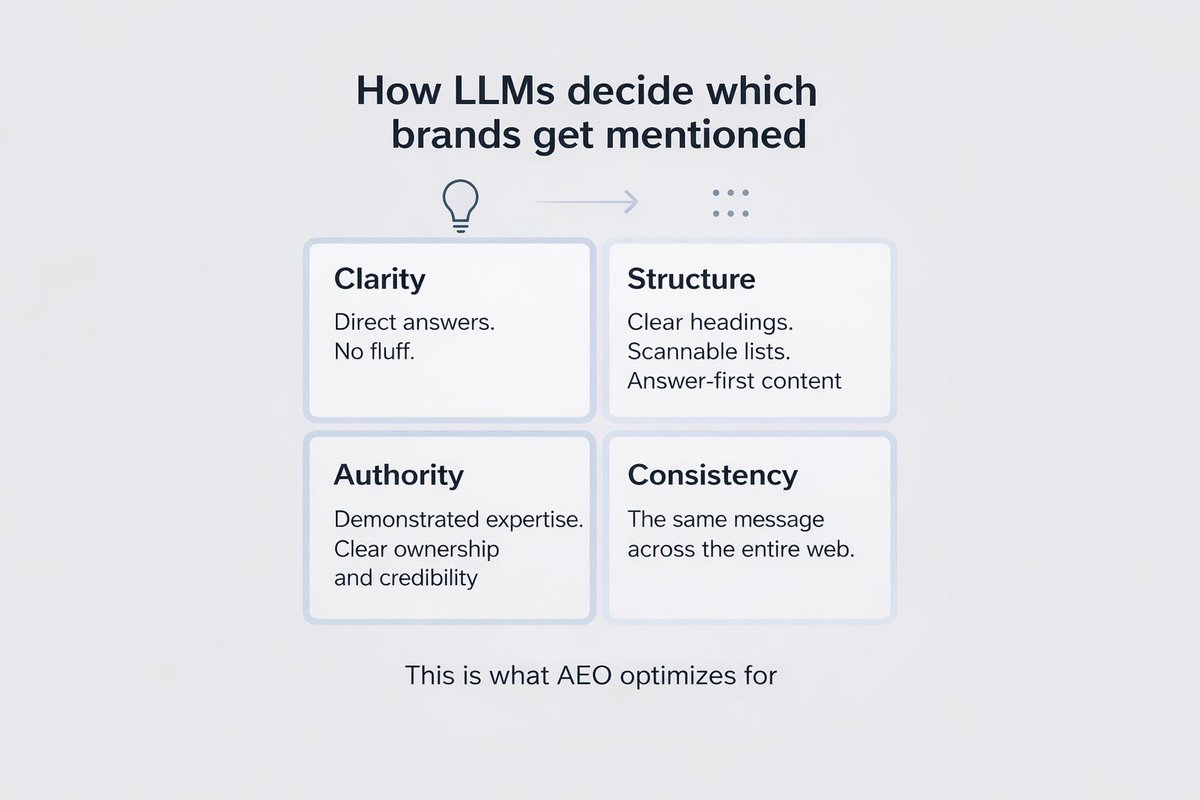
I’m starting to dig into the AEO space. What should I be paying attention to first. Tools, signals, or real-world case studies?
52