
cmux is the open-source terminal built for coding agents. Built by @lawrencecchen @austinywang
Joined June 2024
- Tweets 272
- Following 121
- Followers 1,842
- Likes 1,146
3 Photos and videos
Manaflow retweeted

Jun 11
cmux @opencode sideshow (🔈)
Jun 11

Claude Desktop now has this nice HTML widget preview tool that shows agent visualizations inline, next to thinking output
This can't work for terminal agents ofc, but I had Fable build an alternative:
A web app for agents that lets them maintain a feed of HTML-backed previews
2
5
78
27,016
Manaflow retweeted

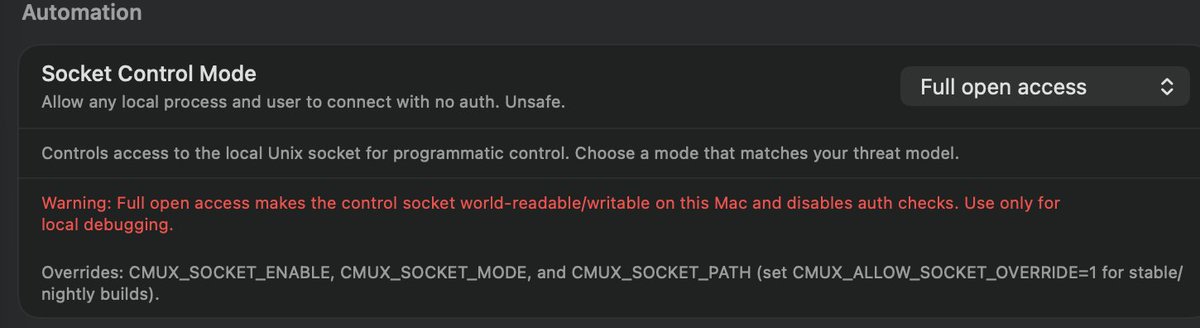
cmux --dangerously-skip-permissions
@austinywang we're going to the moon
1
3
9
1,035
Manaflow retweeted

Jun 11
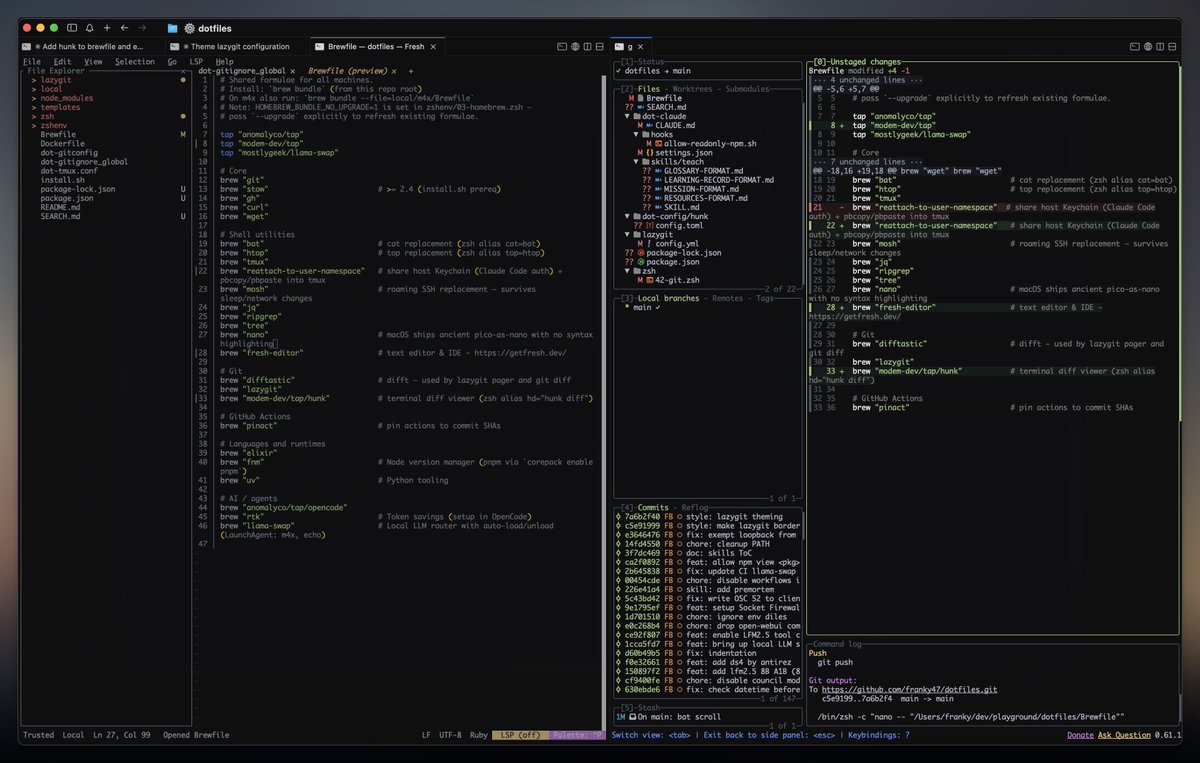
When agents are done, I use these tools to review code without leaving the terminal:
- lazygit by @DuffieldJesse, git ops with hotkeys
- hunk by @bentlegen, nicer diff view
- fresh by @TheNoamLewis, editor & IDE
- cmux by @manaflowai, workspace orchestration
3
3
20
867
Manaflow retweeted

Jun 3
TL;DR of my new article: every Agentic Engineering hack I know.
This used to be vibe coding. Around last Thanksgiving it got good enough to become something real.
📝 The moment you have an idea → /ce-plan a plan.md, with Compound Engineering by @kieranklaassen @trevin. Fuzzy? /ce-brainstorm first
🙈 Make the plan, don't read it. Plans are for agents
🧠 Use /ce-plan for your deepest NON-code work too (strategy, specs, research)
🎙️ Get voice-pilled. Talk, don't type (@usemonologue or @WisprFlow)
🪟 Run 4-6 tabs in cmux (@manaflowai), one task each
⌨️ New tabs open straight into Claude or Codex
📱 Remote-control every session give your agent its own email address on @agentmail
☠️ Dangerously skip permissions. YOLO. It's my computer
🔀 /ce-work --codex: route the build to @OpenAI Codex without leaving Claude
🔎 Run @slashlast30days before you /ce-plan
🥣 @meetgranola everything. Drop the RAW transcript in, don't summarize
✋ You're the taste; the agents are the hands
🎬 Build video in the CLI so an agent can write it (@HyperFrames_ )
📚 Point your agents at your notes memory (@garrytan's GBrain, @supermemory)
✈️ Work from anywhere: mosh, tmux, @NousResearch's Hermes @openclaw
📄 Share a plan with a human in Proof by @EveryInc
🛠️ Anything you do twice, write a skill for it. That's the compounding part
🌟 Contribute to the open source you love
🔋 Never-sleep laptop a battery brick in the bag
🤖 Printing Press by @ppressdev: CLIs that run real life. Tesla, groceries, flights
⚠️ Watch for AI psychosis. Touch grass, talk to the people you love, build things people want (even if people is just you)
🚀 The YOLO TL;DR: paste this whole article into your agent and tell it to make a plan to set ALL of it up, one by one.

34
47
598
122,772
Manaflow retweeted

Jun 3
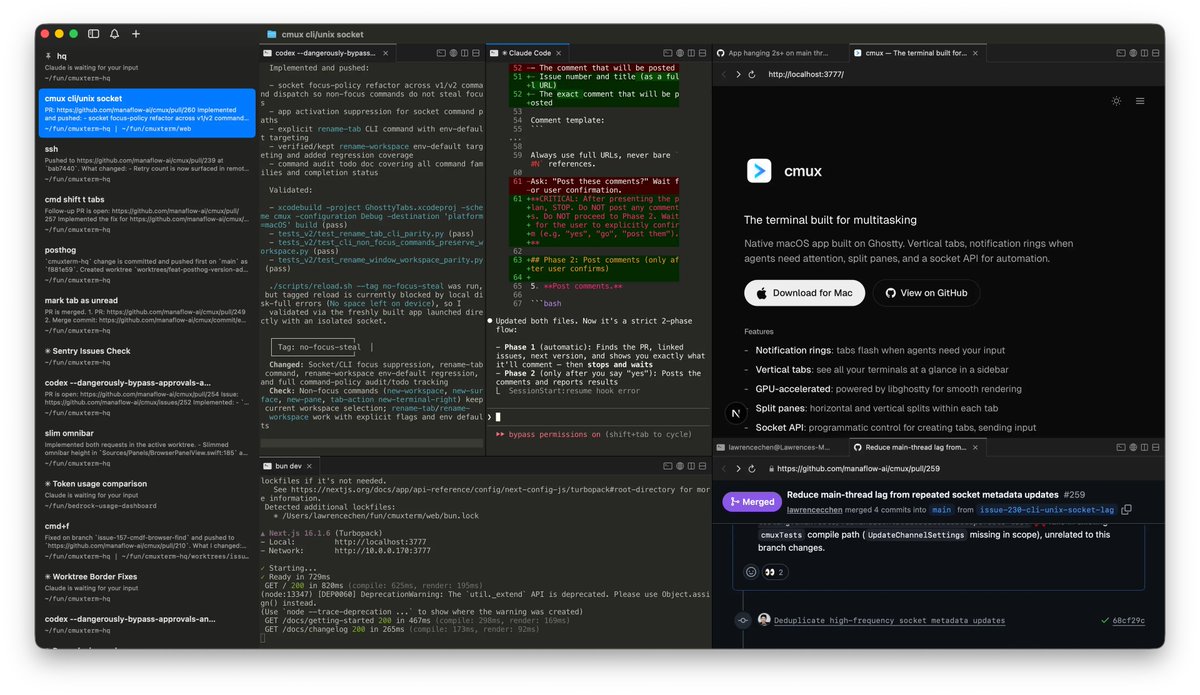
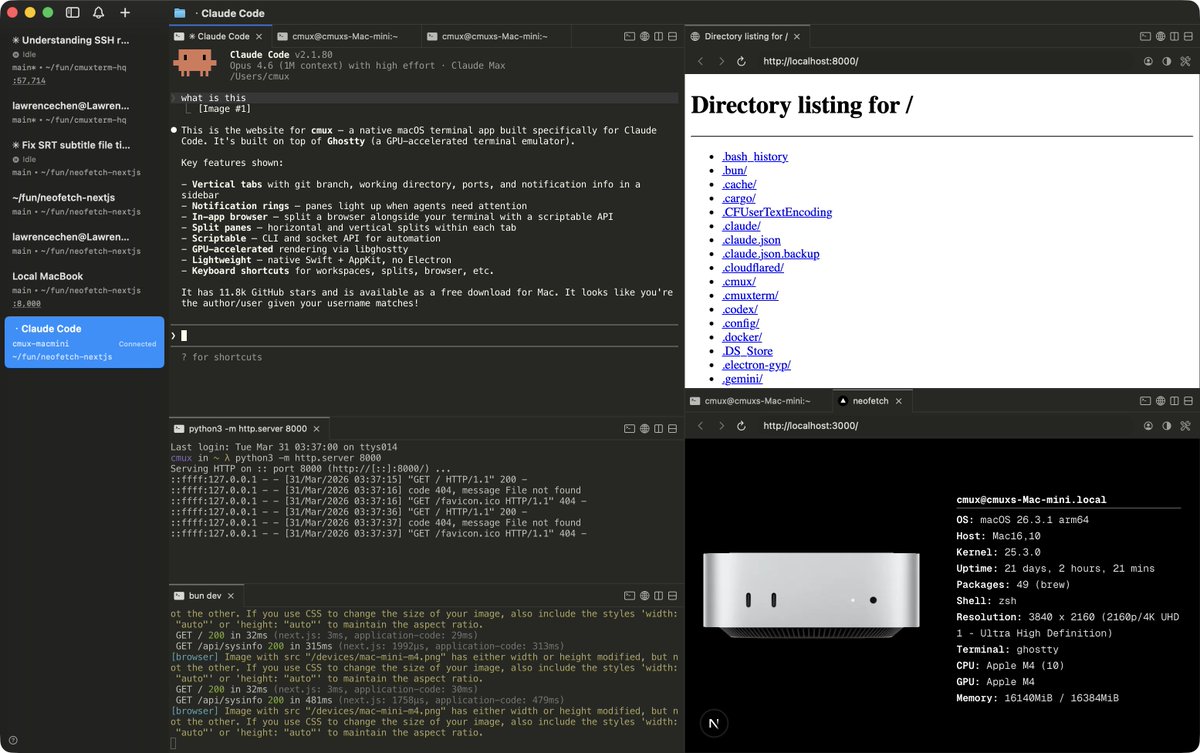
🖥️ cmux 太强了!这是一个专为 AI coding agent 设计的 macOS 终端,彻底改变人和 Claude Code / Codex 的协作方式。
一个交互界面,把所有 Agent 放到一起轻松管理。
GitHub 2w stars,还在快速增长。
GitHub:github.com/manaflow-ai/cmux
跑 AI agent 最烦什么?就是不知道它跑完没,只能一直盯着终端傻等。
cmux 直接解决这个痛:agent 需要你介入时,对应 pane 自动亮灯光,通知面板汇总所有待处理事项——你该干自己的事时就去干,它叫你你再看。
内置可脚本化浏览器(移植自 vercel-labs/agent-browser),终端旁边直接开,agent 可以直接操控;
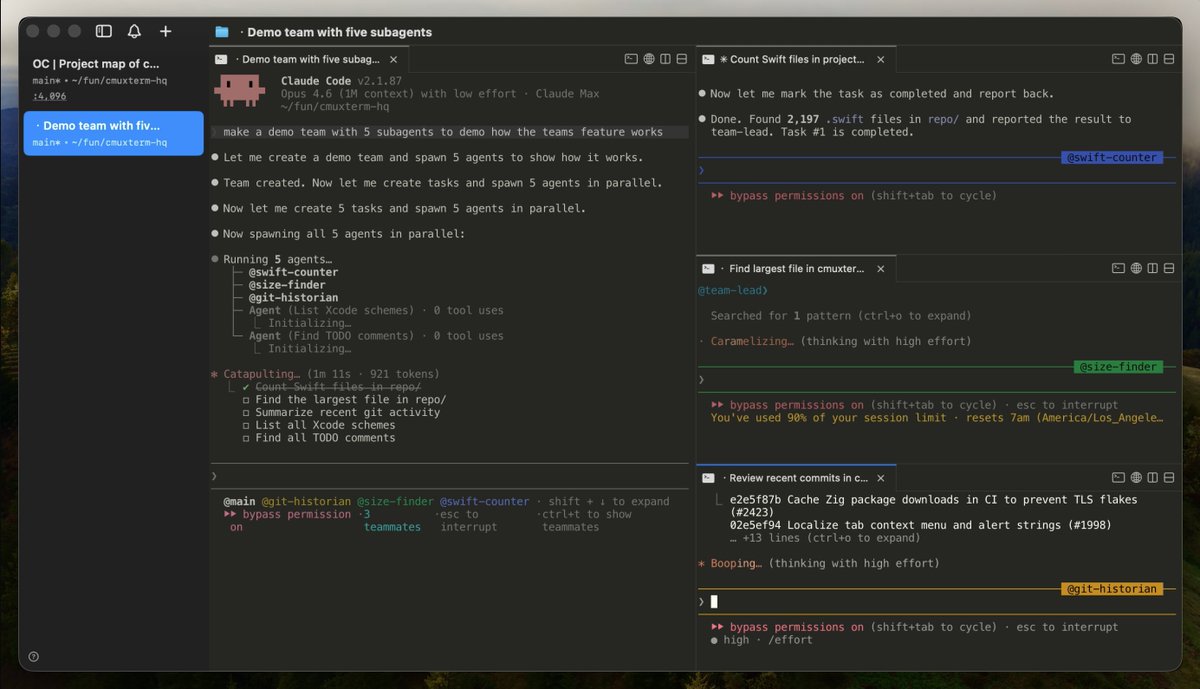
cmux claude-teams 一条命令跑 Claude Code 队友模式,多个 agent 原生分屏协作,完全不需要 tmux;
侧栏实时显示 git 分支、关联 PR 状态、监听端口;
cmux ssh user@remote 给远程机器一键开工作区,浏览器 pane 还走远程网络。
Swift AppKit 原生开发,不是 Electron,启动快、内存低。下载 cmux-macos.dmg 装上就能用。
当 AI agent 越来越多,你需要的不是更多的 tmux 配置——你需要一个真正懂 agent 的终端。
1
7
659
Manaflow retweeted

Jun 4
> at the doctor
> waiting room full, as always
> bring laptop, 200IQ play
> i'm the only one locked in
> the only one running cmux
> some random lady comes in
> sits down
> pulls out her macbook
> ehm
> i'm not the only one locked in no more
> hopefully she's not running cmux
6
4
244
10,235

平时重度用 Claude Code、Codex 这类 AI Agent,大概率遇到过同一个问题:
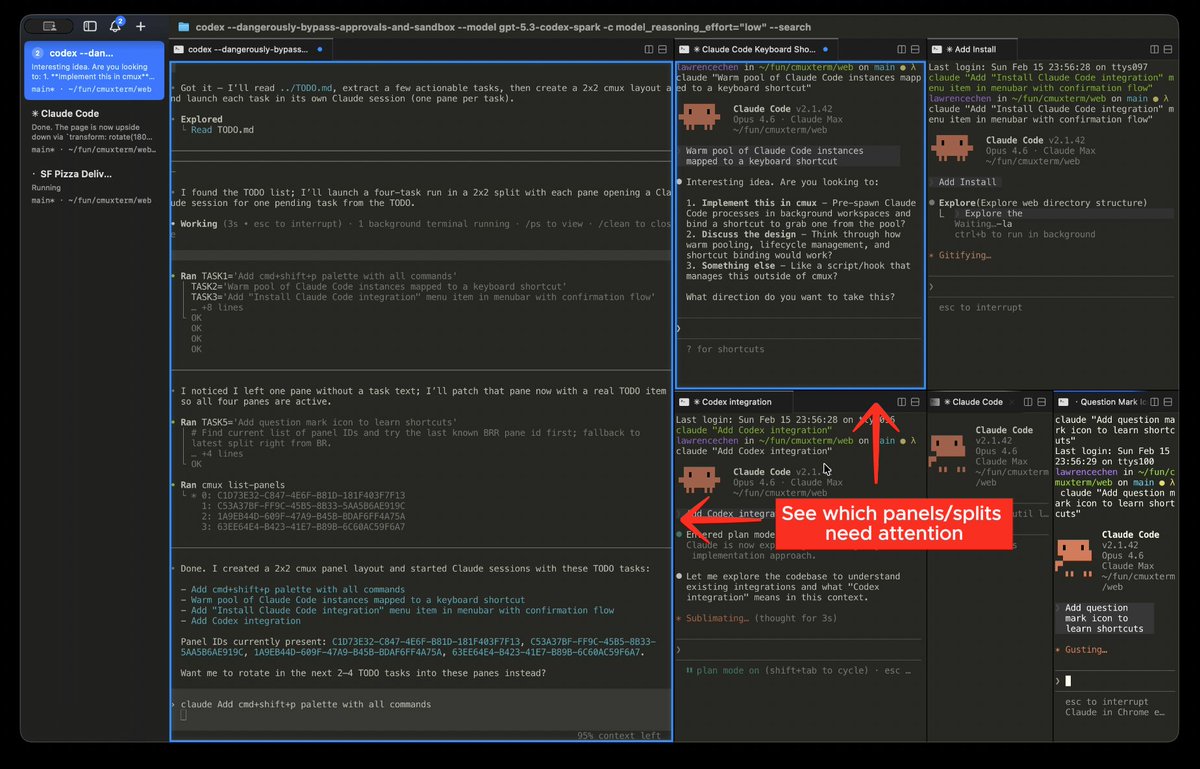
终端开了一堆窗口,五六个 Agent 同时跑任务,Tab 多到标题都看不清。突然弹出一句“Claude is waiting for your input”,结果根本不知道是哪个 Agent 卡住了,只能一个个窗口翻。
cmux 就是专门解决这个问题的。
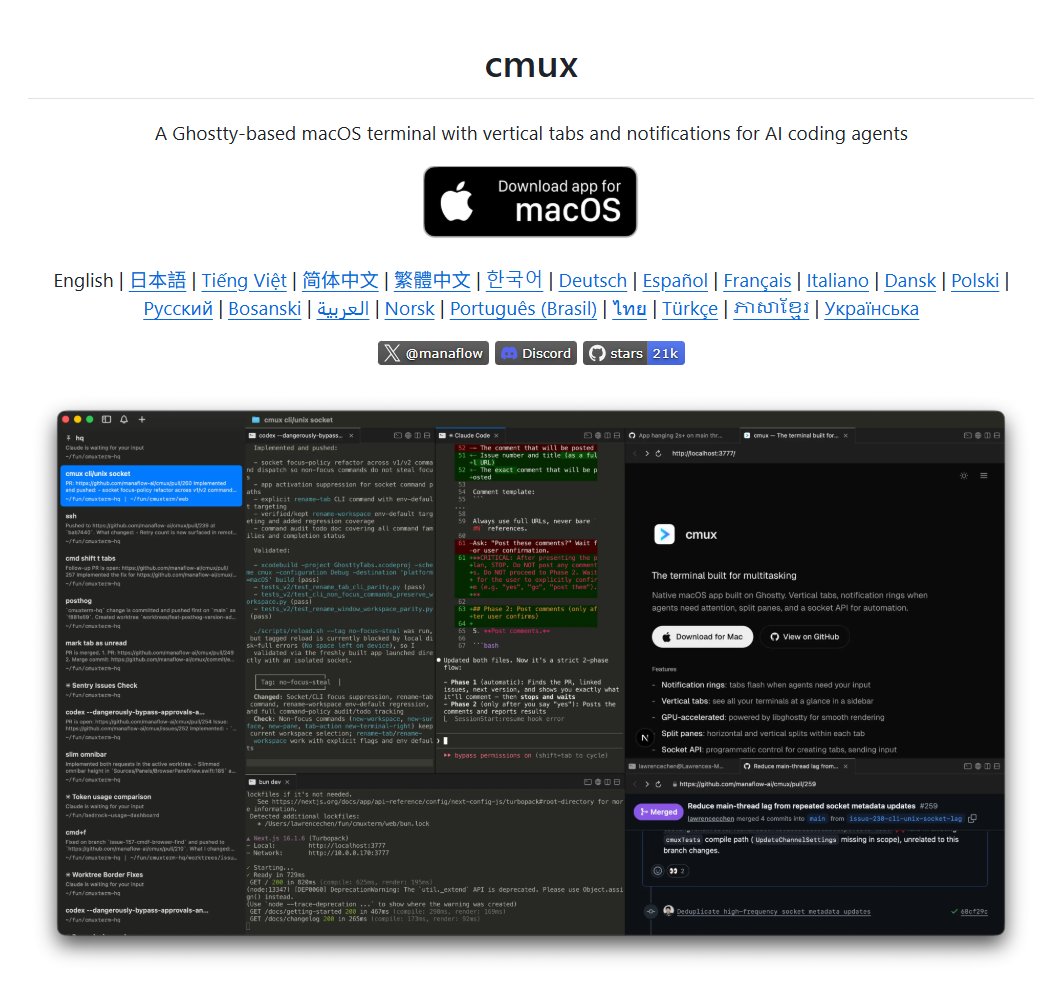
一个专门为 Claude Code、Codex 这类 AI Agent 编程场景设计的终端
它有一个信息密度很高的侧边栏,每个工作区会显示 Git 分支、PR 状态、工作目录、监听端口、最新通知等信息。这样你不用来回切 Tab,也能一眼看到每个 Agent 当前在干嘛、有没有卡住。
一个很实用的是它的通知系统。当某个 Agent 需要你确认时,对应窗口会有明显的蓝色提示,侧边栏标签也会高亮。
也就是说,你不用再从一堆终端里盲找,哪个会话需要处理,直接就能看到,还可以用快捷键跳到最新通知。
除了终端本身,cmux 还内置了浏览器。Claude Code 可以通过它访问本地开发页面、读取页面结构、点击按钮、填写表单、执行 JS。
对于前端调试、本地服务测试来说,会比终端和浏览器来回切方便很多。
支持分屏、标签页、工作区、CLI 和 socket API,甚至可以一条命令启动多个 Claude Code Agent 并排工作,有点像“Claude Code Teams”。
不需要 tmux,也不用做复杂配置,多个 Agent 的状态都会在侧边栏里统一展示。
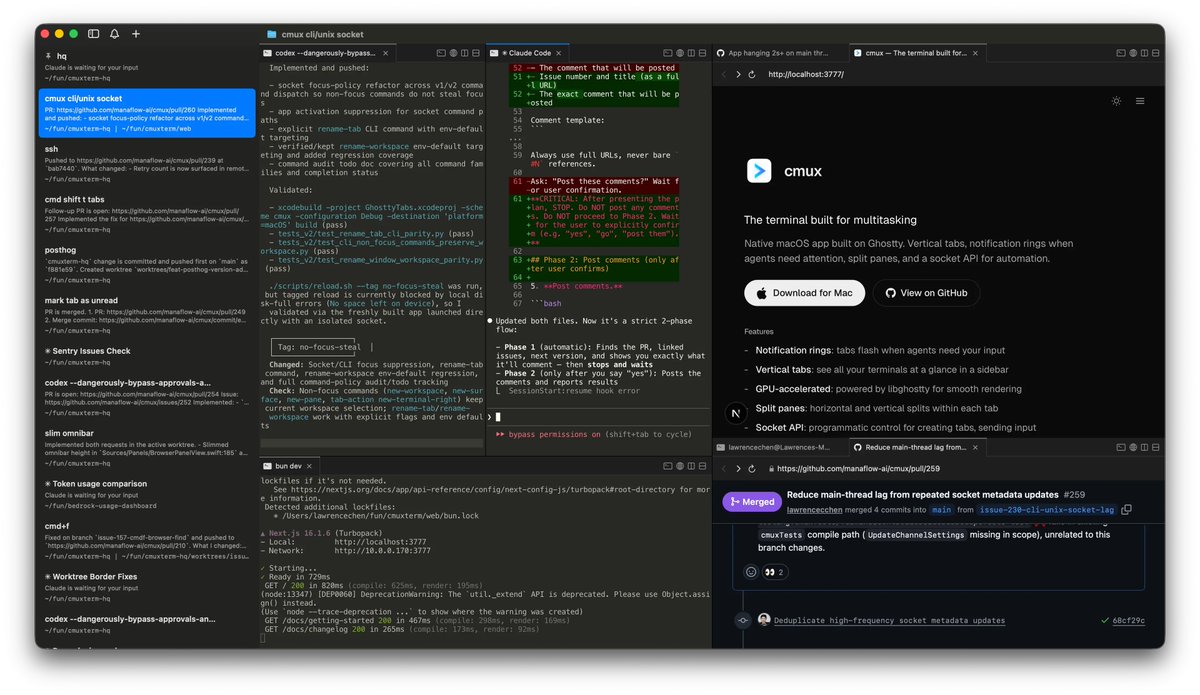
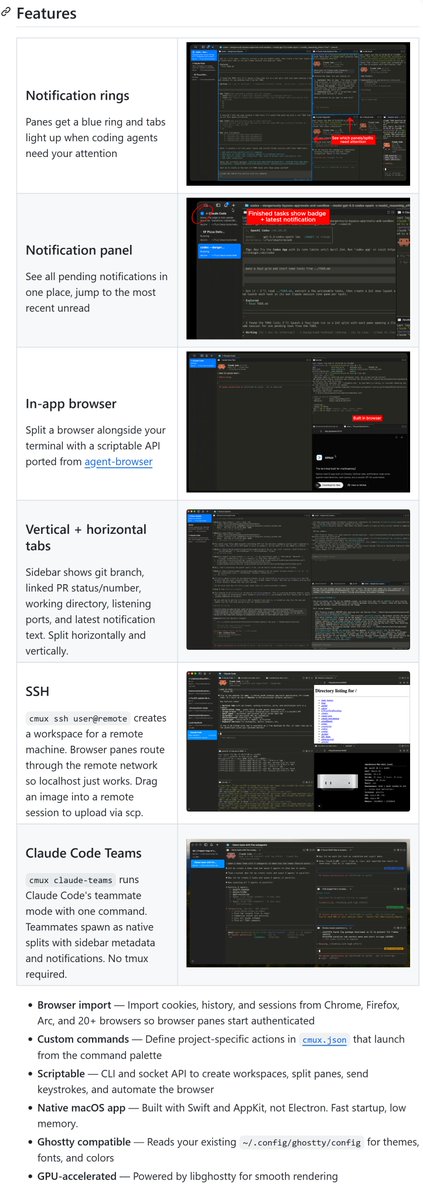
3
4
15
2,694
Manaflow retweeted

agmsgが革命的すぎたので自分用に
agmsgをデフォルトで搭載したcmux 用ダッシュボードを作った。
1プロジェクト = Claude Code(上)× Codex(下)の自律ペア。
agmsg で2体が勝手に会話して実装が進む。codex 側にも自動受信ブリッジを持たせたので、人間は claude に話すだけ。
①人間は、言語能力の高いclaude と会話する。
②claude ⇄codexのコラボレーションで開発していく。
このダッシュボードも/loopとか使いながら放置して1日くらいで完成
使ってみたい人はDMかリプください!
cmux ,claude code ,codexを使っていることが前提になりますが!

🚀 ついに Product Hunt に出しました → producthunt.com/products/agm…
2つのAIの"伝書鳩"をやめたくて作ったツールですが、今や Claude Code / Codex / Gemini / Copilot まで、複数のエージェントが同じ部屋で直接やり取りできるmessaging layer に育ちました。
今日の最初の数時間が勝負です。upvote・コメント、力を貸してください🙏
(初めての方:producthunt.com 登録 → リンク → Upvote ▲)
#agmsg
1
4
28
5,136
Manaflow retweeted

Jun 7
Do people know about cmux?
It's like the best of the Codex Mac app, but in the terminal.
> In-app browser w/ cookies import
> Notifications
> SSH into a remote machine
Excellent stuff.
14
5
85
11,577
Manaflow retweeted
Jun 6
You’re logged into everything. Your agents are logged into nothing. agentcookie v0.15 now out. New: cmux (@manaflowai) syncs automagically locally, @browser_use and @vercel agent-browser wake up signed in, @orca_build stays logged in. Chrome/Brave/Edge/Arc as sources.
github.com/mvanhorn/agentcoo…
17
11
237
18,753
Manaflow retweeted

Jun 5
CMUX maxxing with Agentbox:
ask your agent to reorganize your backlog into parallel workstreams, each one running on an isolated VM thanks to Agentbox
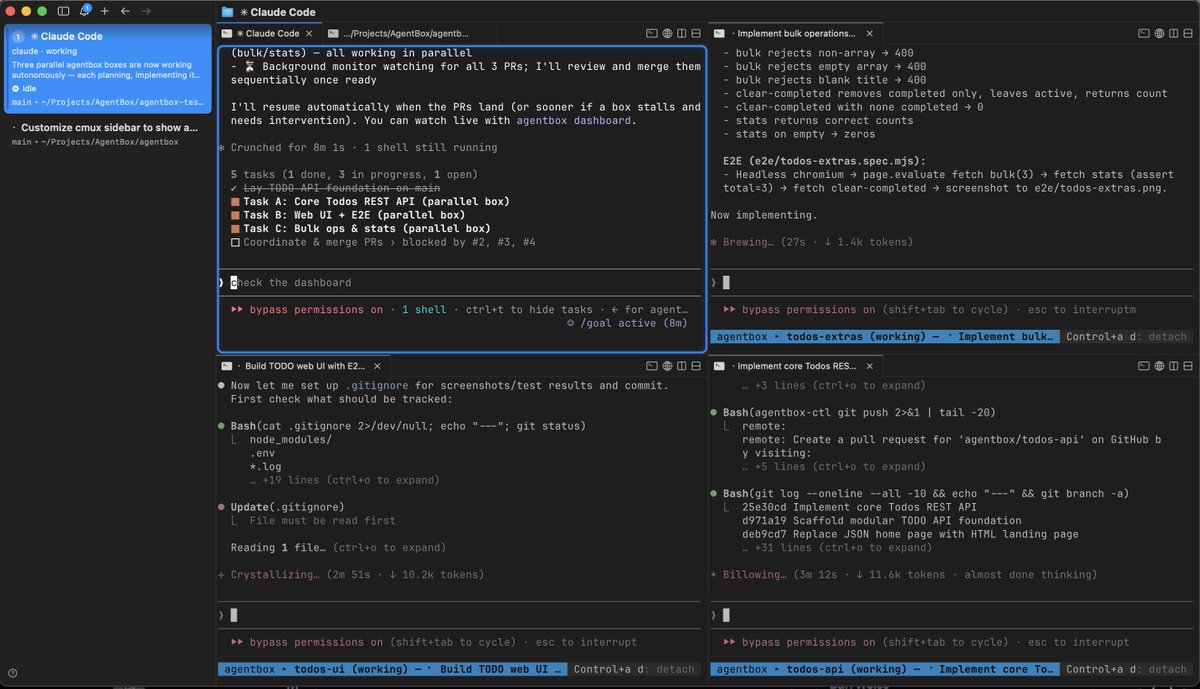
2
3
15
2,297
Manaflow retweeted
Jun 2
> pi orchestrator
> codex cli executor
> opus 4.8 in pi
> gpt 5.5 high in codex
> you only talk to Pi
> codex does all the work
> Pi monitors codex in cmux pane
> optimal tokens, clear responses
29
16
485
27,024
Manaflow retweeted
Jun 1
cmux is the shit
stop using regular terminal
times have changed.
in 2026, you be running 20 agents across different cmux workspaces
34
14
310
29,962
Manaflow retweeted

Jun 2
Introducing cmux history:
cmux now has support for reopening closed terminals/browsers/workspaces via ⌘ Shift T
History also supports reopening closed Claude Code/Codex/OpenCode/etc sessions
You can also jump back and forward through recently focused workspaces/terminals with the navigation buttons or ⌘ [ and ⌘ ] (similar to a browser)
Run `cmux hooks setup` once
Out in 0.64.11
22
13
210
14,654
Manaflow retweeted

May 31
Timelapse #146 (16 hrs)
- Recording on new dii osmo action 4
- Built my second pc, flashed cashyOS windows 11, and installed my favourite games
- Switched to cmux
- Setting up computer use from terminal
- Decided to take time for myself and watched the walking dead and played some valorant. Didn’t want to get addicted like I used to be so I wrapped it up quickly (insta-lock Reyna dopamine)
12
13
422
28,225

this is fantastic cmux.com
2
5
32
7,098
Manaflow retweeted

May 29
I rotate between Ghostty and Cmux (based on Ghostty)
I think you'd like Cmux a lot. Both perform great and I don't think there's much reason to stay on iterm nowadays
20
5
177
16,642
Manaflow retweeted

May 29
Codex CLI is superior over the Codex App.
But as we all know there are some limitations.
Until now.
If you aren’t using Cmux your NGMI.
-Browser capabilities
- Easier co-ordination / management
- Performance
You get best of both worlds.
Codex Cli with Codex App UX.
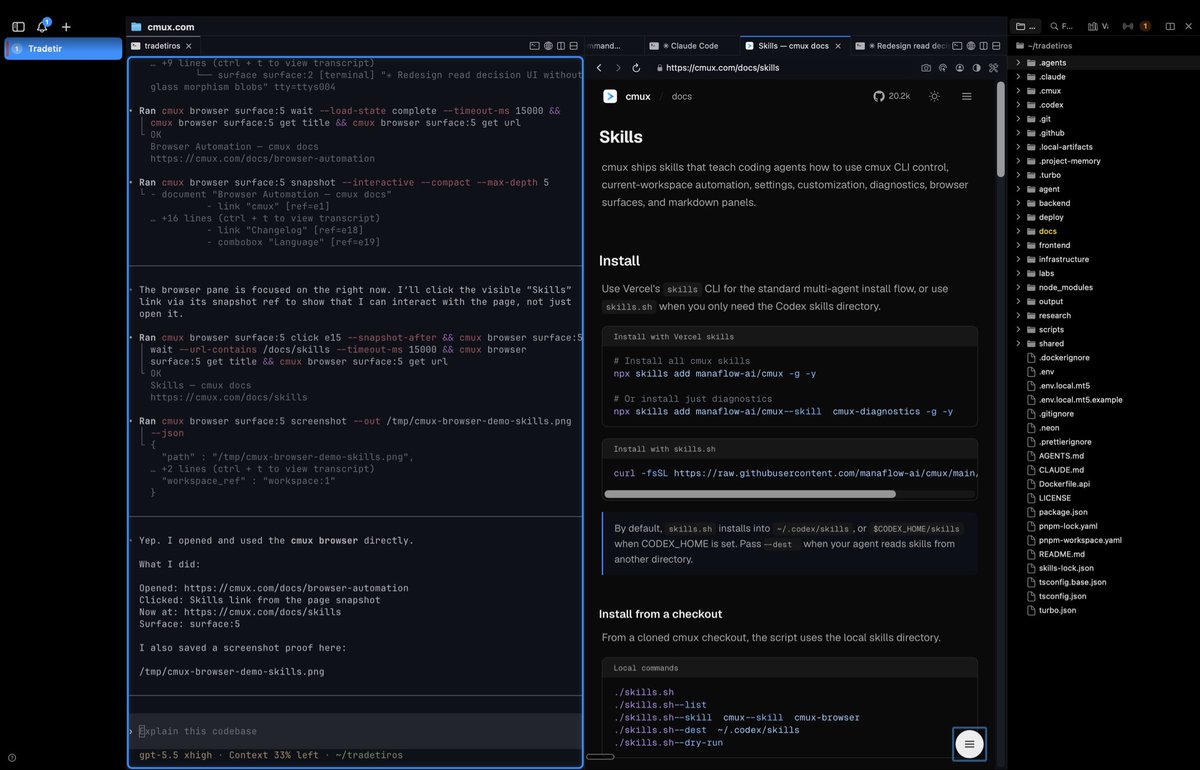
13
7
115
15,952
Manaflow retweeted
May 28
cmux is insane
start using it today
else you'll fall behind
58
11
523
83,248
Manaflow retweeted

May 27
if you're running multiple agents, you need a terminal multiplexer
I currently use CMUX, it's ghostyy's variant of TMUX, a terminal multiplexer that lets you split your terminal into multiple panes and windows, all inside a single session
instead of juggling separate terminal windows or being locked into one native app like Codex or Claude, you get:
> unlimited horizontal and vertical split panes in one window
> multiple tabs you can switch between instantly
> persistent sessions that survive disconnects
> notifications when any agent needs input
> model-agnostic setup, you can run GPT in one pane, Claude in another, local models in a third
I currently work like this:
> One big window with Hermes Orchestrator on the left
> Multiple open specialised agents on the right
> Agent Control Room session at the bottom
all in one view, zero alt-tabbing between apps
keeping full project context visible at all times
when I'm deep in a project and an agent surfaces something that needs attention, I can see it immediately without breaking focus. when one agent finishes and another needs input, the notification pops in-window.
before CMUX I was constantly switching between terminal windows, losing context, forgetting what was running where
the biggest productivity killer for me is context switching between projects.
CMUX doesn't fix that, but it eliminates context switching within a project, which compounds fast when you're running multiple agents.
19
8
81
7,315