
Joined December 2010
- Tweets 5,212
- Following 399
- Followers 191
- Likes 2,138
340 Photos and videos




PeeNineDee retweeted

Jun 9
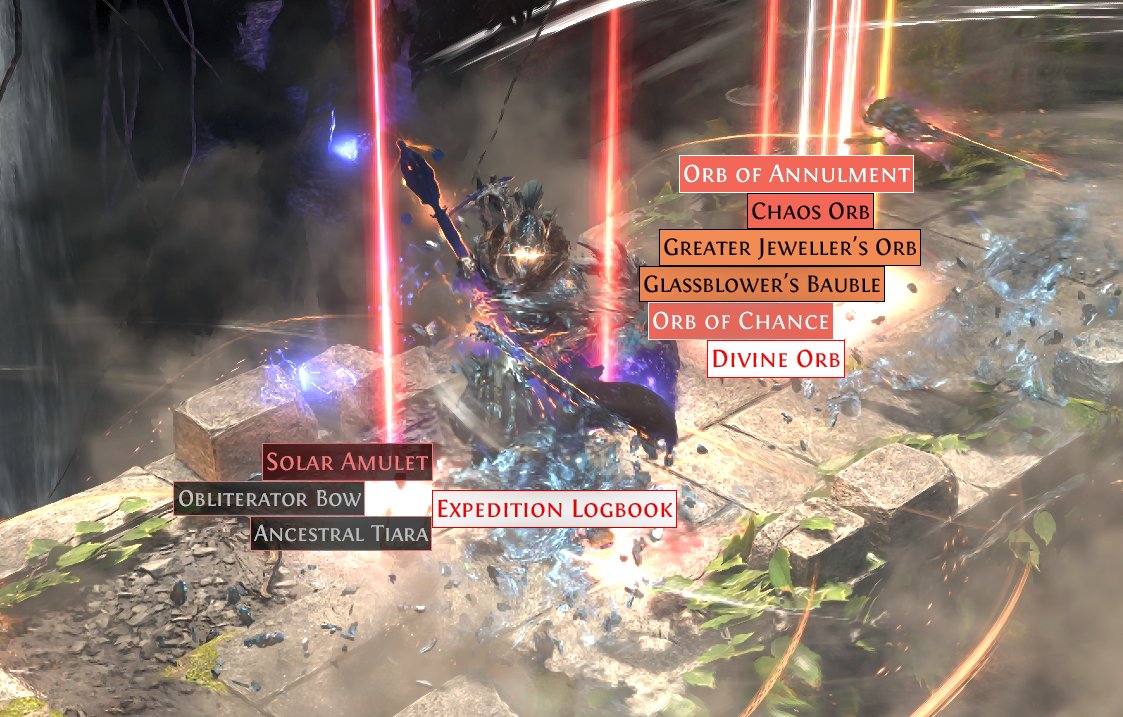
New filter update - I've been cooking.
This update adds economy-based treatment for high level crafting bases.
That level 82 solar amulet in the screenshot can be sold for 30ex.
I'll be updating the crafting bases daily using my new fancy tooling.
Enjoy!
85
82
3,163
185,037
PeeNineDee retweeted

Feb 27
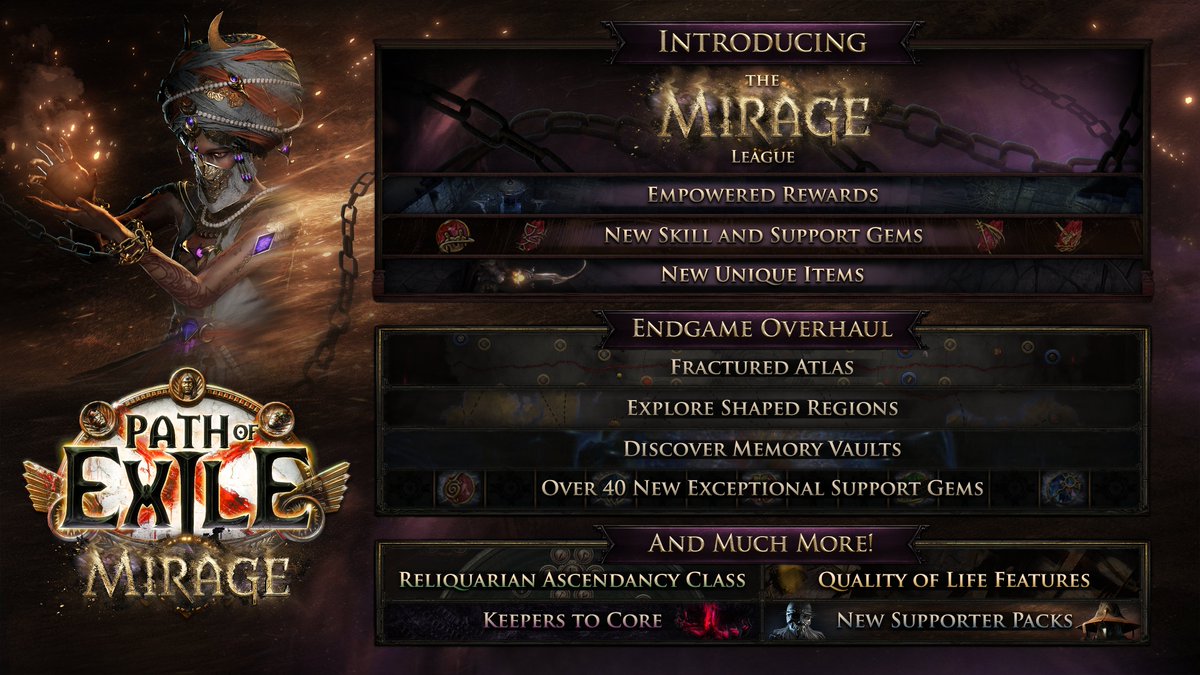
Thanks for joining us for today’s reveals!
In the lead-up to Mirage’s launch, we’ll showcase the full Reliquarian Ascendancy, new Holy Skill and Support Gems, item filter changes, challenge rewards, and some of the Exceptional Gems as teasers. Keep an eye on the news!
34
35
1,306
85,514
PeeNineDee retweeted
12 Dec 2025
In The Last of the Druids content update we’re adding the third Ascendancy class for the Sorceress, the Disciple of Varashta!
226
340
2,863
474,672
PeeNineDee retweeted
2 Dec 2025
Save the date! Community streamer @TalkativeTri will be hosting a podcast with Jonathan Rogers to talk about the upcoming Path of Exile 2: The Last of the Druids content update.
Tune in on Monday, December 8th at 12:00 PM (PST) at twitch.tv/talkativetri.

117
60
1,110
99,630
PeeNineDee retweeted

9 Oct 2025
Wishing the DICE and EA teams a fantastic launch tomorrow with Battlefield 6.
Many of us at Embark have deep roots in the Battlefield franchise, and we’re excited to see it take its next step. Here’s to the craft, the community, and a great ride ahead. Congrats, all.
-Patrick Söderlund
370
726
13,280
829,402
PeeNineDee retweeted

7 Oct 2025
well that was fast. here we go!
Giving away five copies of Battlefield 6. To enter:
Like and RT this tweet
Follow @tdawgsmitty & @Battlefield
Reply with the BF is back gif
Winners chosen Thursday so hustle up
2,667
2,375
4,784
316,461
PeeNineDee retweeted

2 Oct 2025
Slight adjustment to use of creator fees to favour growth:
-constant buy backs until 30k floor
-then pay dex
-10-50x boost
THEN;
25% marketing
25% donated to animal charity (which has yet to be chosen)
50% straight to luna, toys, etc
DNbKAv3i52VdnfzyAPwSX2tuUyJmGrVEt9TFLprjxwZM

2
2
49
PeeNineDee retweeted

2 Oct 2025
We aim to solve industry issues by improving on the problems that current competitors are running into.
Mainly high fees, high barrier to access and very minimal effort into making their software user friendly.
Currently employers are paying high fees and require training
2
1
2
90
PeeNineDee retweeted
25 Sep 2025
Next week, we are planning to release Patch 0.3.1 with major changes and improvements to the endgame, along with many other fixes and improvements across the board. Watch this video for the broad strokes, and check out more details in today's news post.
pathofexile.com/forum/view-t…
382
259
3,132
499,503
PeeNineDee retweeted

23 Sep 2025
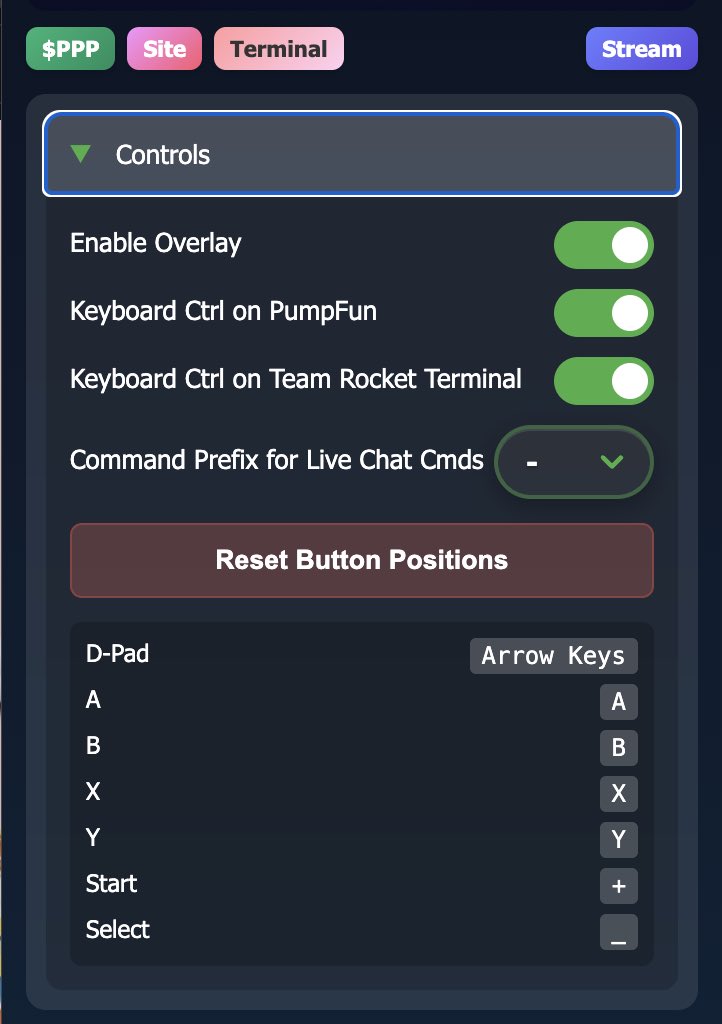
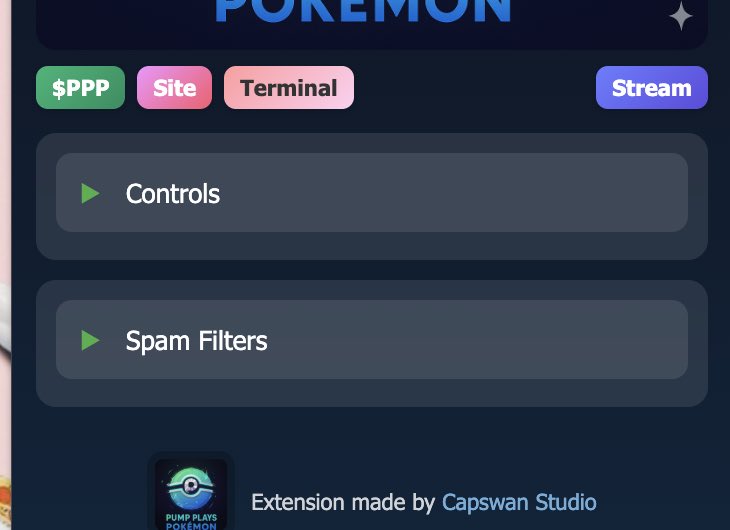
INTRODUCING THE $PPP APP!
This app was originally designed to give ANY and ALL trainers access to better controls!
Now you don’t need to type! All commands will type in the chat for you!
This ALSO is our spam protection! Time to have more fun!!
chromewebstore.google.com/de…
9
12
53
10,878
PeeNineDee retweeted
18 Sep 2025
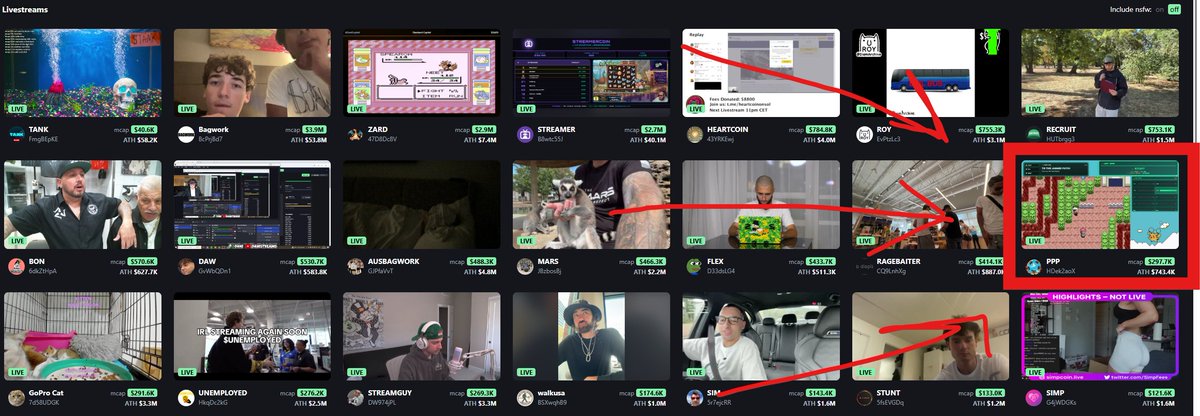
We did it!
Every single day we’ve been up in the front page!
No stopping now! The elite 4 is right around the corner!!
18 Sep 2025

Consistency pays off!
$PPP keeps streaming day in and day out! We will always be front and center on the livestream page.
THE Pokémon coin /HOLDUP 📈📈
6
8
35
1,875
PeeNineDee retweeted

17 Sep 2025
One level away
Folks telling me to swap out
Take a potion
How about you take a chance?
Newsy Flygon
10
10
40
1,713

Last chance to grab some $PPP before we break out and moon
DxKwgDV2NZapgrpdvCHNdWcAByWuXvohKsdUAxcrpump

Do yourself a favour and grab a bag of $PPP here
Bottom is in and will be ripping to all-time high in no time
Stream has been running 24 seven with people in there constantly for 12 days. The community will only get larger and stronger.
DxKwgDV2NZapgrpdvCHNdWcAByWuXvohKsdUAxcrpump
@PumpPlaysGames

2
1
9
624
Not to brag, but the gang finally caught a Pikachu today in the safari
So many good memories are being bought back playing
@PumpPlaysGames
$PPP
6
12
27
3,967
PeeNineDee retweeted
15 Sep 2025
Don’t forget to setup your controller to make playing Pokemon much easier for you!
Great tutorial written by one of our great trainers here!
10 Sep 2025

How To Play @PumpPlaysGames with a Controller 🎮
First, download JoyToKey. Download link in next tweet, or just search it up and make sure it's the official one (it's free). Then create a new profile.
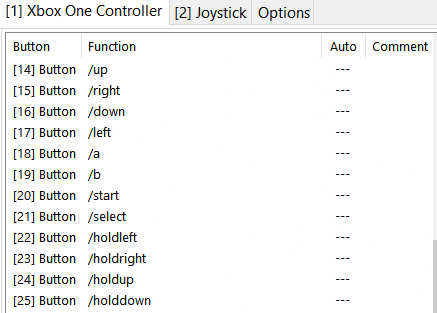
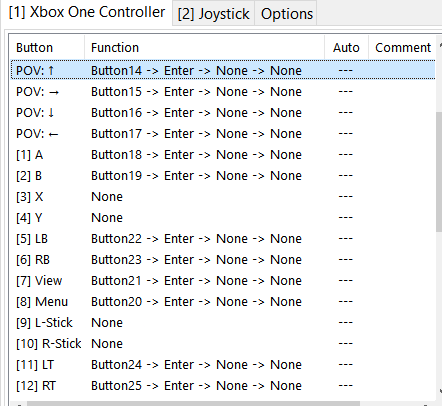
Now we're going to assign each /command to their respective buttons e.g. when you press "Up" on the D-Pad it will type /up and hit Enter. For this guide we will be using an Xbox One controller.
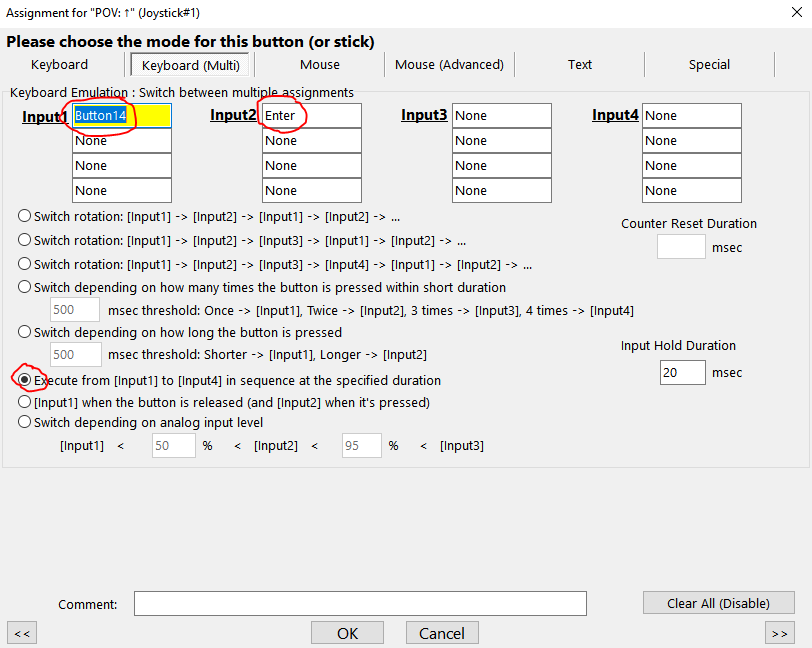
Unfortunately it's not as simple as binding the text and Enter inputs within 1 assignment because there is a very small delay after typing messages into the PF chat before you can actually hit Enter. We will need to assign the text to one button and then wrap that button input into another one where we press Enter.
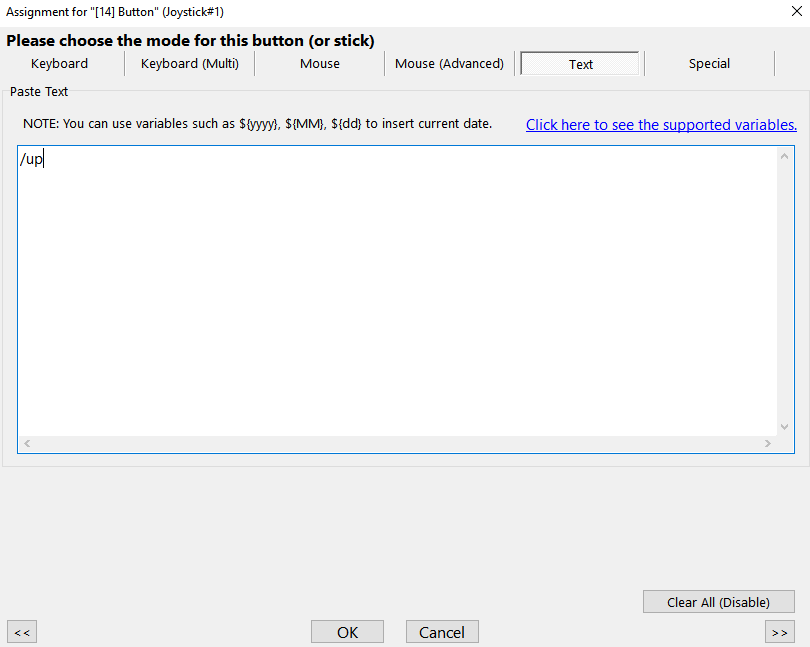
To assign the text input, click an unused button ([14] or higher) and click "Edit button assignment". Then go to the "Text" tab and type in one of the input commands and click "Ok". Repeat this for every desired command.
Now we will bind these text commands to the actual buttons Enter. So for /up, we will click on "POV: ↑" and click "Edit button assignment". If you're not sure what is what, press the button on your controller and it will highlight the corresponding button in JoyToKey.
Go to the "Keyboard (Multi) tab and right-click in the first box for Input1. Mouse over "Trigger Other Button's Assignment" and click the button that types out /up ([14] Button in this case). Then click inside the first box for Input2 and press Enter on your keyboard. Finally, click the bubble for "Execute from [Input1] to [Input4] in sequence at the specified duration" and click "Ok" at the bottom. Now simply repeat this process for every other button.
And that's it! Now when you have your text cursor in the pumpfun chat box, you can just press buttons on your controller and it will automatically submit the commands to the stream. Only thing you have to worry about is spamming too fast which will get you rate limited by PF, but that can be fixed by pressing Ctrl Shift R once, sometimes twice. I hope this guide is comprehensive enough, but if you have any questions, I'm here to help!
1
7
12
875
PeeNineDee retweeted
14 Sep 2025
2
4
18
673
Pokémon worth worth 1 billion by 2032
Cards market cap 71 mill
@PumpPlaysGames is only 500k
@Natebag it’s going to make us all rich

2
5
14
2,031

Low key...
10 days of straight streaming,
Endless sustainable content,
Highly interactive for users.
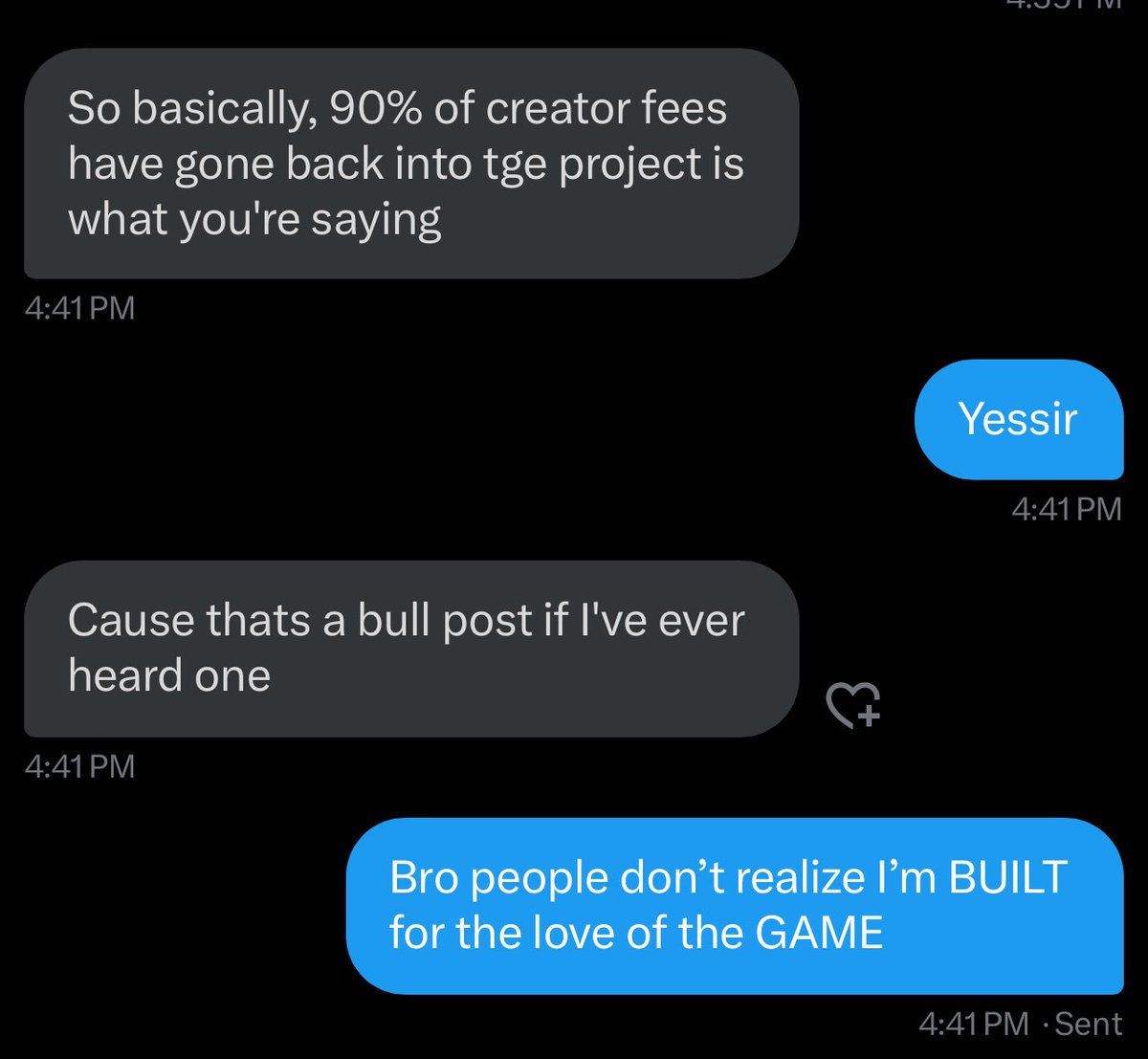
All this, plus a dev who has re-invested almost all his creator fee revenue into the chart and infrastructure for long term activity.
This is where real $bagwork is happening
13 Sep 2025

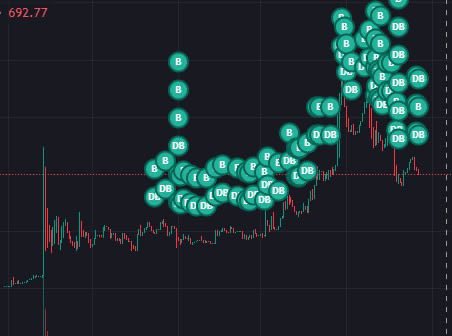
Many might not realize it yet but yes other than 1 battery I bought for my computer(thanks guys I love you)
I have put all creator fees directly back into token (or locks/liquidity)
I really am betting on @PumpPlaysGames and @pumpdotfun here
Name a creator like me IM DIFFERENT
6
5
12
1,332
PeeNineDee retweeted

13 Sep 2025
JAKEY
ITS TIME TO PLAY THE GAME
ITS TIME TO PLAY THE GAAAAAME
2
1
4
112