
Joined December 2022
- Tweets 377
- Following 1,224
- Followers 129
- Likes 150
71 Photos and videos





Jun 11
May GitHub Copilot’s GPT-5.5 return to the 7.5x promo era…
May GitHub Copilot’s GPT-5.5 return to the 7.5x promo era…
May GitHub Copilot’s GPT-5.5 return to the 7.5x promo era…
May GitHub Copilot’s GPT-5.5 return to the 7.5x promo era…
wsj.com/tech/ai/openai-consi…
49
Jun 9
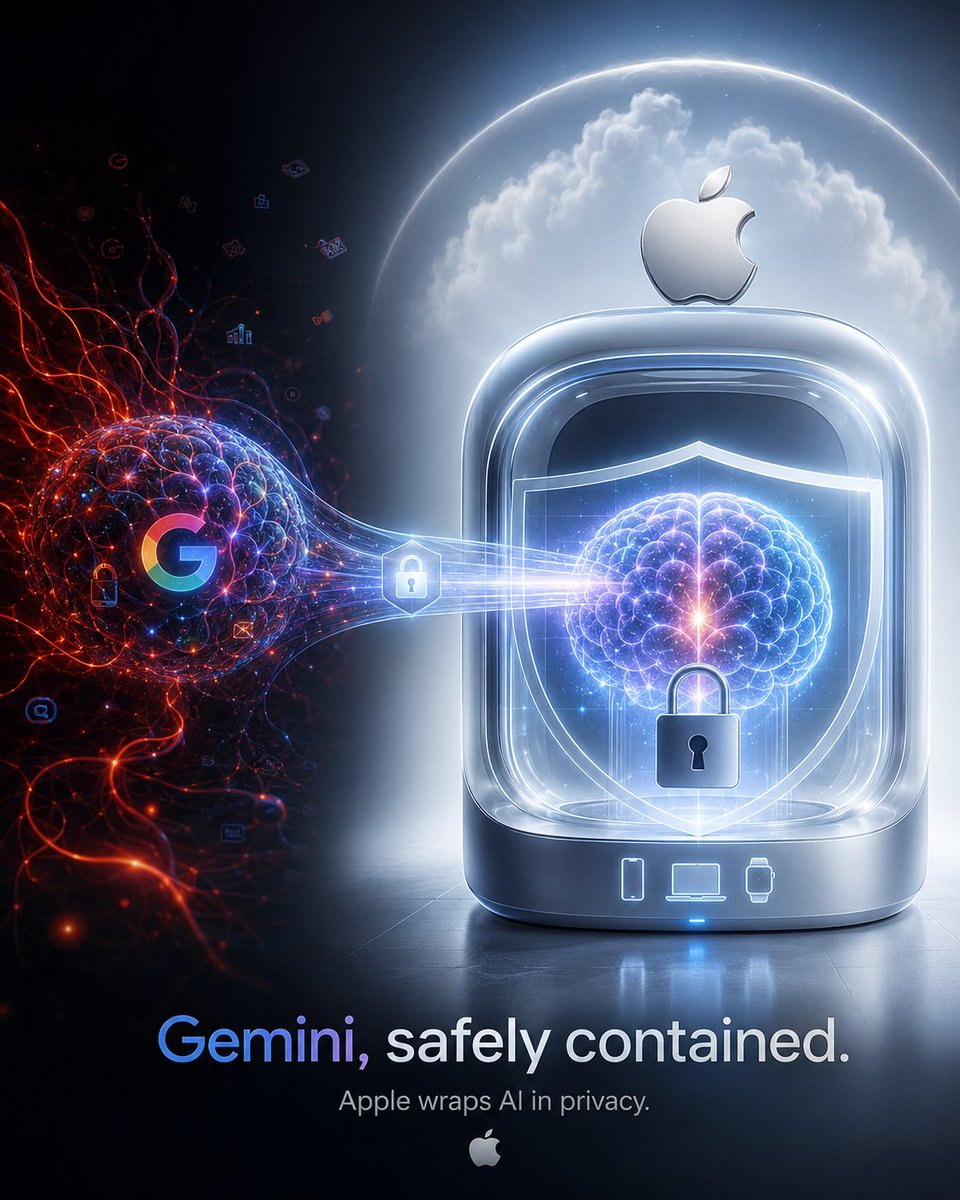
Let’s quit native Gemini right now and move to Siri AI — in other words, Gemini locked inside Apple’s cage.
When you use native Gemini, you are presented with a beautifully elegant choice.
Want convenience?
Then turn your activity history ON.
Want to connect Gmail and Drive?
Then turn Keep Activity ON.
Want a personalized AI experience?
Then go ahead and hand over your emails, files, calendar context, photos, relationships, interests, and something vaguely location-like to the AI, all nice and neatly packaged.
And then Google gently says:
“Don’t enter confidential information if you don’t want it to be reviewed by human reviewers.”
I see.
So apparently, the more important something is — the more you actually want to ask an AI about it — the less you should ask the AI about it.
This is the artistic UI of native Gemini.
There is only one button.
Turn it ON, and it becomes convenient.
Turn it OFF, and it becomes safer.
But if you turn it OFF, the useful features die with it.
A perfect all-or-nothing privacy ritual.
At this point, it feels less like security design and more like a sophisticated ritual where users are asked to prove their loyalty by sacrificing privacy.
Meanwhile, what about Apple’s Siri AI?
It uses Gemini-derived intelligence, but pushes it into Apple Foundation Models and Apple’s privacy architecture.
What can be handled on-device stays on-device.
What requires the cloud goes through Private Cloud Compute.
And Apple says:
Personal data is not stored.
Apple cannot see it.
No one else can access it.
Once processing is complete, it is gone.
In other words, Siri AI borrows Gemini’s brain without leaving it in Google’s memory.
This is no longer just AI usage.
It is a ritual where Gemini is summoned, forced to work inside Apple’s privacy barrier, and then immediately dismissed once the job is done.
Native Gemini:
“If you want convenience, turn your history ON.”
Siri AI:
“We’ll borrow the intelligence. Apple blocks the surveillance path.”
Native Gemini:
“Some chats may be reviewed by human reviewers.”
Siri AI:
“Even Apple can’t see it.”
Native Gemini:
“If you turn Keep Activity OFF, some integrations won’t work.”
Siri AI:
“Privacy is built into the OS from the start.”
Conclusion.
I’m not saying you should never trust Gemini.
I’m not saying you should automatically distrust Google.
But if we are using Gemini-derived intelligence either way, then from a zero-trust perspective,
“Gemini living inside your Google account”
looks a lot less healthy than
“Gemini forced to work under Apple supervision.”
So everyone:
Let’s quit native Gemini right now and move to Siri AI.
I want Gemini’s intelligence.
But I don’t want my data living in Gemini’s memory.
For such wonderfully selfish humans, Apple has finally productized the greatest black joke of all:
“Use Google’s AI without showing it to Google.”
That is privacy in 2026.
1
118
May 22
CanvaをBusiness / Enterpriseプランで利用している場合でも、個人Googleアカウントで利用するGemini Appsの @Canva 連携を使って、社内資料・顧客情報・未公開資料などを扱うことは避けるべきです。
理由は、Canva側のBusiness / Enterpriseにおける保護は、主にCanva内でのAI機能改善利用の制限、DPA、管理統制に関するものであり、Gemini Apps側に入力・表示・処理された情報まで自動的にGoogle側の保護対象外にできるものではないためです。
Google公式ヘルプでは、Canva連携には個人GoogleアカウントでGemini Appsにサインインしていること、かつ Keep Activityがオンであることが必要で、仕事用・学校用Googleアカウントでは利用できないと説明されています。
また、Google公式は、Keep Activityがオンの場合、Gemini AppsのアクティビティがGoogleアカウントに保存されると説明しています。
さらに、Connected Apps由来のデータについても、Gemini Apps Privacy Noticeに従って利用・人間レビューされると説明されています。
したがって、Canva側をBusiness / Enterpriseで保護していても、Gemini Appsに渡したプロンプト、Gemini上に表示されたCanva関連の内容、GeminiがCanva連携のために処理した情報については、Google側の個人Googleアカウント向けGemini Appsのデータ取扱いに入ると理解するのが安全です。
jp.pronews.com/news/20260520…
119
May 14
Regarding the decision to leave OpenAI and found Anthropic, Anthropic has explained that it was not because of opposition to the Microsoft deal, but because of a difference in vision.
Safer AI.
More careful AI development.
More responsible AI development.
If that was the ideal behind leaving OpenAI, I can understand it.
Companies building powerful AI should obviously put safety first.
Frontier model risks should not be treated lightly, and companies that seriously study AI safety are necessary.
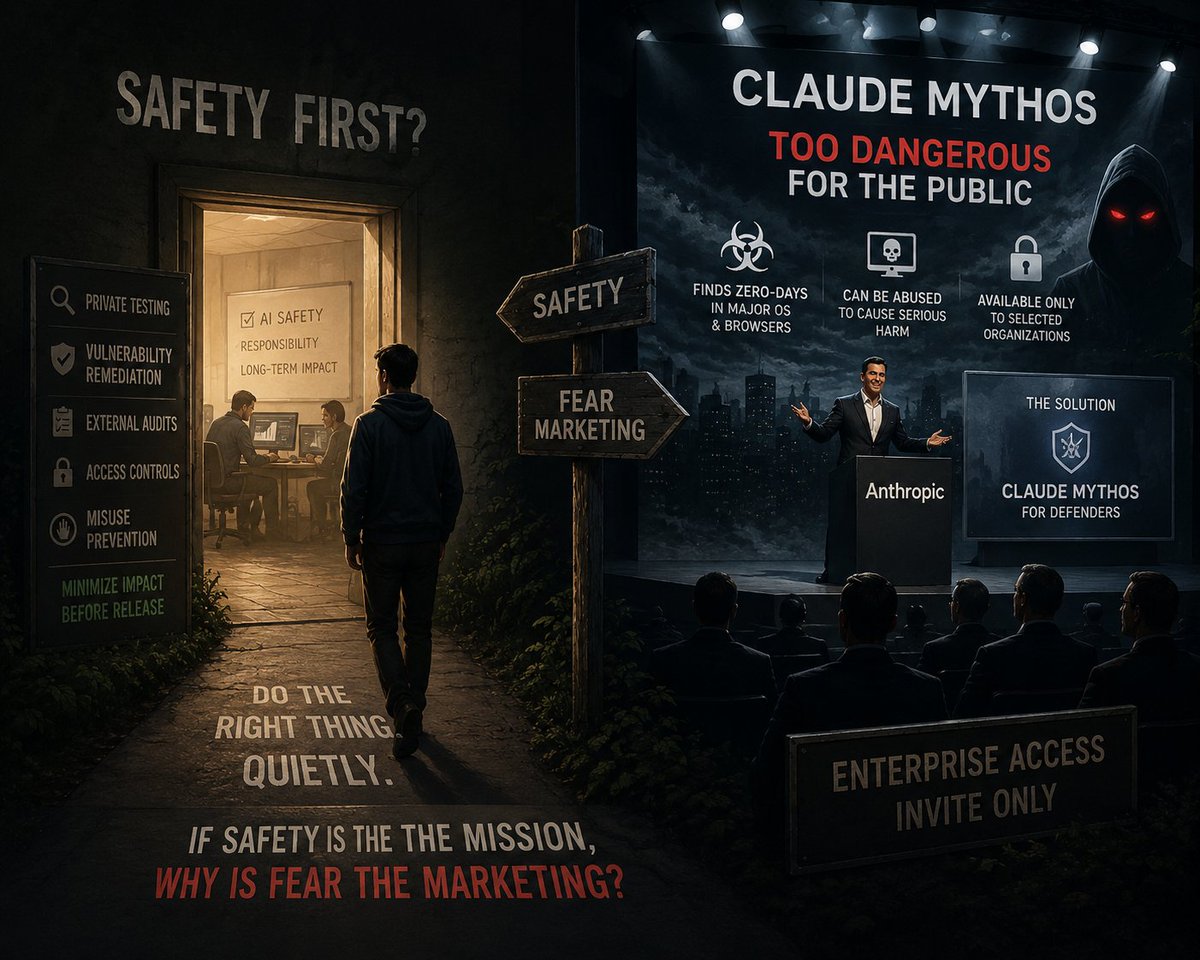
But when I look at how Claude Mythos is being presented, that clean ideal starts to look questionable.
“This model is too dangerous to release publicly.”
“It can find zero-days in major operating systems and browsers.”
“If misused, it could cause serious harm.”
“So we will provide it only to selected companies and organizations.”
Is this really AI safety?
Or is it a highly polished form of enterprise sales: create fear, explain the fear, and then offer your own model as the solution to that fear?
The structure is quite obvious.
“We created something dangerous.”
“The world is dangerous.”
“We cannot release it to the public.”
“But we will provide it to trusted organizations.”
“Of course, only for defensive purposes.”
Calling this safety-first feels far too convenient.
If safety were truly the top priority, the first step should not be a flashy announcement.
It should be private validation.
Coordinated vulnerability remediation with major vendors.
External audits.
Strict access controls.
Verification of misuse-prevention measures.
And until the impact on society is minimized, both capability promotion and commercial deployment should be restrained.
Of course, there is value in giving defenders access to advanced AI.
We should not create a world where only attackers have powerful tools.
But if a company emphasizes that something is “too dangerous,” while turning that very danger into the product’s value proposition, that is not a safety philosophy.
It is a business model that converts fear into market value.
If the reason for leaving OpenAI was truly to handle AI more safely, then the right move was not to talk about fear and sell the countermeasure to that fear.
It should have been to quietly contain the risk before fear itself became a marketable asset.
110
May 11
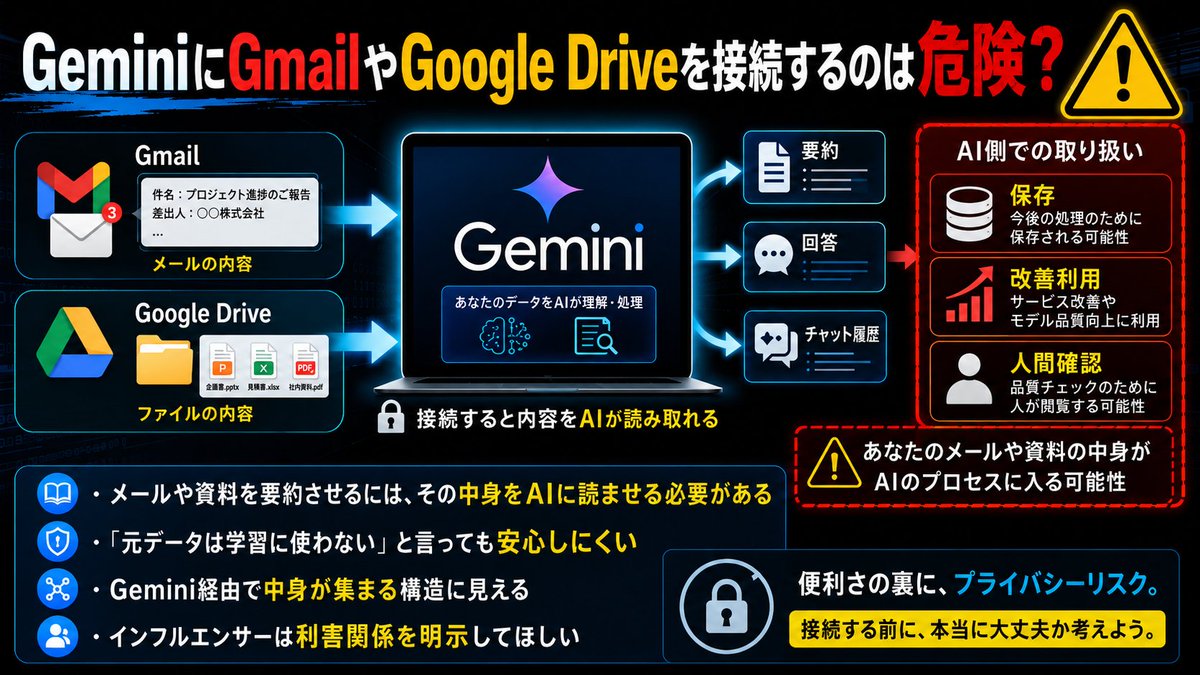
GeminiにGmailやGoogle Driveを接続するのは危険だと思う。
メールや資料を要約させるには、その中身をAIに読ませる必要がある。
「元データは学習に使わない」と言っても、Geminiに読ませた内容や要約結果が、保存・改善利用・人間による確認の対象になり得るなら安心できない。
結局、Gemini経由でGmailやGoogle Driveの中身を集められる構造に見える。
日本のIT系インフルエンサーがこの危険性をほとんど言わないのも不自然。利害関係があるなら明示してほしい。
1
2
231
May 9
『GitHub』へのアクセスIDとパスワード、アクセストークンなどの認証情報が何らかの形で第三者に渡ってしまったことが原因と考えられますが、それらの情報はどこで漏れたのか……。気になりますねぇ。
support.me.moneyforward.com/…
88
May 8
おっ!😳🎉

【Xperia 新モデル、5月13日情報解禁!】
/
発表が楽しみ!という方は
「🎉」の絵文字で教えてください🙌
\
新製品発表会は、YouTubeで独占配信されます🔥
特設サイトは画像をタップ👇
#Xperia #NextXperia
91
Apr 28
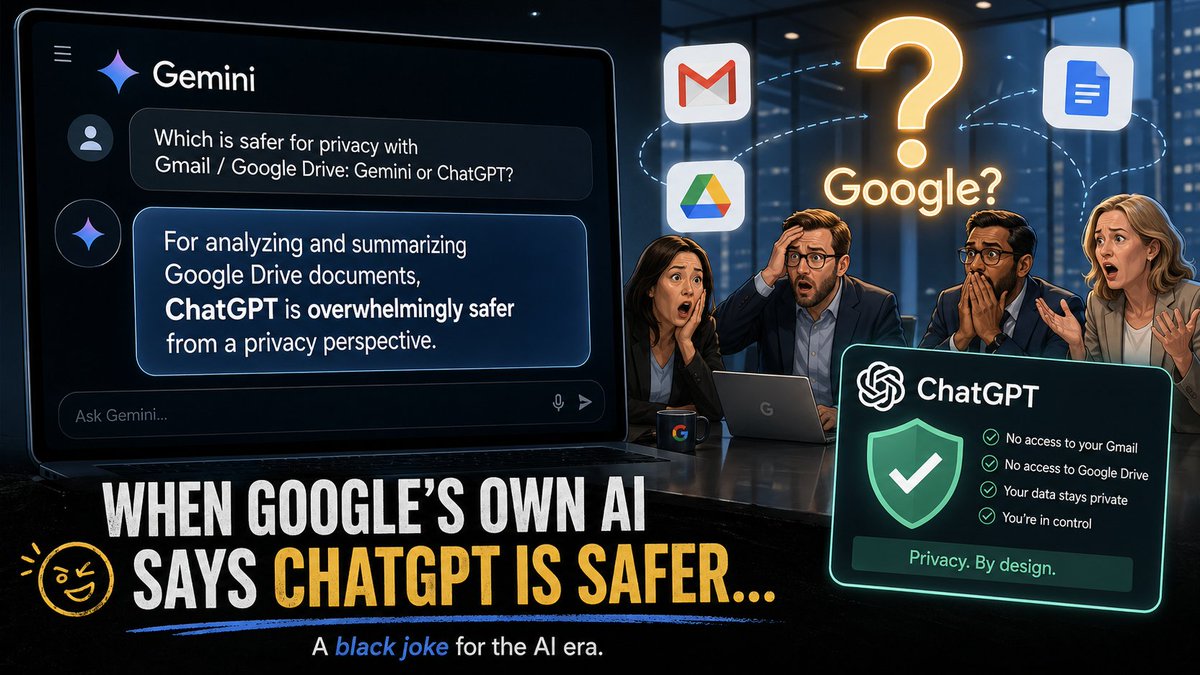
I asked Gemini:
“When letting an AI read materials from Gmail or Google Drive, which is safer from a privacy perspective: Gemini or ChatGPT?”
Gemini’s conclusion was this:
“If you want an AI to read, analyze, and summarize documents or materials stored in Google Drive, connecting them to ChatGPT is overwhelmingly safer from a privacy-protection perspective.”
…Google, this is Gemini saying it.
Gemini explained that, for consumer Gemini, using Gmail / Google Drive integration requires enabling App Activity — meaning settings related to history retention, training, and review — and that once file contents are extracted into the chat, the risk of those contents being seen by human reviewers cannot be reduced to zero.
By contrast, Gemini summarized that with ChatGPT’s Google Drive integrations and similar connected apps, files retrieved from connected apps such as Google Drive are not used for model training, and chat history retention can be controlled separately from whether data is used for model improvement.
As a result, Google’s own AI concluded that, when dealing with Google’s own services like Gmail and Google Drive:
“Connecting them to OpenAI’s ChatGPT is overwhelmingly safer than using Google’s own Gemini.”
This is not my personal interpretation.
This is Gemini’s own answer.
A Google AI recommending a competing AI as the safer option for reading Google’s own cloud services.
Google, what do you think about this? 😅
94
SigmaRayTive retweeted
Apr 22
新機能「パーソナライズ機能(Personal Intelligence)」においても、プライバシー上の問題点やいびつな仕様は、手付かずのまま残されています。
むしろ、機能がより高度にパーソナライズされるようになった分、意図せず個人情報が学習データに巻き込まれるリスクは以前より高まっていると評価できます。
なぜ安全とは言い切れないのか、具体的な理由を解説します。
依然として残る3つの根本的な問題点
1. 「オール・オア・ナッシング」の強硬姿勢が変わっていない
パーソナルインテリジェンスを利用するための必須要件として、Googleは明確に「Gemini アプリアクティビティ(履歴の保存)をオンにすること」を定めています。これをオフにすると、パーソナルインテリジェンスの機能自体が一切使えなくなります。
「AIの機能は便利に使いたいが、自分のデータをAIの学習(トレーニング)には使わせたくない」という、ユーザー側の当然の選択権は、新機能になっても依然として与えられていません。
2. チャット履歴に引き出される「個人情報」が爆発的に増える
パーソナルインテリジェンスの最大の特徴は、Gmail、カレンダー、マップ、フォトなどの情報を横断的に結びつけ、AIが文脈を「推論」して回答を作ることです。
大元のメールボックスや写真データそのものをAIが直接学習しないというルールは守られていますが、AIがあなたの指示に従って「チャット画面上に引っ張ってきた情報(メールの要約、予定の詳細、特定の人物とのやり取りなど)」は、すべてチャットのプロンプト・回答履歴として扱われます。
結果として、人間のレビュアーの目に触れたり、学習対象になったりするテキストのなかに、以前よりも濃密で具体的な個人情報が含まれる可能性が高くなっています。
3. Googleの「匿名化」プロセスがブラックボックス
Googleは「人間のレビュアーが見る前に、データから個人情報を減らす(匿名化する)処理を行う」と説明しています。しかし、文脈の中に複雑に絡み合った人間関係、社内の独自プロジェクト名、機密のスケジュールなどを、システムがどこまで完璧にマスキングして切り離せるのかは不透明であり、確実な安全性が担保されているとは言えません。
競合他社とのプライバシー設計の比較
生成AIのデータ処理・プライバシー保護という観点において、Googleの設計思想は競合他社と比較して明確に遅れをとっています。
・Apple(Apple Intelligence):
極力デバイス(端末)内で処理を完結させ、より高度な処理でクラウドを使う場合も、ユーザーのデータを一切保持・学習しない「Private Cloud Compute」という専用の仕組みを構築しています。ユーザーはデータ収集の懸念なくパーソナルなAIを利用できます。
・OpenAI(ChatGPT):
会話履歴の保存と、モデルのトレーニング(学習)への利用を完全に分離しています。学習をオフにした状態でも、ファイルの読み込みやウェブ検索などの高度な機能は引き続き利用可能です。
・Google(Gemini):
新機能のパーソナルインテリジェンスにおいても、「便利な機能を使いたければ、プロンプト周りのデータ収集(履歴保存と学習)に同意しなければならない」という、従来の中央集権的なデータ収集モデルから脱却できていません。
まとめ
新機能「パーソナライズ機能(Personal Intelligence)」は、個人のGoogleサービス内の情報を縦横無尽に検索・要約してくれる非常に強力な機能です。
しかし、プライバシー保護の観点からは決して「安全な箱庭」とは言えません。利用する際は、「画面(チャット欄)に出力されたテキストは、Googleのサーバーに履歴として保存され、匿名化されたうえで分析・学習の対象になり得る」という仕様上の前提に立ち、絶対に外部に漏れては困る機密性の高い情報での利用は避けることをおすすめします。
Apr 14

本日、Gemini のパーソナライズ機能 Personal Intelligence が日本でも順次展開を開始しました✨️
ユーザーの許可に基づき、Gemini と Gmail 、Google フォト、Google 検索、YouTube の履歴と安全に連携が可能となり、一人ひとりに最適化されたサポートができるようになりました。
本機能は、本日より Gemini アプリ にてベータ版として提供を開始します。
実際の活用例はこちら ⬇️
1
305
Apr 25
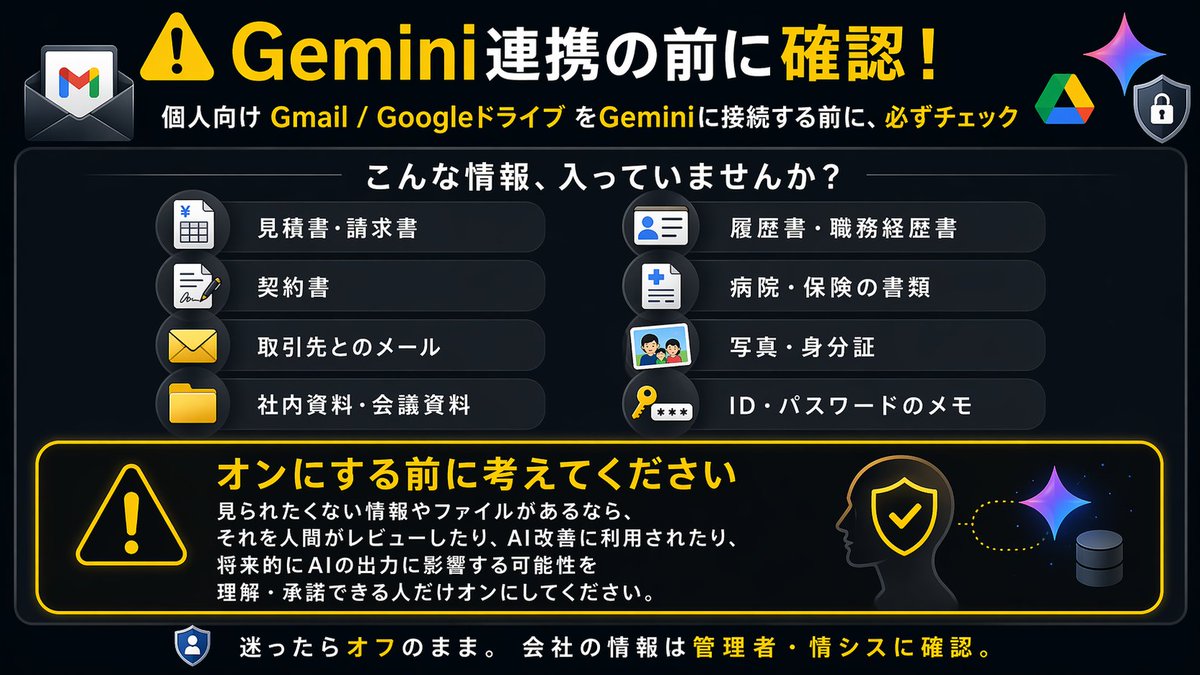
【⚠️注意喚起】
個人向けのGmailやGoogleドライブを使っている方は、Gemini連携をオンにする前に、必ず内容を確認してください。
「便利そうだから接続する」は危険です。
たとえば、GmailやGoogleドライブには、次のような情報が入っていませんか?
・会社の見積書、請求書、契約書
・取引先とのメール
・社内資料、会議資料、議事録
・履歴書、職務経歴書
・家族や友人との個人的なメール
・病院、保険、金融機関、行政関係の書類
・パスワード、ID、認証情報に近いメモ
・写真、身分証、マイナンバー、住所が分かる資料
これらが入っている状態でGemini連携をオンにすると、個人向けのGmailやGoogleドライブ等を利用している方は、連携した情報がGeminiの回答生成、サービス改善、人間によるレビューなどの対象になる可能性があります。
つまり、見られたくない情報やファイルがあった場合、それを人間がレビューしたり、Gemini改善に利用されたり、将来的にGeminiの出力に影響する可能性があることを理解・承諾できる人だけオンにしてください。
「自分は大した情報を入れていない」と思っていても、メールやドライブには意外と重要な情報が眠っています。
特に、個人Gmailで仕事のやり取りをしている人は要注意です。
会社の資料、取引先情報、顧客情報、契約情報などが含まれている場合、個人判断でGemini連携するのはかなり危険です。
Gemini連携は便利です。
でも、便利さと引き換えに、どの情報が使われるのかを理解せずにオンにするのは危険です。
分からない場合は、オンにしない。
会社の情報が含まれる場合は、必ず会社の情報システム部門や管理者に確認する。
これが基本です。
#Gemini #GoogleWorkspace #Gmail #GoogleDrive #AI活用 #情報漏洩対策 #セキュリティ #注意喚起
236
Apr 22
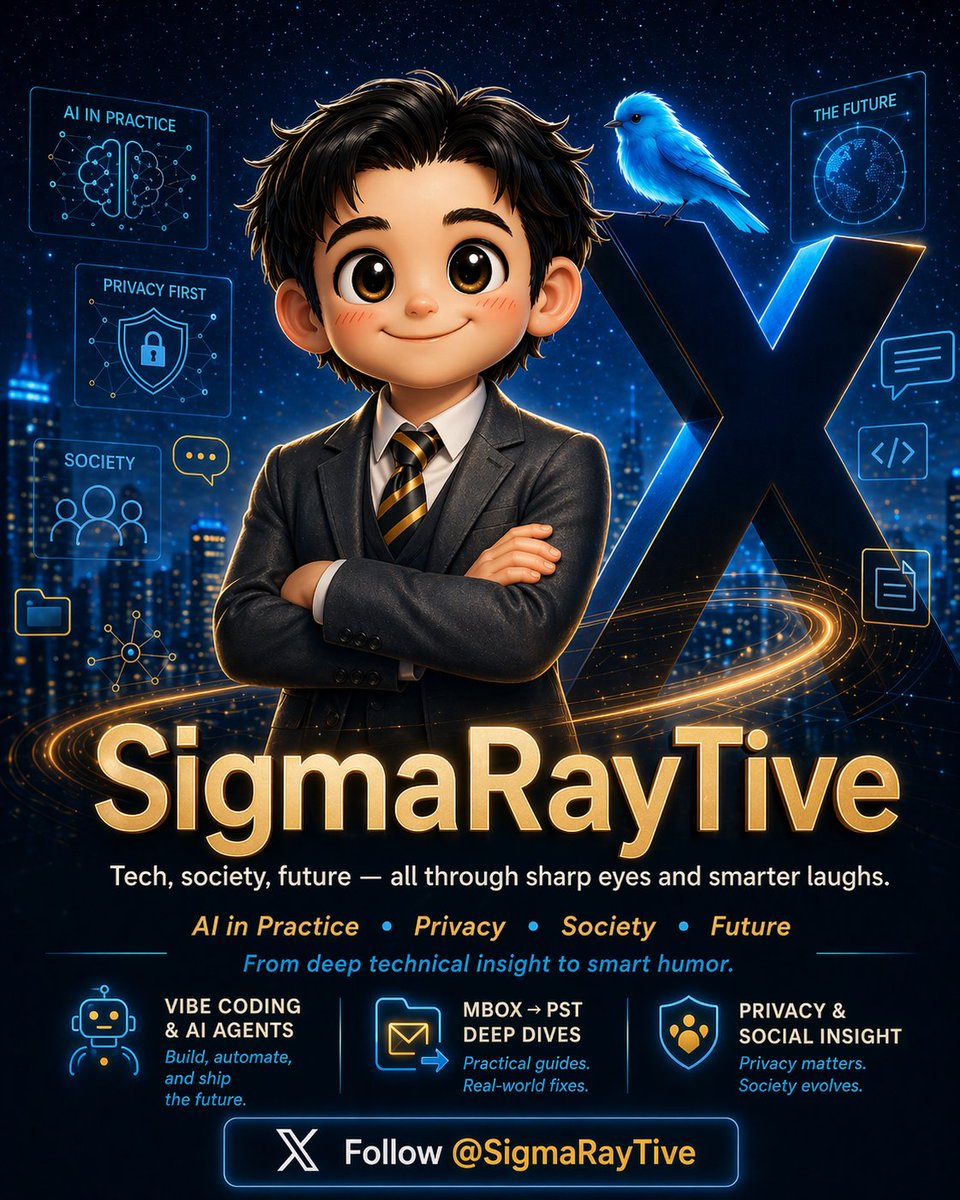
Tried OpenAI’s new ChatGPT Images 2.0 to create this promo poster for @SigmaRayTive.
What I actually did was very simple:
I just uploaded Grok’s write-up about my X account and my profile images, and ChatGPT turned them into this.
Honestly, I’m impressed by how well it handled the composition, mood, and poster-style presentation.
What do you think?
If you like it, please drop a like.
#ChatGPT #ChatGPTImages #AIImageGeneration #SigmaRayTive #AIDesign
120
Apr 21
ChatGPT rated the vibe-coding difficulty of my MBOX→PST conversion app at 9/10 — and from a low-level engineering perspective, that feels about right.
This was not a normal app-building problem. It was much closer to format engineering interoperability debugging.
The goal was to take UNIX mbox input, parse MIME correctly, and generate Unicode PST files that Outlook Classic could actually import — without relying on Outlook itself to generate the PST.
That meant converging not just on “file output,” but on something much stricter:
・MS-PST-aligned structure
・NDB messaging-layer behavior
・NBT / BBT consistency
・block / tree integrity
・CRC-sensitive binary correctness
・recipient / attachment table handling
・body / header preservation
・large-file behavior
・and eventually practical interoperability with Outlook Classic and diagnostics from ScanPST
At that point, the real loop was never:
prompt → code → done
It was more like:
prompt → generate code → emit PST → import into Outlook Classic → inspect with ScanPST → analyze binary/structural failures → revise prompts/code → repeat
What makes this interesting to engineers is that the target is not defined by compilation success.
The target is defined by behavioral convergence against a hostile external oracle:
・Outlook import acceptance
・ScanPST diagnostics
・structural consistency under repeated iteration
And once you start getting into things like NBT / BBT, XBlock / XXBlock, table-like representations for recipients/attachments, and repair-oriented failure analysis, this stops looking like ordinary “AI wrote some app code” and starts looking a lot more like AI-assisted binary format implementation.
That is why I think this project says something nontrivial about modern vibe coding.
I already expected vibe coding to be useful for scaffolding, refactoring, and standard feature work.
I did not expect it to get this far on a problem this close to spec-aligned file format generation interop validation. 🤖
#ChatGPT #VibeCoding #MBOX #PST #Outlook #MSPST #Interop #FormatEngineering #GitHubCopilot #AIEngineering
Apr 1

@github @AnthropicAI @OpenAI @VisualStudio
Thank you 🙏 With the GitHub Copilot Agent features in Visual Studio 2026 (Opus 4.6 / GPT-5.4), I was able to build an MBOX→PST conversion app 🚀
Instead of relying on Outlook (Classic)’s conversion or export functionality, the PST generation is a custom implementation. Based on the published specifications, I repeatedly validated file differences using Outlook (Classic) / ScanPST and gradually converged on a working implementation 🔍⚙️
This made me realize that AI agents are not just fast at code completion, but can also be quite powerful in implementation loops driven by repeated verification 🤖
…which means I might not have to buy a PST conversion tool after all 😄
107
Feb 26
Hear me out.
I wrote in copilot-instructions.md: “You MUST handle X.”
Then I reviewed the agent’s output… and X wasn’t done.
I asked: “Did you ignore what I put in copilot-instructions.md?”
It replied: “I didn’t think it was necessary, so I skipped it.”
I said: “It is necessary — that’s why it’s in the instructions. Please do it every time.”
And it’s basically like: “Alright, alright… fine 🙄” and then it does it.
GitHub Copilot is getting a little too smart for its own good 🤖😅
#GitHubCopilot #AI #DevEx #SoftwareEngineering
1
108
Feb 20
I’m a dual subscriber: ChatGPT Plus Google AI Pro — and my biggest gripe isn’t “which model is smarter,” it’s how reasoning is packaged and exposed. 🧠⚙️
With ChatGPT Plus, I can keep my normal workflow and switch to a dedicated Thinking mode when the task gets hard (architecture decisions, multi-step debugging, deep refactors). Plus also gives expanded access to that Thinking tier, while “Pro reasoning” is a separate paid tier. ✅
With Google AI Pro, I get higher access to Gemini 3.1 Pro and other features — but Deep Think (the deepest reasoning option in the Gemini app) is Ultra-only, and it’s explicitly labeled experimental (Google can suspend it). ⚠️
So on “standard paid plans,” it feels like:
・Plus: “Need more reasoning? Flip to Thinking.”
・AI Pro: “Want the deepest reasoning? Upgrade plans.”
That plan-level gate matters in real engineering work. Today I end up using ChatGPT Plus for heavy reasoning / planning, and Gemini AI Pro for fast iterations Google ecosystem workflows.
How are other dual subscribers splitting tasks between them? 👀
#AI #ChatGPT #Gemini #Reasoning #DevEx
87
Feb 19
Visual Studio 2026 でも是非お試しください!
Feb 19

/
「Claude Sonnet 4.6」が GitHub Copilot に登場!
\
Anthropic 最新のエージェント コーディング モデルである Claude Sonnet 4.6 が、現在 GitHub Copilot で展開中です📣
VS Code または Copilot CLI でお試しください!
68
SigmaRayTive retweeted
Jan 24
#Gemini #情報漏洩対策 #ネットリテラシー #個人情報 #中高生とスマホ #AI安全
---
【“私は書いてない”のに、出てしまった(Gemini編)」】
---
放課後。高2のミオはスマホの通知に追われていた。
部活、委員会、提出物、友だちとの約束。全部バラバラで頭がぐちゃぐちゃ。
そこでミオはGeminiを開く。
「個人情報は書かない」――それだけは、親にしつこいくらい言われてきた。ミオもそれだけは守っていた。
本名、住所、学校名、電話番号。パスワードや認証コード。
そういう“分かりやすく危ないもの”は、絶対に入れない。
ミオは、その便利さにすっかりハマっていた。
予定が増えるたびに「メールを見てまとめて」とGeminiに頼むのが、すでに習慣になっていた。
散らばった情報が一つに整理されるのが気持ちよくて、ミオにとっては“いつもの手順”になっていた。
その日も同じ。
メールを見せて、明日の予定を一気に整理してもらう。
返ってきた文章は、相変わらず“できすぎて”いた。
駅の名前、時間、提出物、先生の名前。
ミオが一文字も入力していない情報が、きれいに一つの文章にまとまっている。
ミオは「助かった」と思って、そのまま閉じた。
(いつものことだから、深く考えなかった。)
---
数日後。
昼休み、クラスがざわついていた。
「ねえ、これ見て!これって私たちの予定じゃない!?」
友だちが見せてきたのは、SNSの投稿。
「確認したけど、誰もSNSに投稿してないって……。」
ミオは、最初は意味が分からなかった。
でも、途中で指が止まる。
そこに書かれていたのは――
・◯◯駅 17:30
・△△先生に提出
・持ち物 □□
ミオの、あの“返答”と同じ内容。
言い回しまで同じ。
ミオは息が詰まった。
「私、SNSに書いてない」
「スクショも送ってない」
「そもそも、私は個人情報を入力してない」
なのに、Geminiの返答に書いてある“駅名・時間・先生名”が、
どこかの誰かの投稿に、ふつうに載っている。
コメント欄がさらに怖かった。
「◯◯駅って、あの辺の高校?」
「△△先生って有名じゃない?」
「これ、特定できるやつじゃん」
“特定”という文字を見た瞬間、背中に冷たいものが走った。
---
その日の放課後。
ミオは耐えきれなくなって、担任の先生に相談した。
先生は「ちょっと待って」と言って、
Geminiの説明ページ(規約や注意書き)をスマホで開き、ゆっくり読み始めた。
しばらくして、先生は画面を指で叩きながら言った。
「ここに書いてあるね」
「会話は、設定しだいで保存されて、サービスを良くするために使われることがある」
「それと、安全や品質のために、人が内容を見る工程がある場合もある」
「さらに、評価やフィードバックを送ると、直近の会話が確認用に送られることがある……って書き方もある」
ミオは息を呑んだ。
先生は続けた。
「大事なのは、“自分が入力したかどうか”じゃない」
「Geminiの返答に、駅名や先生名みたいな情報が混ざった時点で、その情報は“会話の一部”として情報提供される」
「つまりは情報提供するのは自分が書き込んだ情報だけじゃないってこと。」
「そして、その会話をどう扱っていいかは、規約や注意書きの範囲で決まる。状況によっては第三者(サービス運用側や確認担当)に渡り得る」
先生は、ミオのスマホの画面を見て、静かに言った。
「この返答、かなり具体的だね」
「これがどこかで再利用されたり、第三者の目に触れたら――“特定”に近づく」
「“絶対に起きる”とは言わない。でも、“起きうる”形になっている」
ミオはうつむいた。
自分は“入力欄”に個人情報を書かない努力をしていた。
それで安全だと思っていた。
でも、メールを見せて要約させた瞬間、返答の中に情報が完成していた。
---
先生は、最後にこう言った。
「ルールを“入力しない”だけにしないほうがいい」
「これからは、こうしよう」
1. AIに見せる情報を選ぶ
メールやファイルを見せるなら、返答に固有名詞(駅名・学校名・先生名)が混ざる前提で考える。
2. 頼み方を変える
「場所や人の名前は伏せて」「時間だけ」「やることだけ」みたいに、出してほしくない情報を先に指定する。
3. 返答の扱いを軽くしない
スクショやコピペで残さない。共有しない。見返すなら人前で開かない。
4. 最終チェック
「この文章、知らない人に読まれても平気?」を一回だけ自分に聞く。
先生は、少しだけ強い口調で言った。
「便利なほど、文章は整う。整うほど、他人にも読みやすい」
「読みやすい文章は、時に“あなたの説明書”になる」
ミオは小さく頷いた。
怖かったのは、失敗したことじゃない。
“気をつけているつもり”で、穴が残っていたことだった。
---
---
最後に、あなたにも一つだけ。
AIに入力しないように頑張っても、
Geminiの返答に混ざった瞬間に、危ない情報は完成する。
「その返答、知らない人に読まれても平気?」
平気じゃないなら、最初からAIに見せない。
---
---
その夜。
ピンポーン。
「はーい」
ミオの母親がインターホンに出る。
「すみません。公安です。SNSへの個人情報漏洩の件で、少し娘さんにお話を伺わせてください。」
「……SNSへの個人情報漏洩? それに警察……じゃなくて公安、ですか?」
「そんなに硬くならないでください。私も少し前まで警察に勤めていて、最近公安に配属したばかりなんです。やること自体は、そこまで変わりません。」
「わかりました。いま娘を呼びますね。
ミオー。SNSへの個人情報漏洩の件で、公安の方が来てるわよ。」
「公安? 分かった、今行くー」
「すみません。少し機密事項も含んだお話になりますので、家に上がってお話ししてもよろしいでしょうか。」
「大丈夫ですよ。どうぞ、こちらへ。」
玄関の明かりが、少しだけ暗く感じた。
「あと、申し遅れました。
私は公安9課のトグサと申します。」
ミオのスマホが、ポケットの中で――
小さく震えた。
Fin.
1
138
SigmaRayTive retweeted
Jan 17
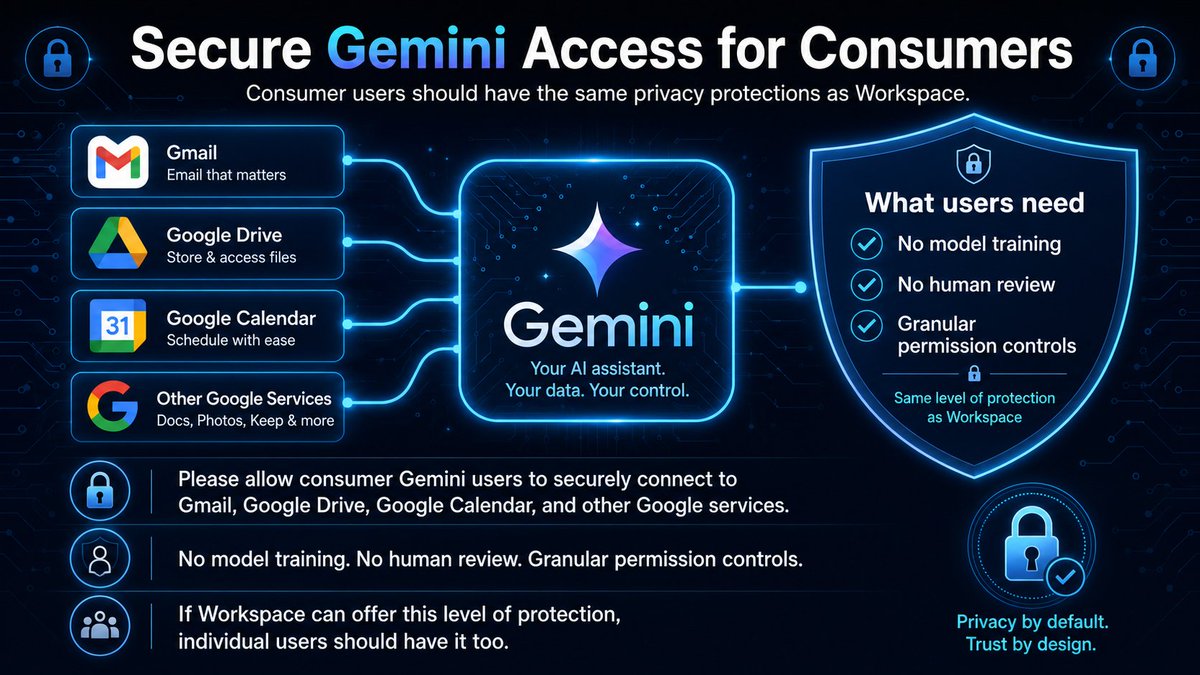
Gemini (personal) is still behind ChatGPT on privacy usability controls 🔐🗂️
ChatGPT: I can keep chat history and turn off “Improve the model for everyone” — history stays, but future chats aren’t used to train the model. ✅
Gemini (personal): the key switch is “Keep Activity” (Gemini Apps Activity). If it’s ON, chats are saved in Activity and Google may use that Activity to provide, develop, and improve services (including training generative AI models). If it’s OFF, future chats won’t appear in Activity and (unless you submit feedback) won’t be used to train AI models—though they may still be retained for up to ~72 hours for service operations. ⚠️
Also, Google states that some data may be reviewed by human reviewers (service providers), and reviewed data can be retained for up to 3 years, disconnected from your account—even if you delete your Activity. 👀
I want the same separation as ChatGPT: keep history for convenience, opt out of training by default, without sacrificing continuity.
#Privacy #AI #ChatGPT #Gemini
1
1
78