
145 Photos and videos












cwv2 retweeted

9 Jan 2025
Jordan Peterson tells piers Morgan the truth about the UK
How can a once great country fallen so quickly?
I hope we can save it before it’s too late.
253
1,330
5,897
103,807

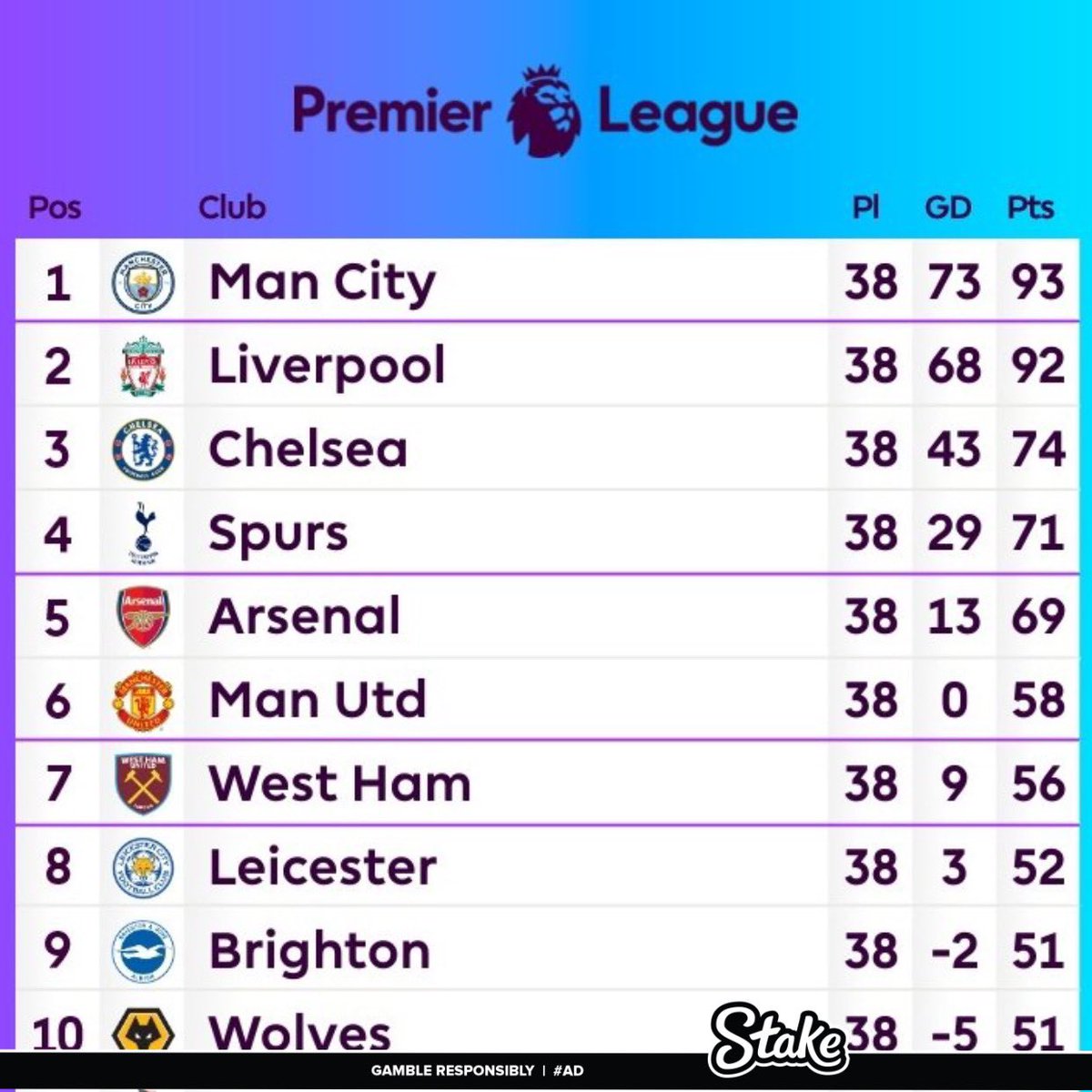
Exposing Pep Guardiola’s Manchester City 2021/22 title.
The most blatant corruption in football history 🤑💰💰
A Thread 🧵


443
2,259
18,808
5,622,539
Literally no Liverpool fan thinks this…. Stop acting like we haven’t chased City down time and time again only to lose by 1 point. We won’t believe it until we see the parade bus coming through Liverpool 😂
22 Dec 2024

Liverpool fans think they have won the Premier League in December. 😂
1
101
cwv2 retweeted

14 Dec 2024
A brave Londoner speaks for us all.
"Gutless p**ck, why don't you f**k off go back to where you came from Abdul. "You've no business here, this is England. "Take your mask off you coward, you w**ker."
The @MuslimCouncil of Britain is looking to shut down @GBNEWS.
992
4,131
27,533
1,973,380
cwv2 retweeted

8 Dec 2024
The other day I went for a walk in Cameroon and I didn't see a single Argentinian.
6 Dec 2024

I’ve been in Argentina for a week. I haven’t seen a single black person
979
7,923
155,751
9,684,043
cwv2 retweeted

30 Oct 2024
Unbelievable Stocks 💀 x.com/afla_tune/status/18515…
82
1,099
13,887
1,027,854

cwv2 retweeted

21 Sep 2024
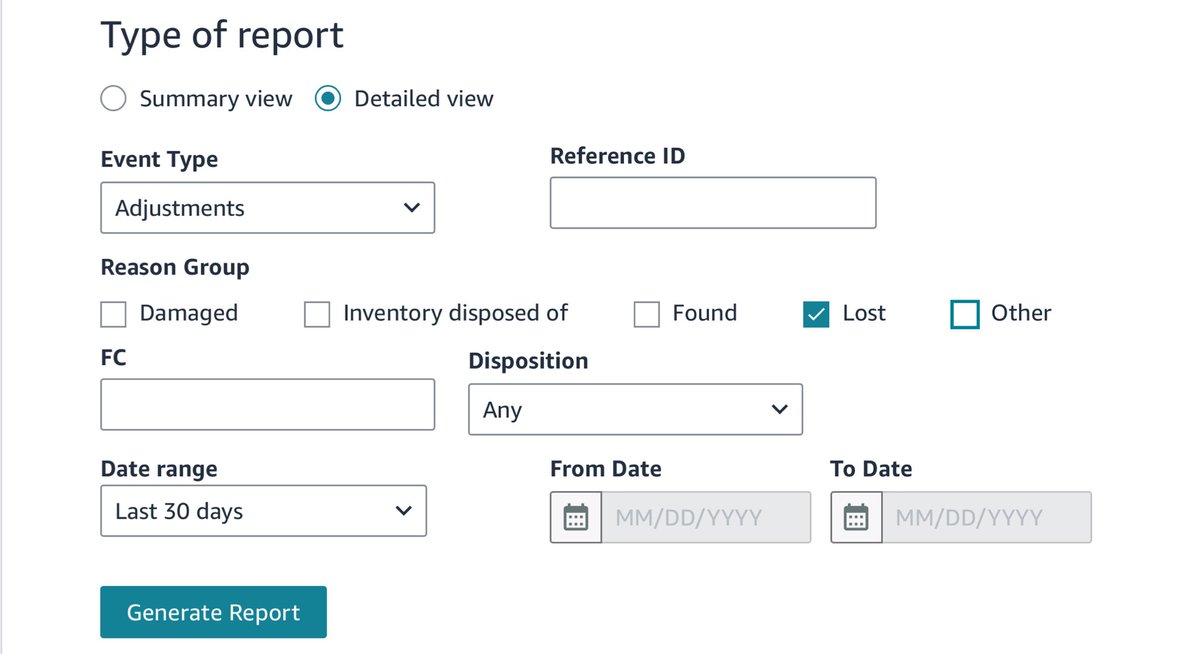
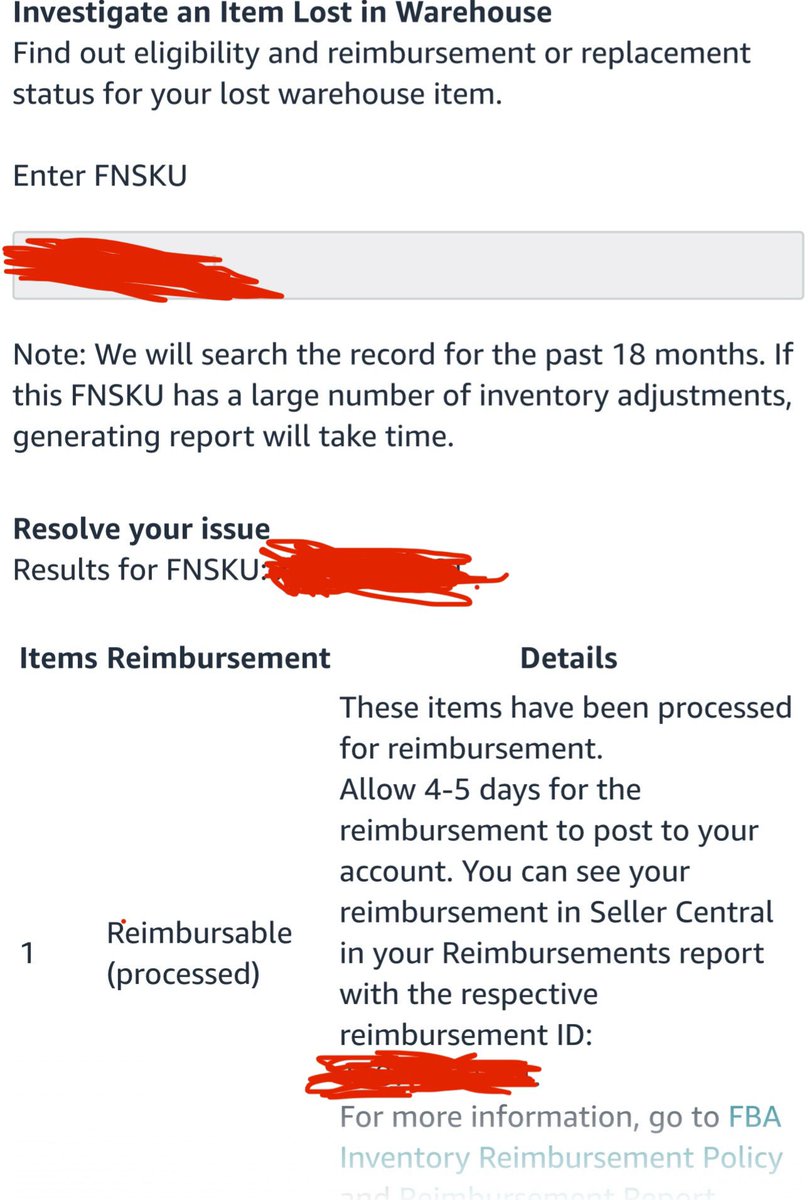
How to get reimbursed for lost inventory in seconds automatically without the use of reimbursement services (Stop using reimbursement services!):
Do this before October 23rd!
1. Go to reports > fulfillment > inventory ledger
2. Change from summary view to detailed view, set the event type to adjustment, and for reason group select lost. If you’ve never done this before then set your date range to 18 months. That’s how far you can go back and still get reimbursed but this is changing October 23rd as they are reducing the window to 60 days.
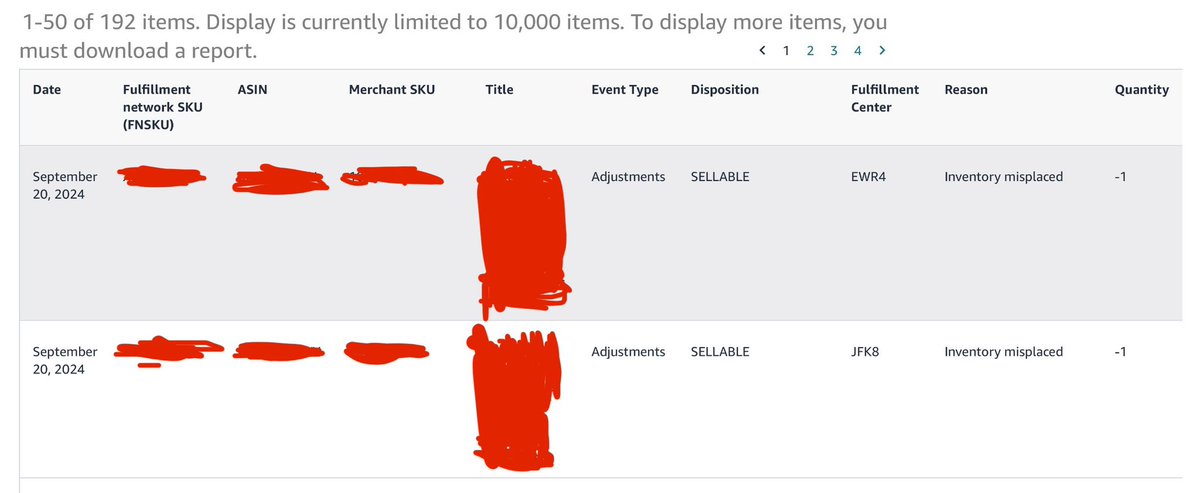
3. Run the report. You will get a list of all your inventory that has gone missing in the fulfillment center for the time period selected.
4. If you have a lot of entries I recommend downloading the report, putting it in Excel, and removing all duplicate FNSKU’s using Excel’s “remove duplicates” function as it will make the next part easier but if you only have a couple results you can skip this step.
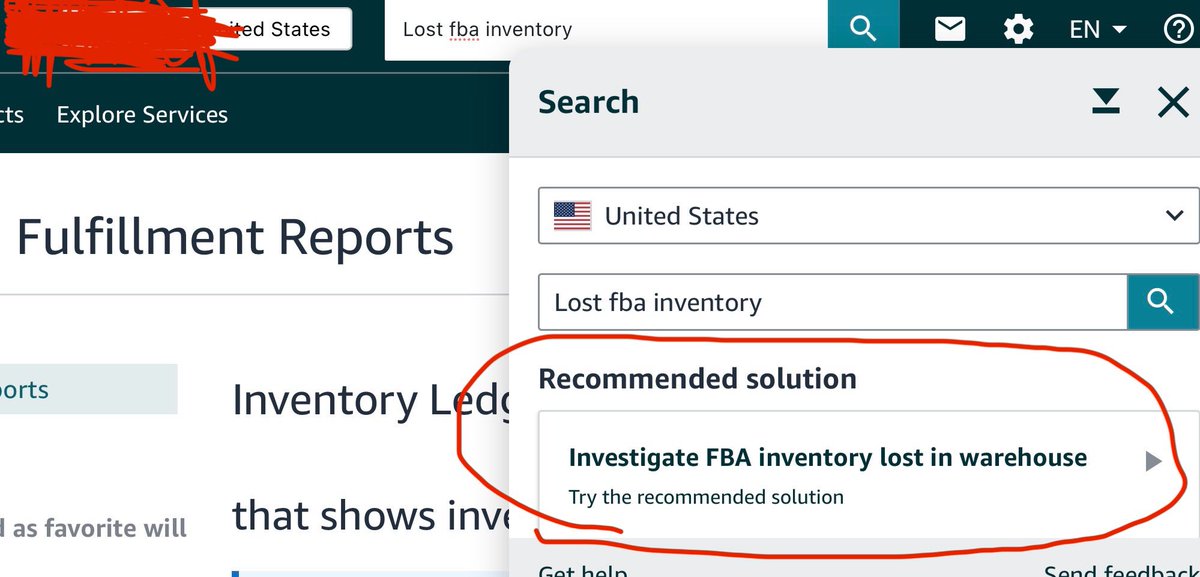
5. Next, go to your search bar at the top of seller central and type in “lost FBA inventory” and select the recommended solution “investigate FBA inventory lost in warehouse.” Enter each one of your missing FNSKU’s and click continue. Do this for every FNSKU.
6. The tool will run for each FNSKU and it will tell you whether your inventory was found or is still missing. If missing, it will automatically reimburse you in 90% of cases. Sometimes for “complex” cases it will say a seller support agent needs to look at it and have you create a case.
But that’s it. This is how you get your FBA lost inventory reimbursed - very simple and something most sellers can complete in less than an hour even if going back all 18 months. Don’t pay a reimbursement service to do this.
24
19
285
33,780

cwv2 retweeted

5 Aug 2024
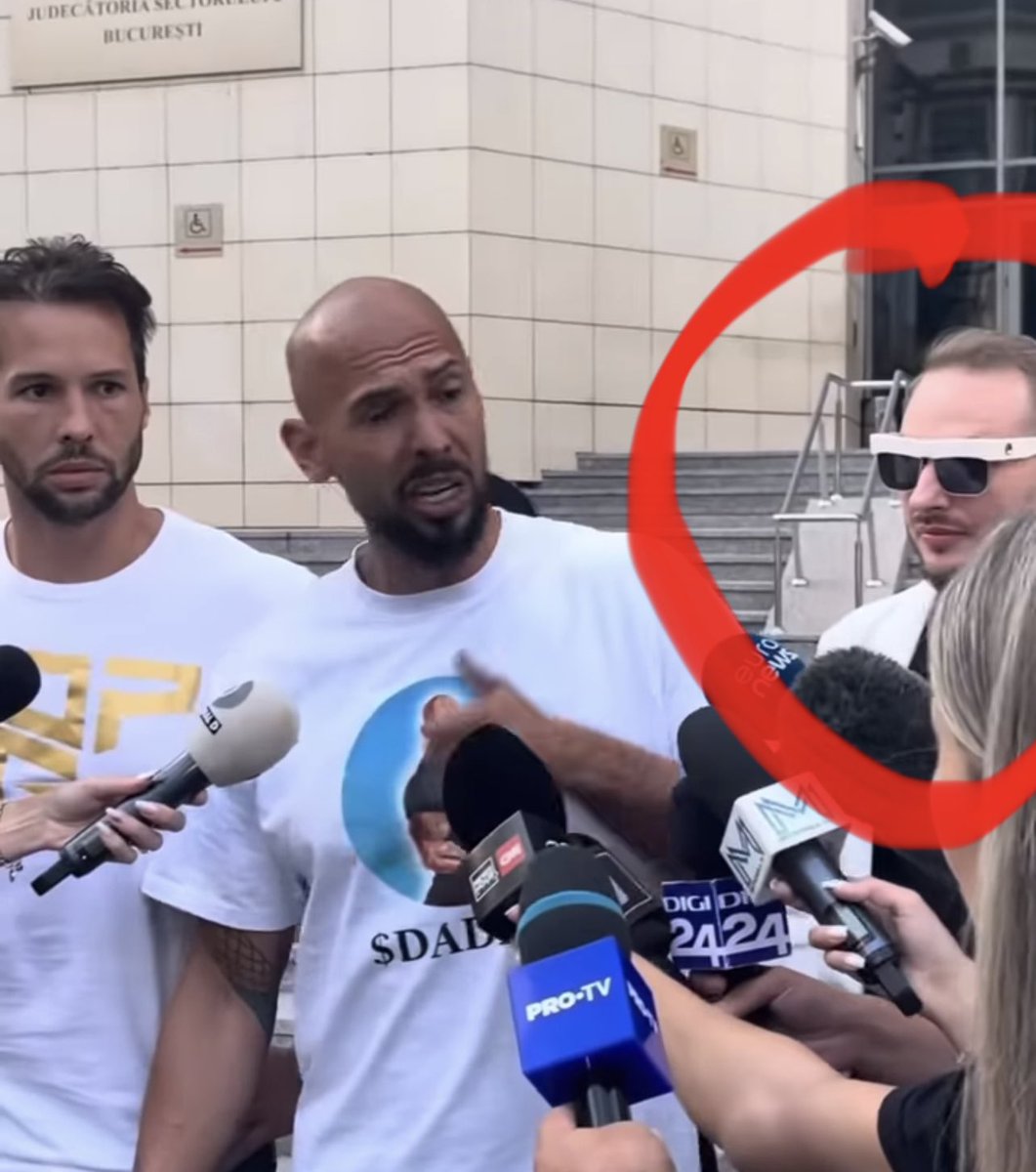
Tate brothers are genuinely hilarious 😭 x.com/barrystantonGBP/status…
240
957
15,808
1,974,100
cwv2 retweeted

2 Aug 2024
Akon sings ‘Locked up’ while alleged child predator gets arrested during Vitaly’s stream. 😭😭
648
5,266
56,997
4,134,664
27 Jul 2024

If you think this police officer is a HERO and should be awarded a medal
Show your support LIKE and SHARE

1
44

Can you do me a favor? Just accept this invitation, up to £40 FREE CASH for each of us!!
temu.com/u/qGZt5iB4921Et
20
Can you do me a favor? Just accept this invitation, up to £40 FREE CASH for each of us!!
temu.com/u/uwHjHe20bMoO84
3
12
Can you do me a favor? Just accept this invitation, up to £40 FREE CASH for each of us!!
temu.com/u/CUp9TSvYQG3otO
8
Can you do me a favor? Just accept this invitation, up to £40 FREE CASH for each of us!!
temu.com/u/GOnU4xZWwBLxO7CL
7