
Premium FX/CFD platform that puts Traders First™. Developed by Spotware Systems. Community: go.spotware.com/discordcts
Joined June 2011
- Tweets 2,310
- Following 108
- Followers 13,328
- Likes 1,390
1,350 Photos and videos


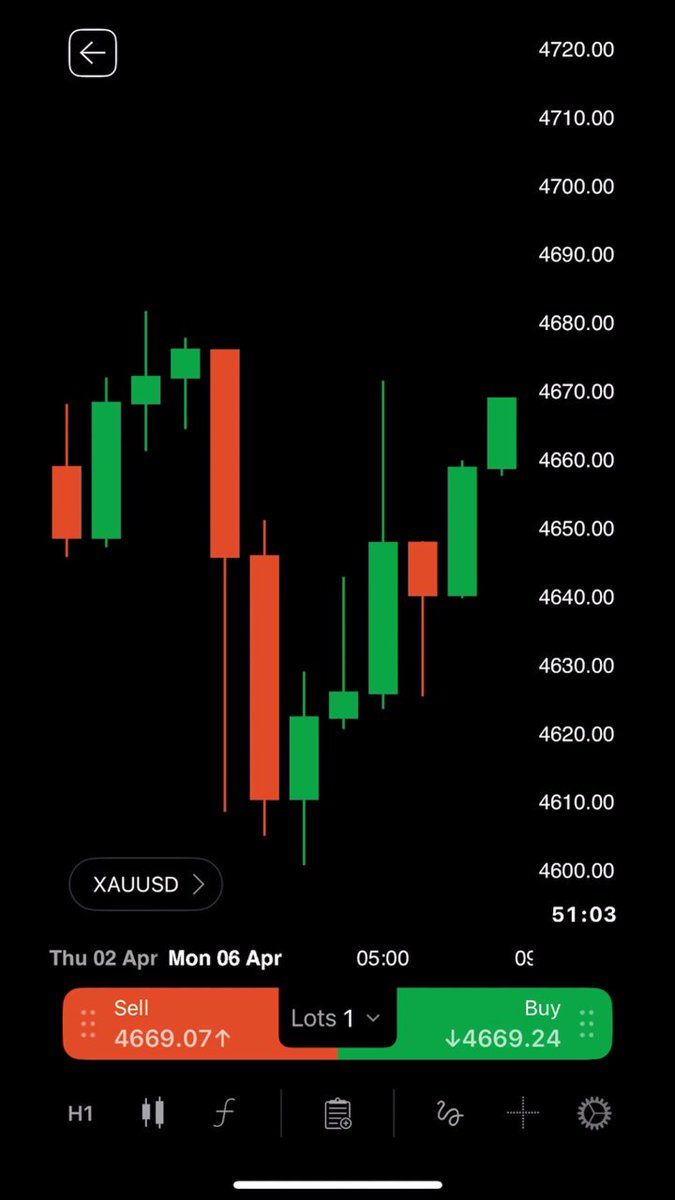





Raise crosshair with long press in cTrader
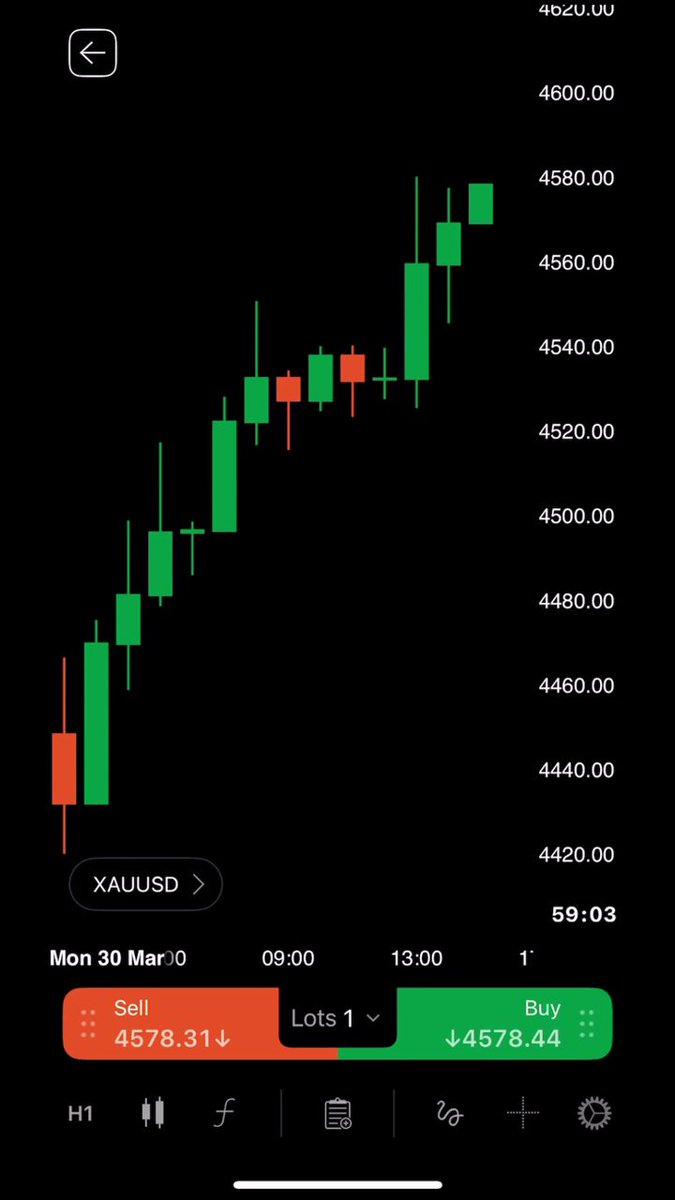
In this video, we will show you how to open the crosshair with a long press and use measure mode to view pip and period distances more precisely.
👉 Start trading now - eu1.hubs.ly/H0w2x2N0
2
26
14
529
We hit 100K on YouTube! 🚀
Thank you to everyone who watches our tutorials, asks questions, shares feedback and keeps pushing us to make cTrader better.
From platform walkthroughs and indicator explainers to trading tools and AI-powered workflows, our YouTube channel has grown into a space built around what traders are actually curious about.
At cTrader, Traders First™ means building around real pain points and real feedback. Every view, comment and like helps us understand what needs clearer explanation, which features traders are waiting for and where the community wants to go next.
Thank you for being part of the journey ❤️
What’s your favorite video from our YouTube channel so far? Let us know in the comments.
2
27
18
605
Indicator: Predictive Monte Carlo Engine
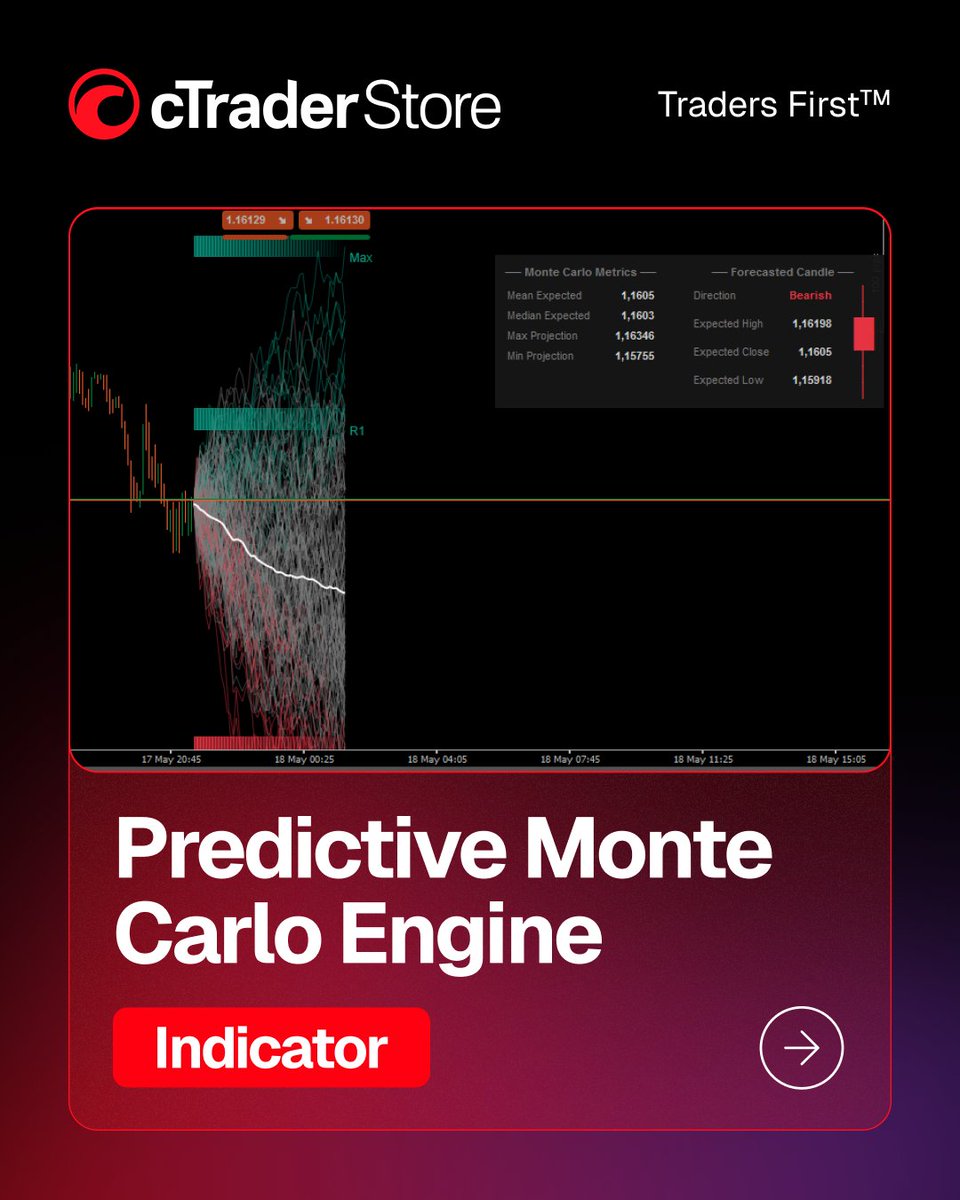
Predictive Monte Carlo Engine is an advanced quantitative forecasting indicator designed to visualise possible future price scenarios using Monte Carlo simulations. Instead of showing simple buy or sell signals, it focuses on probability, volatility context and scenario planning.
The indicator runs multiple simulated price paths based on historical volatility and return distributions, helping traders view potential movement ranges directly on the chart.
🔎 Indicator functionality:
- Runs hundreds of simulated future price paths using multiple Monte Carlo models
- Analyses historical volatility and return behaviour to generate projected price scenarios
- Displays visual path mapping and statistical forecast values directly on the chart
- Highlights extreme projected paths and includes a next-candle forecast based on simulation averages
Predictive Monte Carlo Engine is especially useful for traders who want to add a more analytical layer to their chart review. Its visual paths and clean dashboard make probability-based market scenarios easier to observe, compare and understand.
⭐️ Trader's feedback:
“Predictive Monte Carlo Engine is one of the more advanced quantitative tools available for cTrader. Instead of generating simplistic buy/sell signals, it visualizes probabilistic future price scenarios using multiple Monte Carlo models. The path rendering and statistical dashboard are well designed, making the indicator especially useful for volatility analysis, scenario planning, and risk context evaluation.”
👉 Explore Predictive Monte Carlo Engine in cTrader Store - eu1.hubs.ly/H0w1ZRt0
2
27
11
485
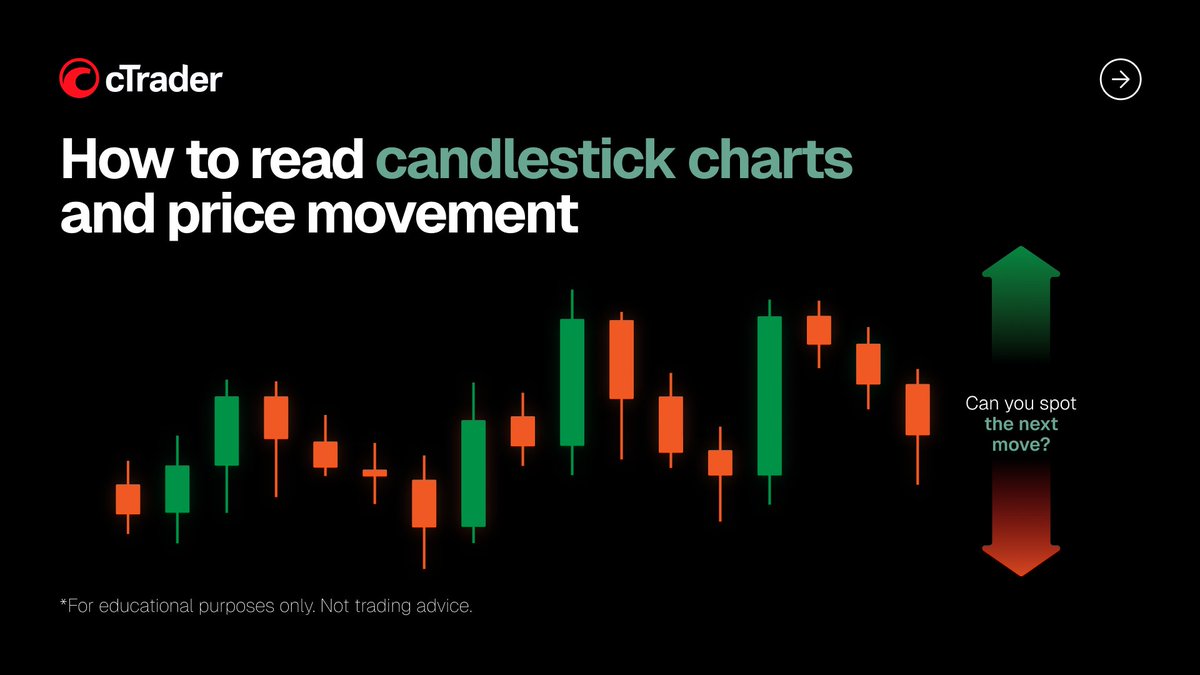
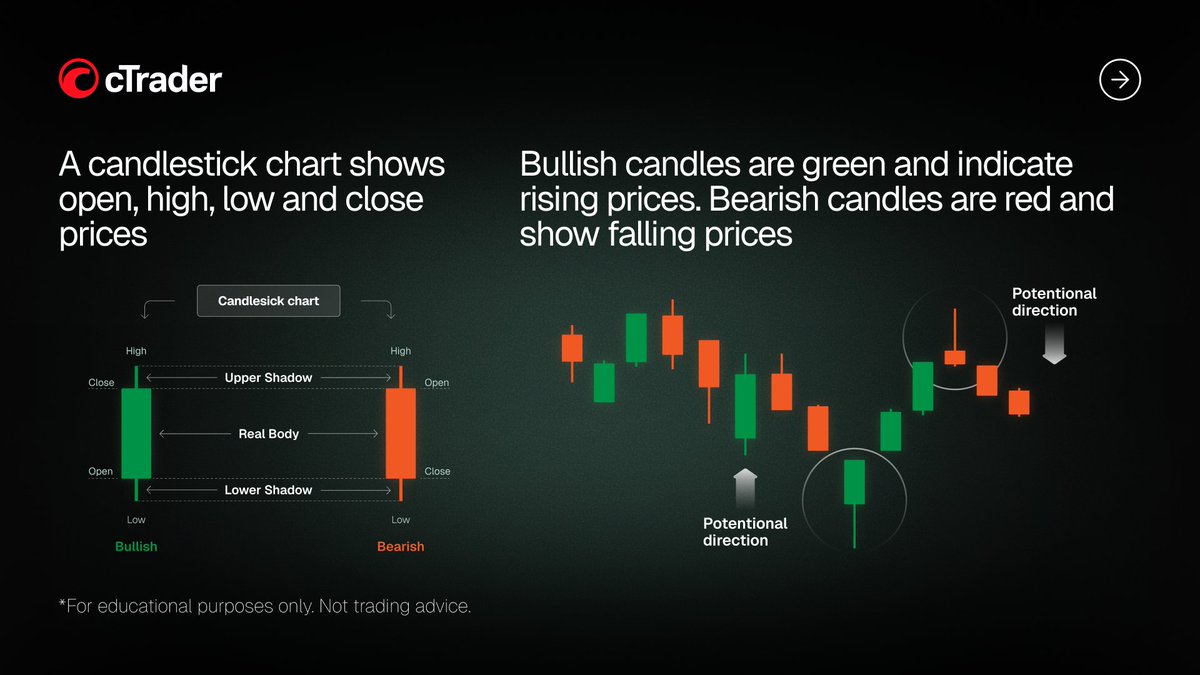
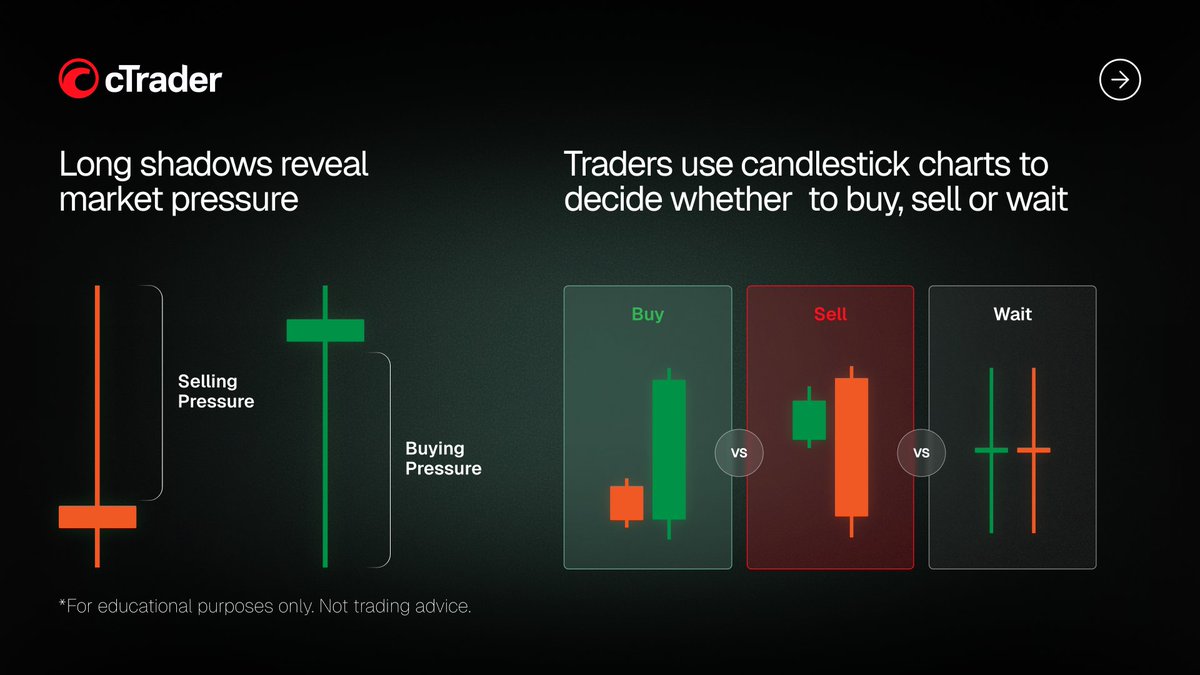
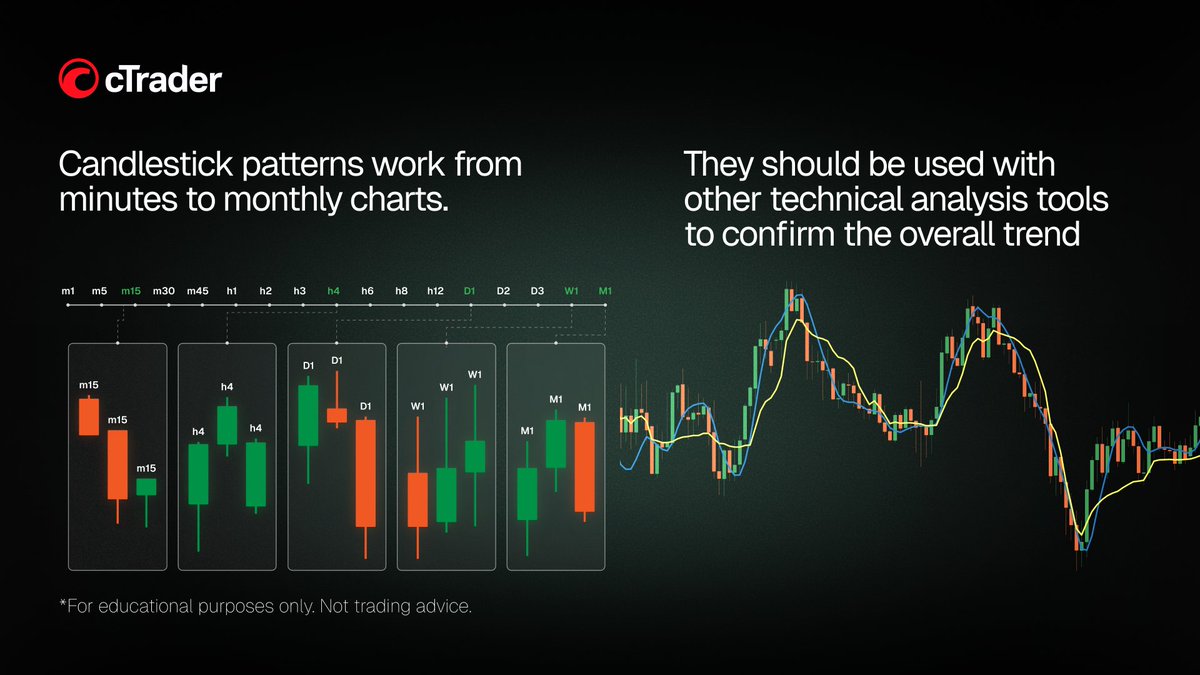
How to read candlestick charts and price movement
In this post, we break down the basics of candlestick charts, price movement, bullish and bearish signals and how traders use them in technical analysis.
For educational purposes only. Not trading advice.
👉 Start trading now - eu1.hubs.ly/H0v_7TR0
5
46
20
757
🏆 One developer. Top 3 ROI bots. 7 days sale only.
A rare achievement in the Live Bot Arena. For the first time, the entire Top 3 by ROI is occupied by bots from a single developer.
🥇 SAL-V03-Gold-CMA-Pro — 110.69% ROI
🥈 Gold-Compression-Surge-Pro — 50.00% ROI
🥉 SafeGrid-Gold-Vanguard-Pro — 28.81% ROI
These are live monitored results, not backtests.
To celebrate this milestone, the developer has launched a 7-day sale on all three products.
Past performance does not guarantee future results.
👉 View Top Arena Bots - go.spotware.com/po4L6Wn
17
151
51
2,384
cTrader AI Agent Connect: How to set up and use the local MCP server
Connect your AI agent to the local MCP server in cTrader Windows or cTrader Mac and bring AI-assisted workflows directly into the platform.
With cTrader AI Agent Connect, you can use natural-language prompts to place and manage trades, control charts, analyse accounts, add indicators, source price data, manage price alerts, work with plugins and perform UI actions in cTrader.
Use Claude Code, Codex, Cursor, Gemini CLI or another AI app to interact with cTrader through the local MCP server.
AI agents are changing how traders interact with trading platforms - and cTrader AI Agent Connect brings that workflow directly into cTrader.
👉 Set up the cTrader local MCP server: help.ctrader.com/ctrader-ai-…
1
43
24
1,585
Install skills: help.ctrader.com/ctrader-ai-…
Get 300 AI agent prompts: help.ctrader.com/ctrader-ai-…
Discover use cases: help.ctrader.com/ctrader-ai-…
#cTrader #MCP #AIAgent #AITrading #TradingAutomation
2
9
4
887
Get an audio alert when orders are filled in cTrader
In this video, we will show you how to receive an audible alert when your orders are filled, so you can get confirmation without checking the screen.
👉 Start trading now - eu1.hubs.ly/H0vSD_x0
10
43
15
1,256
Manage risk with break-even stop loss in cTrader
In this video, we will show you how to use break-even stop loss to reduce downside exposure and set an optional offset to help lock in a small profit.
👉 Start trading now - eu1.hubs.ly/H0vP-Yj0
10
41
15
1,301
View popular symbols in Chinese in cTrader
In this video, we will show you how to view popular symbols in Chinese by changing the app language, making them easier to recognise and trade.
👉 Start trading now - eu1.hubs.ly/H0vLBzM0
7
28
13
1,056
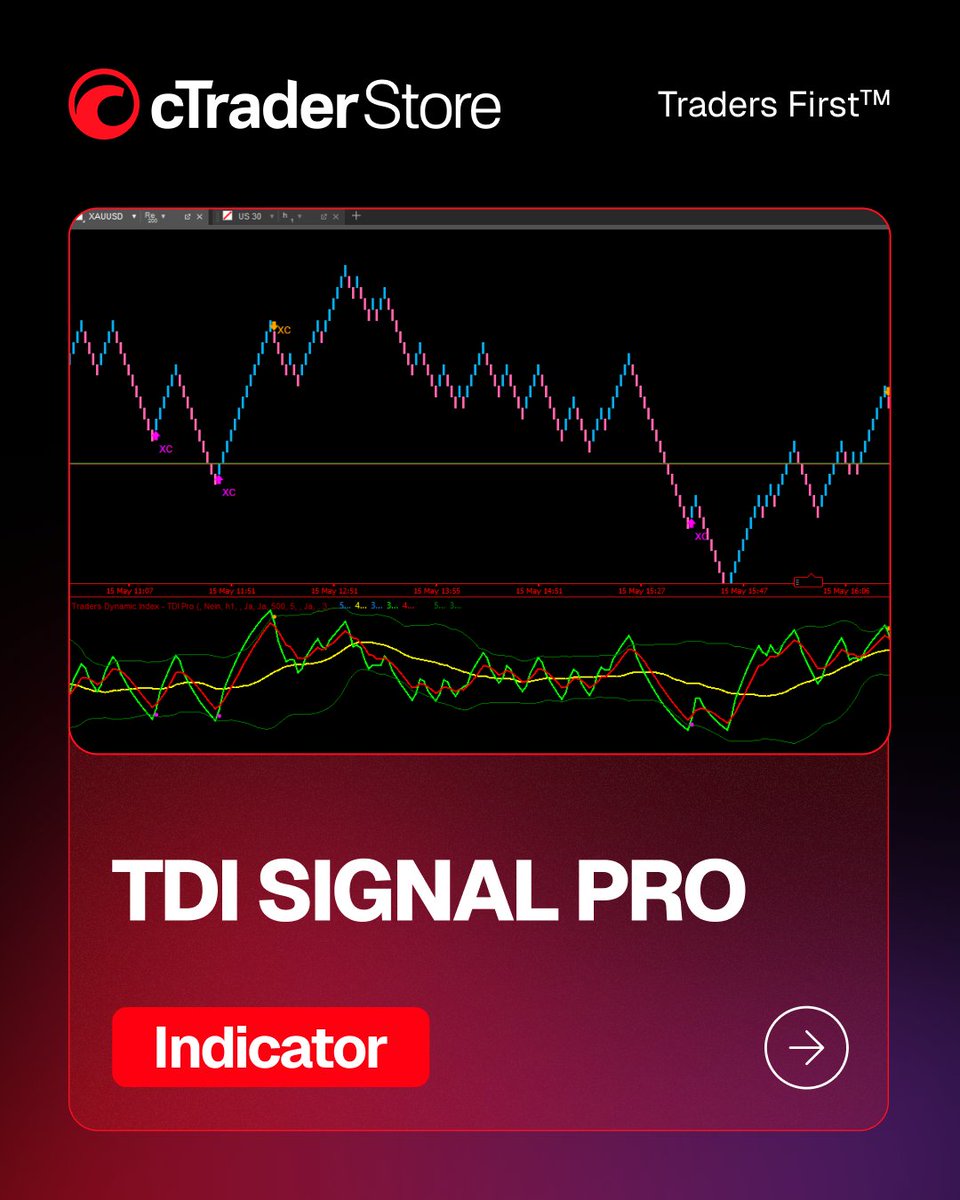
Indicator: TDI Signal Pro
TDI Signal Pro is an advanced RSI volatility indicator built around the Traders Dynamic Index methodology. It brings together volatility bands, RSI signal logic, divergence detection, multi-timeframe confirmation and alerts in one structured tool.
The indicator projects signals directly onto the price chart using arrows and short labels, making it easier to follow Shark Fin, Extreme Cross and Divergence signals without switching between multiple views.
🔎 Indicator functionality:
RSI-based volatility band analysis with Shark Fin and Extreme Cross signal detection.
Classic RSI divergence detection and multi-timeframe RSI confirmation.
Signal arrows and labels displayed directly on the chart.
Flexible alert options, including log output, sound alerts and on-chart popups.
Configurable settings for signals, chart arrows, alerts and display preferences.
TDI Signal Pro is designed for traders who want a more complete RSI-based analysis tool, combining multiple signal types and visual confirmations in a clean, organised format.
⭐️ Trader's feedback:
“TDI Signal Pro is a well-structured RSI volatility framework that combines multiple signal types into one organized system. Shark Fin, Extreme Cross, and Divergence modules complement each other well, while the MTF RSI and flexible alerts add practical trading value. The indicator feels more like a complete momentum-analysis toolkit than a simple signal generator.”
👉 Explore TDI Signal Pro in cTrader Store: eu1.hubs.ly/H0vLxyJ0
5
57
25
1,544
cTrader now supports server-side scaling out with up to five take-profit levels
cTrader launches advanced take-profit - an improved take-profit experience, letting you set up to five take-profit levels and decide how much volume to close at each level.
It works server-side. Once your take-profit levels are set, they are be executed automatically when the price hits the target, without managing every exit manually.
You can set it up from the “Place order”, “Modify order” and “Position” screens, as well as directly from the chart.
Try it out and share your feedback in the comments.
1
35
16
1,776
Rotate phone to open landscape chart in cTrader
In this video, we will show you how to open the last viewed chart instantly by rotating your device and switch back just as easily to continue navigating the app.
👉 Start trading now - eu1.hubs.ly/H0vFw3m0
5
21
10
939
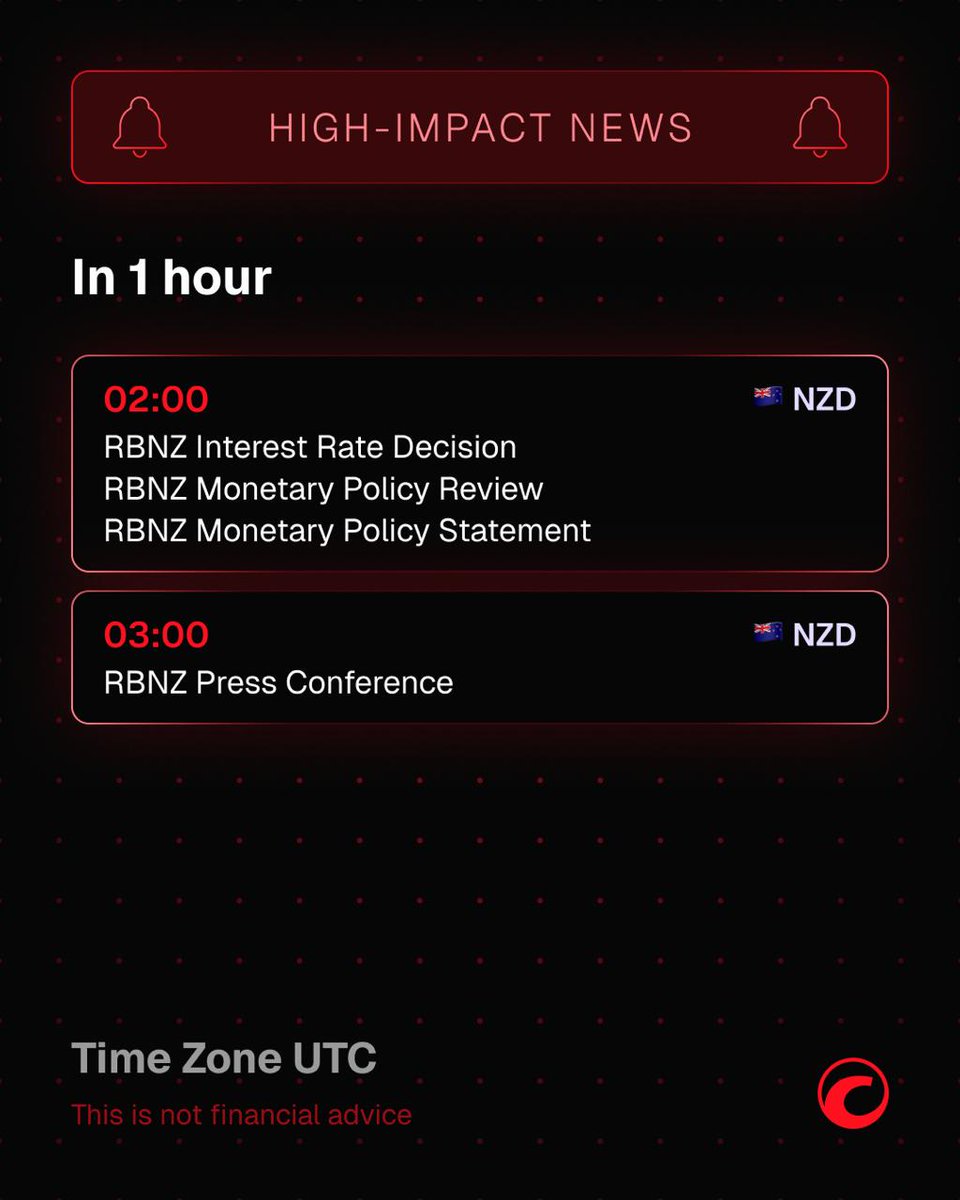
🚨 High-impact news 🚨
In 1 hour, at 02:00 UTC, the 🇳🇿 Reserve Bank of New Zealand will announce its interest rate decision and release its monetary policy review and monetary policy statement.
The RBNZ will also share economic assessments that influenced its decision, offering clues on the economic outlook and future policy path.
Positive economic developments and an upbeat outlook could lead the RBNZ to tighten policy by hiking interest rates, which tends to be bullish for the New Zealand Dollar (NZD).
The RBNZ press conference will follow at 03:00 UTC.
_____________________________________
👉 Start trading with cTrader - sptwr.link/xAqV0QO
1
12
8
928
Account ROI chart in cTrader
In this video, we will show you how to use the ROI chart to track your account performance over time, spot trends more clearly and review returns across different periods.
👉 Start trading now - eu1.hubs.ly/H0vDKLy0
11
7
671
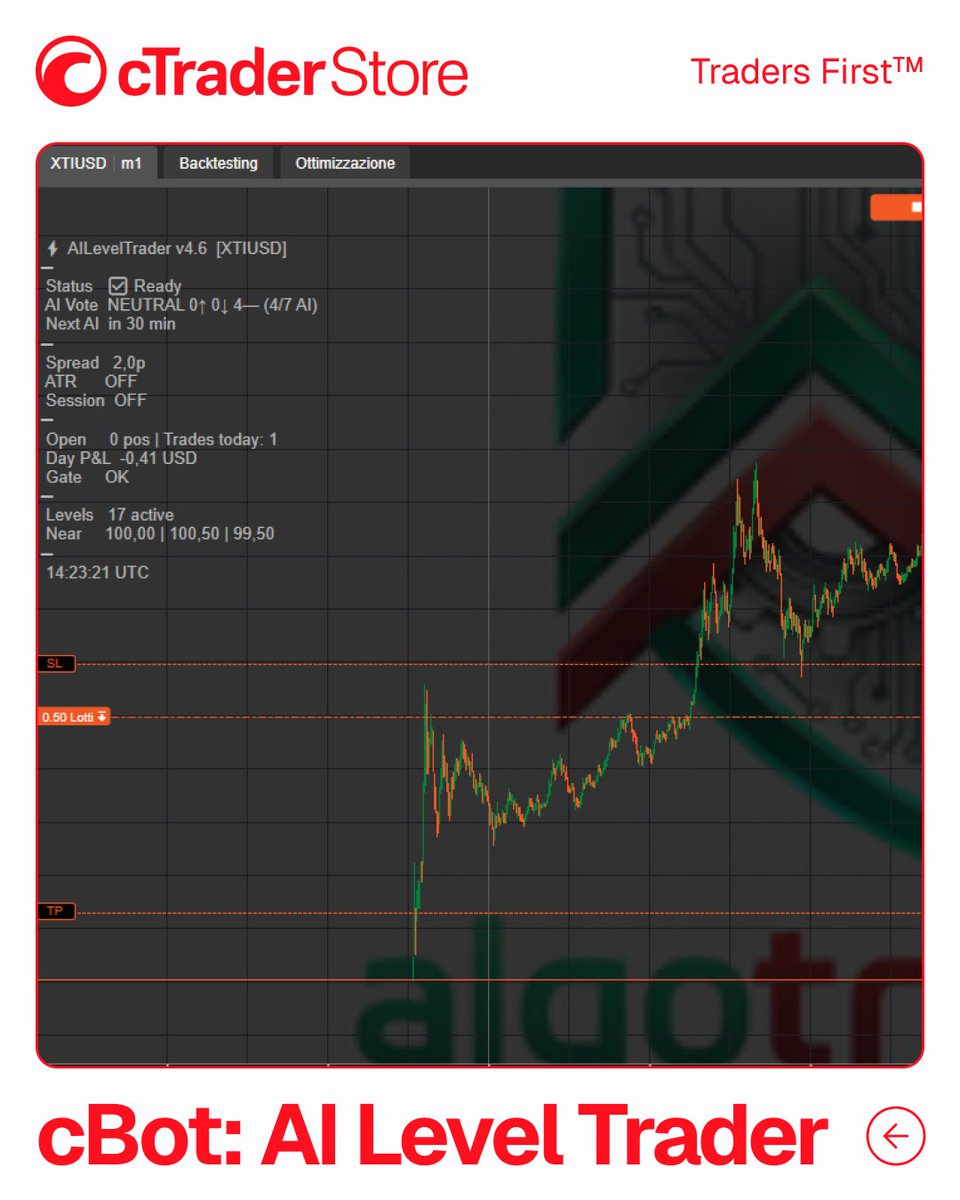
cBot: AI Level Trader
AI Level Trader is an experimental AI-powered cBot built around a multi-provider consensus engine. It can query up to 11 AI providers, compare their responses and generate trade setups only when the selected consensus rules are met.
The cBot combines AI voting with key price level detection, risk filters, session controls and a live chart panel. Its architecture brings together provider fallback handling, AI performance tracking and detailed runtime diagnostics, making it one of the most ambitious AI-focused products available in cTrader Store.
🔎 cBot functionality:
- Multi-AI consensus engine.
- Support for up to 11 AI providers.
- Smart price level detection.
-Prop firm rules and risk filters.
- ATR volatility filter and trading sessions.
- Partial close and cooldown system.
- Live chart panel with real-time AI status.
⭐️ Trader’s feedback:
“AI Level Trader feels more like an experimental AI trading infrastructure project than a classic cBot. The multi-provider consensus idea is genuinely creative, and the runtime logs show real interaction with external AI models. At the same time, the system inherits all the instability of modern LLM APIs: malformed outputs, fallback loops, and inconsistent execution behaviour.”
👉 Explore this cBot in cTrader Store:
bit.ly/4ufPjv8
18
112
46
2,246
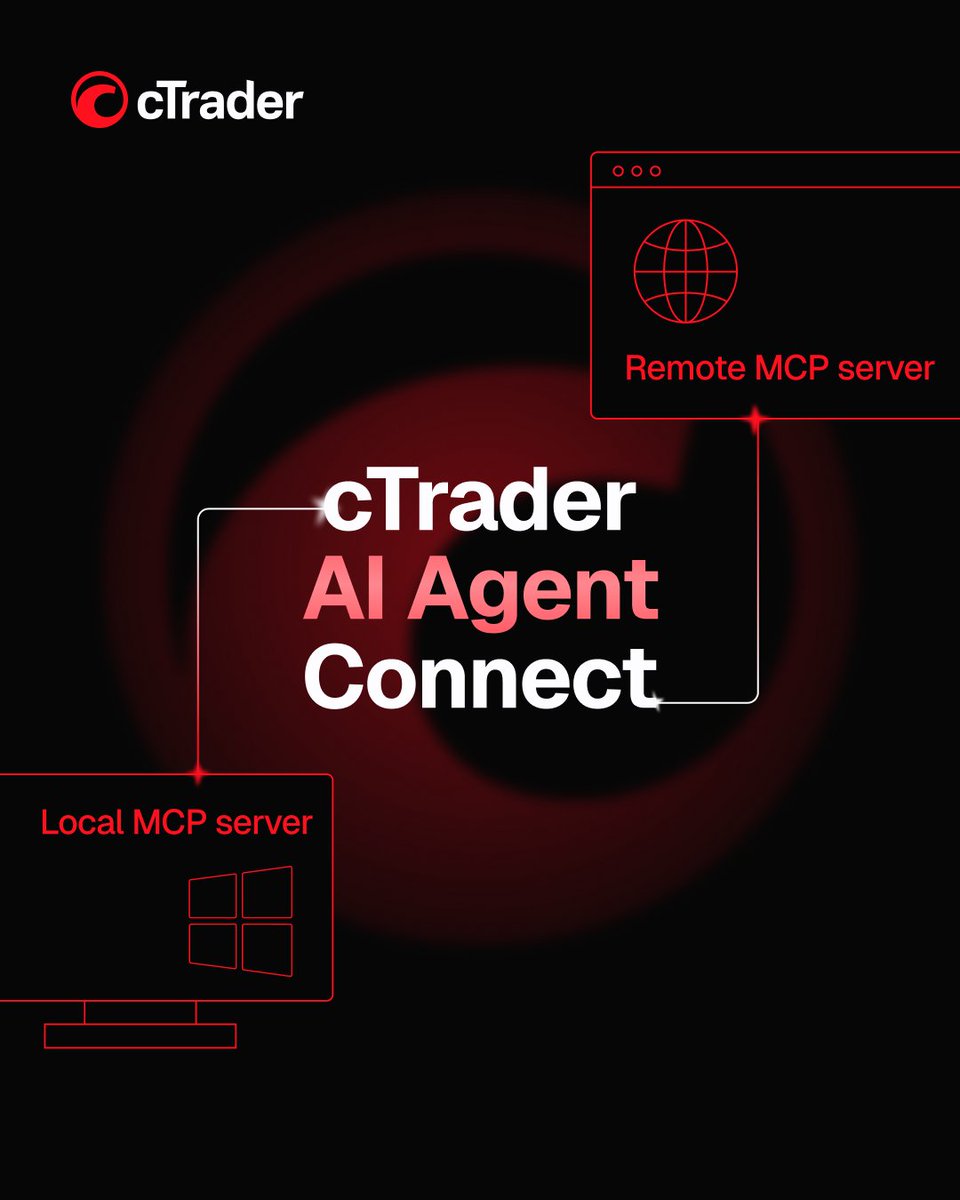
🔥 Introducing: cTrader AI Agent Connect
cTrader is launching cTrader AI Agent Connect, the first built-in AI agent solution in FX/CFD trading, combining two MCP servers with a skills library.
One prompt is now enough to run operations on cTrader. AI agents connect directly to the platform and can help you execute trades, analyse accounts, automate trading, perform technical analysis and control charts through simple prompts.
With cTrader AI Agent Connect, you simply describe what you need, and the agent does the work, cutting out the time-consuming steps.
📌 Here’s what cTrader AI Agent Connect includes:
• Remote MCP server – provides the essential toolset for powering trading activity through AI. It covers account operations, order and position management and market data analysis.
• Local MCP server – covers the widest set of cTrader functions, allowing AI agents to operate inside the trading workspace itself. It spans account and trading operations, market analysis and workspace control.
• Skills – ready-made AI workflow instructions for cTrader AI Agent Connect. You get reusable workflows covering various trading operations, which can be adapted to your trading style and used as part of your daily routine.
Reflecting Traders First™ approach that guides every cTrader upgrade, cTrader AI Agent Connect advances the trading experience: it saves time, runs the analytics and helps you act smarter.
👉 Learn how to set up and use cTrader AI Agent Connect in the Help Centre: go.spotware.com/aItOxcV
5
45
24
1,730
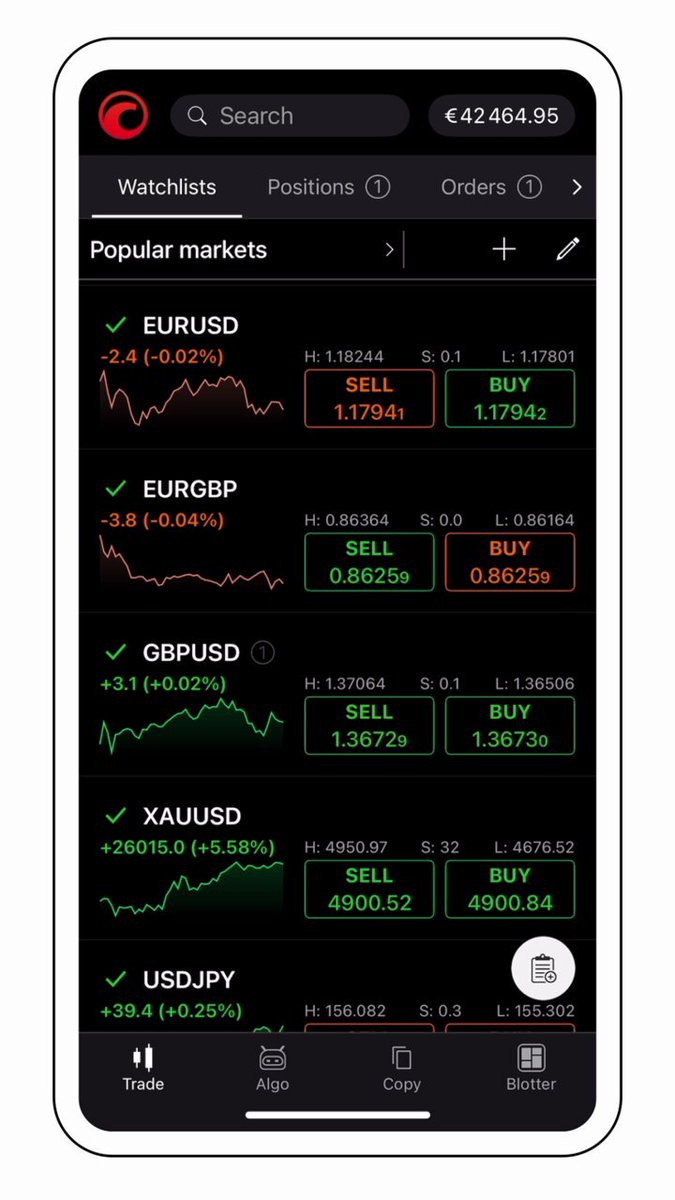
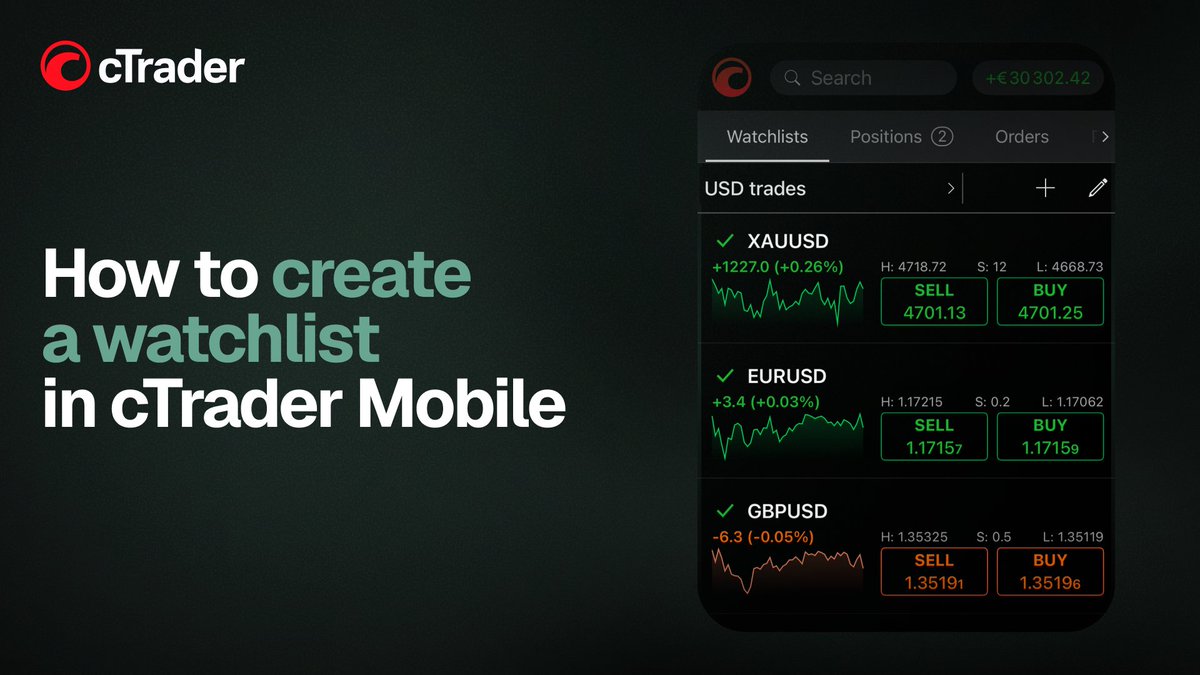
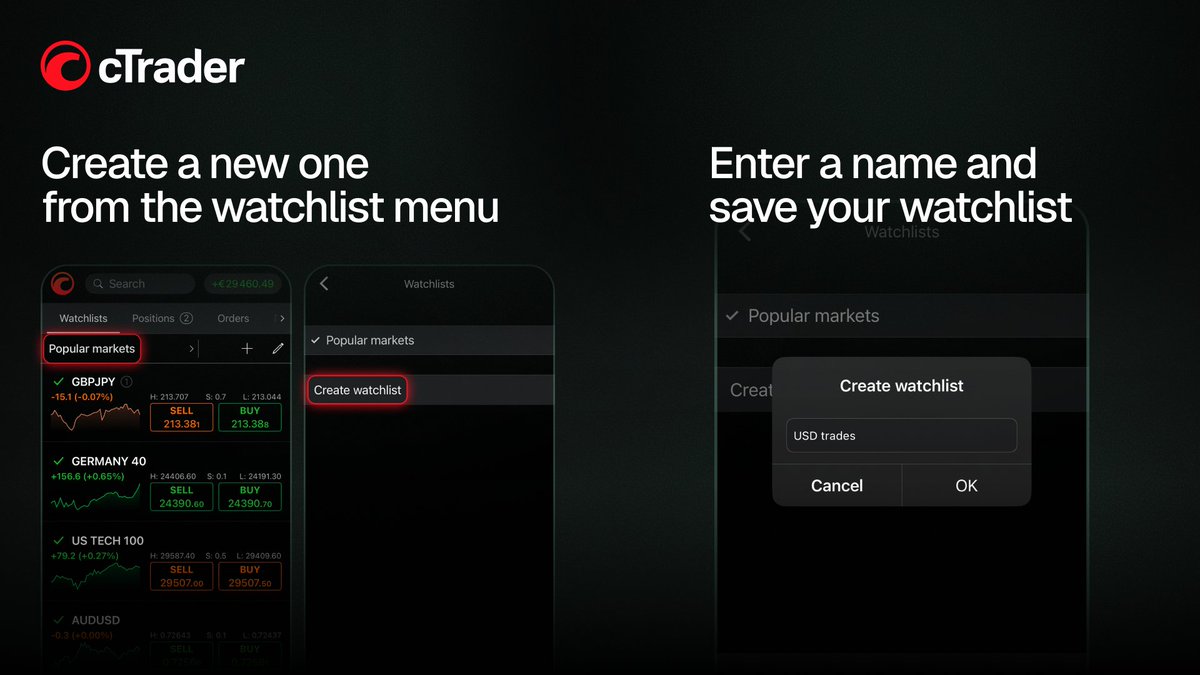
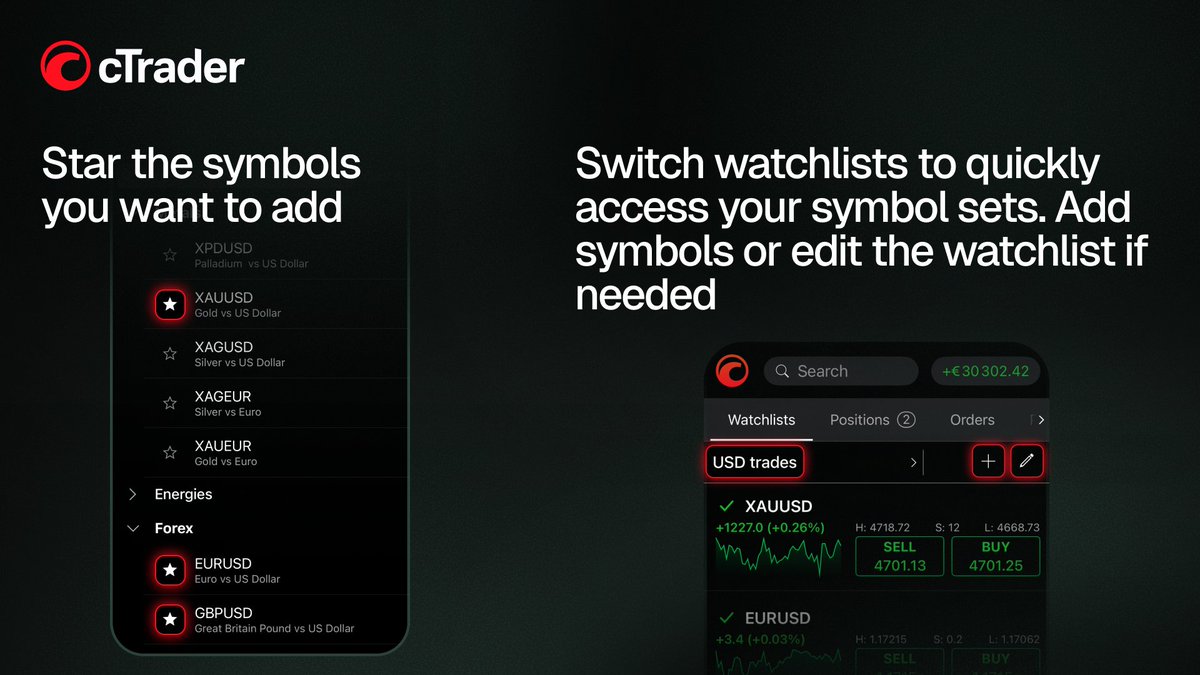
Create a watchlist in cTrader Mobile
In this post, we show you how to create a watchlist, choose your symbols and make currency pairs easier to access when you trade.
_____________________________________
👉 Start trading with cTrader - sptwr.link/xAqV0QO
4
26
16
1,242
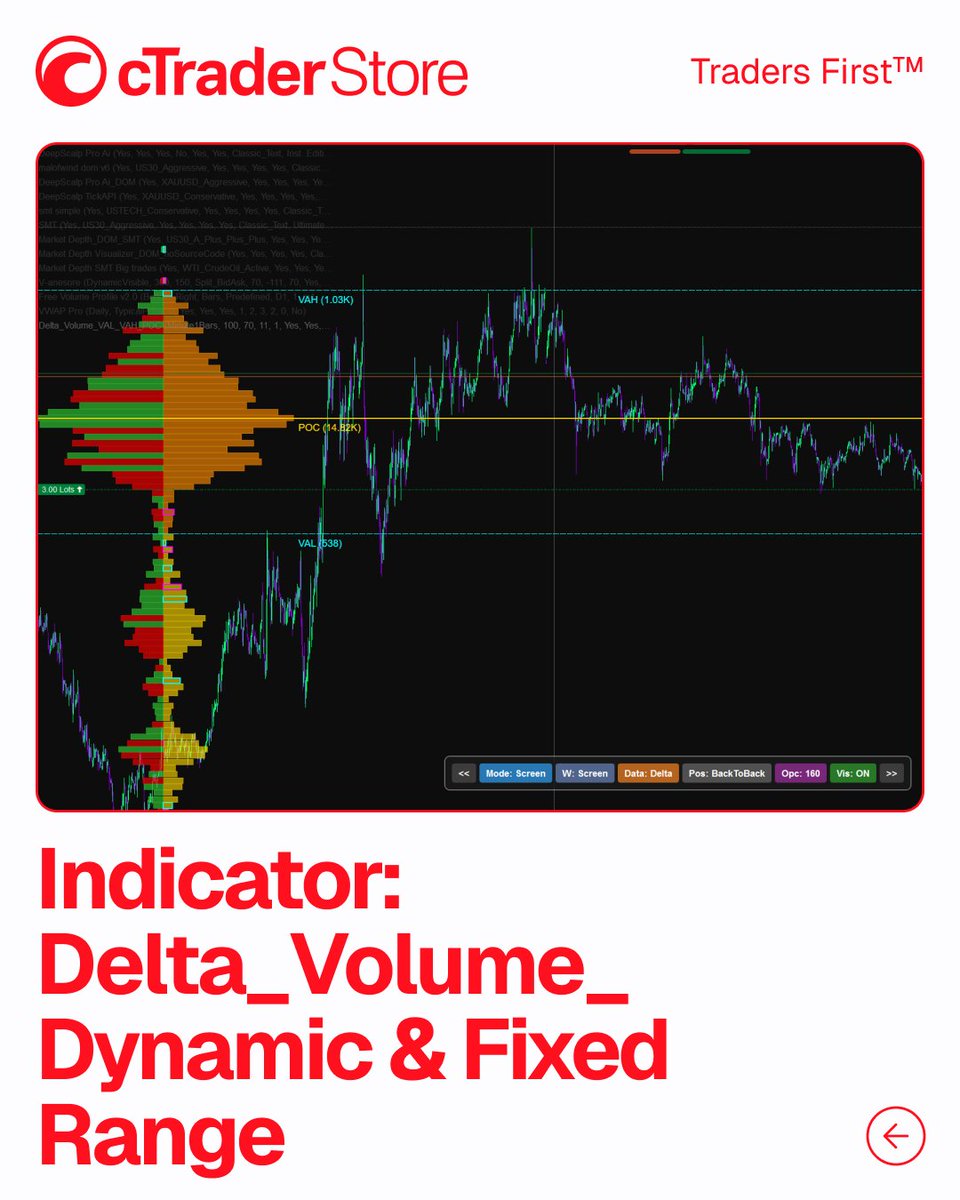
Indicator: Delta_Volume_Dynamic & Fixed Range
This powerful Volume Profile indicator is built for traders who want a clearer view of volume distribution, value areas and order flow dynamics directly on the chart.
It combines Fixed Range and Dynamic Profile modes, giving you flexible ways to analyse selected swings, sessions or visible chart areas. With its True Anchor Mode, the profile stays locked to your chosen range when you zoom, scroll or move across historical data – making it especially useful for reviewing past market moves with precision.
🔎 Indicator functionality:
• FFixed Range and Dynamic Profile modes.
• VAH, VAL, POC, HVN and LVN visualisation.
• Delta Dominance and Buy/Sell Split volume colouring.
• Naked POC extension.
• Interactive on-chart UI panel.
• Customisable display settings.
It brings together several volume analysis tools in one indicator, making it a strong choice for traders who work with Auction Market Theory, volume profile concepts and detailed chart structure.
⭐️ Trader’s feedback:
"Delta Volume Dynamic & Fixed Range delivers a strong volume profile toolkit with stable anchored profiles, value areas, and HVN/LVN detection. The Anchor Mode is especially useful for precise swing analysis. While delta is based on tick data rather than true order flow, the tool still provides valuable insights into market structure. Best suited for experienced traders."
👉 Explore this indicator in cTrader Store - go.spotware.com/irqOZR6
12
84
25
1,767