
Joined November 2022
- Tweets 3,565
- Following 117
- Followers 2,531
- Likes 5,296
328 Photos and videos









May 20
Me : I will do something I'm really good at.
AI : Sorry ?
3
49
May 15
A critical vulnerability was recently disclosed affecting NGINX servers. Here's exactly how a production Linux server was patched - zero downtime, zero dropped connections.
Step 1 - Verify available security updates
After logging in, package lists were refreshed and upgradable packages were checked:
apt update
apt list --upgradable
Ubuntu had already released a patched build:
nginx 1.24.0-2ubuntu7.8
Ubuntu often backports fixes without bumping the major version — always check the full package revision.
---
Step 2 - Upgrade only NGINX first
Rather than upgrading the entire server at once, only the exposed web server was patched first:
apt install --only-upgrade nginx nginx-common -y
Surgical upgrades = fewer unrelated service interruptions. Risk minimized.
---
Step 3 - Validate config before touching anything live.
Before any service action, the configuration syntax was verified:
nginx -t
Output confirmed: ✅ syntax is ok / test is successful
Never skip this in production.
A broken config on restart = outage.
---
Step 4 - Gracefully reload, don't restart
This is the key move:
systemctl reload nginx ✅
systemctl restart nginx ❌
A reload lets existing connections finish while new workers load the patched binaries.
A restart kills active connections. Avoidable downtime.
---
Step 5 - Verify the patched version
NGINX's version string can be misleading. The actual package revision was confirmed via:
dpkg -l | grep nginx
Result: 1.24.0-2ubuntu7.8 — the patched Ubuntu build. Version strings alone don't tell the full story.
---
Step 6 - Audit vulnerable directives
The reported exploit path involved rewrite and set directives. All configs were audited:
grep -R "rewrite\|set " /etc/nginx/
This surfaces overly complex rewrites, user-controlled rewrites, unsafe regex, and legacy configs nobody remembers writing.
---
Step 7 - Verify ASLR PIE hardening
The disclosure noted that ASLR significantly reduces exploit reliability. Verified:
cat /proc/sys/kernel/randomize_va_space → 2
readelf -h $(which nginx) | grep Type → DYN
Modern Ubuntu enables both by default. Still worth confirming.
---
Step 8 - Monitor post-patch for worker crashes
Even after patching, the server was monitored carefully:
systemctl status nginx
tail -f /var/log/nginx/error.log
Watched specifically for: segfaults, worker crashes, signal 11 errors, unexpected reloads.
Everything stayed stable.
---
Steps 9 - Remaining packages upgraded, server confirmed online
apt upgrade -y
Ubuntu flagged a kernel update requiring a reboot -intentionally deferred until off-peak.
Final check:
systemctl status nginx → active, stable, serving traffic.
The entire process got zero dropped connections.
Zero downtime. ✅
I hope this helps.

‼️🚨 MAJOR IMPACT: AI just found an 18-year-old NGINX critical remote code execution vulnerability. It has been disclosed on GitHub including PoC code.
- Affects NGINX 0.6.27 through 1.30.0
- Triggered via the rewrite and set directives in config
- Update NGINX ASAP
- NGINX is a widely used HTTP web server, be sure to check its prevalence in other products

Community note
The exploit requires ASLR to be disabled, which is not default on practically all systems. This is seen in the exploit code. Source github.com/depthfirstdisc…
4
192
May 12
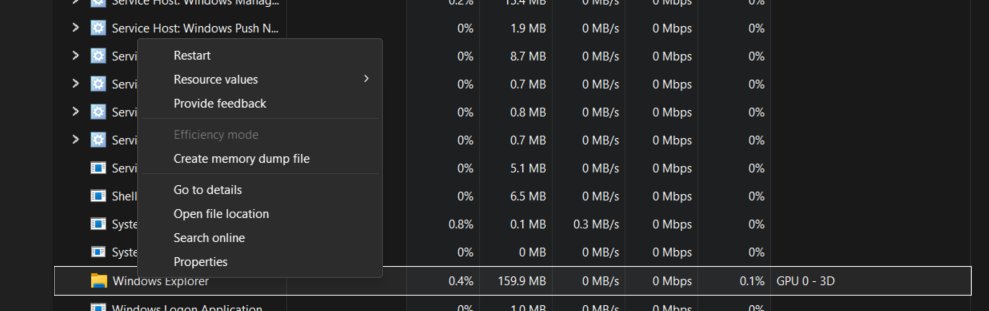
If your Taskbar is frozen on Windows 11:
Press Ctrl Shift Esc → find Windows Explorer → right click → Restart
Fixes instantly.
PS: I kept restarting my whole PC before discovering this
3
72
For me : Since I started using claude, my gpt usage has decreased significantly.
I love the way Claude provides response.
Thank you @claudeai ❤️
3
85
coderandcreator retweeted

At this point, @claudeai new launches are not upto the mark. They launch something and quickly move on to the next.
They don’t care about fixing the bugs, nor do they work on it post-launch.
Standard template:
> Launch something with a fancy video
> Pay people to write “abc is dead”
> Move on to the next
A decade later, @Google is going to win this AI race when it comes to end users by some margin. For enterprise and all, you may see others around.
54
35
1,118
48,982
Jan 31
One of the best things since I joined tech is that when you uplift your circle, your circle uplifts you back.
7
188
Jan 28
Hard-earned UI/UX lessons.
1. Fix the flow before you touch pixels.
2. Effects don’t equal clarity.
3. Spacing is how seniors communicate.
4. Design systems, not screens.
5. Icons send signals—treat them seriously.
6. Messy files = messy thinking.
7. Feedback is what makes interfaces feel alive.
Bonus: Charts exist to explain, not impress.
4
204
Jan 14
Sometimes I read opinions of people around the internet and my inner self replies “Nahhhh”
Always verify before taking things in consideration.
2
131
coderandcreator retweeted

Jan 13
I want all my twitter friends to have huge followings.
.
.
.
.
.
.
So when they RT my videos, I get mad views
1
11
219
coderandcreator retweeted
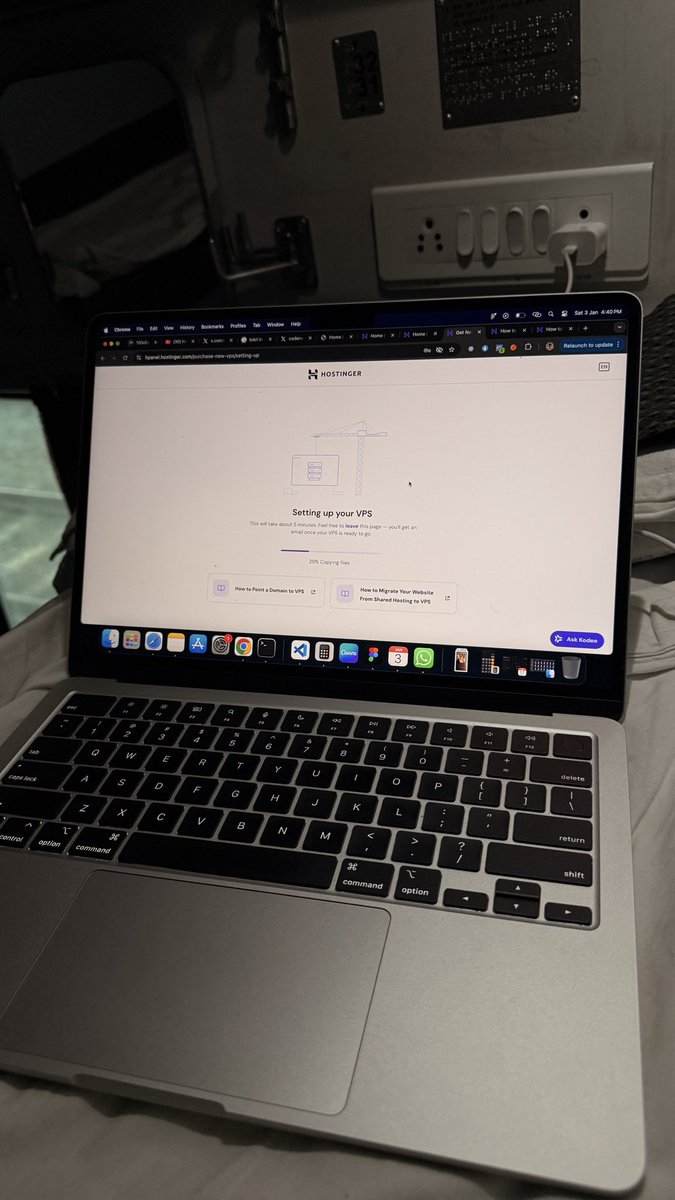
Setting up a VPS from a moving train.
Building on the go, domains, servers, dreams, all in motion.
Remote dev life isn’t a location, it’s a mindset.
Scale it up in 2026.
1
4
158
coderandcreator retweeted
16 Sep 2024
Learning out of the box things is like a hobby to me. I am grateful for all the opportunities that have challenged me to prove myself again and again.
Tech is amazing ❤️
1
1
25
1,387
coderandcreator retweeted
26 Dec 2025
I just recovered my Windows laptop from a hidden crypto-miner and backdoor infection. Sharing this so others don’t miss it.
This wasn’t obvious malware. No popups. No warnings. Just subtle symptoms.
Here’s what happened.
⸻
1) The first signs were easy to ignore
• Laptop fans running loudly at idle
• GPU temperature stuck high even with no apps open
• Random GPU spikes in Task Manager
• Battery draining faster than usual
At first, it looked like a driver or Windows issue.
⸻
2) Task Manager didn’t clearly show the real problem
CPU usage looked normal.
RAM looked fine.
But GPU usage randomly hit 100%.
Eventually, I noticed a process named:
AddInProcess.exe
It looked like a legitimate Windows/.NET process, but it kept coming back even after being terminated.
⸻
3) Digging deeper exposed the truth
Using PowerShell, I inspected the process command line.
That’s when I saw:
• –algo NEXA
• –pool woolypooly (.) com
• wallet and worker name
It was a crypto miner, actively mining NEXA using my GPU.
Disguised as a Microsoft .NET process.
⸻
4) It wasn’t just a miner , it was worse
A full Microsoft Safety Scanner (MSERT) scan revealed:
• Crypto miner
• Backdoor (Quasar RAT)
• AgentTesla (credential stealer)
• Dozens of malicious scheduled tasks
• Hijacked .NET executables
• 1300 infected files
This meant:
• GPU abuse
• Possible credential theft
• Remote access capability
⸻
5) The scariest part: it hid in plain sight
The malware abused legitimate Windows files:
• aspnet_compiler.exe
• RegAsm.exe
• AddInProcess.exe
These are real Microsoft binaries, but they were replaced or hijacked.
That’s why:
• Antivirus didn’t immediately flag it
• Task Manager looked normal
• It survived reboots
⸻
6) The cleanup was intense
• 26 hour deep scan
• 2 million malicious files deleted (mostly small droppers)
• Manual inspection of startup tasks
• Scheduled task cleanup
• Full system file repair (SFC DISM)
Only after all of this did the system stabilize.
⸻
7) The real cost of this kind of infection
Not just electricity or GPU wear.
The real cost includes:
• Stolen credentials
• Silent surveillance
• GPU and hardware stress
• Increased power consumption
• Time lost debugging “random” issues
• Risk to work, finances, and personal data
Most people never realize this is happening.
⸻
8) How this usually gets in (common sources)
From experience and analysis, these often enter via:
• Cracked software
• “Free” premium tools
• Random GitHub scripts
• Fake installers or updaters
• Torrents
• Untrusted browser extensions
Sometimes the infection happens months before symptoms appear.
⸻
9) How to stay safe (practical advice)
• Don’t ignore unexplained fan noise
• Monitor GPU usage at idle
• Check process command lines, not just names
• Avoid cracked software
• Keep Microsoft Defender and cloud protection enabled
• Periodically review startup tasks
• Run an offline scan if something feels off
Trust patterns, not assumptions.
⸻
10) Final takeaway
This wasn’t a beginner mistake.
This was modern malware - quiet, persistent, and disguised as part of the operating system.
If your laptop ever feels slightly off without a clear reason, investigate early.
It can save your data, money, and time.
Stay safe.
I hope this helps someone catch it earlier than I did.
2
5
327