
I help startups and beginners break into DevOps. Follow for daily threads. DevOps Engineer | Site Reliability Engineer | Cloud Engineer | Platform Engineer
Joined January 2024
- Tweets 407
- Following 68
- Followers 52
- Likes 1,341
61 Photos and videos



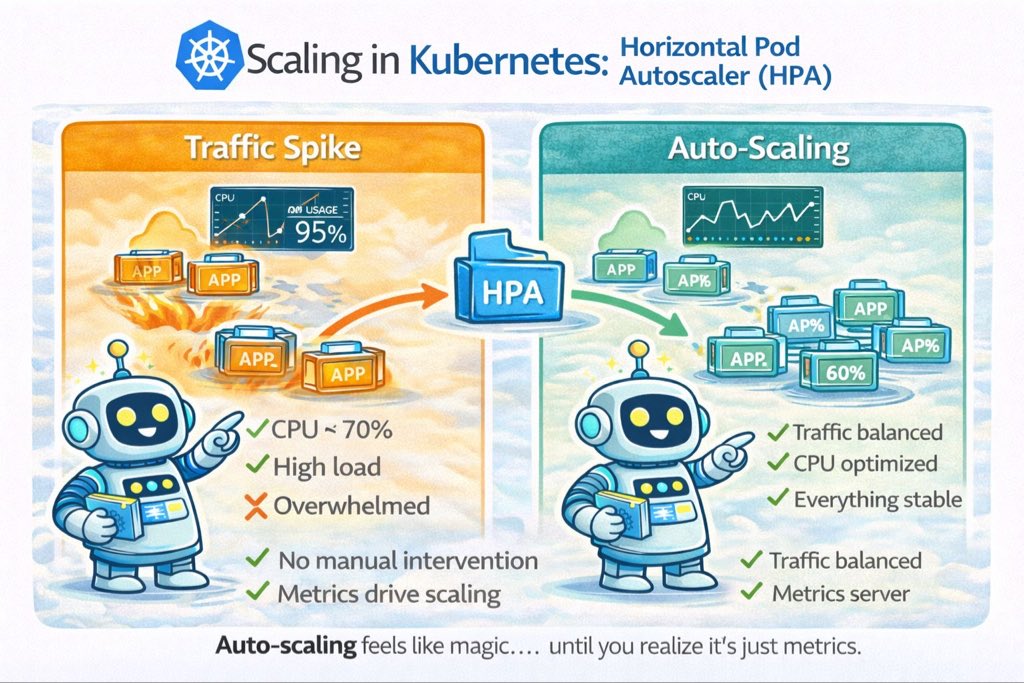
Pinned Tweet

Mar 12
I just published a beginner-friendly guide diving into:
• The real origins of DevOps
• Why the old way created massive pain
• The core pillars (CI/CD, IaC, automation, monitoring, blameless culture)
• The actual business impact: faster delivery, higher reliability, happier teams
Check it out here 👇
portfolio-five-phi-22.vercel…
Whether you're just starting your journey or you've been automating for years, I'd love your perspective drop a comment here! 👇
3
70
Ifeoluwa Adaralegbe retweeted

We are proud to introduce our new company dedicated to empowering businesses through cutting-edge technology solutions.
Reach out to us:
kyberncloud.com

1
1
8
May 12
You don’t need to have it all figured out before you start.
Every DevOps expert was once a beginner trying to understand Linux commands, cloud tools, and deployment pipelines. The difference? They started anyway.
Start small. Stay consistent. Build skills that open doors.
Register today kyberncloud.com
1
14
New month. New systems. ⚡️
Manual processes slow businesses down.
May is for automation, speed, and smarter workflows.
Scale smarter with Kybern.
#BusinessAutomation #Automation #StartupGrowth #BusinessSystems #ScaleYourBusiness #Productivity #TechForBusiness #Kybern
10
Every expert in DevOps once opened their laptop not knowing where to begin.
The difference is that they started anyway.
Get started today at Kybern
kyberncloud.com
12
Ifeoluwa Adaralegbe retweeted
Apr 30
Everyone talks about “breaking into tech”… but not everyone shows you how.
That is exactly what this 16-week immersive mentorship offers: a practical path to learn Cloud Native Engineering from the ground up, with mentorship designed to help you grow with confidence.
This is your opportunity to gain in-demand knowledge, build real skills, and open doors to global career opportunities.
If you have been waiting for the “right time” to start, this is it. Invest in yourself
To register click the link below
kyberncloud.com/academy
2
3
93
Apr 30
We are proud to introduce our new company dedicated to empowering businesses through cutting-edge technology solutions.
At Kybern Nexus Limited, we specialize in:
• DevOps Consulting & Infrastructure Automation
• Custom Software Development
• DevOps Training & Capacity Building
• IoT Smart Device Solutions
• Comprehensive IT Services
Whether you’re looking to streamline your operations, build robust software, or harness the power of IoT, we’re here to help you innovate and scale with confidence.
Let’s build the future together! 💡
📩 Reach out to us:
kyberncloud.com
1
3
58
Mar 17
Day 6/14 — Why Containers Changed CI/CD Forever 🐳
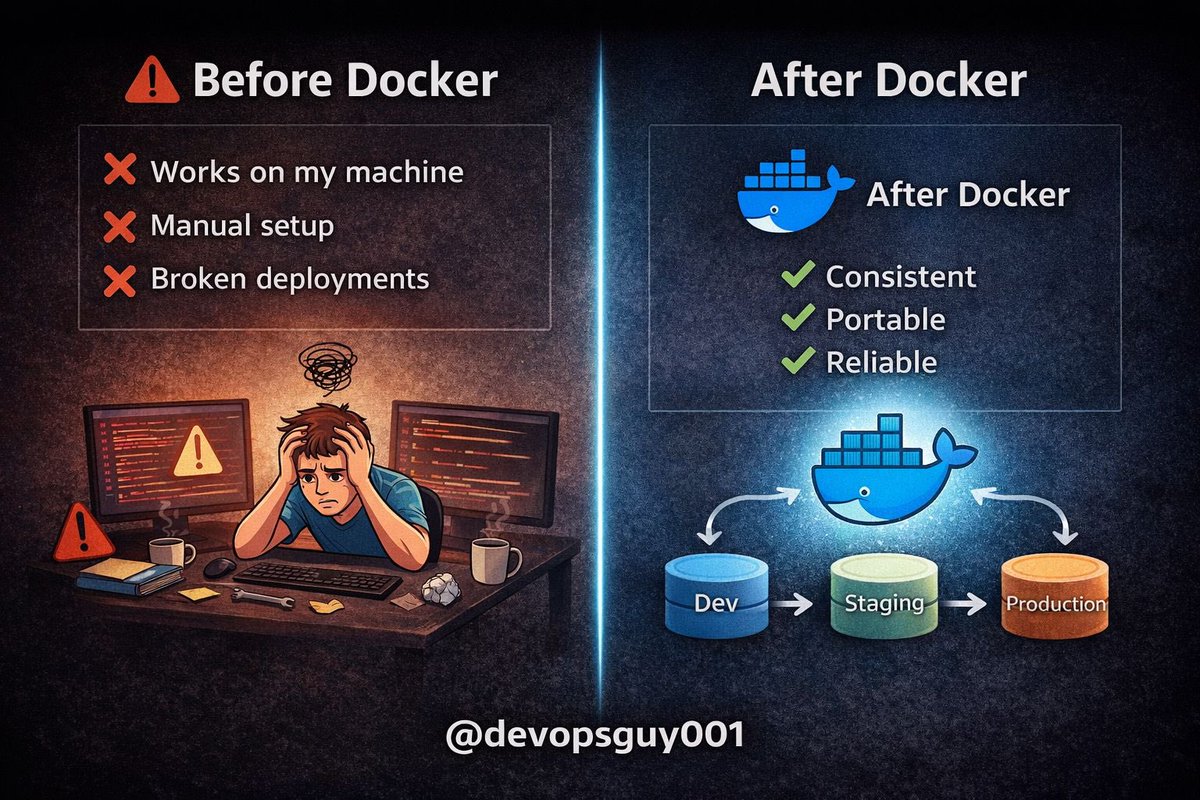
Before containers, CI/CD was painful.
Deployments depended on:
• Server configuration
• Installed dependencies
• OS differences
• “It works on my machine”
Everything was fragile.
Then containers changed everything 👇
Enter:
Docker
Instead of deploying code…
You deploy an **environment code together**.
Same app.
Same dependencies.
Same behavior.
Anywhere.
Here’s the shift:
Old way:
Code → Server → Hope it works
Modern way:
Code → Container → Run anywhere
That one change fixed a huge problem:
❌ Environment inconsistencies
❌ Dependency conflicts
❌ Manual server setup
Now combine this with CI/CD:
Git push → CI runs → Build container → Push image → Deploy
You’re no longer deploying code.
You’re deploying **immutable artifacts**.
Why this is powerful:
Containers are:
• Portable → Run anywhere
• Consistent → Same in dev & prod
• Versioned → Easy rollback
• Isolated → No dependency conflicts
This is why modern pipelines depend on them.
And when you scale this…
You need orchestration tools like:
• Kubernetes
To manage:
• Multiple containers
• Scaling
• Self-healing
• Rolling deployments
Here’s the truth:
If your CI/CD pipeline doesn’t produce a container image…
You’re missing out on one of the biggest advantages in modern DevOps.
Simple mental model:
CI = Build & test
Container = Package
CD = Deploy
Tomorrow (Day 7):
I’ll break down **how container registries work and why they matter**.
1
33
Mar 14
If I were to learn DevOps from scratch with zero experience, here’s exactly how I’ll do it
I wrote this guide to help beginners understand:
• what DevOps actually is
• what to learn first
• how to start building real skills
If you're curious about DevOps but don’t know where to begin, this is for you.
Read here 👇
portfolio-five-phi-22.vercel…
#DevOps #Cloud #TechLearning #BuildInPublic
1
29
Mar 12
Day 5/14 — Let’s Build a Real CI Pipeline ⚙️
Enough theory.
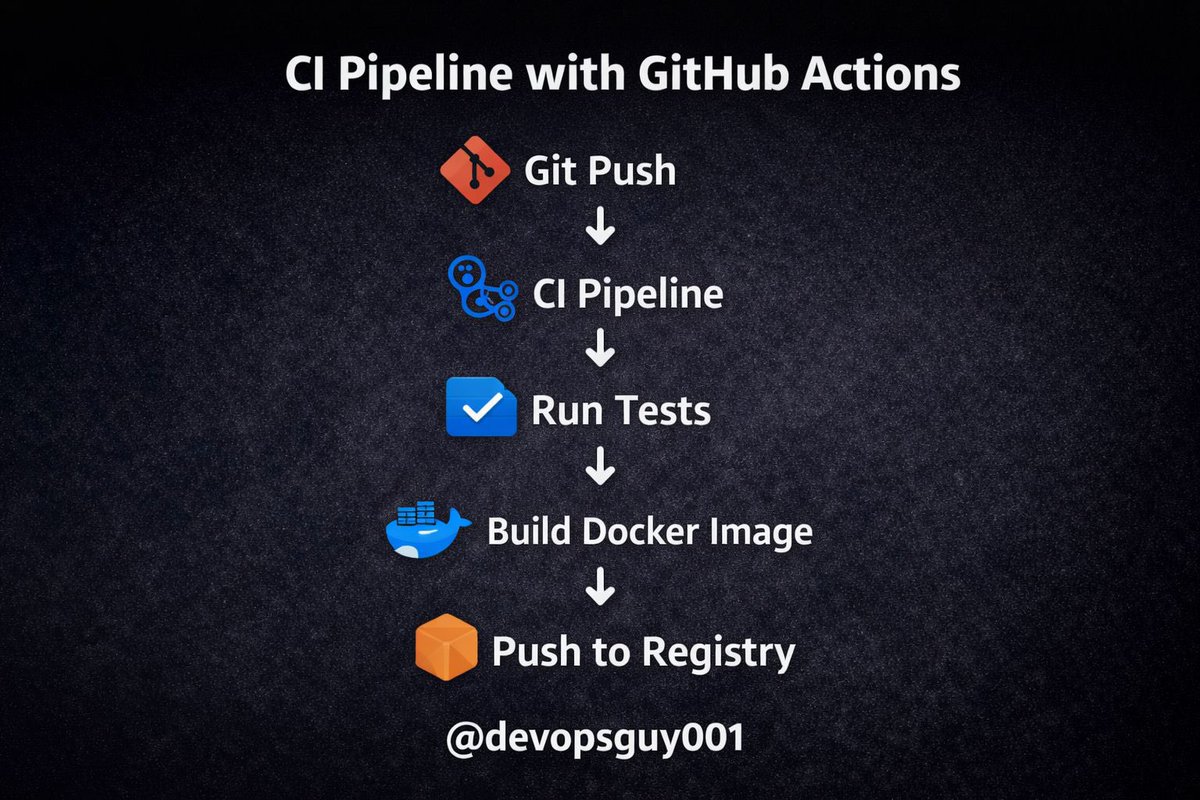
Today we’ll build a **simple CI pipeline** that:
• Runs tests on every push
• Builds a Docker image
• Pushes it to a container registry
All automatically.
Let’s walk through it 👇
First, the CI tool.
For this example we’ll use:
GitHub Actions
Why?
• Built into GitHub
• Simple YAML configuration
• Perfect for most projects
All pipelines live inside:
`.github/workflows/`
Now create a workflow file:
`ci.yml`
Example pipeline:
```yaml
name: CI Pipeline
on:
push:
branches: [ main ]
jobs:
build:
runs-on: ubuntu-latest
steps:
- name: Checkout code
uses: actions/checkout@v4
- name: Set up Docker
uses: docker/setup-buildx-action@v3
- name: Run tests
run: npm test
- name: Build Docker image
run: docker build -t myapp:${{ github.sha }} .
```
Every push to `main` now triggers this pipeline.
What happens when you push code?
1️⃣ Git push
2️⃣ Pipeline starts automatically
3️⃣ Code is checked out
4️⃣ Tests run
5️⃣ Docker image builds
If anything fails, the pipeline stops.
That’s CI doing its job.
Now let’s talk artifacts.
Instead of rebuilding code later, we store the output.
In container-based systems this is usually a:
Docker image.
That image becomes the **exact version deployed later**.
Immutable builds = reliable deployments.
Why this matters:
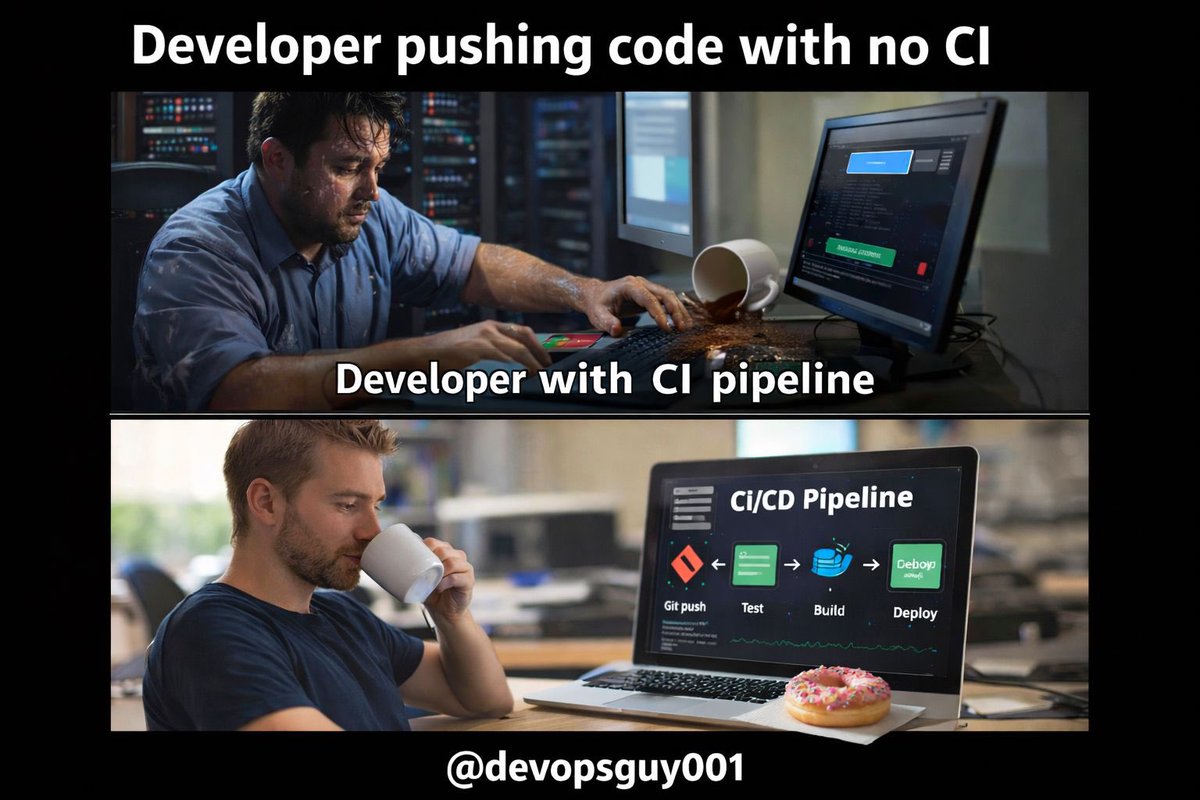
Without CI:
• Bugs reach production
• Developers break each other’s code
• Debugging becomes chaos
With CI:
Every change is tested automatically.
Your CI pipeline should be:
✔ Fast
✔ Reliable
✔ Automated
✔ Easy to understand
Complex pipelines become technical debt.
Keep them simple.
Tomorrow (Day 6):
Why containers completely changed CI/CD pipelines
#DevOps #CI_C #Automation #TechTips
1
33
Mar 11
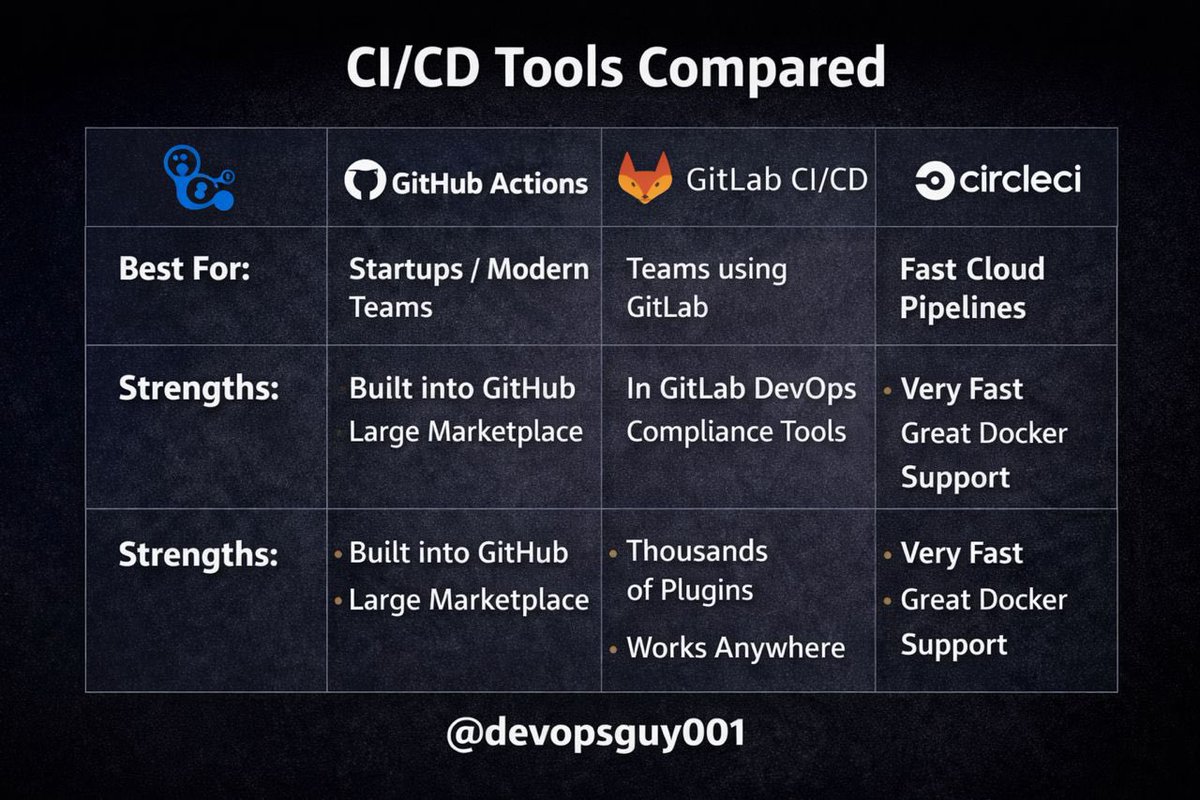
Day 4/14 — CI/CD Tools Explained (Without the Hype) ⚙️
There are dozens of CI/CD tools.
But most teams only need one of these 4:
• GitHub Actions
• GitLab CI
• Jenkins
• CircleCI
Let’s break down when each actually makes sense 👇
1️⃣ GitHub Actions
Best for: most startups and modern teams.
Why it’s popular:
• Built directly into GitHub
• Simple YAML workflows
• Huge marketplace of actions
For many teams, this is all you need.
Tool: GitHub Actions
2️⃣ GitLab CI/CD
Best for: teams already using GitLab.
Strengths:
• Built-in pipelines
• Great DevOps ecosystem
• Security and compliance features
Everything from code → deploy lives in one place.
Tool: GitLab CI/CD
3️⃣ Jenkins
The veteran of CI/CD.
Strengths:
• Extremely flexible
• Thousands of plugins
• Works in almost any environment
But there’s a tradeoff:
You manage everything.
Tool: Jenkins
4️⃣ CircleCI
Best for: fast cloud pipelines.
Strengths:
• Very fast execution
• Good caching
• Easy Docker integration
Popular among high-speed engineering teams.
Tool: CircleCI
Here’s the reality most engineers learn the hard way:
You don’t need the most powerful CI/CD tool.
You need the **simplest tool your team will actually maintain.**
Complex pipelines become technical debt fast.
My rule of thumb:
Small team → GitHub Actions
GitLab ecosystem → GitLab CI
Enterprise legacy → Jenkins
Performance-focused pipelines → CircleCI
CI/CD isn’t about the tool.
It’s about:
• Fast feedback
• Reliable builds
• Automated testing
• Safe deployments
Tools just implement the process.
Tomorrow (Day 5):
I’ll walk through building a real CI pipeline step-by-step using YAML.
3
196
Mar 10
Day 3/14 — What Actually Happens After CI Passes? 🚀
Your CI pipeline ran.
✅ Build succeeded
✅ Tests passed
✅ Artifact created
Now what?
This is where CD begins.
But most engineers confuse what CD actually means.
Let’s break it down 👇
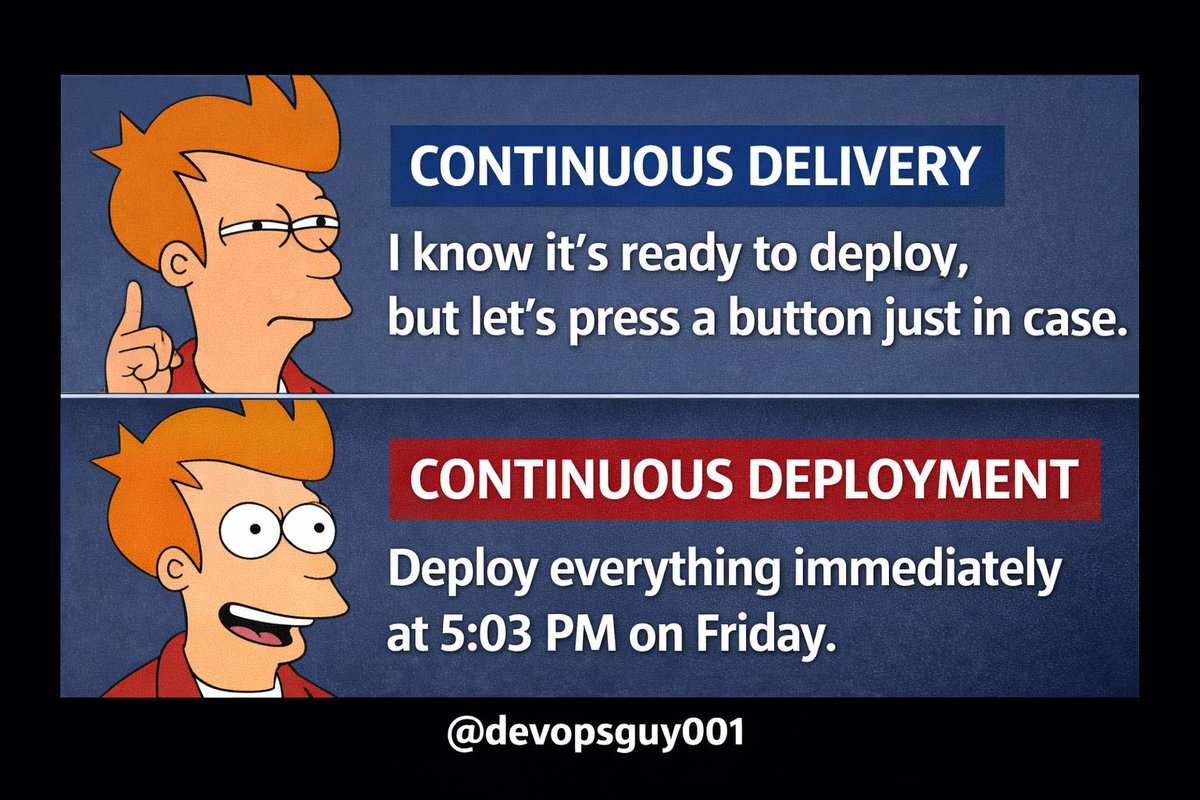
First: CD has two meanings.
1️⃣ Continuous Delivery
2️⃣ Continuous Deployment
They sound similar.
But they change how your entire engineering team works.
Continuous Delivery
After CI passes, the application is automatically prepared for production
But deployment still requires a manual approval
Pipeline flow:
Git push → CI → Build artifact → Deploy to staging → Manual release to production
This is how many companies operate.
Why?
Because it adds a safety checkpoint.
Continuous Deployment
Here’s the difference.
If the pipeline passes…
It goes directly to production automatically
Pipeline flow:
Git push → CI → Tests → Build → Deploy to production
No manual approval.
No release meeting.
Just automation.
“But that sounds dangerous.”
Only if your pipeline is weak.
Teams that practice Continuous Deployment rely on:
• Strong automated tests
• Monitoring & alerts
• Fast rollback strategies
Without these, automation becomes risky.
In modern cloud systems, deployment is usually handled by platforms like:
• Kubernetes
• Argo CD
• Flux
These tools allow safe, automated releases.
Here’s the reality:
Most companies say they do CI/CD.
But in practice they only do CI manual deployments
And that’s okay.
Maturity takes time.
---
A good progression looks like this:
Stage 1
Manual deployments
Stage 2
Continuous Integration
Stage 3
Continuous Delivery
Stage 4
Continuous Deployment
Each step increases speed, confidence, and reliability
3
25
Ever typed kubectl delete pod in the wrong terminal window and felt your heart drop? 🥶
Say goodbye to accidental production outages. I just launched Guardrail 🛡️
It's a context-aware Go CLI that wraps your terminal, actively scans for destructive commands (like apply/destroy), and physically blocks them if you're pointed at a Prod environment.
Works seamlessly with Kubernetes and AWS/GCP setups.
Check out the docs and install it here: guardrail-website.vercel.app…
Let me know what you think, guys 💪
#Golang #DevOps #Kubernetes #AWS #SRE #OpenSource
1
2
21
Time to have some rest, hopefully 😂
TGIF
Your week in one word 🤔
3
29
Day 2/14 — The Anatomy of a Real CI Pipeline ⚙️
A lot of engineers say they “have CI”.
But if your pipeline takes 45 minutes to run and breaks every other commit…
That’s not CI.
That’s punishment.
Let’s break down what a real CI pipeline looks like 👇
---
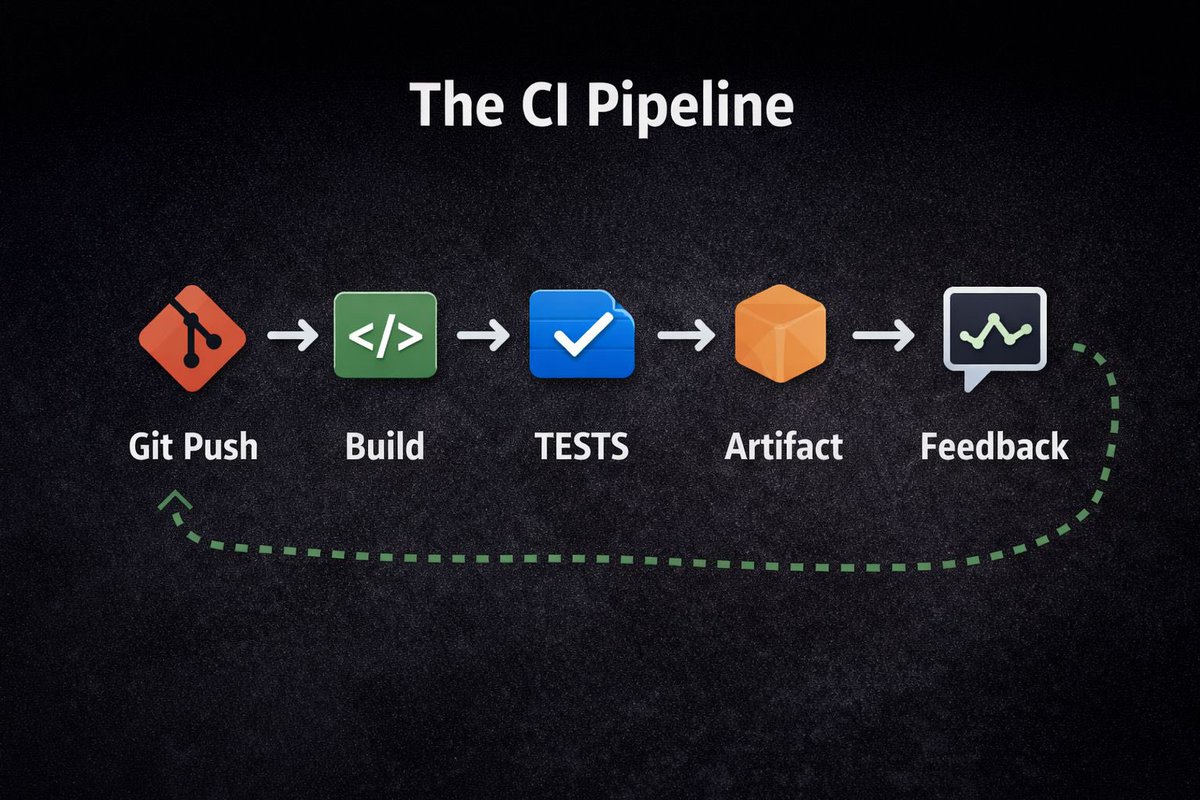
A modern CI pipeline usually follows this flow:
Git push →
CI runner starts →
Build →
Tests →
Artifact creation →
Feedback to developer
The goal is simple:
Catch problems **immediately after code is written.**
Not after deployment.
Step 1: Code Push
A developer pushes code to the main branch.
This triggers a workflow automatically.
No manual steps.
Modern teams use tools like:
• GitHub Actions
• GitLab CI/CD
• Jenkins
The pipeline starts within seconds.
Step 2: Build
The CI system compiles or packages your application.
Examples:
• Build a Java artifact
• Install Node dependencies
• Compile a Go binary
• Build a Docker image
If the build fails, the pipeline stops immediately.
Fast failure = faster fixes.
Step 3: Automated Tests
This is the **most important stage**.
Good pipelines run:
• Unit tests
• Integration tests
• Linting
• Security checks
If tests fail → the code never moves forward.
This protects production.
Step 4: Artifact Creation
Once everything passes, the pipeline produces a **versioned artifact**.
Examples:
• Docker image
• JAR file
• Binary package
Artifacts should be immutable.
Meaning: the same artifact moves through staging → production.
No rebuilding.
Step 5: Developer Feedback
The pipeline reports results instantly:
✅ Success
❌ Failed tests
⚠️ Security alerts
This tight feedback loop is what makes CI powerful.
Developers fix issues immediately.
But here’s where many teams go wrong:
Their pipelines are **too slow.**
A good CI pipeline should run in:
5–10 minutes max.
Anything longer kills developer productivity.
---
The goal of CI is simple:
Ship small changes.
Test automatically.
Catch problems early.
That’s how modern teams deploy dozens (or hundreds) of times per day.
---
Tomorrow (Day 3):
What actually happens **after CI passes**?
We’ll break down Continuous Delivery vs Continuous Deployment.
2
40
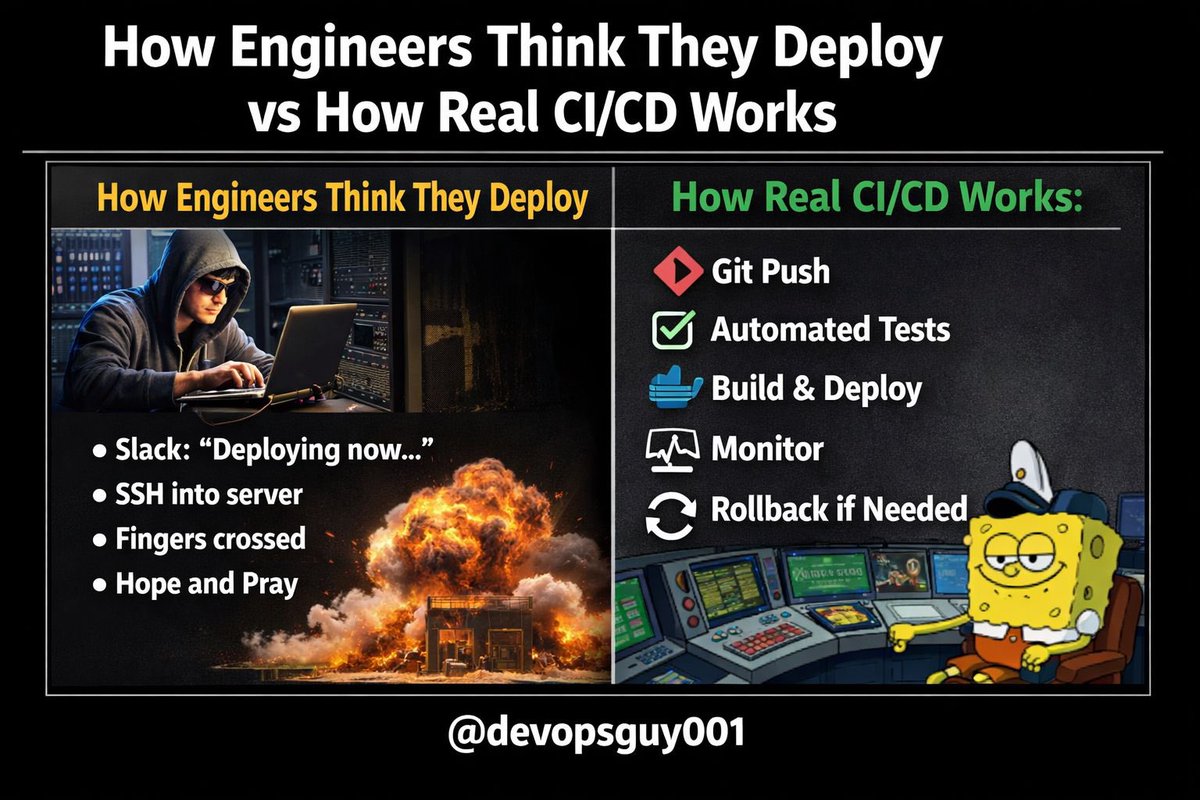
Day 1/14 — Most Engineers Misunderstand CI/CD 🚨
If your deployment requires:
• A Slack approval
• A “DevOps guy” to SSH
• Or a 2-hour maintenance window
That’s not CI/CD.
Here’s what CI/CD *actually* means 👇
---
First: CI ≠ CD
CI (Continuous Integration) is simple:
• Small commits
• Automated builds
• Automated tests
• Fast feedback
If your pipeline takes 40 minutes for a 3-file change, you’re doing CI wrong.
CI is about confidence.
---
Now CD — and this is where most teams get confused.
CD can mean:
1️⃣ Continuous Delivery
Code is always ready for production (manual release button)
2️⃣ Continuous Deployment
Every successful commit goes to production automatically
Most companies stop at Delivery.
Why?
Because they don’t trust their tests.
---
Here’s the hard truth:
If you’re afraid to deploy…
Your testing strategy is broken.
Not your pipeline.
---
Real CI/CD looks like this:
Git push →
CI runs tests →
Build artifact →
Push to registry →
Deploy automatically →
Monitor →
Rollback if needed
No SSH.
No manual patching.
No “it worked on my machine.”
---
CI/CD isn’t about tools.
You don’t need:
• Complex Jenkins setup
• 20 YAML files
• Enterprise licenses
You need:
• Small commits
• Good tests
• Fast pipelines
• Versioned artifacts
• Reproducible builds
Tools come second.
---
Over the next 14 days, I’m building a production-ready CI/CD system in public:
Git → CI → Docker → Registry → Kubernetes → Monitoring
By the end, you’ll understand how modern teams ship safely every day.
Follow along.
Tomorrow: The Anatomy of a Real CI Pipeline.
2
33
Feb 27
My greatest advantage in life, is that I’m a CHRISTIAN ✝️
1
27
Feb 26
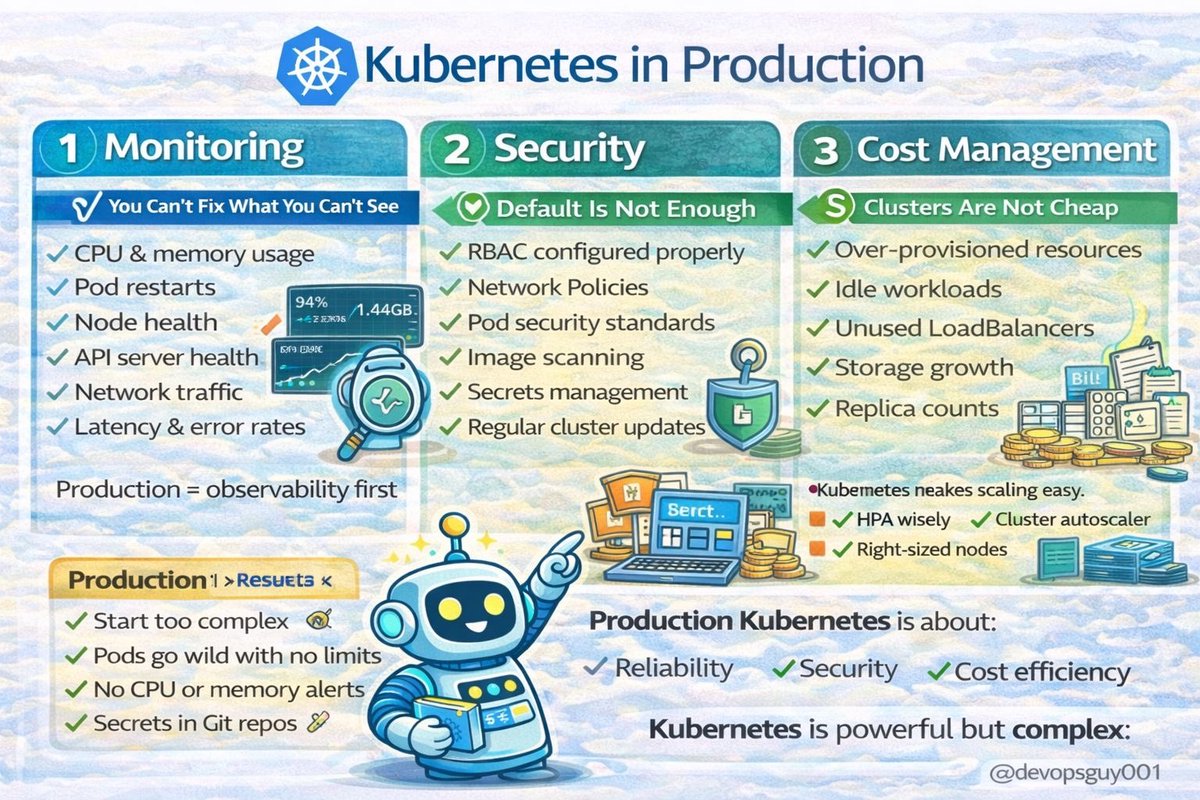
Learning Kubernetes is one thing.
Running it in production? Is a different game.
Kubernetes in Production 👇
1️⃣ Monitoring (You Can’t Fix What You Can’t See)
In production you must monitor:
• CPU & memory usage
• Pod restarts
• Node health
• API server health
• Network traffic
• Latency & error rates
Without monitoring:
You’re guessing.
And guessing is expensive.
Production = observability first.
2️⃣ Security (Default Is Not Enough)
Kubernetes is powerful.
But it’s not automatically secure.
In production you need:
• RBAC configured properly
• Network Policies
• Pod security standards
• Image scanning
• Secrets management
• Regular cluster updates
One misconfiguration
can expose your entire cluster.
Security is continuous.
3️⃣ Cost Management (Clusters Are Not Cheap)
More nodes ≠ better system.
Watch:
• Over-provisioned resources
• Idle workloads
• Unused LoadBalancers
• Storage growth
• Replica counts
Use:
• Resource requests/limits
• HPA wisely
• Cluster autoscaler
• Right-sized nodes
Kubernetes makes scaling easy.
It also makes overspending easy.
4️⃣ What Production Really Means
Production Kubernetes is about:
Reliability
Security
Visibility
Cost efficiency
Not just “kubectl apply”.
Takeaway
• Monitoring keeps you informed
• Security protects your platform
• Cost management protects your budget
• Complexity increases in production
Kubernetes is powerful.
But it demands discipline.
💾 Save this.
Follow @devopsguy001 — DevOps explained simply.
#Kubernetes #DevOps #CloudNative #SRE #PlatformEngineering #FinOps
1
3
111
Feb 24
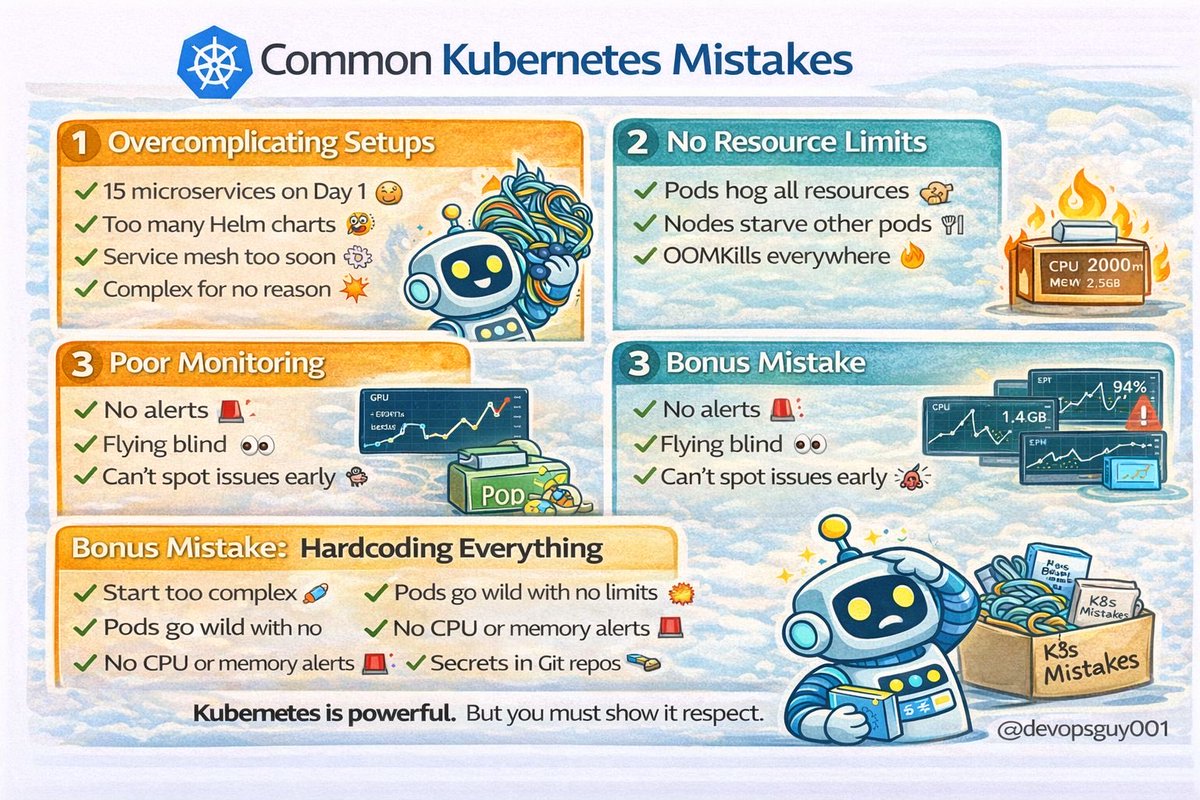
Common Kubernetes Mistakes
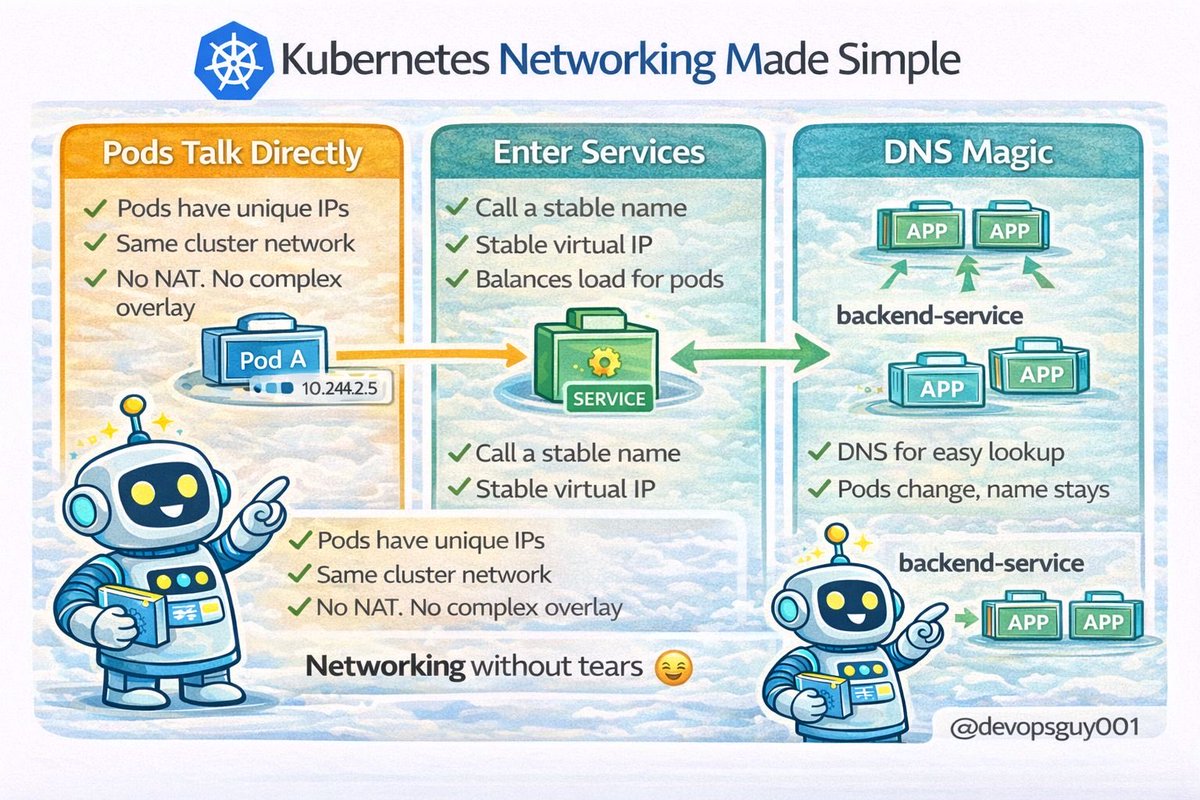
You’ve learned Pods.
Services.
Scaling.
Networking.
Now let’s talk about the mistakes almost everyone makes 👇
(I’ve made them too.)
1️⃣ Overcomplicating Everything
You don’t need:
• 15 microservices on Day 1
• A service mesh immediately
• 40 Helm charts
• 9 environments
Start simple.
Kubernetes is powerful —
but complexity compounds fast.
Simple architecture > fancy architecture.
2️⃣ No Resource Limits
This one hurts.
If you don’t define:
• requests
• limits
Pods can:
• Consume all node memory
• Trigger OOMKills
• Starve other workloads
Cluster becomes unstable.
Always define CPU & memory requests/limits.
No limits = chaos.
3️⃣ Ignoring Monitoring
If you’re not monitoring:
• CPU
• Memory
• Pod restarts
• Node health
You’re flying blind.
When something breaks,
you won’t know why.
Monitoring is not optional in production.
4️⃣ Bonus Mistake: Hardcoding Everything
Hardcoded IPs.
Hardcoded configs.
Secrets in repos.
That’s not cloud-native.
Use:
• Services
• ConfigMaps
• Secrets
• Environment variables
Let Kubernetes do its job.
5️⃣ What Happens If You Ignore These?
• Random crashes
• Unstable nodes
• Performance issues
• 2AM debugging sessions
And lots of regret.
Week 2 · Day 6 Takeaway
• Keep architecture simple
• Always set resource limits
• Monitor everything
• Don’t fight the platform
Kubernetes is powerful.
But only if you respect it.
💾 Save this.
Follow @devopsguy001 — DevOps explained simply.
#Kubernetes #DevOps #CloudNative #SRE #PlatformEngineering
1
3
45