Accelerate Prototyping: Clicker 4 for Renesas RA4M2 is Here!
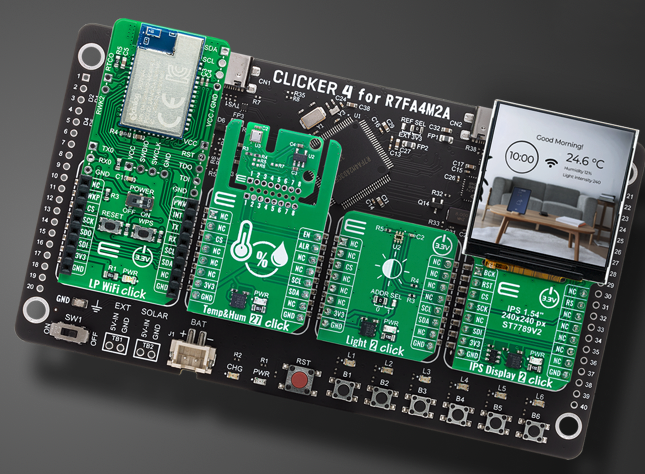
Design cycles are shrinking, but the demand for complex, multi-sensor IoT devices is growing. To help engineers bridge that gap, MIKROE has launched the Clicker 4 for R7FA4M2AD3CFP—a compact, powerful development board that turns months of hardware integration into days of prototyping.
The Core: Renesas RA4M2
At the heart of this board is the R7FA4M2AD3CFP MCU. Built on the Arm® Cortex®-M33 core running at 100 MHz, it provides the deterministic performance and security features required for modern industrial monitoring and automation controllers.
Why Clicker 4 is a Game-Changer:
The real power of this board lies in its four mikroBUS™ sockets. This allows you to combine up to four Click boards™ simultaneously from a library of over 1,600 options.
Whether you need to mix and match:
🔹 Sensors (Environmental, Motion, Pressure)
🔹 Wireless Connectivity (LTE, Wi-Fi 6, LoRa, BLE 5.4)
🔹 Motor Control & Power Management
🔹 HMI & Displays
...you can build a fully functional, specialized device without ever touching a soldering iron or designing a custom PCB for your proof-of-concept.
A Complete Software Ecosystem
Hardware is only half the story. MIKROE and Renesas have solidified their partnership to ensure a seamless "out-of-the-box" experience:
🔹 NECTO Studio IDE: Now supports 555 Renesas MCUs, with 152 already featuring full mikroSDK support for rapid library integration.
🔹 EmbeddedWiki: Access over 12,000 live projects featuring Renesas dev boards to give your software a massive head start.
🔹 Onboard CODEGRIP: Program and debug directly over USB-C—no external hardware debuggers required.
Industrial-Grade Reliability
Designed for "production-ready" concepts, the board includes dedicated power management circuitry to ensure stability when running complex, multi-module applications in demanding environments.
As Neb Matic, CEO of MIKROE, notes: "Clicker 4 is perfect for engineers who need to quickly build and test new concepts... it’s about making the signal path explicit and architecturally visible earlier in the process."
#EmbeddedSystems #Renesas #MIKROE #IoT #ArmCortex #RapidPrototyping #IndustrialAutomation #ClickBoards #NECTOStudio #ElectronicsEngineering
10
75
4,445
MIKROE signs multi-year MCU embedded development tool support deal with Renesas
Embedded solutions company, MIKROE, has signed a multi-year MCU development tool support deal with Tokyo based Renesas Electronics Corporation.
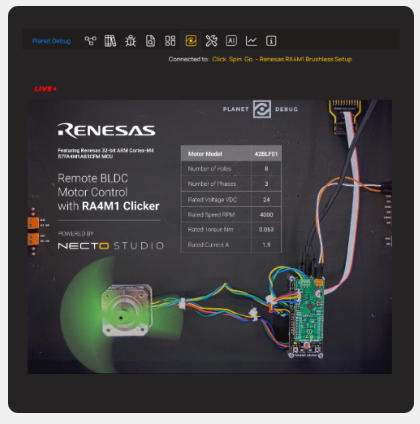
The agreement commits MIKROE to providing development tools for 500 of Renesas’ most popular MCUs, plus upcoming new releases. A ‘Planet Debug’ remote board farm, which enables developers anywhere in the world to remotely debug code without having to invest in any hardware, has also been established – the first of its kind for Renesas.
Tool support for the Renesas MCUs will be provided via MIKROE’s NECTO Multi-Architectural IDE and Click board™ compact add-on boards that enable developers to rapidly provide proof-of-concept, then prototype and code new embedded projects.
Click boards are fully compatible with the open source mikroBUS socket and can be used on any host system supporting the mikroBUS standard. They come with the mikroSDK open-source libraries, offering excellent flexibility for evaluation and customization.
Comments Neb Matic, MIKROE’s CEO: “We are very excited about this collaboration deal with Renesas. Developers need only to download the latest version of NECTO Studio. This will give them access to development tool support for many popular Renesas MCUs. We are launching with 500 specified MCUs, and will add new devices as they are launched. If you read about a new device you will immediately be able to start programming and debugging with it through NECTO without having to wait for hardware.”
MIKROE has been rolling out its Planet Debug remote board farms in Europe and the Americas, and is planning to promote jointly with Renesas the hardware-as-a-service platform through extensive webinars and other programs. Designers using Renesas devices can reserve time – free of charge – on the remote board farm which is configured to their requirements.
This enables them to develop and debug their own applications code remotely through the NECTO Studio IDE without having to source the hardware, wait for it to arrive and then configure it. Planet Debug remote board farms are enabled by MIKROE's innovative CODEGRIP, the world's first device which allows programming and debugging to be performed over Wi-Fi.
@mikroel
3
20
1,613

4 Dec 2025
Latest version of MIKROE’s NECTO Studio 7.4.0 includes code writing and reviewing features & support for 550 new MCUs
Embedded solutions provider, MIKROE has released a new version of its powerful NECTO Multi-Architectural IDE, delivering direct AI assistance for writing embedded code or reviewing complex functions at the click of a mouse.
Also included is support for 530 new MCUs – from Microchip and Infineon. These have been added into the company’s CODEGRIP programmer & debugger, industry’s first and only debugger over Wi-Fi.
Integrated into the code editor, NECTO AI Code Assistant enables users to: fix selected code; ask questions about the selected board or MCU, and receive answers tailored to the hardware; setup; auto-generate comments and documentation inline, speeding development workflow; and understand any block of code - an ideal function for onboarding, debugging, or knowledge sharing.
Comments Nebojsa Matic, CEO of MIKROE: “All these functions are available at the click of a button in the new version NECTO Studio 7.4.0. Also, for the first time in the embedded industry, this new IDE integrates a graphical Git client (GUI), designed to help developers visualize and manage their Git repository history in an intuitive way.” This Version Control client features all the tools required for efficient code management.
NECTO Studio 7.4.0 includes Visual AI Code Prompt which generates complex embedded code on real hardware with 99% accuracy, and outputs the code directly into the editor saving time and errors. NECTO Studio now also supports the latest GCC for ARM version 14.2, with expanded support for modern language standards including C 20 and C23, numerous bug fixes, and improved stability in code generation and optimization. It also brings enhanced support for newer ARM architectures and instruction sets, updated libraries, runtime support, and better linker/assembler integration.

3
9
758

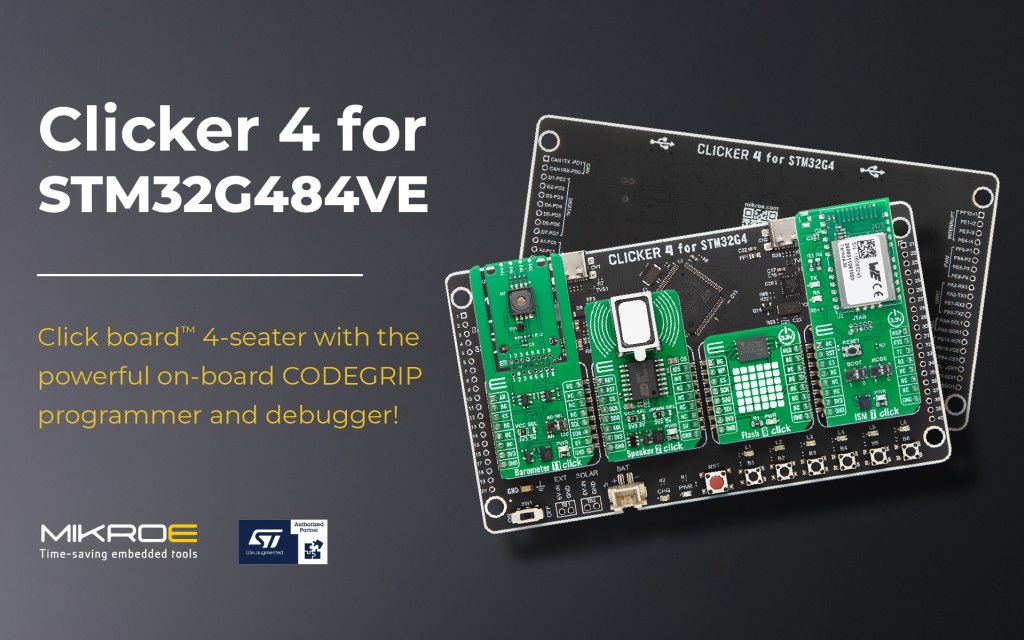
🚀 Power your next big idea – 4 mikroBUS™ sockets onboard CODEGRIP! #STAuthorizedPartner
mikroe.com/blog/clicker-4-fo…
2
104
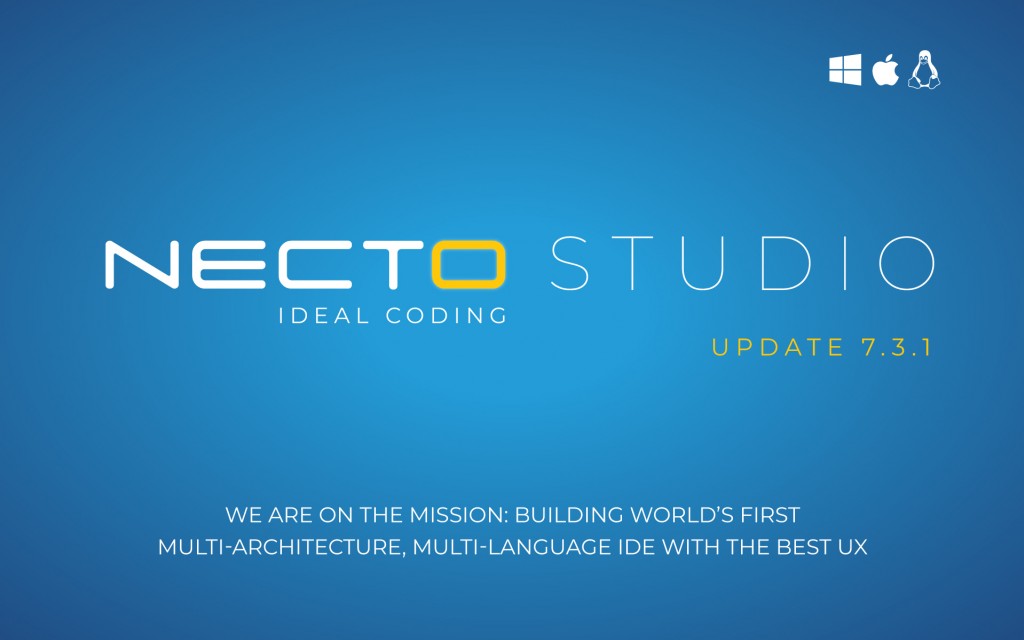
🚀 NECTO Studio 7.3.1 is here!
📊 User Statistics in Productivity Hub
⚡ Easier & faster installation
💻 421 new MCUs in CODEGRIP
🔗 Upgrade now and boost your workflow: mikroe.com/blog/necto-studio…
1
5
174

CodeGrip – An Automated Code Review #SaaS Platform That Helps Developers To Save Time apprater.net/a/codegrip-an-a… #codereview
2
2
34

9 May 2024
[PAQUETE 📦] - Tu código empieza a crecer y se torna difícil de interpretar (por humanos)?
{codegrip} ofrece addins de Rstudio y comandos de Emacs para remoldear tu código y navegar por él de forma más amena.
🔗 github.com/lionel-/codegrip?…
✍🏼 @_lionelhenry
#Rstips #RstatsES
10
25
2,054

25 Apr 2023
What Makes Your Code Smell and How Can You Remove Smells? This article includes some of the most common code smells that you may be committing when developing software bit.ly/3cCvtlZ
.
.
.
#programming #developers #100DaysOfCode #programmerlife #codegrip #codesmells
2
23

6 Mar 2023
Our #rstudio add-in of the day is Codegrip, which makes it easy to beautifully format R function calls (especially long ones) and navigate inside them. #rstats
github.com/lionel-/codegrip
1
4
44
22,048
10 Jan 2023
CodeGrip’s vision is to be a productivity booster for technology teams and make everyone a part of enhancing code quality.
How #CodeGrip make code review easier for your organizations - buff.ly/3GsJF01
#codereview #codequality #code #100DaysOfCode
1
1
11
6 Jan 2023
What Makes Your Code Smell and How Can You Remove Smells? This article includes some of the most common code smells that you may be committing when developing software bit.ly/3cCvtlZ
.
.
.
#programming #developers #100DaysOfCode #programmerlife #codegrip #codesmells
1
1
18
20 Dec 2022
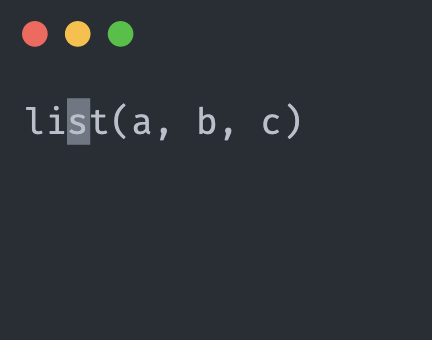
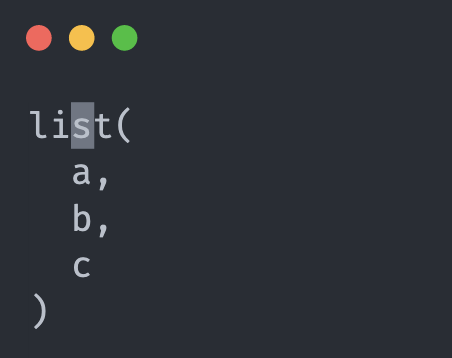
[PAQUETE 📦] - ¿Querés acomodar tu código para que sea más fácil leerlo? Con {codegrip} vas a poder pasar de tener en 1 sóla línea todos los argumentos a 1 argumento por línea
🌐 github.com/lionel-/codegrip?…
✍🏼 @_lionelhenry
#RStats #Rtips
1
5
607
6 Dec 2022
[PAQUETE 📦] - ¿Querés acomodar tu código para que sea más fácil leerlo? Con {codegrip} vas a poder pasar de tener en 1 sóla línea todos los argumentos a 1 argumento por línea
🌐 github.com/lionel-/codegrip?…
✍🏼 @_lionelhenry
#RStats #Rtips
5
5



23 Nov 2022
Ah possibly. Hadley told me he used it in Rmd docs so I thought `rstudioapi::getActiveDocumentContext()` only returned the current chunk or something like that. I'll check next time I work on codegrip.
1
1

23 Nov 2022
More power-ups to your #rstats dev in @rweekly_org Highlights 101! share.fireside.fm/episode/87…
🔧 {codegrip} @_lionelhenry
☔️ DRY package development @patilindrajeets
🎨 Beautiful tables with {gt} @rappa753
h/t @mike_ketchbrook @jonmcalder 🙏
1
6
14
23 Nov 2022
[PAQUETE 📦] - ¿Querés acomodar tu código para que sea más fácil leerlo? Con {codegrip} vas a poder pasar de tener en 1 sóla línea todos los argumentos a 1 argumento por línea
🌐 github.com/lionel-/codegrip?…
✍🏼 @_lionelhenry
#RStats #Rtips
3
4

22 Nov 2022
Hi #rstats, I'm delighted to bring you another issue of
@rweekly_org!
🔗: rweekly.org/2022-W47.html
Highlights 🌟:
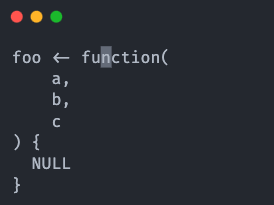
1⃣ 📦 Reshape code with {codegrip} - @_lionelhenry
2⃣ ♻️ DRY Package Development - @patilindrajeets
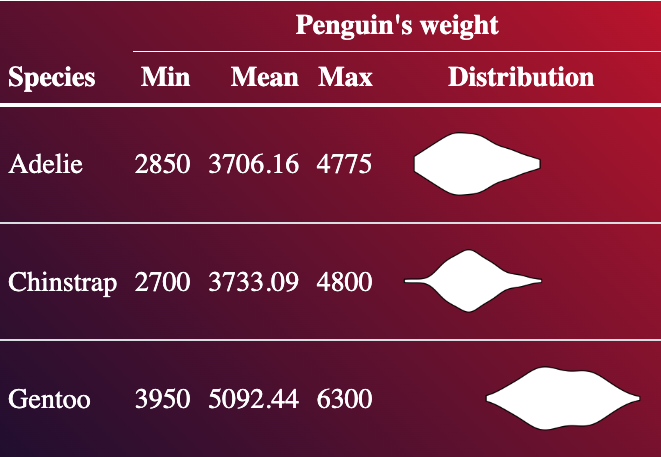
3⃣ 📗 Creating beautiful tables with {gt} - @rappa753

6
24
18 Nov 2022
Excited to share the new codegrip package for reshaping #rstats code! Includes #RStudio addins for reshaping and navigation. Get it at github.com/lionel-/codegrip
6
45
292
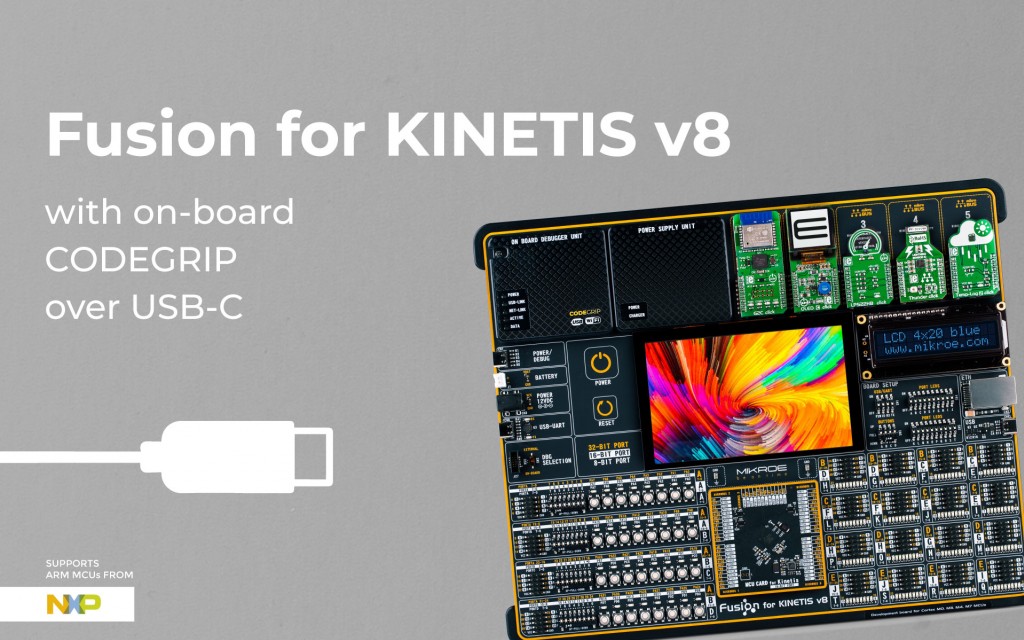
A new and more affordable version of Fusion for Kinetis v8 with on-board CODEGRIP over USB-C. Check it out! :)
mikroe.com/blog/fusion-for-k…
2
2