
Jan 11
5️⃣ Consistency is Key.
Small details like these separate the junior devs from the senior engineers.
Which of these effects are you implementing today?
🚀 Drop a "🔘" in the comments if you want the full Source Code for these custom modifiers!
#BuildInPublic #ComposeTips #Android
3
13

18 Dec 2024
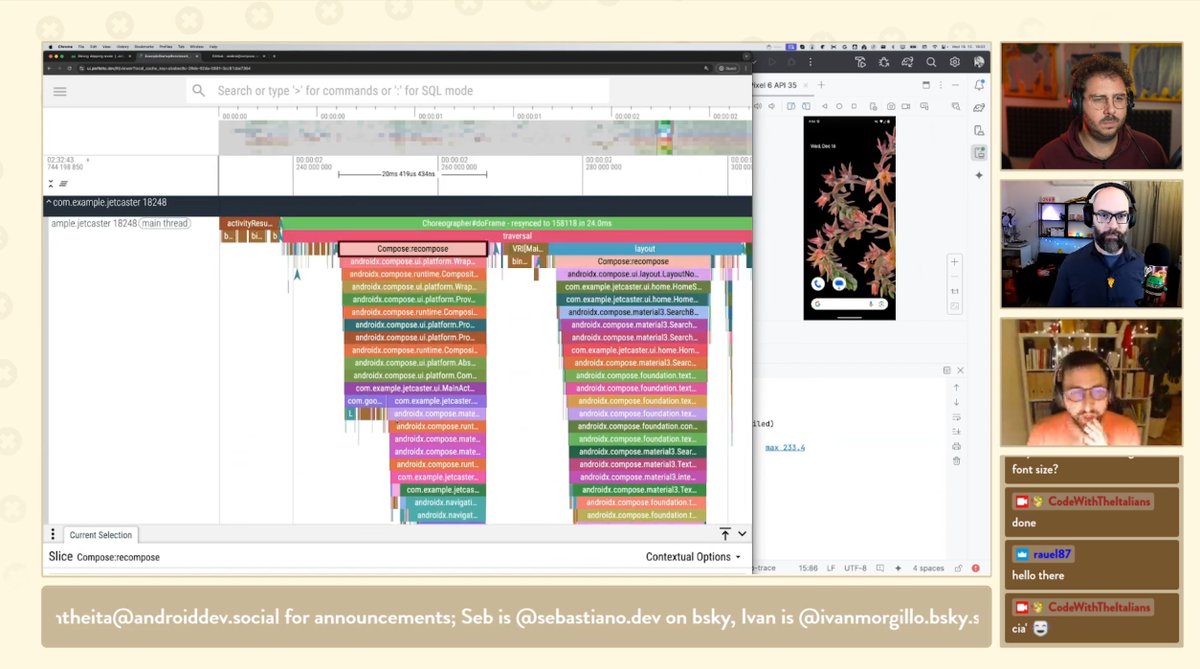
🔴 LIVE! Tomáš Mlynarič joins us to share his magic on Compose performance, Perfetto & Co. No more jank, only smoothness! 🎥 Join here: cwti.link/live #AndroidPerf #ComposeTips
3
12
758

27 Nov 2024
Your UI is art! 👩🏼🎨🎨
In this episode of #ComposeTips you'll learn about Graphics Layers in Compose and how you can use the APIs to composite graphics layers together to create interesting visual effects! → goo.gle/3OkAfsP

ALT Compose Tips for Delightful UI - Graphics Layer video thumbnail
1
7
62
6,908
12 Nov 2024
Build components that can be dragged between anchor points and settle an anchor point at the end of the gesture → goo.gle/3AohhhP
AnchoredDraggable is used to build components like SwipeToDismiss, Navigation Drawers, Bottom Sheets, & more.
#ComposeTips
1
4
50
8,413

25 Sep 2024
✨ I’ve just launched Text Reveal, a fresh experiment that brings text to life with dynamic animations applied to every single character! 🎉 The result? A stunning visual effect you’ll love. Shout out to Enmanuel Delgado for his invaluable contribution. #ComposeTips
#Compose
5
7
51
2,183

29 Aug 2024
"The cake is a lie"
But #ComposeTips aren't :P join us in this Delightful series to learn how to b̶a̶k̶e̶ compose!
youtube.com/watch?v=FL0VyH_1…
4
7
58
4,052

27 Aug 2024
Not sure how I managed to convince the team to let me into the studio with my cake decorating equipment but 💁♀️
Watch the show! 🎂
#ComposeTips #TheAndroidShow


27 Aug 2024

We're live! → goo.gle/tas-24-livestream
It's time for #TheAndroidShow! We're diving into the latest dev news from @MadeByGoogle and showing you how to get building for foldables and Wear OS 5, plus a look at @Gemini Nano. You won't want to miss it!
5
6
93
15,123
22 Aug 2024
💮 Looks intricate, feels easy, builds quickly: We're talking about nested scrolling.
For #ComposeTips, @anomisSi walks devs through using nested scrolling in Compose for a seemingly complex coordination between multiple components on a single scroll → goo.gle/3AHxY7j
5
72
10,043
19 Aug 2024
↕️ Let users switch through content in different directions on your app with the Pager composable.
Join @riggaroo and learn about the composable, its configuration parameters, and animations. #ComposeTips
↔️ Smooth, satisfying gestures await → goo.gle/4fOtkoi
6
9
95
12,255
15 Aug 2024
📱 Expanding your app to go edge to edge is a small change but contributes a lot to a delightful look and feel of an app.
▶️ Check out this #ComposeTips video on how to go edge-to-edge in a safe way. youtube.com/shorts/F-Jpr5E1i…
3
4
61
11,557
14 Aug 2024
And next...Become a UI artist by leveraging Brushes and Gradients in the latest Delightful #ComposeTips 🖌️
youtu.be/qh72KAX6TSI?si=MPJy…
5
18
1,467
23 Jul 2024
Quick and easy Compose tips that'll make your UIs shine! 😍
In this new series, we'll cover how subtle changes can make a big difference to your apps. Check out the playlist → goo.gle/ComposeTips
#ComposeTips
1
25
124
14,098

2 Jan 2024
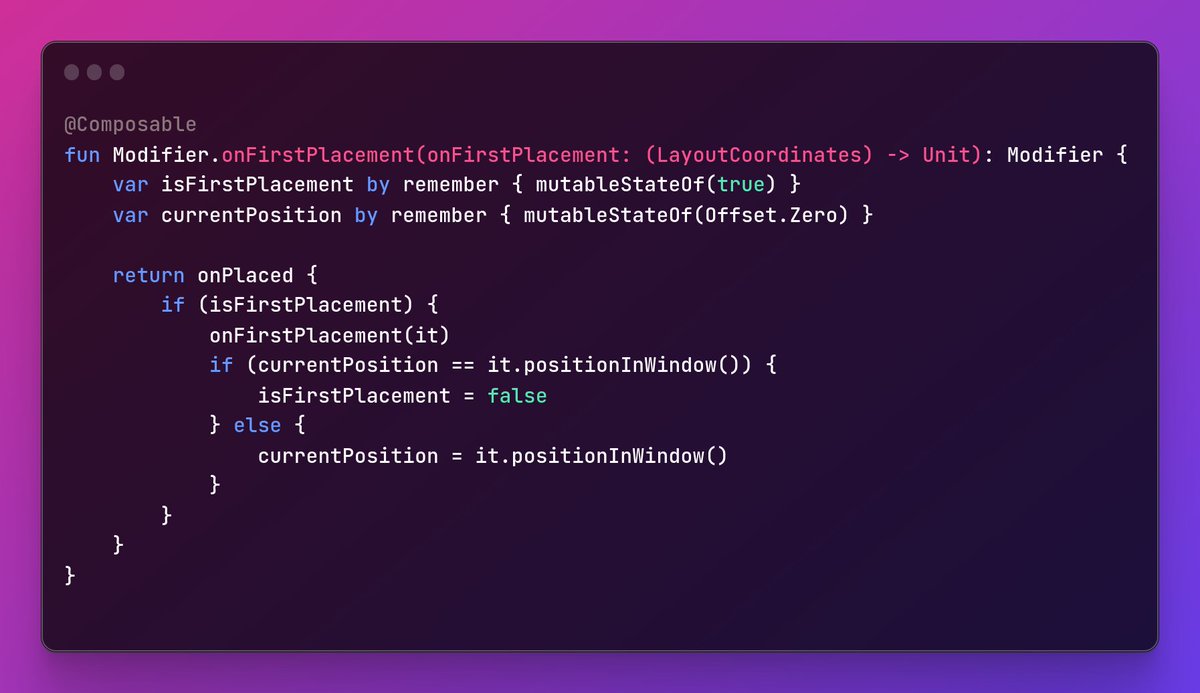
Sometimes in #JetpackCompose, we have some scrollable screens, and we need to get a composable's first position in the window. ✨ Here's a handy solution using onPlaced modifier. 🚀 To explore the code: gist.github.com/muhammedesad…
#AndroidDev #ComposeTips
4
552

30 Mar 2022
スタジオギビン公式YouTubeに動画がアップされました
「サンプラーで何でも楽器になるよ♪」【ショート】
youtu.be/dL1It9CzNTg
#ComposeTips
#Cubase
#Sampler
#VSTPlugIn
#SyntheLead

3
8

4 May 2021
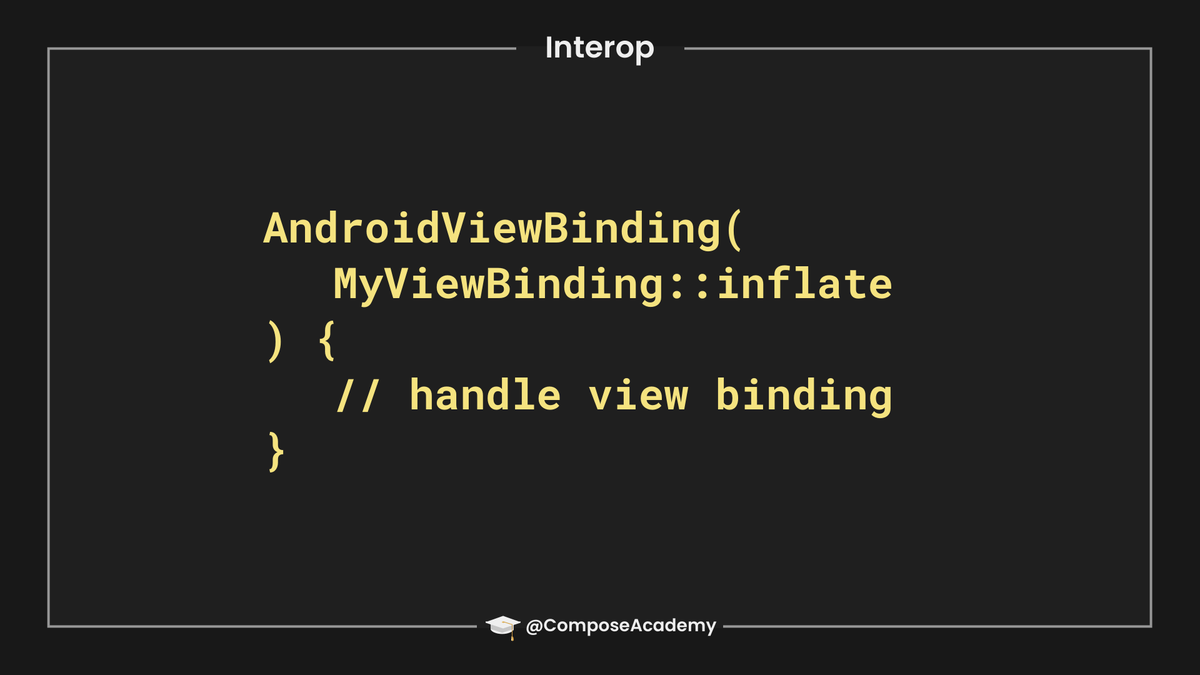
From the ui-viewbinding package, use the Android View Binding composable to compose a layout resource, enabling the use of viewbinding in the process. Once inflated, use the update block to manipulate view properties 🔭 #JetpackCompose #AndroidDev #ComposeTips
6
15
4 Apr 2021
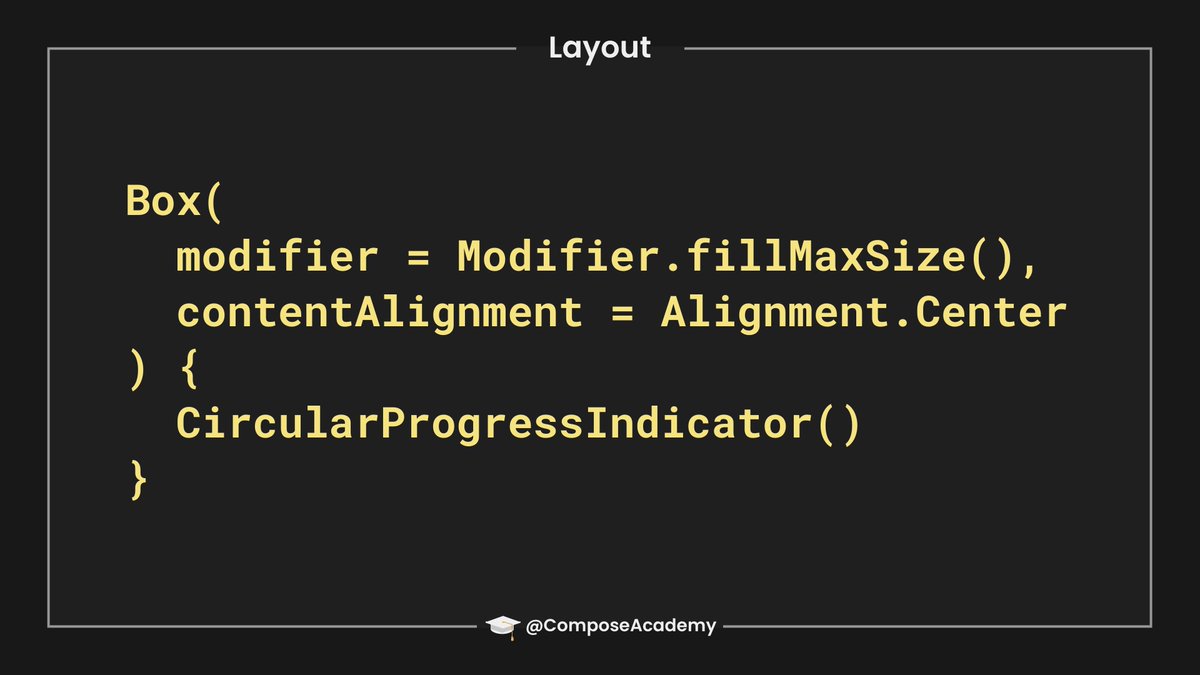
When you only need to show a single composable child within a layout, the Box composable is a great choice! With similar behaviour to FrameLayout in Android UI, this makes it a better match over the Column / Row in this scenario Package 📦 #AndroidDev #JetpackCompose #ComposeTips
1
9
47
9 Mar 2021
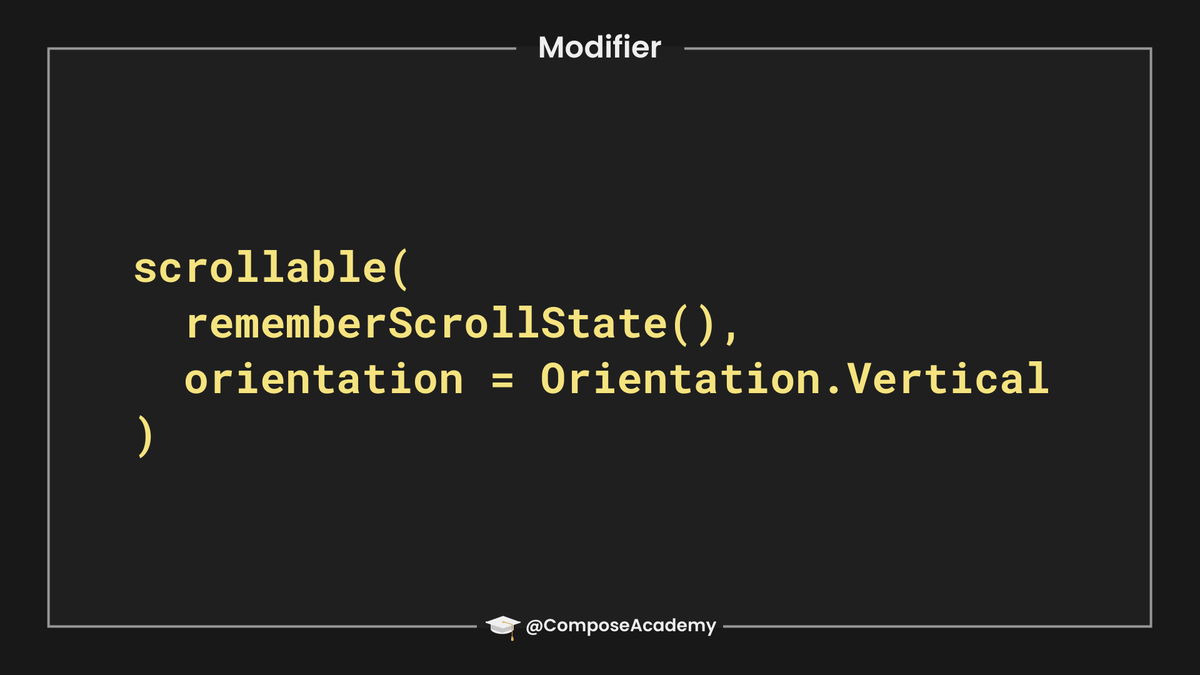
Need to support scrolling in your composable? Using the scrollable modifier allows us to enable scrolling for the specified composable, giving the ability to display content that may extend from the visible area of the screen 📜 #JetpackCompose #AndroidDev #ComposeTips
1
9
56
6 Mar 2021
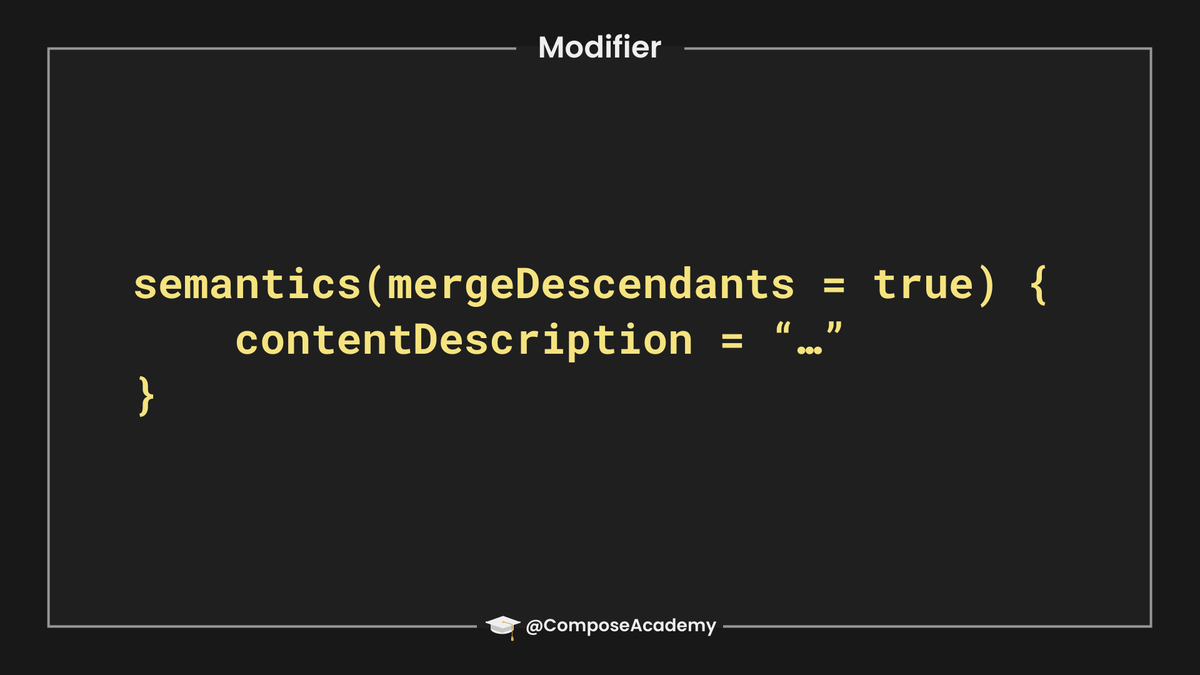
Using mergeDescendants, screen readers can recognise nodes as a single logical entity. This removes the need to focus and navigate through multiple descendants, allowing them to be communicated as one 🔎 buff.ly/3qsETH2 #ComposeTips #JetpackCompose #AndroidDev #a11y
9
28
