I spent 6 hours prompting AI today,
Grab these tips to save you time
1. Prompt -> Test -> Review results -> Update Prompts
Example:
AI was returning a categorization as “CourseChange” instead of “Course Change”.
👉 Notice subtle nuances like this with AI results, and do extensive testing and scrutinize every AI response for really minor issues.
2. Claude > Open AI > Gemini
Example:
I was categorizing Cases based on Call transcript, and the variance between these three leading models is fairly different.
👉 When it comes to analyzing unstructured text, the difference in quality of response to the exact same prompt and request data is significant.
Add lots of examples to your Prompt to improve accuracy, but definitely test across variety of records.
Thankfully, GPTfy lets me switch AI models with a click, so I can always test how different models will behave.
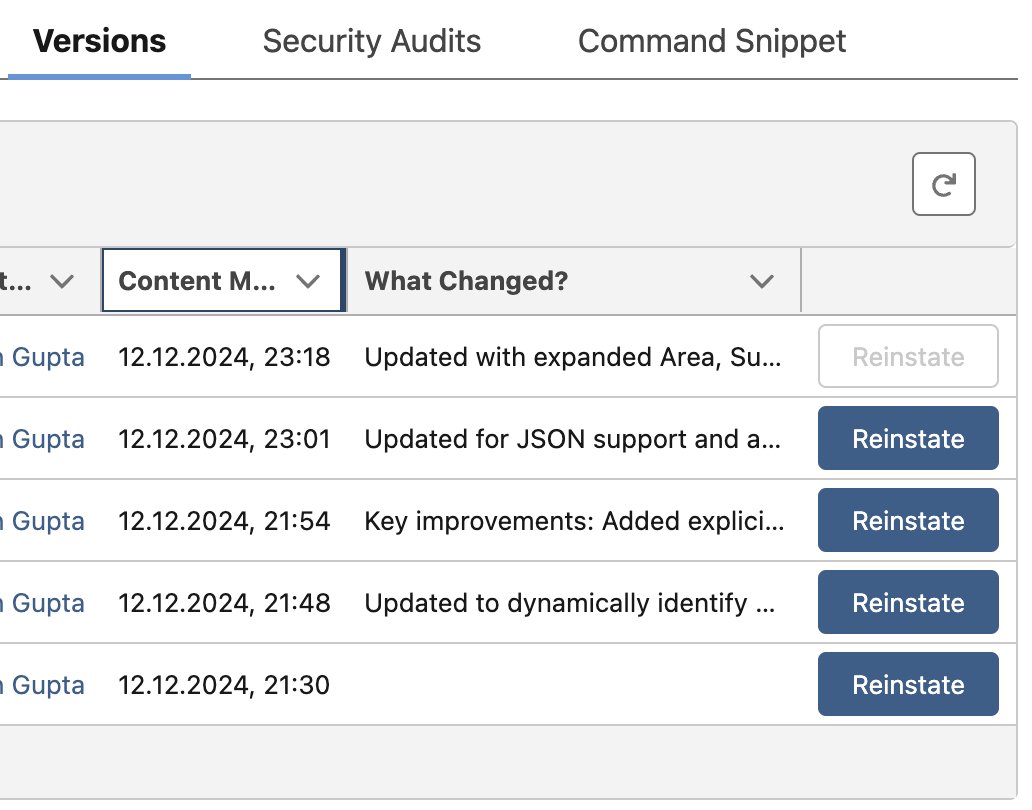
3. Version Control these Babies
Example:
My prompt was working well, but suddenly got screwed up when I made a minor change.
👉 Having Prompt versioning will save you a lot of headache, and lets you get back to a good place soon.
Again, GPTfy comes with built-in Version Control, so I just need to be diligent about putting good comments, but that is it.
The point is...Don't let vendor hype about Agents, Co-pilots and new Models take you for a ride, do the work of testing these out.
These days, my favorite activity is to do lots of Prompting.
Anything you would care to share on this?
Also, check out
@gptfyai, if you haven't yet.
As I use it a fair bit,
I am finding what works
And what needs improvements.
And let me tell you...That list is not short ;-)
Gen AI is awesome,
But like every good thing,
It will take time and effort from all of us.
#salesforce #gptfy #promptengineering #agentforce #appexchange #datacloud #aicloud