
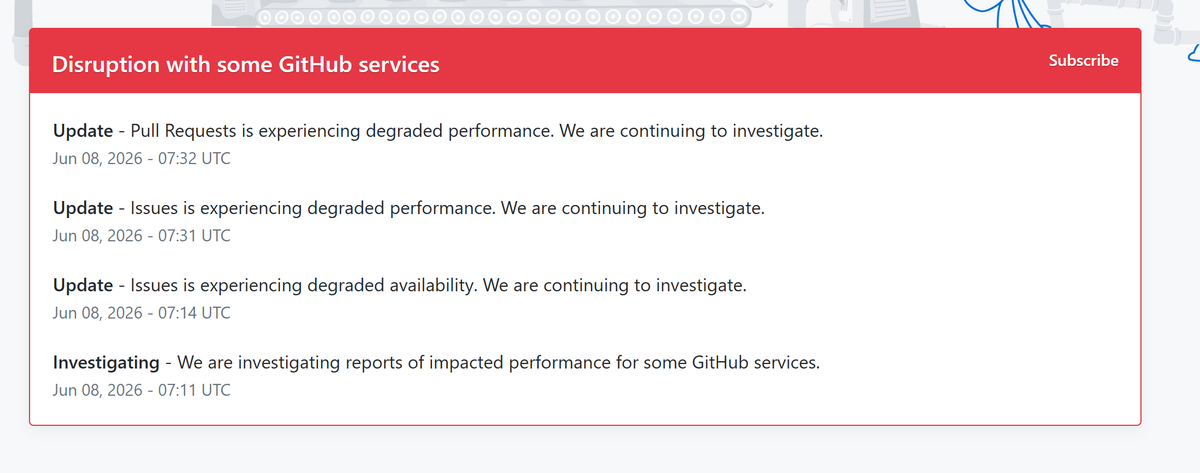
Discover the latest updates on the GitHub outage today. Learn about the infrastructure disruption, status page changes, and engineering fixes.
#GitHub #GitHubOutage #TechNews #DeveloperAlert #CloudStatus #GitHubDown
securityonline.info/github-o…
1
367
OpenAI confirms an upcoming legacy model deprecation on June 2, retiring GPT-5.2 and GPT-5.3-Codex from ChatGPT while forcing a shift to GPT-5.5.
#OpenAI #GPT5 #Codex #DeveloperAlert #ArtificialIntelligence #ChatGPT #LLM
securityonline.info/openai-l…
1
1
4
515

Mar 3
🚨 Antigravity / Gemini API 封号预警 & 申诉指南 🚨
近期由于接入 OpenClaw 导致大量开发者遭遇 Antigravity/Gemini API 403 封号。
这是目前的有效申诉渠道,供兄弟们自救:
1️⃣ 专用申诉邮箱: gemini-code-assist-user-feedback@google.com(最直接的开发团队路径,建议英文诚恳申诉)
2️⃣ 自救三步走:
- 承认误用第三方 Wrapper,强调并非恶意。
明确表示已卸载 OpenClaw 并撤销 OAuth 授权。
承诺后续仅使用官方 IDE/SDK。
3️⃣ 风险提醒: 封号后切勿立即在同 IP/设备注册新号,极易连坐。
希望能引起官方关注,对于初衷是探索自动化效率的开发者给予解封机会。🙏
cc: @logankilpatrick @Paige_Bailey @TheReal_Hollie @tyler_j_m_f @GoogleDevExpert
#Antigravity #GeminiAPI #OpenClaw #GoogleAI #DeveloperAlert #BuildWithGemini
1
14
3,079

24 Apr 2025
👨💻 Hundreds of security patches were released concurrently with the release of major Oracle Cloud breaches that exposed MILLIONS of records. Is the data at your company in danger? #TechNews #CodeSecurity #CloudComputing #CyberSecurity #DeveloperAlert
2
72

25 Jan 2024
📣 PSA for @bubble devs . . . 📣
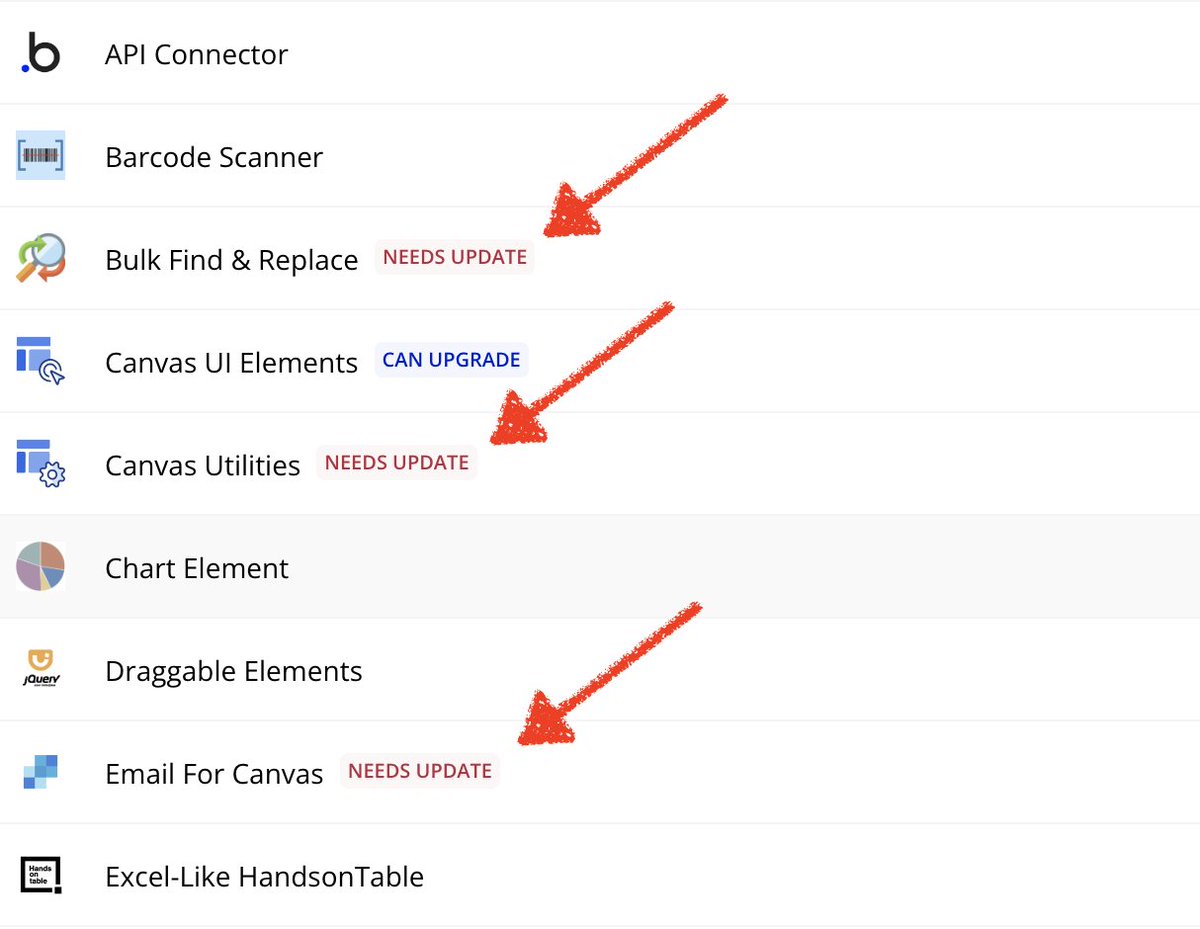
Do you use 🔌 plugins 🔌 in your Bubble apps? Silly question, right? Of course you do!!!! And because of that, you need to go update your plugins before March 12th 2024, because if you don't, you'll risk turning your app into a buggy mess that you'll have to scramble to fix. Why, you ask? Because in March "AWS plans to remove a specific function that some Bubble plugin authors use for specific server-side actions." Which might break your apps. So here's what to do:
👨💻 "NEEDS UPDATE" 👨💻
❗❗These are the most critical ❗❗ The ones that might break your app if you don't deal with them before the March 12th deadline.
1. Change the plugin’s currently installed version to the latest one available in the “currently installed version” dropdown.
2. Use the app search tool to identify and check the integration points of updated plugins.
3. "Run as" a user who would use interface elements or workflows connected to plugins you have updated. Look for 🐞 and error messages.
💔 "DEPRECATED" 💔
Some authors just don't love their plugins like they used to. When a plug-in is "deprecated," that means it has not yet been updated by the author to adapt to the AWS change that takes place in March. Now, these plugins may still work just fine without being supported. But it's best to find replacements for the functionality in a deprecated plugin ASAP.
1. Search for alternative plugins in the Bubble marketplace.
2. Monitor for any updates from the plugin author over the coming weeks.
3. Contact the plugin author to see if they intend to support the plugin through this transition.
⚡ "CAN UPGRADE" ⚡
You don't need to worry about these ones as much, but you might as well upgrade the working ones too.
1. Use the app search tool to identify and check the plugin's integration points.
2. "Run as" a user who would use interface elements or workflows connected to plugins you have updated. Look for 🐞 and error messages.
🧠 MORE ADVICE 🧠
When, for whatever reason, you can't or don't want to use a plugin anymore, there are still options for retaining that plugin's functionality in your bubble app.
1. Rebuild the plugin's functions with your own, custom plugin.
2. If the plugin houses mostly simple API calls, rebuild the plugin's core functions in the API connector.
3. Hire someone to build you a custom plugin, or to remake the API calls. There are lots of talented plugin builders out there, and we'd be happy to introduce you to one 😉 .
That is, after all, what we do @BootstrappedMVP.
Here's the forum post: forum.bubble.io/t/updating-p…. Go read it for deets.
#BubbleDev #PluginUpdate #AWSChanges #NoCodeDevelopment #AppMaintenance #SoftwareUpdate #DeveloperAlert #CodelessTech #BubblePlugins #SoftwareDevelopment #TechAdvice #NoCodeCommunity #BubbleApp #AppDevelopment #TechPSA #PluginAlert #NoCodeSolutions #DeveloperTips #TechUpdates #BubblePlatform
1
11
1,427

Attention all developers with extensions in the Joomla! Extensions Directory (JED)! We've introduced tags for 5.0 (native) and 5.0 (with b/c plugin) compatibility. If your extensions are Joomla 5.0 ready, please update them
extensions.joomla.org/
#JED #JEDUpdates #DeveloperAlert

1
8
30
1,397

2 Sep 2020
Superbe initiative ! Si je peux aider davantage, n’hésitez pas en DM 😘
1


6 Dec 2016

4
3