
Jun 14
原因を知りたくば、コマンドプロンプトで powercfg /lastwake を実行するが良い。
直前に何がPCを起動させたかが一目で判明する。
さらに powercfg /devicequery wake_armed を叩けば、勝手に電源を入れる権限を持った不届きなデバイスの一覧が拝める。
1
17

Answer from xAI 😆
Here's a step-by-step guide to install CUDA 12.1 on Ubuntu 24.04:
1. Prerequisites
# Update system
sudo apt update && sudo apt upgrade -y
# Install build essentials and kernel headers
sudo apt install -y build-essential linux-headers-$(uname -r)
# Install required dependencies
sudo apt install -y wget software-properties-common gnupg2
2. Verify NVIDIA Driver Compatibility
CUDA 12.1 requires NVIDIA driver ≥ 525.60.13. First, check your GPU and install/update driver:
# Check your GPU
lspci | grep -i nvidia
# Add NVIDIA repository for latest drivers
wget developer.download.nvidia.co…
sudo dpkg -i cuda-keyring_1.1-1_all.deb
sudo apt update
# Install NVIDIA driver (525 or newer)
sudo apt install -y nvidia-driver-535 # or latest available ≥525
sudo reboot
Verify driver installation:
nvidia-smi
3. Install CUDA 12.1
# Add CUDA repository
wget developer.download.nvidia.co…
sudo dpkg -i cuda-keyring_1.1-1_all.deb
# Update package list
sudo apt update
# Install CUDA 12.1 toolkit
sudo apt install -y cuda-toolkit-12-1
# Optional: Install full CUDA package (includes samples, etc.)
# sudo apt install -y cuda-12-1
4. Configure Environment
Add CUDA to your PATH. Edit ~/.bashrc:
echo 'export PATH=/usr/local/cuda-12.1/bin${PATH: :${PATH}}' >> ~/.bashrc
echo 'export LD_LIBRARY_PATH=/usr/local/cuda-12.1/lib64${LD_LIBRARY_PATH: :${LD_LIBRARY_PATH}}' >> ~/.bashrc
source ~/.bashrc
5. Verify Installation
# Check CUDA version
nvcc --version
# Compile and run CUDA sample
sudo apt install -y cuda-samples-12-1
cd /usr/local/cuda-12.1/samples/1_Utilities/deviceQuery
make
./deviceQuery
Expected output should show:
CUDA Version: 12.1
Device 0: "Your GPU Name"
Result = PASS
6. (Optional) Install cuDNN
For deep learning frameworks:
# Download cuDNN for CUDA 12.1 from NVIDIA Developer site (requires login)
# Then install:
sudo dpkg -i libcudnn8_8.x.x-1 cuda12.1_amd64.deb
sudo dpkg -i libcudnn8-dev_8.x.x-1 cuda12.1_amd64.deb
Troubleshooting
Driver conflicts: Purge old drivers with sudo apt purge nvidia*
Secure Boot: Disable in BIOS if kernel module fails to load
Missing kernel headers: sudo apt install linux-headers-$(uname -r)
PATH not found: Reboot or source ~/.bashrc
Compatibility Note
Ubuntu 24.04 is officially supported by CUDA 12.1. If you encounter issues, consider using the official NVIDIA CUDA repository method above, which handles dependencies automatically.
Your installation is complete when nvcc --version shows release 12.1 and deviceQuery passes!
4
3,941


3 Mar 2025
New blog post: Understanding Device query for multiple devices
petervanderwoude.nl/post/und…
#MSIntune #Intune #EMS #MDM #Windows10 #Windows11 #AdvancedAnalytics #DeviceQuery
11
27
3,302

19 Feb 2025
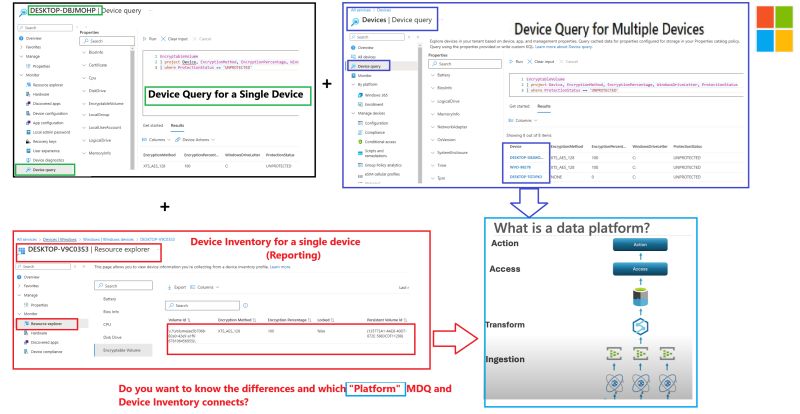
Device Query for Multiple Devices, let's find out how It Really Works!!!
Device Query for a single device gives you (near) real-time data. Resource Explorer (Device Inventory) provides an inventory snapshot for again a single device. But Device Query for multiple devices? That’s where things get interesting.
How does it scale? What makes it different from Resource Explorer? And what’s the hidden link between them?
call4cloud.nl/device-query-f…
Well... one way to find out! Read the blog above!
#Intune #MSIntune #Windows #Windows11 #DeviceInventory #DeviceQuery #Reporting #Troubleshooting
12
53
4,043

4 Feb 2025
In just a day WP Ninja Connect will take place.
The afternoon is fully packed with topics like #epm #automation and #tokens #windows365 #devicequery #compromisedaccounts #devicemanagement #WDAC
Checkout the full lineup at buff.ly/3Opd14M

1
2
160

15 Nov 2024
It has been quite some time since I posted. I was busy transitioning #MSIntune #GroupingAndTargeting to my peer and now stepping in to #Inventory And #DataAnalytics.
How can I make the #DeviceQuery experience better? Reply your thoughts/feedback & stay tuned for updates!
1
3
4
1,075

7 Nov 2024
- powercfg.exe /DEVICEQUERY wake_armed <-- list all device that can wake up the computer
- powercfg.exe /DEVICEDISABLEWAKE "HID-compliant mouse (001)" <-- replace with names in the list, and do it for all (keyboard, mouse…etc).
2
537

10 Sep 2024
突如 win11機がスリープすると直ぐにスリープ解除するようになってしまった。
デバイスマネージャーでは埒が明かないので
Powercfg -devicequery wake_armed
でスリープ解除デバイスを探り
Powercfg -devicedisablewake "デバイス名"
で退治。
無事元に戻りました(^_^;)
1
4
132
5 Sep 2024
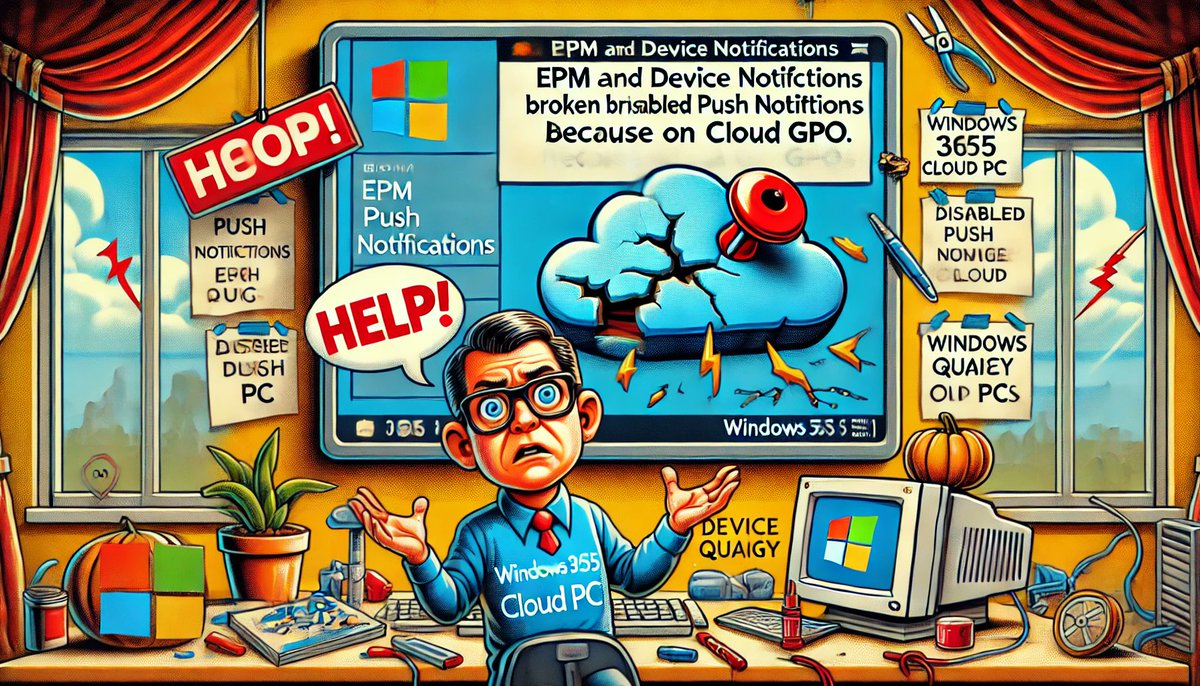
Are you loving the convenience of your Windows 365 Cloud PC and ready to explore powerful #IntuneSuite features like #DeviceQuery and #EPM Support Approved?
Before you jump in, here's a heads-up: I ran into an unexpected issue that could give you a very bad experience. Imagine trying to use those features only to find out they aren’t working....and it gets worse.
Anything that depends on push notifications (which is alot), like remote sync, might also be out of commission. The culprit? A sneaky setting buried in a the provisioning #Windows365 gallery template.
In my latest blog, I unravel what went wrong, why it happened, and how to fix it, both the quick way and with an official #Microsoft solution.
Don't let this glitch catch you off guard, check it out now!
call4cloud.nl/2024/09/epm-de…
#Intune #MSIntune #Windows #Windows11 #CloudPC #W365
1
7
18
2,725
22 Aug 2024
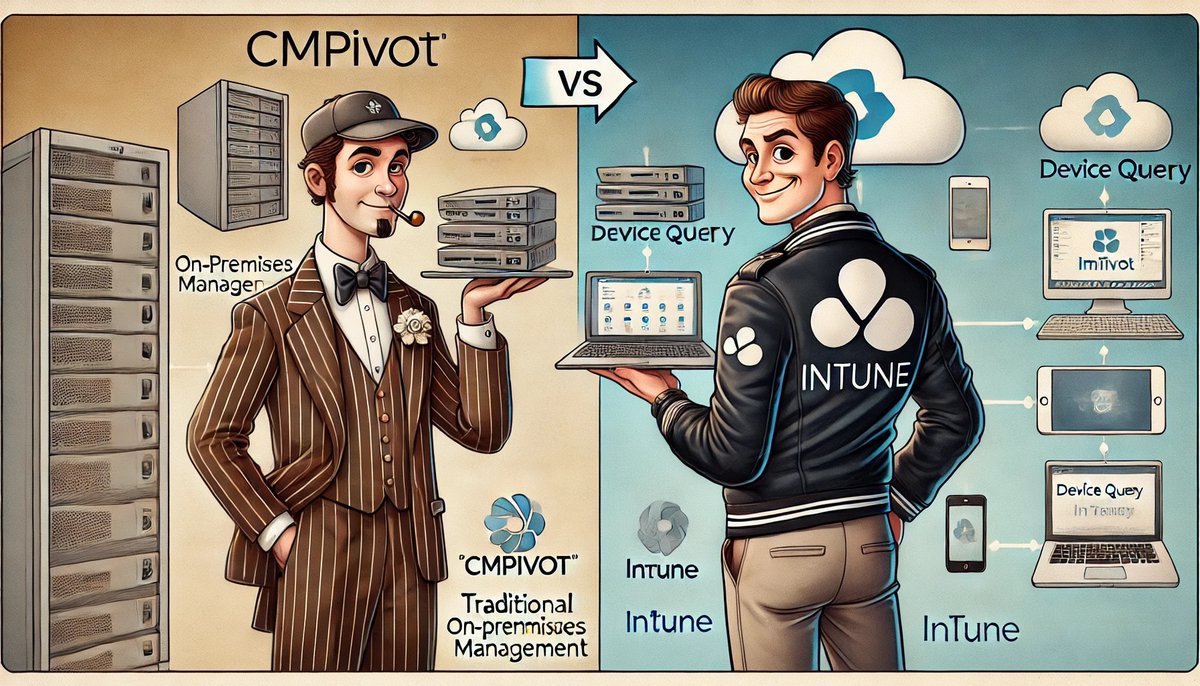
Real-Time Data Querying: CMPivot vs. Device Query
If you've ever needed to grab live data from your devices, you know how crucial the right tools are.
But what happens when CMPivot meets Device Query? That’s exactly what we’re exploring in our latest @PatchMyPC blog.
#CMPivot and #DeviceQuery are both excellent tools, but they work best in different setups. Whether using #ConfigMgr for on-premises or #Intune in the cloud, this blog has something for you!
Join me and Liviu while we dive into what makes each tool tick, its strengths, and where it might fall short. If you’re curious about which tool fits your needs—or just want to understand these tools better—this is for you.
Check it out and see how these tools stack up in real-time data querying!
patchmypc.com/cmpivot-vs-dev…
#Intune #MSIntune #CMPivot #DeviceQuery #Windows #Windows11 #Patchmypc
1
10
17
1,999


8 Jun 2024
例えば、Powercfgで見た時の解除できるデバイスはこうなる。マウスはこの後外した。電源ボタン以外で起こせるのはNICだけにしてる。
PS C:\WINDOWS\system32> powercfg -devicequery wake_armed
HID 準拠マウス
HID 準拠マウス (001)
Realtek PCIe GbE Family Controller
PS C:\WINDOWS\system32>
1
151

31 May 2024
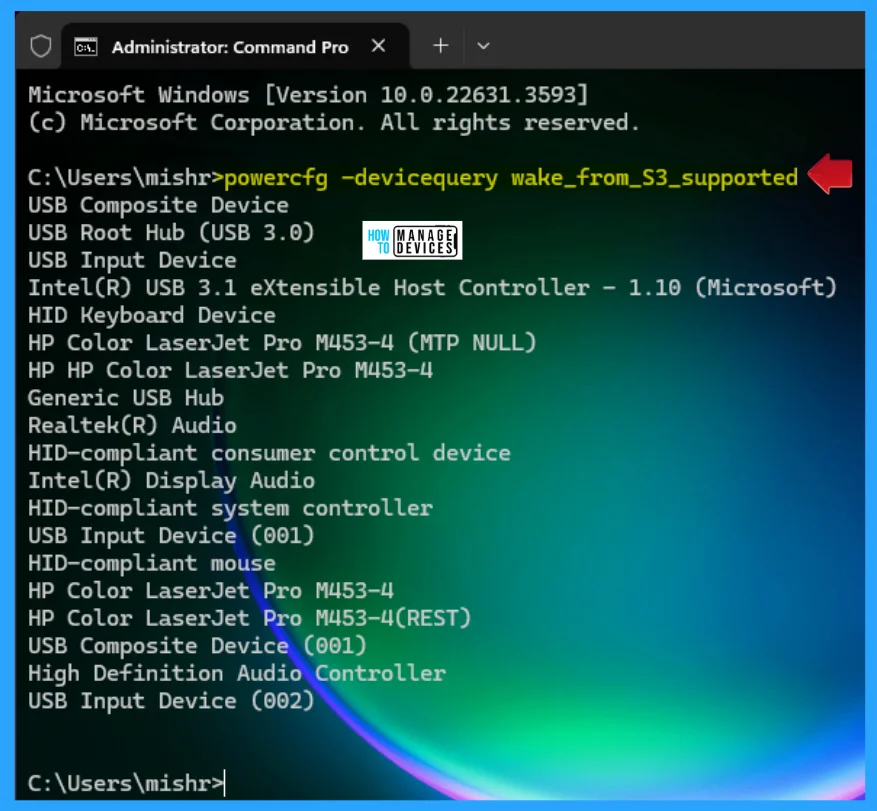
[New Post]🔑Find the List of Devices Support Waking Computers in Windows 11 - anoopcnair.com/find-list-of-…
🔃Devices Support Waking Computer
🔃powercfg -devicequery wake_armed
🔃powercfg -devicequery wake_any
#Windows #Windows11 #HTMDCommunity
1
2
162
15 Apr 2024
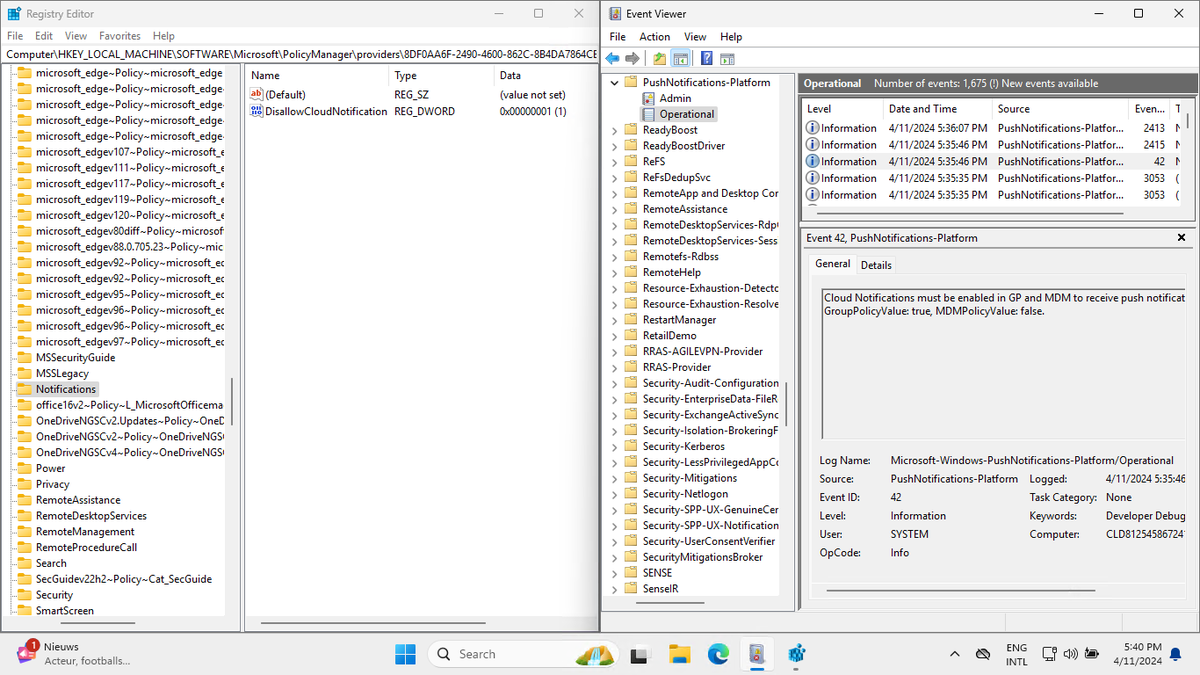
New blog post: Quick tip: Only turn off notifications network usage when there is a direct requirement
petervanderwoude.nl/post/qui…
#MSIntune #Intune #EMS #MDM #Windows10 #Windows11 #DeviceQuery #WNS
4
17
9,093
10 Apr 2024
In this blog below, I am going to show you the hidden Programs entity in Device Query to query all installed apps.
The funny thing? It has the same 32 bits issue as the registry entity that was fixed!
#intune #msintune #intunesuite #devicequery
call4cloud.nl/2024/04/i-can-…
5
14
1,672
5 Apr 2024
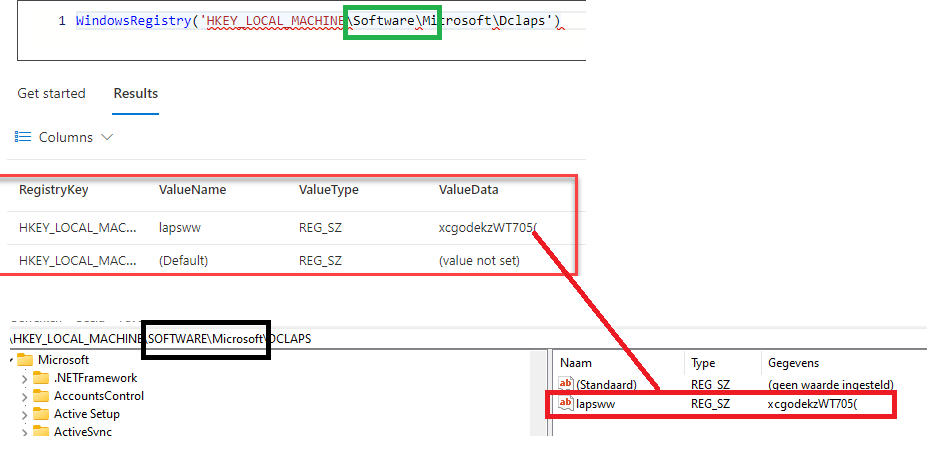
If you were using the #intunesuite #devicequery and were wondering when #microsoft would fix the 64-bit registry issue?
Well! I updated my blog showing the 64-bit #intunepivot issue as Microsoft somehow managed to fix the issue!!
Thanks @schenardie for the heads up!!
call4cloud.nl/2024/02/device…
#Intune #msintune
1
7
23
4,120

5 Apr 2024
#FunFact Microsoft fixed Device query bug (call4cloud.nl/2024/02/device…) and now you can query both x64 and x86 registry keys. To do so just alternate between 'Software\WOW6432Node\App1' and 'Software\App1'
#MSIntune #IntuneSuite #Devicequery
2
6
9
1,598
31 Mar 2024
The Support Approved Endpoint Privilege Management (#EPM) feature and other stuff like #LAPS, On-demand Proactive Remediations, Remote Syncing with #Intune, and #DeviceQuery are all using the #Windows Push Service to send commands and policies to devices.
Because all these features depend on the Push Launch scheduled task, it now makes sense why there's a 5-minute queue. Sometimes, this wait results in a neat little error code: 0x82AC0204."
Want to know more about this delay? Read the updated blog below!
call4cloud.nl/2023/09/along-…
7
36
4,444
2 Feb 2024
on 01-02-2024 the DeviceQuery #Intune #msintune Suite addon became available
This feature gives us the possibility to retrieve live insights/data from your #windows device by executing a KQL query. But what if it ain't working? Well, I got you covered!
call4cloud.nl/2024/02/five-p…
4
19
2,423