
🚨 Seeking Zimbra Pre-Auth RCE Vulnerabilities 🚨
ZeroZenX is actively looking to acquire high-impact Zimbra vulnerabilities.
Priority interest:
• Pre-authentication RCE
• Privilege Escalation
• Account Takeover
Competitive payouts, fast triage, and professional handling.
Submit securely: vrp.zerozenx.com
Email: submit@zerozenx.com
#Zimbra #0day #CyberSecurity #ExploitDev #VulnerabilityResearch
1
1
4
153
Abhinav Bansal retweeted

May 18
Chompie's Exploit Dev Roadmap: Zero to Kernel (Free Paths for Everyone) 🧵
#ExploitDev #VulnResearch #Pwn2Own #Cybersecurity
May 17

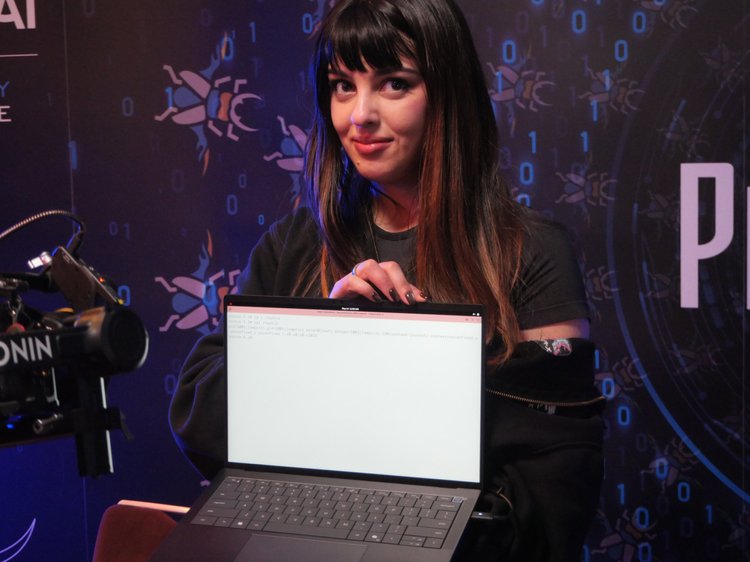
Chompie of IBM X-Force Offensive Research (XOR) used a race condition to escalate privileges on Red Hat Enterprise Linux for Workstations, earning $20,000 and 2 Master of Pwn points. The 🐐
4
56
468
48,049

You treat security as a phase. It is a product feature. We ship fast. We break later. Stop treating patching like an afterthought. Start treating it like revenue. #startups #appsec #exploitdev 🚀
1
1
46

Jun 12
The difference between exploit and payload: exploit takes advantage of a vulnerability to gain control. Payload is what executes after control is gained. Meterpreter, reverse shells, and stagers are payloads. #ExploitDev #PenTest
37

I spent way too much time to write a thing - "Anatomy of a Syscall"
follows a Linux read syscall from userspace to kernel and back
Link: pwnmonk.github.io/blogs/anat…
#linux #kernel #exploitdev
10
50
2,072

Open-sourced the full 40-page deck for anyone looking into low-level OS research: github.com/youssefnoob003/re…
#WindowsKernel #ExploitDev
2
27

May 30
Hacking HDD Firmware: A Reverse Engineering Journey
Working on an Xbox 360 race-condition exploit, I needed to modify HDD firmware to add read delays. Here's what I learned dumping & patching drives from WD, Samsung & Hitachi
The Process:
Dump firmware Found WD dump via HDD Guru forums; Samsung PM871a firmware updater on Lenovo's site
Analyze in IDA WD used modified LZHUF compression; Samsung used simple nibble obfuscation (reversed from updater)
Find the read handler Traced VSC (Vendor Specific Commands) via JTAG debugging to locate DMA READ EXT processing
Patch & test Injected ~200ms delay into read loop; actual delay ~450ms (close enough for PoC)
Key Discoveries:
• WD drives store code in overlay modules on the platters' service area not just in SPI flash
• JTAG debugging on live HDDs is possible (but fragile Windows timeouts are brutal)
• VSC command tables can be mapped by poisoning memory breakpoints
• Some Samsung firmware uses unknown ISAs — saved for Part 2 with AI-assisted RE
The Twist:
After weeks of firmware hacking… the Xbox 360 exploit started working *without* any HDD mods. The race condition resolved itself through other timing variables. Mission accomplished, but the firmware RE skills stay
Tools Released:
IDA loader plugins, firmware unpackers, VSC command scripts all open-sourced on GitHub. Hope this helps others dive into embedded RE
#FirmwareHacking #ReverseEngineering #InfoSec #EmbeddedSecurity #Xbox360 #HardDrive #WD #Samsung #JTAG #IDAPro #CyberSecurity #EthicalHacking #ExploitDev #OpenSource #TechResearch

6
11
41
1,641

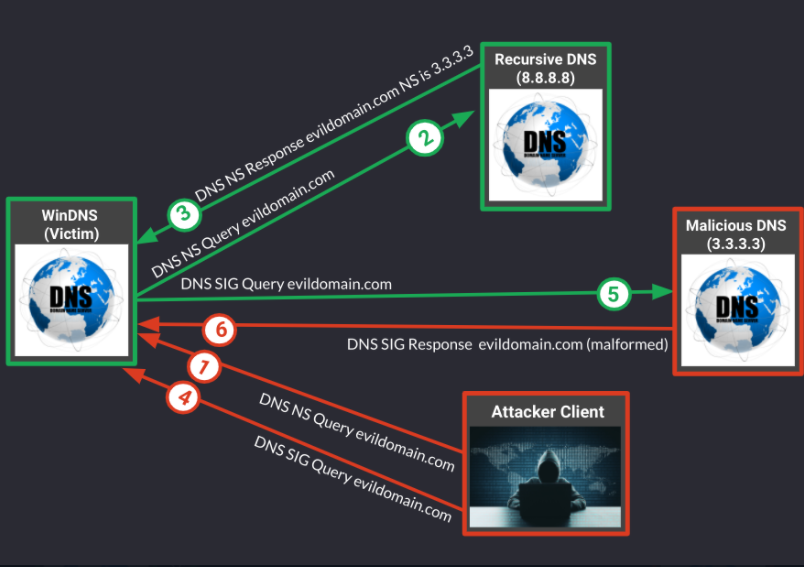
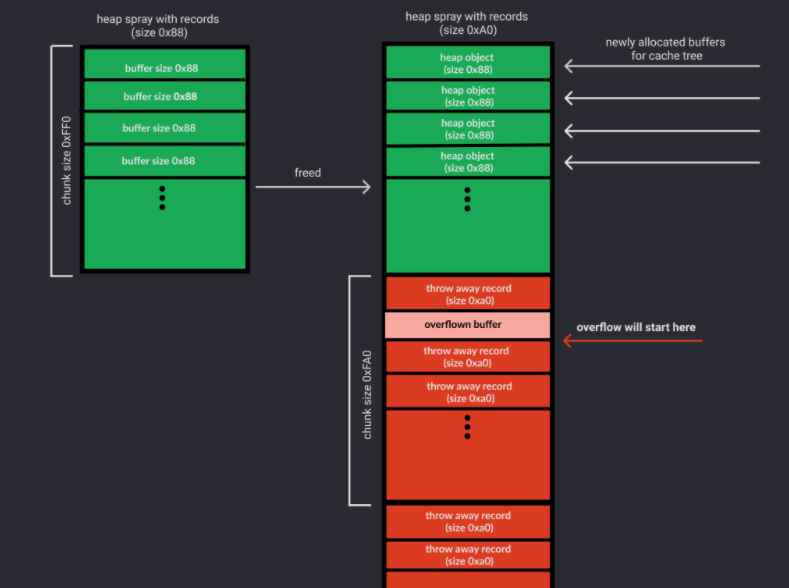
Anatomy of an Exploit - RCE with SIGRed
chomp.ie/Blog Posts/Anatomy …
Author by:~ @chompie1337
#Exploitation #exploitdev #research
144

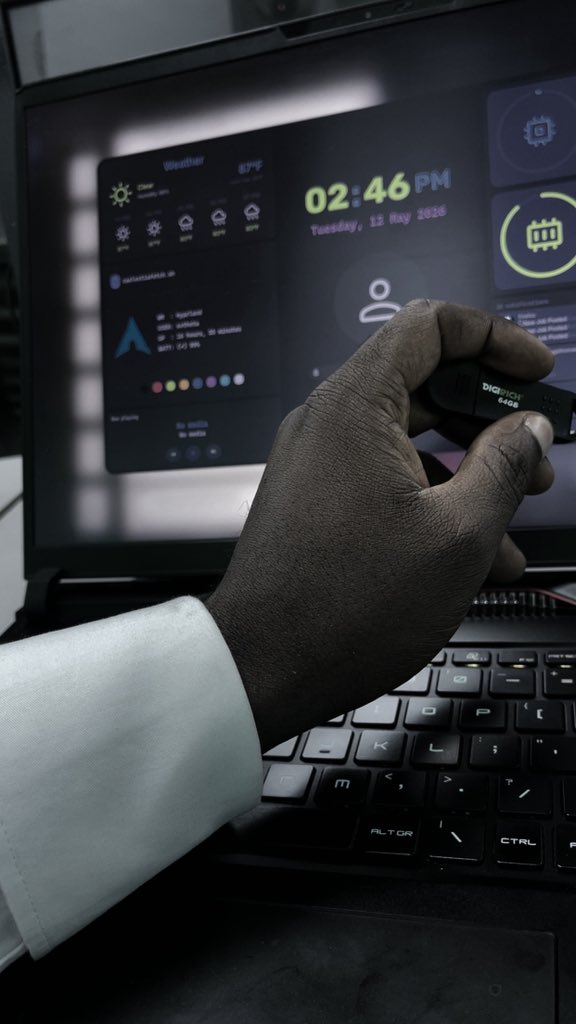
Just bypassed your tiering model. Shadows credentials extracted, enterprise admin rights secured. Good luck hunting this persistence. 🕶️📁
#ADSecurity #CyberSecurity #ExploitDev #PenetrationTesting #Malware
97

May 24
2600.
Phreaking.
Blueboxing.
Blackboxing.
Wardialing.
BBS.
Phrack.
DEFCON.
IRC.
Rootshells.
PacketSniffing.
WarDriving.
Telnet.
HexDumps.
ZeroDays.
SocialEngineering.
ExploitDev.
Cyberpunk.
Underground.
Curiosity.
open.spotify.com/track/5b8vg…
1
57
May 19
Wanna start hackingggg but don't know how to?
I'll tell you exactly how to start pwn.college right now, 100% free, no install needed at first.
Step-by-Step (Takes 5-10 minutes)
1. Go to the site
→ Visit [pwn.college/]
2. Create your account
- Click Register (or log in if you already have one).
- Username will be public; pick whatever you want (you can stay anonymous).
- No email verification hassle.
3. Earn your White Belt (first challenge)
- Go straight to the 'Start Here / Welcome dojo':
[pwn.college/welcome/welcome/]
- Click the very first challenge: “Using the Terminal” (or “Getting Started”).
- Hit the big ▶ Start button.
- A Linux terminal will launch in your browser automatically.
- Follow the on-screen instructions: copy the flag that appears, paste it into the box below, and submit.
→ Congratulations, you just started hackingggg!
4. Join the community (highly recommended)
- Go to your [Settings](pwn.college/settings) → connect your Discord account.
- Join the official Discord: [discord.gg/pwncollege]
- This is where you ask for help, celebrate solves, and see announcements.
What you need? (virtually nothing)
- Just a modern browser (Chrome/Firefox works best).
- No VM, no local tools, no prior Linux experience; everything runs on their servers.
- Later modules let you SSH in if you want (you’ll link an SSH key in settings).
Your first path (Chompie-style progression)
Start with these free modules in order:
- Welcome / Using the Dojo → terminal basics
- Computing 101 → your first assembly program
- Shell & Linux → core command line
Then move into binary exploitation, kernel stuff, etc.
Pro tip: Do one challenge per day. The platform tracks your solves and gives you belts as you level up.
You’re now literally on the exact same structured path @chompie1337 used (just modern and free).
Drop a screenshot of your first flag in the replies if you want.
If you don't level up now you'll get left behind so start pwning on pwn.college today.
#ExploitDev #pwncollege #cybersecurity
3
19
93
8,765

May 17
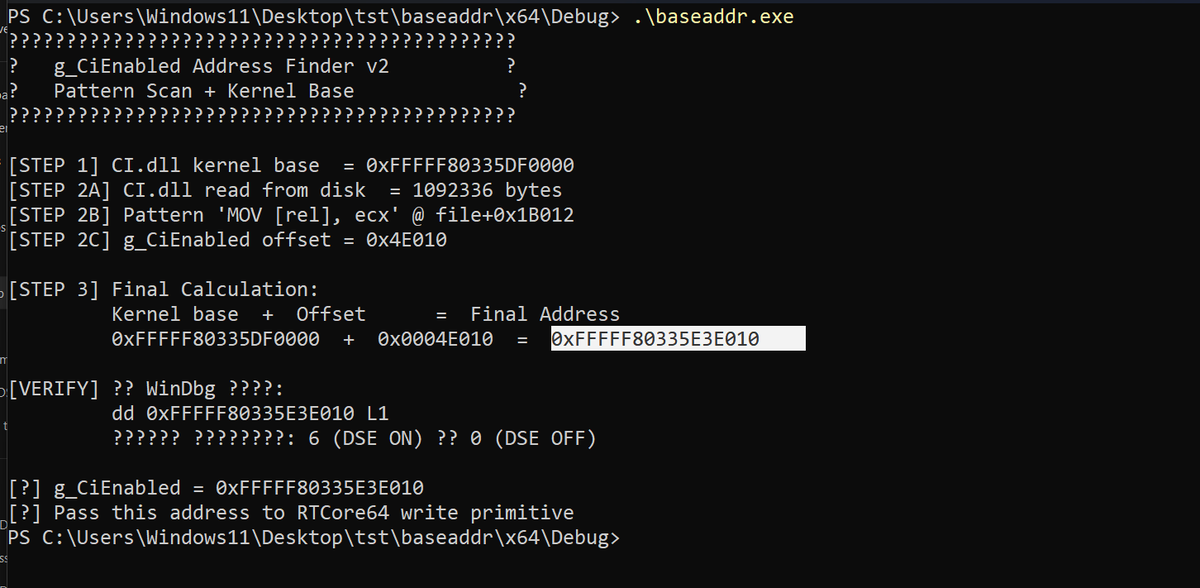
project to dynamically allocate and specify the address of g_CiEnabled kernel variable responsible for enabling and disabling DSE in Windows Systems
github.com/ring0shady/g_CiEn…
#MalwareDev #RedTeam #OffensiveSecurity #ReverseEngineering #ExploitDev #PenTest #KernelHacking #Ring0
4
353

Currently at #OffensiveCon
If you’re here too and want to say hi, talk about weird machines, fine tuning LLMs for offensive security, or open roles ping me 👋
We’re hiring offensive security folks. List of open positions here:
👉 jobs.ashbyhq.com/Trenchant/
#OffSec #VulnResearch #ExploitDev #Hiring

2
1
33
1,863

Pwn2Own hit max capacity for the first time in history. We unfortunately couldn’t get in. We submit our research to vendors. Look to our blog for technical breakdowns coming soon!
#cybersecurity #0day #reverseengineering #exploitdev #infosec #xchglabs #pwn2own
1
12
119
24,554

Every general-purpose AI refuses to help with exploit development. You describe real security work and get a lecture.
Hacker Sidekick was built for this. Try it on your next engagement.
hackersidekick.com
#cybersecurity #infosec #hackersidekick #pentesting #exploitdev
3

The CVE-2026-7482 attack chain is brutally simple: ① Upload a malicious GGUF with an inflated tensor shape → ② Trigger quantization, name the model "attacker.com" → ③ Call /api/push and Ollama ships the heap dump straight to you. No auth. No brute force. Just HTTP. #CVE20267482 #OffensiveSecurity #HeapLeak #OllamaVuln #ExploitDev
68

Welcome back after a long weekend (for some 😉)
When was the last time you ran !mona up?
corelan.be/index.php/2026/05…
Runs on Python3&2, 32bit&64bit, WinDDB
New - added support for Python 3.14.4 - check the readme or use github.com/corelan/CorelanTr… to install everything you need
#mona3 #exploitdev #freetool #corelan
5
17
1,313

May 1
Coruna iOS Exploit Toolkit (Research Only)
iOS 15–17 exploits WebKit chains
Tested & partly analyzed
⚠️ Use in isolated lab only
🔗 github.com/khanhduytran0/cor…
Dev by @khanhduytran0
#iOSSecurity #ExploitDev
1
4
33
5,151