
Jun 8
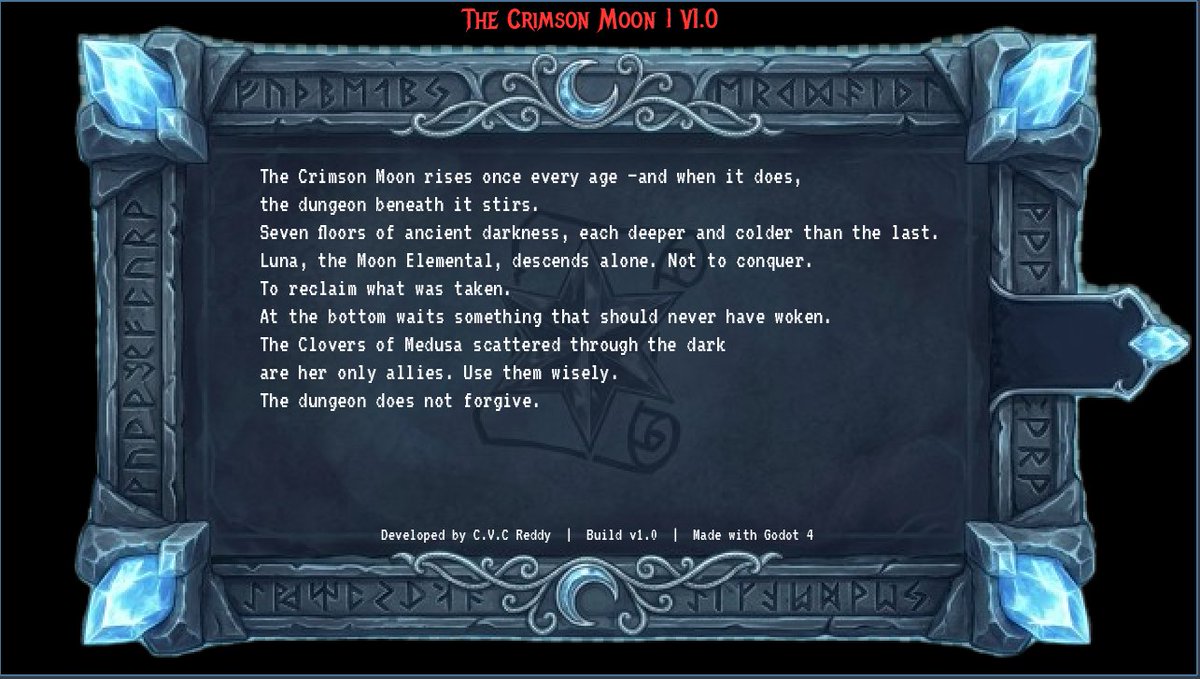
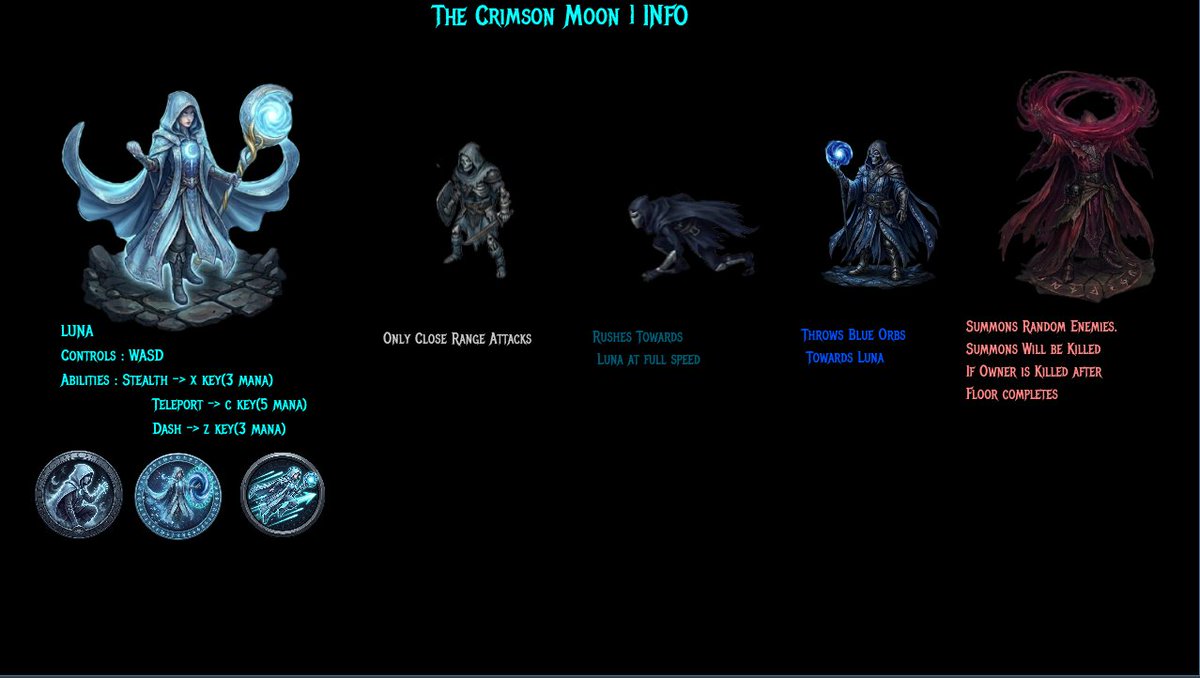
Devlog #12 — Crimson Moon 🌙Codex, INFO screen — all done Lore in terminal font inside a runic frame hits different .
High score saves via FileAccess Every screen belongs to the same world now Audio → playtest → ship 🌑 #godotengine #indiedev #gamedev
2
8
242

7 Aug 2025
🔐 Master File & Directory Permissions in Linux with chmod!
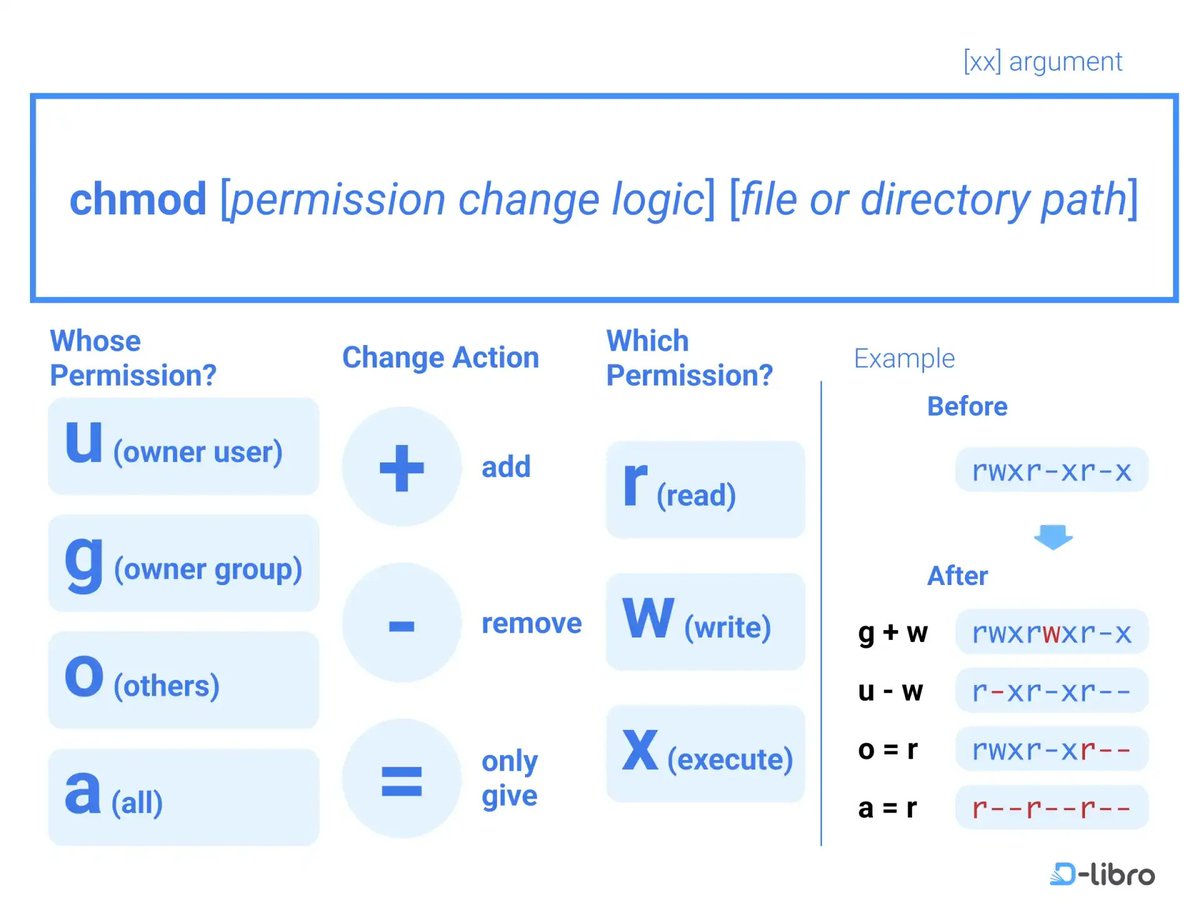
The chmod (Change Access Mode) command is essential for managing file and directory permissions in Linux — a critical skill for developers, sysadmins, and security-conscious users. 💻🔧
👤 User Types:
u — Owner (user)
g — Group
o — Others
a — All users
🔑 Permission Types:
r — Read
w — Write
x — Execute
⚙️ Operators:
→ Add permission
- → Remove permission
= → Set exact permission
📌 Examples:
g w # Add write to group
u-w # Remove write from user
o=r # Set read-only for others
ug=rwx # Give all permissions to user and group
chmod -R go=r dir_a1 # Set read-only recursively for group & others
📉 Gotchas:
⚠️ If the group has more permissions than the owner, Linux will restrict group permissions to the owner’s level.
🧠 Why it matters:
Knowing how to set the right permissions protects your files and system from unauthorized changes — especially when working with shared environments or deploying applications.
#Linux #chmod #Permissions #SysAdmin #CommandLine #Security #DevOps #DLIBRO #LinuxBasics #FileAccess
1
3
22
4,153

20 Jan 2025
how to have access to your wordpress files when you don't have access to the client cpanel or ftp
#WordPressTips #WebsiteRecovery #FTPAccess #CPAccessDenied #WPFiles #WordPressSolutions #TechHelp #WebDevTips #WebsiteTroubleshooting #WPAdmin #FileAccess #WebsiteHacks
1
2
36

8 Oct 2024
Settings -> Privacy & Security -> Files & Folders
prefs:root=Privacy&path=FILEACCESS
5
302

19 Sep 2024
なんか想定通りに動かないな、と思ったらQuick Save君のFileAccess周りの挙動がバージョンアップでちょっと変わっておったようじゃ。
前の方が使いやすかったのじゃ。
#Unity #QuickSave
2
201

31 Aug 2024
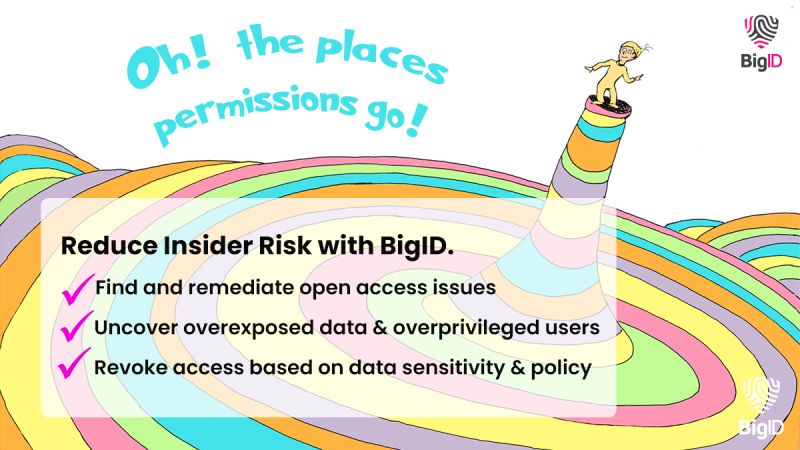
Manage permissions, reduce insider risk, and lock down your sensitive data - all in one platform, across the cloud and beyond. Try it today: bit.ly/3MGPPhP
#fileaccess #IAM #DAG #leastprivilege #zerotrust
1
2
90

17 Aug 2024
surely you did have to write some handling code as well? but in case it was a csv file (which is not an "excel file" (xlsx, xls) but excel can indeed open and save them) it wouldn't have been any harder than reading a file anyway as FileAccess has .get_csv_line()
240

26 Jun 2024
Uncovering Attackers: Tracking their Targeted Folders with Shellbags
#Shellbags #Forensics #Cybersecurity #Attackers #FileAccess #SystemProtection #ITSecurity #DigitalForensics #Investigation #DataBreach
1
4
1,662

godot でのデータ保存。FileAccessでファイル開いて store_var, get_var で保存と取得ができる。
保存したファイルはvscode で見れなかったの独自のバイナリ形式なのかな。json 使うと思っていたから思ったより楽かも
#GodotEngine
1
103

8 May 2024
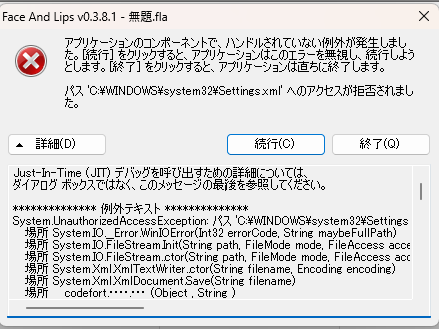
調べたら、何かのバックアップデータが残っていたから開こうとしたけど。どうにもダメですなー。残念。そこで「Face And Lips」を終了しようとしたら、エラーがでた。詳細はこちら。
ここに原因あるのかもしれないが・・・ウチはこーゆーのはわからんので詰んでしまったー。(;´Д`)トホホ
↓
-ここから---------------------
Just-In-Time (JIT) デバッグを呼び出すための詳細については、
ダイアログ ボックスではなく、このメッセージの最後を参照してください。
************** 例外テキスト **************
System.UnauthorizedAccessException: パス 'C:\WINDOWS\system32\Settings.xml' へのアクセスが拒否されました。
場所 System.IO.__Error.WinIOError(Int32 errorCode, String maybeFullPath)
場所 System.IO.FileStream.Init(String path, FileMode mode, FileAccess access, Int32 rights, Boolean useRights, FileShare share, Int32 bufferSize, FileOptions options, SECURITY_ATTRIBUTES secAttrs, String msgPath, Boolean bFromProxy)
場所 System.IO.FileStream..ctor(String path, FileMode mode, FileAccess access, FileShare share)
場所 System.Xml.XmlTextWriter..ctor(String filename, Encoding encoding)
場所 System.Xml.XmlDocument.Save(String filename)
場所 ___codefort..(Object , String )
場所 ___codefort..(Object , String , )
場所 FaceAndLips.MainForm.SaveSettings()
場所 FaceAndLips.MainForm.MainForm_FormClosed(Object sender, FormClosedEventArgs e)
場所 System.Windows.Forms.Form.OnFormClosed(FormClosedEventArgs e)
場所 System.Windows.Forms.Form.WmClose(Message& m)
場所 System.Windows.Forms.Form.WndProc(Message& m)
場所 System.Windows.Forms.Control.ControlNativeWindow.OnMessage(Message& m)
場所 System.Windows.Forms.Control.ControlNativeWindow.WndProc(Message& m)
場所 System.Windows.Forms.NativeWindow.Callback(IntPtr hWnd, Int32 msg, IntPtr wparam, IntPtr lparam)
************** 読み込まれたアセンブリ **************
mscorlib
アセンブリ バージョン: 2.0.0.0
Win32 バージョン: 2.0.50727.9174 (WinRelRS6.050727-9100)
コードベース: file:///C:/Windows/Microsoft.NET/Framework/v2.0.50727/mscorlib.dll
----------------------------------------
FaceAndLips
アセンブリ バージョン: 0.3.8.1
Win32 バージョン: 0.3.8.1
コードベース: file:///D:/FaceAndLips_v0381/FaceAndLips.exe
----------------------------------------
System.Windows.Forms
アセンブリ バージョン: 2.0.0.0
Win32 バージョン: 2.0.50727.9157 (WinRelRS6.050727-9100)
コードベース: file:///C:/WINDOWS/assembly/GAC_MSIL/System.Windows.Forms/2.0.0.0__b77a5c561934e089/System.Windows.Forms.dll
----------------------------------------
System
アセンブリ バージョン: 2.0.0.0
Win32 バージョン: 2.0.50727.9176 (WinRelRS6.050727-9100)
コードベース: file:///C:/WINDOWS/assembly/GAC_MSIL/System/2.0.0.0__b77a5c561934e089/System.dll
----------------------------------------
System.Drawing
アセンブリ バージョン: 2.0.0.0
Win32 バージョン: 2.0.50727.9157 (WinRelRS6.050727-9100)
コードベース: file:///C:/WINDOWS/assembly/GAC_MSIL/System.Drawing/2.0.0.0__b03f5f7f11d50a3a/System.Drawing.dll
----------------------------------------
SlimDX
アセンブリ バージョン: 2.0.9.42
Win32 バージョン:
コードベース: file:///D:/FaceAndLips_v0381/SlimDX.DLL
----------------------------------------
System.Xml
アセンブリ バージョン: 2.0.0.0
Win32 バージョン: 2.0.50727.9157 (WinRelRS6.050727-9100)
コードベース: file:///C:/WINDOWS/assembly/GAC_MSIL/System.Xml/2.0.0.0__b77a5c561934e089/System.Xml.dll
----------------------------------------
FaceAndLips.resources
アセンブリ バージョン: 0.3.7.0
Win32 バージョン: 0.3.7.0
コードベース: file:///D:/FaceAndLips_v0381/ja/FaceAndLips.resources.DLL
----------------------------------------
System.Windows.Forms.resources
アセンブリ バージョン: 2.0.0.0
Win32 バージョン: 2.0.50727.9157 (WinRelRS6.050727-9100)
コードベース: file:///C:/WINDOWS/assembly/GAC_MSIL/System.Windows.Forms.resources/2.0.0.0_ja_b77a5c561934e089/System.Windows.Forms.resources.dll
----------------------------------------
DirectShowLib-2005
アセンブリ バージョン: 2.0.0.0
Win32 バージョン: 2.0.0.0
コードベース: file:///D:/FaceAndLips_v0381/DirectShowLib-2005.DLL
----------------------------------------
msvcm90
アセンブリ バージョン: 9.0.30729.9635
Win32 バージョン: 9.00.30729.9635
コードベース: file:///C:/WINDOWS/WinSxS/x86_microsoft.vc90.crt_1fc8b3b9a1e18e3b_9.0.30729.9635_none_508ff82ebcbafee0/msvcm90.dll
----------------------------------------
Accessibility
アセンブリ バージョン: 2.0.0.0
Win32 バージョン: 2.0.50727.9157 (WinRelRS6.050727-9100)
コードベース: file:///C:/WINDOWS/assembly/GAC_MSIL/Accessibility/2.0.0.0__b03f5f7f11d50a3a/Accessibility.dll
----------------------------------------
mscorlib.resources
アセンブリ バージョン: 2.0.0.0
Win32 バージョン: 2.0.50727.9174 (WinRelRS6.050727-9100)
コードベース: file:///C:/Windows/Microsoft.NET/Framework/v2.0.50727/mscorlib.dll
----------------------------------------
************** JIT デバッグ **************
Just-In-Time (JIT) デバッグを有効にするには、このアプリケーション、
またはコンピュータ (machine.config) の構成ファイルの jitDebugging
値を system.windows.forms セクションで設定しなければなりません。
アプリケーションはまた、デバッグを有効にしてコンパイルされなければ
なりません。
例:
<configuration>
<system.windows.forms jitDebugging="true" />
</configuration>
JIT デバッグが有効なときは、このダイアログ ボックスで処理するよりも、
ハンドルされていない例外はすべてコンピュータに登録された
JIT デバッガに設定されなければなりません。
-ここまで---------------------
2
3
455
18 Dec 2023
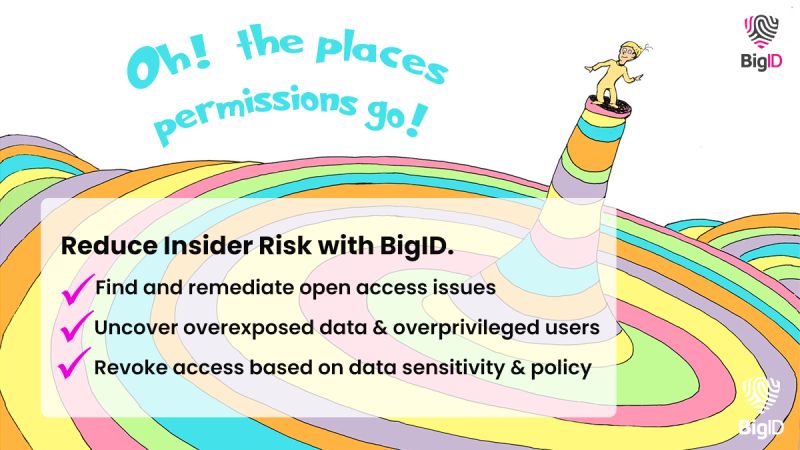
Manage permissions, reduce insider risk, and lock down your sensitive data - all in one platform, across the cloud and beyond. Try it today: bit.ly/3ReLAgA
#fileaccess #IAM #DAG #leastprivilege #zerotrust
44

2 Nov 2023
#GodotTips #GodotEngine:
> var file: FileAccess = FileAccess .open(path)
> var error: int = file.get_open_error()
!-> print(error_string(error)) <-!
;P
1
3
21
1,724

19 Sep 2023
1
4
319

14 Jun 2023
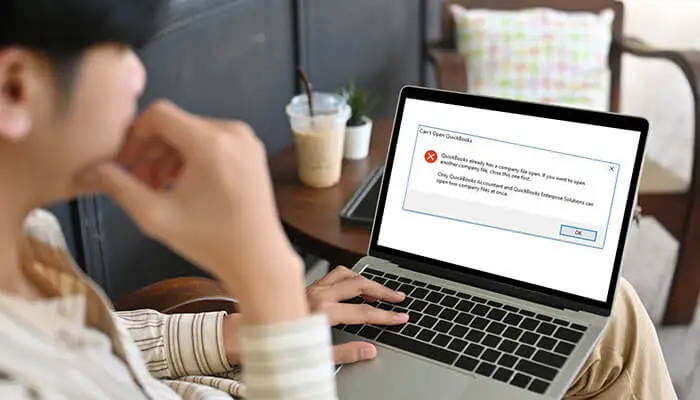
How to Fix the “QuickBooks already has a Company File Open” Error?
#QuickBooks #companyfile #openerror #fix #CloseFile #troubleshoot #Resolve #ErrorMessage #restart #QuickBooksSupport #fileaccess #databaseerror @TycoonStoryCo @tycoonstory2020
tycoonstory.com/how-to-fix-t…
3
3
16

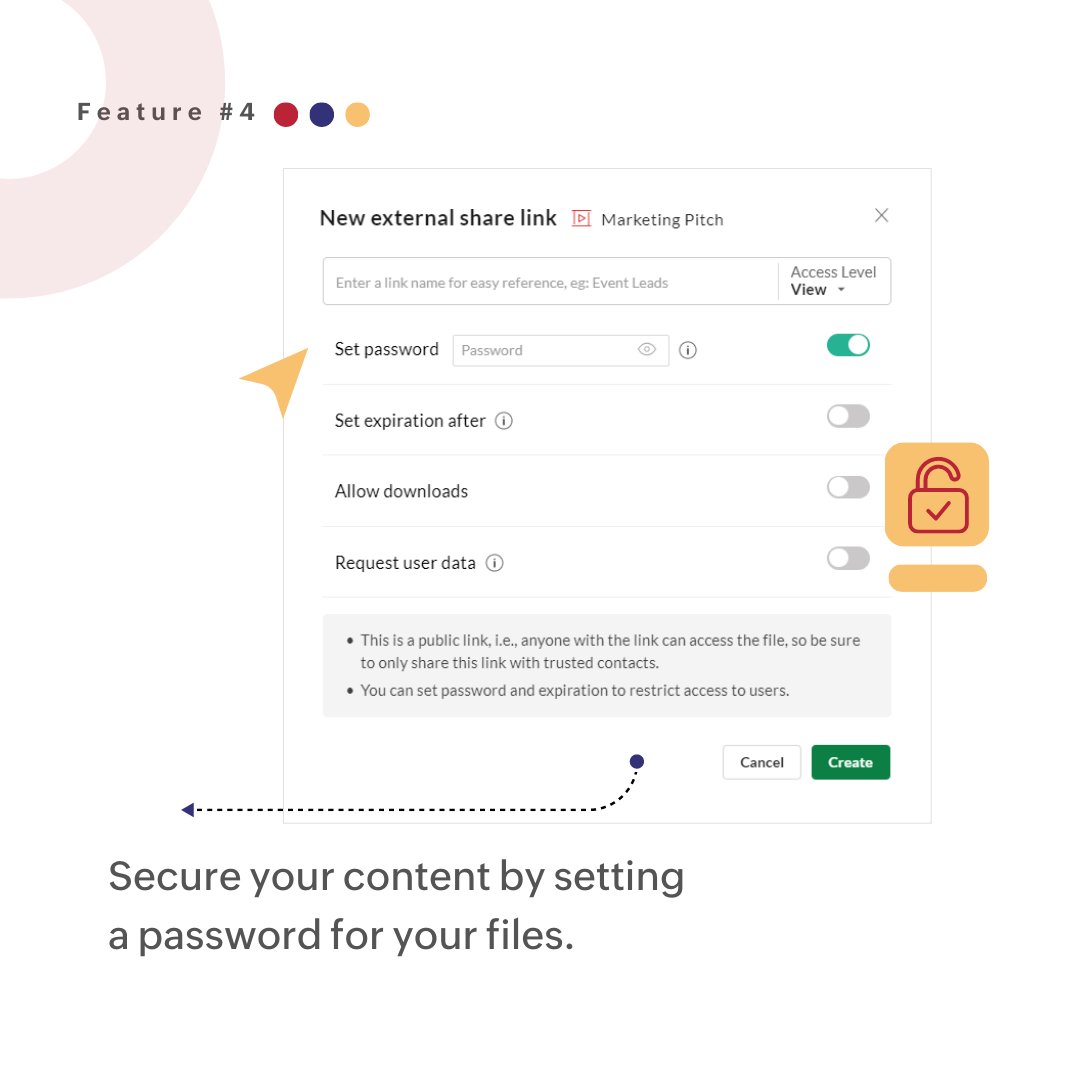
Set a #password while sharing your file with an external #collaborator to secure confidential and crucial data. You can also set 'expiration dates' and 'allow downloads' to restrict access by external users.
#PresentationFeatures #FileAccess #Collaboration #SecureData

2
158


3 Nov 2022
WordPress file access control plugin is a must for you if you upload files for specific people. Check this plugin out now.
WP FILE ACCESS MANAGER
themencode.com/wp-file-acces…
#WordPress #Web #Webdesigner #internetsafety #wfam #fileaccess #wordpressfile #wordpressblog

3

Provide secure access to confidential Documents and Media with WordPress and Groups
#WordPress #Plugin #Groups #DocumentManagement #RestrictContent #FileAccess #DMS #CMS #SecureFiles #DigitalAssets
itthinx.com/2022/06/08/how-t…
1