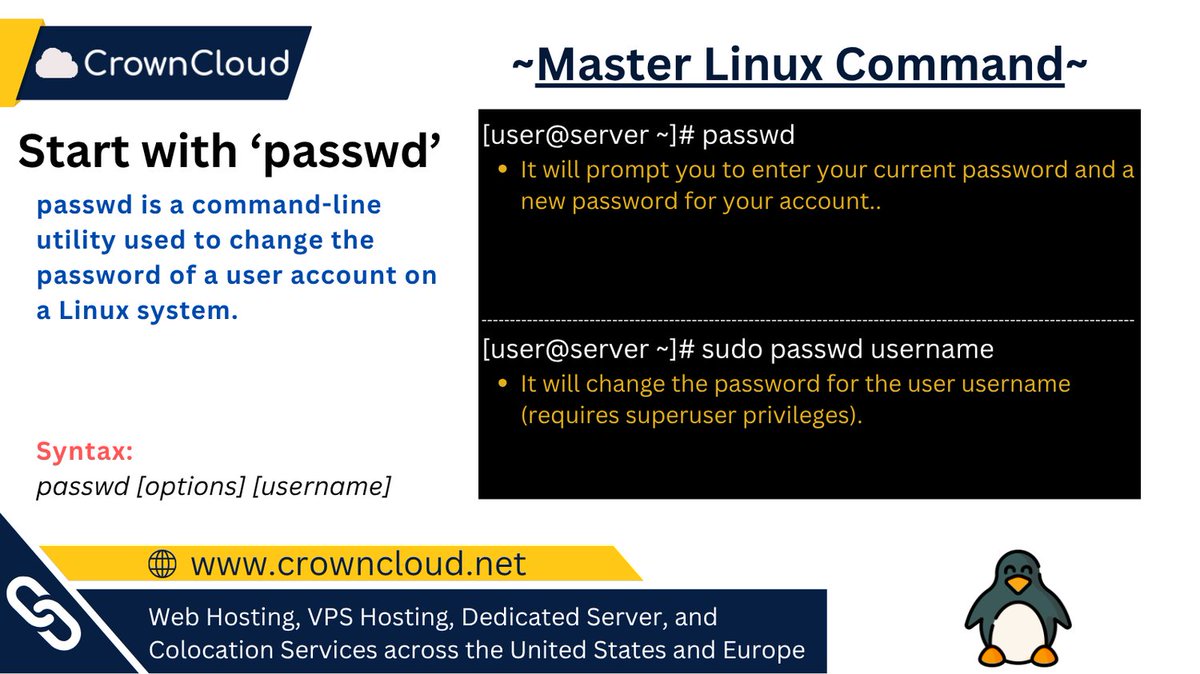
Linux Command: passwd
Use it to:
• Change user passwords
• Reset passwords for accounts
• Enforce password updates
• Improve system security
An essential command for Linux user management.
#LinuxBasics #LearnLinux #SysAdmin
6

Jun 13
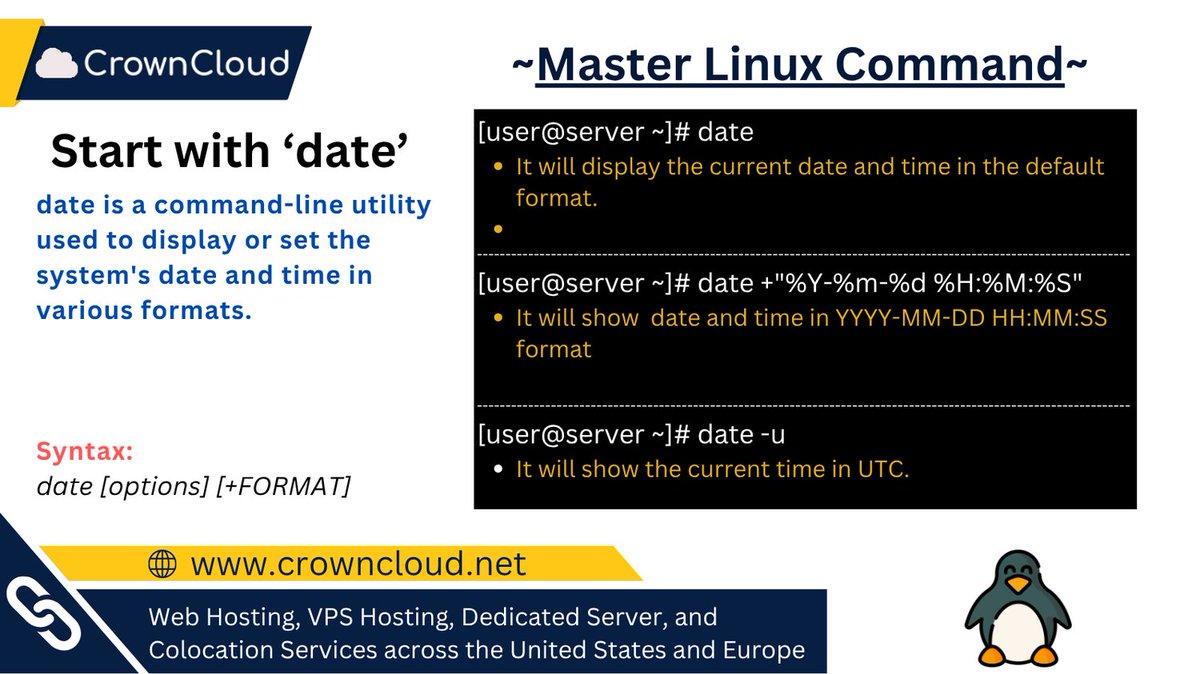
Linux Command: date
Use it to:
• Display current date and time
• Format date output
• Check system time settings
#Linux #SysAdmin #LinuxCommands #DevOps #LearnLinux
1
Jun 13
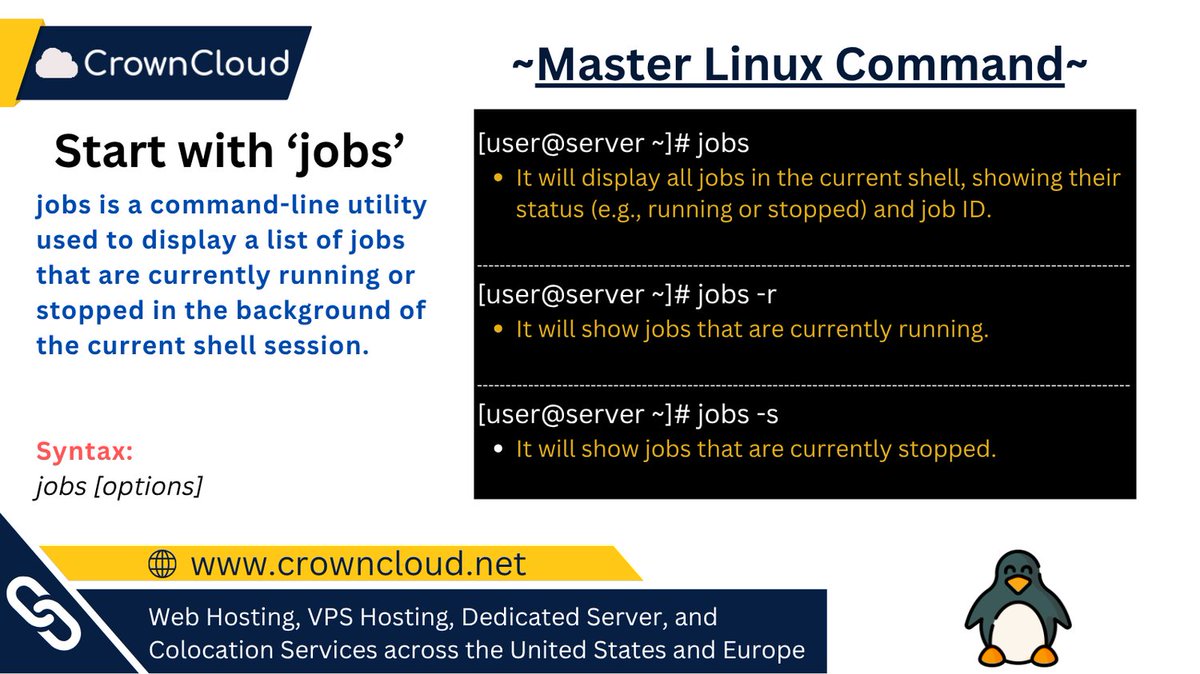
Linux Command: jobs
View and control background and stopped processes directly from your terminal, making multitasking in Linux easier and more efficient.
#Linux #SysAdmin #LinuxCommands #DevOps #LearnLinux
12

May 27
SELinux Quick Onboarding in 15 Minutes
Think SELinux is scary? It doesn't have to be
15 minutes with the basics = 80% confidence working with access policies
Essential utilities you need:
restorecon — Reset file contexts to policy defaults
semanage — Manage policies without recompiling
sesearch — Search active policy rules
audit2allow — Generate allow rules from AVC denials
sealert — Human-readable reports with fix recommendations
Policy syntax simplified
allow subject object:class { permission }
Types → Attributes → Classes → Permissions. Macros (.if files) bundle common rules.
Real-world example:
Want Podman to read a file from `user_home_t?
Check process domain: ps auxZ | grep podman
Search rules: sesearch --allow -s container_runtime_t
Apply context: chcon -t container_file_t ./yourfile
Pro tips:
SELinux = Least Privilege by default
Context format: user:role:type:level
Use seinfo & sesearch to explore, not guess
local files in /var/lib/selinux/ store your overrides
You don't need to write policies from scratch to *use* SELinux effectively. Understand the model, use the tools, solve problems faster
Want to learn more about Linux security, hardening, or bug hunting? I teach web security & system hardening to anyone ready to level up. DMs open!
#SELinux #Linux #SysAdmin #InfoSec #CyberSecurity #DevSecOps #AppSec #RedHat #Fedora #SecurityTools #LearnLinux #EthicalHacking #ContainerSecurity #Podman #Docker

5
6
8
745

Learn Linux in 7 Days
If you've been putting off learning Linux, this is where you start.
Learn Linux in 7 Days gives you the core commands, file system, and terminal basics.
Free with a Sudo account: pro.tecmint.com/learn-linux/
#Linux #LearnLinux
10
51
2,260
May 10
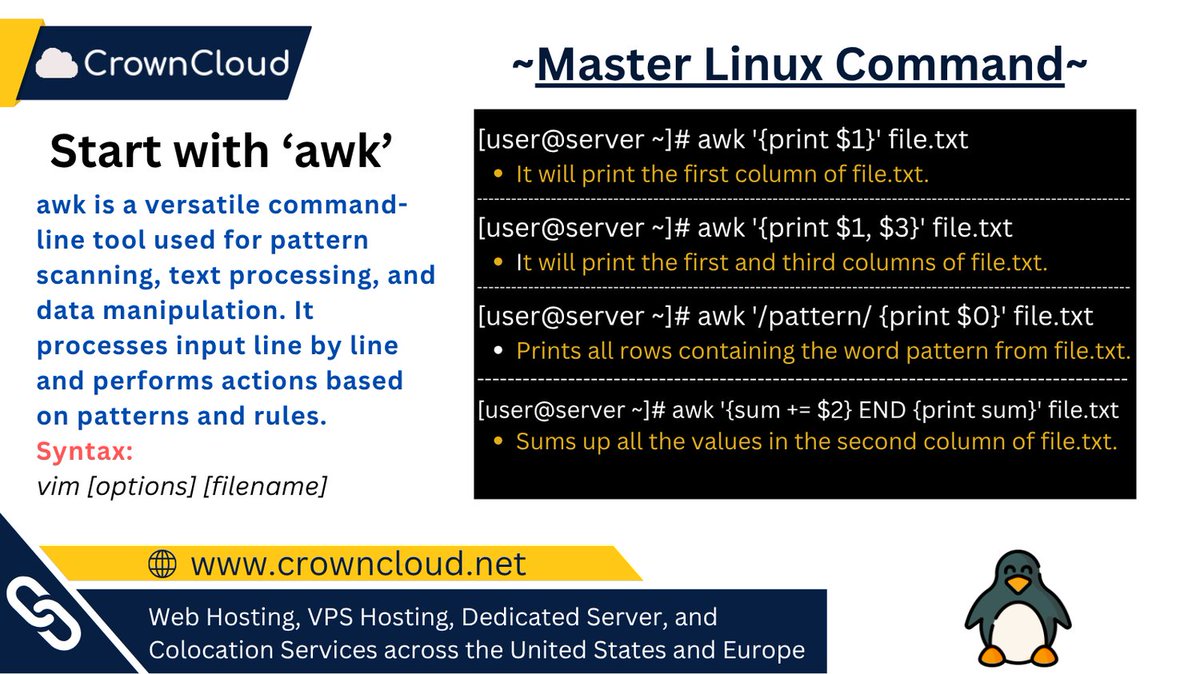
Master Linux one command at a time.
Process and analyze with: awk
A powerful text processing tool used for searching, filtering, formatting, and analyzing data directly from the command line.
#Linux #SysAdmin #LinuxCommands #DevOps #LearnLinux
2
181

Apr 20
🐧 awk — The Swiss Army knife of Linux text processing
Most people use grep to find text.
Most people use cut to slice columns.
Most people do not know awk can do both plus math plus conditions plus formatting in a single line.
Here is everything you need to know.
----------------
🤔 WHAT IS awk?
----------------
awk is a pattern scanning and text processing language built into every Linux system.
It reads a file line by line, splits each line into fields, and lets you filter, transform, calculate, and format the output however you want.
One tool. Infinite use cases.
----------------
🧱 BASIC SYNTAX
----------------
awk 'pattern { action }' filename
• pattern — which lines to process. Leave empty to process all lines.
• action — what to do with those lines.
• $0 — the entire line.
• $1, $2, $3 — individual fields split by whitespace by default.
• NR — current line number.
• NF — total number of fields in the current line.
----------------
⚙️ EVERYDAY EXAMPLES
----------------
• Print the second column of every line
→ awk '{ print $2 }' file.txt
• Print line numbers alongside content
→ awk '{ print NR, $0 }' file.txt
• Print only lines where third column is greater than 100
→ awk '$3 > 100' file.txt
• Print the last field of every line
→ awk '{ print $NF }' file.txt
• Print lines containing the word error
→ awk '/error/ { print }' file.txt
• Count total number of lines
→ awk 'END { print NR }' file.txt
• Sum all values in the first column
→ awk '{ sum = $1 } END { print sum }' file.txt
• Print lines between two patterns
→ awk '/START/,/END/' file.txt
----------------
🔧 FIELD SEPARATOR
----------------
By default awk splits on whitespace. Change this with -F.
• Parse a CSV file
→ awk -F',' '{ print $1, $3 }' file.csv
• Parse /etc/passwd and print usernames and shells
→ awk -F':' '{ print $1, $NF }' /etc/passwd
• Print the third field from a colon separated file
→ awk -F':' '{ print $3 }' file.txt
----------------
💡 REAL WORLD ANALOGY
----------------
Think of awk like a spreadsheet formula engine for your terminal.
Excel lets you pick columns, filter rows, and calculate totals through a GUI.
awk does the exact same thing on any text file directly from the command line.
No GUI. No import. Just one line and you have your answer.
----------------
🔥 REAL WORLD USE CASES
----------------
• Top 5 processes consuming the most memory
→ ps aux | awk '{ print $4, $11 }' | sort -rn | head -5
• Calculate total disk usage from du output
→ du -sh * | awk '{ sum = $1 } END { print sum }'
• Extract failed SSH login IPs from auth log
→ awk '/Failed password/ { print $11 }' /var/log/auth.log | sort | uniq -c | sort -rn
• Print lines where response time exceeds 500ms
→ awk '$7 > 500 { print $0 }' access.log
• Remove duplicate lines while preserving order
→ awk '!seen[$0] ' file.txt
• Print header line plus any line matching a pattern
→ awk 'NR==1 || /error/' file.txt
----------------
⚡ awk vs grep vs cut vs sed
----------------
• grep — find lines matching a pattern. That is all it does well.
• cut — extract fixed columns by delimiter. No logic, no math, no conditions.
• sed — stream editor for substitution and deletion. Great for find and replace.
• awk — does everything above plus arithmetic, conditionals, variables, loops, and formatted output.
When one tool can replace three, use that tool.
----------------
💬 Golden rule:
If you are piping grep into cut into another grep, stop. You probably just need one awk command.
🔖 Save this for the next time you are staring at a log file wondering how to extract exactly what you need.
What is your most used awk one-liner? Drop it below 👇
#Linux #awk #CommandLine #DevOps #SysAdmin #ShellScripting #LinuxTips #Terminal #LearnLinux #SRE
2
103

Apr 14
Creating, moving, deleting files in Linux feels like power… until you delete the wrong thing.
#BuildInPublic
#LearnLinux
#TechSkills
2
2
39

Here are some good Log analysis &. Monitoring techniques:
- Check recent SSH service logs for brute-force attempts
>journalctl -u ssh --since "1 hour ago"
- View potential policy violations
> ausearch -m ave -ts recent
- Spot failed login attempts
> grep “Failed password” /var/log/auth.log | tail -n 20
</CODE4>
#LearnLinux #SOC
1
4
2,806

Mar 30
**Linux tip for absolute beginners:**
When you get lost in the terminal, just type pwd (print working directory).
It's like asking "where am I?" — the terminal shows you exactly which folder you're in.
No guessing. No panic. Just clarity.
Simple but essential. 🧭
#Linux #DevOps #TechTips #LearnLinux
1
1
3
51

ICYMI: If you want to #LearnLinux, this hands-on lab will help you combine #rsync and #systemd to set up automatic daily backups. Check out this #tutorial and let's build something fun! youtu.be/F3UzOrEtMYI #Linux #LinuxTutorial #LinuxCommands
1
18
1,086
If you want to #LearnLinux, this hands-on lab will help you combine #rsync and #systemd to set up automatic daily backups. Check out this #tutorial and let's build something fun! youtu.be/F3UzOrEtMYI #Linux #LinuxTutorial #LinuxCommands
1
3
16
951
In today's #Linux tutorial, I'll show you the fortune command - it's a bit useless, but it might provide some amusement while you use the terminal. youtu.be/C7p5Qc-S4GY #LearnLinux
1
1
12
870
ICYMI: Want to #LearnLinux even faster? With these five practical tips, you'll be able to learn faster (and retain what you've learned). Learning #Linux doesn't have to be hard - check it out! youtu.be/yC899Za2ivU
11
95
4,837

Build #FOSS skills, get hired!
In this interview with #LPI, Centro de Nuevas Tecnologías de Galicia Director Carlos Vázquez shares how participants who complete training land jobs or advance careers with industry-backed LPI certs.
Learn more: lpi.org/cqp2
#LearnLinux

1
7
218

Feb 8
Shell Scripting Tips for Beginners:
- Always start scripts with `#!/bin/bash`
- Use `echo` to debug and understand flow
- Make scripts executable: `chmod x script.sh`
- Quote variables: `"$var"` to avoid errors
- Use comments (`#`) to explain logic
- Test commands in terminal before scripting
- Handle errors with `set -e`
Simple habits → fewer bugs → better scripts 🚀
#Linux #ShellScripting #DevOps #Beginners #LearnLinux
1
7
411
Want to #LearnLinux even faster? With these five practical tips, you'll be able to learn faster (and retain what you've learned). Learning #Linux doesn't have to be hard - check it out! youtu.be/yC899Za2ivU
1
20
164
10,502

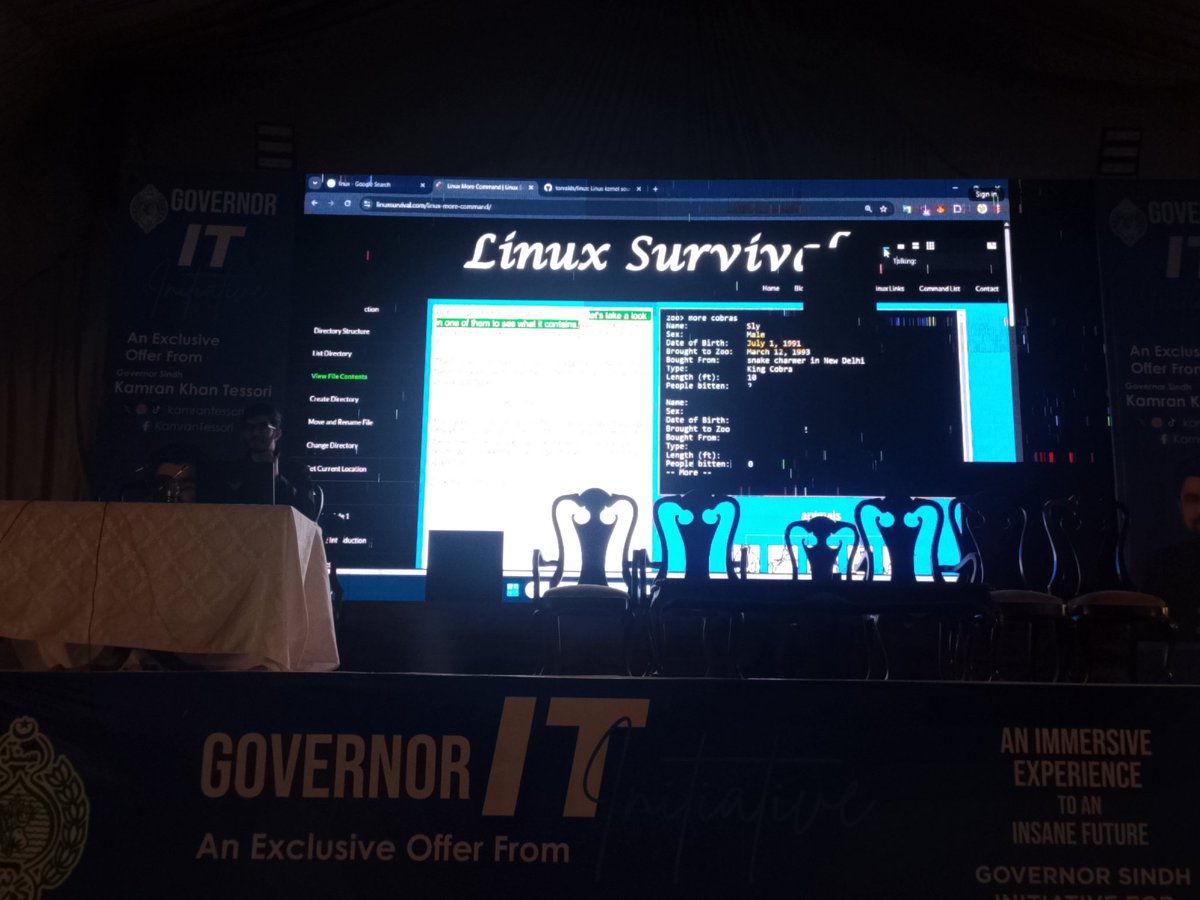
🎓 Just crushed @Linux Survival Modules 1 & 2! 🐧 Mastered @ubuntu on WSL with commands like ls, cd, mv, cp & chmod. Building strong foundation for my DevOps journey! 🚀
#Linux #DevOps #TechJourney #WSL #Ubuntu #LearnLinux #Coding
@0xAsharib

1
3
58

Accelerate Your Career with Our Linux courses; linuxcertified.com/linuxtrai… Learn from experienced instructors w/ 24 yrs of experience. #Linux #EmbeddedLinux #DeviceDriver #Kernel internals #Linuxsysadmin #Training #LPI #LPIC #comptia #linux_in_practice #Linuxessentials #Learnlinux

1
3
4
92

Jan 26
Linux Commands Every Beginner Should Know 🐧
pwd → current location
ls → list files
cd → change directory
mkdir → create folder
more → read files
mv → move/rename
rm → delete (careful!)
Build strong Linux basics 💻
🔁 RT to help beginners
#Linux #LearnLinux
@0xAsharib
2
42