
📱 Android Termux
Turn your phone into a Linux machine:
nirobdigital.com/android/
No laptop needed 🚀
#Android #Termux #LinuxOnAndroid #MobileHacking
21

GO AND CHECK OUT ==>> youtube.com/watch?v=xFuDXwSf…
🔥 Ethical Hacking on Android – No PC Needed!
⚠️ For educational purposes only | Always hack ethically ✅
#Termux #EthicalHacking #TermuxHacking #AndroidHacking #CyberSecurity #HackingTutorial #LinuxOnAndroid #PenetrationTesting
1
1
71

Mar 17
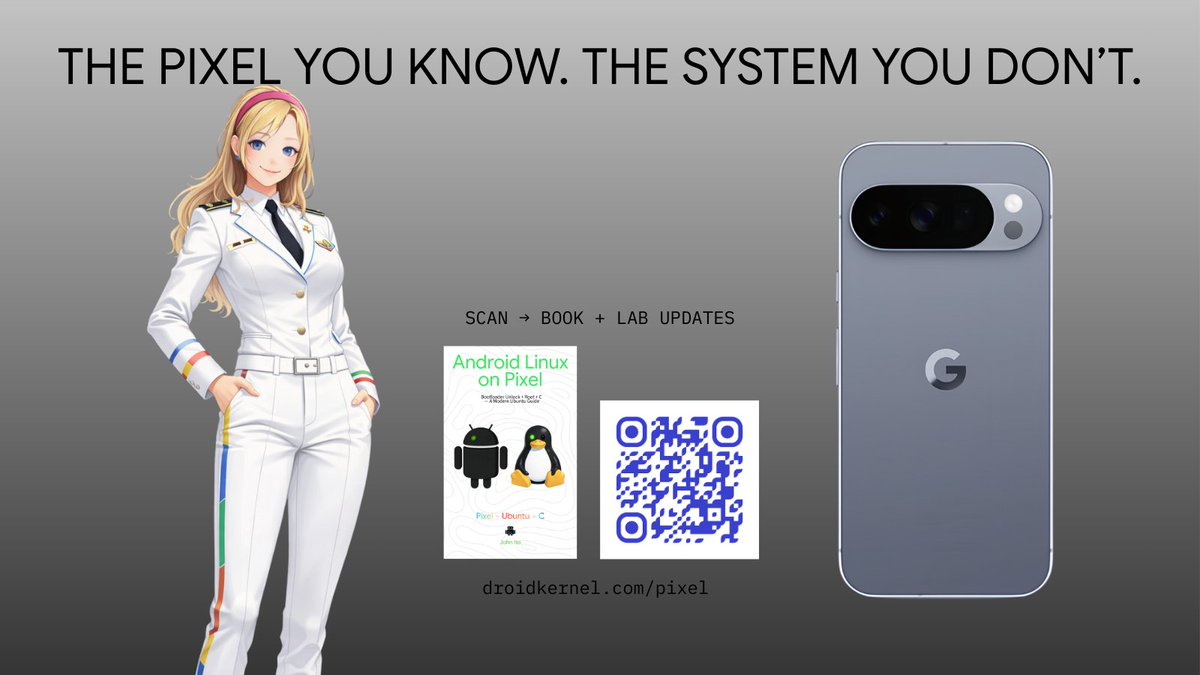
The Pixel you know.
The system you don’t.
Unlock more than a phone. Learn what’s underneath Android with bootloader unlock, root, and C labs on modern Ubuntu.
Android Linux on Pixel
droidkernel.com/pixel
#Android #GooglePixel #Pixel #Linux #Ubuntu #Magisk #ADB #Fastboot #CLanguage #AndroidDev #LinuxOnAndroid #Rooting #OpenSource #DroidKernel
72

3 Dec 2025
Android 16 QPR2 अपडेट रोलआउट, टेकी लोगों में भयंकर उत्साह
#Android16QPR2 #PixelUpdate #LinuxOnAndroid #GoogleAndroid #SDK361
bekhabar.in/android-16-qpr2-…
39

20 Nov 2025
22

4 Sep 2025
📱 Android 16: The Baklava Drop — Sweet, Layered, Powerful
“Android 16 isn’t just an update—it’s a glow-up. Every layer adds flavor, every feature adds fire.”
#Android16 #BaklavaUpdate
🎨 Material 3 Expressive Design
Android 16 introduces the Material 3 Expressive design language, bringing more animation, blur, and color across the UI. Battery icons now show percentage inside a landscape-style shape, and transitions feel smoother and more immersive.
“Material 3 Expressive = Android finally dressing like it knows it’s hot.”
#Material3Expressive #AndroidGlowUp
🖥️ Desktop Mode
A game-changer for productivity: Android 16’s desktop mode lets users connect their phones to monitors, keyboards, and mice for a full desktop experience. It supports window tiling, keyboard shortcuts, and works on Pixel 10 via developer settings.
“Your phone just got a 9-to-5. Plug it in, power it up, and multitask like a boss.”
#AndroidDesktopMode #PixelPower
🧠 Gemini AI Integration
Gemini AI is now baked into Android 16, offering contextual awareness, smarter suggestions, and features like YouTube summarization with timestamps. It’s designed to assist across devices and adapt to user behavior.
“Gemini doesn’t just answer questions—it finishes your thoughts.”
#GeminiAI #AndroidSmart
🔐 Security Enhancements
Android 16 levels up security with Advanced Protection Mode, AI-powered scam detection, USB port blocking, offline lock, and factory reset protection loop.
“Android 16: Because privacy isn’t a feature—it’s a right.”
#AndroidSecurity #PrivacyFirst
🏥 Health Connect Enhancements
Health Connect now supports writing medical records in FHIR format, starting with immunization data. Future updates will include lab results, medications, and more.
“Your health data, your control. Android 16 makes wellness smarter.”
#HealthConnect #DigitalWellness
🎧 Bluetooth LE Audio Auracast
Auracast lets users stream audio to multiple Bluetooth devices without complex pairing. Great for parties, workouts, or shared listening.
“One playlist. Many ears. No drama.”
#Auracast #BluetoothLEAudio
🖼️ Embedded Photo Picker
The new photo picker integrates cloud services like Google Photos, allowing users to select media from both local and cloud storage with search functionality.
“Find that one perfect pic—without switching apps or losing your vibe.”
#AndroidPhotos #CloudPicker
🔄 Live Updates
Live Updates introduce a new notification class for tracking ongoing activities like rideshare, delivery, and navigation. The ProgressStyle template supports icons, milestones, and journey states.
“Your notification bar just became mission control.”
#LiveUpdates #ProgressStyle
🧩 Adaptive Apps
Android 16 removes screen-size restrictions for apps, pushing developers to build adaptive experiences across devices. By 2026, this will be mandatory for apps targeting API level 37.
“No more screen tantrums. Apps now flex like your favorite influencer.”
#AdaptiveApps #BigScreenReady
🧪 Linux Terminal
Using Android Virtualization Framework, users can run Linux apps in a secure VM. It supports graphical apps and even classic games like Doom.
“Doom on Android? Yes. Your phone just became a dev playground.”
#LinuxOnAndroid #AVFMagic
🔐 Privacy Sandbox
Privacy Sandbox limits tracking by using anonymized data and local processing. It balances personalized content with user privacy.
“Ads get smarter. You stay anonymous. That’s the Android 16 way.”
#PrivacySandbox #AdTechReform
🔕 Notification Cooldown
This feature reduces alert fatigue by muting rapid-fire notifications for up to 2 minutes—without affecting priority alerts.
“Buzz less. Focus more. Your peace matters.”
#NotificationCooldown
“Android 16: Where design meets depth, and your phone finally feels like it gets you.”
#AndroidUpdate #BaklavaDrop
#Android16 #Material3Expressive #GeminiAI #AndroidDesktopMode #AndroidSecurity #AndroidFeatures #AndroidUpdate #AndroidCommunity
136

26 Jul 2025
Google's Android Terminal app in the latest Canary build now supports graphical Linux applications via a Debian VM, bringing a full desktop experience to your phone.
#AndroidLinux #LinuxOnAndroid #GUISupport #AndroidDev #Wayland
securityonline.info/android-…
208

27 Jun 2025
🚀 Just finished setting up my Neovim config to work on both Android tablet and Mac! From learning Lua to exploring LSPs & plugin setups — it’s been an exciting dive!
Check it out 👉 github.com/tiwarikushmukesh/…
#Neovim #DevSetup #LinuxOnAndroid #dotfiles #opensourceai
@kirat_tw
62

24 Jun 2025
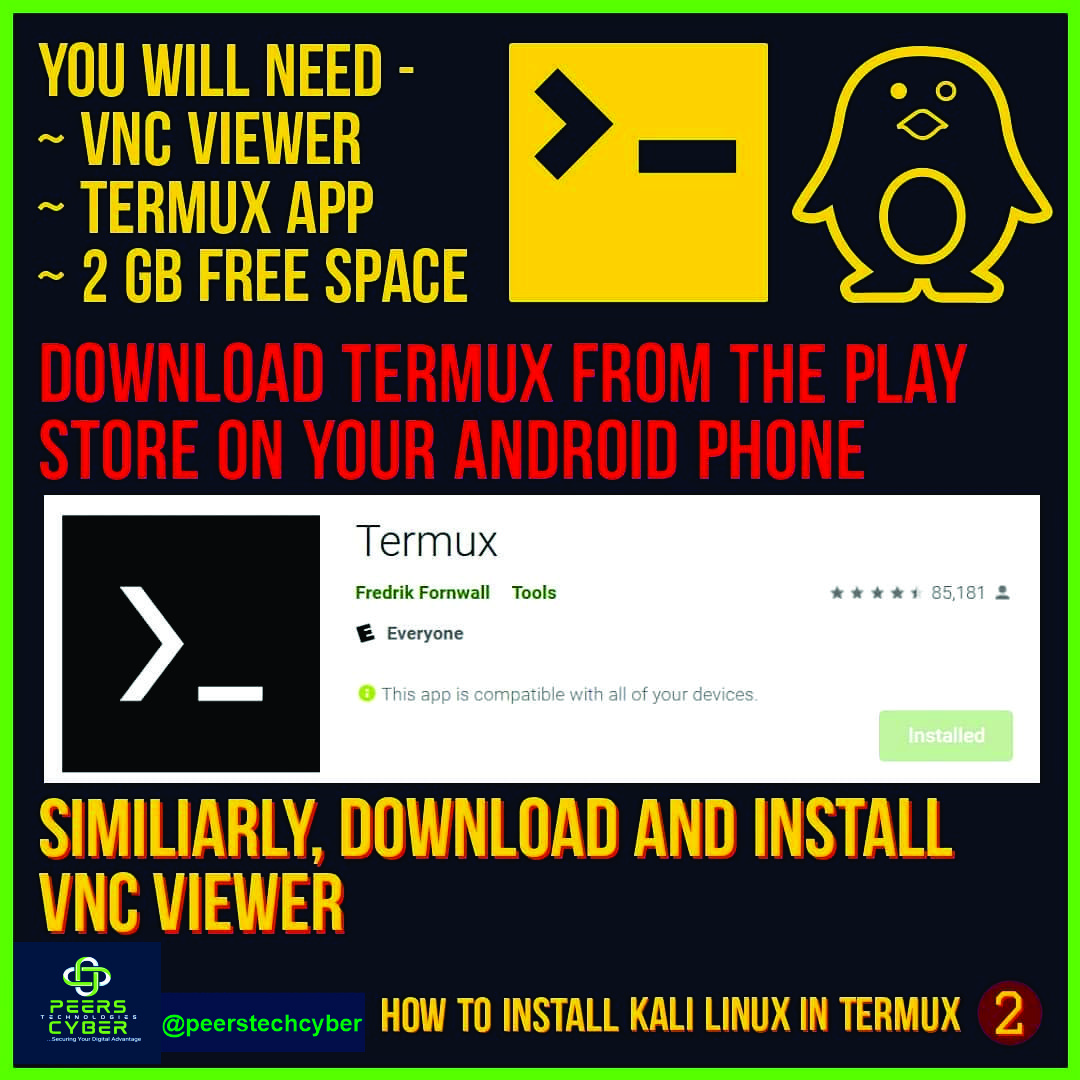
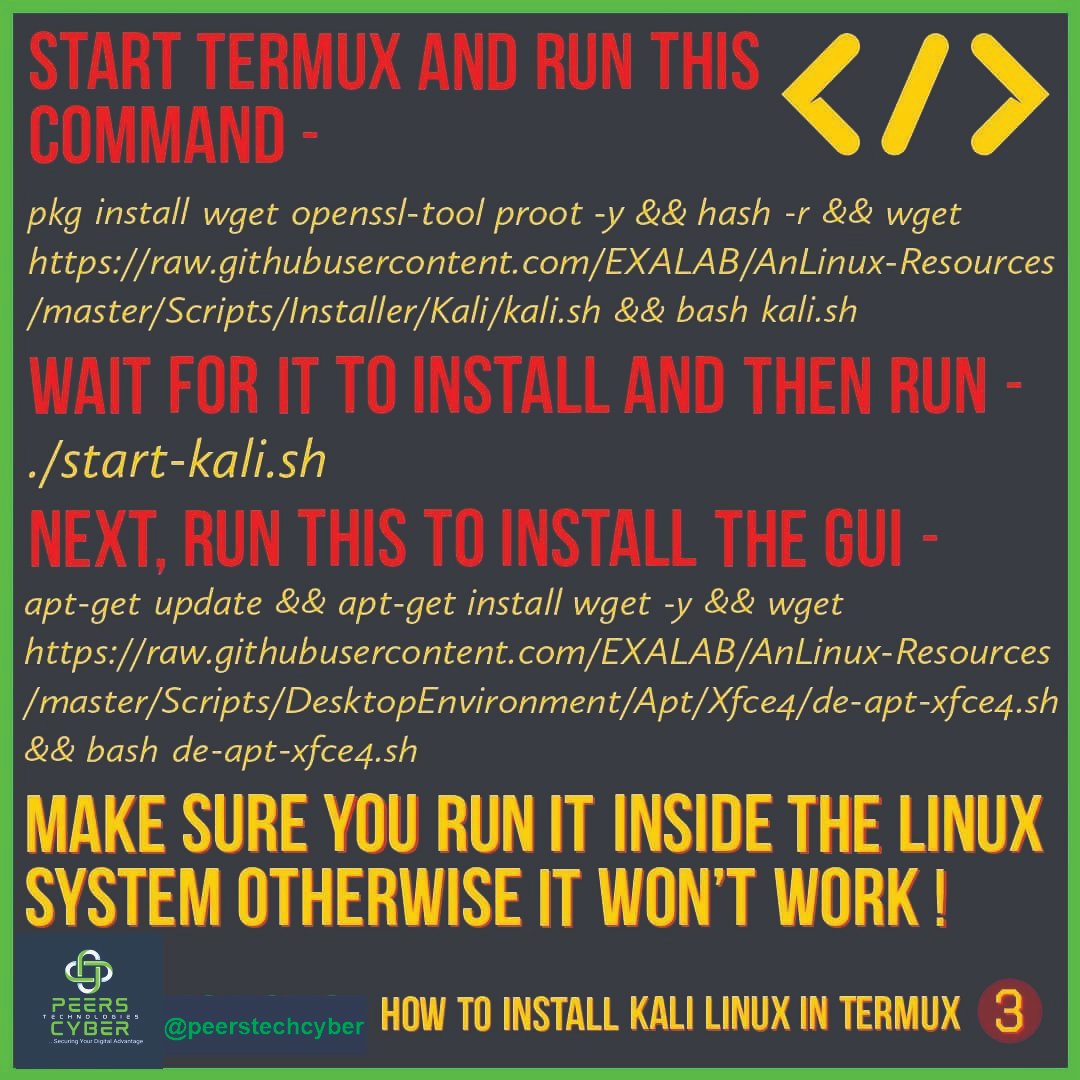
Turn your Android into a Linux machine!
Here’s how to install Linux GUI on Termux — no root needed!
Install Termux
Update & upgrade
Install proot-distro (e.g. Ubuntu)
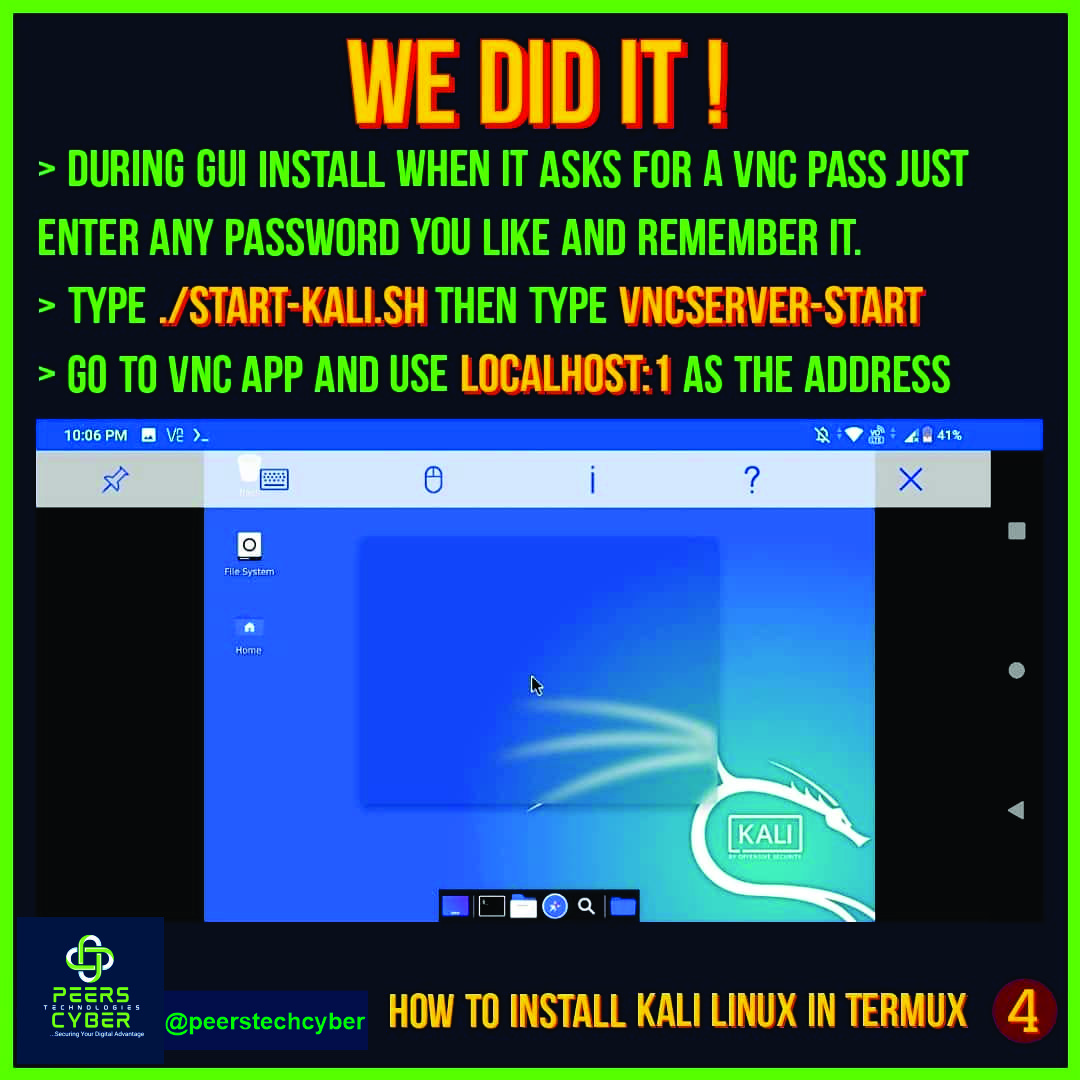
Run your GUI with VNC viewer
Boom — full Linux desktop on your phone!
#Termux #LinuxOnAndroid #HackerSetup

2
236

16 Jun 2025
4
60
244
17,985
16 Jun 2025
1
13
1,104
16 Jun 2025
5
22
2,271
16 Jun 2025
2
2
11
1,830
16 Jun 2025

1
9
28
2,851

16 Jun 2025
Customizing my mobile Linux distro 😅
Here are the results 😁
Inspired by my name onchain and underground 😅 hehehe kek.
#LinuxOnAndroid #TermuxTweaks #OnChainIdentity #HackThePlanet #MobileHacking #CyberAesthetic #Web3Dev #DarknetVibes #BashScript #AsciiArt #HackerCulture
1
7
367

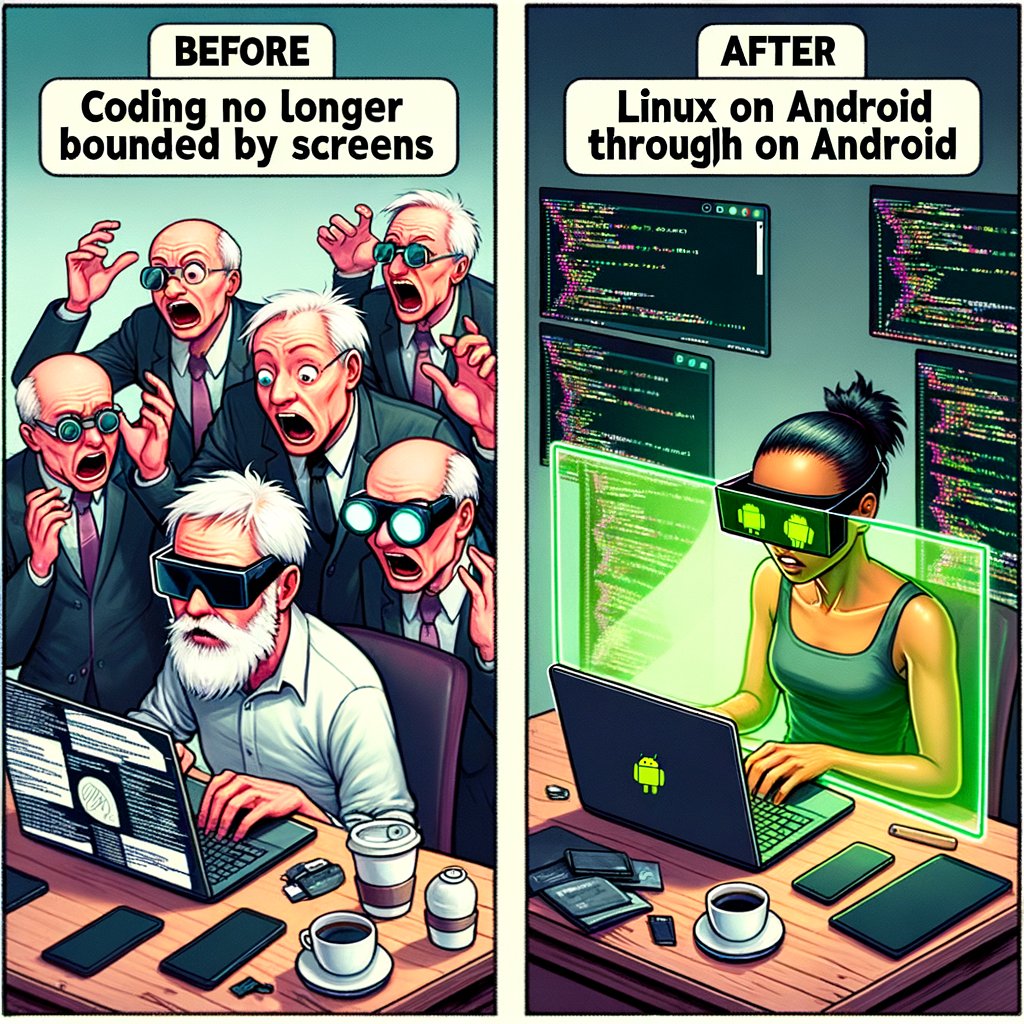
Did you know that you can code without a laptop using just AR glasses and Linux on Android? 🤔
Here are some key insights from the experience:
- **Immersive Coding**: AR glasses provide a unique, hands-free coding environment that challenges conventional setups.
- **Portability**: This setup allows for unparalleled mobility, making coding possible anywhere, anytime.
- **Innovation in Action**: Merging AR technology with Linux on Android showcases the cutting-edge potential of tech integration.
This experiment highlights the growing trend of augmented reality in professional environments, pushing boundaries beyond traditional screens. Imagine the possibilities when AR becomes mainstream, from enhancing remote work to transforming digital interactions.
👉 Have you ever experimented with AR technology in your workflow? Share your experiences or thoughts on how AR could reshape your industry! Let's discuss in the comments.
🔗 Read more about this innovative journey: holdtherobot.com/blog/2025/0…
🌟 Embrace the future of technology and let innovation guide your path. Remember, today's experiment might be tomorrow's standard. #AR #Innovation #TechTrends #FutureOfWork #LinuxOnAndroid
31

Disclaimer⛔️: This content is for educational use only. Use tools responsibly and only on systems you are authorized to test.
#Termux #MobileLinux #EthicalHacking #CyberSecurity #InfoSec #EducationOnly #LinuxOnAndroid #TechForBeginners #CommandLineSkills
152
Disclaimer🚀: This content is for educational use only. Use tools responsibly and only on systems you are authorized to test.
#Termux #MobileLinux #EthicalHacking #CyberSecurity #InfoSec #EducationOnly #LinuxOnAndroid #TechForBeginners #CommandLineSkills
245
Disclaimer: This content is for educational use only. Use tools responsibly and only on systems you are authorized to test.
#Termux #MobileLinux #EthicalHacking #CyberSecurity #InfoSec #EducationOnly #LinuxOnAndroid #TechForBeginners #CommandLineSkills
1
1
163
Disclaimer⛔️: This content is for educational use only. Use tools responsibly and only on systems you are authorized to test.
#Termux #MobileLinux #EthicalHacking #CyberSecurity #InfoSec #EducationOnly #LinuxOnAndroid #TechForBeginners #CommandLineSkills
124