
16 Jul 2025
Deployed my service on @render 🚀 #buildinpublic
mlapi-r3tj.onrender.com .This is my first MLAPI built.
2
35

19 Mar 2025
Network models in gaming.
In game networking, particularly for engines like Unity and Unreal Engine, network models define how data is transmitted between clients and servers to enable multiplayer functionality. These models determine the architecture, synchronization, and communication strategies used in a game. Below, I’ll outline the primary types of network models commonly used in game development, with a focus on how they apply to Unity and Unreal Engine.
1. Client-Server Model
Description: A central server manages the game state and communicates with all connected clients. Clients send inputs to the server, which processes them and updates the game world, then sends the updated state back to the clients.
Key Features:
Centralized authority (server controls the game state).
Reduces cheating since clients can’t directly manipulate the game world.
Scales poorly with many players due to server load.
Unity:
Unity’s built-in networking (e.g., Unity Netcode for GameObjects, formerly MLAPI) supports a client-server model. The host can act as both a server and a client, or a dedicated server can be used.
Example: A player sends movement input to the server, which validates it and broadcasts the new position to all clients.
Unreal Engine:
Unreal’s networking is inherently client-server based. The server replicates game state (via Actor replication) to clients, and clients send inputs to the server.
Supports dedicated servers or listen servers (where one player hosts).
Example: The Character class uses replicated properties like location and health, updated by the server.
Use Case: Most traditional multiplayer games (e.g., shooters like Counter-Strike or MMOs).
2. Peer-to-Peer (P2P) Model
Description: All players (peers) communicate directly with each other without a central server. Each peer maintains its own game state and synchronizes with others.
Key Features:
Decentralized, reducing server costs.
Higher latency and synchronization issues as player count increases.
More vulnerable to cheating since there’s no central authority.
Unity:
Not natively supported by Unity’s high-level networking solutions, but can be implemented using low-level APIs (e.g., Unity Transport Layer) or third-party tools like Photon PUN.
Example: Each client sends position updates directly to other clients, with no server validation.
Unreal Engine:
Unreal does not natively support full P2P due to its focus on client-server replication. However, custom P2P solutions can be built using UDP sockets or third-party plugins.
Use Case: Small-scale games (e.g., co-op games with 2-4 players) or LAN-based games.
3. Lockstep Model
Description: All clients run the same simulation deterministically, exchanging only player inputs at fixed intervals (steps). The game state evolves identically on all machines.
Key Features:
Minimal bandwidth usage (only inputs are sent).
Requires deterministic game logic, which can be challenging to achieve with floating-point calculations or physics.
Sensitive to latency; delays from one player can stall everyone.
Unity:
Not built into Unity’s default networking but can be implemented manually with precise control over game logic and a custom networking layer.
Example: RTS games like StarCraft use this, where each client processes identical inputs (e.g., “move unit to X”).
Unreal Engine:
Unreal’s replication system isn’t designed for lockstep, as it relies on server-driven updates. Custom implementation is possible but rare due to Unreal’s focus on real-time action games.
Use Case: Strategy games or turn-based games where synchronization is critical.
4. Authoritative Server with Client Prediction
Description: An extension of the client-server model where the server has full authority, but clients predict their own state (e.g., movement) to reduce perceived latency. The server corrects discrepancies when they occur.
Key Features:
Balances responsiveness with server control.
Requires reconciliation to handle prediction errors (e.g., rubber-banding).
Unity:
Unity Netcode for GameObjects supports this through features like NetworkVariables and client-side prediction. Clients predict movement locally, and the server corrects if needed.
Example: A player moves instantly on their screen, but the server adjusts their position if they collide with a wall.
Unreal Engine:
Built into Unreal’s networking framework. The CharacterMovementComponent includes client-side prediction and server correction by default.
Example: A player jumps, and the client predicts the arc, but the server ensures they don’t clip through objects.
Use Case: Fast-paced games like first-person shooters (e.g., Unreal Tournament, Valorant).
5. Relay Server Model
Description: Clients connect through a relay server that forwards messages between them, avoiding direct P2P connections (e.g., due to NAT traversal issues).
Key Features:
Simplifies connectivity in modern networks.
Adds latency compared to direct P2P but less than a fully authoritative server.
Unity:
Unity’s Relay service (part of Unity Gaming Services) facilitates this. Clients connect via a relay server for matchmaking and communication.
Example: A co-op game where players join via a relay without hosting a dedicated server.
Unreal Engine:
Not natively provided, but third-party services (e.g., Photon Relay) or custom solutions can be integrated.
Use Case: Casual multiplayer games or when avoiding dedicated server costs.
6. State Synchronization vs. Input Synchronization
State Synchronization:
The server sends the full game state (or deltas) to clients. Common in Unity (Network Transform) and Unreal (Actor replication).
Higher bandwidth but simpler to implement.
Input Synchronization:
Clients send inputs to the server, which computes the state. Used in lockstep or deterministic systems.
Lower bandwidth but requires deterministic logic.
Unity: Supports both, depending on the networking solution (Netcode favors state sync with prediction).
Unreal: Primarily state synchronization with replication, though inputs drive server updates.
Practical Considerations in Unity and Unreal
Unity:
Offers flexibility with tools like Netcode for GameObjects, Photon, or Mirror. Developers choose the model based on game type (e.g., authoritative for competitive, relay for casual).
Lightweight and modular, but requires more manual setup for complex systems.
Unreal:
Heavily optimized for client-server with authoritative servers and replication. Best for action games needing tight synchronization.
Less flexible for alternative models like P2P or lockstep without custom work.
Summary
Unity: Commonly uses client-server (with Netcode), relay (Unity Relay), or P2P (via Photon), with support for prediction and state sync.
Unreal: Focuses on client-server with authoritative servers, replication, and prediction baked in.
Game Type: Fast-paced games lean toward authoritative models with prediction, while strategy or small-scale games might use lockstep or P2P.
1
88

4 Feb 2025
doner bi yapistiririm suratinin ortasina gorur slapi mlapi
30 Jan 2025

wyd if ur fav kpop idol slaps you
5
246

4 Apr 2024
I think the full list gives a good sense of the madness of those years... even though of course some of these 'acquisition' only really brought one or two people in, and some also really made sense for Unity.
(I forgot Bolt! And MLAPI! And who knows what else)
2
159

11 Jan 2024
PrimitierのオンラインMOD、具体的にどうすればいいか考えているけど、Photonとか使えるのかな...?
公式からMLAPIってやつが出てるけどベータっぽいし、出来ればPhotonで実装したい。
5
120

25 Sep 2023
Unityバイブル 19章:MLAPI、20章:AR
進捗:559/1111(10ページ)
今日もUnityの勉強が少しできました。
やっとページが半分超えました😑💦
ARというのがまだどんなのか分かってないですが、
サンプルがあるらしいので動かしていこうかと。
6
168
24 Sep 2023
Unityバイブル 19章:MLAPI
進捗:549/1111(10ページ)
今日はUnityの勉強もできました。
相変わらず内容は難しいですね😅
でも、ソースコード見るのはちょっと楽しいです。
もうちょっとでやっとこの本の、
半分に到達します。
なんとかして全ページ読めたらと😑💦
10
208
18 Sep 2023
Unityバイブル18章:Photon 19章:MLAPI
進捗:539/1111(10ページ)
今日もUnityの勉強ができました。
10ページなのは相変わらずですけどね😅
曲作ったりしていきたいので、
なかなか優先順位と時間配分が難しい。
自作ゲームに曲を載せるを、
いつか実現できたらと。
3
178


10 Aug 2023
Worth taking a look at this blog.unity.com/games/how-to-…
Last time I looked into this MLAPI (now the official Unity one) was decent and Mirror was slightly better but basically just an evolution of UNET.
We used Ignorance for the transport layer after a bunch of testing.
1
1
2
113

12 Jun 2023
뫄뫄 도큐먼트 중..
"HLAPI 가 블라블라..."
HLAPI 가 뭐지?
답 : High-Level API
...
"MLAPI 가 블라블라..."
MLAPI 는 또 뭐야? 설마...
답 : Mid-Level API
...🫠
1
5
830

22 Mar 2023
It's not, but both Mirror and MLAPI which Netcode for GameObjects is based off of, are working on the basis set by Unity's old UNET systems, to try and keep ot familiar for Unity devs
1
2
65

Me: "I just need to find out if this prefab is spawnable."
Unity: "Oh that's all internal."
Not a joke or overstatement: Working with mlapi makes me not want to use @unitygames ever again.
1
2
234

30 Dec 2022
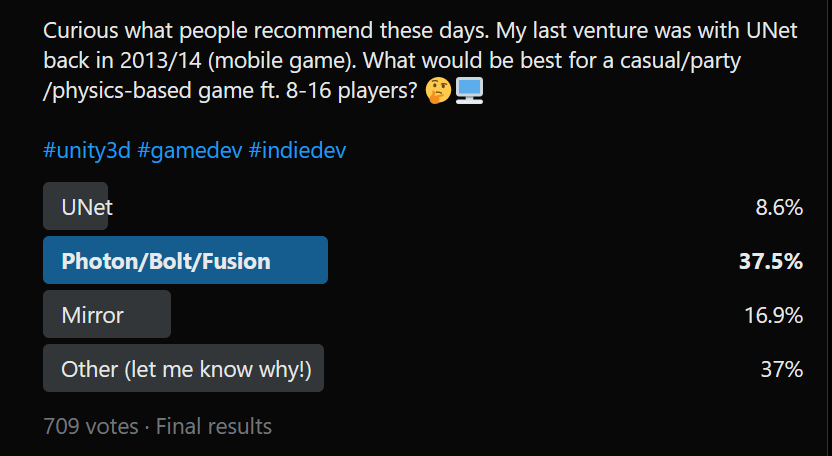
🏁 Here are the results from last week's Twitter Reddit poll on NETWORKING solutions for #Unity3D.
1100 total votes at a glance:
Photon, Mirror, and Unity's new MLAPI -> NGO took a general lead, but I noticed a lot of people pointed out FishNet as a viable solution.
8
32
9,645


15 Nov 2022
モンハンみたいなマルチプレイゲームを作りたい場合はどのライブラリを使うといい感じにできるだろう🤔
PhotonとMLAPIはちょこっとだけ触ったことがあるのですが...
5

24 Oct 2022
From Space is the game I am most looking forward to! As a bonus, it's a co-op multiplayer game made with Netcode.
What is even more impressive is the developers are using an earlier version of Netcode when it was branded MLAPI.
Wishlist:
lnkd.in/eHraMpNy
#unity3d
2
4

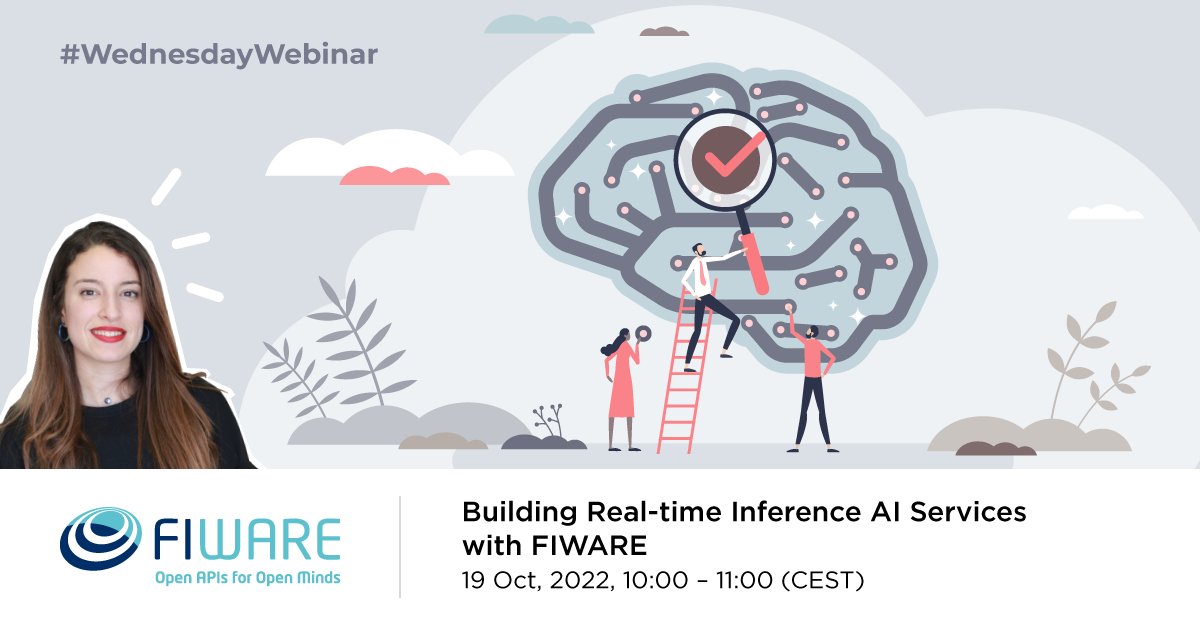
Starting in 35 minutes: our #WednesdayWebinar on Building Real-time Inference AI Services with FIWARE - presented by @Rihab_Feki!
Use this link to access the session: meet.goto.com/487597245
#FIWAREWednesdayWebinar #OpenSource #MachineLearning #MLAPI
1

16 Sep 2022
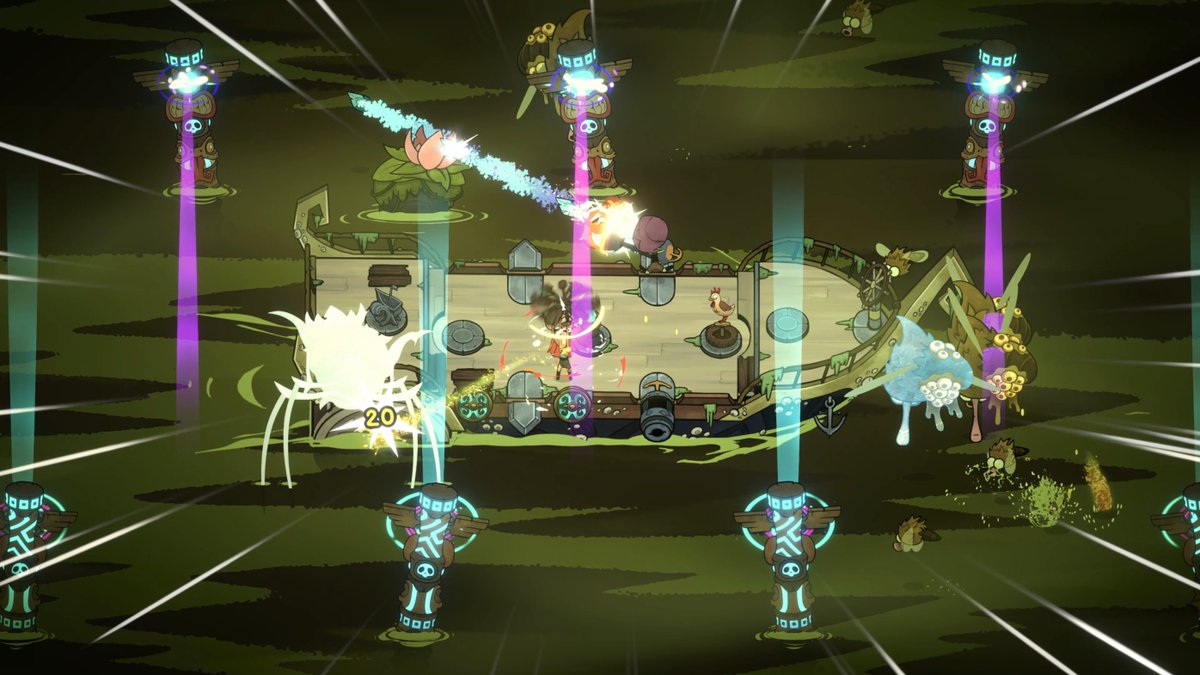
"Unity's team did a great job at stabilizing former MLAPI to lay the foundations to build a complete and extensible networking framework for their engine."
Check out @fikaproductions' upcoming @shipoffoolsgame which uses Netcode for GameObjects: youtube.com/watch?v=ARAJ7UJt…
1
2
6

16 Sep 2022
Unity’s internal “Netcode for GameObjects” recently reached 1.0. It’s based on an open source project called MLAPI. An advantage is “transport layers” are swappable, so you can use default Unity Transport, or switch to Photon, or LiteNetLib, or Relay.
docs-multiplayer.unity3d.com…
1
2