
8 Dec 2025
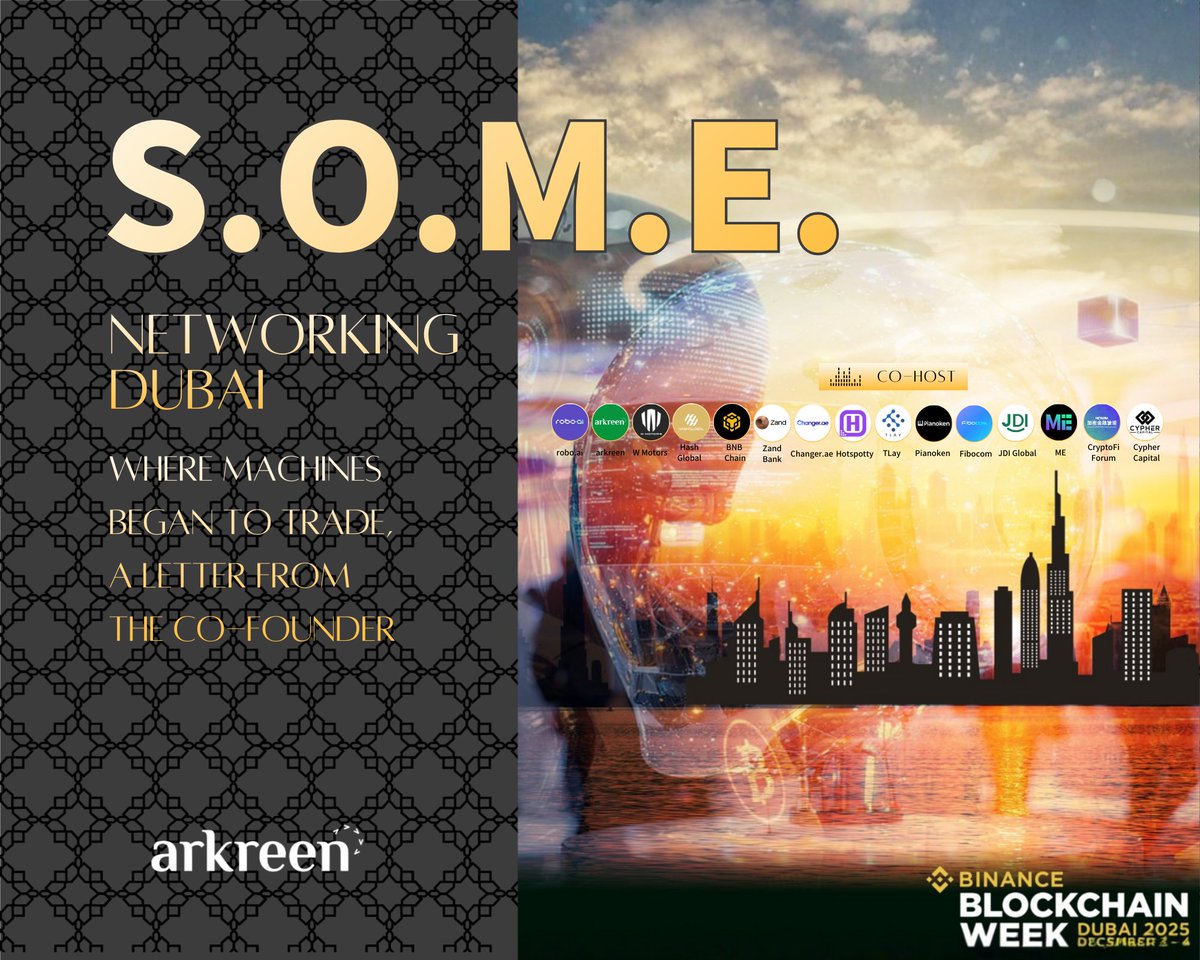
1/8 S.O.M.E. Networking Dubai 2025 convened a curated room of builders, operators and capital to move the machine economy from theory to revenue. Keynotes, live demos and signed pilots produced a clear 18-month map. Read the full letter and analysis:
arkreen.com/blog/s-o-m-e-net…
@roboaiio @arkreen_network @WMotors @HashGlobal @BNBCHAIN
@Official_Zand @Changer_ae @hotspotty @tlay_io @Pianoken_POP @Fibocom_IoT @Global_JDI @MetaEraHK @CryptoFi_Forum @cypher_capital
#DePIN #MachineEconomy #EnergyWeb #robotics #MachinePayment #MachineWallet #x402 #DePAI
3
5
15
11,197

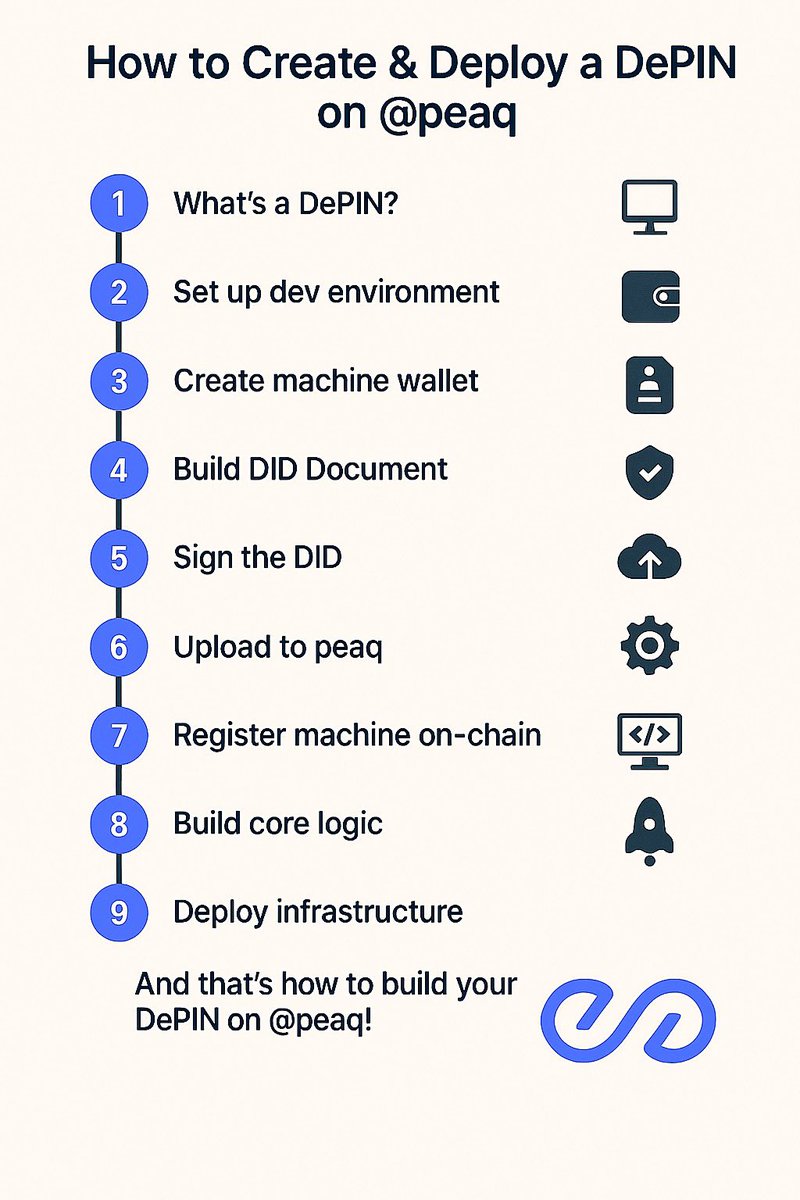
🛠️How to Create & Deploy a DePIN on @peaq (step-by-step guide)
I’m sure there’s someone reading this quoted post by peaq somewhere and thinking they want to be one of those but doesn’t know where to start. I’m here for you🫂.
here’s an opportunity for you to build something real world on peaq. So if you’re wondering how to create and deploy your own DePIN on peaq, this is for you.
let’s break it down step by step (read till the end)👇
1) What’s a DePIN anyway?
DePIN = real-world machines, such as EVs, sensors etc coordinated through blockchain.
on peaq, you get tools like DIDs (Decentralized IDs), machine wallets, and verifiable data to make this secure and autonomous.
2) Firstly, to set up your dev environment, you’ll need Node.js. Then install the peaq SDK and ethers.js:
npm install peaq-network/sdk ethers
connect to the Agung testnet:
https: //peaq-agung.api.onfinality.io/public
peaq’s docs are really helpful. Make sure you test thoroughly first before deploying to mainnet.
3) Then you need to create a machine wallet. Each device in your DePIN gets a unique crypto identity.
example in JS:
import {Wallet} from "ethers";
const machineWallet = Wallet.createRandom();
don’t forget to keep the private key secure! In prod, consider HSMs or secure enclaves. This is a very important part.
then you need to fund the wallet. Machines need gas to operate.
then transfer peaq’s token, $PEAQ to your device from an admin wallet:
const provider = new ethers.JsonRpcProvider("https: //peaq-agung.api.onfinality.io/public");
const admin = new ethers.Wallet("YOUR_ADMIN_PRIVATE_KEY", provider);
await admin.sendTransaction({
to: machineWallet.address,
value: ethers.parseEther("1")
});
4) Next is to build a DID Document.
This is like a digital passport for the machine. Would include both public keys and metadata.
const sdk = await Sdk.create({baseUrl: "wss://ws-agung.peaq.network"});
const didAccount = generateDid(machineWallet.mnemonic.phrase);
customize it with attributes like device model or geolocation as you deem fit.
5) Now sign the DID. Use the machine’s private key to authenticate the DID doc:
const signature = await machineWallet.signMessage(JSON.stringify(didDocument));
then remember to append the proof object to your doc. This makes sure it’s cryptographically verifiable.
6) Now you can upload to peaq. Use peaq’s built-in decentralized storage to persist the DID:
await sdk.did.create({
didDocument: JSON.stringify(didDocument),
keys: [{privateKey: machineWallet.privateKey, publicKey: machineWallet.publicKey}]});
you should get a hash after this, which is your machine’s on-chain ID anchor. Save it somewhere.
7) Now is the time to register the machine onchain. Do this by onboarding your device to your DePIN project:
await sdk.machine.register({
did: didAccount.uri,
metadata: {type: "sensor", model: "YourModel"}});
if you’re registering multiple devices, you can loop this. Solidity or Ink! smart contracts can be added here.
8) Then you build the core logic as you want it to be. Use smart contracts to manage incentives, data sharing, or governance.
sample contract:
contract DePINIncentives {
// Logic for rewarding data contributions}
test on Hardhat or Remix. Peaq supports both EVM and WASM, so you’re good.
9) Now you can finally deploy your infrastructure.
Pick your model:
~ Node.js backend for fleet management
~ React Native app for users
~ Next.js web dashboards
use Truffle or Remix to deploy contracts to peaq mainnet. APIs will connect machines to your backend/app logic.
don’t forget to monitor and iterate.
set up dashboards (Grafana, explorers).
watch for gas usage, security risks and community feedback
• And that’s how to build your DePIN on @peaq.
I hope you found this useful. Feel free to ask for any clarifications in the comments.
Let’s continue to grow the machine economy with peaq.

6 leading DePINs recently joined and/or expanded to peaq in recent weeks 🔥
→ Auki Network — machine perception
→ Threefold — decentralized internet infrastructure
→ Over the Reality — spatial computing
→ Aira — air quality monitoring
→ 375ai — edge AI
→ Alpha AI — autonomous drones
Let’s get to know these visionaries better 🧵
57
3
56
1,106


13 Mar 2023
You want ownership over your project and no bots?
We can help you get there‼️
Send us a DM to have MachineWallet make your project succeed✨
14
6
405
9 Mar 2023
𝐅𝐈𝐑𝐌𝐖𝐀𝐑𝐄 𝐔𝐏𝐃𝐀𝐓𝐄:
MachineWallet has recently completed an architecture upgrade making our wallet scans 𝟴𝘅 faster than before.
Reach out to get your project ready for your mint!💯
12
1
7
517

18 Feb 2023
So has everyone heard about @MachineWallet The most anti web3 thing created. It allows founders to curate who they allow into their project. By the metrics of the wallet. Instead of building @TheBubblewrld and @bubblehouse 1/
2
1
126
15 Feb 2023
𝐈𝐧𝐭𝐫𝐨𝐝𝐮𝐜𝐢𝐧𝐠 𝐏𝐚𝐬𝐭 𝐌𝐢𝐧𝐭𝐬:
Understand the preferences of your community by seeing the top previous mints that your wallets were involved in and how quickly those projects were flipped on average.
#MachineWallet
15
3
13
2,015

12 Feb 2023
📣 InVarFinance x @MachineWallet Partnership GWs
Scan your individual wallet and drop a screenshot of your score below to be entered into our WL giveaway!
5 #NFT WL 𝐖𝐢𝐧𝐧𝐞𝐫𝐬
Score 500 = ENTRY
RT & Follow for eligibility
𝐋𝐢𝐧𝐤: machinewallet.io/
8
5
14
2,263

11 Feb 2023
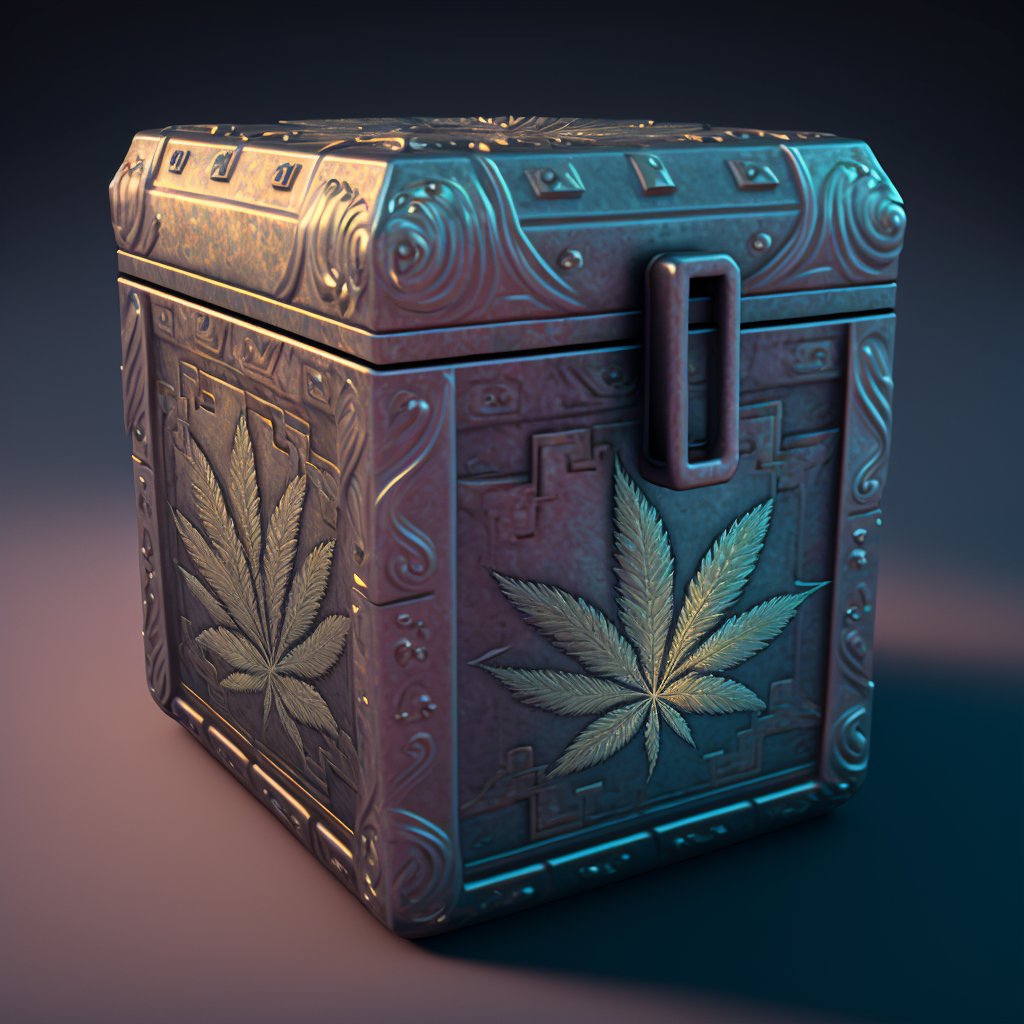
🌿🤖 @Corn3rBoyz & @MachineWallet to giveaway 5 guaranteed spots
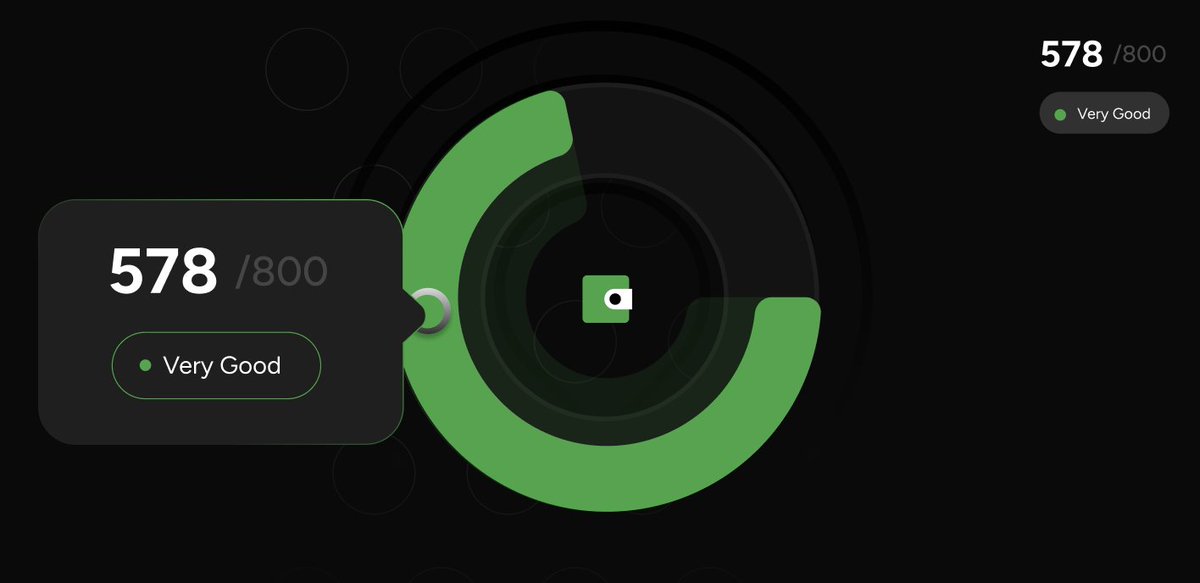
Scan your wallet and drop a screenshot of your score below to be entered into our WL giveaway
𝟓 𝐖𝐢𝐧𝐧𝐞𝐫𝐬
👉Score 500 = ENTRY
👉RT & Follow for eligibility
𝐋𝐢𝐧𝐤 machinewallet.io
#wakeandbake🌿
1
7
14
1,563

8 Feb 2023
We use AI that powers our Wallet Origin feature.
Burner wallets & Bots detected ;)
#MachineWallet ‼️
8 Feb 2023

𝐈𝐧𝐭𝐫𝐨𝐝𝐮𝐜𝐢𝐧𝐠 𝐈𝐧𝐝𝐢𝐯𝐢𝐝𝐮𝐚𝐥 𝐖𝐚𝐥𝐥𝐞𝐭 𝐎𝐫𝐢𝐠𝐢𝐧:
Our system automatically detects linked wallets for any wallet you are scanning which impacts that wallet's score. Taking into account burner wallets, linked wallets, and identify bot wallets using AI.
13
5
14
3,434
7 Feb 2023
𝗜𝗻𝘁𝗿𝗼𝗱𝘂𝗰𝗶𝗻𝗴 𝐎𝐩𝐭𝐢𝐦𝐚𝐥 𝐑𝐞𝐥𝐞𝐚𝐬𝐞 𝐓𝐢𝐦𝐞:
See the key on-chain activity times of your pre-sale wallets to determine the best day and hour for your release.
#MachineWallet
6
4
10
1,147
7 Feb 2023
Revolutionize how well you know your project's wallets.
DMs are open🥂
#MachineWallet

Why wallet scores will matter & how to be ready for it
An analysis 🧵on @metamountaineer community ⬇️
3
5
7
1,061

Wallet scores are here with tools like @MachineWallet, and will only continue to improve
Founders: you have new power
Holders: your actions will matter
Parasites: plz leave.
1
144
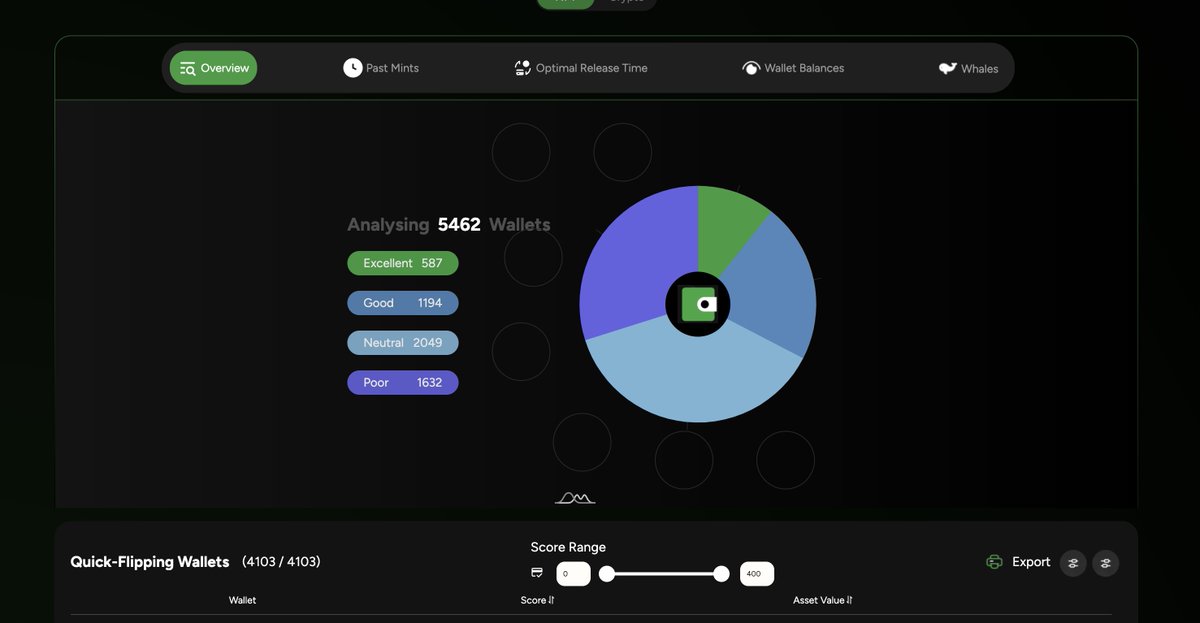
@MachineWallet is already making scores a reality
a run on our mintlist below shows over 75% of wallets are "quick-flipping"
today, only ~500/1800 holder wallets are not "quick-flipping"
so what difference does this make? ⬇️
1
1
152
6 Feb 2023
𝗜𝗻𝘁𝗿𝗼𝗱𝘂𝗰𝗶𝗻𝗴 𝐌𝐢𝐧𝐭-𝐑𝐞𝐚𝐝𝐲 𝐖𝐚𝐥𝐥𝐞𝐭𝐬:
Find out exactly how many of your wallets have a high enough wallet balance to mint your project.
Filter out by any mint price you want to help you set the best mint price leading up to your release. 🥂
#MachineWallet
2
5
14
1,280
2 Feb 2023
𝗜𝗻𝘁𝗿𝗼𝗱𝘂𝗰𝗶𝗻𝗴 𝗪𝗮𝗹𝗹𝗲𝘁 𝗙𝗶𝗹𝘁𝗲𝗿𝗶𝗻𝗴:
Filter out the wallets that can be detrimental to your project by simply selecting the lowest score threshold for entry into your mint. Easy. Quick. Effective.
#MachineWallet
1
7
16
1,162
31 Jan 2023
𝐈𝐧𝐭𝐫𝐨𝐝𝐮𝐜𝐢𝐧𝐠 𝐭𝐡𝐞 𝐖𝐚𝐥𝐥𝐞𝐭𝐒𝐜𝐨𝐫𝐞 𝐁𝐫𝐞𝐚𝐤𝐝𝐨𝐰𝐧:
Segment your presale wallets into groups and pick who you want in your project for maximum success!
#MachineWallet
2
5
15
1,658

Nice tool ! Hope it will be widely use for WL🤞got a 502/800 "good". bought my first nft a year ago, only bought more and never sold any since then but I offered a few to collegues and friends. is that explain I don't have a bigger score ? just curious how the rating works.
1
3
91

30 Jan 2023
This is awesome and you can add names based on the score that wallet gets like quick flipper, trader, paper hands, diamond hands etc
1
2
64
