
15 May 2025
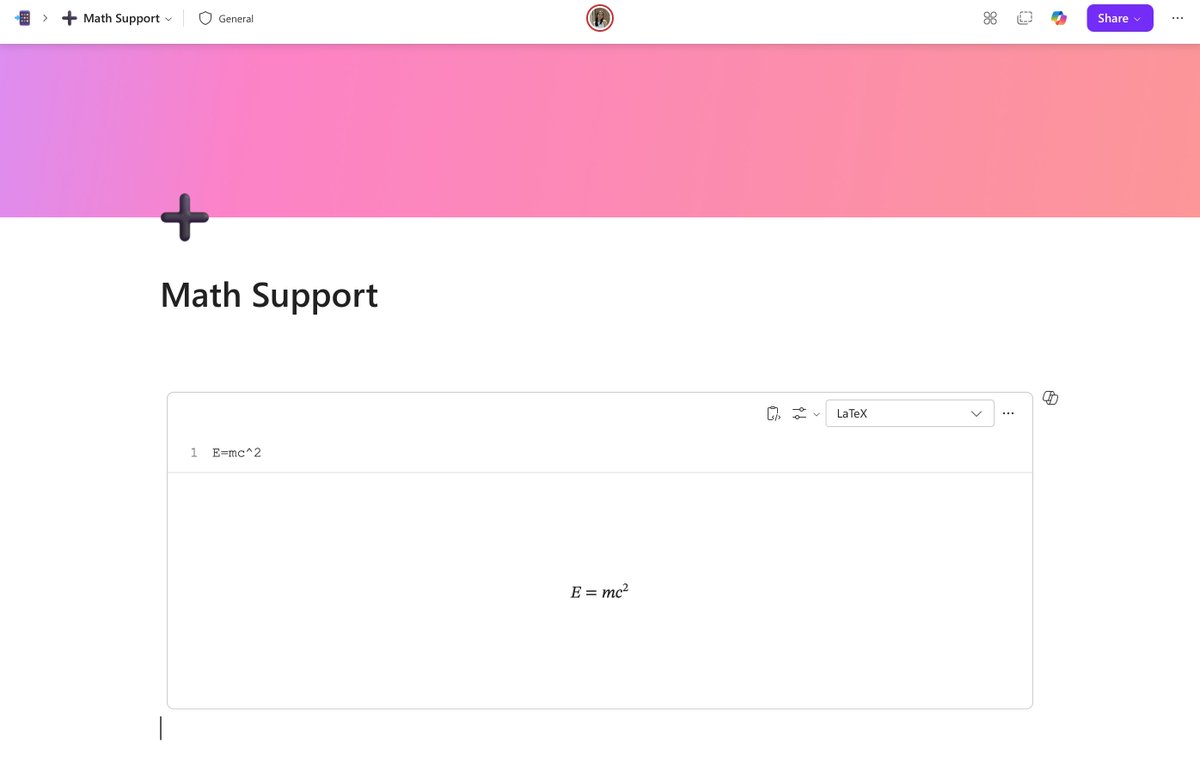
#NewinLoop: Need to explain ROI with actual math? You can now add equations in Loop!
Type /math or /inline equation and drop in square roots, exponents, fractions—you name it. Give it a try!
2
1
20
2,951
13 May 2025
#NewinLoop: You can now edit member roles in your Loop workspaces, so handing off ownership is super easy! Whether you’re onboarding a new project lead or just want to pass the baton, you can now do it all from the workspace settings. Here's how:
3
1
9
1,522
27 Mar 2025
Ready to loop in your external team? Loop now supports guest sharing, so you can co-create with partners, clients, and collaborators outside your org. Just share the page or workspace and work together in real time 🤝 #NewinLoop
1
9
33
3,036
19 Feb 2025
#NewInLoop: The missing piece to your productivity puzzle? A calendar. 🧩📆 Calendar View is here to help you visualize timelines, stay ahead of deadlines, and avoid last-minute chaos. Go forth and be organized!
6
4
63
6,608
22 Jan 2025
#NewInLoop: Retention Labels are here! 🏷️ Take control of content governance at the item level, whether it’s protecting tax forms, deleting old press materials, or locking down contracts. Set it, forget it, and stay compliant. 🔒
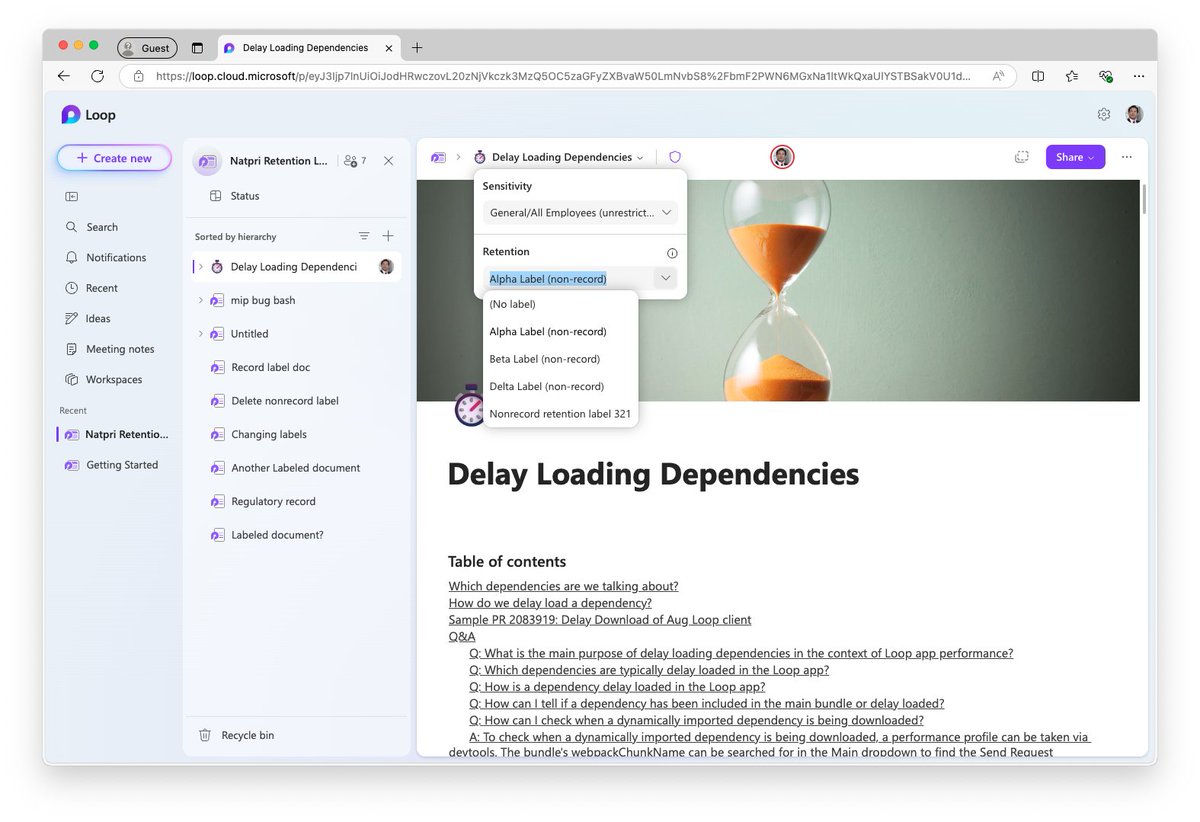
ALT Retention Label
2
6
32
5,571
20 Dec 2024
External Sharing 🤝 Information Protection
Earlier this year, we shipped "Guest Sharing" feature to all except those who use MIP. Now that we support Workspace Sensitivity Labels, we have just enabled external sharing for all organizations that use MIP! 🏷️🔒 #NewInLoop
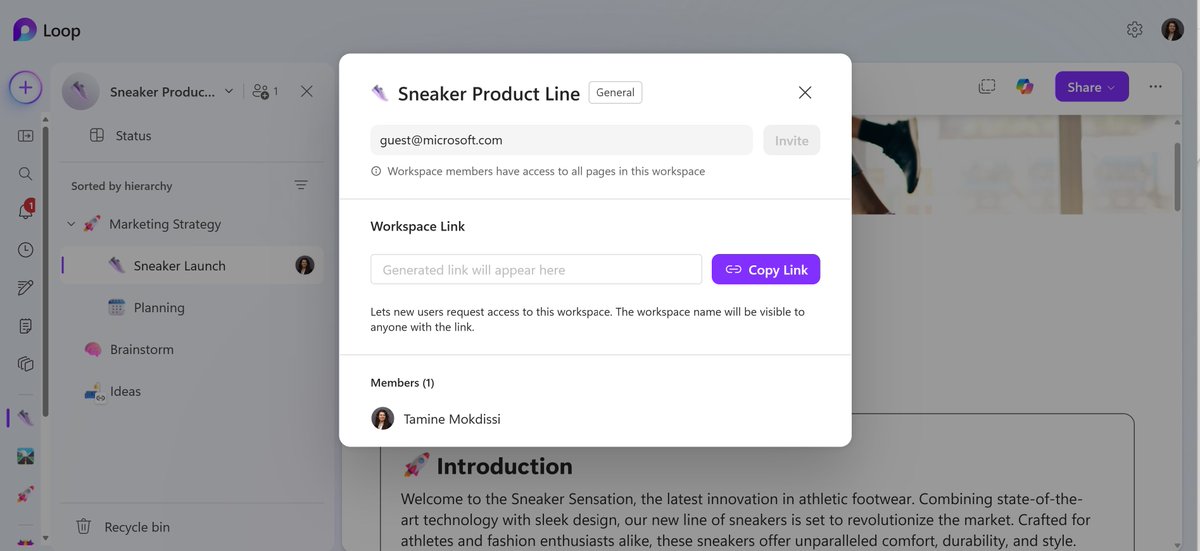
ALT Sharing Loop workspaces with Guests
6
26
3,409
25 Nov 2024
Big #NewinLoop news! Loop on mobile just got a major glow-up with a brand-new home page ✨ Navigate easier, find content faster, and enjoy a fresh look. With a dedicated Meeting Notes tab and quick-access favorites carousel, your Loop experience on the go just got way better 📲
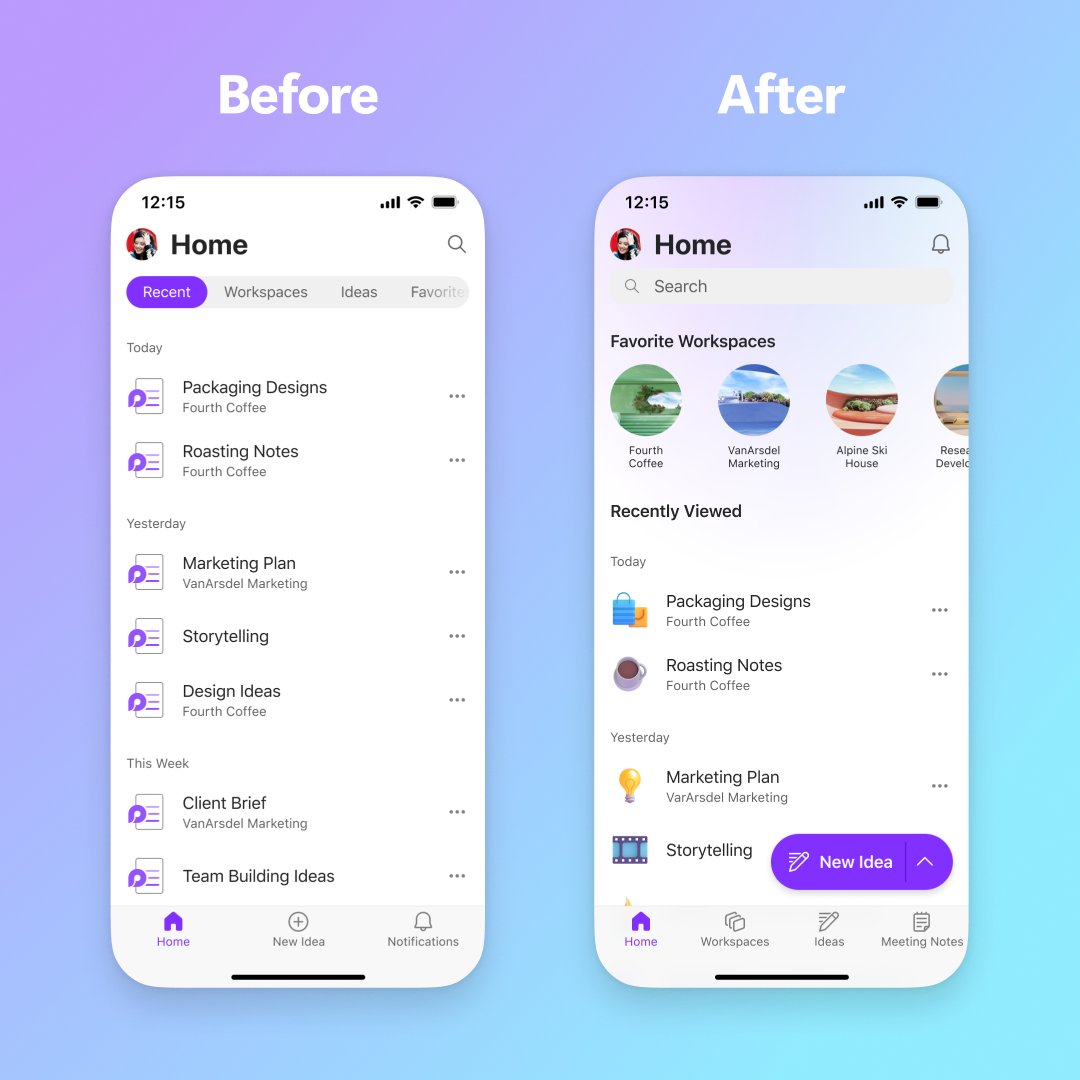
ALT An image featuring two iOS devices showing UI differences. On the left there is the "before" the redesign and on the right is the "after" the redesign of the Loop homepage on mobile.
1
8
44
3,064
16 Nov 2024
#NewinLoop Workspace Sensitivity Labels!🛡️
Workspace Sensitivity Labels helps you:
➕ Manage access to your entire workspace
🔐 Prevent oversharing
➡️ Restrict sharing with guests or new guests
Learn more about #MicrosoftInformationProtection in Loop: msft.it/6019WWy71
3
4
27
2,504
13 Nov 2024
#NewinLoop: Show everyone exactly what you mean by recording a video, an audio or a screen recording to get your point across. Just type '/record'!
2
13
63
5,871

12 Oct 2024
🛠️ Loops Tip & Trick: Did you know you can now upload Word, PowerPoint, Excel, and PDF files directly to your Loop workspaces? 📂 Simplify your workflow and give your team all the context it needs to better collaborate.
Learn more 👉 msft.it/6010mFope
#NewInLoop
2
16
1,622
5 Oct 2024
🛠️ Loops Tip & Trick: Did you know you can now upload Word, PowerPoint, Excel, and PDF files directly to your Loop workspaces?📂
Simplify your workflow and give your team all the context it needs to better collaborate. Learn more. msft.it/6014mSAs2
#LoopsTips #NewInLoop
2
1
11
1,410
30 Sep 2024
🆕ICYMI: You can now upload Word, PowerPoint, Excel, and PDF files to Loop workspaces, giving your team all the context it needs to better collaborate. msft.it/6014mlZTs #NewInLoop
1
6
1,187
25 Sep 2024
#NewinLoop ✨ We know you work with all kinds of files to keep projects moving forward. Now, you can bring Word, PowerPoint, Excel, and PDF files together in a Loop Workspace! Just use the 'Upload a file' option when selecting ' Create new'.
10
12
70
8,671
24 Sep 2024
🆕 In case you missed the latest: You can now upload Word, PowerPoint, Excel, and PDF files to Loop workspaces, giving your team all the context it needs to better collaborate. msft.it/6016mjtSe
#NewInLoop #Microsoft365
3
13
1,277
23 Sep 2024
Introducing Copilot chat! Now you can ask all your questions—big or small—about a Loop page privately 🤫Need to catch up, brainstorm, or even ask a “dumb” question? Copilot can help you with that without disturbing your teammates. #NewinLoop
4
25
93
7,280
20 Sep 2024
🆕 ICYMI: You can now upload Word, PowerPoint, Excel, and PDF files to Loop workspaces, giving your team all the context it needs to better collaborate. msft.it/6018mXhBg #NewInLoop
8
961
16 Sep 2024
🆕ICYMI: You can now upload Word, PowerPoint, Excel, and PDF files to Loop workspaces, giving your team all the context it needs to better collaborate. msft.it/6016mTz2G
#NewInLoop #Microsoft365
2
14
1,317
13 Sep 2024
🗂️ Upload your Word, PowerPoint, Excel, and PDF files to Loop workspaces! Now you can keep everything in one place, simplifying your workflow and giving your team all the context it needs to better collaborate. msft.it/6017mPs9T
#NewInLoop
1
2
14
1,319
12 Sep 2024
🆕 ICYMI: Big news for Loop users! 🎉
Now you can upload Word, PowerPoint, Excel, and PDF files to your Loop workspaces. Enhance your team’s collaboration potential effortlessly! Check it out. msft.it/6010mOVbk #NewInLoop
3
15
1,300
9 Sep 2024
🆕 Exciting news! You can now upload Word, PowerPoint, Excel, and PDF files to your Loop workspaces! 🎉 Simplify your workflow and give your team all the context it needs to better collaborate. Check out our latest blog to learn more! msft.it/6018mKd1w #NewInLoop
4
12
1,072