
14 Dec 2025
Get A Second Number Fast
.
.
.
#PhoneHacks #DigitalPrivacy #VirtualNumber #SeparateNumber #SecondNumber #ExtraPhoneLine #PhonePrivacy #BurnerNumber #SecondLineApp #SecurePhone
2
9
722

18 Jul 2025
ਸਫ਼ਾਈ ਪੱਖੋਂ ਚੰਡੀਗੜ੍ਹ ਨੇ ਫਿਰ ਮਾਰੀ ਬਾਜ਼ੀ
#CleanlinessSurvey2024 #Chandigarh #SecondNumber #GulabChandKataria #President #Honour

1
100

yup
…
using System;
using System.Numerics;
using System.Windows.Forms;
using System.Windows.Forms.DataVisualization.Charting;
using System.Data;
namespace ScientificCalculator
{
public partial class Form1 : Form
{
private Complex result = Complex.Zero;
private string currentOperation = "";
private bool isNewNumber = true;
private bool isDegree = true;
private TextBox display;
private Chart plotChart;
public Form1()
{
InitializeComponents();
}
private void InitializeComponents()
{
// Form settings
this.Text = "Scientific Calculator with Complex Numbers";
this.Size = new System.Drawing.Size(800, 600);
this.FormBorderStyle = FormBorderStyle.FixedSingle;
this.MaximizeBox = false;
// Display
display = new TextBox
{
Location = new System.Drawing.Point(10, 10),
Size = new System.Drawing.Size(360, 40),
Text = "0",
TextAlign = HorizontalAlignment.Right,
Font = new System.Drawing.Font("Arial", 16)
};
this.Controls.Add(display);
// Plot Chart
plotChart = new Chart
{
Location = new System.Drawing.Point(380, 10),
Size = new System.Drawing.Size(400, 500),
BackColor = System.Drawing.Color.White
};
ChartArea chartArea = new ChartArea
{
AxisX = { Title = "x", Minimum = -10, Maximum = 10, Interval = 2 },
AxisY = { Title = "y", Minimum = -10, Maximum = 10, Interval = 2 }
};
plotChart.ChartAreas.Add(chartArea);
plotChart.Series.Add("Real");
plotChart.Series["Real"].ChartType = SeriesChartType.Line;
plotChart.Series["Real"].Color = System.Drawing.Color.Blue;
plotChart.Series.Add("Imaginary");
plotChart.Series["Imaginary"].ChartType = SeriesChartType.Line;
plotChart.Series["Imaginary"].Color = System.Drawing.Color.Red;
this.Controls.Add(plotChart);
// Button layout
string[] buttonLabels = {
"sin", "cos", "tan", "√",
"7", "8", "9", "/",
"4", "5", "6", "*",
"1", "2", "3", "-",
"0", ".", "C", " ",
"ln", "log", "^", "=",
"Deg/Rad", "(", ")", "π",
"i", "conj", "Plot", ""
};
int buttonWidth = 80;
int buttonHeight = 50;
int startX = 10;
int startY = 60;
int spacing = 10;
for (int i = 0; i < buttonLabels.Length; i )
{
if (buttonLabels[i] == "") continue;
Button btn = new Button
{
Text = buttonLabels[i],
Size = new System.Drawing.Size(buttonWidth, buttonHeight),
Location = new System.Drawing.Point(
startX (i % 4) * (buttonWidth spacing),
startY (i / 4) * (buttonHeight spacing)
),
Font = new System.Drawing.Font("Arial", 12)
};
if ("0123456789.".Contains(buttonLabels[i]))
btn.Click = NumberButton_Click;
else if (buttonLabels[i] == "C")
btn.Click = ClearButton_Click;
else if (buttonLabels[i] == "=")
btn.Click = EqualsButton_Click;
else if (buttonLabels[i] == "Deg/Rad")
btn.Click = DegreeRadianToggle_Click;
else if (buttonLabels[i] == "Plot")
btn.Click = PlotButton_Click;
else if (buttonLabels[i] == "i")
btn.Click = ImaginaryButton_Click;
else if (buttonLabels[i] == "conj")
btn.Click = ConjugateButton_Click;
else
btn.Click = OperationButton_Click;
this.Controls.Add(btn);
}
}
private void NumberButton_Click(object sender, EventArgs e)
{
Button btn = (Button)sender;
if (isNewNumber)
{
display.Text = btn.Text == "." ? "0." : btn.Text;
isNewNumber = false;
}
else
{
if (btn.Text == "." && display.Text.Contains(".") && !display.Text.Contains(" "))
return;
if (display.Text == "0" && btn.Text != ".")
display.Text = btn.Text;
else
display.Text = btn.Text;
}
}
private void ImaginaryButton_Click(object sender, EventArgs e)
{
if (isNewNumber)
{
display.Text = "i";
isNewNumber = false;
}
else
{
display.Text = "i";
}
}
private void ConjugateButton_Click(object sender, EventArgs e)
{
try
{
Complex num = ParseComplex(display.Text);
result = Complex.Conjugate(num);
display.Text = FormatComplex(result);
isNewNumber = true;
}
catch
{
MessageBox.Show("Invalid complex number!");
}
}
private void OperationButton_Click(object sender, EventArgs e)
{
Button btn = (Button)sender;
string op = btn.Text;
if (!isNewNumber && currentOperation != "" && !"sin|cos|tan|√|ln|log|conj".Contains(currentOperation))
{
Calculate();
}
if ("sin|cos|tan|√|ln|log".Contains(op))
{
display.Text = op "(";
isNewNumber = true;
}
else if (op == "π")
{
display.Text = Math.PI.ToString();
isNewNumber = true;
}
else
{
if (!isNewNumber)
{
result = ParseComplex(display.Text);
currentOperation = op;
isNewNumber = true;
}
display.Text = " " op " ";
}
}
private void EqualsButton_Click(object sender, EventArgs e)
{
Calculate();
currentOperation = "";
isNewNumber = true;
}
private void ClearButton_Click(object sender, EventArgs e)
{
display.Text = "0";
result = Complex.Zero;
currentOperation = "";
isNewNumber = true;
plotChart.Series["Real"].Points.Clear();
plotChart.Series["Imaginary"].Points.Clear();
}
private void DegreeRadianToggle_Click(object sender, EventArgs e)
{
isDegree = !isDegree;
((Button)sender).Text = isDegree ? "Deg/Rad" : "Rad/Deg";
}
private void PlotButton_Click(object sender, EventArgs e)
{
try
{
plotChart.Series["Real"].Points.Clear();
plotChart.Series["Imaginary"].Points.Clear();
string function = display.Text.Replace(" ", "");
// Plot from x = -10 to 10 with 0.1 step
for (double x = -10; x <= 10; x = 0.1)
{
Complex y = EvaluateFunction(function, x);
if (!double.IsNaN(y.Real) && !double.IsInfinity(y.Real))
plotChart.Series["Real"].Points.AddXY(x, y.Real);
if (!double.IsNaN(y.Imaginary) && !double.IsInfinity(y.Imaginary))
plotChart.Series["Imaginary"].Points.AddXY(x, y.Imaginary);
}
}
catch (Exception ex)
{
MessageBox.Show("Error plotting function: " ex.Message);
}
}
private Complex ParseComplex(string input)
{
input = input.Replace(" ", "");
if (input == "i") return Complex.ImaginaryOne;
if (input == "-i") return -Complex.ImaginaryOne;
if (!input.Contains("i"))
return new Complex(double.Parse(input), 0);
bool isNegative = input.StartsWith("-");
if (isNegative) input = input.Substring(1);
string[] parts = input.Split(new[] { " ", "-" }, StringSplitOptions.RemoveEmptyEntries);
double real = 0, imag = 0;
if (parts.Length == 1)
{
if (parts[0].Contains("i"))
{
string imagPart = parts[0].Replace("i", "");
imag = imagPart == "" ? 1 : double.Parse(imagPart);
if (input.Contains("-i")) imag = -imag;
}
else
{
real = double.Parse(parts[0]);
}
}
else if (parts.Length == 2)
{
real = double.Parse(parts[0]);
string imagPart = parts[1].Replace("i", "");
imag = imagPart == "" ? 1 : double.Parse(imagPart);
if (input.Contains("-" parts[1])) imag = -imag;
}
if (isNegative && parts.Length == 1 && !input.Contains("-i"))
real = -real;
return new Complex(real, imag);
}
private string FormatComplex(Complex c)
{
if (c.Imaginary == 0) return c.Real.ToString();
if (c.Real == 0) return c.Imaginary == 1 ? "i" : c.Imaginary == -1 ? "-i" : $"{c.Imaginary}i";
return $"{c.Real} {(c.Imaginary >= 0 ? " " : "-")} {Math.Abs(c.Imaginary)}i";
}
private Complex EvaluateFunction(string expression, double x)
{
expression = expression.Replace("x", x.ToString(System.Globalization.CultureInfo.InvariantCulture));
if (expression.StartsWith("sin("))
{
Complex value = ParseComplex(expression.Substring(4, expression.Length - 5));
return Complex.Sin(isDegree ? value * Math.PI / 180 : value);
}
if (expression.StartsWith("cos("))
{
Complex value = ParseComplex(expression.Substring(4, expression.Length - 5));
return Complex.Cos(isDegree ? value * Math.PI / 180 : value);
}
if (expression.StartsWith("tan("))
{
Complex value = ParseComplex(expression.Substring(4, expression.Length - 5));
return Complex.Tan(isDegree ? value * Math.PI / 180 : value);
}
if (expression.StartsWith("√("))
{
Complex value = ParseComplex(expression.Substring(2, expression.Length - 3));
if (value.Imaginary == 0 && value.Real < 0) throw new Exception("Negative square root");
return Complex.Sqrt(value);
}
if (expression.StartsWith("ln("))
{
Complex value = ParseComplex(expression.Substring(3, expression.Length - 4));
return Complex.Log(value);
}
if (expression.StartsWith("log("))
{
Complex value = ParseComplex(expression.Substring(4, expression.Length - 5));
return Complex.Log10(value);
}
if (expression.Contains("^"))
{
string[] parts = expression.Split('^');
Complex baseVal = ParseComplex(parts[0]);
Complex exponent = ParseComplex(parts[1]);
return Complex.Pow(baseVal, exponent);
}
return ParseComplex(expression);
}
private void Calculate()
{
try
{
string[] parts = display.Text.Split(' ');
if (parts.Length < 3) return;
Complex secondNumber = ParseComplex(parts[2]);
switch (currentOperation)
{
case " ":
result = secondNumber;
break;
case "-":
result -= secondNumber;
break;
case "*":
result *= secondNumber;
break;
case "/":
if (secondNumber == Complex.Zero)
{
MessageBox.Show("Cannot divide by zero!");
ClearButton_Click(null, null);
return;
}
result /= secondNumber;
break;
case "^":
result = Complex.Pow(result, secondNumber);
break;
}
display.Text = FormatComplex(result);
}
catch
{
MessageBox.Show("Invalid expression!");
ClearButton_Click(null, null);
}
}
[STAThread]
static void Main()
{
Application.EnableVisualStyles();
Application.SetCompatibleTextRenderingDefault(false);
Application.Run(new Form1());
}
}
}
50
13 Nov 2024
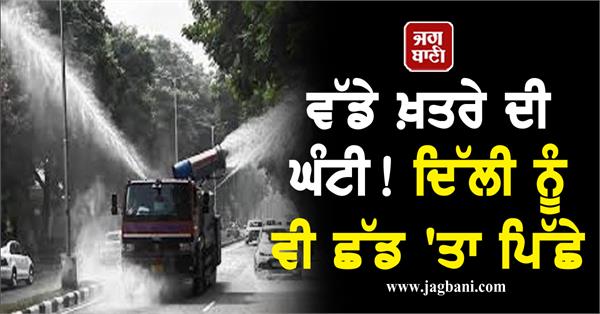
ਵੱਡੇ ਖ਼ਤਰੇ ਦੀ ਘੰਟੀ! ਦਿੱਲੀ ਨੂੰ ਵੀ ਛੱਡ 'ਤਾ ਪਿੱਛੇ, ਸਾਵਧਾਨ
jagbani.punjabkesari.in/punj…
#Pollution #AQI #Delhi #SecondNumber
89

6 Jul 2024
A close dev friend asked my opinion about TypeScript, so here it is:
Let's cut to the chase: JavaScript is better than TypeScript for most projects. Here's why you should stick with JavaScript and how to handle type-related needs when they come up.
The TypeScript Hype
TypeScript adds "types" to JavaScript - labels that specify what kind of data something is. But here's the truth: it's often unnecessary complication.
Why JavaScript Wins
1. **Simplicity is key:** JavaScript is straightforward. You can start coding immediately without extra setup.
2. **Speed of development:** With JavaScript, you're not wasting time writing out types. You're building actual, working software.
3. **JavaScript isn't typeless:** It checks types at runtime. This is almost always sufficient.
4. **Type-related bugs are overblown:** In real-world development, you rarely encounter bugs due to missing static types.
5. **You know your code:** When you're building something, you understand it. You don't need extra labels everywhere.
Handling Type Needs Without TypeScript
Sometimes, you need to show types, especially for third-party understanding. Here's how to do it without TypeScript:
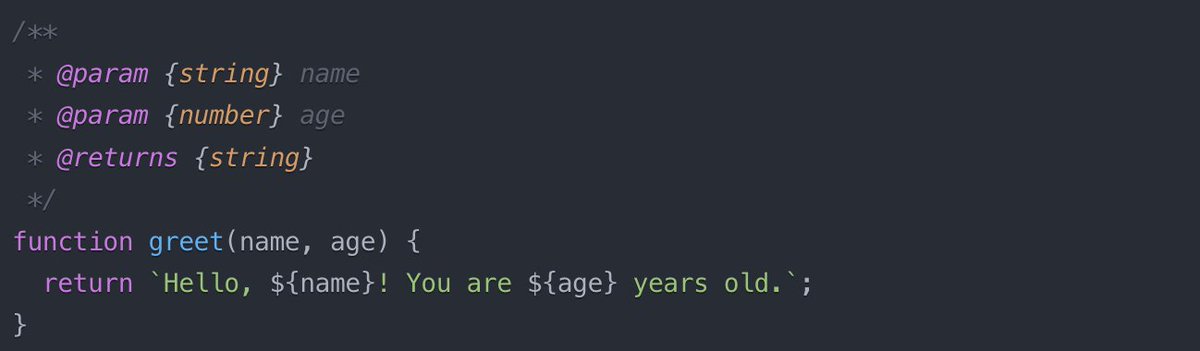
1. **JSDoc comments:** Use these for type hints. Most editors can read them.
2. **Descriptive naming:** Use names that clearly indicate data types.
function addTwoNumbers(firstNumber, secondNumber) {
return firstNumber secondNumber;
}
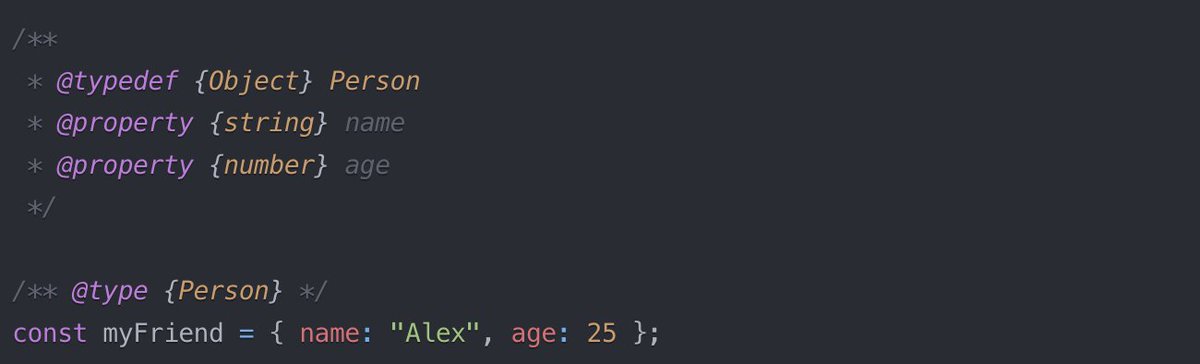
3. **Typedefs for key structures:** For main parts of your code, define types separately.
4. **Solid documentation:** Clear explanations beat type annotations any day.
The Bottom Line
JavaScript provides everything you need for efficient, effective coding. It's fast, flexible, and lets you focus on what matters: building functional software. When type information is necessary, lightweight tools get the job done without the TypeScript overhead.
TypeScript often leads to over-engineering and time wasted on complex type structures. If you find yourself loving TypeScript, ask yourself: are you coding to create working software, or just to craft elaborate type systems?
If you truly need static typing, use a language designed for it from the ground up, like Java or Go. Don't try to force it onto JavaScript.
JavaScript's dynamic nature is a powerful feature, not a limitation. After working extensively with statically-typed languages like Java or C , you come to appreciate the flexibility and expressiveness that JavaScript offers. For most projects, this dynamism allows for faster development and more adaptable code, which often outweighs the perceived benefits of static typing.
Stick with JavaScript. Your projects will thank you for it.
5
1
8
2,381

7 Jun 2024
दूसरे नंबर पर रहने वाले मुस्लिम उम्मीदवार भाजपा के कैंडिडेट को जीतने के लिए किसने बिछाई बिसात #MuslimCandidatesLost #LoksabhaElection #SecondNumber
youtu.be/Yf6BcQavOu0
1
7
84

23 Apr 2024
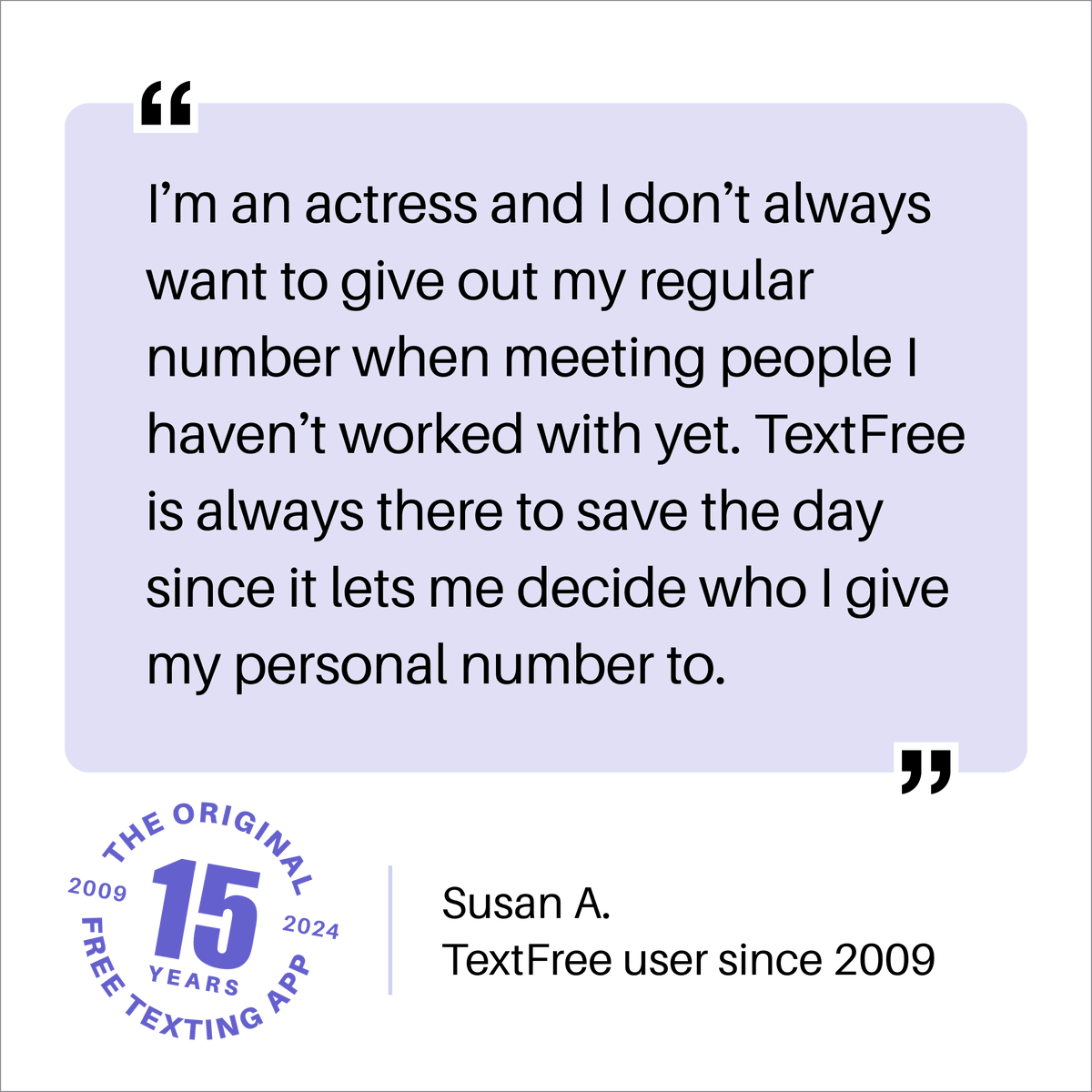
We’re glad to hear that you’re using TextFree to protect your privacy, Susan. Good luck with those acting gigs! 🎬
#textfree #pinger #textfreebypinger #textfree15yearanniversary #15yearsoftextfree #freecalling #freetexting #secondnumber #technology #userstory
5
2
16
381,252

16 Apr 2024
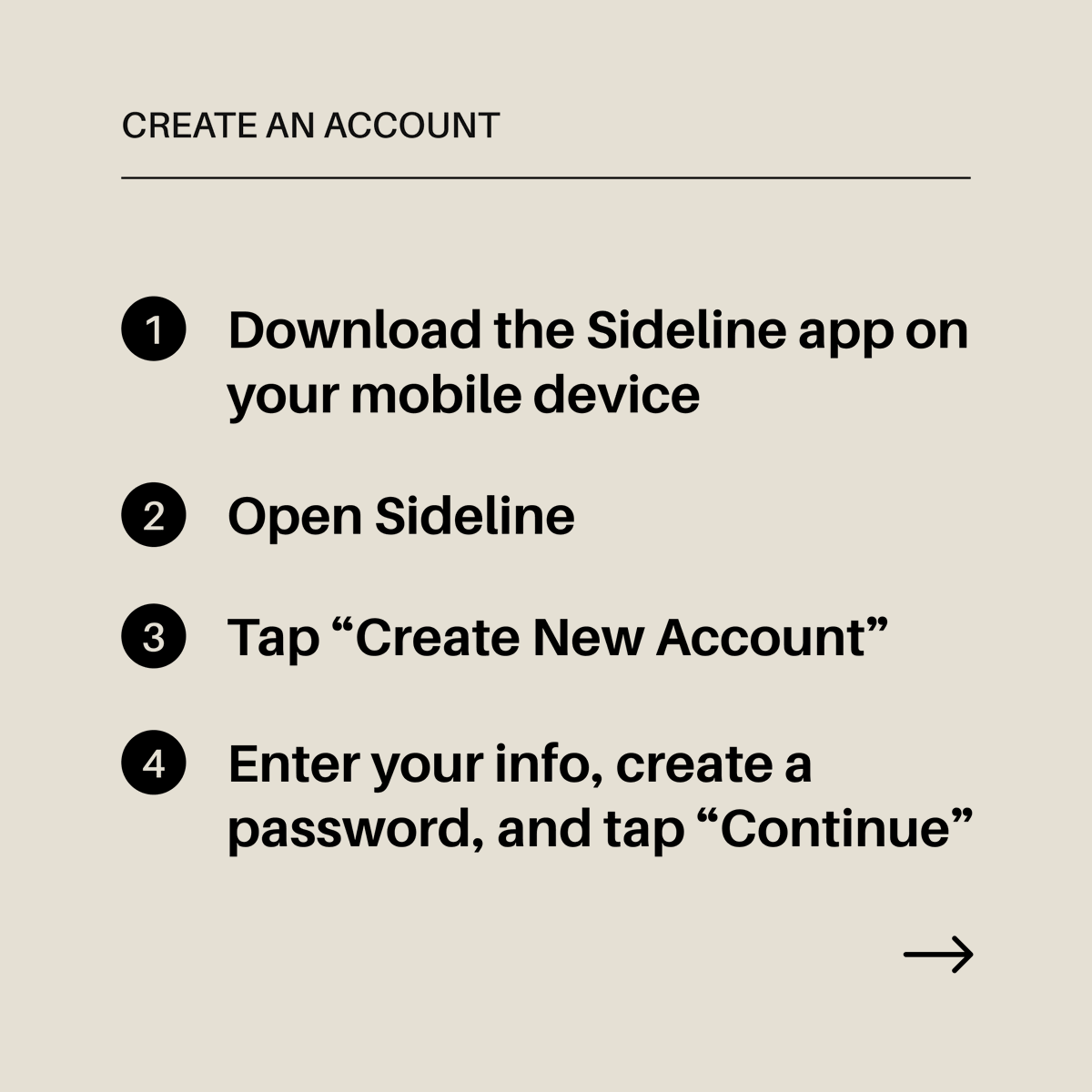
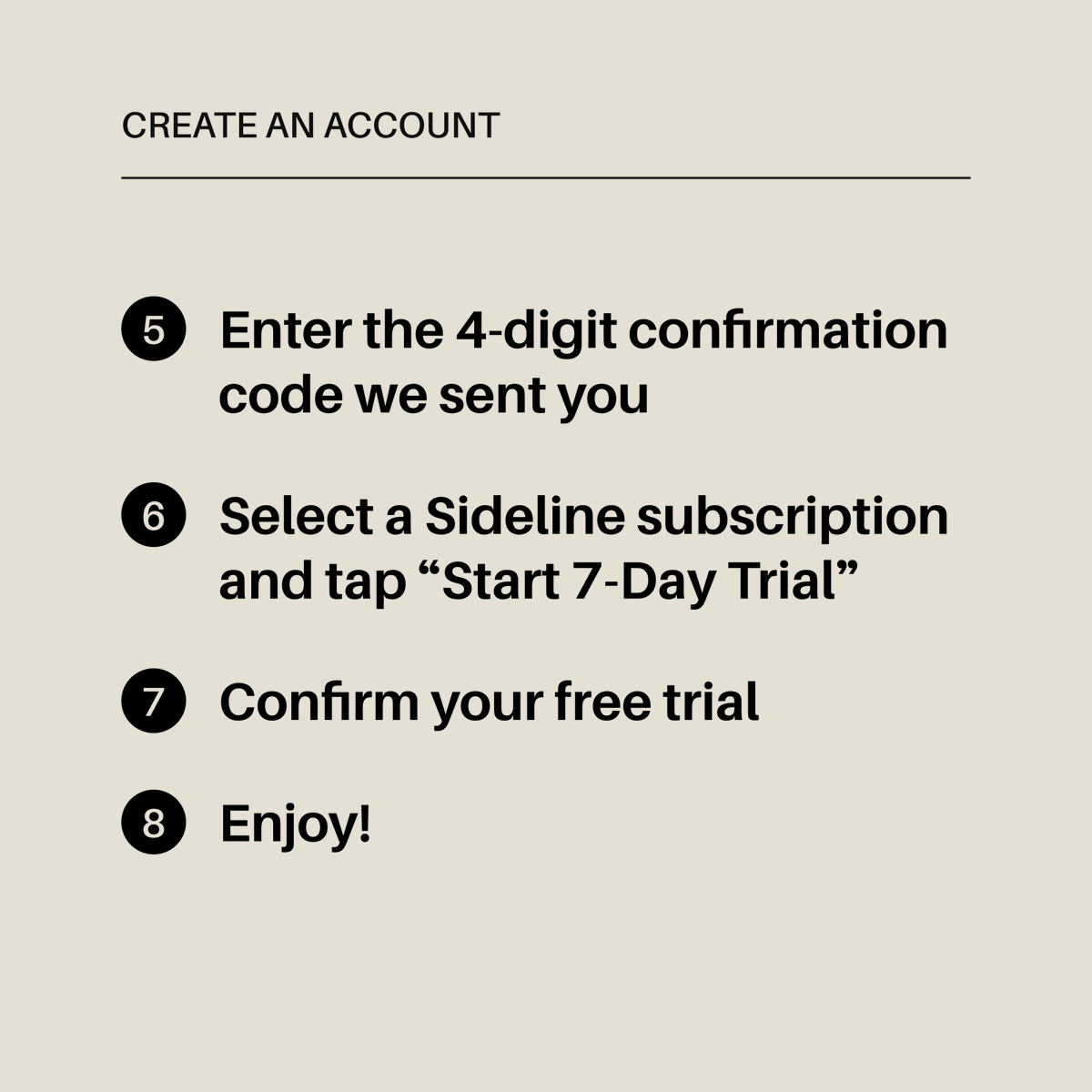
Getting started with Sideline is simple. Swipe through the photos to learn how to create a Sideline account, and start enjoying your 7-day free trial ASAP! 👉
#sideline #pinger #sidelinebypinger #secondnumber #technology #calling #texting #howto #createaccount #freetrial
1
6
737

26 Mar 2024
If you have trouble keeping all of your customers' info organized- we've got your back. With Index, all your customer details are kept in one place, so you can get back to winning more 5 star reviews. 🌟
#index #pinger #indexbypinger #secondnumber #smallbusiness #technology

2
178
20 Mar 2024
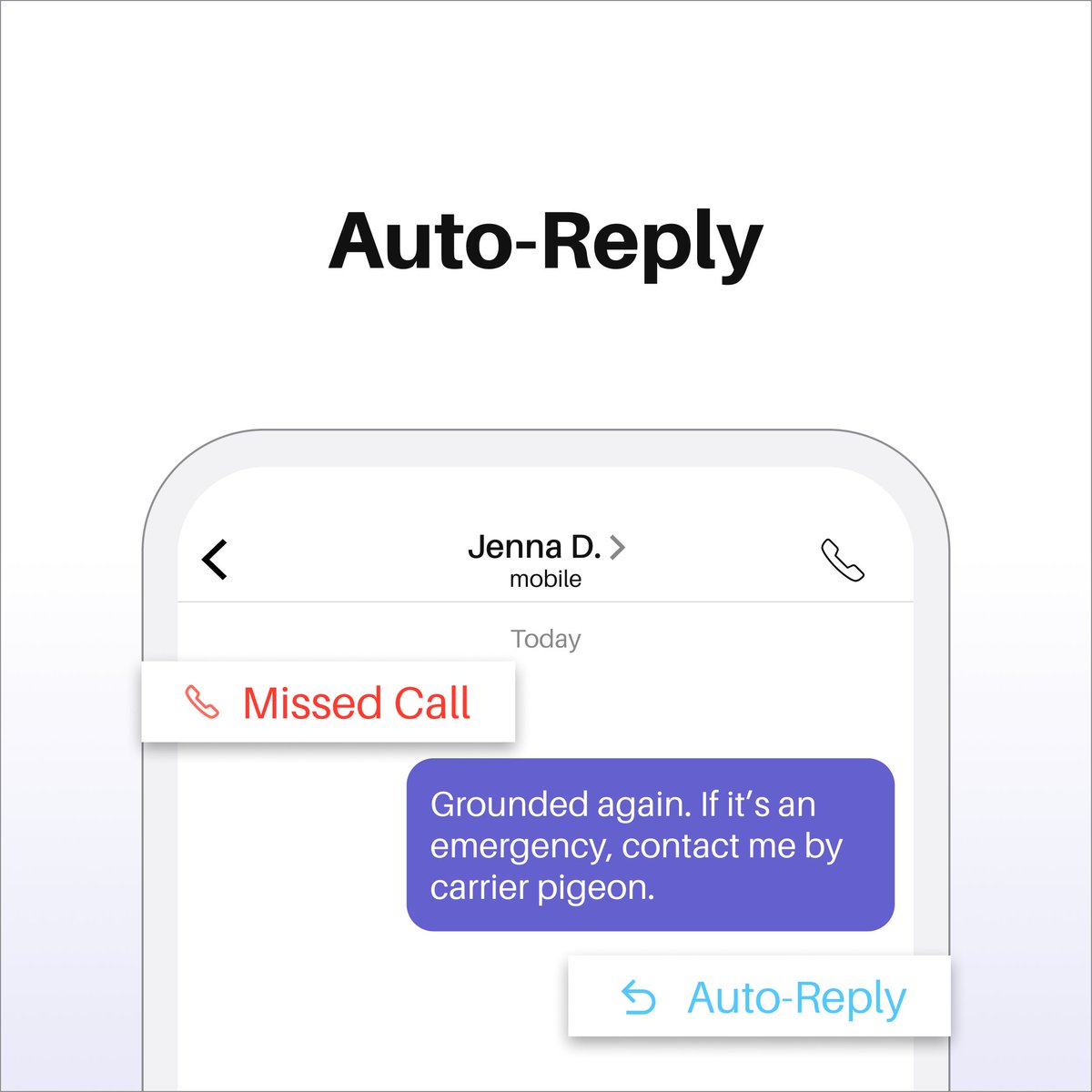
With TextFree, you can create a custom text message that goes out to unanswered calls and texts—automatically—to let people know you’ll get back to them soon.
#textfree #pinger #textfreebypinger #textfree15yearanniversary #freecalling #freetexting #secondnumber #autoreply
2
4
180,429
13 Mar 2024
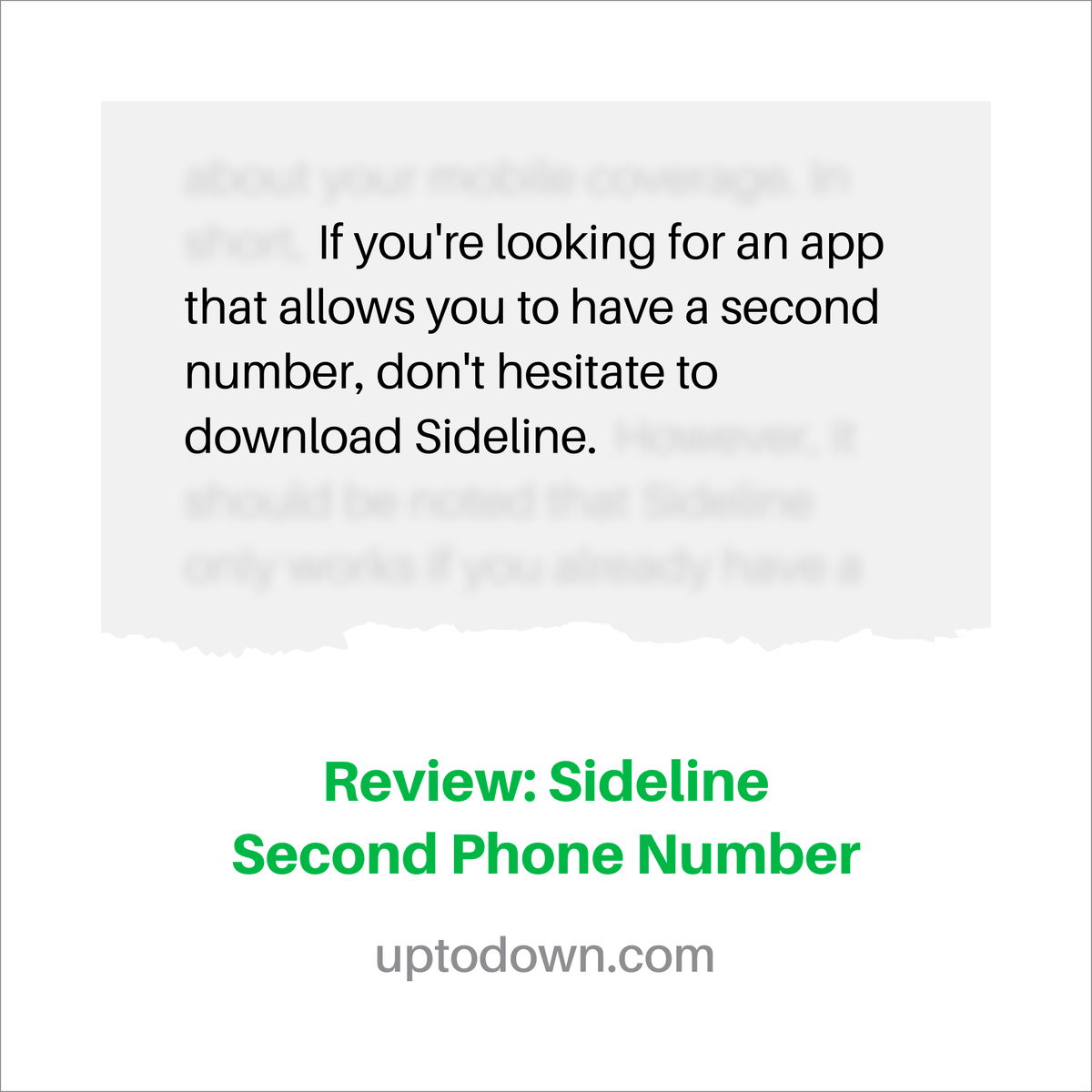
Thank you to the team over at Uptodown for the review! We always appreciate the analysis and feedback of Sideline. Click this link to read the full review: bit.ly/4cghFNa
#sideline #pinger #sidelinebypinger #secondnumber #communication #technology #calling #texting
1
6
330
5 Mar 2024
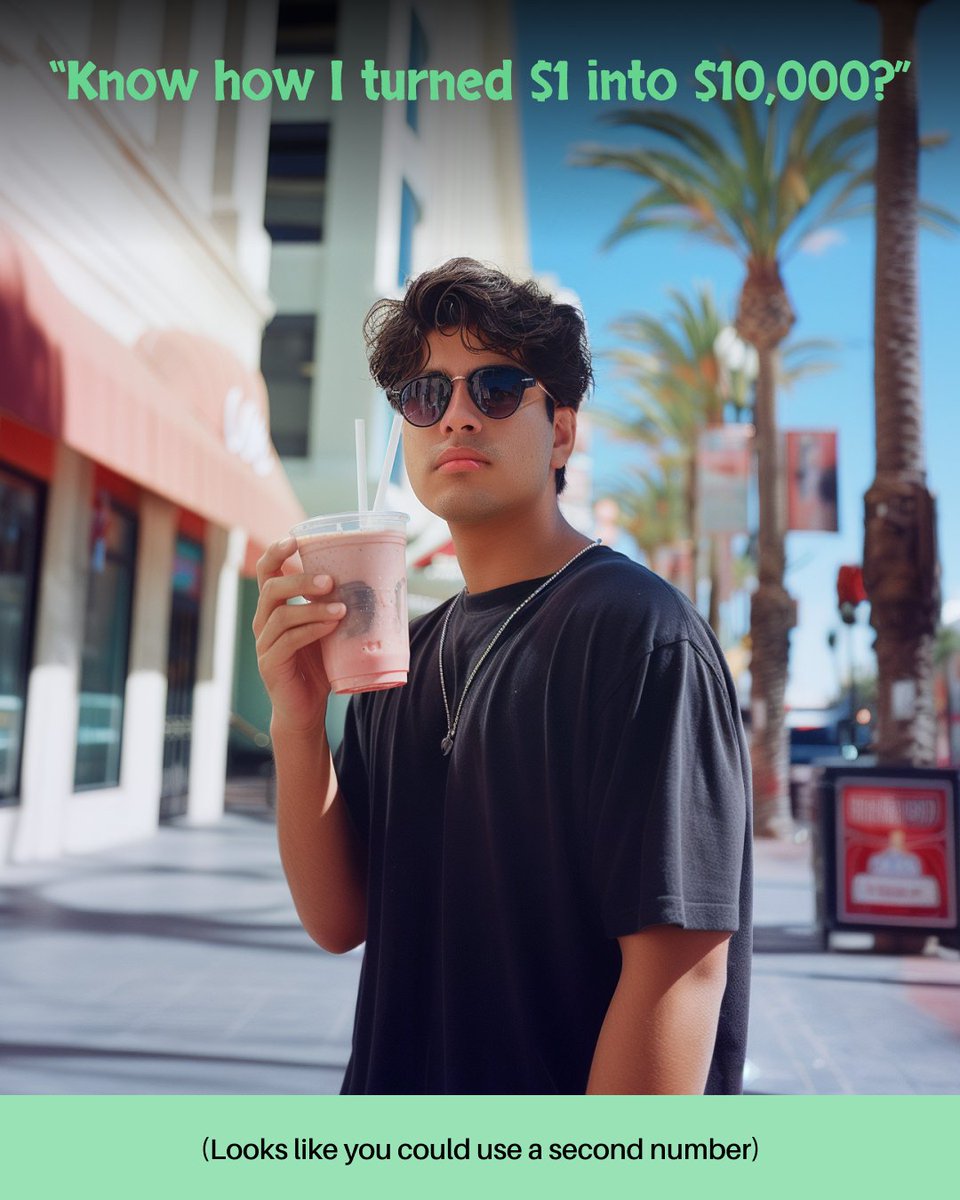
Next time someone offers you a too-good-to-be-true “sure thing,” offer them your Sideline second phone number. Sideline can be your designated home for anyone you don’t want cluttering up your first number.
#sideline #pinger #sidelinebypinger #secondnumber #communication
1
73
23 Feb 2024
...Oh wait, there is. 😝
Carrier services may come and go, but TextFree is forever. 🫶
#textfree #pinger #textfreebypinger #secondnumber #voip #freecalling #freetexting
1
4
427
16 Feb 2024
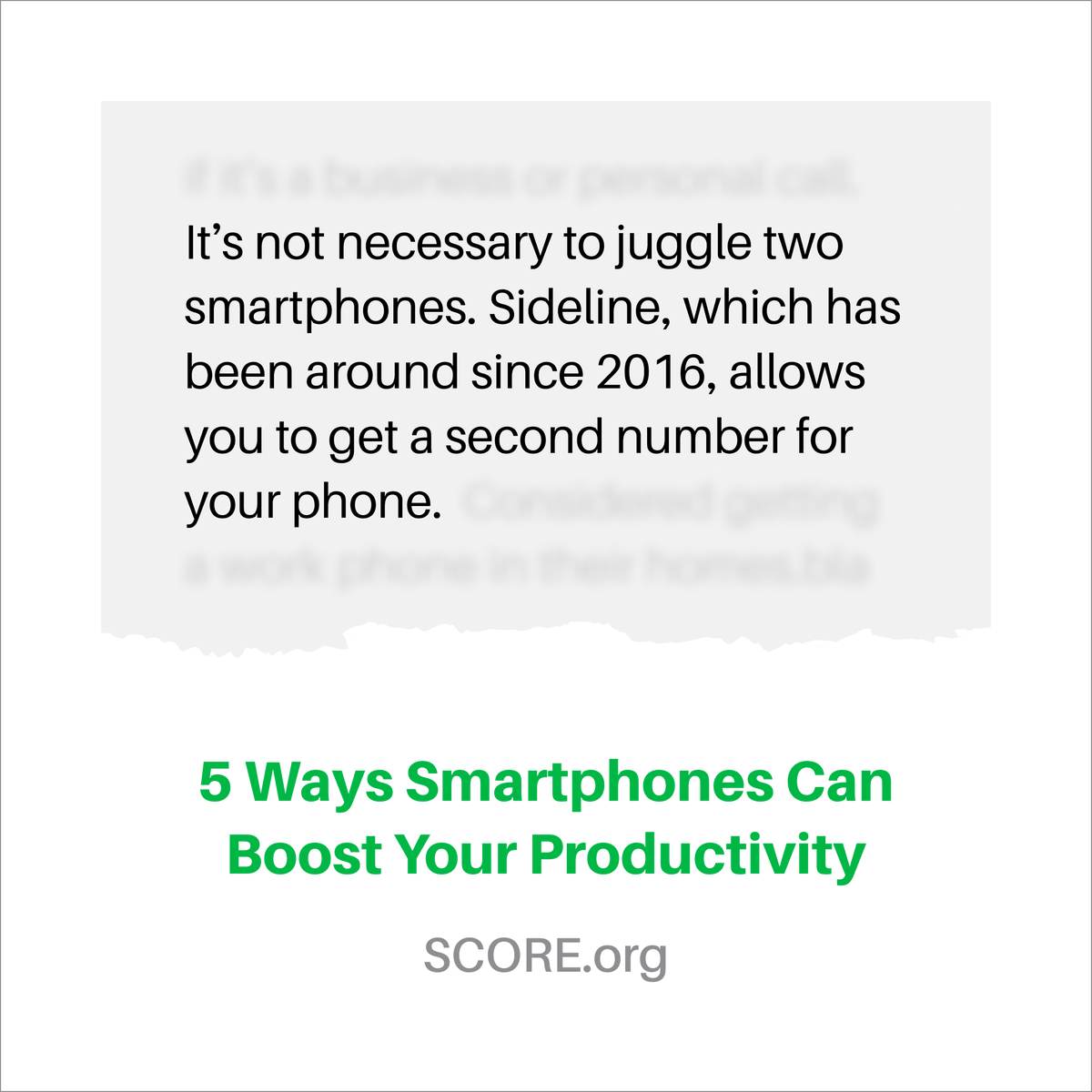
Thank you to @SCOREMentors and @Rieva for the Sideline shout out! We love to hear that Sideline can reduce the hassle of a second phone, while keeping all the benefits.
#sideline #pinger #sidelinebypinger #secondnumber #communication #technology #calling #testing #quote #partner
2
5
231
24 Jan 2024
Sideline is the second number that gives you carrier-quality calling, unlimited texting, Auto-Reply, and more—with all the reliability of your first number.
#sideline #pinger #sidelinebypinger #secondnumber #communication #technology #realnumber #realsecondnumber

1
3
197
17 Jan 2024
No matter how busy your life gets, a Sideline second number can help you manage it.
#sideline #pinger #sidelinebypinger #secondnumber #communication #technology
1
3
160

23 Dec 2023
Developers have a love-hate relationship with pointers.
Usually, developers tend to avoid pointers.
There’s a reason why popular languages like Java try to hide pointers from the developers.
But Go embraces the use of pointers.
Let's see how:
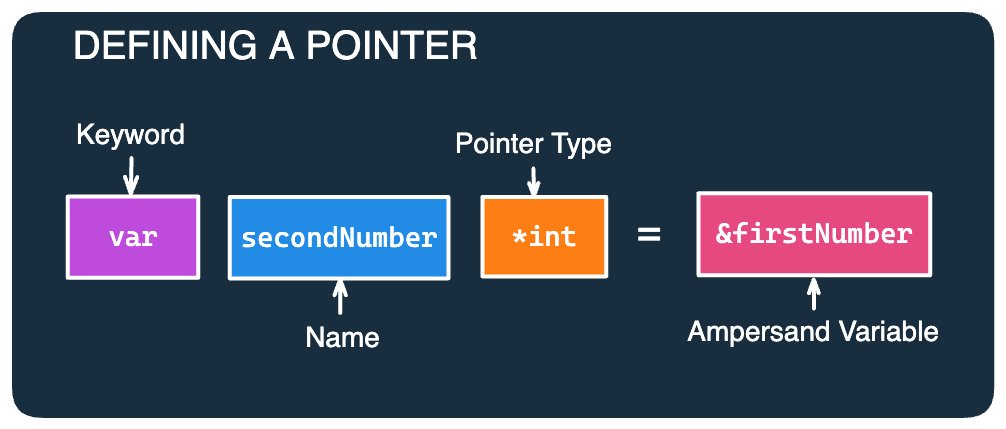
[1] Defining a Pointer
A pointer is basically a variable whose value is a memory address.
Pointers in Go are defined using an ampersand (&) character (also known as the address operator) followed by the name of the variable.
What’s with the asterisk character before the data type, you may ask?
The type of a pointer is based on the type of the variable from which it was created.
In this example, *int denotes that the value of this variable is a memory address that stores an integer value.
[2] Usage Example
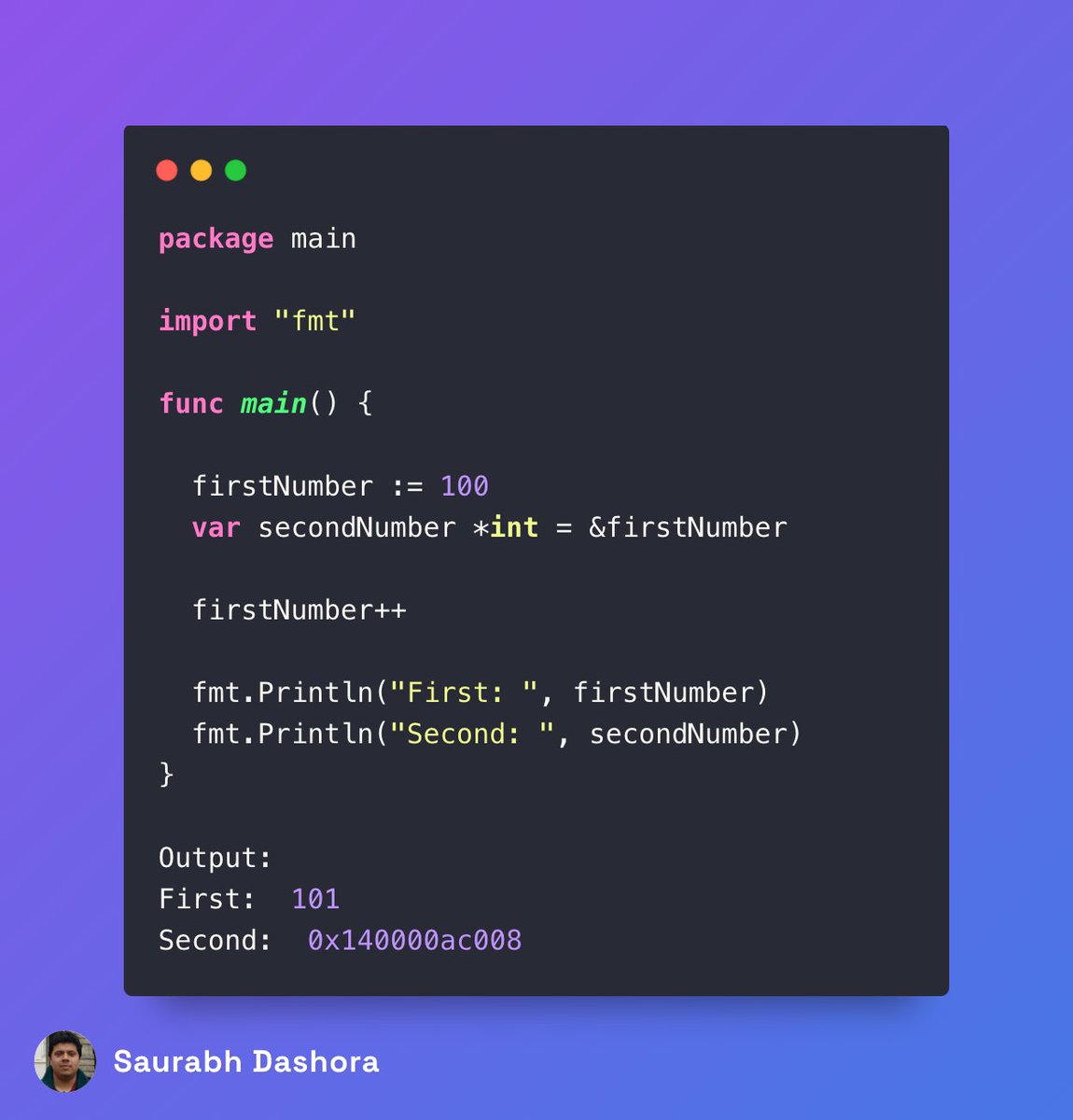
Here’s a tiny Go program that uses pointers:
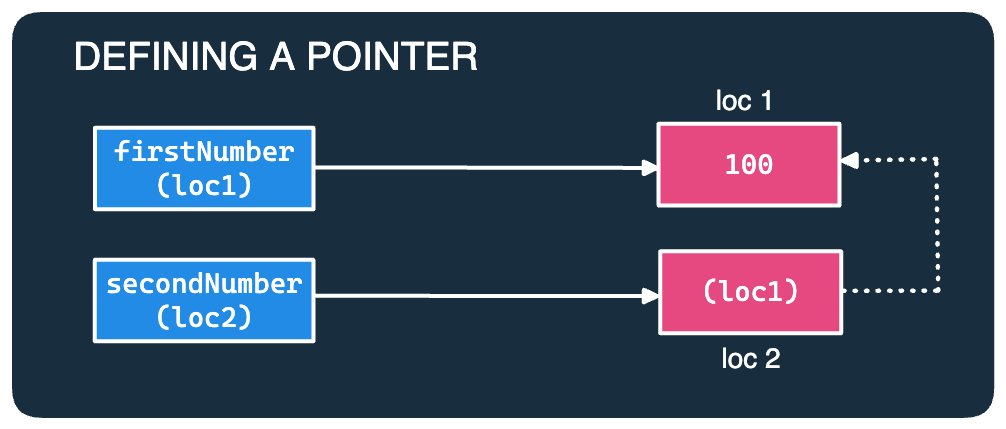
The variable secondNumber stores the specific memory location where the value of the firstNumber is stored.
Here’s what the connections look like:
[3] Following the Pointer
Now, the above example isn’t quite useful.
What’s the point of displaying the memory location stored in the pointer variable?
Ideally, you want to access the value at the memory address that the pointer refers to.
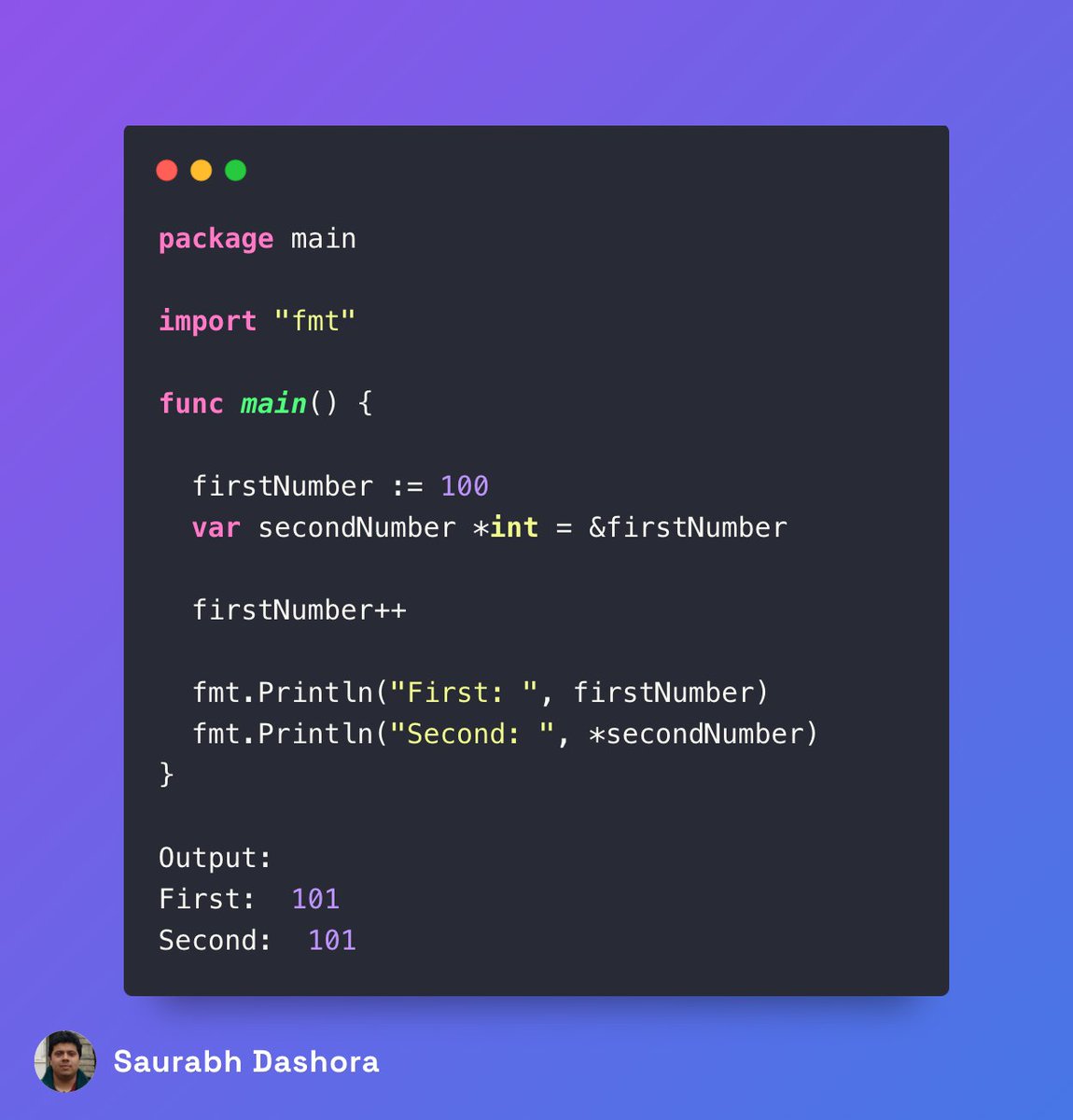
It’s known as dereferencing the pointer and here’s how you do it:
Here, you use *secondNumber to follow the pointer and reach the value stored at the memory location.
✅Point to note:
The firstNumber and secondNumber don’t have the same value.
There are two values:
👉 An integer value that can be accessed using the variable firstNumber.
👉 A *int value that stores the memory location of the first value.
The *int value can be followed to access the stored int value.
So - what do you think about the use of pointers in Go?
Is it good or do you see some problems?
8
30
138
9,534
20 Dec 2023
With Sideline’s Custom Caller ID, you can easily know which number is ringing. So you can be at your best on those high-priority calls. And prioritize the other calls accordingly.
#sideline #pinger #sidelinebypinger #secondnumber #secondphonenumber #communication #technology
1
1
4
316
20 Dec 2023
Sideline. The second phone number that’s just as reliable as your first.
#sideline #pinger #sidelinebypinger #secondnumber #secondphonenumber #communication
3
216

10 Dec 2023
simplest code to understand callback function in js
function square(a){
return a*a;
}
function SomeofSomething(a,b,fn){
let firstnumber = fn(a);
let secondnumber = fn(b);
return firstnumber secondnumber;
}
let result = SomeofSomething(2,3,square);
console.log(result);
1
2
166