
Jun 12
🚀 Built a Spring Boot Auditing Project
Recently, I implemented Spring Data JPA Auditing in a Todo Management application to understand how enterprise applications track data creation and modifications automatically.
📌 Project Flow
A user creates a Todo by providing:
• Name
• Task
• Description
The Todo ID is generated automatically by JPA.
When the application starts, Spring requests an AuditorAware implementation from the AuditingConfig class. This provider returns the current user, which is then used by the auditing framework to populate audit-related fields automatically.
📌 Auditing Features Implemented
✔ CreatedDate – Stores the date and time when the entity is first created.
✔ LastModifiedDate – Stores the latest date and time when the entity is updated.
✔ CreatedBy – Stores the author who created the entity.
✔ LastModifiedBy – Stores the user who last modified the entity.
📌 BaseEntity Design
All auditing fields are placed inside a reusable BaseEntity class.
The @MappedSuperclass annotation ensures that:
• No separate table is created for BaseEntity.
• All audit fields are inherited by child entities.
• The audit columns become part of the entity that extends BaseEntity.
This allowed me to keep the Todo entity clean while reusing auditing functionality across future entities.
📌 Technologies Used
🔹 Java
🔹 Spring Boot
🔹 Spring Data JPA
🔹 Hibernate
🔹 MySQL
🔹 Lombok
🔹 REST APIs
This project helped me understand how real-world applications maintain accountability, traceability, and change history without writing manual tracking logic.
Next Update ➡ Integrating Spring Security so the auditing system can capture the actual authenticated user instead of a hardcoded auditor.
#Java #SpringBoot #SpringDataJPA #Hibernate #BackendDevelopment #SoftwareEngineering #RESTAPI #LearningInPublic #JavaDeveloper
1
2
45
Jun 6
Completed the Third Module by Coding Shuttle @sudoanuj which is based on the Relationship mapping between the tables, how JDBC and Spring Data JPA helps to map the POJO with the database. Learned Cascading and many other important concepts like pagination and projection. The homework assignment was heavily focused on the relationship mappings.
The first homework assignment was related to subject, student, department, admission record and professor which is basically a college management system where the ERD diagram was provided by @sudoanuj which made things easier. The tables have different relationships with each other. Some tables have OneToOne relationship and some have ManyToMany.
Let's Understand the annotations with examples:
1. OneToOne: A Student can have only one Admission record. So that's why a OneToOne relationship is established between these two tables.
2. OneToMany: A Professor can teach more than one subject. So there's a OneToMany relationship established between these two tables and vice versa for ManyToOne.
3. ManyToMany: Many students can be taught by many professors.
mappedBy is used to define the non-owning (inverse) side of a bidirectional entity relationship. It is present on the inverse side of the relationship, telling JPA that the other side owns the foreign key.
JsonIgnore is a Jackson library annotation used to prevent specific entity fields or relationships from being serialized into JSON. It is commonly used to hide sensitive data like passwords or to break infinite recursion loops caused by bidirectional database relationships. Heavily used in ManyToMany relationships.
JoinTable with JoinColumn defines the owning side of a ManyToMany relationship in JPA. It explicitly defines the intermediate join table and the foreign key columns used to establish the relationship between two database tables.
The second homework project was an Author and Book management system where we had to map authors and the books they published. There are only two tables in this project with a ManyToMany relationship between authors and books — because one author can write many books and one book can have many authors.
The main challenge was implementing all these APIs:
Create a new book and author
Retrieve a list of all books and authors
Retrieve a single book or author by ID
Update book and author details
Delete a book or author
Find books by title
Find books published after a certain date
Find authors by name
Find all books by a specific author
Some APIs required custom query methods in the Repository layer using Spring Data JPA's method naming conventions.
Definitely a solid project! Learned a lot in this module. Will dive more in-depth into topics like Cascading and N 1 query optimization.
#Java #SpringBoot #SpringDataJPA #BackendDevelopment #LearningInPublic #JavaDeveloper #CodingJourney
1
2
114
Derived query methods are powerful, but sometimes you need more control.
Learn how to use JPQL and Native SQL queries with Spring Data JPA to build efficient, production-ready applications.
Read here:
blog.masteringbackend.com/ma…
#Java #SpringBoot #SpringDataJPA #Hibernate
2
4
276

May 29
Mastering Spring Data JPA from beginner to advanced with practical examples, repository patterns, entity relationships, custom queries, pagination, transactions, and performance optimization in Spring Boot applications.
Read: blog.masteringbackend.com/ma…
#SpringBoot #SpringDataJPA
1
2
8
5,434

Invite your fellow developers and be part of the conversation. 🚀
#NaijaJavaUserGroup #NaijaJUG #Java #SpringBoot #SpringDataJPA #JPA #Hibernate #BackendDevelopment #SoftwareEngineering #JavaDevelopers #TechCommunity #LightningTalks #LearnJava #NigeriaTech
2
28

Database access in Java has come a long way 🚀
Started with writing everything manually in JDBC…
Then came Hibernate ORM…
Then Spring Boot JPA changed the game…
And Spring Data JPA made development even faster with clean repository methods 🔥
But here’s the truth 👇
Tools can save time, but understanding SQL, indexing, joins, and performance will always make you a stronger developer.
What do you prefer in real projects?
1️⃣ JDBC
2️⃣ Hibernate
3️⃣ Spring Data JPA
4️⃣ Native SQL / jOOQ / MyBatis
If you into tech background,let connect.
Drop your answer in comments 👇
#Java #SpringBoot #SpringDataJPA #Hibernate #BackendDeveloper #SoftwareEngineering #Coding #Programming #Developers #Collaboration #Networking
2
58

Day 24 of #SpringBoot 🌱
Containerized my database and wired up the backend! 🐳
✅ Swapped H2 for MySQL
✅ Running DB inside Docker
✅ Refactored everything to use Spring Data JPA
#Java #BackendDevelopment #SpringDataJPA #Coding
2
26

26 Dec 2025
Day 97 of #100DaysOfCode (#JavaRevision)
☕ #SpringBoot / #SpringDataJPA / #Hibernate
- Understood the concept of owning side vs inverse side in entity relationships
- Learned how the owning side controls the foreign key and database updates
- Worked with One-to-Many / Many-to-One mappings, mappedBy, and @JoinColumn
- Explored cascade operations, orphanRemoval, and why parent entities control child lifecycles
#Java #Hibernate #SpringDataJPA #Backend #100DaysOfCode
3
212
23 Dec 2025
Day 94 of #100DaysOfCode (#JavaRevision)
☕ #SpringBoot / #SpringDataJPA
- Understood how sorting works at the data access layer
- Implemented sorting using method queries and the Sort class
- Learned the core concept of pagination and why it matters for APIs
- Worked with Pageable to fetch paginated and sorted results efficiently
#Java #Backend #SpringBoot #SpringDataJPA #100DaysOfCode
4
190
22 Dec 2025
Day 93 of #100DaysOfCode (#JavaRevision)
☕ #SpringBoot / #SpringDataJPA
Going deeper into derived query methods and method naming conventions
Understanding how Spring Data generates queries from repository method names
Working with custom JPQL queries using @Query annotation
Comparing JPQL vs native queries and when to use each
#Java #Backend #SpringBoot #JPA #100DaysOfCode
1
4
212
21 Dec 2025
Day 92 of #100DaysOfCode (#JavaRevision)
☕ #SpringBoot / #SpringDataJPA
- Went deep into Spring Data JPA fundamentals
- Worked with different Repository interfaces (CrudRepository, PagingAndSortingRepository, JpaRepository) and understood how they build on each other
- Covered the key features of Spring Data JPA — reducing boilerplate, auto-implemented CRUD, pagination & sorting, and query abstraction
- Got started with the basics of JPQL and how it operates on entities instead of tables
📌 Repository hierarchy & capabilities visualized in the reply 👇
#Java #Spring #Backend #JPA #Hibernate #100DaysOfCode
1
5
183

13 Nov 2025
Top 5 Courses to Learn Spring Data JPA Courses in 2025 - Best of Lot dlvr.it/TPFqLm #courses #spring #springdatajpa
4
921
13 Nov 2025
How to fix "not a managed type exception" in JPA? [Solution] dlvr.it/TPDsWw #errorandexception #springdatajpa
2
16
2,211

2 Sep 2025
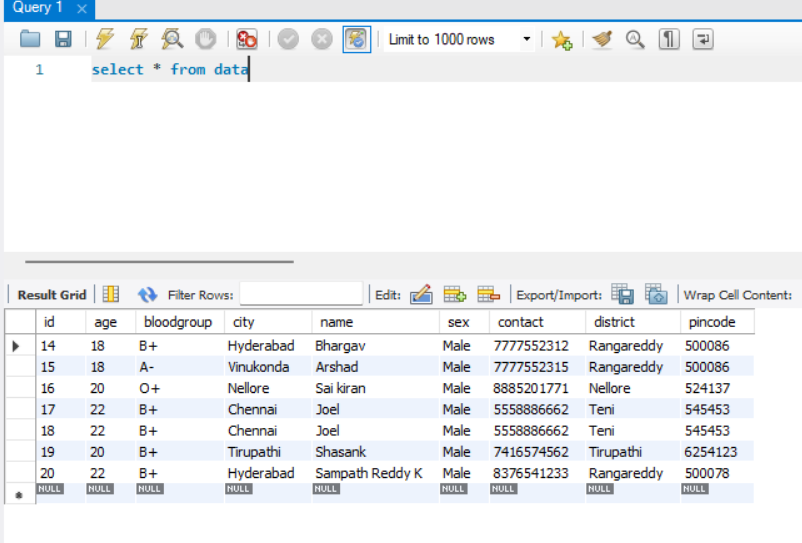
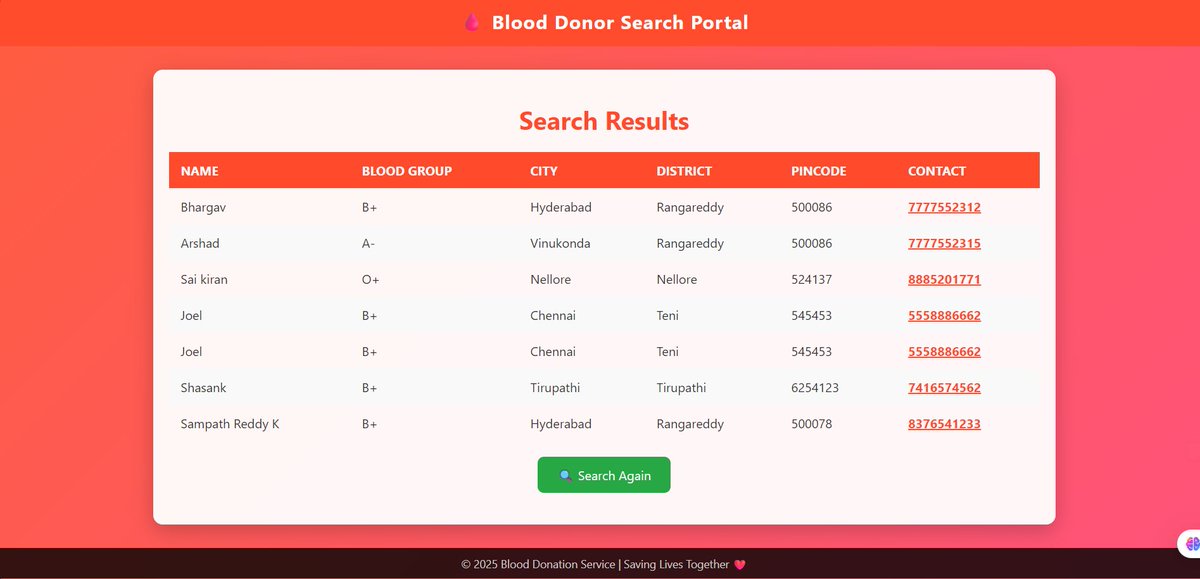
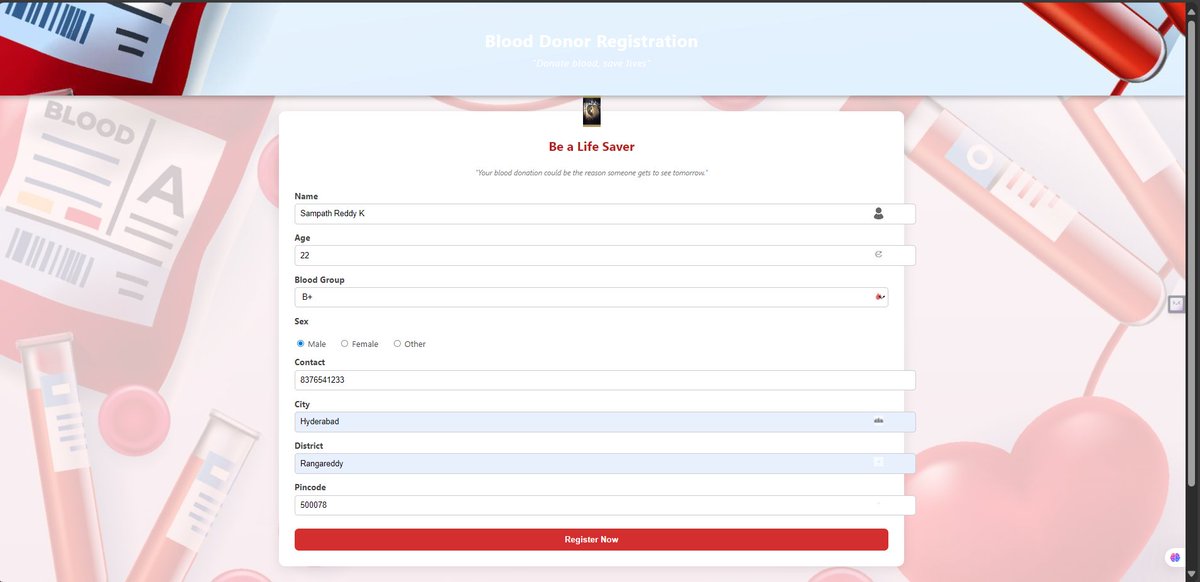
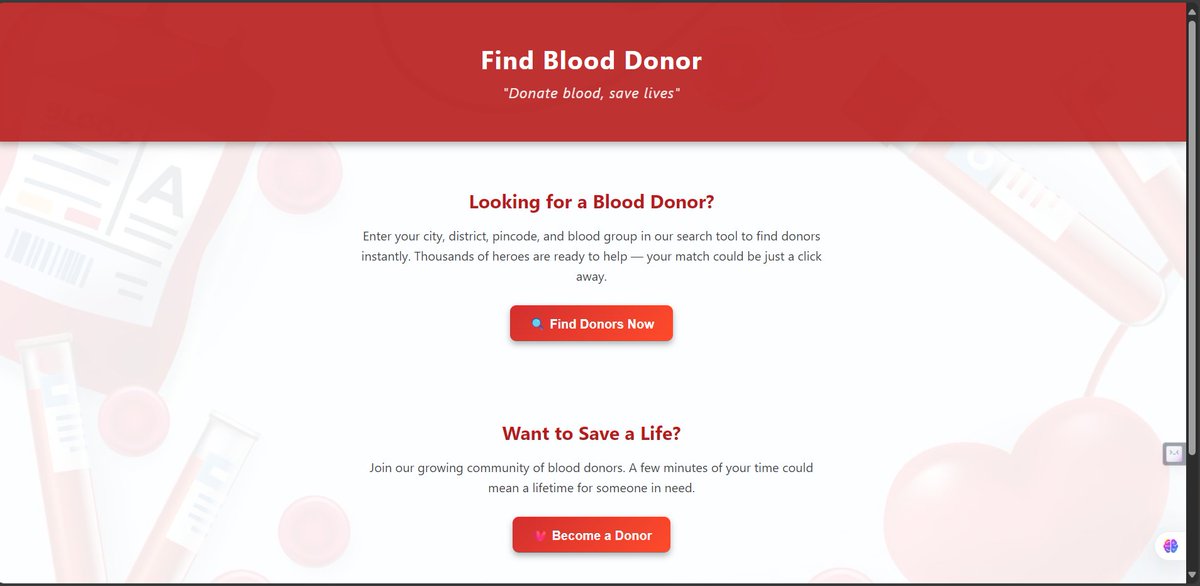
Built a Blood Donor Search Portal!
🩸 Features:
🔎 Search donors by blood group, city, district,
⚡ Optimized queries with Spring Data JPA
🎨 UI with Spring MVC Thymeleaf
🛠️ Built on Spring Boot MySQL
🔗 Repo: PraneethPW/RUDHIRA-PORTAL
#SpringBoot #Backend #SpringDataJPA
2
2
196

25 Aug 2025
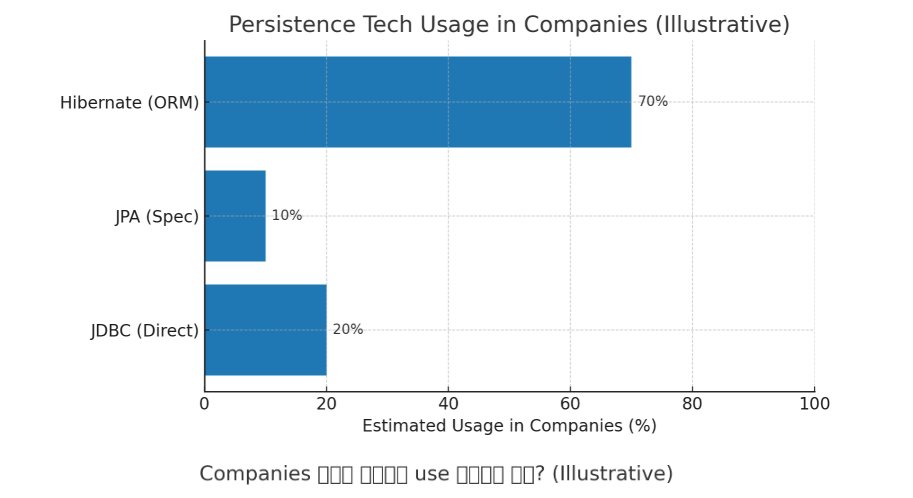
Do I have to learn all three (JDBC, JPA, and Hibernate) ?
#Java #JDBC #JPA #Hibernate #SpringDataJPA
1
7
238
10 Aug 2025
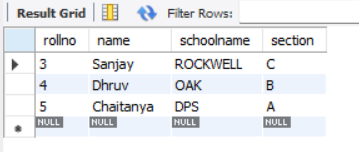
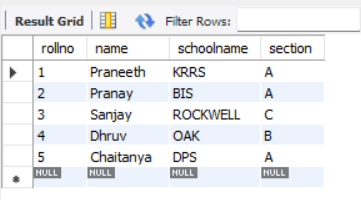
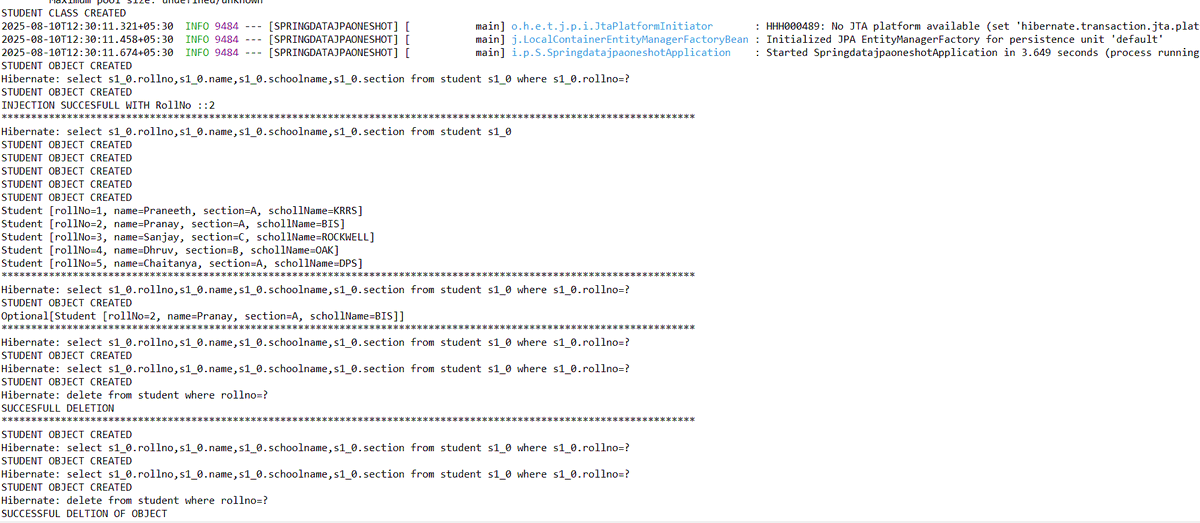
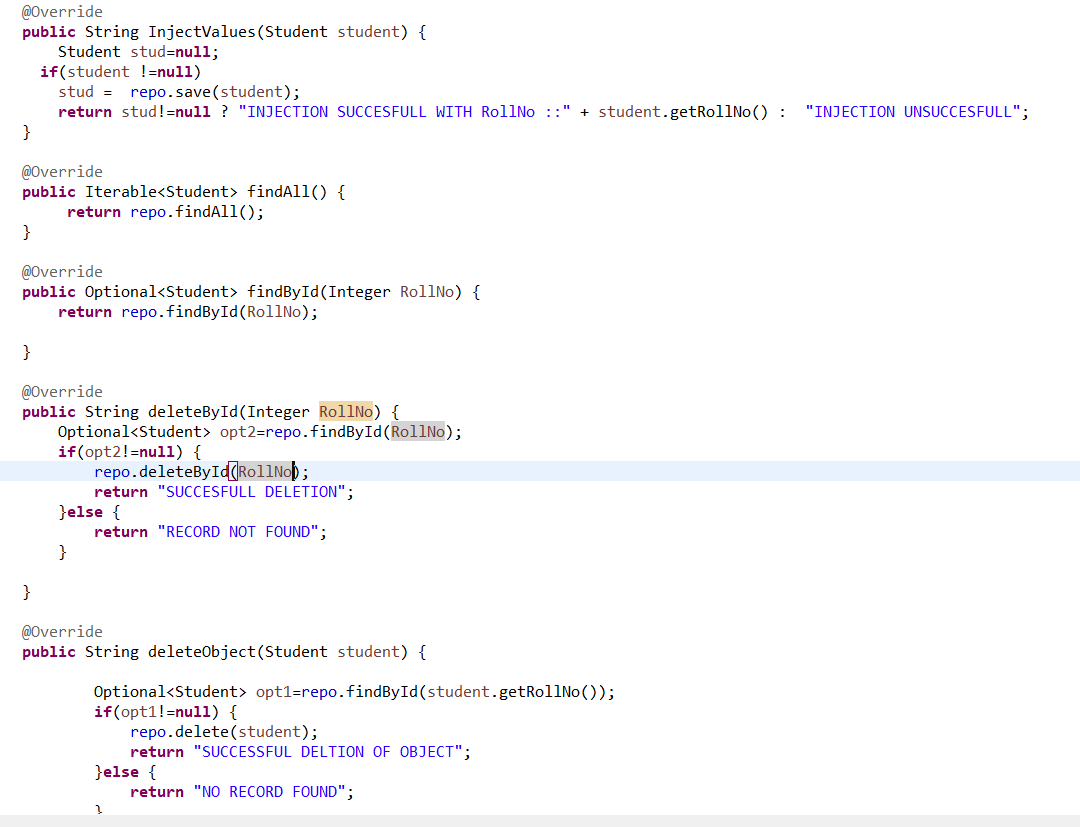
Built a clean Spring Boot Spring Data JPA example covering:
📂 Structure:
Entity → Student.java
Service → Interface & Implementation
Repo → JpaRepository
Application → Starter point
💻 GitHub → lnkd.in/gm9Qiky6
#SpringBoot #SpringDataJPA #BackendDev
1
2
143

3 Aug 2025
Sunday well played — both on the field and in code!
Started the day with some solid cricket shots and ended it with:
-> JpaRepository basics
-> Static & Dynamic Projections
-> Custom Finder Methods
-> Custom Query Methods
#SpringBoot #SpringDataJPA #JavaDev #SundayCoding
1
3
79
20 Jul 2025
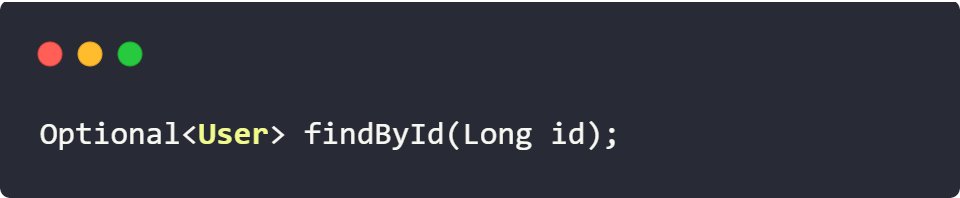
Optional Return
To avoid nulls
Clean, null-safe code with Optional.
#SpringDataJPA #JavaBestPractices
3
3
66
3,013
20 Jul 2025
Multiple Fields
Query by multiple fields? Easy!
Method name = query logic.
No @Query needed!
#JavaDev #SpringDataJPA

10
577
30 Apr 2025
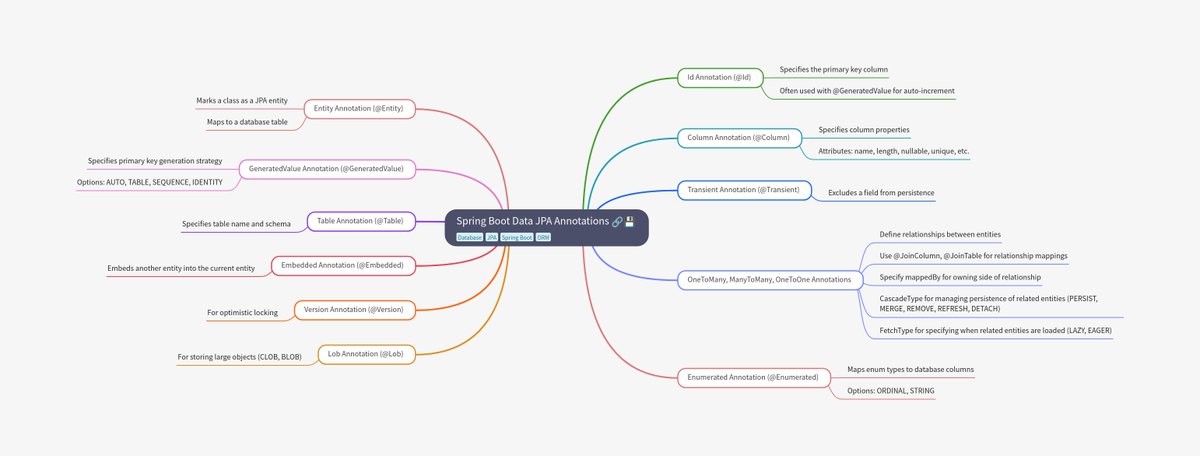
Mastering Spring Data JPA Annotations
All essential annotations at a glance for building robust Java backends.
#java #springboot #microservices #springdata #springdatajpa
4
48
2,833