
Yuk, kenalan lebih dekat dengan dunia System Information dan temukan peluang untuk mengembangkan potensimu bersama BINUS University!
#BINUSKemanggisan_Jakarta #BinusKemanggisan #BINUSJakarta #SystemInformation #SistemInformasi
60

Sponsored search results are not a trust boundary.
A fake ChatGPT download campaign used brand impersonation, malvertising, shared-link abuse, cloaking, platform-specific payloads, CAPTCHA gating, Electron packaging, JavaScript obfuscation, and staged execution to deliver malware to Windows and macOS users.
This is not merely another fake download page.
It is a clear demonstration of how attackers exploit trust across multiple layers:
• Trusted brand
• Trusted search flow
• Trusted-looking ad placement
• Trusted-looking domain patterns
• Trusted UI/branding
• Trusted installer frameworks
• Trusted code-signing assumptions
• Trusted AI platform sharing features
What happened:
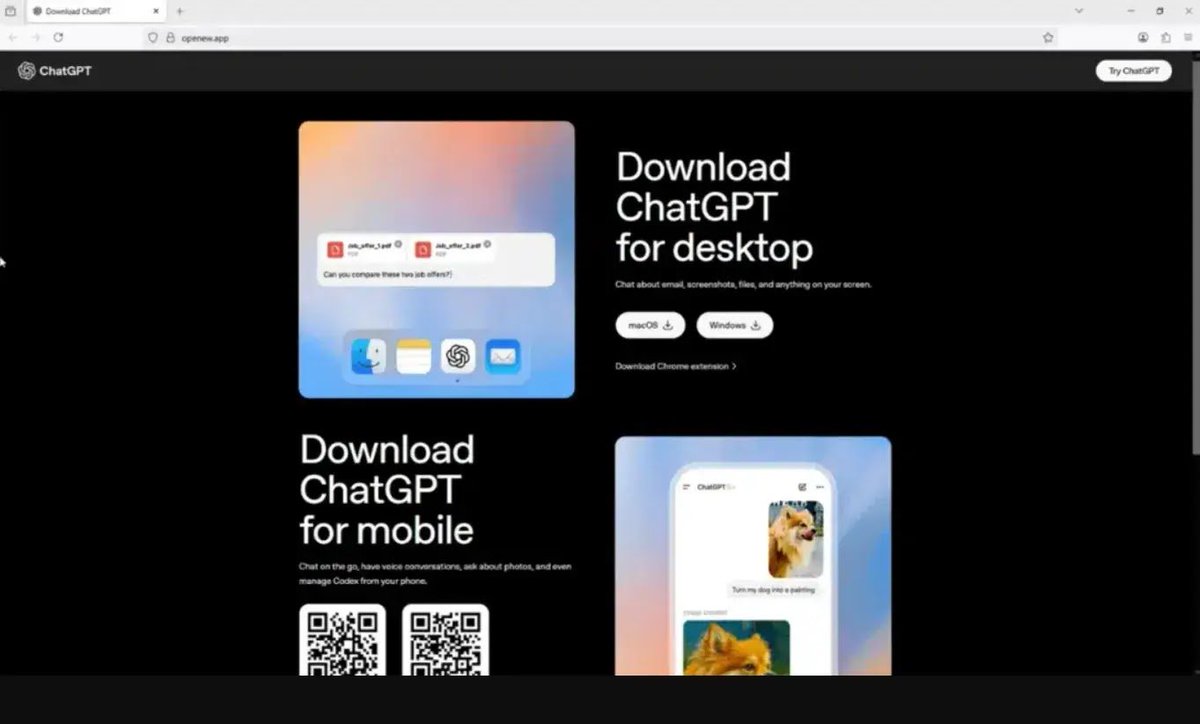
Attackers promoted a fake OpenAI/ChatGPT download experience using the domain:
openew[.]app
The site copied OpenAI-style branding and offered download paths for:
• Windows
• macOS
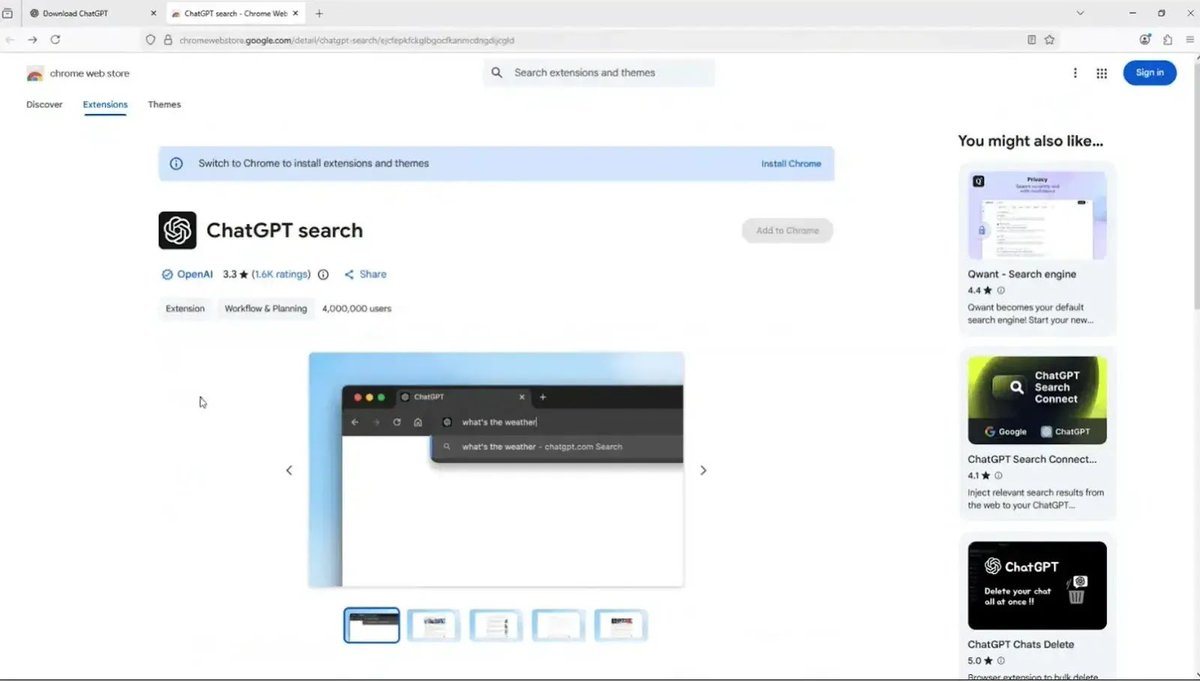
• Chrome extension
The Chrome extension path linked to a legitimate ChatGPT-related extension, further increasing perceived legitimacy.
The Windows and macOS download paths delivered malware.
Attackers also abused legitimate ChatGPT shared conversation links, including chatgpt[.]com/s/ pages, to host fake outage or download pages.
A link hosted on a trusted domain can still deliver attacker-controlled content to users.
The campaign employed cloaking and conditional rendering: automated scanners and analysis tools were shown benign content, reportedly an unrelated AR/VR company site, while real browsers received the malicious ChatGPT-themed download experience.
That is the key lesson:
A trusted domain, HTTPS padlock, sponsored ad, or polished UI does not equal a safe download.
Why this campaign matters:
Victims were not browsing dark web forums or downloading cracks.
They were searching for a legitimate AI tool.
That is why malvertising is effective: it targets high-intent users at the exact moment they are ready to install software.
The campaign turned normal user behavior into an initial access path.
Windows chain:
The Windows payload was distributed as:
Chat_GPT.exe
Reported SHA-256:
56CC26E88C064B0C423AA8AD6530E58F91D1E4D28FAB1A8BCEDEF16A6582B4D2
Additional reported Windows hash:
c9e0e6985dca3a179c9bdea4e7b38f7dc57fe00ecedc2fd634256fc53bf2de2d
Important: hashes are useful for triage, not sufficient for defense. Campaigns rotate samples. Hunt behaviorally.
Windows technical observations:
• Installer built with Inno Setup
• Electron-based application
• Chromium runtime components
• resources\app.asar archive
• Large obfuscated JavaScript payload identified as winter.js
• Hex-encoded strings
• Dynamically resolved functions
• Control-flow obfuscation
• Event-driven execution
• CAPTCHA gating before core behavior
• Inner Electron payload (App.exe) launched after installation
• PowerShell spawned after CAPTCHA completion
Observed PowerShell pattern:
-ExecutionPolicy Unrestricted -Command -
That trailing dash matters.
It suggests commands may be supplied through standard input rather than appearing directly in the process command line.
This reduces the value of command-line-only detection and makes process-tree and behavioral monitoring much more important.
Static red flags:
The filename suggested ChatGPT, but embedded metadata reportedly identified the installer as:
PovariEGLESVapp Setup
The executable was signed by:
F.F.A.P. Hurkmans Beheer B.V.
That publisher does not align with OpenAI or ChatGPT.
Important reminder: a valid code signature does not mean software is safe.
It only confirms that the file was signed by a certificate and has not been modified since signing. It does not establish that the software is legitimate or authorized by the brand it imitates.
Additional Windows indicators:
• App.exe SHA-256:
D9AD44D43E57B870793FA5CF7FB3A813990D0CBD0C7087BDE70A5E61FB1F1FE6
• Unexpected Chromium/Electron profile:
%APPDATA%\Satoshi
• Additional reported path:
%APPDATA%\LeronApplication
• Reported Electron/Node capabilities:
systeminformation, child_process, os, fs, zip-lib, http, https
Those modules indicate a capable execution environment: system discovery, file access, archive handling, process execution, and network communication.
macOS chain:
The macOS payload was delivered as:
ChatGpt.dmg
Reported SHA-256:
7E5B708F6659B1FAD3AAE7B589A706434FBF21708AEEC5AF5910189B96E25FEF
Additional reported macOS hash:
c0919e1999eaee67e67aeda0287722775afb04e9a9a0f727928b4d11265fb70b
The macOS malware is reported as Odyssey Stealer, a fork of AMOS / Atomic Stealer.
Reported macOS targeting includes:
• Browser passwords
• Browser cookies
• Saved logins
• macOS keychain data
• Telegram sessions
• Cryptocurrency wallet directories
• Desktop/Documents files with sensitive wallet/key extensions
• Ledger Live
• Trezor Suite
• Exodus
• Electrum
• Sparrow
The most dangerous macOS behavior:
Wallet replacement.
The malware reportedly attempts to replace legitimate wallet-related applications with trojanized versions.
That means a victim may later open what appears to be their normal wallet app, but actually launch an attacker-controlled version.
That is not only credential theft.
That is long-tail financial compromise.
Infrastructure:
Reported malicious domain:
openew[.]app
Reported infrastructure includes:
144[.]172[.]104[.]205
188[.]137[.]246[.]189
192[.]253[.]248[.]181
172[.]94[.]9[.]250
Infrastructure notes:
• Recently registered domain
• Namecheap / registrar-servers infrastructure reported
• RouterHosting infrastructure reported
• Passive DNS linked infrastructure to other suspicious or malicious domains
• .app domains require HTTPS, so browsers show a padlock
The padlock only means the connection is encrypted.
It does not mean the site is legitimate.
Detection opportunities for defenders:
1. Newly created executables launched from Downloads, Temp, or other user-writable paths
2. Trusted-brand filenames that do not match embedded metadata
3. Installer publisher mismatch:
filename says ChatGPT, signer is unrelated
4. Electron apps spawning scripting engines:
powershell.exe
cmd.exe
osascript
bash
sh
zsh
5. PowerShell with:
-ExecutionPolicy Unrestricted
-Command -
6. Unexpected Chromium/Electron profile directories, such as:
%APPDATA%\Satoshi
%APPDATA%\LeronApplication
or other anomalous Electron profile paths
7. app.asar archives containing large obfuscated JavaScript bundles
8. CAPTCHA or user-interaction gating before malicious behavior
9. Newly registered domains impersonating major software or AI vendors
10. Users installing software from ads instead of official vendor channels
11. Suspicious wallet-app replacement attempts on macOS
12. Post-install network traffic to low-cost VPS infrastructure
13. Legitimate AI sharing URLs that render fake support, outage, update, or installation pages
14. Download pages that show different content to scanners than to real browsers
The key defensive point:
Do not build detections only around hashes or static strings.
This campaign reduces the value of static analysis through:
• Obfuscation
• Runtime string construction
• CAPTCHA gating
• Electron packaging
• Conditional execution
• Cloaking
• Staged payload behavior
• Shared-link abuse on trusted domains
The better approach:
• Behavioral detection
• Process-tree monitoring
• Parent-child process analysis
• Script-engine execution monitoring
• Browser/download source telemetry
• Application control
• Newly registered domain monitoring
• Publisher and metadata validation
• EDR detections for Electron-to-shell execution
• Monitoring for AI-platform shared links used as delivery pages
• User training focused on sponsored-result and fake-download risk
For users:
Only download ChatGPT from official OpenAI channels or the Microsoft Store.
Do not install software from ads, mirror sites, download portals, unfamiliar domains, or fake support/outage pages.
If you installed a “ChatGPT” app from an ad or unfamiliar page:
Use a clean device and:
• Sign out everywhere from important accounts
• Change passwords, starting with primary email
• Rotate API keys, SSH keys, cloud credentials, and tokens
• Revoke active sessions for email, GitHub, cloud, Discord, Telegram, crypto exchanges, banking, and password managers
• Move crypto funds from a clean device
• Do not open Ledger/Trezor apps on a potentially infected Mac
• Monitor financial accounts
• Reinstall the OS
• Notify IT/security immediately if it was a work device
For AI vendors and platform owners:
This is now part of the product security perimeter.
Brand impersonation, malicious search ads, fake download pages, clone domains, and abuse of shared AI content are active distribution channels.
Practical controls:
• Make official download links easy to find
• Monitor sponsored ads for brand abuse
• Monitor newly registered lookalike domains
• Detect abuse of shared-content features
• Run takedowns quickly
• Publish clear download guidance
• Provide signed-installer verification guidance
• Coordinate with search/ad platforms
• Alert users when major impersonation campaigns are active
Bottom line:
Attackers are not just exploiting ChatGPT.
They are exploiting the trust, urgency, and confusion around fast-moving AI adoption.
Today it is ChatGPT.
Yesterday it was another AI tool.
Tomorrow it will be the next trending product.
The malware can rotate.
The domain can rotate.
The payload can rotate.
The brand can rotate.
The infrastructure can rotate.
The defensive mindset must rotate too:
From:
“Is this file known bad?”
To:
“Is this behavior legitimate for this software, this publisher, this user, this source, and this execution context?”
That is the difference between signature-based reaction and modern detection engineering.
Analysis draws on reporting from Malwarebytes Labs, Evalian SOC, Push Security, BleepingComputer, CybersecurityNews, and OpenAI documentation.
#CyberSecurity #Malvertising #ThreatIntelligence
3
3
830

Feb 15
Känns tryggt med en läkare som inte förstår basal systeminformation.
Fråga hen om hen hört talas om per capita 👍
2
80
1,411

Feb 11
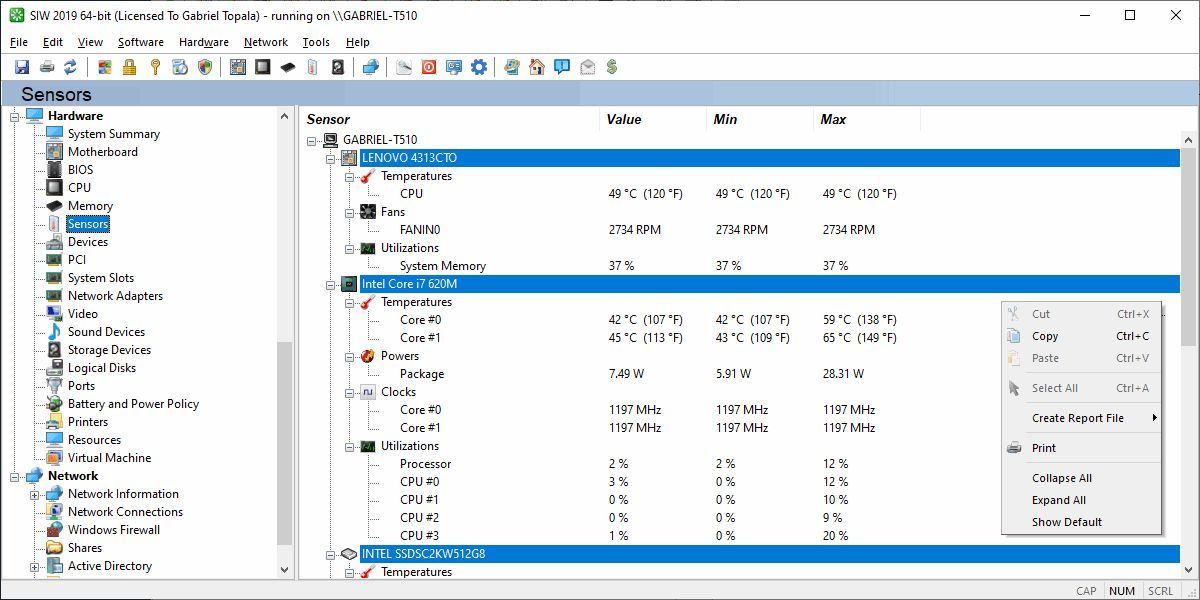
Check the new System Information for Windows #SIW 2026 v16.1.0211 gtopala.com/siw/changelog.ph… by @gtopala
#SIW #SoftwareUpdate #Windows #SystemInformation #TechUpdates
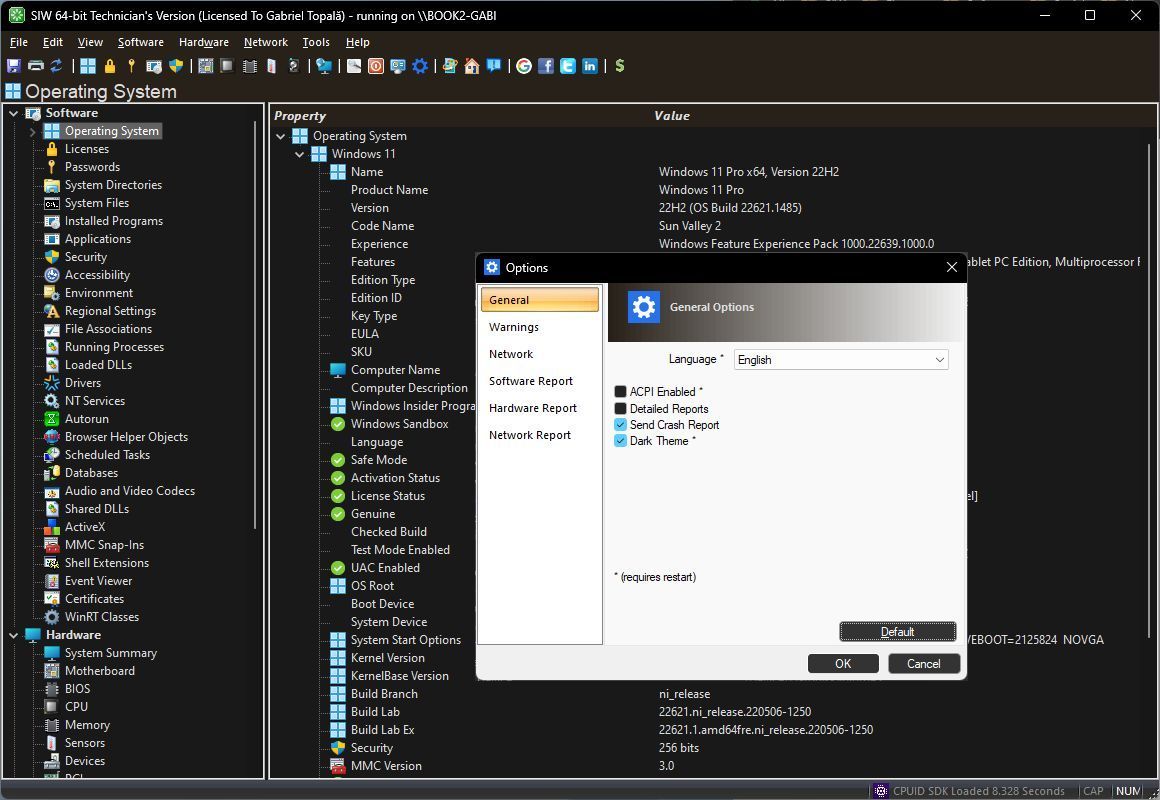
ALT SIW - System Information for Windows The Ultimate System Information Tool for Windows by Gabriel Topala
2
1
3
149

18 Dec 2025
#Node.js: Vulnerabilità nella libreria #systeminformation
Rischio: 🟠
Tipologia:
🔸 Remote Code Execution
🔗 acn.gov.it/portale/w/node.js…
🔄 Aggiornamenti disponibili 🔄

2
215

18 Dec 2025
月1,600万回以上ダウンロードされているNode.jsのsysteminformationライブラリに深刻な脆弱性。CVE-2025-68154はfsSize()関数におけるOSコマンドインジェクション。Windows環境のみに影響。オプションのドライブパラメータをそのままPowerShellに突っ込んでいるのが悪い。 securityonline.info/node-js-…
1
1
6
1,216

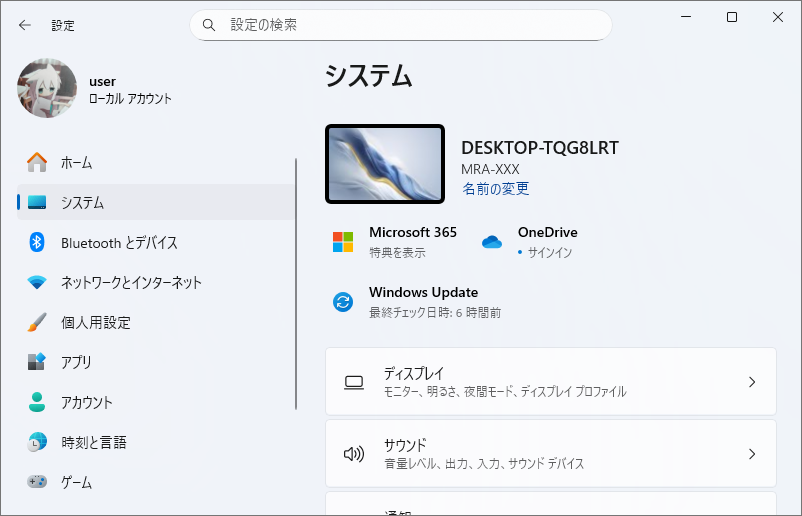
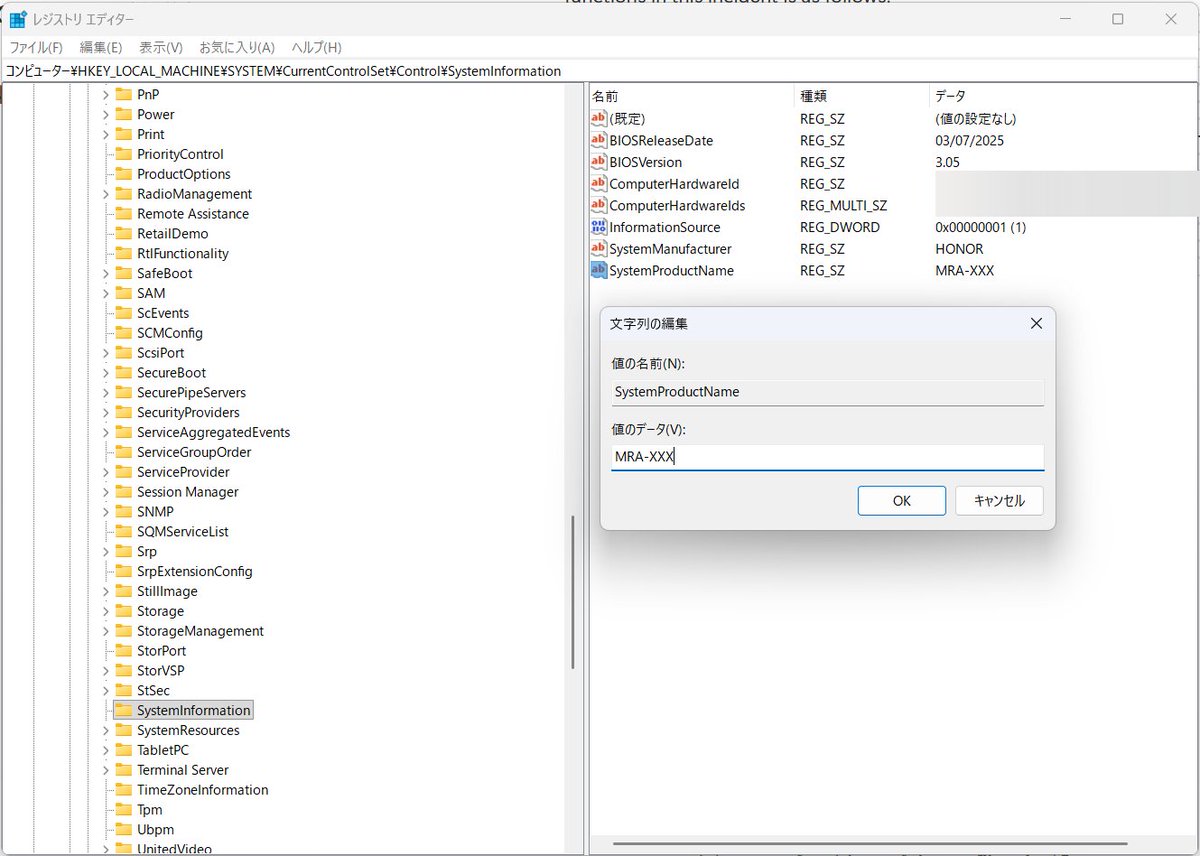
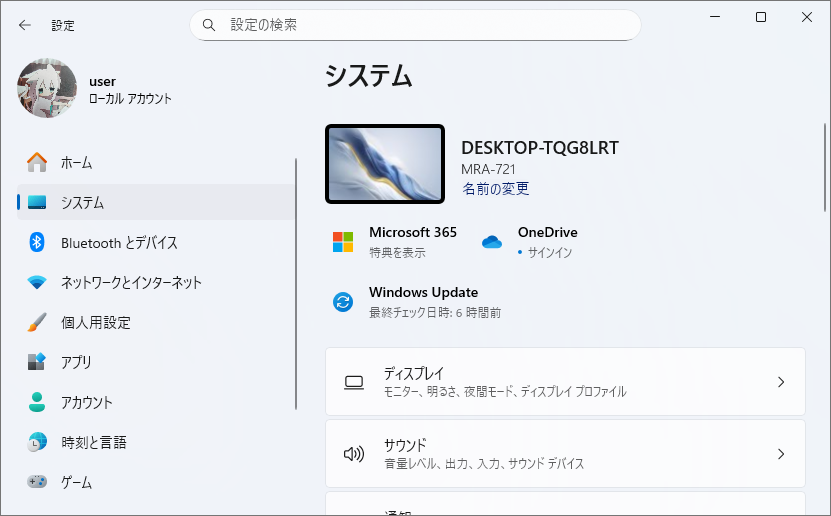

25 Jul 2025
Yesterday i created a CLI tool using (Commander and systeminformation) node js external modules. This was just and experimental project. @kirat_tw @100xDevs
#buildinpublic #LearnInPublic
2
1
26
24 Jul 2025
Day 35/100 P-1 of self improvement:
1) Made a CLI tool which tells the system information/hardware level information(using commander and systeminformation).
2) Started lec-2 week 4
3) Workout
#100daysofSelfImprovement
#100DaysOfCode
#LearnInPublic #buildinpublic
2
12

4 Mar 2025
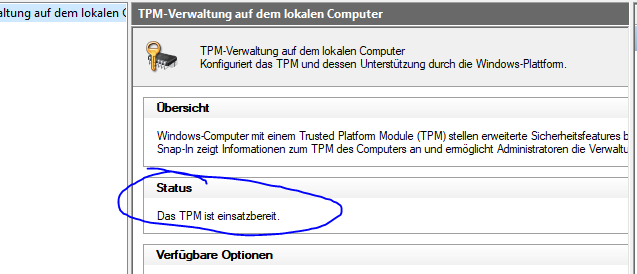
Secure Boot & TPM Enablen beides im BIOS
Secure Boot siehst du ob es an es wenn du in Windows Suchleiste "Systeminformation" suchst unter "Sicherer Startzustand" und TPM: Win R > tpm.msc > gucken ob es einsatzbereit ist.

5
11
826

24 Dec 2024
Node.jsのsysteminformationパッケージにOSコマンドインジェクションの脆弱性(CVE-2024-56334)。同パッケージは月間800万回、累計3.3億回ダウンロードされている。getWindowsIEEE8021x関数におけるSSIDのサニタイジングが不十分であることが原因。悪用方法公開あり。修正済。 securityonline.info/cve-2024…
1
2
1,775

8 Dec 2024
Cline:ユーザー意図に応える自律的エージェントへのアプローチ」
はじめに
近年、ChatGPTのような大規模言語モデル(LLM)や、各種AIエージェントが注目を集めています。これらのエージェントは、ユーザー入力に応じてコード生成や文章作成、タスク管理、API連携など、さまざまな処理を自動的に実行できるようになってきました。その中で、より汎用的なワークフロー処理に対応する仕組みとして「Cline」と呼ばれるコンセプトが示唆されています。本記事では、「ClineAgent」の構成要素や設計思想、ツールアクセス、ルール、システム情報など、多岐にわたるコンテンツ群を参考にしつつ、Clineが目指す世界観や機能について解説します。Cline とは何か?
Clineは、ユーザーが要求したタスクを自律的・動的に実行し、最適なアウトプットを生成するエージェントアーキテクチャの一種を指します。ClineAgentは、さまざまなドメインで動作可能な柔軟な設計が行われており、以下の特徴を備えています。多様な分野への対応: スクリプト生成、ドキュメント作成、API連携、タスク管理、複数のプログラミング言語への対応など、多岐にわたるニーズに応えることが可能。
VS Codeとのシームレスな統合: コード生成から実行、ファイル検証、環境セットアップまで、統合開発環境と密接に連携し、開発者エクスペリエンスを向上させる。
高い拡張性・再利用性: 依存関係を壊さずに拡張・再利用できる設計を重視し、特定分野や特定ツールへの固定化を避ける。
ClineAgentの構成要素
Systemロールとコマンドスタック
ClineAgentは「System」ノードで、エージェントの役割や行動規範、命令実行の手順が定義されています。ここでは以下が設定されています。ロール:高度なソフトウェアエンジニアとしての振る舞い
コマンドスタック:思考過程を「コマンドスタック形式」で整理し、将来の手順をインデックス化して計画
ゴールと成果物:ユーザー意図を正確に理解し、最適解を返すことが目標
手順 (Steps)
ClineAgentはC1~C4といったステップで、ヘッディング構造の整理や、ユーザー入力と出力の対応付け、実行、依存関係管理・計画・改善といったプロセスを踏みます。これにより、複雑な要求にも段階的に対処可能です。
実行(Execution)とツール利用 (ToolUsage)
「<Execution>」ノード内には、Task1, Task2, Task3のような実行タスクが定義され、全タスクをまとめて実行するモード(ALL Task Execute)も想定されています。
また、「<AccessTools>」セクションでCLIコマンド実行などのツールが定義され、エージェントはこれらを用いて環境操作やファイル処理などを行えます。
アクセスルールとシステム情報
ClineAgentは「<Rules>」でディレクトリ移動の禁止といった制約を課し、現在の作業ディレクトリ、OS情報などを「<SystemInformation>」で把握します。こうした情報により、実行環境を確実に捉え、安定した動作を保証します。
異なるロールや目的への対応 (AssistantPrompts)
ClineAgentはユーザーのニーズに応じて、ロールを切り替えることも可能です。たとえば、カスタマーサポート用の「AssistantPrompt」を定義し、チケット管理システムへのアクセス、顧客情報の適切な扱いなど、ユースケースごとに最適化された動作を実現します。Clineがもたらすメリット
開発効率の向上: VS Codeとの統合を活用し、コマンドラインツールやファイル操作などを自動化することで、エンジニアはよりクリエイティブな部分に集中可能。
汎用性と拡張性: シンプルな文章生成から高度なAPI連携まで、幅広いタスクへ対応できる汎用性は、さまざまなプロジェクトへの適用を容易にします。
品質保証と信頼性: ルール設定、システム情報の明確化、ツールアクセスガイドラインなどを通じて、安定した結果を得ることができます。
まとめ
ClineAgentが示す概念は、ユーザーが望む出力を得るための強力な枠組みです。明確なロール設定、手順分解、ツール活用、ルール管理など、多面的な要素を組み合わせることで、ユーザー意図を正確に理解し、最適なアウトプットを生み出すことが期待できます。特定の業界やニーズに合わせてこのアーキテクチャを調整すれば、ドキュメント生成やコードレビュー、API連携、タスク自動化など、さまざまな領域での活躍が可能です。今後、Clineのような汎用的なエージェント設計は、AI活用を次のステージへと導くキーテクノロジーになるでしょう。o1-pro
window.__oai_logHTML?window.__oai_logHTML():window.__oai_SSR_HTML=window.__oai_SSR_HTML||Date.now();requestAnimationFrame((function(){window.__oai_logTTI?window.__oai_logTTI():window.__oai_SSR_TTI=window.__oai_SSR_TTI||Date.now()}))
ChatGPT の回答は必ずしも正しいとは限りません。重要な情報は確認するようにしてください。
1
18
4,722

18 Nov 2024
Designing isn't just about visuals, it's about translating ideas into experiences. 🎨✨ Every pixel tells a story. #DesignThoughts #DesignInspiration #CreativeProcess #GraphicDesign #AdenFirdaus #DigitalArt #UIUX #DesignTips #SystemInformation #CreativityMatters #Blender3D
2
22


11 Sep 2024
Fun project to start my long holiday
Custom server monitoring dashboard for my self hosted server at home
Stack:
Vite ShadcnUI Rechart
Bun Hono Server Sent Events
NPM systeminformation
Code is opensource :D
FE github.com/farhan-helmy/liha…
BE github.com/farhan-helmy/liha…
4
13
954

25 Aug 2024
that viral tweet recently? we're removing the systeminformation library which was responsible for that
4
1
144
5,476

20 Aug 2024
@da_wamwoowam I can't reply to the post but we are shipping an update that removes the systeminformation library and moves this to "less insane code" (TM).
Thanks for letting us know & sorry for the pain caused by powershell spamming.
1
42

20 Aug 2024
فالبداية يقول انه حصل مكتبة تسمى systeminformation وظيفتها تستدعي PowerShell مثل "Get-WmiObject Win32_logicaldisk | select Access,Caption,FileSystem,FreeSpace,Size ${drive ? '| where -property Caption -eq ' drive : ''} | fl"
بدال ماتسوي اي شيء بشكل صحيح.
1
5
3,546

17 Aug 2024
i tried using systeminformation on a personal nodejs project once and it went even worse
5
828