
I love MarkEdit, it's the closest to a native experience, just like TextEdit. And it's open source.
github.com/MarkEdit-app/Mark…
25

15h
I like MarkEdit. It’s like TextEdit but for markdown. Fast and simple.
github.com/MarkEdit-app/Mark…
4
121

what's really interesting is that in textedit it'll actually automatically do the suggestion in the background, so i assume it might apply to any document based app
2
1
35


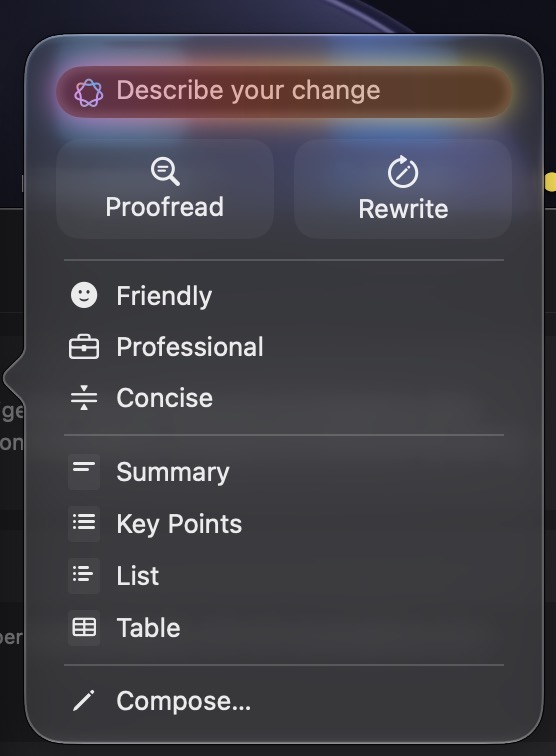
ugh, did Apple do something to TextEdit? It just gave me a menu for AI revisions
50

Jun 13
Someone tell Khalif Kairo that VS Code is free. Bro is out here trying to build an entire tech stack raw-dogging HTML and unindented JavaScript in standard macOS TextEdit and a terminal window.

1
2
76

Jun 13
haha I'm on mac too. honestly for almost everything I draft writings in textedit, which makes '—' automatically from '--' as others have pointed out. always have that textedit window open
2
6
5,037

Jun 12
I miss this menu in Textedit, Notes and so...
How to do to have Siri AI *and* Writing Tools menu like that?
18



Jun 12
If your product supports pasting with rich formatting, you must also support pasting without formatting. It's 2026 and somehow there are still apps that require you to paste via TextEdit/Notepad 🤦♂️
112


Step 2: Open Codex’s Config File
On Windows, press:
Windows key R
Paste this:
C:\Users\mushb\.codex\config.toml
Press Enter.
If Windows asks which app to use, open it with Notepad.
On Mac, open Finder.
In the menu bar at the top, click:
Go → Go to Folder
Paste this:
~/.codex
Hit Return.
Look for a file named: config.toml
Open it with TextEdit or another plain-text editor.
If you do not see config.toml, create a new plain-text file named exactly:
config.toml
inside the .codex folder.
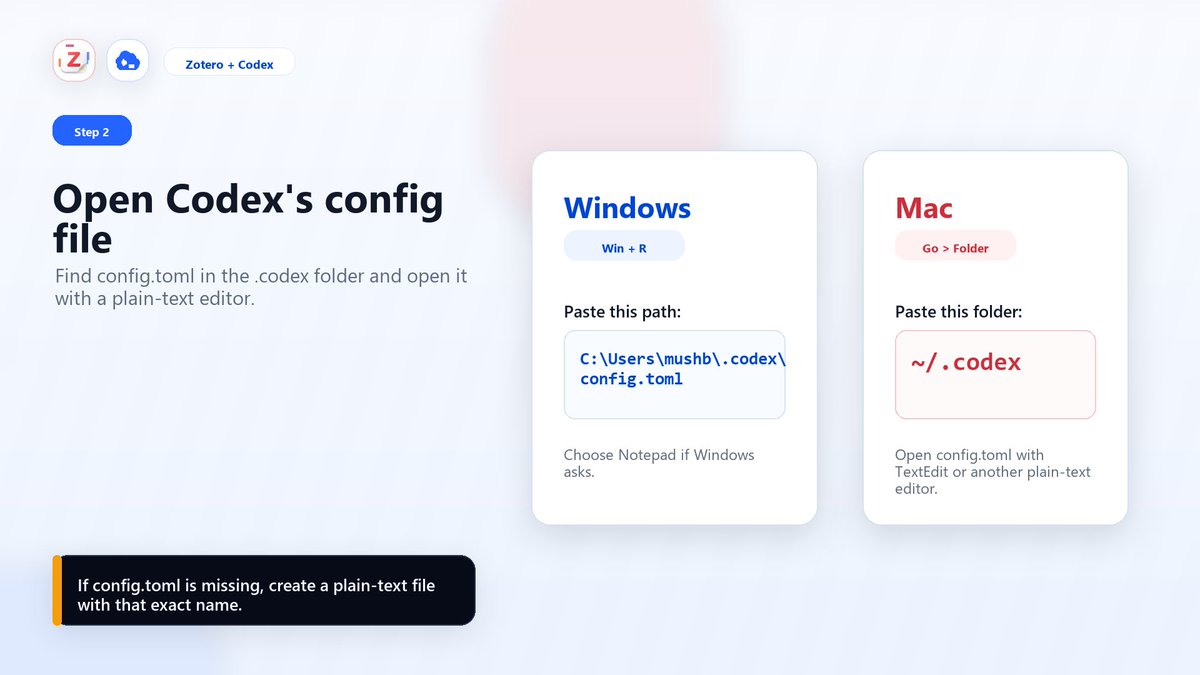
ALT Instructions for opening Codex's config file on Windows and Mac, including specific file paths and app recommendations.
1
1
1,843


Jun 4
I need to read my MD files on something, sometimes. You can’t expect me to use TextEdit
2
61

Jun 3
I kinda just got used to nvim over the years, but I have been eyeing emacs for a while now.
In my day to day however, there are certain editors that just work so good for specific use cases, I use webstorm for literally just reviewing certain PRs since I love its interface, neovim for quick files and thinking deeply about things, and Mac’s TextEdit for storing things like queries and handy notes that I use occasionally.
If the promise of AI is true (haha) one of the things I would hope comes out of this is me being able to just at least hack something together that allows me to optimize interacting with the PC the way I envision it. 144 hz text and directory editing with colors reacting to techno music or something lol. Something to put me into the mood. But software isn’t cheap.
2
268

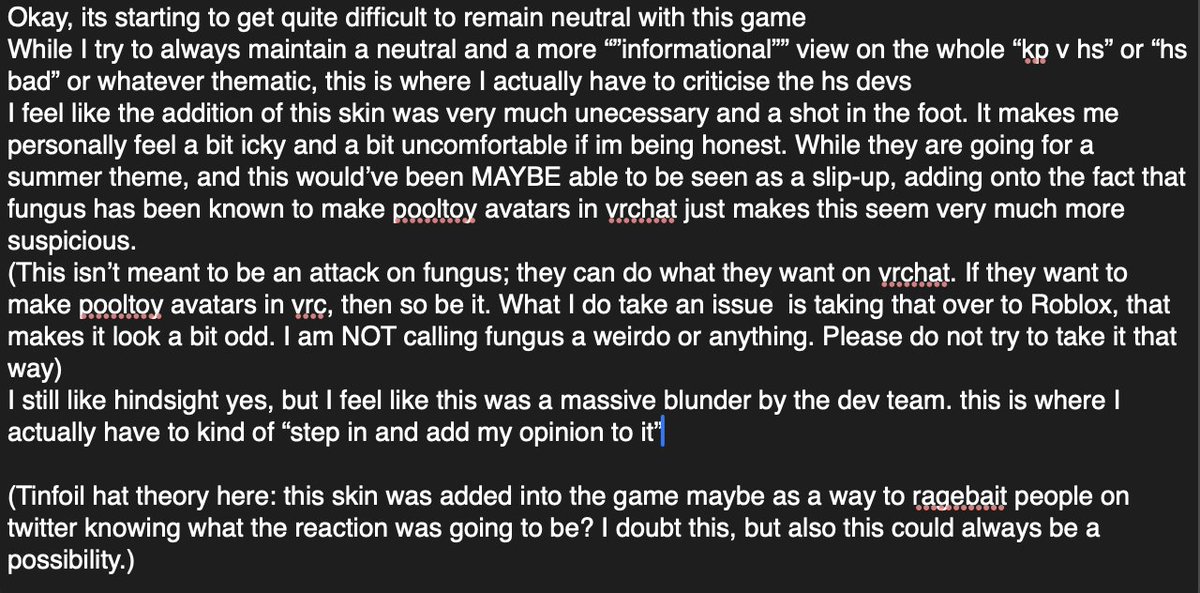
my opinion regarding this
i dont mean to offend or upset anyone with this, just stating how i view/personally feel about this
(ignore the red marks im lowk writing this at 12:30am on textedit)
Jun 2

so much for not being "fetish" and not having "transfur" when you add the most obviously pooltoy fetish thing ever oh my fucking god "do not overinflate" LMAOOO
squib makes pooltoy vrchat avatars lmao
@Blaxor humble these sus bluds



1
3
11
1,630

Or just Notepad, or TextEdit on macos, or nano, vim even, the hell is wrong with people?
6
557
