
Jun 11
3D Chrome Typography
Create stunning metallic 3D chrome text effects using Adobe Photoshop 2026.
Explore our unique 👇 designs!
.......................... @badrbrand1
#Photoshop #ChromeTypography #TextEffects #Typography #GraphicDesign #CreativeDesign #DigitalArt #DesignTutorial
12

Mar 10
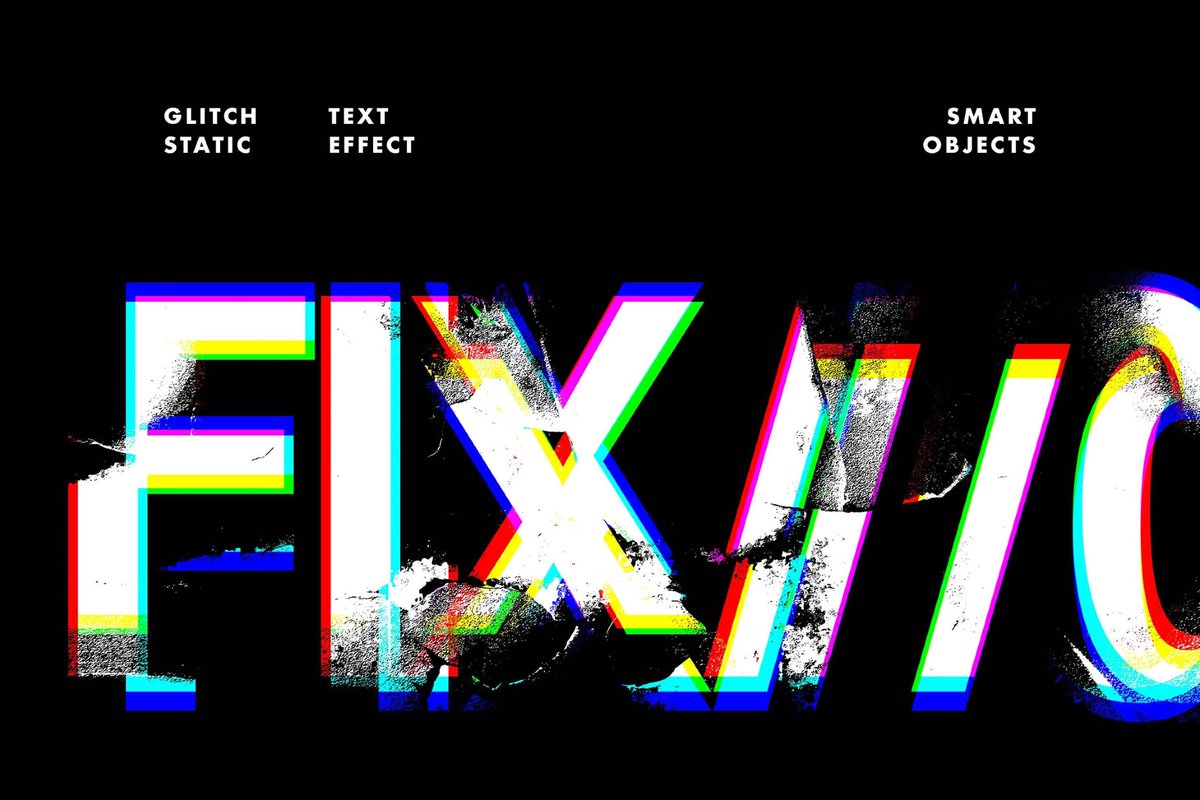
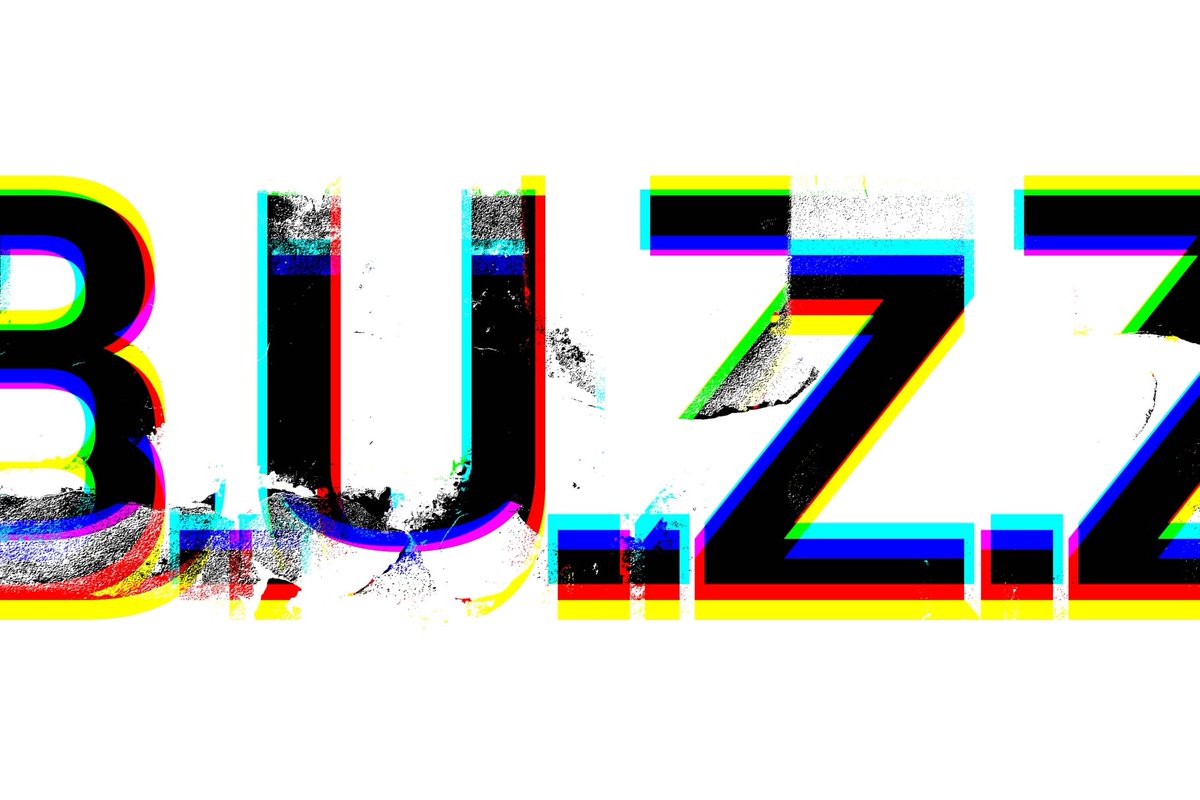
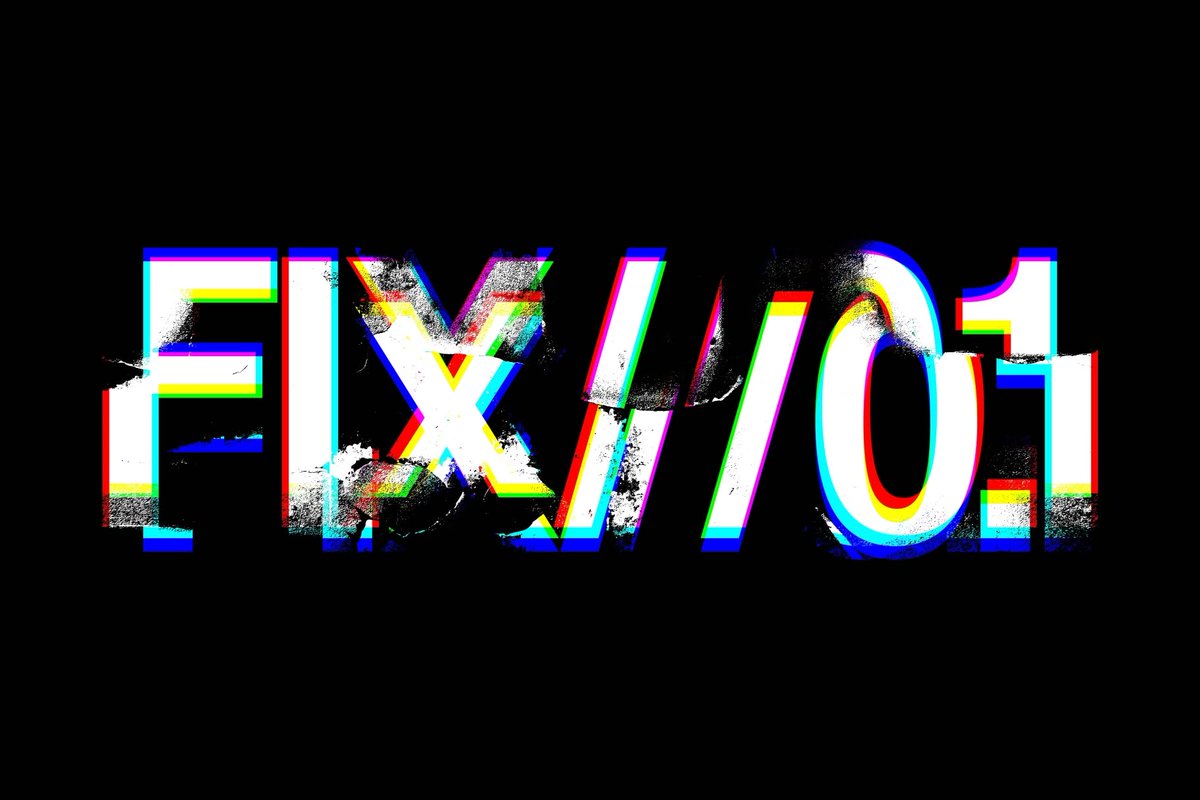
Glitch Static Effect: pixelbuddha.net/effects/9295…
The effect fractures typography with sharp RGB channel shifts, bold color outlines, and misaligned layers that echo a corrupted digital signal.
#pixelbuddha #typography #texteffects #PSD #effects #AdobePhotoshop #mockup
1
149

Jan 1
Gradient Flip Text Effect in Illustrator
#adobeillustrator #IllustratorTips #GraphicDesign #TextEffects #aydesignco
1
2
14

25 Dec 2025
#Photoshop Experiment- When letters melt — fiery type, sizzling texture.
#FireTypography #MeltedType #TextEffects #TypographicPoster #LavaText #GraphicDesign

2
64

3 Dec 2025
Day 3 of 12 Days of Creativity! 🎨✨
Made a candy cane-inspired wallpaper saying MERRY CHRISTMAS using text effects on Adobe Express 🍭🎄
#12DaysOfCreativity #AdobeExpress #TextEffects #FestiveFun
@digiknownicole #adobeeducreative

4
216

3 Dec 2025
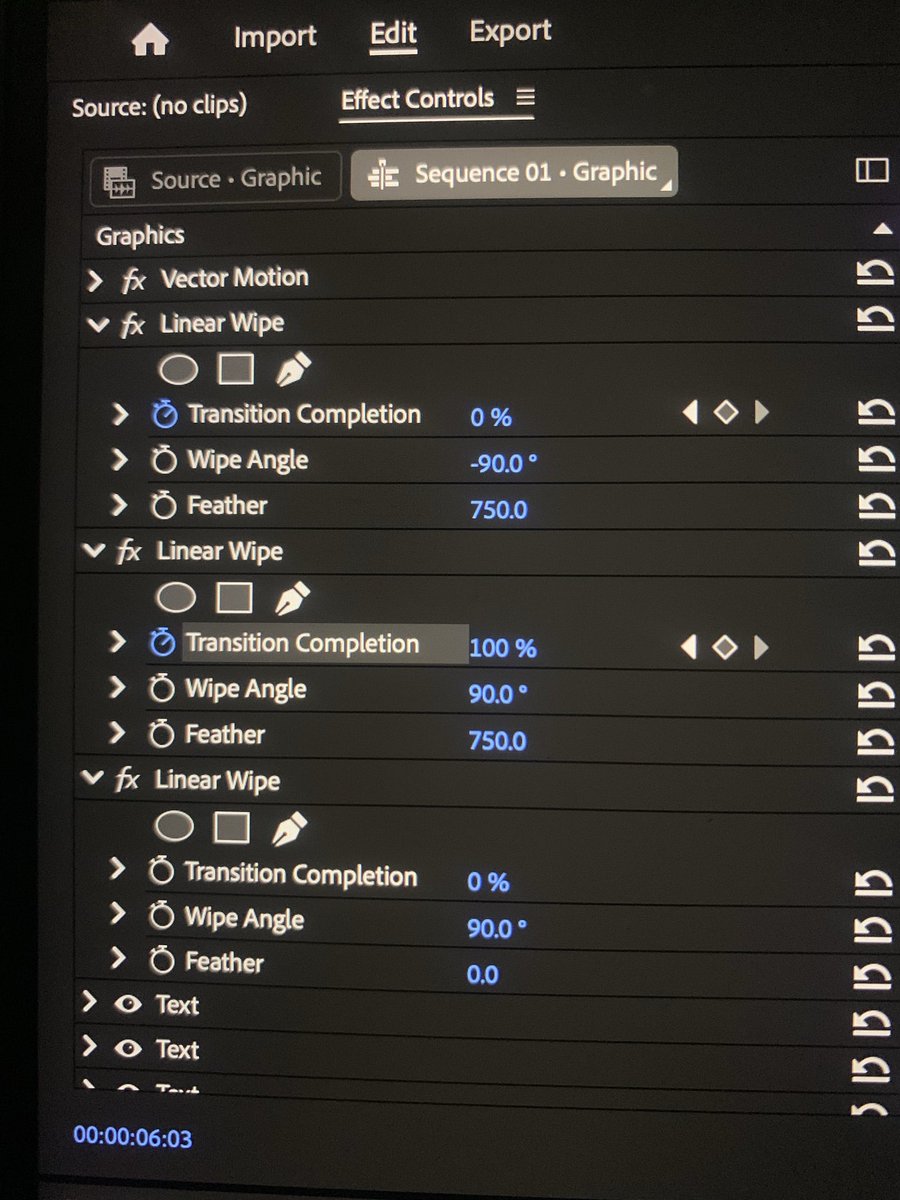
Day 5 of learning video editing with Adobe Premiere Pro.
Did a little fade in fade out text effect. Loving the progress so far!
#VideoEditing #AdobePremierePro #TextEffects
4
314

29 Oct 2025
Made with Break It! by @motionflix94
aescripts.com/break-it!
#aftereffects #aescripts
.
How to use Break it Plugin in After Effects
.
For more AE tips and tricks, follow me and turn on post notifications! ➡️ @motionflix94
.
Share on your story 📲, leave a comment 💬, and make sure to save it! 🌟✨
#aftereffects #tutorial #howtouse #howtocreate #breakit #plugin #chips #chocolate #MotionGraphics #AdobeAfterEffects #TextEffects #Animation #VFX #CinematicText #FireAnimation #Typography #dailytips #motionflix
.
#aftereffects #tutorial #howtouse #howtocreate #lightrig #text #effect #shadow3 #aetips #composting #aftereffectcourse #motiondesign #animation #getinspired #aftereffectstutorial #creativity #dailytips #motionflix
8
943

24 Sep 2025
Zahir's Creative Canvas is now on YouTube!
Bringing you Photoshop text effect tutorials, tips, and creative inspiration.
Subscribe & join the journey — new content dropping regularly!
#Photoshop #TextEffects #GraphicDesign #YouTubeCreator
youtu.be/t_PFbJqeHv8

1
81
19 Jul 2025
Zahir's Creative Canvas is now on YouTube!
Bringing you Photoshop text effect tutorials, tips, and creative inspiration.
Subscribe & join the journey — new content dropping regularly!
#Photoshop #TextEffects #GraphicDesign #YouTubeCreator
youtu.be/T-D1D4ru6Mo
2
22

17 Jul 2025
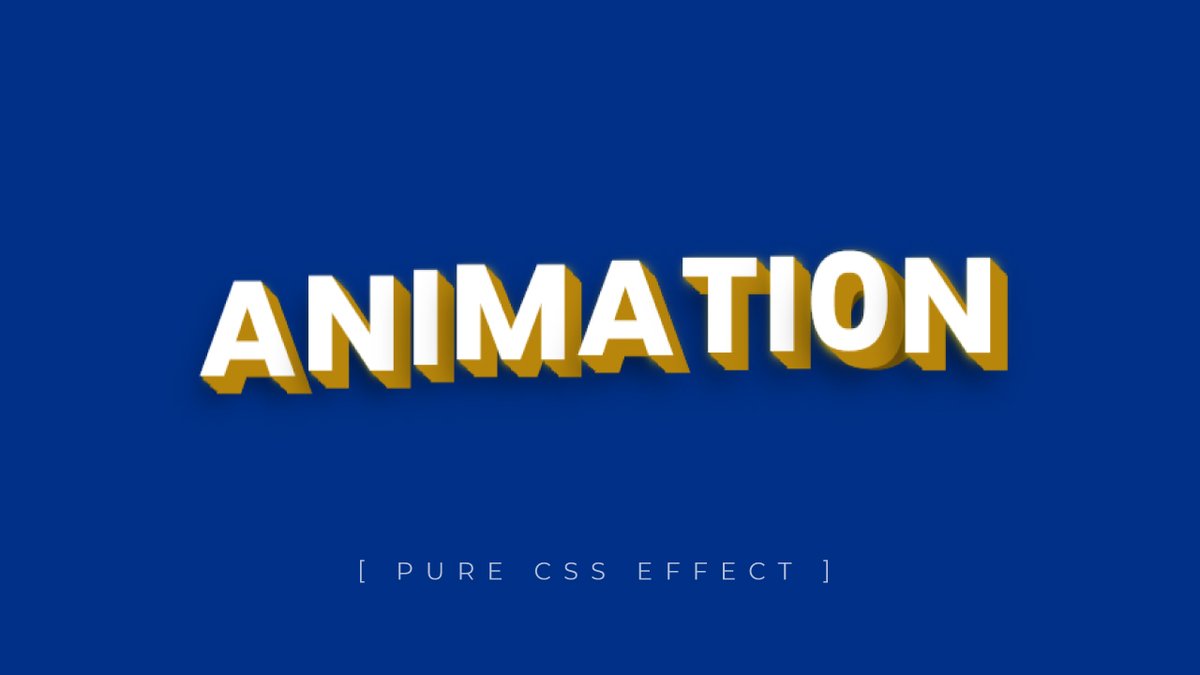
Pure CSS Text Effects
Video: youtu.be/CDvY4RSbw1E
#html #HTML5 #CSS #CSS3 #webdevelopment #Coding #FrontEndLove #100DaysOfCode #texteffects #textanimation #divinector #animation #cssanimation
2
2
70

24 Jun 2025
Text looking flat?
Here’s how to inflate it in Adobe Illustrator 2025 and give it that bold 3D pop
Perfect for standout titles, logos & scroll-stopping graphics
#AdobeIllustrator #Illustrator2025 #3DText #InflateText #DesignTwitter #TextEffects #GraphicDesignTips #TypographyHack
3
247
19 Jun 2025
Want to add a drop shadow to your text in Illustrator without losing its editability?
Here’s how to do it in Adobe Illustrator 2025; fast, clean, and non-destructive.
A tiny trick that makes a big difference.
#AdobeIllustrator #DesignTwitter #IllustratorTips #TextEffects
4
47

26 Apr 2025
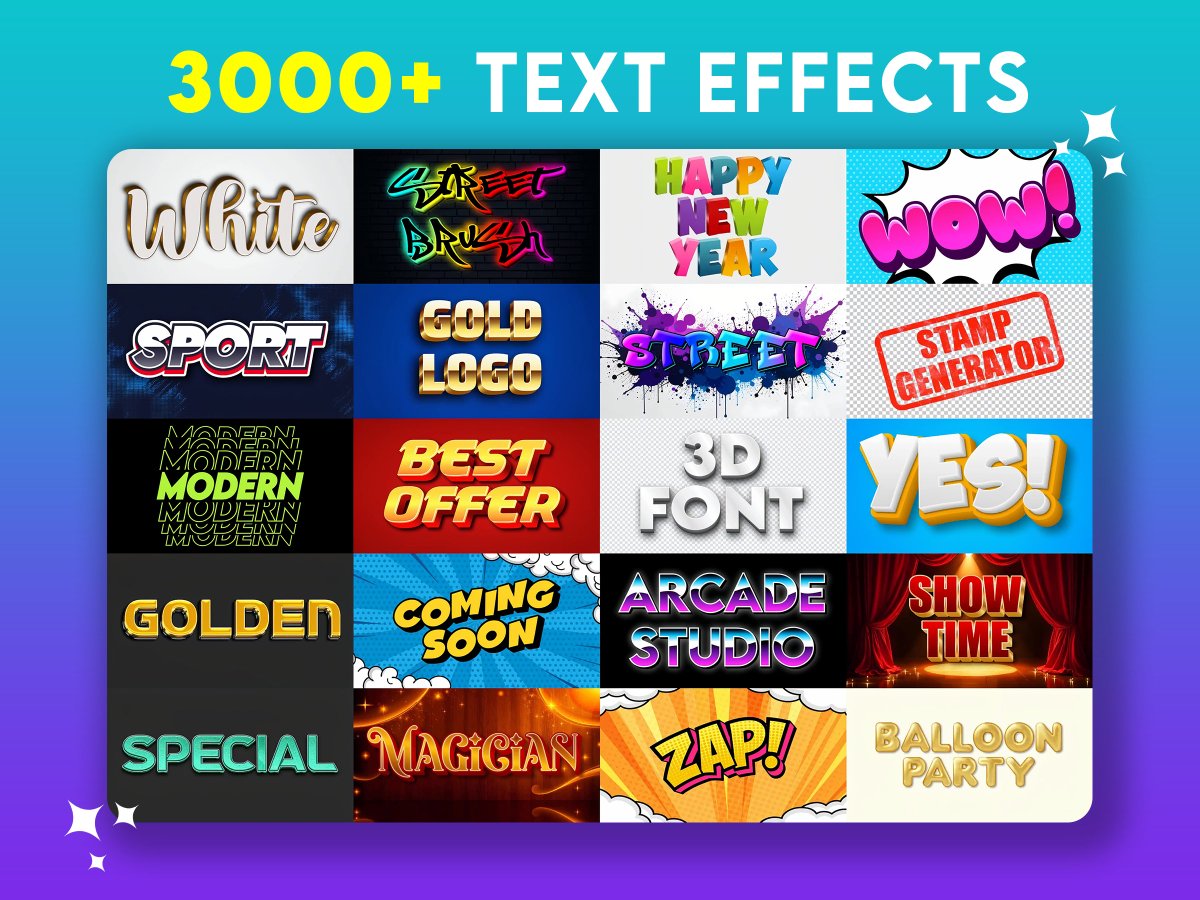
🎨✨ Transform your words into art with TextStudio!
Create stunning text effects in just a few clicks — perfect for your projects, social media, and more. 🚀
👉 Try it now for free: textstudio.com
#TextEffects #GraphicDesign #CreativeTools #TextStudio
3
201

3 Best iOS 18 Cool Tips to Enhance Your iPhone Experience
Discover how these 3 iOS 18's Cool Tips can transform your daily interactions with your iPhone.
By Rodger Mansfield, Technology Editor
March 6, 2025
onecooltip.com/2025/03/3-bes…
In today's fast-paced digital world, staying updated with the latest technological advancements is crucial.
Here's a Cool Tip: Try these 3 Cool Tips.
Apple's iOS 18 introduces a suite of features designed to elevate user experience, making daily tasks more intuitive and engaging.
Here are three standout Cool Tips that every iPhone user should explore:
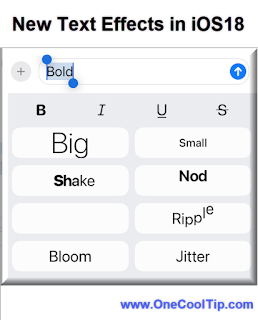
1. Dynamic Text Effects in Messages
Transform your conversations with animated text effects.
Communicating emotion through text can often be challenging. With iOS 18's new text effects, your messages can now convey tone and emphasis more effectively.
Here's how to do it.
Open the Messages App.
Start a new message or navigate to an existing conversation.
Compose the text you want to enhance.
Double-tap the word, phrase, or emoji you want to modify. Use the selection anchors to fine-tune your choice.
Tap the right chevron button to reveal the Text Effects option in the popup menu.
Explore the range of effects, including Big, Small, Shake, Nod, Explode, Ripple, Bloom, and Jitter. A live preview lets you see how each effect animates your text.
Once you've found the perfect effect, tap the send button and watch your message come alive!
Recipients also need to be on iOS 18 to view the effects; otherwise, the message appears without animation.
2. Adjustable Flashlight Beam via Dynamic Island
Customize your flashlight's beam size for various scenarios.
Here's how to do it.
Turn on your iPhone's flashlight using the Control Center, Lock Screen, or by asking Siri.
Once the flashlight is on, the Dynamic Island will display the flashlight controls.
Swipe left or right on the Dynamic Island to adjust the flashlight beam size.
Swipe left for a narrower beam, and right for a wider beam.
Swipe up or down on the Dynamic Island to adjust the flashlight's brightness.
The flashlight is an essential tool, and iOS 18 enhances its functionality by allowing users to adjust the beam size through the Dynamic Island interface.
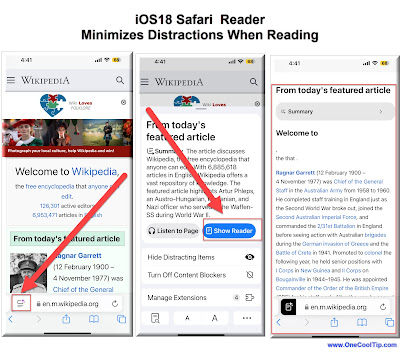
3. Enhanced Reader Mode in Safari
Experience a clutter-free and organized reading environment.
Here's how to do it.
Launch the Safari app on your iPhone.
Visit a webpage that supports Reader mode - Look for the words "Reader Available" in the address bar that briefly appears.
Tap the 'Page menu' button (the box with two lines) located on the left side.
Tap 'Show Reader' from the menu.
To adjust text size, font, and background color to your preference, tap the highlighted Reader icon
Browsing the web can often be interrupted by ads and pop-ups. iOS 18's enhanced Reader mode in Safari offers a seamless reading experience by stripping away unnecessary elements.
iOS 18 brings a plethora of features aimed at enhancing user interaction and personalization.
By exploring these cool tips, you can make the most of your iPhone's capabilities, ensuring a more efficient and enjoyable experience.
Have you tried these features yet?
Share your experiences in the comments below, subscribe to our newsletter for more insightful tips, and don't forget to share this article on social media to help others enhance their iOS 18 experience.
Please LIKE and SHARE OneCoolTip.com!
Subscribe to the FREE OneCoolTip Newsletter.
Visit the OneCoolTip YouTube Channel: youtube.com/@onecooltip
X: x.com/OneCoolTip Threads: threads.net/@onecooltip
Do you have a Cool Tip or question? Email us at onecooltip.com@gmail.com
Rodger Mansfield, a seasoned tech expert, is the mastermind behind OneCoolTip.com where he serves as both writer and editor. With a keen eye for simplifying complex tech, Rodger delivers practical advice that empowers readers to navigate the digital world with confidence. Dive into OneCoolTip.com for a treasure trove of savvy tips and tricks that keep you one step ahead in tech.
One Cool Tip
onecooltip.com
Cool Tech Tips for a Cooler Life!
#iOS18 #TextEffects #DynamicIsland #Flashlight #SafariReader #Safari #iPhone #iPhoneTips #AppleUpdates
#TechTips #TechGuide #OneCoolTip @OneCoolTip
Copyright © 2008- 2025 | OneCoolTip.com | All Rights Reserved
ALT 3 Best iOS18 Features
2
2
178

23 Feb 2025
🎨 Just discovered an amazing "Realistic Marker Highlight Text Effect" created by @preethavaishnavi! Check out this impressive Pen that brings text to life. Perfect for your design projects! #GraphicDesign #TextEffects #CreativeTools ift.tt/XVkBCLn
1
4

22 Feb 2025
🔥 100 FREE Text Effects! 🎨
3D, Gold, Vintage & Retro PSDs – edit & use commercially!
⬇️ Download Now: origastock.com/text-effects/…
#Free #GraphicDesign #TextEffects #DesignResources #Vegeta #PSD #origastock #Knicks
2
73

11 Feb 2025
"Master Stunning Text Effects in Photoshop: A Step-by-Step Tutorial You Can't Miss!"
.....................
#photoshoptutorial #texteffects #graphicdesign #StunningGraphics #masterphotoshop #PhotoshopEffects #PhotoEditingChallenge #creativedesign #designtutorial #digitalart
2
23

28 Jan 2025
Create Stunning Outline Text in Photoshop! 🎨✨
Want to make your text pop? Use Blending Options > Stroke to add a sleek outline. Adjust thickness, color, and position for a bold effect! Perfect for modern designs. Try it now! 💡
#Photoshop #TextEffects #GraphicDesign #DesignTips
2
64

20 Dec 2024
Your favorite creators are already using these text effects 🤯🎬
Posted the link down in replies.
#editing #texteffects #aftereffects #viral
9
1
11
573

7 Dec 2024
Aurora Text Effect...!🧠
.
.
Hashtag: #AuroraTextEffect #TextEffects #GraphicDesign #DigitalArt #VisualEffects #CreativeCoding #WebDesign #FrontendDevelopment #CSSArt #JavaScriptMagic #DesignInspiration #WebDevelopment #CodingCommunity #TechArt #WebDesigners #UIUX #Animation
34