
12 Dec 2024
👉 Struggling with interviews or upskilling as a React developer?
Here’s a simple explanation of CSS-in-JS vs. Traditional CSS for React beginners:
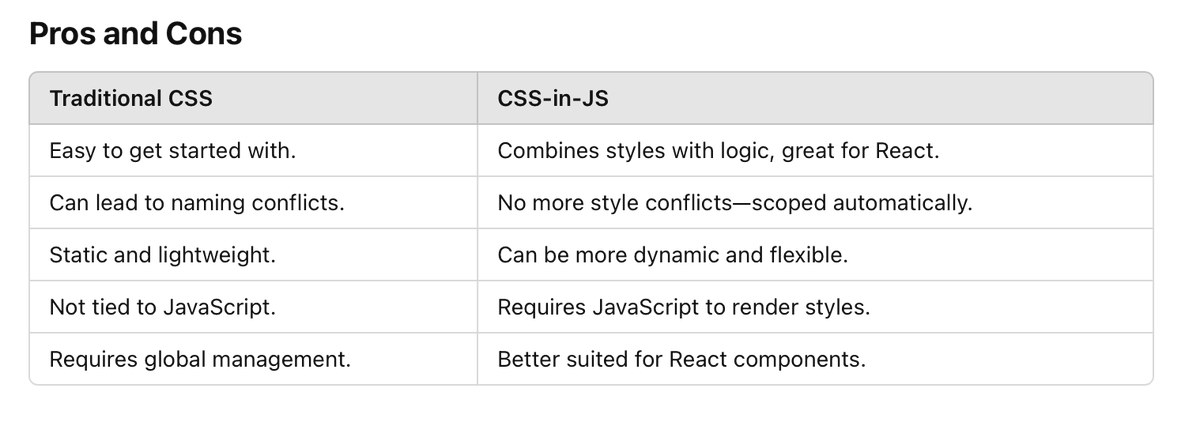
What’s the Difference?
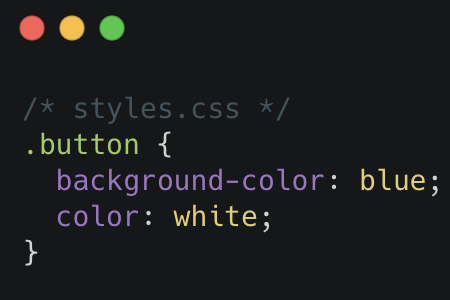
Traditional CSS
- You write styles in .css or .scss files.
- These styles are applied globally (unless scoped with methods like BEM or CSS modules).
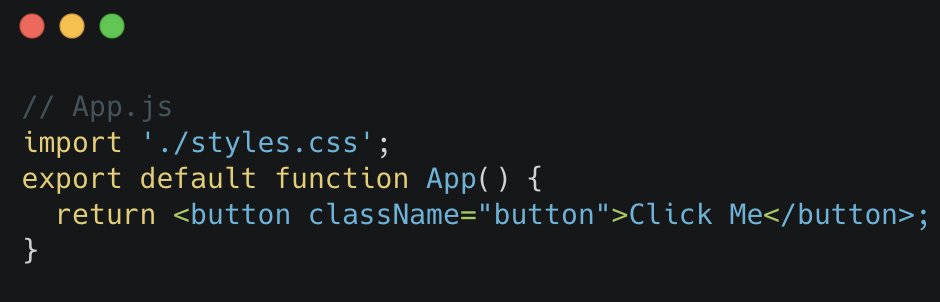
- You link styles to your React components using className.
Example:
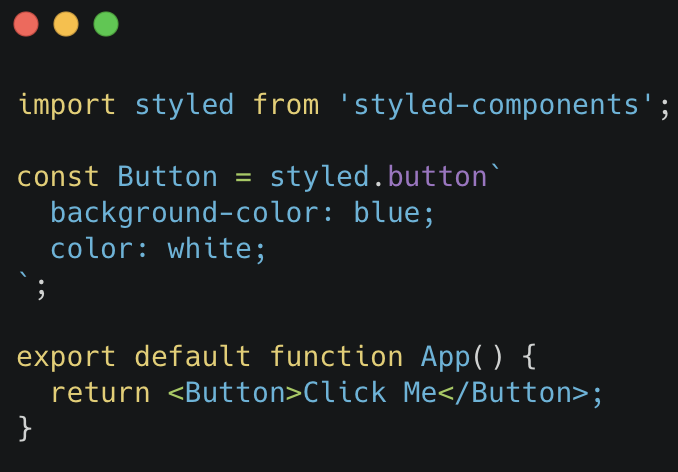
CSS-in-JS
- You write styles inside your JavaScript file (no external .css files).
- Styles are scoped automatically to the specific component.
- You use libraries like Styled-Components, Emotion, or even React's style prop.
Example with Styled-Components:
When to Use What?
If your project is small/simple, traditional CSS is fine.
If you’re building a React-heavy app with lots of components, CSS-in-JS can simplify your workflow.
Follow me to learn React, crack interviews, and upgrade your skills every day! 🚀
#ReactTips #CSSinJS #TraditionalCSS #WebDevelopment #FrontendDevelopment #ReactBeginners #StyledComponents #CodingTips #TechSimplified #LearnReact #WebDesign #SoftwareEngineering #TechForBeginners #DeveloperLife #ReactDev #FrontendTips #InterviewPrep #LearnToCode #WebStyling
2
67