
Contract‑First UI artifact stack:
📁 Canonical HTTP paths (no string duplication)
📄 TypeScript request/response types
📐 JSON Schema validation in CI
🧪 Mock fixtures (real edge cases, not fake data)
🖥️ Local mock server (MSW)
Start with one painful slice (pagination, errors, geometry). Prove faster cycle time.
#DevTools #FrontendTips #APIFirst

20

May 28
For relative time labels, JavaScript can handle the wording for you.
#JavaScript #FrontendTips #WebDev #CodingTips #PuzzlMedia
2
31

May 25
Master CSS Padding Shorthand Like a Pro (Beginner Friendly)
#CSS #CSSPadding #PaddingShorthand #WebDevelopment #FrontendDevelopment #Frontend #LearnWebDev #CSSTutorial #CSSForBeginners #WebDesign #CodingForBeginners #Programming #HTMLCSS #FrontendTips #CodeBetter #dreyteachga
2
1
33

Mar 15
#FrontendTips
If you develop a mobile website, you might encounter this issue in Safari where the browser automatically zooms the page when you try to focus on an <input> on iPhone.
To fix this, ensure the font-size of that <input> is at least 16px.
7
354

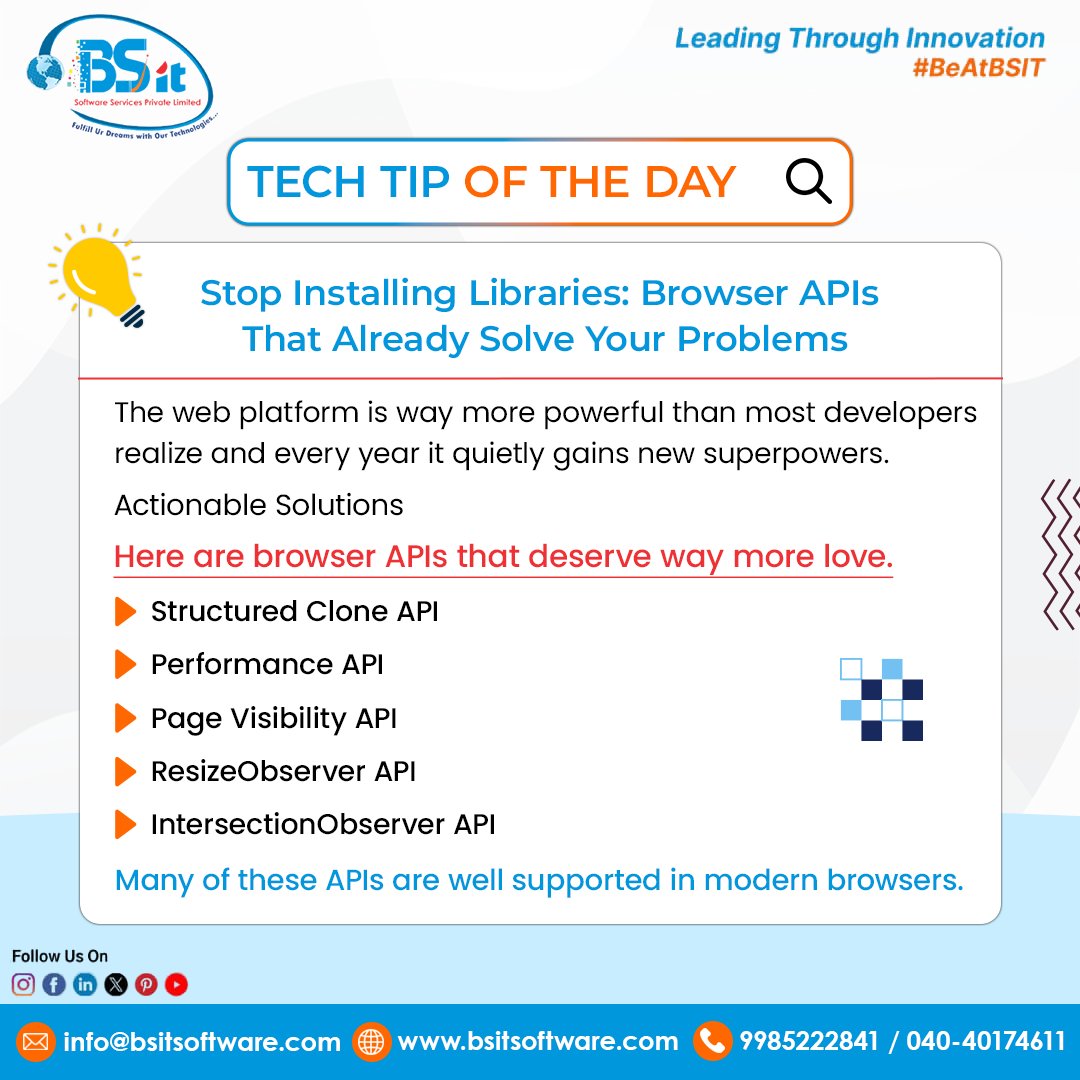
Tech Tip of the Day: Stop Installing Extra Libraries
Modern browsers already provide powerful APIs that can replace many external dependencies.
Here are a few developers should explore:
• Structured Clone API – Deep copy objects easily 🔁
• Performance API – Analyze application performance ⚡
• Page Visibility API – Detect inactive tabs 👀
• ResizeObserver API – Track element size changes 📐
• IntersectionObserver API – Enable lazy loading & scroll detection 🚀
Using native browser APIs leads to faster, cleaner, and more scalable web applications.
#BSITSoftwareServices #JavaScript #WebDevelopment #FrontendTips
4
30

🚀 New to Webflow or want to sharpen your workflow?
Here are 5 powerful features every Webflow user should master (plus pro tips 💡):
1. 🧱 Reusable Components
Build once, use everywhere. Perfect for headers, footers, and CTAs.
Pro tip: Use slot elements in Components to inject custom content dynamically!
2. 🕹️ Logic (Beta)
Automate workflows like showing/hiding elements or triggering form responses—no code needed!
Game changer for personalization. Learn more → webflow.com/logic
3. 🧠 CMS Collections
Dynamic content made easy. Great for blogs, portfolios, and product listings.
Pro tip: Use nested Collections for advanced relationships (e.g. show authors within blog post template).
4. ✨ Interactions 2.0
Add pro-level animations & microinteractions visually.
Pro tip: Use scroll-based animations for next-level storytelling.
5. 🌍 Localization
Go global with multi-language sites natively in Webflow! Fully SEO-ready.
Try it via Webflow’s new Localization panel → webflow.com/localization
✅ Don’t just build—design, animate, and scale all in one platform.
#Webflow #NoCode #UXDesign #WebDev #FrontendTips
2
17

19 Dec 2025
React Pro Tip:
Memoize expensive components with React.memo to skip re-renders if props are shallow-equal.
const MemoItem = React.memo(Item);
#ReactJS #WebDev #FrontendTips
2
22

19 Nov 2025
Understanding the JavaScript Event Loop is like unlocking the brain of your code.
Once you get it, async is no longer a mystery but a superpower. 🚀
Keep learning, keep leveling up.
#NamasteDev #JavaScript #WebDevelopment #AsyncJS #EventLoop #FrontendTips #CodingJourney #LearnEveryday
1
2
78

26 Oct 2025
Ever wonder how subtle web animations make a huge impact on user perception? It's all about perceived performance and delightful micro-interactions! What's your favorite subtle animation? #WebAnimation #UXDesign #FrontendTips
2
73

18 Oct 2025
Day 8/45 - Coding lessons 🧵
HTML Hacks
> Use <label for=""> to make entire text clickable - boosts UX instantly.
> Add download to an <a> tag to let users download files directly.
> Use <details> <summary> for easy toggles - no JS needed.
>Wrap inputs in <form> and hit Enter - it auto-submits.
>Add required to form inputs for instant validation.
#FrontendTips #HTMLCSSJS #Coding
17 Oct 2025

Day 7/45 - Coding lessons🧵
VS Code Hacks
> Shift Alt ↓ → duplicates line.
> Ctrl / → comment/uncomment fast.
> Install “Emmet” — write HTML like magic.
> Ctrl D → select next same word.
> Ctrl B → hide sidebar for focus mode.
#DeveloperTools #WebDevTips #JavascriptDevelopers #Coding
2
175

14 Oct 2025
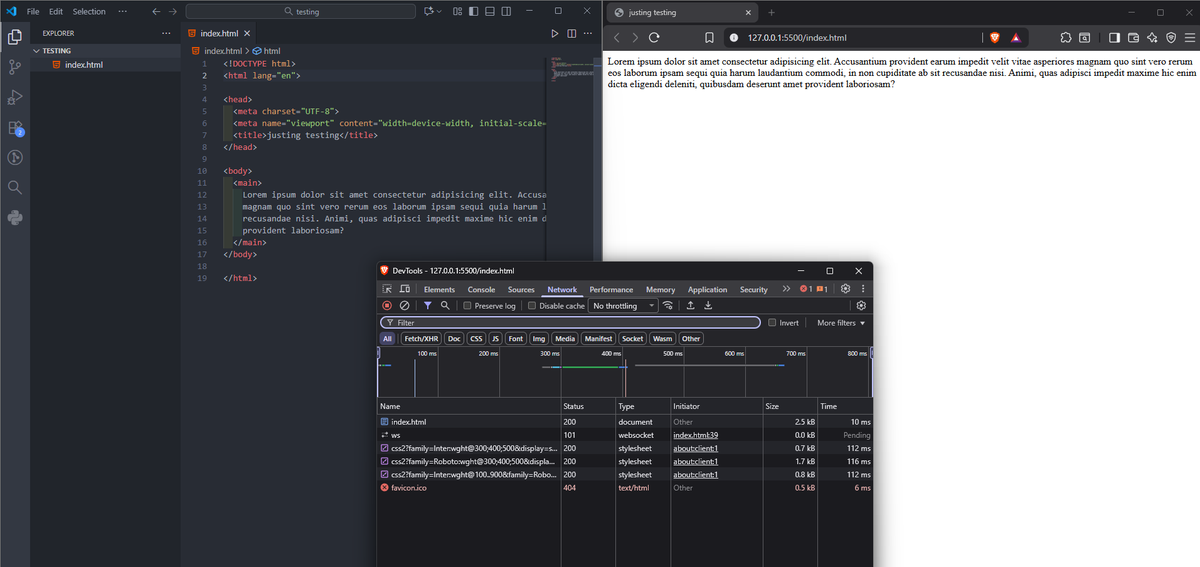
Ever notice your browser tries to load /favicon.ico
even when you never added one? 🤔
That’s because browsers still look for it by default —
a little tradition left over from the old Internet Explorer days 😅
You don’t even need a <link> tag —
just drop favicon.ico in the root folder and it will work. 😎
#webdevbasics #frontendtips
1
2
87

6 Oct 2025
Frontend tip: Use `rem` instead of `px` for more responsive design. Thank me later 😉
#buildinpublic #FrontendTips #CSS
6
44
2 Oct 2025
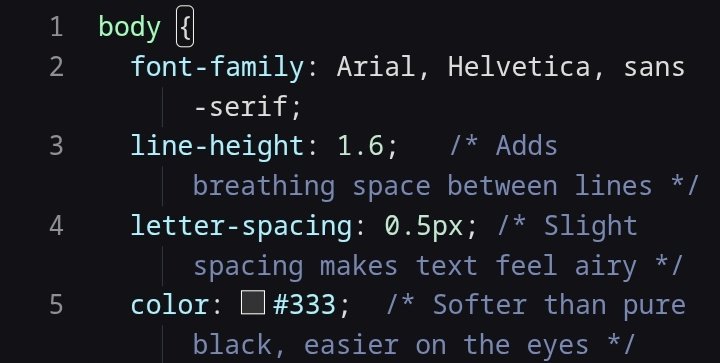
Here’s 1 simple CSS trick that instantly makes your website look cleaner 🧹🔥
#buildinpublic #FrontendTips #WebDev
2
9
87

Stop shipping static typography. Start shipping fluid typography.
CSS clamp() = responsiveness without media query chaos.
font-size: clamp(1rem, 2vw, 2rem);
One line of CSS = a UI that scales anywhere.
#CSS #FrontendTips
2
66

13 Sep 2025
⚡️Pro Tip: Avoid unnecessary state updates in React by using React.memo, useMemo, and useCallback.
Small memoization tricks save big CPU cycles and prevent redundant renders.
Efficiency matters. Let's connect!
#ReactJS #FrontendTips
2
40
12 Sep 2025
🚀 Tip: Minimize reflows by batching DOM reads and writes.
Use tools like Chrome DevTools Performance tab to spot layout thrashing.
Small optimizations, massive impact.
#WebPerformance #FrontendTips
2
45

28 Aug 2025
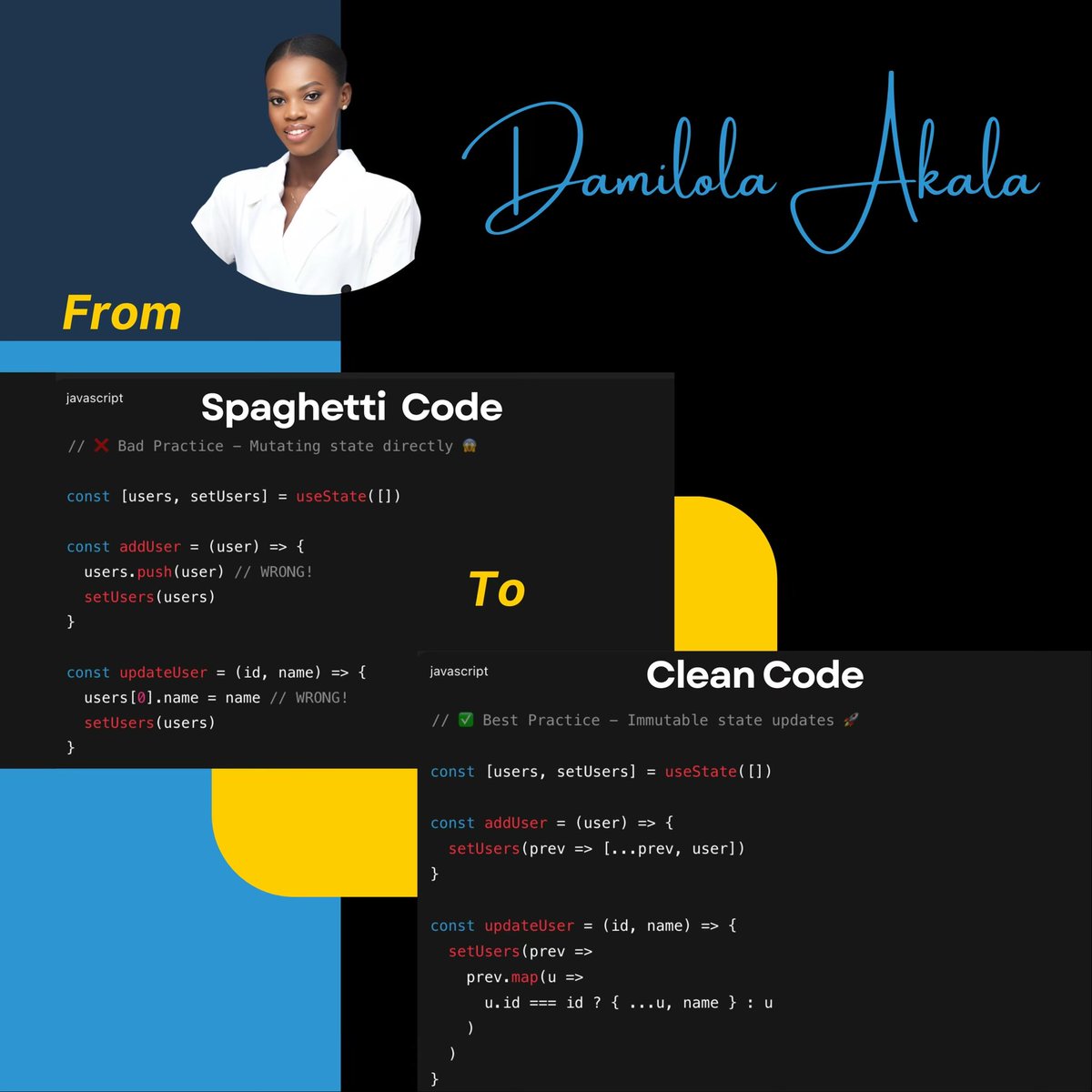
From Spaghetti Code to Clean Code
Why This Matters:
🔄 Components re-render properly
🐛 Prevents mysterious bugs
⚡ React optimizations work
🧪 Easier to test & debug
Small changes, massive impact on your code quality!
#React #JavaScript #WebDev #CleanCode #FrontendTips
28 Aug 2025

"Small changes, massive impact on your code quality!"
How much do you agree with this statement?
2
74


13 Aug 2025
Don’t let “full-stack” mean “backend first, frontend later.”
In MERN, design the API and the UI flow together.
You’ll catch missing data, bad endpoints, and edge cases before they hit prod.
#mern #frontendtips
1
2
195

29 Jul 2025
Confused between localStorage, sessionStorage, & cookies? 🤔
🔹 Key differences
🔹 Pros & cons
🔹 When to use what
🔹 Security tips devs must know
Bonus: IndexedDB for power users!
📖 Read more: bit.ly/4lTQUmi
#WebDev #JavaScript #FrontendTips
2
14