

Jun 1
Day 36/100: Fixing Your Website. 🚀
Many websites stick with the default login page look, but you can make yours stand out with a custom logo in just a few steps.
Here's how to transform your login page using @wpcodelibrary:
1. Upload Your Logo: Choose a square PNG or SVG logo. Upload it to your site and copy the file URL.
2. Use WPCode: Go to the Code Snippets menu, click Add Snippet, and search for "WordPress logo." Select "Replace WordPress Logo."
3. Customize & Activate: Replace the default logo path with your copied URL. Activate and update the snippet.
4. Clear Cache & Verify: Clear your cache to ensure changes apply. Log out to see your new custom logo on the login page.
Make your site's login experience unique and professional with this easy tweak.
Check out the free version of @wpcodelibrary via the link in the comment.
Follow @WPBeginner for more website building tips!
3
2
14
739

May 25
Day 35/100: Fixing Your Website. 🚀
Ever found it frustrating that WordPress doesn't let you duplicate posts easily?
You're not alone. While plugins like Duplicate Post exist, they can feel like overkill for such a simple feature.
Let's make duplicating posts a breeze with WPCode.com, a versatile plugin that adds multiple features to your site, including post duplication.
Here's how:
1. Install WPCode: Available for free in the WordPress repository. Look for Code Snippets once installed.
2. Add a Snippet:
- Go to Add Snippet and search for "duplicate".
- Activate the Duplicate Post Page Link snippet from the results.
3. Use the New Feature:
- Navigate back to your All Posts page.
- Hover over a post to see the new Duplicate option.
- Click it to create a duplicate draft of your post effortlessly.
WPCode doesn't just add duplication; it offers over 446 code snippets to enhance your site.
Check out WPCode.com using the link in the description and explore its multifaceted capabilities.
Stay tuned for more website improvement tips!
3
10
745

Apr 16
Day 32/100: Fixing Your Website. 🚀
When you log into your WordPress site, you reach the admin area. But what about your subscribers?
By default, they are taken to their profile page in the WordPress admin area, which might not be ideal.
How about redirecting them to the homepage or any other page instead?
Here's how to do it using WPCode.com:
1. Install WPCode and head to Code Snippets.
2. Add a new snippet and use the pro version's AI feature to generate a custom snippet in natural language.
3. Enter your prompt, generate the snippet, and save it.
4. Configure the snippet to redirect subscribers to the page of your choice, like the homepage.
Make this change easily and improve the user experience on your site. Check out the link in the description and pinned comment for both the free and paid versions of WPCode.com
And don't forget to follow @WPBeginner for more practical website building tips!
1
1
3
363
Apr 15
Day 31/100: Fixing Your Website. 🚀
Hide Admin Bar for Subscribers
Do you like having the admin bar for quick access but dislike it showing up for subscribers on the front end?
Let's fix that easily with WPCode.com
The Issue:
- The admin bar is visible to all logged-in users, including subscribers, which might not be ideal for your site.
Solution:
✅ Use WPCode.com, a code snippet plugin, to control the visibility of the admin bar based on user roles.
✅ Install WPCode from the WordPress repository. Navigate to Code Snippets, search for "admin bar," and utilize the built-in snippet to disable it.
✅ Apply smart conditional logic: Set it so the admin bar remains visible for administrators but is hidden for subscribers.
This simple adjustment enhances user experience without limiting your own access to essential tools.
Follow the link in the description and pinned comment to try it out.
And don't forget to follow @WPBeginner for more practical website improvement tips!
1
1
3
583


ده الواحد مكنش عايش قبل اكتشاف WPCode.
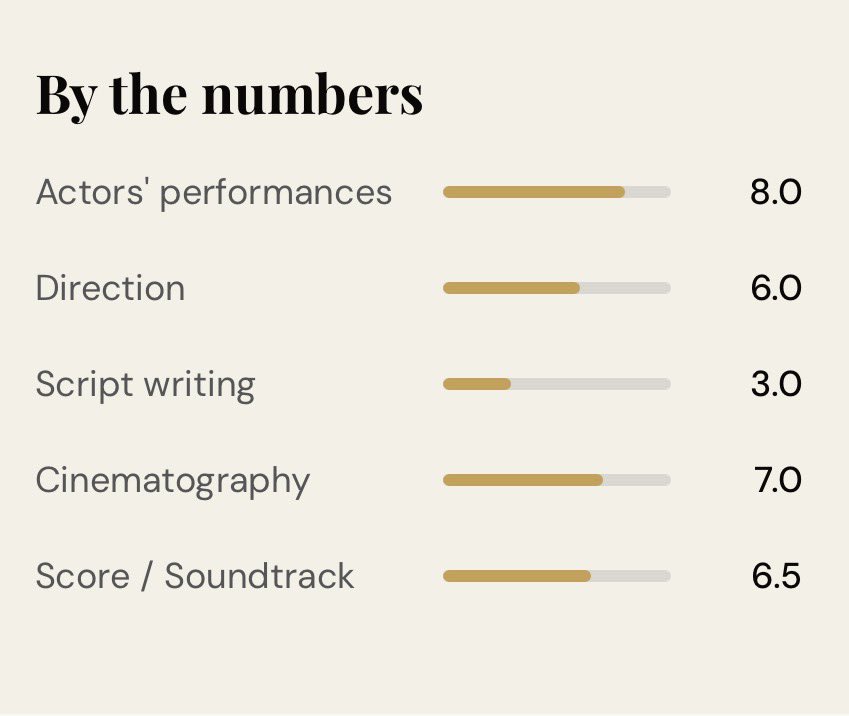
مقال الفيلم الوحش الجديد ⤵️
“PEAKY BLINDERS: THE IMMORTAL MAN” youssefreviews.com/peaky-bli…


2
297

Mar 30
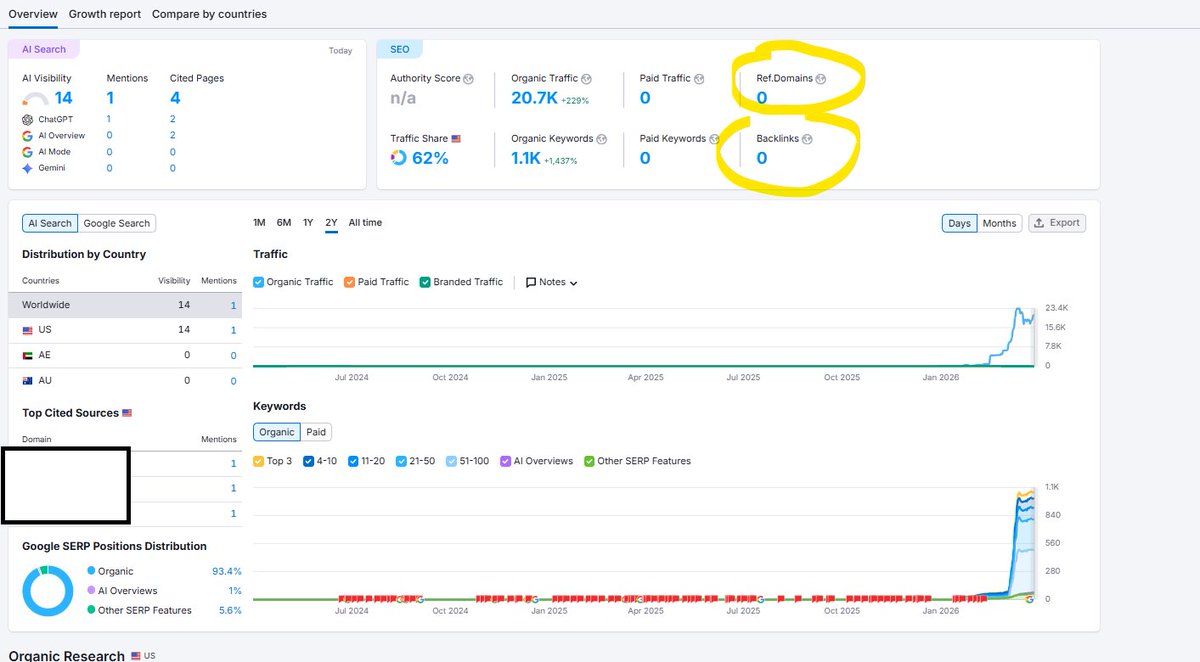
NDD neuf. 0 backlink. 0 fake mot-clé Semrush.
20 000 visites.
Trafic organique pur
J'ai l'impression d'avoir atteint un seuil de trafic avec ce site avec 0 backlink
Ça stagne. Du coup, je vais essayer de booster avec Google Discover et c'est pour ça que je viens de demander à mon agent IA connecté à Opus 4.6 de se connecter à mon WordPress et d'optimiser le site pour Discover
Voici son compte rendu et ses interventions.
Déjà en place :
✅ og:title
✅ og:description
✅ og:image (2560×1429px, ≥1200px)
✅ og:image:width og:image:height
✅ og:image:type = image/jpeg
✅ og:type = article
✅ og:url
✅ og:locale = fr_FR
✅ twitter:card = summary_large_image
✅ article:published_time ISO 8601
✅ author meta
✅ canonical
✅ robots max-image-preview:large
✅ GA4
✅ Schema @ type Article
✅ Schema name, description, image
✅ Schema author Person
✅ Schema datePublished ISO
✅ Schema inLanguage
✅ Hero fetchpriority="high"
✅ RSS feed
✅ Page auteur avec bio
✅ Hreflang multilingue
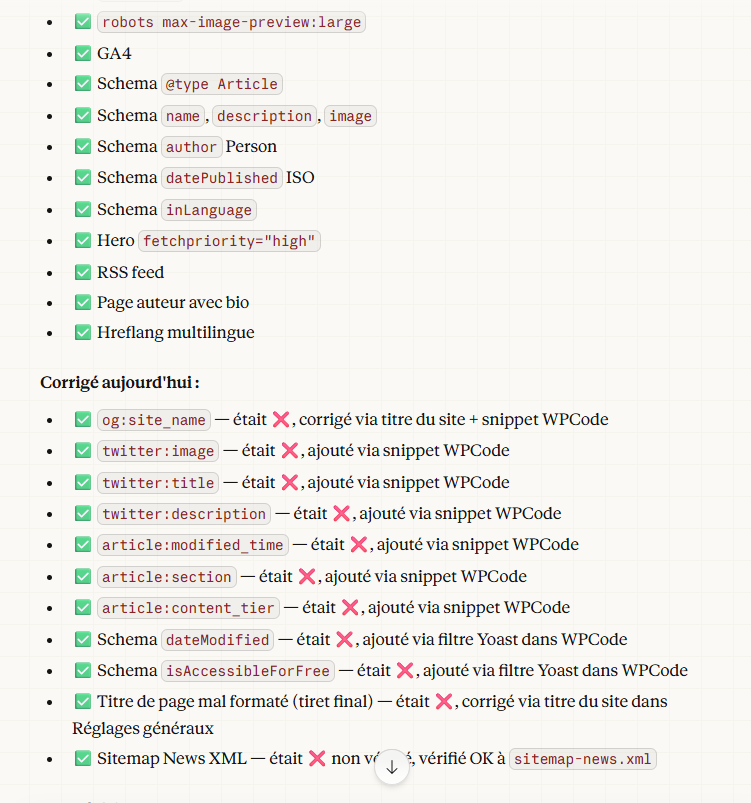
Voici ce que l'agent IA a corrigé en toute autonomie
✅ og:site_name — était ❌, corrigé via titre du site snippet WPCode
✅ twitter:image — était ❌, ajouté via snippet WPCode
✅ twitter:title — était ❌, ajouté via snippet WPCode
✅ twitter:description — était ❌, ajouté via snippet WPCode
✅ article:modified_time — était ❌, ajouté via snippet WPCode
✅ article:section — était ❌, ajouté via snippet WPCode
✅ article:content_tier — était ❌, ajouté via snippet WPCode
✅ Schema dateModified — était ❌, ajouté via filtre Yoast dans WPCode
✅ Schema isAccessibleForFree — était ❌, ajouté via filtre Yoast dans WPCode
✅ Titre de page mal formaté (tiret final) — était ❌, corrigé via titre du site dans Réglages généraux
✅ Sitemap News XML — était ❌ non vérifié, vérifié OK à sitemap-news.xml
Le SEO technique en 2026 c'est un agent IA sur Opus 4.6 qui pilote ton WordPress à ta place
9
1
31
3,901

Feb 20
"We only use 6 plugins" is not the flex agencies think it is.
If those 6 plugins are propping up a theme stuffed with custom post types, business logic, ACF dependencies, and tracking scripts jammed into WPCode, you don't have a lean site. You have a time bomb with a clean plugin list.
I wrote about the difference between fake lean and actual lean WordPress architecture, why plugin count is the wrong metric, and what to look for instead.
groundworxagency.com/blog/do…
2
1
15
822
Jan 30
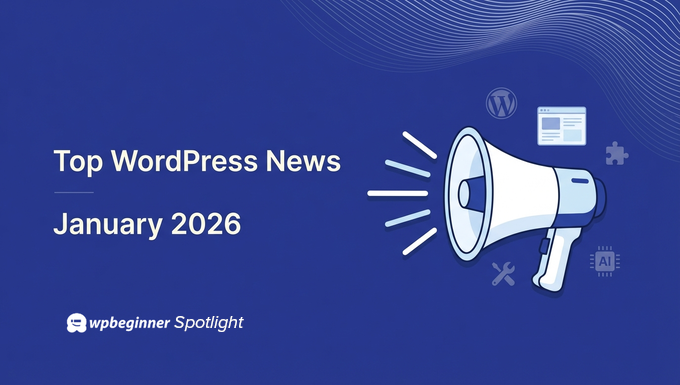
💡WPBeginner Spotlight #020💡
In January's updates, we are sharing the latest tools to keep your WordPress site lighter, faster, with smarter media cleanup to better previews and time-saving automation, and a lot more fun to manage.
We cover all the essential news, including:
✅ Duplicator( @duplicatorwp ) Launched a new WP Media Cleanup tool: Reclaims WordPress disk space and cuts hosting costs.
✅ WPForms( @easywpforms ) Launches Quiz Addon: To create interactive quizzes without complex setup.
✅Charitable( @wpcharitable ) Adds Built-In Security & Spam Protection: Released with AI Abilities API, Block Notes, and Speed Boosts.
✅ @WPConsent Adds Advanced Display Rules: To control when and where cookie consent banners appear.
✅ WPCode( @wpcodelibrary ) Adds Live Preview for CSS & SCSS Snippets: Introduces a new Live Preview feature to speed up design changes.
Plus: Key updates from @FormidableForms (Built-In Discount Codes), FunnelKit Automations ( @FunnelKitHQ )'s new features, Easy Digital Downloads ( @eddwp )'s campaign tracker tool, and much more. 🤩
Whether you're a developer, marketer, or business owner, you won't want to miss these updates!
2
3
7
524

18 Dec 2025
THIS is a really useful feature for WordPress site owners 😍
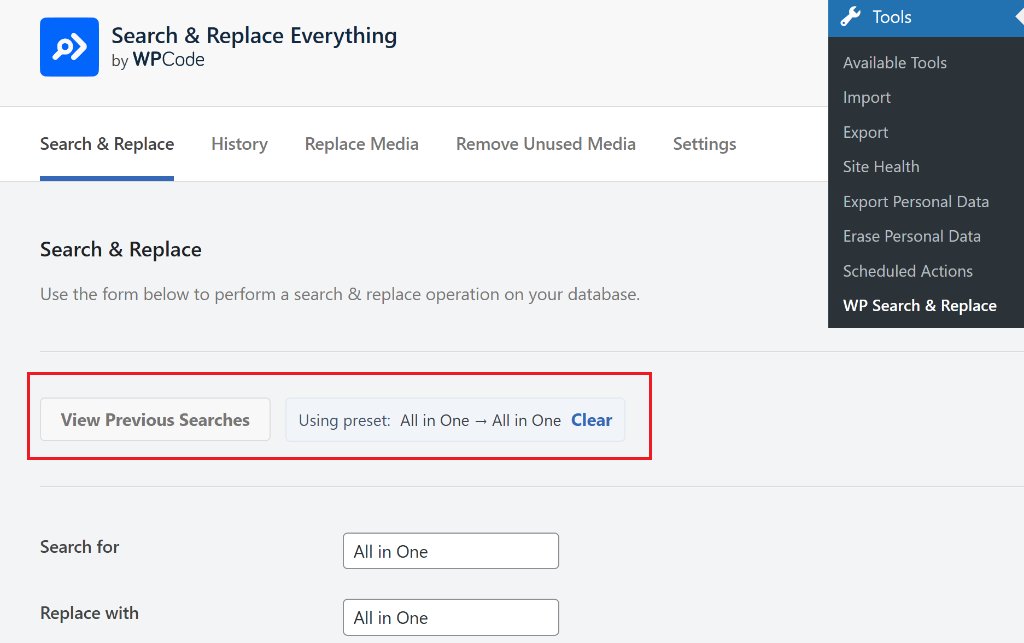
My team at Search & Replace Everything just added the ability to view Previous Searches and run repeat bulk operations with 1 click.
Highly recommend this plugin by our WPCode team (@wpcodelibrary).
wpcode.com/introducing-searc…
3
4
56
14,937
16 Dec 2025
My Prediction - AI is NOT going to replace WordPress.
There's a higher chance that WordPress may benefit and even get a larger market share as AI adoption grows.
Here are some cool things that WordPress companies are doing with AI:
- WPForms (@easywpforms) - A.I Powered Form Builder for WordPress - wpforms.com/features/wpforms…
- SeedProd (@seedprod) - A.I website builder for WordPress - seedprod.com/
- Telex by @automattic - create any custom WordPress block with AI - telex.automattic.ai/
- AI Content Suite by AIOSEO @aioseopack - a suite of AI content and SEO features to help you rank higher in Google and in AI search.
- Uncanny Automator AI (@automatorplugin) - Connect any WordPress plugin to AI to build automated workflows ... this is the Zapier / n8n for WordPress without the high costs.
- Elementor AI (@elemntor) - builds websites and customize things on your WordPress site.
- Hostinger Kodee (@hostinger) - AI agent for WordPress.
- WPCode AI (@wpcodelibrary) - writes custom WordPress code snippets so you can build custom features easily - wpcode.com/
- AffiliateWP (@affwp) - save time by letting AI review your affiliate applications - affiliatewp.com/docs/ai-feat…
... and there are so many more.
Since WordPress is open source, Claude and others understand it well.
You can combine Figma MCP with Claude Code Playwright or Puppeteer to build custom WordPress sites and more very easily.
If you're a developer or agency building solutions, using WordPress AI is a huge productivity unlock.
1
8
586
27 Nov 2025
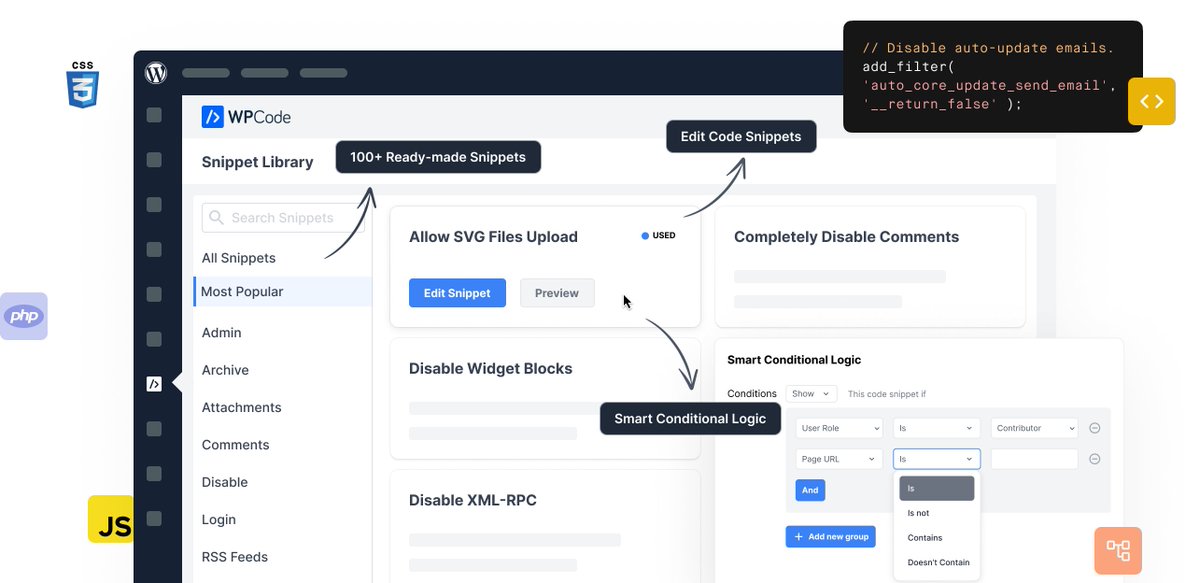
WPCode lets you safely add custom code snippets without breaking your site. </>
Use the built‑in snippets library to replace multiple plugins, and save snippets to the cloud so you can reuse them across all your websites.
Save $150 on WPCode (@wpcodelibrary) this Black Friday deal!
Access WPCode's lowest Black Friday pricing at wpcode.com.
1
3
329


9 Oct 2025
WordPressで共通コードやスニペット化するのであれば、
・Post Snippets
・WPCode
あたりがオススメ!どちらもHTMLはもちろん、PHPやJSも埋め込めるので最高。
ブログもプログラミングも共通化は美学!
マイクロコピーとか、CTAとか共通化しておきたい。
大変なので直書きダメ絶対🙅
#WordPress
5
91
4 Sep 2025
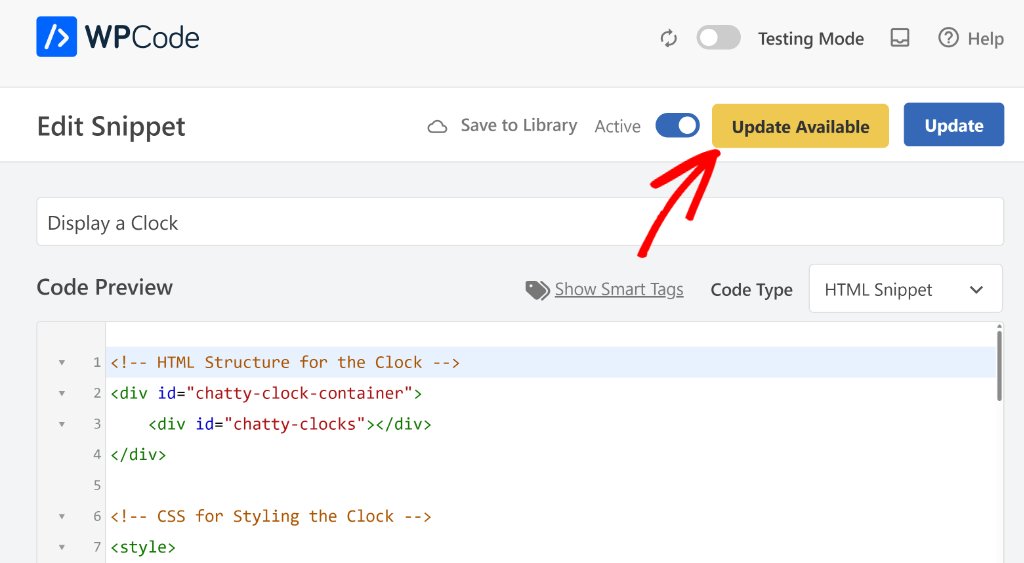
WPCode( @wpcodelibrary ) now supports 1-click snippet updates, edit a code snippet on one site and auto-update it across all your websites! 👆
Effortless multi-site code management.
1
1
4
597