
WPBeginner is the largest unofficial #WordPress resource offering WordPress tips, tricks, and tutorials. Run by @syedbalkhi part of @awesomemotive family.
Joined May 2009
- Tweets 61,894
- Following 77
- Followers 197,751
- Likes 15,991
11,632 Photos and videos



Pinned Tweet

14 Aug 2025
Take a look at the top WordPress plugins that we use everyday. These must-have WordPress plugins can help your site grow faster!
wpbeginner.com/showcase/24-m…
Here’s what we recommend:
· WPForms (@easywpforms): The best WordPress contact form plugin
· AIOSEO (@aioseopack): The OG and most popular WordPress SEO plugin
· Duplicator (@duplicatorwp): Most reliable WordPress backup and site migration plugin
· @SeedProd: One-stop and powerful WordPress site builder
· @MonsterInsights: The top WordPress Google Analytics plugin
Click on the link above for a full list of our recommended WordPress plugins!

ALT Must Have WordPress Plugins for Every Website!
7
17
44
14,246
Jun 12
Just changed your domain name and watched your traffic drop overnight? 😰
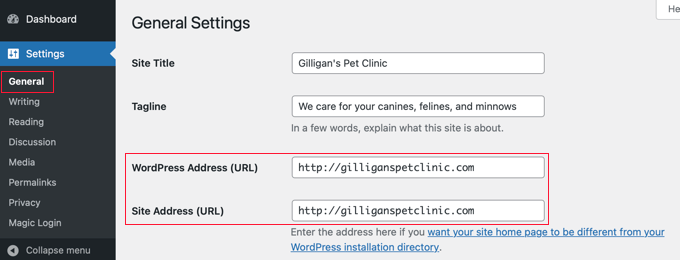
You are not alone. Most WordPress site owners do not realize how fragile their SEO is until they migrate to a new domain. One missed redirect, one stale canonical tag, or a sitemap still pointing to the old URL can quietly tank your rankings for weeks.
The good news? Recovery is totally possible if you know exactly what to verify and in what order.
We walk you through the complete post-migration SEO verification process, from capturing your baseline to tracking recovery week-by-week.
1
1
7
931
Jun 12
📊 Step 1 - Build Your Pre-Migration SEO Baseline:
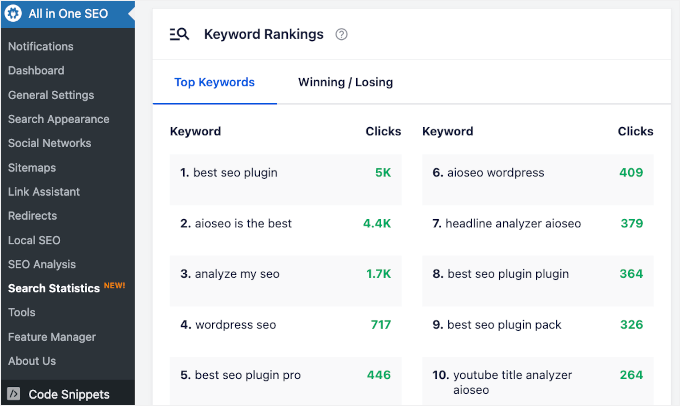
Export your top 1,000 keywords from Google Search Console (or @aioseopack Search Statistics). Crawl your URLs with Screaming Frog. This is your "before photo" for measuring recovery later.
1
3
780
🔄 Step 2 - Migrate With @DuplicatorWP:
It automatically updates every URL in your database during deployment. Other tools skip this and leave old-domain URLs scattered everywhere for you to fix manually.
1
280
Jun 12
Still searching for a replacement for Google Optimize? ⚠️
Google quietly shut it down back in September 2023, and millions of website owners suddenly lost their A/B testing setup overnight. Years later, plenty of marketers are still running their sites without ever properly replacing it.
The good news? There are now better, easier, and more powerful alternatives than Google Optimize ever was.
We tested 9 of the best Google Optimize alternatives on real websites to find out which ones actually deliver. Here is what stood out.
Here are a few standouts worth checking out:
🥇 Thrive Optimize (Best for WordPress A/B Testing): Drag-and-drop visual builder, no code, no tab switching. Reports show up right in your WordPress dashboard, and the plugin automatically picks the winning variant for you. Part of the Thrive Suite at $199/year.
🥈 @OptinMonster (Best for Popups & Lead Generation Testing): The tool we use at WPBeginner to test popups and opt-in campaigns. Built-in A/B testing randomly serves variations, picks a winner, and shows full conversion stats inside your WordPress dashboard. Starts at $19/month.
🥉 VWO Testing (Best Complete Testing Suite): Visual editor, AI-powered copywriting for headlines and CTAs, user-segment targeting based on scroll depth, exit intent, and behavior. Generous free plan for up to 50,000 monthly users.
🛒 @FunnelKitHQ (Best for WooCommerce Optimization): The plugin to use if you sell products. Split-test product prices, page layouts, funnel steps, descriptions, and designs without code. $179.50/year for the Plus plan.
📋 @UserFeedbackWP (Best for Feedback Heatmaps): Collects real-time visitor feedback with popup surveys AND tracks where users click, scroll, and focus their attention. Direct visitor input visual heatmap data in one tool. Free version available, paid plans from $49.50/year.
💡 Quick Pick Guide:
· WordPress site owner? → @ThriveThemes Optimize
· Testing popups and opt-ins? → @OptinMonster
· Want an all-platform SaaS tool with a free plan? → VWO Testing
· Running a WooCommerce store? → @FunnelKitHQ
· Want feedback heatmaps in one? → @UserFeedbackWP
Ready to stop guessing what works on your website and start testing what actually converts? Read the full comparison of all 9 tools 👇
(Link is in the thread below)
1
5
11
762
Jun 11
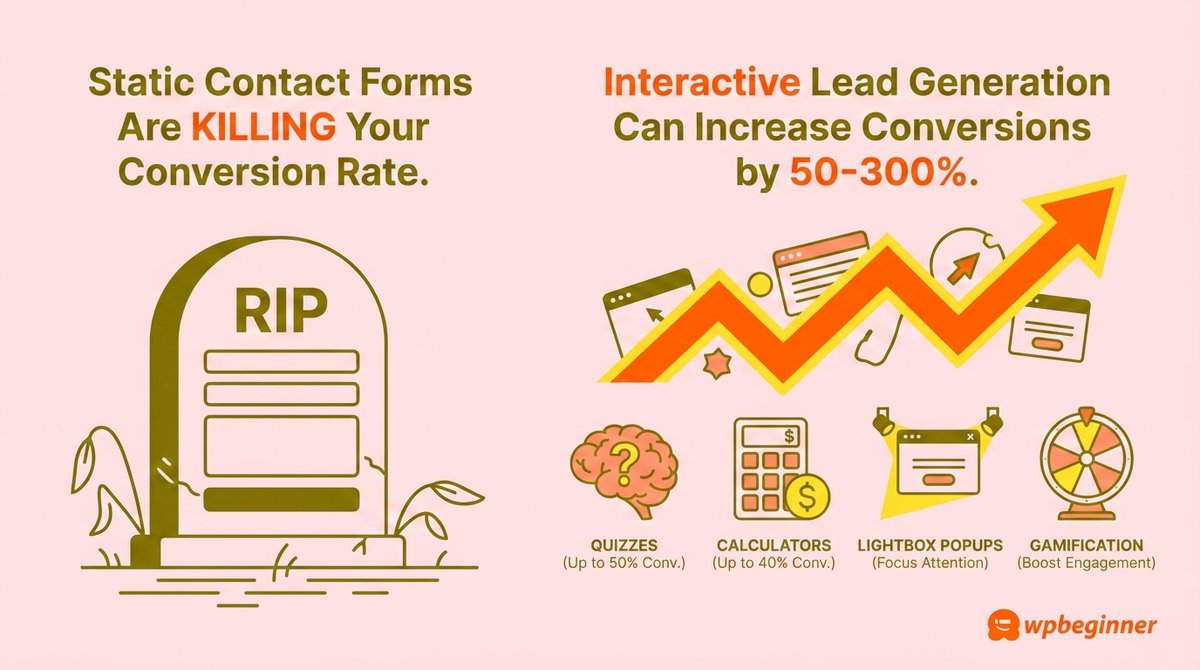
Be honest: when was the last time a generic contact form got you excited? 🥱
Probably never. Yet most websites still expect visitors to drop their email into a boring "Subscribe" box and call it lead generation.
Meanwhile, the businesses crushing their growth goals are doing something completely different. They're turning lead capture into a fun, interactive experience that people actually want to participate in.
The result? Conversion rates that jump by 50% to 300%.
We are sharing our 13 favorite interactive lead generation techniques that transform passive visitors into eager subscribers.
Here is what you will learn:
🎯 Quizzes Are Lead Generation Goldmines: BuzzFeed-style quizzes can hit 50% lead generation rates. People can't resist finding out something about themselves. Try personality quizzes, trivia quizzes, or product recommendation quizzes.
🧮 The Power of Interactive Calculators: ROI calculators, mortgage estimators, savings comparisons. They transform uncertainty into concrete numbers and can drive 40% subscription rates. Build them with @easywpforms or @FormidableForms.
💡 Lightbox Popups: Some clients have boosted conversions by 600% using these. Pair them with exit-intent triggers, scroll-depth targeting, and countdown timers for maximum impact. We recommend using @OptinMonster.
🎁 Social Media Contests: A well-run giveaway with RafflePress lets contestants earn points for following you on every platform. More entries = more leads more visibility.
📝 Progressive Profiling: Stop scaring people away with 12-question forms. Ask just a few relevant questions at a time across multiple interactions. Multi-page forms with progress bars in WPForms make it easy.
🎤 Webinars: 95% of marketers run webinars for a reason. Engaged audience, expertise on display, real-time trust building. WPBeginner runs one every week.
📥 Interactive Lead Magnets: Beyond PDFs. Buyer's guides, virtual product tours, mini courses, 360-degree views, behind-the-scenes experiences. Tools like Beacon or Thrive Leads connect to your email service automatically.
🌟 Social Proof: Reduce uncertainty with real-time activity notifications. @TrustPulseApp shows visitors who's signing up, buying, or engaging right now, encouraging them to do the same.
🧪 A/B Testing: All of the above is useless without testing. Small changes (button color, headline, CTA text) can lift conversions significantly. @OptinMonster has built-in A/B testing.
💡 The Big Lesson: People don't want to be sold to. They want to engage, play, and discover. Interactive lead generation isn't a trick. It's a better way to start a real conversation with your audience.
Ready to turn your boring contact form into a lead-generation machine that actually engages your visitors? Read the full guide 👇
(Link is in the thread below)
1
1
5
435
Jun 11
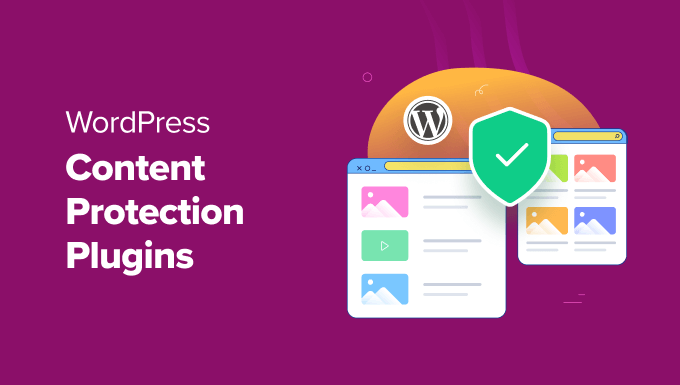
Your hard-earned content is being copied right now. What's your plan of action to stop it? 😬
Bloggers scrape your articles within minutes of publishing. Photographers right-click and save your images. Members share login details. Premium courses end up shared on torrent sites.
Most WordPress site owners don't realize how much content theft is happening behind the scenes until they see their words show up on someone else's blog ranking above them.
The good news? The right content protection plugin can lock things down without ruining the experience for your real readers and paying members.
We tested 10 of the best WordPress content protection plugins on real sites. Here's what actually works.
Here are a few standouts worth checking out:
🥇 @MemberPress (Members-Only Content): The all-in-one powerhouse we use at WPBeginner to protect online courses. Drip content, paywalls, expiration dates, content excerpts for non-members, redirects for unauthorized access, and unlimited membership levels.
🥈 @OptinMonster (Email List Subscriber Content): Lock content behind an email signup. Set the popup to appear after a reader scrolls to the third paragraph, so they're already invested and more likely to subscribe to unlock the rest.
🥉 @EnviraGallery (Anti Image Theft): The go-to for photographers. Disables right-click on images, adds watermarks automatically, password-protects galleries, and even uses CAPTCHA to block bots from scraping your visuals.
🎓 @MemberMouse (Members-Only Content): Granular permissions for team members, drip scheduling, smart tags for personalized content, custom login pages, and limited login attempts to prevent unauthorized access.
📚 WishList Member (Members-Only Content): Drip scheduling, partial content protection via shortcodes, RSS feed access for paying members, and protected folders for member-only downloads.
🎯 AccessAlly (Members-Only Content): Built for course creators and coaches. Tag-based permissions, cohort-style access, and direct integrations with ActiveCampaign, ConvertKit, and Drip CRMs.
💡 Quick Pick Guide:
· Selling courses or running a membership site? → @MemberPress
· Building an email list? → @OptinMonster
· Photographer or visual portfolio? → @EnviraGallery
Ready to stop content thieves and image scrapers from stealing your work? Read the full comparison of all 10 plugins 👇
(Link is in the thread below)
2
6
531
Jun 5
Meta just rolled out its WhatsApp AI agent worldwide. 🌍
It can answer questions, recommend products, and qualify leads for your business 24/7, all inside WhatsApp.
But here is the catch: it only works inside WhatsApp. The visitors sitting on your website right now never see it.
That means every customer browsing your homepage at 11 PM with a question? They are bouncing without ever talking to your AI.
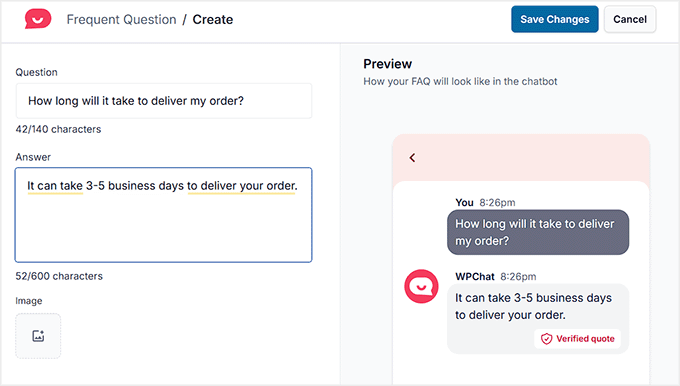
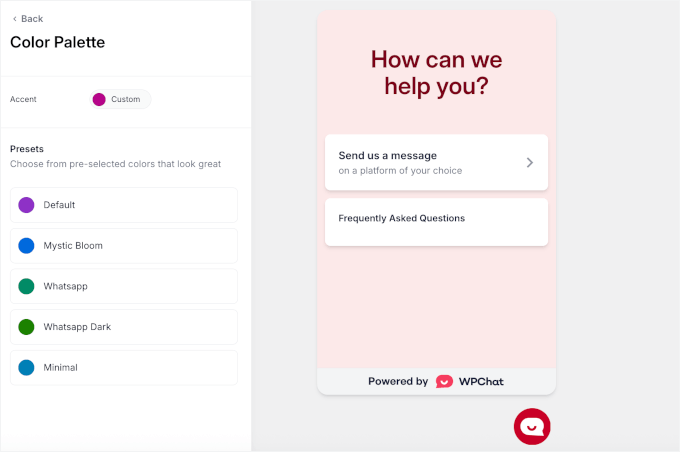
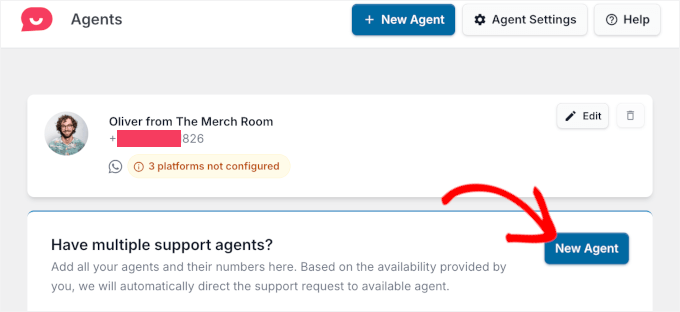
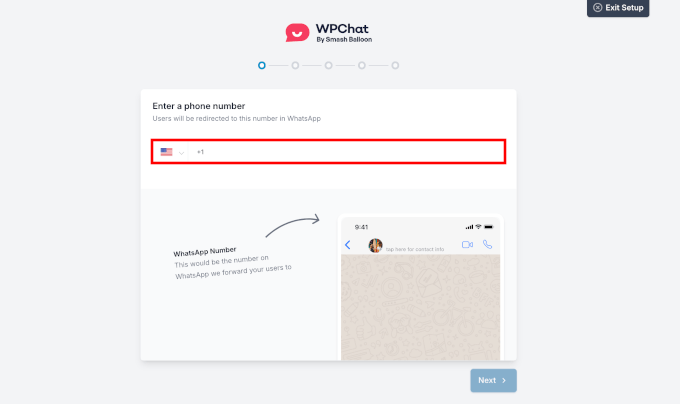
We will show you exactly how to connect Meta's WhatsApp AI agent to your WordPress site using WPChat by @SmashBalloon, in about 30 minutes.
Follow the 🧵 to see full steps.

2
1
9
1,472
Jun 10
💡 Bonus - The Plugin-Free Alternative:
Use WhatsApp's built-in click-to-chat link wa.me/<number> for a quick clickable button.
Skip the smart FAQ and funnel features, but get a working WhatsApp link in 60 seconds.
1
2
187
Jun 10
⚠️ Meta's AI Is Still Rolling Out:
If "Your Business AI" isn't in your Tools tab yet, you can still use @SmashBalloon WPChat's Smart Search and FAQ today. Turn on the Meta handoff once it reaches your account.
2
106
Jun 10
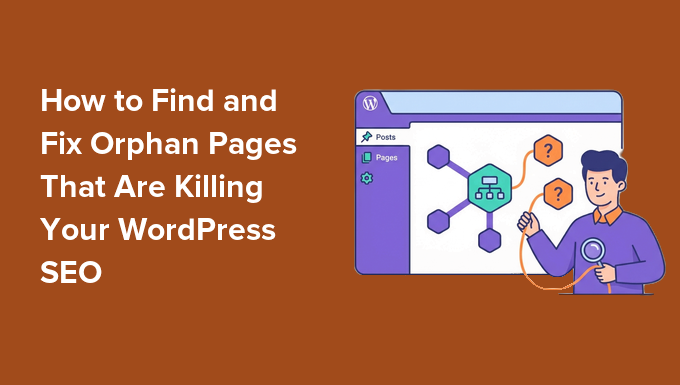
Your best blog post might be invisible to Google right now. 🫥
You wrote it. You optimized it. Maybe even built a few backlinks. But traffic? Nothing.
Here is what is likely happening: it's an orphan page.
No internal links point to it, so Google has almost no way to find it, crawl it, or rank it.
It is one of the most overlooked SEO problems on WordPress sites, and the fix is way simpler than you would expect.
We will show you exactly how to track down every orphan page on your WordPress site and reconnect the ones worth saving.
Here is what you will learn:
🔍 What Orphan Pages Actually Are: Pages with zero internal links pointing to them. Like a room in a building with no hallway leading to it.
⚠️ How They Quietly Happen: Forgotten campaign landing pages, broken links after site migrations, content published without being added to a category or menu, gradual link removal during redesigns.
❌ Why They Tank Your SEO: Search engines may never index them. They pass no link equity. They waste your crawl budget. They are invisible to AI search tools like ChatGPT, Perplexity, and Google AI Overviews.
🛠️ Set Up @aioseopack's Link Assistant: Install AIOSEO Pro, activate Link Assistant, and let it scan your entire site to map every internal link in minutes.
📋 Find Every Orphan in One Click: The "Orphaned Posts" tab shows you every page with zero internal links, plus publish date, affiliate link count, external links, and one-click fix suggestions.
🎯 Decide What's Worth Fixing (Not Everything Is): Prioritize pages with existing backlinks (use Google Search Console), pages already getting some search traffic, product/service pages with revenue potential, and content still pulling visits in @MonsterInsights.
🚩 Flag the Throwaways: Thin content, near-duplicates, and abandoned test pages should be deleted or redirected, not linked.
⚡ Fix the Keepers in One Click: AIOSEO suggests relevant inbound and outbound links automatically. Hover over anchor text to preview the link, edit if needed, hit "Add Link," and AIOSEO adds it without you opening the editor.
🧭 Add High-Value Pages to Your Menu: For cornerstone content, internal links from the body of posts aren't enough. Add them to your main navigation so every page on your site links to them.
🔁 Handle Edge Cases Right:
Thin/duplicate orphans → 404 or 410 them
Deleted pages with backlinks → 301 redirect
Intentional orphans (PPC landing pages) → noindex
📅 Make It a Habit: Run the orphan audit every few months and always after a redesign or migration. New orphans appear constantly.
💡 Bonus Tools: Screaming Frog (free up to 500 URLs) and Semrush Site Audit are good cross-checks if you want a second opinion outside @aioseopack.
Ready to find every invisible page on your site and reconnect the ones quietly draining your rankings? Read the full step-by-step guide 👇
(Link is in the thread below)
2
1
7
682
Jun 10
What if your blog could pay your bills? Or replace your full-time job entirely? 💰
Most people think making money online means clicking ads or chasing one big payday. The truth is way more interesting. Bloggers today are stacking multiple income streams from a single WordPress site, and many of them earn six figures or more.
But here is the catch: this is not a "get rich quick" path. It takes time, the right strategy, and choosing the monetization methods that actually fit your audience.
We share 30 proven ways to make money online with a WordPress blog, every single one tested by real bloggers and the WPBeginner team since 2009.
Here is what you will learn:
💰 Affiliate Marketing: Recommend products you already use and earn commissions on every sale. Manage links with PrettyLinks and join programs through Amazon, Awin, or Commission Junction.
💲 Display Ads (AdSense & Direct): Start with Google AdSense for instant CPC income, then graduate to selling ad space directly with AdSanity for higher margins.
✍️ Sponsored Posts & Paid Reviews: Companies pay you to feature their products. Build a media kit, disclose properly (FTC rules), and pitch brands in your niche.
🏠 Flip Websites: Build a WordPress site, grow traffic, sell it on Flippa for a payout. Some flippers earn 5-6 figures per sale.
🔒 Membership Sites: Lock premium content behind a paywall using @MemberPress. Recurring monthly revenue is a game-changer.
📖 Sell Digital Products:
· eBooks via Easy Digital Downloads (@eddwp)
· Online courses with @MemberPress's built-in course builder
· Paid webinars to combine teaching with audience growth
💼 Sell Services: Freelancing, consulting, and coaching require zero upfront cost. Add a quote form with @easywpforms and start landing clients this week.
🛒 Sell Physical Products:
· WooCommerce stores
· T-shirt shops with Spreadshirt or Shopify
· Dropshipping (no inventory needed)
· Amazon affiliate stores
💝 Accept Donations: Add a simple PayPal or Stripe donate button, or build a proper form with WPForms.
💡 The Honest Truth About Blog Income:
· Top bloggers earn six and seven figures a year, but they did not get there overnight
· Income depends on niche, traffic, audience interest, and strategy
· The best path: pick 2-3 methods that match YOUR audience, master them, then diversify
🎯 How to Pick the Right Methods:
· Tech blog? → Affiliate marketing sponsored reviews
· Personal growth blog? → Online courses coaching
· Local niche? → Paid directories event listings
· High traffic? → Ads sponsored posts
· Low traffic but engaged readers? → Digital products services
Ready to stop guessing how to monetize your blog and start building real income streams? Read the full guide with details on all 30 methods 👇
(Link is in the thread below)
3
2
12
821
Jun 9
A few months ago, one of our WPBeginner forms got hit by 18,000 spam requests in a single night. If they had slipped through, they could have seriously damaged our sender reputation.
And we know we are not alone. Spam comments, fake leads, endless moderation, these problems pile up fast for every WordPress site owner.
So our team sat down with a challenge: build a spam protection tool that actually understands modern spam, never punishes real visitors, and stays affordable for businesses of every size.
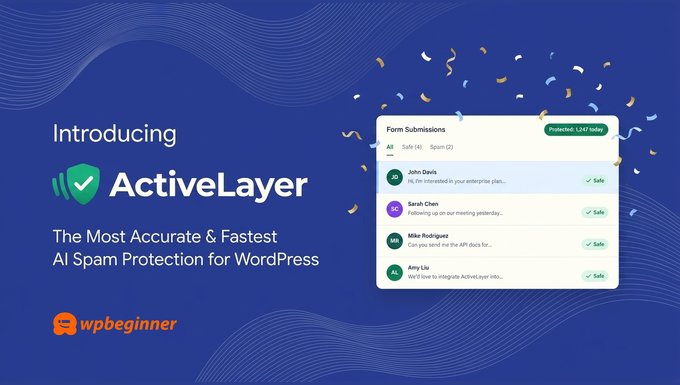
Today, we are thrilled to announce @ActiveLayerAPI, an AI-powered spam protection that catches spam server-side in milliseconds.
Here is what makes ActiveLayer different:
⚡ Detects Spam in Milliseconds: Most spam tools take 2 seconds to make a decision. ActiveLayer delivers a verdict faster than a typical database query, so your forms feel instant.
🚫 Zero CAPTCHAs, Zero Friction: Studies show CAPTCHAs cause up to 40% of users to abandon a form. ActiveLayer protects your forms in the background, with no puzzles, no tracking scripts, and no lost conversions.
🔌 Works With Every Form Plugin You Already Use: Native integration with @easywpforms, Gravity Forms, Contact Form 7, Elementor Forms, and WordPress comments. Install, add your API key, enable per form. Done.
📊 Full Transparency With Confidence Scores: Instead of a blind yes/no, ActiveLayer gives you a numerical confidence score behind every decision, plus easy feedback to improve future detections.
🌐 Unlimited Sites on Every Plan: Most tools charge per site. ActiveLayer keeps it simple - unlimited sites, full API access, even on the free plan.
💰 Starts at Just $4/month: The Pro plan offers 5,000 spam checks per month. That's less than $0.07/day for peace of mind. Free plan includes 1,000 spam checks, no credit card required.
🛠️ Built for Developers Too: A clean REST API drops into any backend - Node.js, Next.js, Python, PHP, Laravel, Rails, .NET, and more.
Every large company already has systems in place to protect their websites from spam. ActiveLayer levels the playing field for small businesses.
Ready to stop spam without sacrificing user experience, performance, or your wallet? Try @ActiveLayerAPI free today!
(Link is in the thread below)
1
1
8
1,085
Jun 9
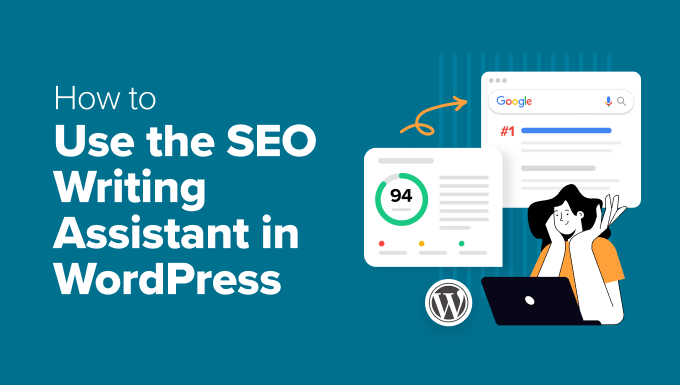
Tired of writing blog posts that just won't rank on Google? 😩
You spend hours crafting the perfect article. Hit publish. Check Google a week later. Page 10. Maybe page 12 if you're really unlucky.
The problem isn't your writing. It's that you're guessing at keyword placement, hoping your headings are right, and crossing your fingers that search engines notice.
An SEO writing assistant fixes all of that. It acts like an expert coach, catching optimization issues while you type, so your first draft is already ranking-ready.
We will show you exactly how to use the SEO writing assistant inside WordPress to dramatically improve your search rankings.
Here is what you will learn:
🛠️ Set Up Your Foundation: Install @aioseopack Pro and connect it to SEOBoost. Together they handle real-time SEO scoring and AI-powered content analysis from inside your WordPress editor.
🎯 Add a Focus Keyphrase First: Enter your target keyword and AIOSEO instantly tells you exactly what to fix, like adding the keyword to your title, headings, and content.
📊 Watch the TruSEO Score Climb in Real Time: As you write, color-coded indicators (red, yellow, green) show what to fix first. Aim for 85-95, not a perfect 100. Robotic content does not rank.
🤖 Generate AI Content Reports: SEOBoost analyzes your top-ranking competitors and tells you which terms they use, the ideal word count, and the readability level you need to beat.
🔍 Spot Content Gaps in Competitors: The Optimization Wizard reveals exactly which important terms appear in competitor headings but are missing from yours. Add them as subheadings to match search intent.
✍️ Use AI to Speed Up Writing: AIOSEO's built-in AI generates SEO titles, meta descriptions, "Key Points" summaries, FAQs with schema, and social media posts in seconds.
📈 Match Reading Level to Competitors: If top-ranking posts read at an 8th-grade level and yours is at college level, you are not competing well. The Competitors tab makes the comparison crystal clear.
💡 Use It Outside WordPress Too: SEOBoost works as a standalone tool for content planning, research, and optimizing existing articles in Google Docs before publishing.
⚠️ Common Mistakes to Avoid:
· Keyword stuffing just to push your score higher
· Ignoring competitor analysis and missing content gaps
· Copying competitor structure instead of going deeper
· Chasing a 100/100 score at the expense of readability
· Forgetting that writing for humans still beats writing for algorithms
Ready to stop guessing at SEO and start publishing content that actually ranks? Read the full step-by-step guide 👇
(Link is in the thread below)
3
1
7
581