
12 May 2025
Students from all around Albuquerque Public Schools took part in a bookmark design contest sponsored by @adobe! Check out our winners and their winning designs!
@AdobeExpress @ShelMcConville @ClaudioZavalaJr
#adobeeducreative #apsedtech
2
2
4
300
18 Sep 2024
The ✨Specialty Spaces Innovators✨ cohort got together on Saturday for a fun, informative, and inspiring training. We can’t wait to see what they do in their schools!
#InspiringLearners
#APSEdTech
#SpecialtySpacesInnovators
1
4
84
3 Sep 2024
Save time with Gmail temaplates! @gmail
Seth will get you started...follow the easy steps in today's quick tip.
youtu.be/V6yb7JKe36w?si=iNXy…
#EdTechQuickTips #QuickTip #APSQuickTips #GmailTemplates #APSEdTech @ABQschools @APSElementary @APS_Elementary

5
59
20 Aug 2024
🎇We support student learning in so many ways!
📚📝💻🎮🎥🎤🔊📲
What is your favorite digital tool to enhance student learning???? #APSEdTech #StudentsFirst #StudentEngagement @ABQschools
@Seesaw @creativecloud @canva @PearDeck @GoogleForEdu @PlayCraftLearn @tinkercad
1
5
103
19 Aug 2024
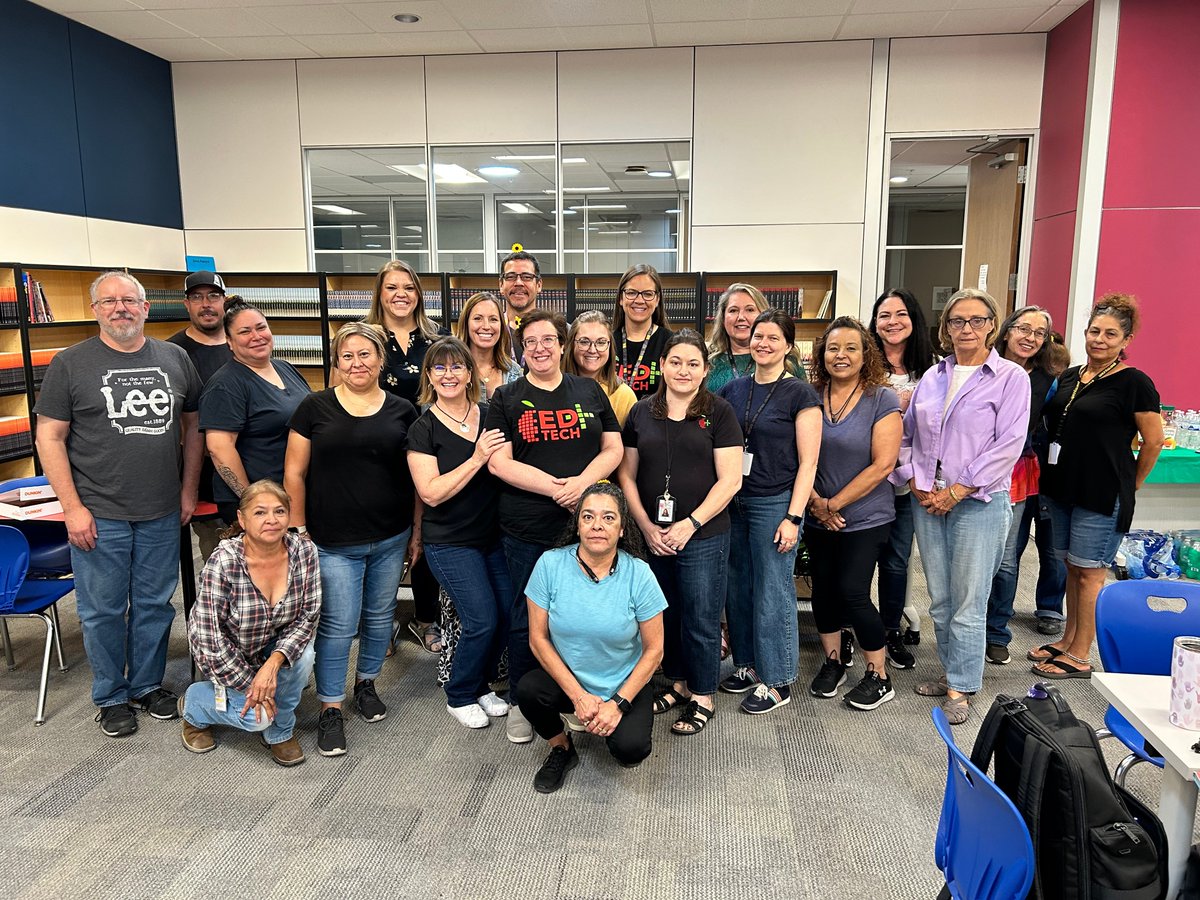
APS EdTech and Library Services are dedicated to enhancing student learning!
We are providing teachers with digital resources and a wide range of literacy materials to improve student outcomes.
#EdTech #APSLibraryServices #StudentOutcomes #APSEdTech #StudentLearning @ABQschools
2
1
7
229
7 May 2024
We are nearing the EOY and it is time for💻 Tech Clean Up!
Snag all our tech clean up tips here: docs.google.com/document/d/1… @GoogleForEdu @Seesaw @goguardian @ABQschools #APSEdTech #TechTips #EOY
1
4
151
17 Apr 2024
Ss can celebrate the special people in their lives with Flip, Seesaw, Google Slides, and Google Sheets using this collection of free activity templates!
Check out the Techtivities Blog for more.
#APSEdTech #techtivities @ABQschools @GoogleForEdu @Seesaw
1
7
155

Check out this graphic from @ApsEdTech about #Chromebook shortcut keys!!! Feel free to send out this youtu.be/6gy_fUTNCrc to your students!! @GoogleForEdu @ericcurts @ShakeUpLearning @JakeMillerTech @ClassTechTips
28 Feb 2024

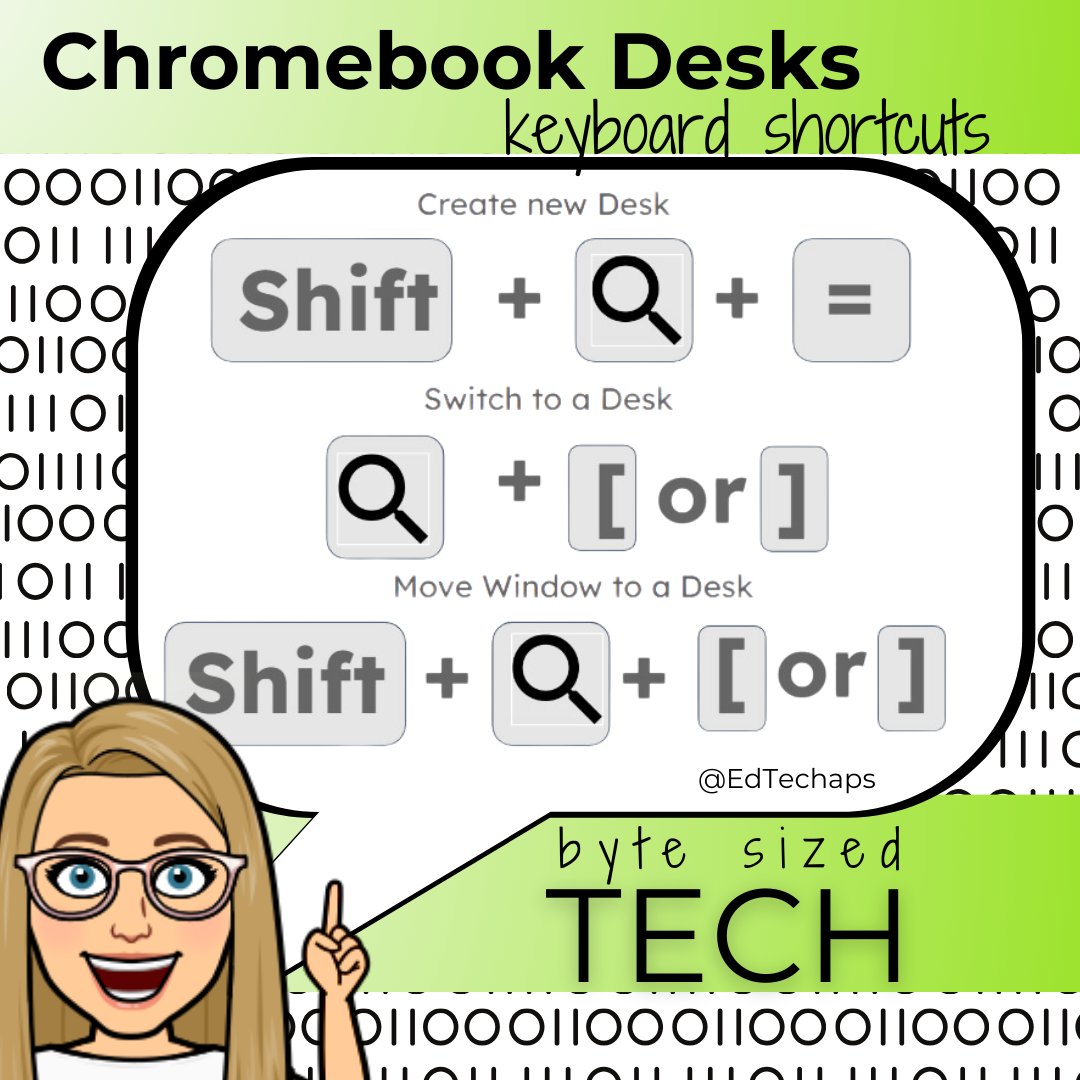
Students can use Chromebook Desks to get organized 💻Use these keyboard shortcuts to make 'desks' to organize classwork, set aside homework, or leave distracting tabs out of the way. Watch the quick tip for even more Chromebook shortcuts here: youtu.be/6gy_fUTNCrc #edtech
3
163
8 Feb 2024
💚You don't need a green screen anymore! 💚DYK...Adobe Express & Canva have video BG removers built in. Learn how in under 2 minutes... youtu.be/c0zJuoQscsM?si=s2BM… @canva @creativecloud @ABQschools @ABQschools @APS_Elementary @APSMidSchools #techtivities #APSedtech #backgroundremover
1
5
189
1 Feb 2024
Did You Know...??? 🤯 Click the video to find out! 👇🏽youtu.be/EkxyroLk3DQ?si=_Igw…
We are sharing NEW and favorite mind blowing tips, tricks and lessons for your classroom in our Techtivities Blog.
#techtivities #blog #APSEdTech @ABQschools @APS_Elementary @APSMidSchools
5
5
562
Learn about some amazing websites and tools our district have found helpful like @magicschoolai @conkerHQ @BookCreatorApp @flippitynet @tinkercad @MathigonOrg and @PlayBlooket for this months "Did You Know" Techtivities! #EdTech #APSEdTech
30 Jan 2024
PLUS Our next round of Techtivities got released yesterday with tons of tips, tricks, and activities ready to go for you! youtube.com/watch?v=EkxyroLk…
1
2
80
22 Jan 2024
We want to make this the most attended NMDLC yet! Save your spot today and you will get free breakfast, lunch AND swag! nmdlc.com #NMDLC #EdTech #APSEdTech
youtube.com/shorts/kURm71Usd…
2
6
252
23 Dec 2023
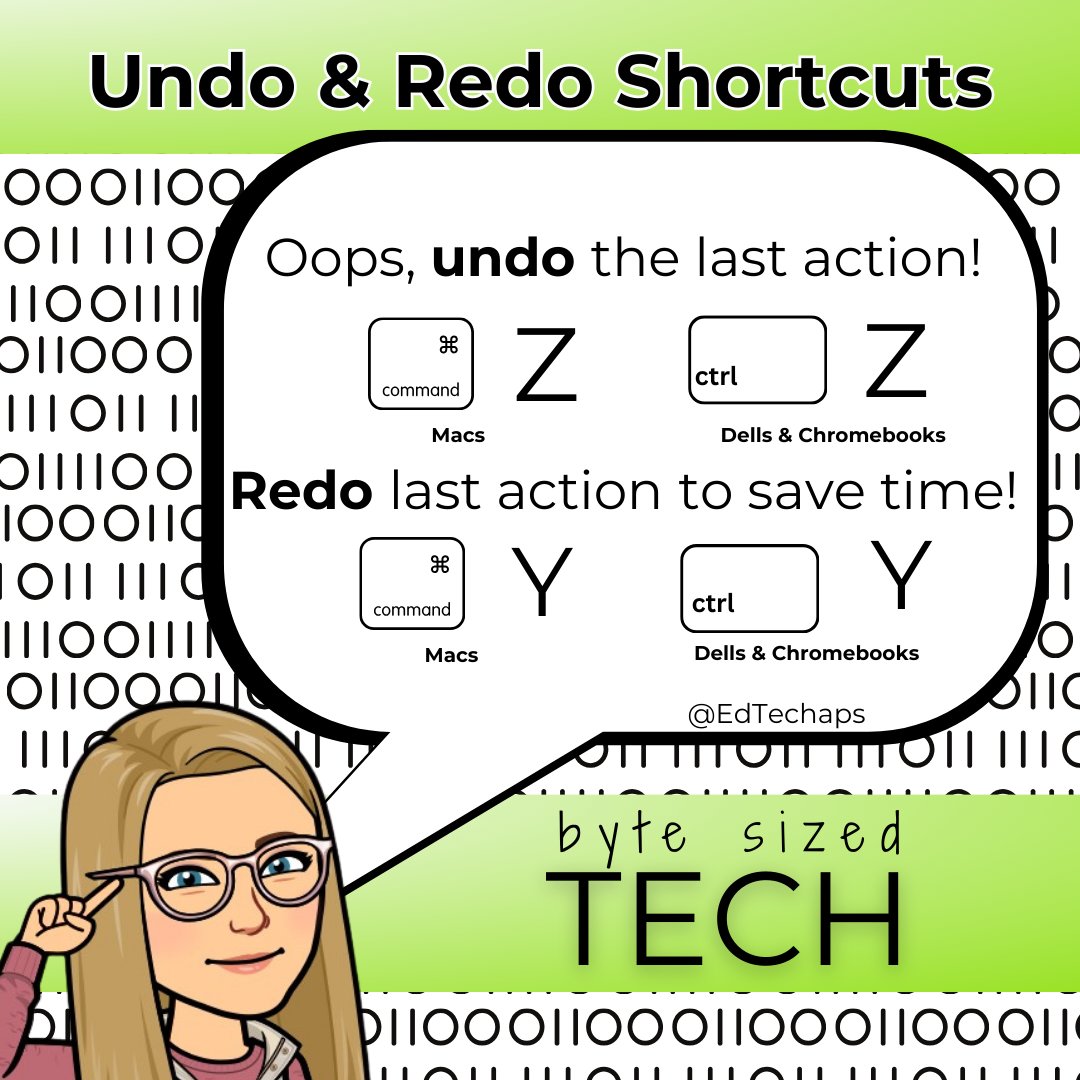
Did you know? You can make mistakes disappear or magic decisions multiply with undo and redo keyboard shortcuts. Save this tip for later! #ByteSizedTech #APSEdTech @ABQschools #undo #redo
1
5
181
11 Dec 2023
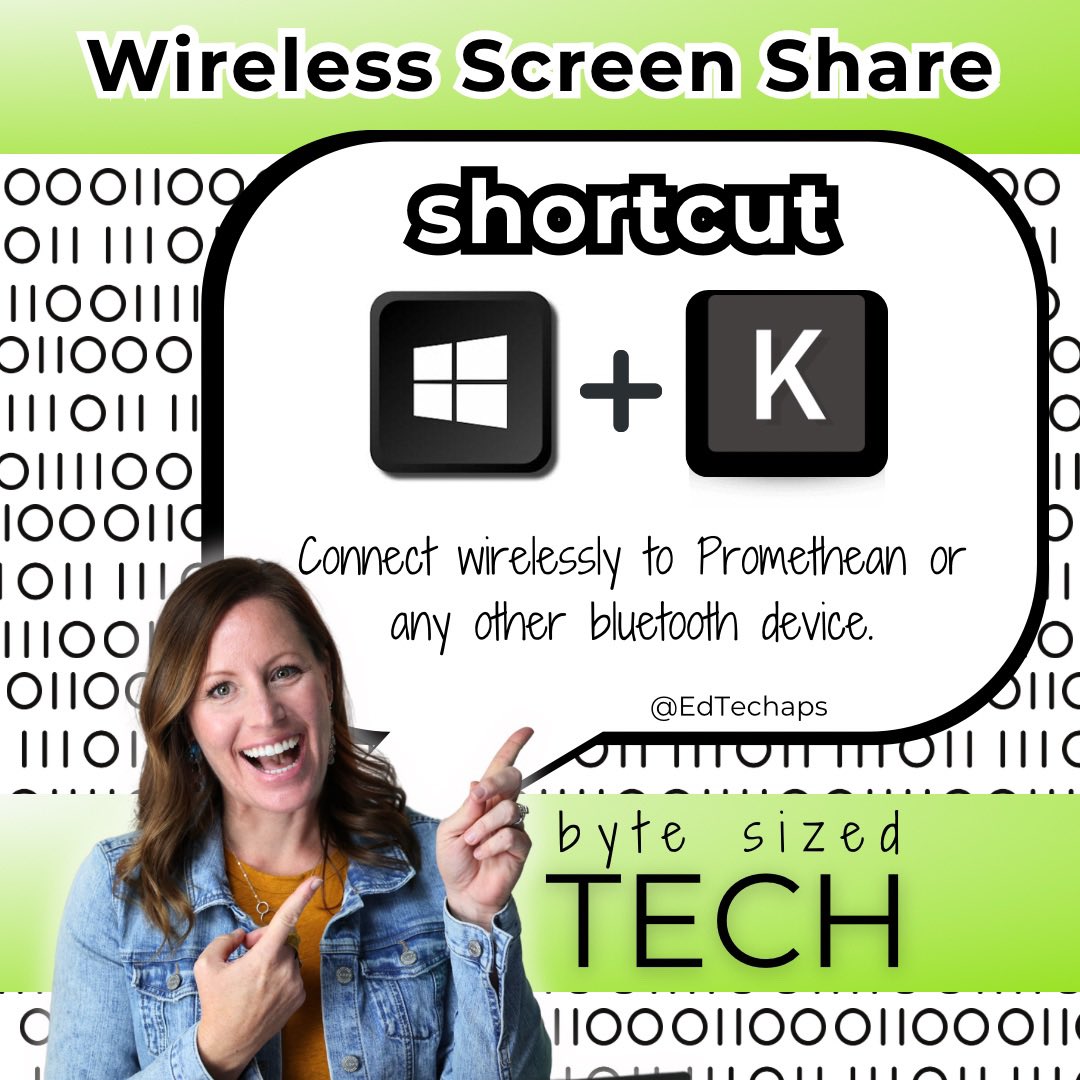
DYK this keyboard shortcut? ➡️ Windows K connects to a wireless device instantly 🤯 ⌨️
We love keyboard shortcuts!
What is your most used keyboard shortcut?
#ByteSizedTech #APSEdTech @Windows @ABQschools
1
3
157
10 Nov 2023
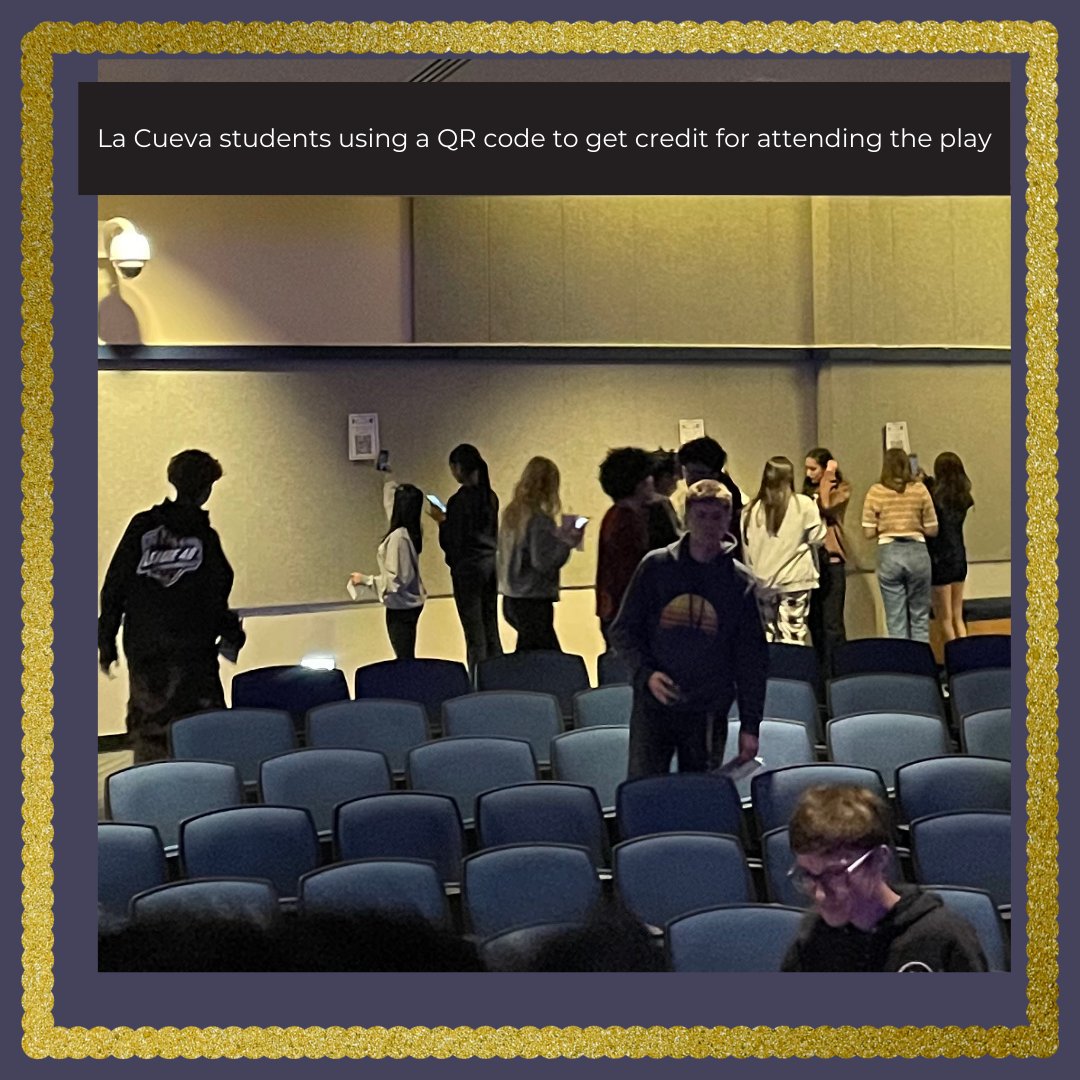
See La Cueva students tracking their play attendance using QR codes!#EdTechforAll #EdTech #APSEdTech #StudentEngagement
3
151
3 Nov 2023
Use our Google Sites Template to run your student elections! Streamline your vision, engage voters, & simplify the voting process. Click here for the template: sites.google.com/aps.edu/edu…
#EdTechforAll #EdTech #APSEdTech #StudentEngagement @APS_Elementary @APSMidSchools @abqschools
1
1
4
160
31 Oct 2023
*QUICK TIP for students* Save time on typing up rough drafts or turn handwritten notes into a Google Doc that you can then edit! youtu.be/BoHhcgoOa6c #EdTech #APSEdTech #StudentEngagement
@APS_FE @APS_Elementary @APSMidSchools @apsschools @aps_elementary @aps_middleschool
1
4
188
30 Oct 2023
🌟 It's Makerspace Monday! EdTech has some Minecraft Challenge Cards for you ready to go! #EdTechforAll #EdTech #APSEdTech #StudentEngagement @APS_FE @APS_Elementary @APSMidSchools, @SuptABQschools @PlayCraftLearn @aps_elementary @abqschools
1
2
6
537
26 Oct 2023
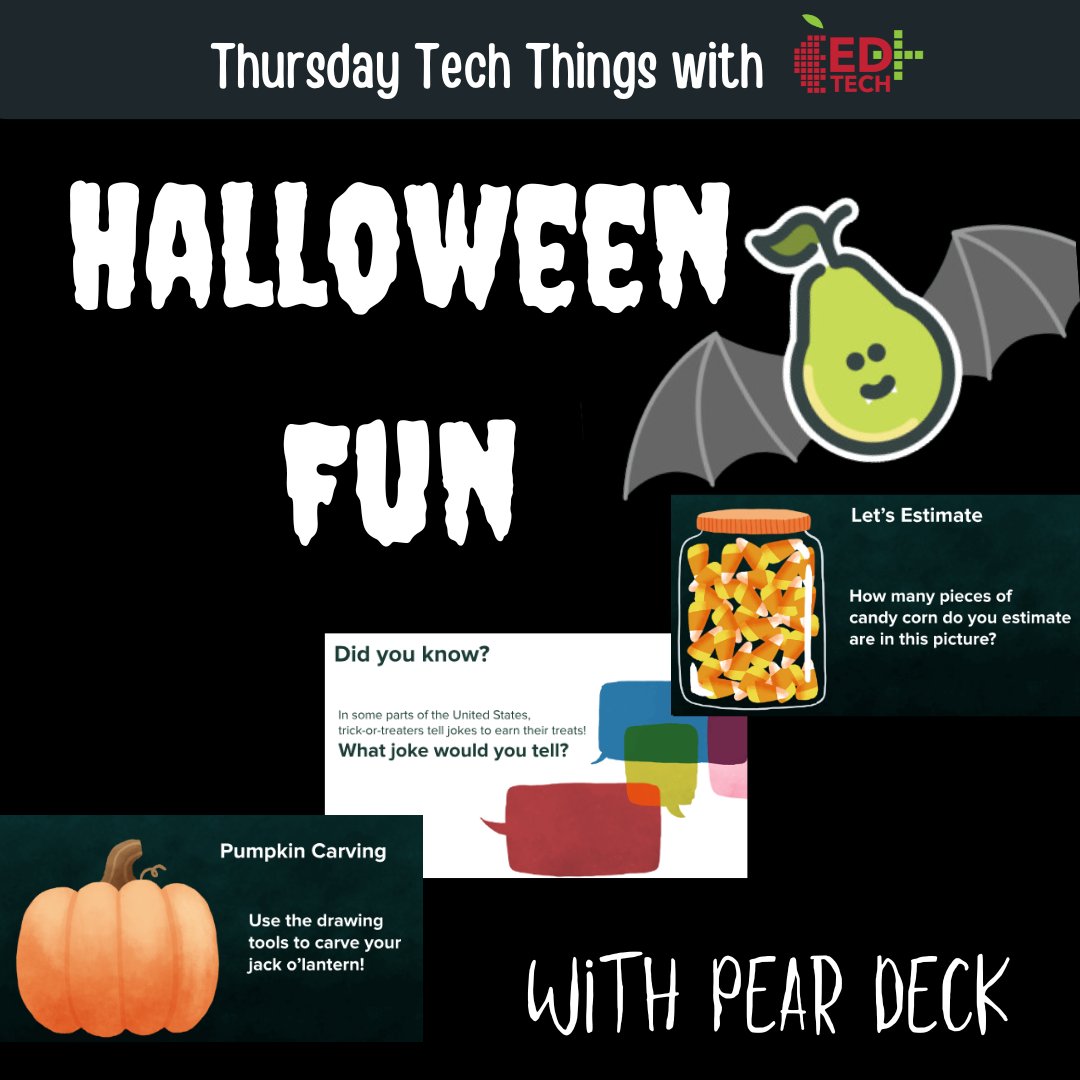
Need a brain break plan for Halloween (or the day after). Look no further than this fun activity from the @PearDeck content orchard! sharepeardeck.com/2qalpx Add this slide deck to your drive & start the lesson with your students to try it out! #edtech #APSEdTech @ABQschools
1
3
170
23 Oct 2023
🔍 Ever wondered how problem-solving happens? Let's compare the tools in our creative toolbox! #EdTechforAll #EdTech #APSEdTech #StudentEngagement @APS_FE @APS_Elementary @APSMidSchools, @SuptABQschools @aps_elementary @aps_middleschool @abqschools
1
4
188