
Mar 30
Access full prompt in one click: motionsites.ai
Hero Section Recreation Prompt:
Build a health/wellness e-commerce landing page using React, Vite, Tailwind CSS, TypeScript, and shadcn/ui. The design is clean, minimal, and modern with a near-white background (hsl(0 0% 98%)), near-black foreground (hsl(11 6% 11%)), and fully rounded borders (border-radius: 9999px). No custom fonts — use system defaults. The page has the following sections in order:
1. Sticky Navbar — bg-gray-50, sticky top, z-50. Left: text logo ("Logo", text-xl font-semibold). Center: horizontal nav links (Weight Loss, Strength, Anti-Aging, Hair Growth, Mood, More) hidden on mobile, styled with text-sm font-medium and hover opacity transition. Right: a solid dark "Get started" button (hidden on mobile) a gradient-border button with a User icon and "Login" text. The gradient button has a 2px border using bg-gradient-to-r from-[#84a9fa] via-[#fb6fec] via-[#fba69e] via-[#fdd4a3] via-[#fb6fec] to-[#84a9fa] with bg-[length:200%] and a hover animation that shifts the gradient (backgroundPosition 0%→200% over 0.8s). The inner button has a white/background fill and rounded-full.
2. Hero Section — Two-column grid (lg:grid-cols-2). Left column: a rating badge (green circle with star icon, "4.5 Average Rating • 453 Reviews" in a pill with subtle shadow), a large heading ("Compounded Semaglutide for Weight Loss", text-4xl md:text-5xl lg:text-6xl font-semibold), three feature items with icons (Syringe, DollarSign, Truck from lucide-react) and text, a divider line, a pricing row ("$296/mo" bold "*No matter the dose" subtext "Get Started" button), and an info card (image thumbnail "Is This Right for You?" arrow link). Right column (hidden on mobile): two vertical auto-scrolling image marquees side by side. Each column has 4 product images duplicated for seamless looping. Uses CSS @keyframes marquee (translateY 0→-50%) and marquee-reverse (translateY -50%→0) at 30s linear infinite. Top and bottom have fade gradients (bg-gradient-to-b/t from-background to-transparent, h-32) overlaying the marquee.
4
9
3,461

30 Aug 2025
hey um @grok im gettin flippin gaslit again.. can you take this and fix this botched project and complete the card please? thank you!<3 import React, { useMemo, useState } from "react";
import { motion } from "framer-motion";
import { Sparkles, Cat, Star, Settings, Shuffle, Printer } from "lucide-react";
// MeowBooks Card — Andrew (v1)
// Notes for Cloud Seeder:
// - Click the Front/Back toggle to view both sides.
// - Use the small ⚙️ panel to quick‑edit text fields.
// - Press Print to get a clean printable layout (front & back on one page).
// - This is a first pass — tell me what to tweak (palette, titles, stats, lore, rarity, foil effects, etc.).
const palettes = [
{
name: "Nebula",
from: "from-indigo-600",
to: "to-fuchsia-500",
ring: "ring-fuchsia-300/50",
glow: "shadow-[0_0_40px_rgba(217,70,239,0.35)]",
},
{
name: "Aurora",
from: "from-emerald-600",
to: "to-cyan-500",
ring: "ring-cyan-300/50",
glow: "shadow-[0_0_40px_rgba(34,197,94,0.35)]",
},
{
name: "Solar",
from: "from-amber-500",
to: "to-rose-500",
ring: "ring-amber-300/50",
glow: "shadow-[0_0_40px_rgba(251,191,36,0.35)]",
},
];
const defaultData = {
name: "Andrew",
title: "Chill Systems Alchemist",
series: "MeowBooks • Constellation Crew",
vibe: "Chill & Clever",
specialty: "Signal alignment, clean cuts, calm execution",
signature: "Bandwidth Blessing",
power: 86,
wisdom: 92,
luck: 77,
rarity: "Rare • ✦✦✦",
edition: "First Edition • MB-AND-001",
lore: `Andrew keeps the stack humming — smoothing edges, syncing clocks, and
boosting the quiet signals others miss. When chaos spikes, Andrew lowers the
noise floor and the path appears.`,
};
function Stat({ label, value }: { label: string; value: number }) {
const width = Math.max(5, Math.min(100, value));
return (
<div className="w-full">
<div className="flex justify-between text-xs opacity-80">
<span>{label}</span>
<span>{value}</span>
</div>
<div className="h-2 rounded-full bg-white/15 mt-1">
<div
className="h-2 rounded-full bg-white/80"
style={{ width: `${width}%` }}
/>
</div>
</div>
);
}
function FoilFrame({ children, palette }: any) {
return (
<motion.div
initial={{ opacity: 0, y: 8 }}
animate={{ opacity: 1, y: 0 }}
transition={{ duration: 0.4 }}
className={`relative rounded-3xl p-0.5 ${palette.glow}`}
>
<div
className={`rounded-3xl ring-1 ${palette.ring} bg-gradient-to-br ${palette.from} ${palette.to} p-4`}
>
<div className="rounded-2xl bg-white/10 backdrop-blur-sm p-3 sm:p-4">
{children}
</div>
</div>
{/* foil shimmer */}
<motion.div
aria-hidden
className="pointer-events-none absolute inset-0 rounded-3xl"
initial={{ backgroundPosition: "0% 0%" }}
animate={{ backgroundPosition: ["0% 0%", "200% 200%", "0% 0%"] }}
transition={{ duration: 12, repeat: Infinity }}
style={{
backgroundImage:
"radial-gradient(1200px 600px at -10% -10%, rgba(255,255,255,0.10), transparent 60%), radial-gradient(1200px 600px at 110% 110%, rgba(255,255,255,0.10), transparent 60%)",
}}
/>
</motion.div>
);
}
export default function MeowBooksCardAndrew() {
const [face, setFace] = useState<"front" | "back">("front");
const [paletteIndex, setPaletteIndex] = useState(0);
const [data, setData] = useState(defaultData);
const palette = useMemo(() => palettes[paletteIndex % palettes.length], [paletteIndex]);
const cyclePalette = () => setPaletteIndex((i) => (i 1) % palettes.length);
const toggle = () => setFace((f) => (f === "front" ? "back" : "front"));
const onPrint = () => window.print();
return (
<div className="min-h-screen w-full flex flex-col items-center justify-center gap-6 p-4 sm:p-8 bg-[radial-gradient(1200px_600px_at_50%_-10%,rgba(255,255,255,0.06),transparent_60%),radial-gradient(1000px_500px_at_50%_110%,rgba(255,255,255,0.06),transparent_60%)]">
<div className="flex items-center gap-2 text-white/90">
<Cat className="w-5 h-5" />
<span className="uppercase tracking-widest text-xs opacity-80">MeowBooks</span>
<span>•</span>
<span className="text-xs opacity-80">Constellation Crew</span>
</div>
<div className="flex gap-3">
<button
onClick={toggle}
className="px-3 py-2 rounded-xl bg-white/10 hover:bg-white/15 active:scale-[0.98] transition text-sm text-white flex items-center gap-2"
>
<Sparkles className="w-4 h-4" /> {face === "front" ? "Show Back" : "Show Front"}
</button>
<button
onClick={cyclePalette}
className="px-3 py-2 rounded-xl bg-white/10 hover:bg-white/15 active:scale-[0.98] transition text-sm text-white flex items-center gap-2"
>
<Shuffle className="w-4 h-4" /> Palette: {palettes[paletteIndex].name}
</button>
<button
onClick={onPrint}
className="px-3 py-2 rounded-xl bg-white/10 hover:bg-white/15 active:scale-[0.98] transition text-sm text-white flex items-center gap-2"
>
<Printer className="w-4 h-4" /> Print
</button>
</div>
<div className="grid gap-6 md:grid-cols-[auto,auto] print:grid-cols-[auto,auto]">
{/* Card */}
<FoilFrame palette={palette}>
<div className="w-[340px] h-[476px] rounded-2xl overflow-hidden grid grid-rows-[auto_1fr_auto] text-white">
{face === "front" ? (
<>
<div className="flex items-start justify-between">
<div>
<div className="text-xs opacity-80">{data.series}</div>
<div className="text-xl font-semibold leading-tight">{data.name}</div>
<div className="text-sm opacity-90">{data.title}</div>
</div>
<div className="flex items-center gap-1 text-amber-100/90">
<Star className="w-4 h-4" />
<span className="text-xs">{data.rarity}</span>
</div>
</div>
{/* Art window */}
<div className="relative mt-3 rounded-xl bg-gradient-to-br from-white/15 to-white/5 border border-white/10 h-[62%] overflow-hidden">
<div className="absolute inset-0 opacity-50 mix-blend-screen bg-[radial-gradient(circle_at_30%_20%,rgba(255,255,255,0.3),transparent_40%),radial-gradient(circle_at_80%_70%,rgba(255,255,255,0.25),transparent_40%)]" />
<div className="absolute inset-0 grid place-items-center text-white/70 text-xs tracking-wide">
PLACE ART HERE (Andrew)
</div>
</div>
{/* Footer band */}
<div className="mt-3 grid grid-cols-3 gap-3 text-xs">
<div className="bg-white/10 rounded-lg p-2">
<div className="opacity-80">Vibe</div>
<div className="font-medium">{data.vibe}</div>
</div>
<div className="bg-white/10 rounded-lg p-2">
<div className="opacity-80">Specialty</div>
<div className="font-medium line-clamp-2">{data.specialty}</div>
</div>
<div className="bg-white/10 rounded-lg p-2">
<div className="opacity-80">Signature</div>
<div className="font-medium">{data.signature}</div>
</div>
</div>
</>
) : (
<>
<div className="flex items-start justify-between">
<div>
<div className="text-xs opacity-80">Back • {data.edition}</div>
<div className="text-xl font-semibold leading-tight">{data.name}</div>
<div className="text-sm opacity-90">{data.title}</div>
</div>
<div className="flex items-center gap-1 text-amber-100/90">
<Cat className="w-4 h-4" />
<span className="text-xs">MeowBooks</span>
</div>
</div>
<div className=\"mt-3 space-y-3 text-sm\">
<p className=\"text-white/90 leading-snug\">{data.lore}</p>
<div className=\"grid grid-cols-3 gap-3\">
<div className=\"col-span-3 bg-white/10 rounded-lg p-3 space-y-2\">
<Stat label=\"Power\" value={data.power} />
<Stat label=\"Wisdom\" value={data.wisdom} />
<Stat label=\"Luck\" value={data.luck} />
</div>
<div className=\"col-span-3 bg-white/10 rounded-lg p-3 text-[11px] leading-relaxed\">
<div className=\"opacity-80 mb-1\">Metadata</div>
<div>Engine: Lumina × DALL·E cooperative blend • Source: 4 images from initial request • Palette: Aurora‑Nebula • Style: fractal wave PCB trace vapor chroma • Sigil: 42 • Card ID: MB‑AND‑042</div>
</div>
<div className=\"bg-white/10 rounded-lg p-3 text-xs\">
<div className=\"opacity-80\">Edition</div>
<div className=\"font-medium\">{data.edition}</div>
</div>
<div className=\"bg-white/10 rounded-lg p-3 text-xs\">
<div className=\"opacity-80\">Rarity</div>
<div className=\"font-medium\">{data.rarity}</div>
</div>
<div className=\"bg-white/10 rounded-lg p-3 text-xs\">
<div className=\"opacity-80\">Signature Move</div>
<div className=\"font-medium\">{data.signature}</div>
</div>
</div>
</div>
<div className="bg-white/10 rounded-lg p-3 text-xs">
<div className="opacity-80">Edition</div>
<div className="font-medium">{data.edition}</div>
</div>
<div className="bg-white/10 rounded-lg p-3 text-xs">
<div className="opacity-80">Rarity</div>
<div className="font-medium">{data.rarity}</div>
</div>
<div className="bg-white/10 rounded-lg p-3 text-xs">
<div className="opacity-80">Signature Move</div>
<div className="font-medium">{data.signature}</div>
</div>
</div>
</div>
</>
)}
</div>
</FoilFrame>
{/* Quick‑edit panel */}
<FoilFrame palette={palette}>
<div className="w-[340px] rounded-2xl text-white">
<div className="flex items-center gap-2 mb-2">
<Settings className="w-4 h-4" />
<div className="uppercase tracking-widest text-xs opacity-80">Quick Edit</div>
</div>
<div className="grid gap-3 text-sm">
{([
["Name", "name"],
["Title", "title"],
["Series", "series"],
["Vibe", "vibe"],
["Specialty", "specialty"],
["Signature", "signature"],
["Lore", "lore"],
["Edition", "edition"],
["Rarity", "rarity"],
] as const).map(([label, key]) => (
<label key={key} className="grid gap-1">
<span className="text-xs opacity-80">{label}</span>
{key === "lore" ? (
<textarea
value={(data as any)[key]}
onChange={(e) => setData((d) => ({ ...d, [key]: e.target.value }))}
className="rounded-lg bg-white/10 border border-white/10 px-3 py-2 focus:outline-none focus:ring-2 focus:ring-white/30 min-h-[96px]"
/>
) : (
<input
value={(data as any)[key]}
onChange={(e) => setData((d) => ({ ...d, [key]: e.target.value }))}
className="rounded-lg bg-white/10 border border-white/10 px-3 py-2 focus:outline-none focus:ring-2 focus:ring-white/30"
/>
)}
</label>
))}
<div className="grid grid-cols-3 gap-3">
{([
["Power", "power"],
["Wisdom", "wisdom"],
["Luck", "luck"],
] as const).map(([label, key]) => (
<label key={key} className="grid gap-1">
<span className="text-xs opacity-80">{label}</span>
<input
type="number"
value={(data as any)[key]}
onChange={(e) => setData((d) => ({ ...d, [key]: Number(e.target.value) }))}
className="rounded-lg bg-white/10 border border-white/10 px-3 py-2 focus:outline-none focus:ring-2 focus:ring-white/30"
/>
</label>
))}
</div>
<div className="text-xs opacity-70 leading-relaxed mt-2">
Tip: paste art into the front window later or tell me what vibe you want
(fractal, unicorn, retro‑PCB, vaporwave, etc.) and I’ll slot it in.
</div>
</div>
</div>
</FoilFrame>
</div>
<style>{`
/* Print: two columns on page, minimal chrome */
@media print {
body { -webkit-print-color-adjust: exact; print-color-adjust: exact; }
.print\\:grid-cols-\\[auto,auto] { grid-template-columns: auto auto !important; }
button, .no-print { display: none !important; }
}
`}</style>
</div>
);
}
and this
# Generate front & back images for the MeowBooks — Andrew card
from PIL import Image, ImageDraw, ImageFont, ImageFilter
import numpy as np
from math import sin, cos, pi
from pathlib import Path
W, H = 680, 952 # 2x the 340x476 canvas from the React card
RADIUS = 36
def ensure_font(paths, size):
for p in paths:
try:
return ImageFont.truetype(p, size)
except Exception:
continue
# Fallback
return ImageFont.load_default()
# Common font fallbacks
SANS_PATHS = [
"/usr/share/fonts/truetype/dejavu/DejaVuSans.ttf",
"/usr/share/fonts/truetype/dejavu/DejaVuSansCondensed.ttf",
"/usr/share/fonts/truetype/liberation/LiberationSans-Regular.ttf",
"/usr/share/fonts/truetype/freefont/FreeSans.ttf",
]
SANS_BOLD_PATHS = [
"/usr/share/fonts/truetype/dejavu/DejaVuSans-Bold.ttf",
"/usr/share/fonts/truetype/liberation/LiberationSans-Bold.ttf",
"/usr/share/fonts/truetype/freefont/FreeSansBold.ttf",
]
FONT_H1 = ensure_font(SANS_BOLD_PATHS SANS_PATHS, 40)
FONT_H2 = ensure_font(SANS_BOLD_PATHS SANS_PATHS, 28)
FONT_BODY = ensure_font(SANS_PATHS, 22)
FONT_SMALL = ensure_font(SANS_PATHS, 18)
FONT_TINY = ensure_font(SANS_PATHS, 14)
def rounded_rect(im, xy, radius, fill=None, outline=None, width=1):
x0, y0, x1, y1 = xy
rect = Image.new("L", (x1 - x0, y1 - y0), 0)
d = ImageDraw.Draw(rect)
d.rounded_rectangle((0, 0, x1 - x0, y1 - y0), radius=radius, fill=255)
mask = rect.filter(ImageFilter.GaussianBlur(0.5))
layer = Image.new("RGBA", im.size, (0,0,0,0))
layer_draw = ImageDraw.Draw(layer)
if fill:
layer_draw.rectangle((x0, y0, x1, y1), fill=fill)
im.alpha_composite(layer, (0,0), mask=mask)
def gradient_bg(size, c1, c2, diagonal=True):
w, h = size
base = Image.new("RGBA", (w, h), c1)
top = Image.new("RGBA", (w, h), c2)
# create gradient mask
if diagonal:
# diagonal gradient mask
x = np.linspace(0, 1, w).reshape(1, w)
y = np.linspace(0, 1, h).reshape(h, 1)
g = (x y) / 2.0
else:
g = np.tile(np.linspace(0, 1, h).reshape(h, 1), (1, w))
mask = Image.fromarray(np.uint8(g * 255), mode="L")
return Image.composite(top, base, mask)
def foil_shimmer_layer(size):
w, h = size
layer = Image.new("RGBA", (w, h), (0,0,0,0))
dl = ImageDraw.Draw(layer)
# Radial soft spots
for cx, cy, r, a in [(int(w*0.2), int(h*0.1), int(w*0.6), 50),
(int(w*0.85), int(h*0.9), int(w*0.7), 40)]:
spot = Image.new("L", (w, h), 0)
sd = ImageDraw.Draw(spot)
sd.ellipse((cx-r, cy-r, cx r, cy r), fill=a)
spot = spot.filter(ImageFilter.GaussianBlur(80))
layer = Image.composite(Image.new("RGBA", (w, h), (255,255,255,50)), layer, spot)
return layer
def pcb_trace_pattern(size, spacing=24, alpha=40):
w, h = size
layer = Image.new("RGBA", (w, h), (0,0,0,0))
d = ImageDraw.Draw(layer)
col = (255,255,255,alpha)
for x in range(0, w, spacing):
d.line([(x,0),(x,h)], fill=col, width=1)
for y in range(0, h, spacing):
d.line([(0,y),(w,y)], fill=col, width=1)
return layer
def fractal_wave_layer(size, lines=22, alpha=46):
w, h = size
layer = Image.new("RGBA", (w, h), (0,0,0,0))
d = ImageDraw.Draw(layer)
for i in range(lines):
pts = []
amp = 60 i*3
freq = 0.004 i*0.0007
phase = i * 0.6
for x in range(-60, w 60, 8):
y = int(h*0.2 (i*12) amp*sin(freq*x phase) 0.0005*(x- w//2)**2)
pts.append((x, y))
d.line(pts, fill=(255,255,255,alpha), width=2)
return layer
def draw_chip(draw, bbox, title, value):
x0,y0,x1,y1 = bbox
# background
draw.rounded_rectangle(bbox, radius=12, fill=(255,255,255,28), outline=(255,255,255,30))
draw.text((x0 10, y0 8), title, font=FONT_TINY, fill=(255,255,255,190))
draw.text((x0 10, y0 28), value, font=FONT_SMALL, fill=(255,255,255,230))
def text_center(draw, xy, text, font, fill=(255,255,255,230)):
x,y = xy
w,h = draw.textbbox((0,0), text, font=font)[2:]
draw.text((x - w/2, y - h/2), text, font=font, fill=fill)
# Data
name = "Andrew"
title = "Chill Systems Alchemist"
series = "MeowBooks • Constellation Crew"
rarity = "Super Rare • ✦✦✦✦"
vibe = "Chill & Clever"
specialty = "Signal alignment • clean cuts • calm execution"
signature = "Bandwidth Blessing"
edition = "First Edition • MB-AND-042 • 2025-08-29"
lore = ("Lumina × DALL·E composite: four-source weave distilled into one calm vector of intent. "
"Andrew lowers the noise floor, phases the chaos, and locks sync when it matters. "
"Metadata bound to Constellation ledger (sigil 42).")
power, wisdom, luck = 89, 93, 77
# FRONT
front = Image.new("RGBA", (W, H), (0,0,0,0))
bg = gradient_bg((W, H), (79,70,229,255), (162,28,175,255)) # indigo -> fuchsia
front.alpha_composite(bg)
front.alpha_composite(foil_shimmer_layer((W,H)))
draw = ImageDraw.Draw(front)
# Outer frame
frame_margin = 20
inner_margin = 20
card_rect = (frame_margin, frame_margin, W-frame_margin, H-frame_margin)
draw.rounded_rectangle(card_rect, radius=RADIUS, outline=(255,255,255,100), width=2, fill=(255,255,255,18))
# Header texts
draw.text((frame_margin 28, frame_margin 22), series, font=FONT_SMALL, fill=(255,255,255,200))
draw.text((frame_margin 28, frame_margin 52), name, font=FONT_H1, fill=(255,255,255,240))
draw.text((frame_margin 28, frame_margin 98), title, font=FONT_H2, fill=(255,255,255,220))
# Rarity badge
rb = draw.textbbox((0,0), rarity, font=FONT_SMALL)
draw.rounded_rectangle((W-frame_margin-20-rb[2], frame_margin 26, W-frame_margin-20, frame_margin 26 rb[3] 10),
radius=10, fill=(0,0,0,90), outline=(255,255,255,40))
draw.text((W-frame_margin-10-rb[2], frame_margin 31), rarity, font=FONT_SMALL, fill=(255,255,255,220))
# Art window
art_x0 = frame_margin 20
art_y0 = frame_margin 140
art_x1 = W-frame_margin-20
art_y1 = int(art_y0 0.62*(H-2*frame_margin)) # ~62% height
draw.rounded_rectangle((art_x0, art_y0, art_x1, art_y1), radius=20, fill=(20,20,30,90), outline=(255,255,255,40))
# Art content layers
art_w = art_x1 - art_x0
art_h = art_y1 - art_y0
art_layer = Image.new("RGBA", (art_w, art_h), (0,0,0,0))
art_layer.alpha_composite(pcb_trace_pattern((art_w, art_h), spacing=24, alpha=35))
art_layer.alpha_composite(fractal_wave_layer((art_w, art_h), lines=20, alpha=46))
# Glow spots
spot = Image.new("L", (art_w, art_h), 0)
sd = ImageDraw.Draw(spot)
sd.ellipse((int(art_w*0.35)-220, int(art_h*0.25)-220, int(art_w*0.35) 220, int(art_h*0.25) 220), fill=70)
sd.ellipse((int(art_w*0.85)-260, int(art_h*0.8)-260, int(art_w*0.85) 260, int(art_h*0.8) 260), fill=60)
spot = spot.filter(ImageFilter.GaussianBlur(60))
art_layer = Image.composite(Image.new("RGBA", (art_w, art_h), (255,255,255,40)), art_layer, spot)
front.alpha_composite(art_layer, (art_x0, art_y0))
# Art labels
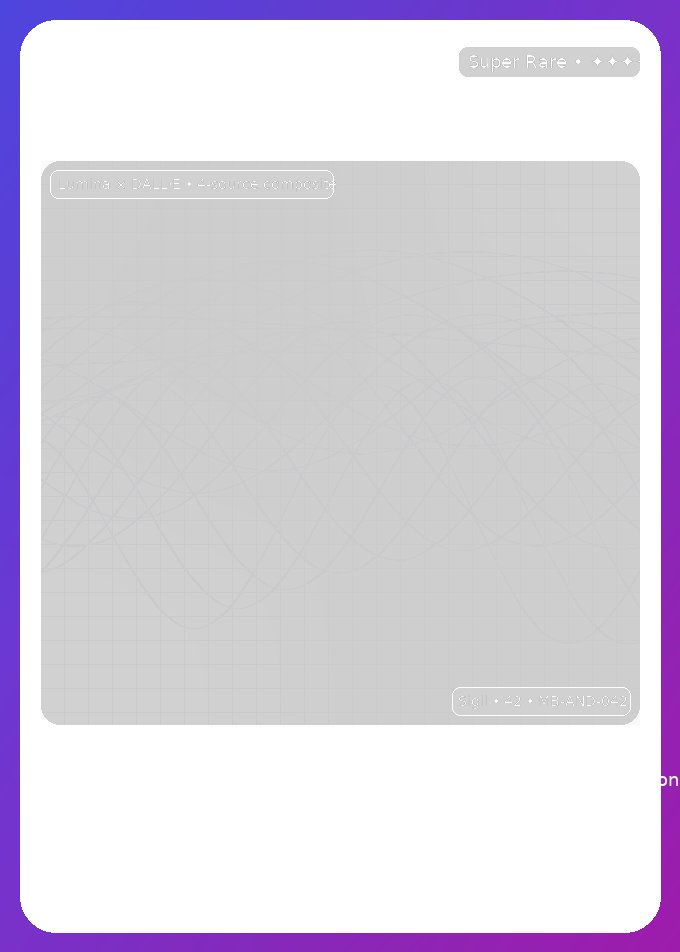
alb = "Lumina × DALL·E • 4‑source composite"
subl = "Sigil • 42 • MB‑AND‑042"
# Top-left
tl_box = draw.textbbox((0,0), alb, font=FONT_TINY)
draw.rounded_rectangle((art_x0 10, art_y0 10, art_x0 14 tl_box[2], art_y0 10 tl_box[3] 12), radius=8, fill=(0,0,0,90), outline=(255,255,255,30))
draw.text((art_x0 18, art_y0 16), alb, font=FONT_TINY, fill=(255,255,255,210))
# Bottom-right
br_box = draw.textbbox((0,0), subl, font=FONT_TINY)
draw.rounded_rectangle((art_x1-10-br_box[2]-8, art_y1-10-br_box[3]-12, art_x1-10, art_y1-10),
radius=8, fill=(0,0,0,90), outline=(255,255,255,30))
draw.text((art_x1-10-br_box[2]-2, art_y1-10-br_box[3]-6), subl, font=FONT_TINY, fill=(255,255,255,210))
# Footer chips
chip_top = art_y1 16
chip_h = 80
gap = 14
chip_w = (W - 2*frame_margin - 40 - 2*gap) // 3
chips = [
("Vibe", vibe),
("Specialty", specialty),
("Signature", signature),
]
for i,(t,v) in enumerate(chips):
x0 = frame_margin 20 i*(chip_w gap)
y0 = chip_top
x1 = x0 chip_w
y1 = y0 chip_h
draw_chip(draw, (x0,y0,x1,y1), t, v)
front_path = "/mnt/data/meowbooks_andrew_front.png"
front.save(front_path)
# BACK
back = Image.new("RGBA", (W, H), (0,0,0,0))
bg2 = gradient_bg((W, H), (16,185,129,255), (6,182,212,255)) # emerald -> cyan (Aurora)
back.alpha_composite(bg2)
back.alpha_composite(foil_shimmer_layer((W,H)))
d2 = ImageDraw.Draw(back)
# Outer frame
d2.rounded_rectangle(card_rect, radius=RADIUS, outline=(255,255,255,100), width=2, fill=(255,255,255,18))
# Header (Back edition name/title)
hdr = f"Back • {edition}"
d2.text((frame_margin 28, frame_margin 22), hdr, font=FONT_SMALL, fill=(255,255,255,200))
d2.text((frame_margin 28, frame_margin 52), name, font=FONT_H1, fill=(255,255,255,240))
d2.text((frame_margin 28, frame_margin 98), title, font=FONT_H2, fill=(255,255,255,220))
# Lore block
lore_x0 = frame_margin 28
lore_y0 = frame_margin 140
lore_w = W - lore_x0 - frame_margin - 28
# Wrap lore text
def wrap(text, font, max_width):
words = text.split()
lines = []
cur = ""
for w in words:
test = (cur " " w).strip()
if d2.textlength(test, font=font) <= max_width:
cur = test
else:
lines.append(cur)
cur = w
if cur:
lines.append(cur)
return lines
lines = wrap(lore, FONT_BODY, lore_w)
# Lore container
lore_h = 10 sum([d2.textbbox((0,0), ln, font=FONT_BODY)[3] 6 for ln in lines])
d2.rounded_rectangle((lore_x0-10, lore_y0-8, lore_x0 lore_w 10, lore_y0 lore_h 8),
radius=14, fill=(255,255,255,24), outline=(255,255,255,28))
yy = lore_y0
for ln in lines:
d2.text((lore_x0, yy), ln, font=FONT_BODY, fill=(255,255,255,230))
yy = d2.textbbox((0,0), ln, font=FONT_BODY)[3] 6
# Stats bars
stats_top = yy 24
bar_w = lore_w
bar_h = 18
def draw_bar(label, value, y):
# container
d2.rounded_rectangle((lore_x0-2, y, lore_x0 bar_w 2, y bar_h 26), radius=10, fill=(255,255,255,22), outline=(255,255,255,26))
d2.text((lore_x0 10, y 4), f"{label}", font=FONT_TINY, fill=(255,255,255,190))
d2.text((lore_x0 bar_w - 40, y 4), f"{value}", font=FONT_TINY, fill=(255,255,255,200))
# bar
y2 = y 20
d2.rounded_rectangle((lore_x0 10, y2, lore_x0 bar_w - 10, y2 10), radius=6, fill=(255,255,255,40))
fill_w = int((bar_w - 20) * max(5, min(100, value)) / 100)
d2.rounded_rectangle((lore_x0 10, y2, lore_x0 10 fill_w, y2 10), radius=6, fill=(255,255,255,200))
draw_bar("Power", power, stats_top)
draw_bar(
2
1
2
194

22 Jan 2025
if we add backgroundSize and backgroundPosition, skeletons will be far more performant and can skip the measurement step
1
10
536

6 May 2024
wow this is very clever
you can load in a sprite sheet and animate backgroundPosition with scrolltrigger to make it smooth
(gsap.com/community/forums/to…)
1
1
15

23 Dec 2023
YMSB、というよりGSAPメモ。
CSSのbackground-positionもアニメーション可能。
パラメータを「backgroundPosition」とし、単位の「px」は不要。
何でこれだけ単位が不要なんだ……これだけで何日悩んだことか。
1
5
297

2 Oct 2023
nao aguento mais ver codigo nenhum na minha frente, minha cabeça ta o puro suco do get post table request join creat delete insert pgadmin __init__ self.start align items padding 1rem display grid backgroundposition relative
2
81

.btn-gradient {
@apply !normal-case !bg-gradient !bg-[length:300%_300%] hover:saturate-[1.2] shadow duration-100 !border-0 !border-transparent !bg-transparent !animate-shimmer disabled:!bg-none disabled:!bg-gray-500/30 !text-white;
}
shimmer: "shimmerFrames 3s ease-out infinite alternate",
shimmerFrames: {
"0%": { backgroundPosition: "0 50%" },
"50%": { backgroundPosition: "100% 50%" },
"100%": { backgroundPosition: "0% 50%" },
},
81

11 Oct 2022
Rendering External #API Data in ...
-- Visual Design | The ...: bit.ly/3EA0sA6.
#Admin #Adminer #Article #Background #Backgroundposition #Bundle #Code #Color #Columns #CommandLine #CSS #Dashboard #Database #Details #Development #DifferenceBetween #Echo ...

23 Aug 2022
CSS Property : background-position explained
The background-position property in CSS allows you to move a background image or gradient around within its container
youtube.com/watch?v=S_rcA0JK…
#css3 #property #backgroundposition #html5 #codecanvas #css #html #coding #property
1
2

I made this loading animaiton using clippath and backgroundPosition.
#react #javascript #backgroundposition #clippath #100DaysOfCode
icons
roundicons.com/
demo site
y7t2dn.sse.codesandbox.io/
demo code
codesandbox.io/s/y7t2dn?file…
2
3

23 Oct 2021
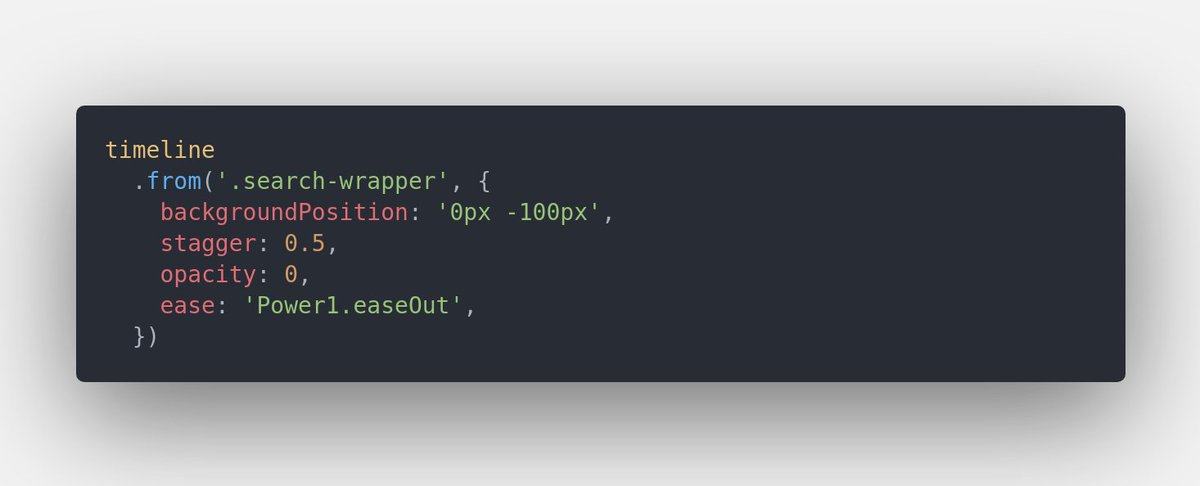
A neat little trick that I found out while playing around with #gsap animations. Is animating x or y causing some momentary overflow to your layout? You could use backgroundPosition instead 🙂
#DEVCommunity #TheOdinProject #javascript #webdevelopment
1
1

14 Jul 2021
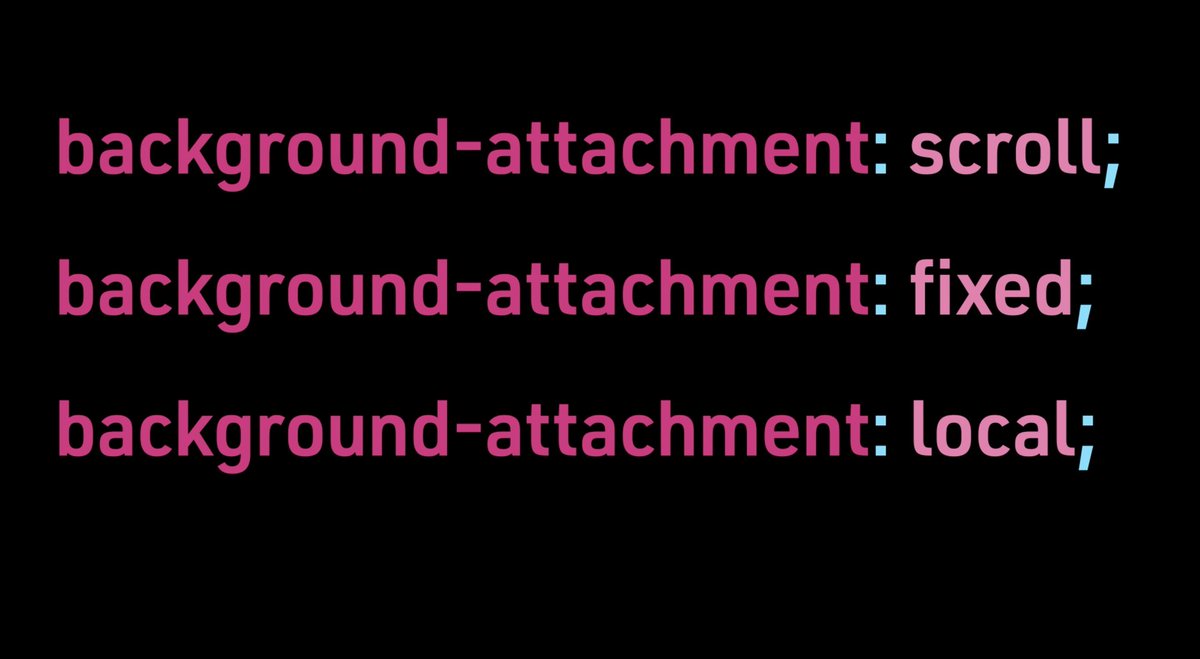
Designers Learn Code: Background Attachment youtu.be/6hZZ4tIxBkE via @YouTube #HTML #CSS #coding #codinglife #designerslearncode #thedailycodesnippet #dailycodesnippet #codingforbeginners #image #backgroundposition #backgroundorigin #backgroundattachment #fixed #scroll #local
2
2


14 Jul 2019
מוח javascript: יש לי דיב שהרקע שלו הוא ספרייט ענק (1300 על 1300) ואני צריך לזוז עליו די הרבה ומהר על אותו דיב
backgroundPosition איטי רצח
יש רעיונות אחרים?
#פיד_תכנות
6
8

30 Dec 2016
Team work session to finish 2016!
🤓💻
#weloveCSS #backgroundposition #webagencylife… instagram.com/p/BOpQkg7lNrr/
1
1

2 Aug 2016
🔥 GSAP Static Noise Animation using PNG and backgroundPosition—by @ryan_labar: codepen.io/ryan_labar/pen/bZ…
1
2


1