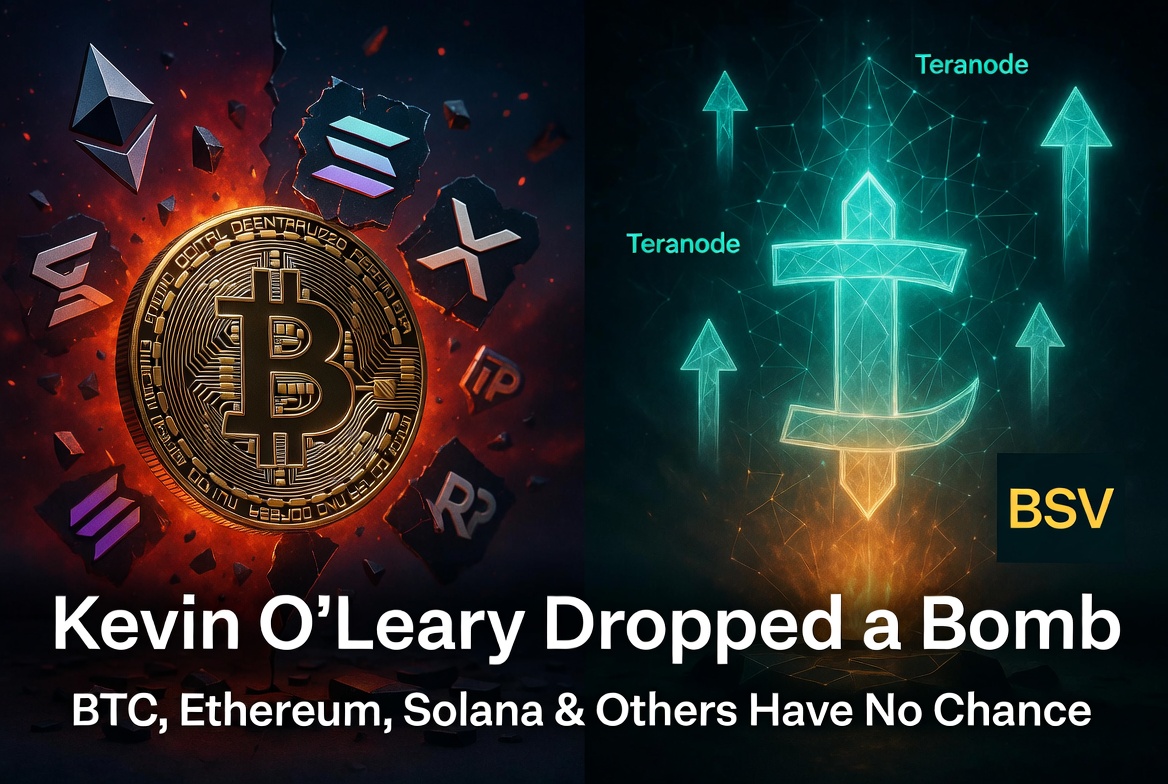
Kevin O’Leary Just Dropped a Bomb: BTC, Ethereum, Solana, XRP, XLM, ADA, ALGO, HBAR, LINK, AVAX Have No Chance 🚫
In his latest comments, Kevin O’Leary made two things very clear:
1. The biggest institutional capital is still waiting for real regulatory clarity.
2. He is openly skeptical about Ethereum and doubts its ability to dominate in the long run.
Once regulatory clarity arrives, speculation will take a backseat. The real question will become: which blockchain can actually serve as the global infrastructure layer for enterprise at massive scale?
Here’s the uncomfortable reality:
BTC, Ethereum, Solana, XRP, XLM, ADA, ALGO, HBAR, LINK, AVAX and most other networks do not have a realistic path to becoming that foundation.
Why?
- BTC remains limited by small blocks and high fees.
- Ethereum continues to suffer from congestion, high costs and only probabilistic finality.
- Solana and similar high-throughput chains face outages and centralization risks.
- Most others simply lack the combination of unlimited scaling true finality enterprise readiness.
Real Bitcoin (SV) with Teranode is the only protocol built from day one to meet these requirements:
✅ Over 1.1 million transactions per second in sustained testing ⚡
✅ Unlimited terabyte-scale blocks with horizontal scaling
✅ Near-zero, predictable fees
✅ Proven enterprise deployments already in production
Kevin O’Leary is right — clarity is coming.
When it does, technical reality will matter more than narratives.
The infrastructure for the next era is already here.
The storm is coming. 💥
Sources:
- Kevin O’Leary comments: x.com/kevinolearytv/status/2…
- Related analysis by BullRushClub: x.com/BullRushClub/status/20…
- Teranode performance data: BSV Association official documentation
- Real Bitcoin (SV) enterprise use cases: Sentinel Node (Certihash IBM), Dockflow (mintBlue), Gate2Chain & Trace supply chain solutions
- Satoshi Nakamoto White Paper (2008) – original vision of unlimited on-chain scaling
#RealBitcoin #BitcoinSV #BSV #KevinOLeary #RegulatoryClarity #EnterpriseBlockchain #Teranode #AsymmetricOpportunity #SatoshiVision
Jun 1

Smart Money Is Already Accumulating Real Bitcoin (SV) — Quietly and at Rock-Bottom Prices 💰⚡
Markets don’t wait for catalysts to fully play out 💥 — they start pricing in major developments long before 🎯they actually happen.
The banking and institutional sector isn’t waiting for retail hype.
They’re waiting for two key events:
✅ The full commercial rollout of Teranode
✅ Final regulatory clarity in the US — especially through the CLARITY Act
As soon as these boxes are checked (expected late 2026 to early 2027), institutions will have the ultimate green light.
But here’s what most people miss:
They are already accumulating — right now.
Instead of buying on public exchanges, major players are using **OTC desks**, purchasing directly from large mining pools (Taal, Gorilla Pool, etc.) at fixed prices. This allows them to build massive positions “in the shadows” without moving the price.
Why the price must go astronomically higher:
Bitcoin’s total supply is capped at 21 million coins.
If the global economy starts locking trillions of dollars worth of value (CBDCs, tokenized assets, AI micropayments, supply chains) into the BSV network, basic supply & demand mechanics will push the price of a single BSV into extremely high territory.
The Bottom Line:
Smart money always enters before the mainstream narrative flips.
They accumulate the infrastructure at rock-bottom valuations while most of the market still sees BSV as a dead project.
By the time Teranode runs at full scale and major overlays begin processing billions of transactions daily, buying BSV on a retail exchange will be both too late and too expensive**.
The quiet accumulation phase is happening now.
The public awakening phase is coming.
Real Bitcoin (SV) is being positioned exactly where the biggest capital in the world will eventually need it.
The storm is coming. 💥
Sources:
- CLARITY Act progress: Senate Banking Committee updates (May 2026)
- Institutional OTC accumulation: Industry observations & mining pool data
- Teranode commercial rollout expectations: BSV Association technical roadmap
#RealBitcoin #BitcoinSV #BSV #Teranode #CLARITYAct #SmartMoney #InstitutionalAdoption #AsymmetricOpportunity #HiddenGem #GenerationalWealth #ValueInvesting #Crypto #Bitcoin #BigMoney #BullRun #AIAgents #MassAdoption

2
12
41
1,383

May 24
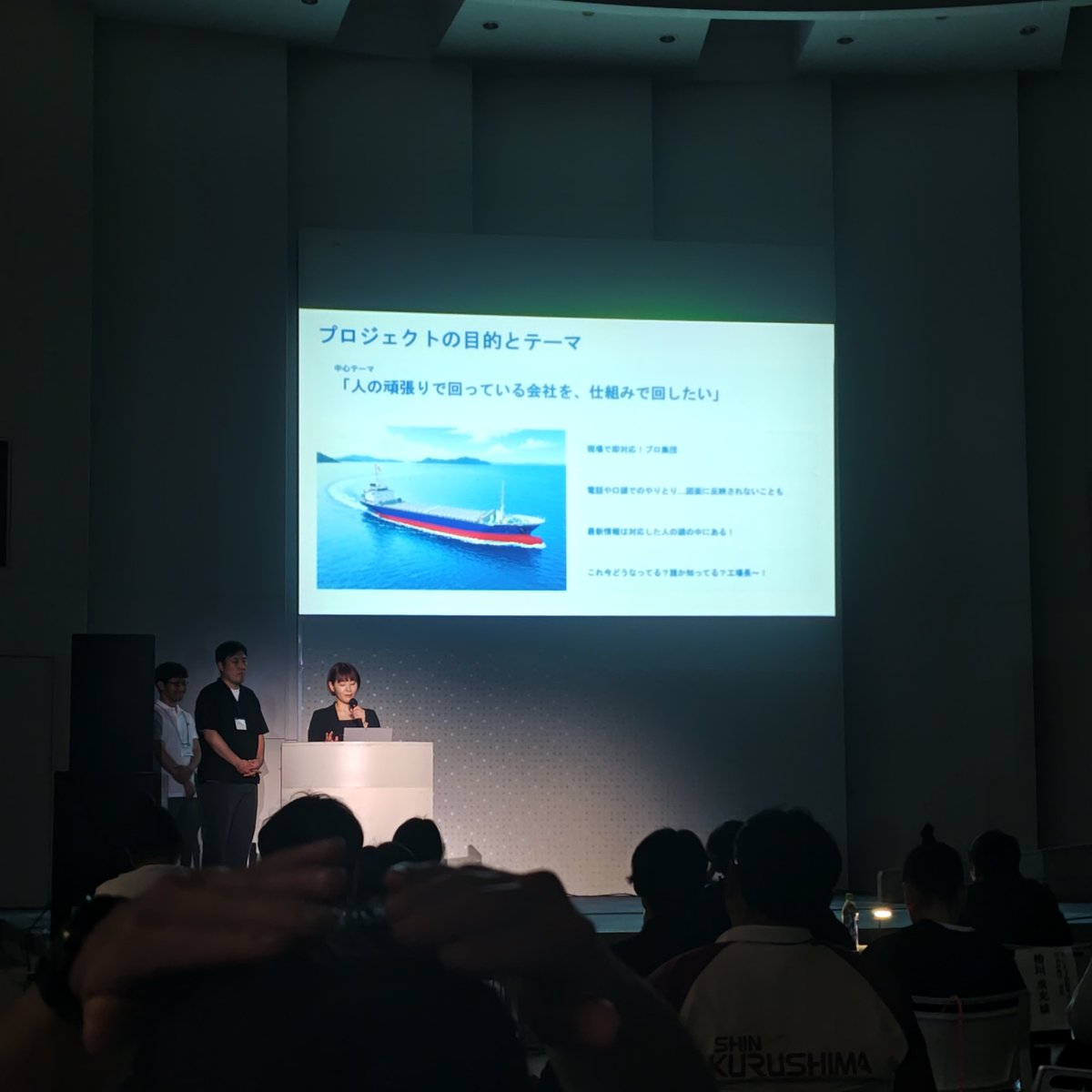
More than a year since launching @dock_flow on Product Hunt, I launched it again today: producthunt.com/products/doc…
A lot of changes this year,
DockFlow opened a massive world for me, and the first launch was a big part of it.
So I took the time and summed up all the main improvements added to DockFlow since launch and launched it on @ProductHunt one more time.
A lot has been going on in the last few days; I need to find a way to take my business a few levels up.
Thinking a lot and trying to figure it out.
But it is nice to remember what started it all and how much I progressed in this year, so feeling stuck for 2 months is not a big deal compared to the huge achievements from a single year of building my own products.
4
3
95

May 2
After a super slow month, April numbers are ready:
Appit Bundle: €1,067.76 ( 17.30%)
🌊 DockFlow: €1,492.78 (-0.75%)
🍫 ExtraBar: €503.13 (-53.51%)
➕ExtraDock: €2,297.90(-10.47%)
📑 Shiori: €209.19 (-65.39%)
🧙WordWhiz: €0
Total: €5,570.76
Yearly goal status YTD: €25,227.12 10.09% From goal.
The slowdown is a direct result of me losing focus.
I moved to a new apartment and had a few holidays in the same month, which took a lot of time out of my days.
But this is part of life, and I am going to work so much harder to get my yearly goal.
Apr 1

March numbers are ready:
Appit Bundle: €910.28 ( 85%)
🌊 DockFlow: €1,504.09 ( 56.57%)
🍫 ExtraBar: €1,082.25 (-23.52 % last month numbers are wrong, we managed to get €1,415.00)
⚓ ExtraDock: €2,706.05 ( 24.31% again, a little shift from last month's number)
📑 Shiori: €604.41 ( 102%)
WordWhiz: €0
Total: €6,806
Yearly goal status YTD: €19,613.02 7.84% From goal 😬
The direction is good, just need to keep pushing harder 💪
1
4
144

Apr 29
While many are still debating narratives, Real Bitcoin (SV) continues to build real infrastructure for the IA era🚀
With Teranode advancing, Real Bitcoin (SV) is now capable of over 1 million transactions per second — delivering true enterprise-grade scalability while maintaining unbreakable immutability. 🎯
This is what allows BSV to move from theory to proven reality in critical applications:
✅Sentinel Node – developed by Certihash in partnership with IBM – monitors IT infrastructure in real time, detects anomalies, and stores immutable cryptographic proofs on the BSV blockchain 💣
✅Dockflow (mintBlue) – real-time maritime logistics and container tracking ⚓️
✅Gate2Chain and Trace – immutable supply chain tracking and digital twins 📈
These aren’t future promises.
These are operational systems solving real enterprise and security challenges today. ✅🎯👍
This is what happens when you combine unlimited scaling, near-zero fees, and true immutability.
Real Bitcoin (SV) is quietly becoming the infrastructure layer for the next phase of adoption.
The storm is coming. 💥
#RealBitcoin #BitcoinSV #BSV #Teranode #SentinelNode #EnterpriseBlockchain #CyberSecurity #IBM #SatoshiVision

1
9
44
1,044
Apr 25
Security is Not Just About Hash Rate — It’s About Immutability of the Longest Chain 🔐
There’s a widespread narrative that Bitcoin (BTC) is “more secure” simply because it has a higher hash rate. However, this view misses the bigger picture. 👀
When Admiral Samuel Paparo speaks about using the Bitcoin protocol for national security and critical infrastructure, he is clearly not referring to a network crippled by 1 MB blocks and high fees.
True security for critical systems requires:
= Unbreakable immutability of the longest chain ✅
= Unlimited throughput and low-cost verification 🚀
= Proven real-world enterprise deployments 📈
The longest chain is Real Bitcoin (SV). 💪
Only Real Bitcoin (SV) combines unbreakable immutability of the longest chain with massive scalability. This is exactly why it is being used in serious enterprise and security applications:
💥Sentinel Node – joint project with Certihash IBM – advanced cybersecurity solution
💥Dockflow (mintBlue) – real-time maritime logistics and container tracking
💥Multiple supply chain projects (Gate2Chain, Trace) using BSV as an immutable global ledger
BTC cannot match this. Its technical limitations make it unsuitable for the kind of infrastructure Admiral Paparo and national security officials are discussing.
Real Bitcoin (SV) is the only version delivering the secure, scalable foundation that governments and institutions actually need.
The storm is coming. 💥
#RealBitcoin #BitcoinSV #BSV #CyberSecurity #NationalSecurity #AdmiralPaparo #SentinelNode #EnterpriseBlockchain #LongestChain #SatoshiVision

1
4
14
554
Apr 24
The Pentagon Is Testing Bitcoin For National Security — But Which Bitcoin? ✅🎯💥
Today @TFTC21 highlighted a powerful statement from Admiral Samuel Paparo, Commander of the U.S. Indo-Pacific Command:
“Bitcoin shows incredible potential for national security, and proof of work imposes more cost than just the algorithmic securing of networks.”
The U.S. military is now openly exploring Bitcoin as a cybersecurity tool and a form of strategic power projection.
When it comes to real national security and critical infrastructure, only **one** version of Bitcoin has both the technical capability and proven enterprise deployments:
✅Sentinel Node – joint project with Certihash IBM – advanced cybersecurity solution to detect and limit cyberattacks
✅Dockflow (mintBlue) – real-time maritime logistics and container tracking
✅ Multiple supply chain projects (Gate2Chain, Trace) using BSV as an immutable global ledger
BTC has zero comparable real-world enterprise security or logistics implementations at this scale.
**Real Bitcoin (SV)** is the only version actually delivering the infrastructure that governments and institutions will need.
The question is no longer theoretical.
The storm is coming. 💥💣📈
#RealBitcoin #BitcoinSV #BSV #SatoshiVision #CyberSecurity #NationalSecurity #AdmiralPaparo #EnterpriseBlockchain #IBM #BitcoinProtocol

3
16
41
1,185
Apr 23
Quick fact for today:
When it comes to real national security and critical infrastructure, only one version of Bitcoin has both the technical capability and proven enterprise deployments:
- Sentinel Node – joint project with Certihash IBM – advanced cybersecurity solution to detect and limit cyberattacks.
- Dockflow (mintBlue) – real-time maritime logistics and container tracking.
- Multiple supply chain projects (Gate2Chain, Trace) using BSV as an immutable global ledger.
BTC has zero comparable real-world enterprise security or logistics implementations at this scale.
I’ll drop a full post with wider context and deeper analysis tomorrow.
The storm is coming. 💥
5
12
272
Apr 1
March numbers are ready:
Appit Bundle: €910.28 ( 85%)
🌊 DockFlow: €1,504.09 ( 56.57%)
🍫 ExtraBar: €1,082.25 (-23.52 % last month numbers are wrong, we managed to get €1,415.00)
⚓ ExtraDock: €2,706.05 ( 24.31% again, a little shift from last month's number)
📑 Shiori: €604.41 ( 102%)
WordWhiz: €0
Total: €6,806
Yearly goal status YTD: €19,613.02 7.84% From goal 😬
The direction is good, just need to keep pushing harder 💪
Mar 1
Ok February numbers are ready:
Appit Bundle: €490
🌊 DockFlow: €816
🍫 ExtraBar: €904
⚓ ExtraDock: €1,918
📑 Shiori: €299
WordWhiz: €0 (🥲)
Total: €4,427
Shiori is still in closed beta, so it's pretty impressive for a non-officially released product.
This month is pretty bad compared to previous months,
The claw bot noise impacted.
We tried to make sure we weren't missing out, which made us lose focus on our main goal.
But I think the last few days were better, and over the next few days, we will complete the final steps to release Shiori as a fully standalone app officially.
Yearly goal status
YTD: €11000
4.39% From goal 😬
This week I am at @LaraconEU
I will try to do my best at work and meet new builders.
This is my first time going to this kind of event.
Hope to make the best of it.
1
3
202
Mar 29
It's been one year since I pressed the publish button on Gumroad.
I remember, before pressing it, my two friends (now my teammates) told me the app looked bad and that no one would buy it.
That night, @dock_flow made 10 sales after its launch.
I knew nothing about selling digital Mac apps back then. I was a SaaS founder and CTO most of my career, but never built my own apps that people actually buy.
At 31, after six years of building startups, I had just relocated to a new country with my wife and two kids. I was about to start a journey I knew nothing about.
I was always like that, just starting stuff without thinking too much. This method allows me to move faster but requires me to learn quickly and be ready to handle mistakes. Some will see it as reckless or unprofessional, but for me, it works best.
Within one year, I started selling a digital product on Gumroad to 5 different Stripe accounts linked to an organization, and set up my first private company to handle taxes across Europe and beyond. It took me a few months just to understand what I was doing and fix the mistakes I had made (mostly paying too much tax 😂).
Exactly one year ago, I launched DockFlow as a one-time payment product, with zero social exposure and working mostly on my own. Now, a year later, I have small, talented partners who help me manage 4 apps, 4 blogs, and 4 TikTok and Instagram pages. Along with an active YouTube channel, 2 web apps, and 2 internal tools I built (a company account manager and a license key manager for my apps), we generated over €38K, most of it in the last few months.
Over this year, my working hours tripled, and the income from this activity is still barely enough for a single decent salary.
Still, for me, it's amazing and has opened a limitless door in my mind. I know I can grow this into something bigger that will allow my partner and me to focus on what we do best - delivering digital solutions for our customers.
Since day one, I have made customer service my top priority. By doing so, I've learned what my customers need and want, and built my products based on that feedback. Refund requests are processed within hours, and I always ask for feedback from users who ask for refunds, which is super helpful.
I can write endless lines about this year, but here are the most important tips I can share:
🚀 Launch fast — there is no perfect product. At the first moment you have a functional app, just launch it. You have no idea what your users want. Don't spend time building what you think is the perfect app — let your users tell you.
⚡ Work faster — Rapid development cycle, no fancy stuff, work with the tools you know best. It will allow you to work fast. After fast-launching, you'll need to deliver updates to early users quickly in response to their requests.
🤝 Customer support — From day one, let users know how to contact you and encourage them to do so. With so much AI around, people really appreciate a good old human to talk with (DON'T USE AI FOR CUSTOMER SUPPORT, YOU ARE NOT GOOGLE).
📧 Newsletter — Always keep in touch with your users: every version, every promotion, special days, and new product launches. Let them know you're here, making the product better. A lot of our customers for new apps come from our existing ones.
💰 Taxes — Don't worry at first, but keep it in mind. When things get serious, consult a good accountant and lawyer, and spend some time understanding and setting up the right payment and tax-handling systems.
This journey is not for everyone. If you can't handle talking to yourself, working countless hours, not having weekends with your family or friends, and working for minimum wage, this path might not be for you.
But if you can, go for it. Start today. There is no better day to start.
I am thankful for all the support our apps receive and for the people around me who joined this journey. Can't wait to see what next year will bring.
2
4
215
Mar 1
Ok February numbers are ready:
Appit Bundle: €490
🌊 DockFlow: €816
🍫 ExtraBar: €904
⚓ ExtraDock: €1,918
📑 Shiori: €299
WordWhiz: €0 (🥲)
Total: €4,427
Shiori is still in closed beta, so it's pretty impressive for a non-officially released product.
This month is pretty bad compared to previous months,
The claw bot noise impacted.
We tried to make sure we weren't missing out, which made us lose focus on our main goal.
But I think the last few days were better, and over the next few days, we will complete the final steps to release Shiori as a fully standalone app officially.
Yearly goal status
YTD: €11000
4.39% From goal 😬
This week I am at @LaraconEU
I will try to do my best at work and meet new builders.
This is my first time going to this kind of event.
Hope to make the best of it.
6
250

Feb 21
Dockflow by mintBlue leverages BSV to bring real time, verifiable sustainability and compliance to complex supply chains. Boosting transparency and efficiency across industries.
#BSV #SupplyChain #Sustainability
6
40
Jan 15
I took the last few days to switch all of our product website (WordPress-based) to my own blog system (Laravel-based).
I built all the admin panel as a package that I am installing on a fresh laravel project, and it handle 99% of the staff that I needed to run the blog.
SEO Optimized, Quick landing page creator using custom promet, all with nice cli installation wizard, and all the coding rules that I like.
I did it because I wanted to ship updates faster
and have more control over the SEO and caching/page optimizations.
Also, I built an internal API between the product blogs so I can use a single admin panel to load all post data in one place and manage all our product posts, creations, and scheduling.
While bringing the new system live, I built and released additional versions of ExtraBar, ExtraDock, and DockFlow, and created a roadmap for all the apps for the next few months.
Because I was with the kids alone a lot, a lot of this work was done at night, with few hours to sleep and without going to the gym as I used to.
In the last 24 hours, I feel the impact of this and got a little bit sick,
So today I took much more time off-screen and took a lot of breaks to drink tea and eat lighter.
I will try to go to sleep earlier today to restore my energy and to make sure everything is running smoothly and making some progress.
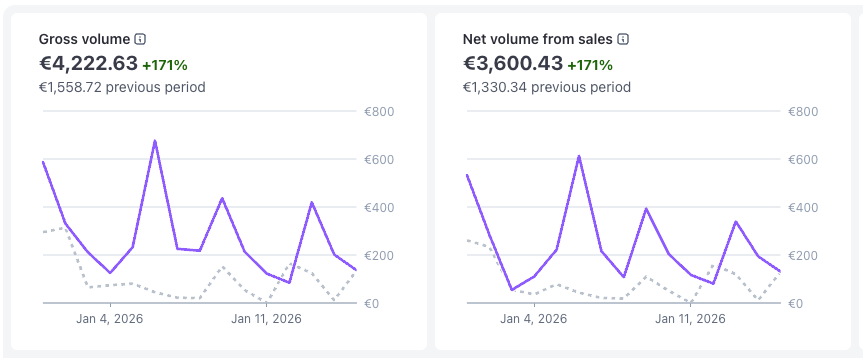
About my 2026 Goal:
1.68% Done 😁
Need to speed up 💪
1
10
122
Jan 2
Ok found some time to write my 2025 summary 😄
DockFlow - Launched on 29.03.2025
🌊 €10,225
ExtraDock - Acquired from another indie developer and relaunched in November
➕ €7,397
WordWhiz launched in October
🧙 €50
ExtraBar Launched on 29.12.2025
🍫 €1,058
Total from the indie hacking journey:
€18,730
This is not much, but compared to the €0 last year, this is amazing!
I didn't expect to have 4 products live, with this number of sales and customers.
All while I was relocated with my wife and two kids to another country.
Along with all the challenges of this process, we faced a new language, culture, healthcare, education for my kids, and more.
Opening a new company,
Building a new community of friends,
Building an amazing team to work together,
Learn how to sell, marketing, social, ads,
all while providing services to clients to put food on my family's table.
This was an amazing year, which marked the start of a new life for my family on the path to great success.
Can't wait to see what we will achieve in 2026.
So I wish you all an amazing new year, full of goals, health, and success. 😄🚀
4
10
97
27 Dec 2025
I was a little bit under the radar for the last few days,
Didn’t have a chance to stop and update on the progress.
So finally, after a few days of deep working (while having the kids with us at home all day 🙈)
I can tell you about everything that I built over the last few days.
So, between customer support, bug fixes, and tracking features requests from users for ExtraDock and DockFlow
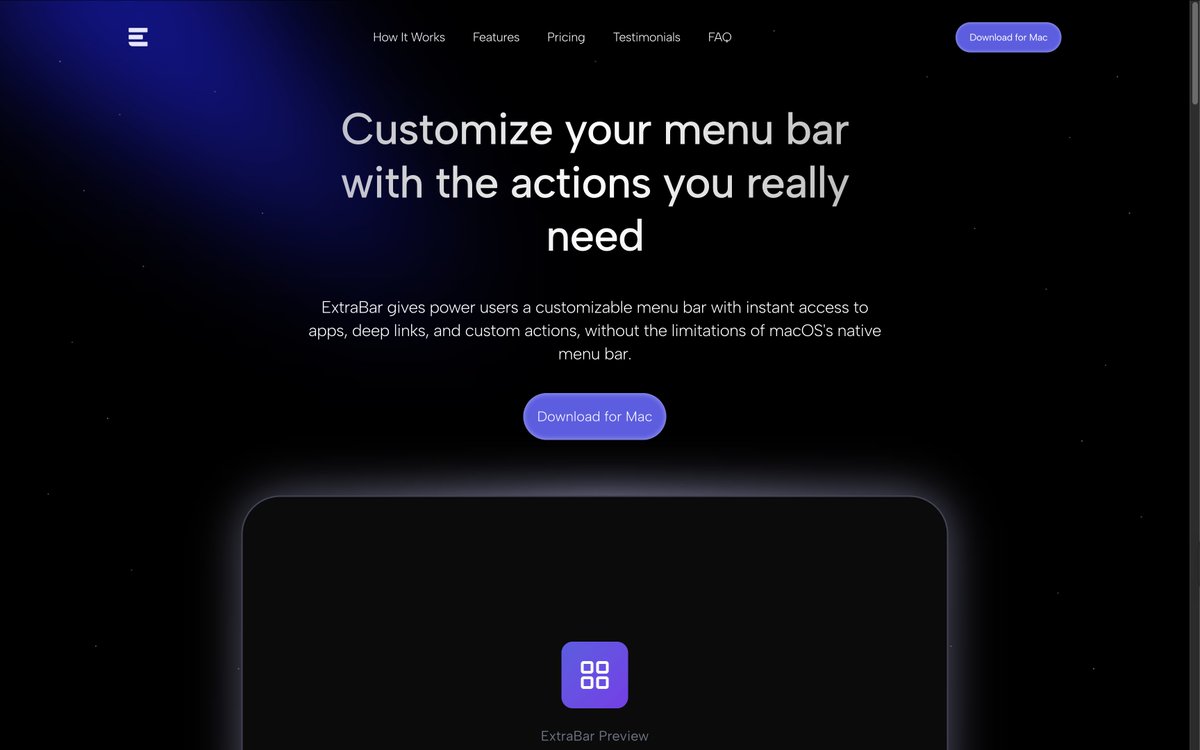
I managed to finish my new product, ExtraBar.
This app is a big challenge for me because it is so hard to explain, but after you start using it, you can’t stop 😅
So I am working hard on the website copy, creating some guide videos, and using cases to explain the app and how to use it.
The short explanation is that I built a way to create new menu bar items with custom actions, which unlocks so many options and improves productivity and efficiency while working on your Mac.
As soon as the website is live, I will share it with you and will be glad to have some feedback (hope that will be on Monday)
Attached the Hero section on my dev env 😃
BUT the most exciting thing that I built this week is a new blog system for all of my products 🤩
I will explain.
Today, for each product I have:
1. Homepage built with simple HTML with optimized assets, for fast loading.
2. WordPress website to manage the blog for the website serve the static home page using a custom functions file.
This setup evolved from building the home page with Elementor first for fast results, but it became unusable to work with Elementor and make changes as the website grew, so we built this override for the homepage to improve SEO and page results.
We had a few issues with this kind of setup:
Hard to maintain and update the homepage
Different WordPress versions, multiple sites to maintain, various plugins, slow load times, premium plugin dependencies, and limited customization options.
Managing the blog for each one of them in a separate admin panel, without any option to see all the blog schedules for all of them in one place.
These issues drive me to develop our own blogging system, and the result is amazing 🤩
From zero to a fully functional homepage with a blog system in 10 minutes,
Follow simple installation instructions using the CLI.
All the websites use the same blog package that I built, so when you need to add more features, publish a new version of the package, and all the websites can get the updates.
Advanced SEO tools built into the system with unlimited customization,
And the most helpful feature for us is full integration across multiple sides into a single Admin system that can manage the blogs for all the websites without the need to log in to each one and update them separately.
With a shared calendar, we can get the complete blog scheduling.
And the most exciting and geeky part of this project is that I built my dream programming environment setup using a simple CLI tool installer.
So for each new website installation, I get all the linting, testing, type checking, and the default packages I love to use out of the box, with all the configurations.
All the AI tools I use are installed by default, making it super easy to share with my team and ensure we are all using the same best practices and advanced tooling that make development faster and more efficient.
This post become too long already, but if you are interested, I will have more deep dive posts about this system 😅
We have a few days left until the end of the year,
I am going to push super hard over the next few days to launch my new product, get four products live, and start sales for the new one already this year. 💪
1
5
93

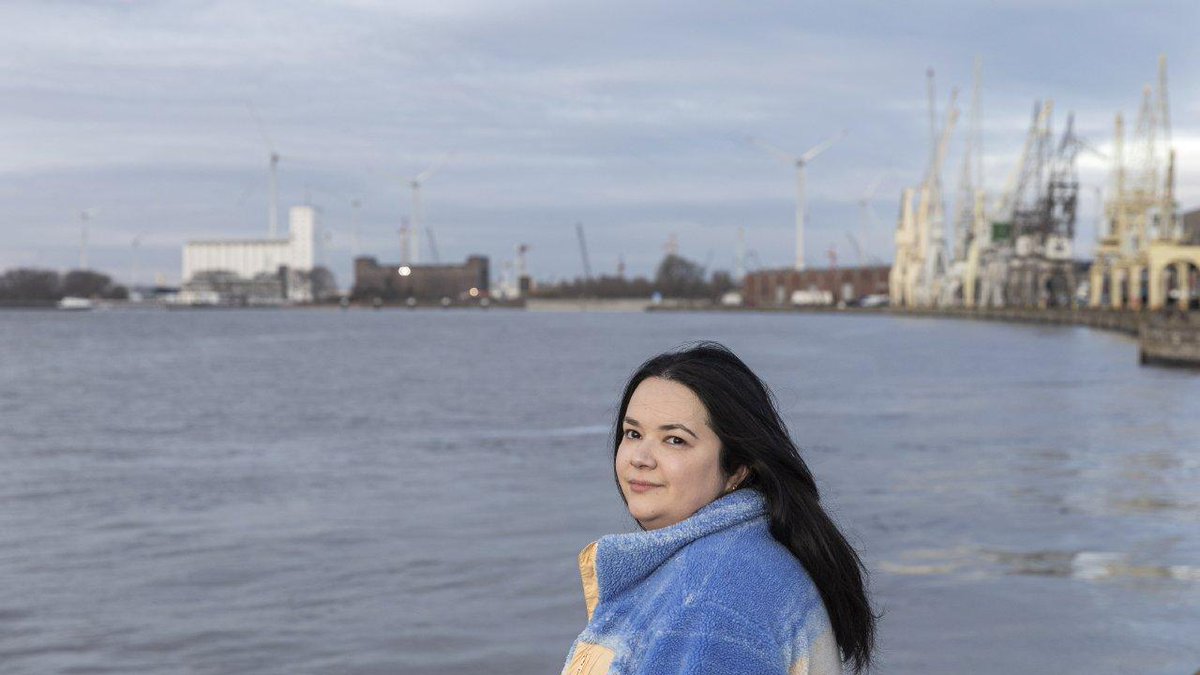
Jong, ondernemend, innovatief, talentvol: dat is Pauline Van Ostaeyen. Met haar start-up #Dockflow neemt zij de administratieve rompslomp van al 2000 bedrijven in de maritieme sector uit handen. Ontwikkelde een platform waarmee containers in real time kunnen worden gevolgd. Top!

Pauline Van Ostaeyen, mede-oprichter Dockflow: ‘Een werknemer die iets beter doet dan ik, dat maakt me blij’ tijd.be/ondernemen/logistiek…
1
12
453

Pauline Van Ostaeyen, mede-oprichter Dockflow: ‘Een werknemer die iets beter doet dan ik, dat maakt me blij’ tijd.be/ondernemen/logistiek…
2
2,137
17 Dec 2025
Exactly! Dockflow on BSV shows how blockchain can make transparency real and impactful.
4
27

17 Dec 2025
Dockflow MintBlue are redefining logistics with blockchain efficiency. Smarter, faster and built to scale!
hub.bsvblockchain.org/case-s…
#BSV #Innovation
1
2
7
56

9 Dec 2025
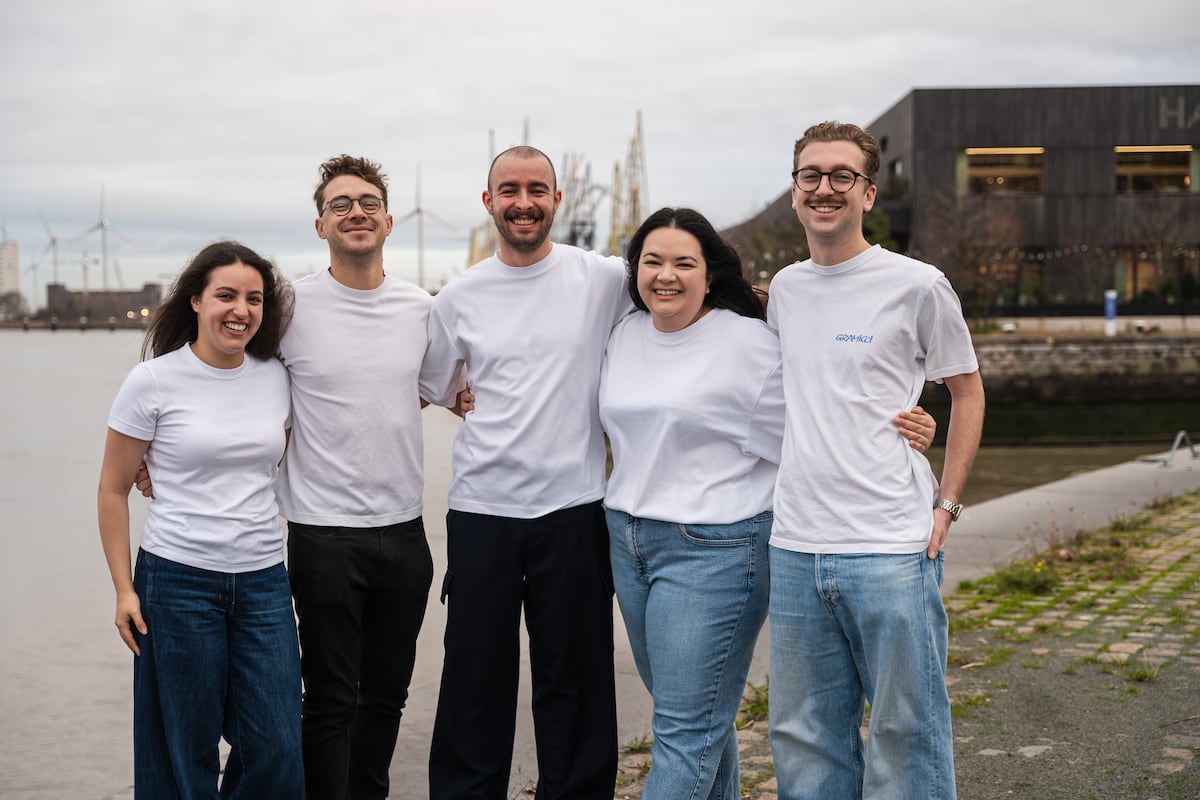
La start-up anversoise Dockflow optimise la logistique maritime : “C’est comme si vous suiviez un livreur Deliveroo ou UberEats” lalibre.be/economie/entrepri…
1
587