

For those building ios app:
Comment below why your app got rejected so we can create a cheat sheet to help others!
I'll start 👇
#iosappdev #appledeveloper #developer #Testflight
2
1
53

2025 TikTok Ads on iOS be like:
ATT → 26% opt-in
SKAN → results on Thursday for Monday spend
Apple review → “remove fingerprinting”
Me: releases The Mindset anyway
#tiktokads #iosappdev
2
34

25 Nov 2025
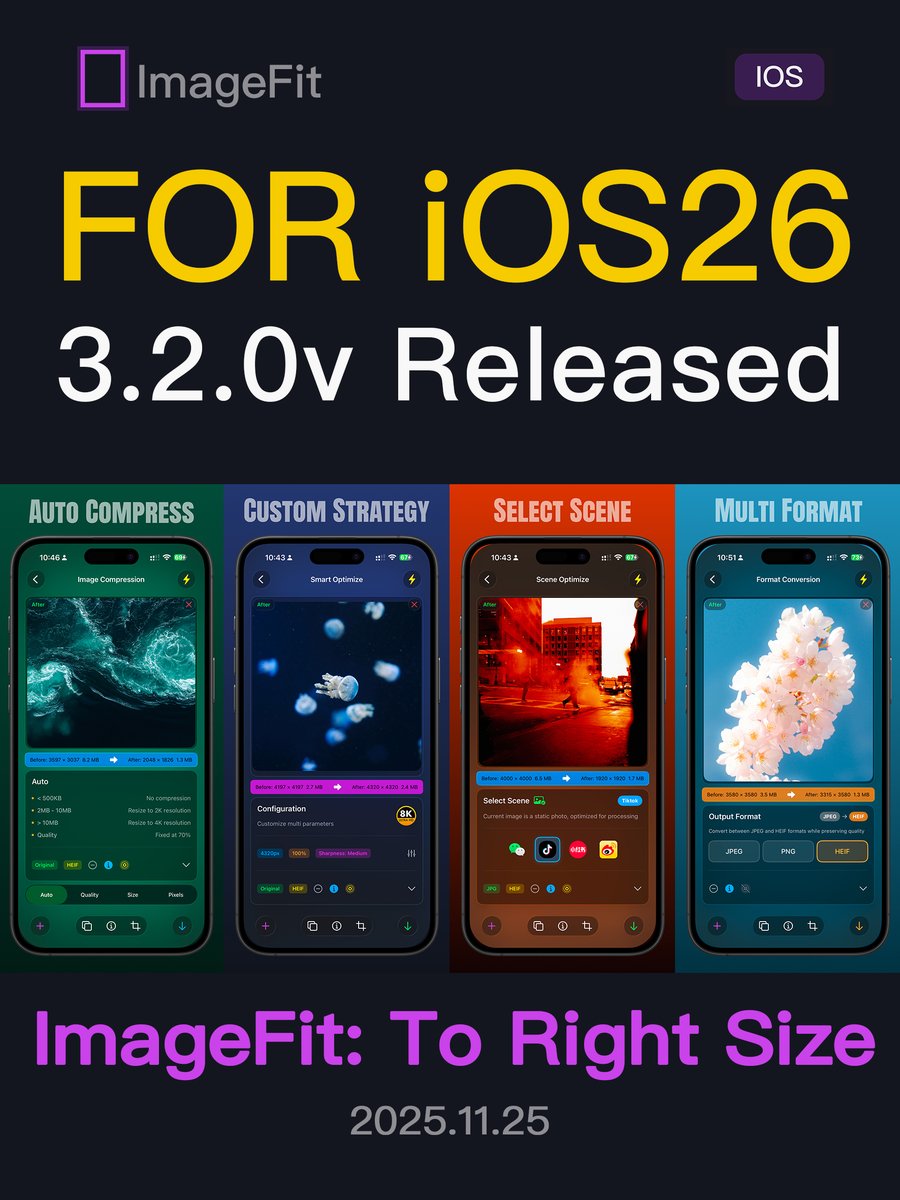
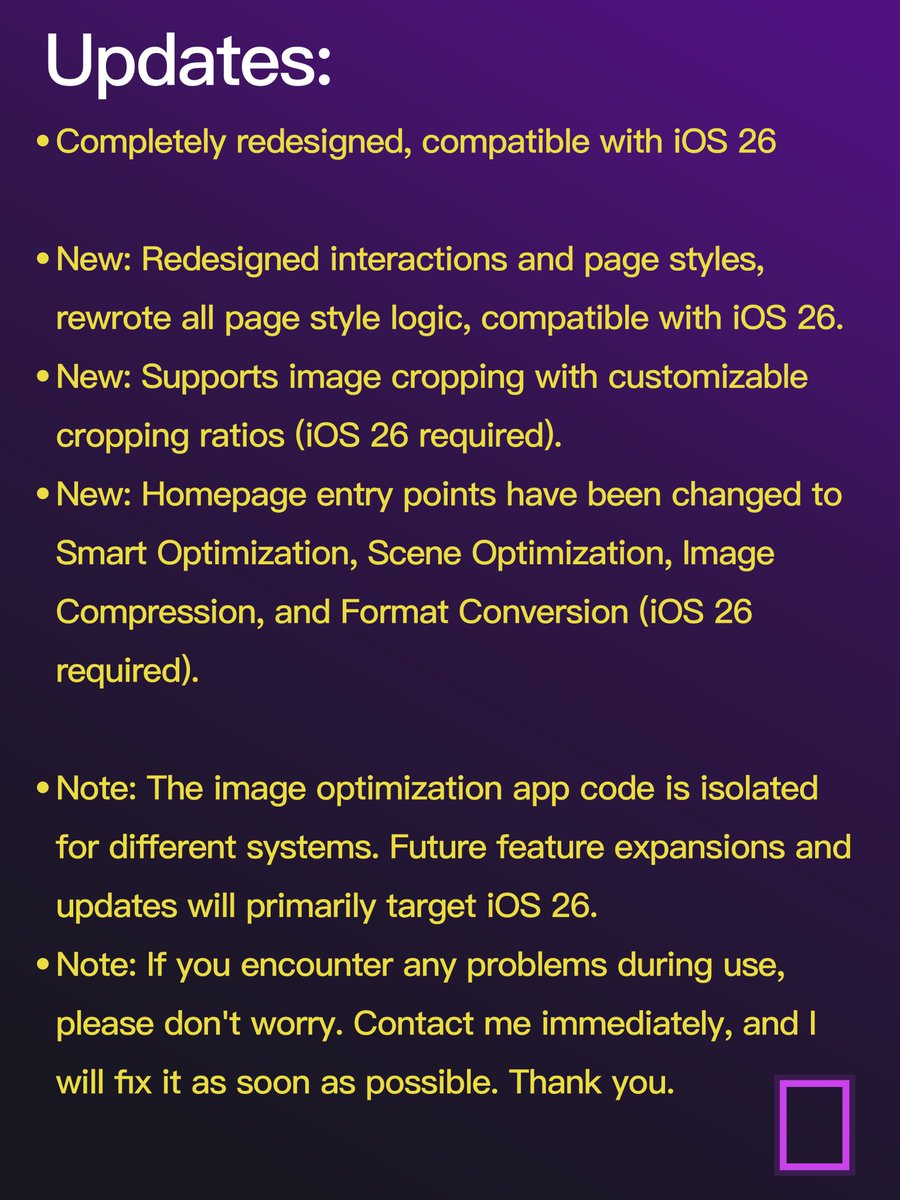
To better support iOS 26 and deliver a smoother Liquid Glass experience, we spent the past 14 days rebuilding all frontend pages and redesigning key interactions. Please update to enjoy the improved experience.
Link: apps.apple.com/app/id6736737…
#ios26 #imagefit #iosappdev
1
175

23 Nov 2025
A poco de publicar la nueva actualización de mi aplicación Taiko Drums: Play Along, con funciones de tocar musica de acompañamiento, importar tus propios audios, grabar, exportar, y hasta usarla como Superficie de Pads MIDI. #iosdevelopers #iosappdev
1
47

17 Nov 2025
Day 2 of building my photo-cleaning app with AI
0/ Before I start — If you want to join the first 100 beta testers, drop a comment! (We’re at 11/100 👀)
1/ Today is Day 2 of my AI-powered app-building journey. Yesterday I spent the entire day wrestling with the developer doc, and finally got it done. Huge relief.
Now… I can finally start writing actual code — aka letting Codex take the wheel.
2/ As someone who’s NOT a developer, using AI to write code feels like opening a mystery box every time. You type a command → It might: 💥 throw a cryptic error ✨ magically build something great 😵💫 or break everything you just fixed
Every prompt is an emotional rollercoaster.
3/ Today's progress felt solid though. I focused on two things: ✔️ Finishing the README (super important!) ✔️ Starting the UI layout
(I’m still using Codex inside Cursor’s chat mode — CLI people I respect you but I can’t 😂 Chat box gang rise up.)
4/ Before coding, I asked Codex to generate a full README. This document becomes the “memory” for the whole project — AI constantly checks it when building features. A clean README = fewer random errors.
Then I told Codex:
“Okay, follow Phase 1 in the doc. Let’s start.”
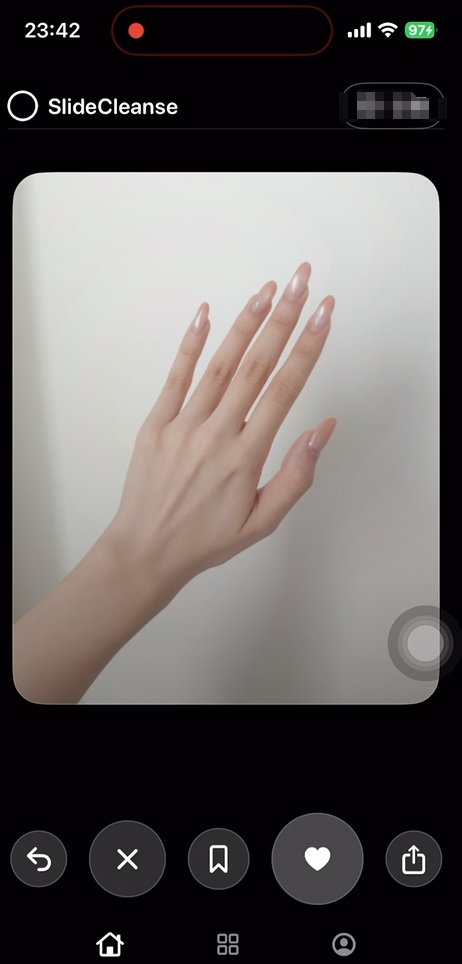
5/ I also sketched a very cursed wireframe on my iPad (don’t laugh) just so Codex has something to reference. No ideas? Let AI improvise, or browse Figma templates. I’m personally mimicking Tinder’s swipe UI because it just makes sense for photo cleanup.
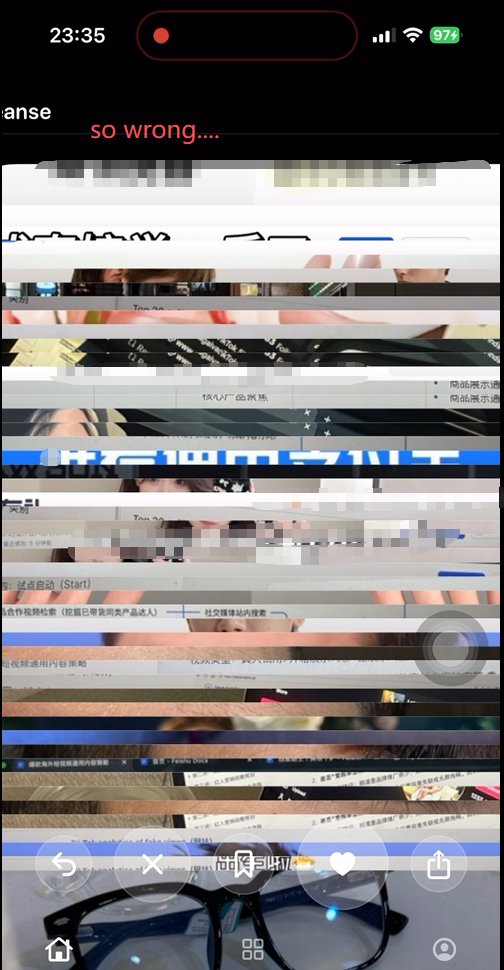
6/ The first UI Codex generated looked… questionable. But that’s fine. You literally screenshot the issue → throw it back to AI → “Fix this.”
A few iterations later, the basic UI swipe logic were up and running.
Pretty fast actually.
7/ Then came the annoying part: Horizontal photos broke the layout. So I showed AI a Tinder screenshot and said: “Think. Why does theirs work? Fix mine.”
It worked 😂
After more back-and-forth, I finally got a clean UI:
– Left & right swipe
– Proper layout
– Decent polish
BUT…the loading photos was painfully slow.
8/ I switched to chat mode again and kept questioning Codex: “Why slow?” “What’s causing the delay?” “What should I optimize?”
Ask until you understand →
THEN switch back to agent mode →
“Okay, implement the fix.”
This loop is magical.
9/ Today’s summary: I basically finished the core functionality initial UI of the photo-cleaning app. The skeleton is ready — Now it’s time to slowly fill in all the meat.
Tomorrow will be fun.
If you're enjoying this dev diary, let me know — I’ll keep posting daily updates. #iosappdev #iosappdevelopment #vibecoding #AI #technology
1
35

17 Nov 2025
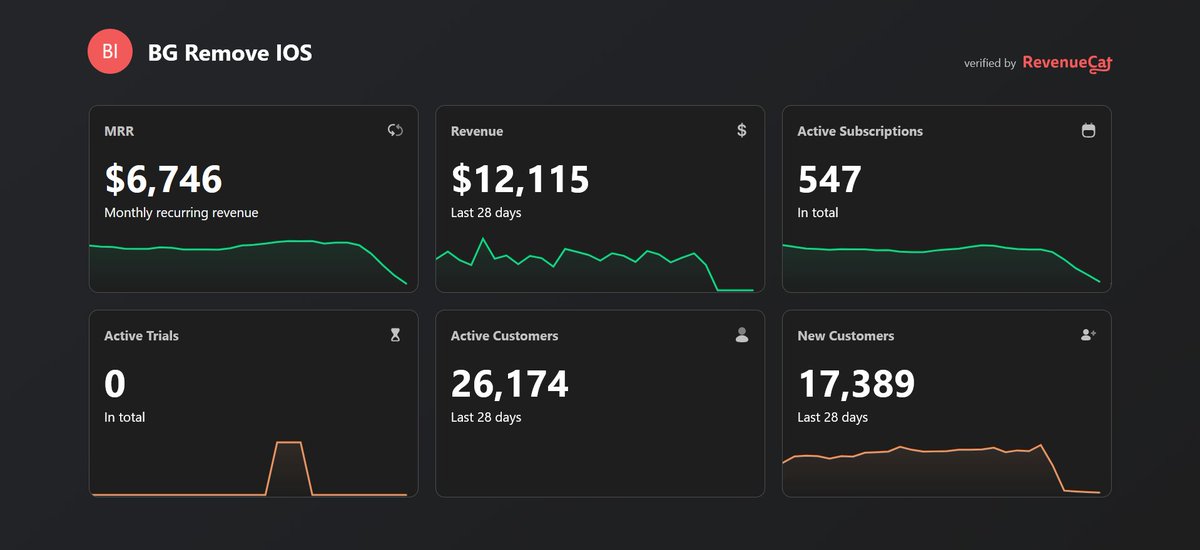
How our app business went from scaling → zero overnight.
Two years of clean growth. Real users. Stable retention. We invested in UX, backend, support — everything to build a legit product.
Let me start with this RevenueCat chart.
verified.revenuecat.com/back…
#buildinpublic #iosappdev #appstore #indiedevs #developer
3
1
10
1,060

16 Nov 2025
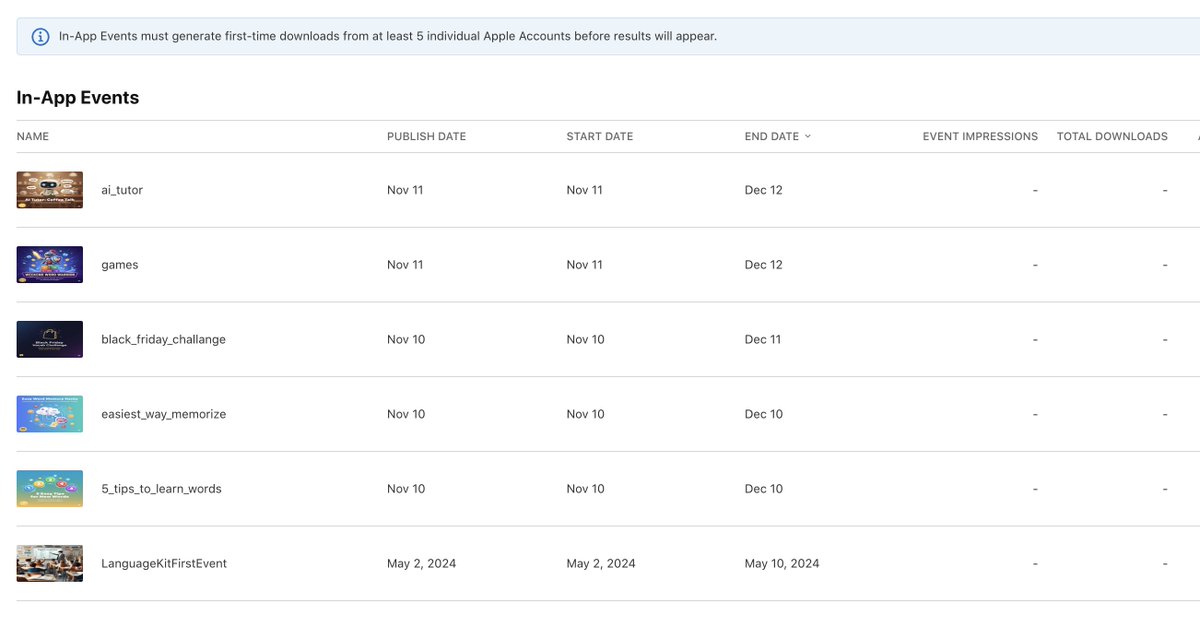
iOS devs, have you ever tried in-app events?
It's been a week, and still nothing :)
#iOS #iosappdev
1
84

16 Nov 2025
Try using this online tool godbolt.org/z/hvoThhn9Y to write code in different languages (including Swift) directly in the browser and see how the compiler lowers it. You can also experiment with optimization flags under the output settings to observe how the generated code changes.
#iOS26 #iosappdev #iOS
1
45

15 Nov 2025
1
1
23

14 Nov 2025
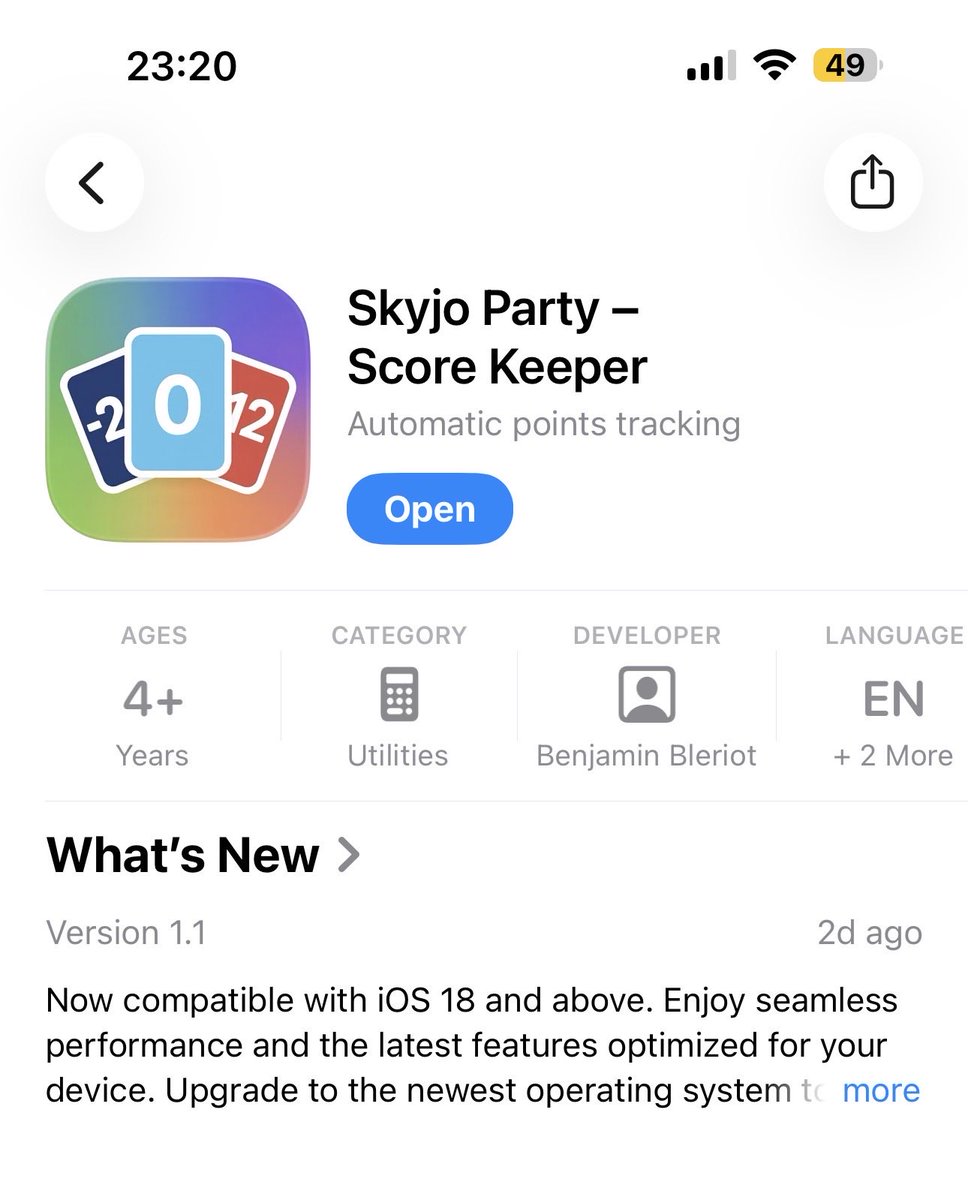
New app is on air!
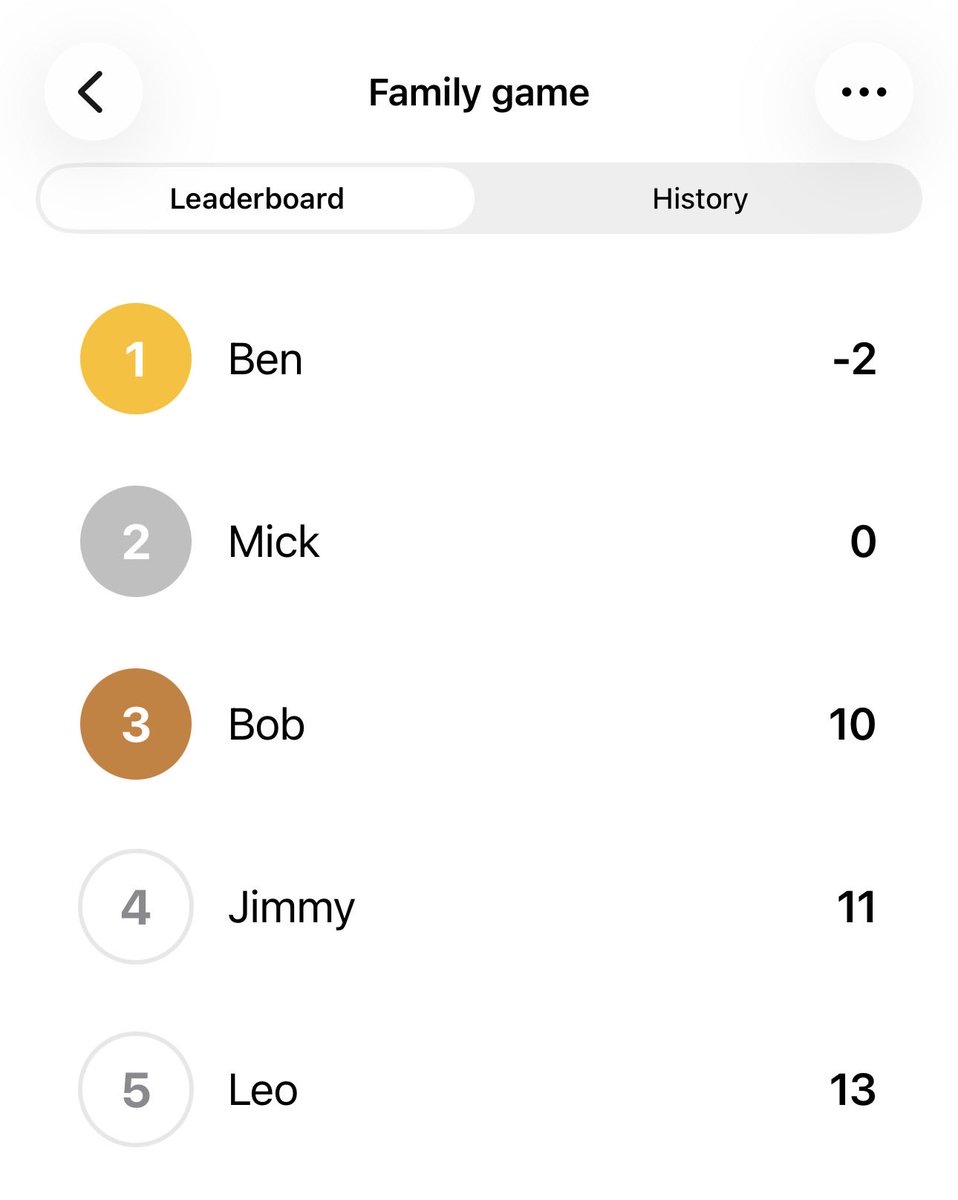
Tired of keeping score for everyone at skyjo?
Stop counting!
Stop cheaters!
Tracking score is now easier
Skyjo Party is now available on App Store 🎉
#Apple #iOS #boardgames #viral #skyjo #iosappdevelopment #iosappdev #SwiftUI
1
5
226

14 Nov 2025
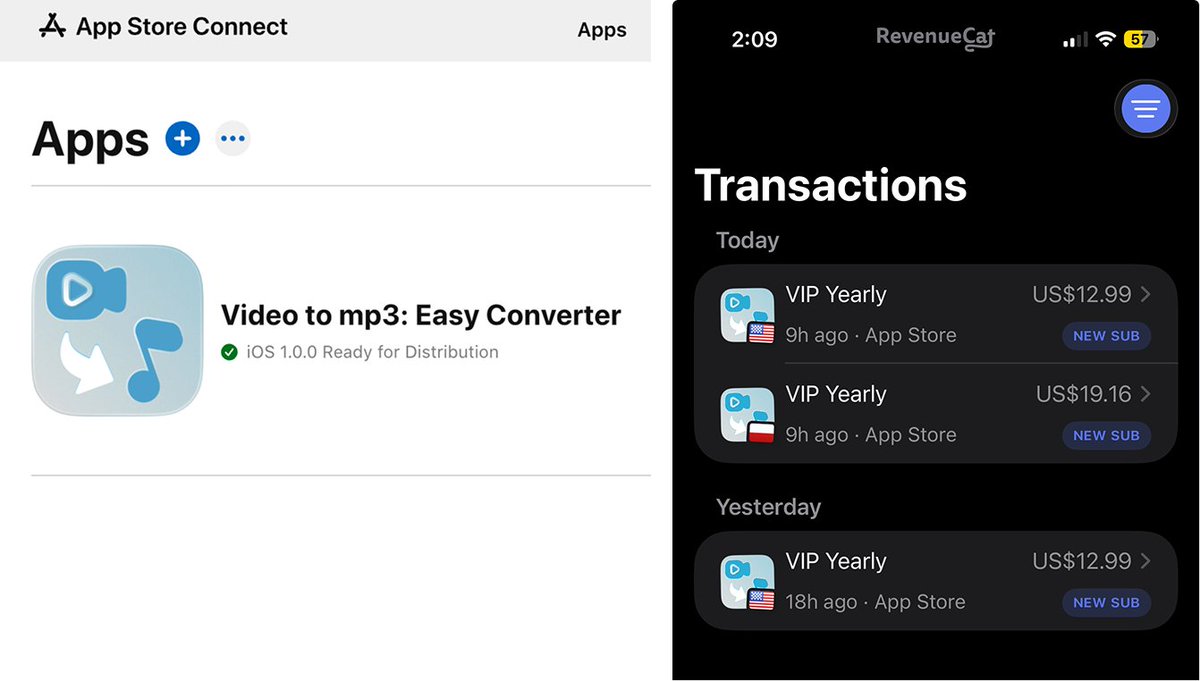
🚀 Launched 2 Days Ago → Already got 3 Paying Users! Small Win!
App Link: apps.apple.com/us/app/video-…
#buildinpublic #iosappdev #indiedev
ALT app store screenshot Revenuecat dashboard
38

13 Nov 2025
The hardiest thing for my long-distance relationship is "connection" & "pysical touch". Now I will solve the problem via a AI-driven App called "Booth Us", it will be released tmr, hope I can get a good feedback from app store. #indiehackers #iosappdev
1
1
41

12 Nov 2025
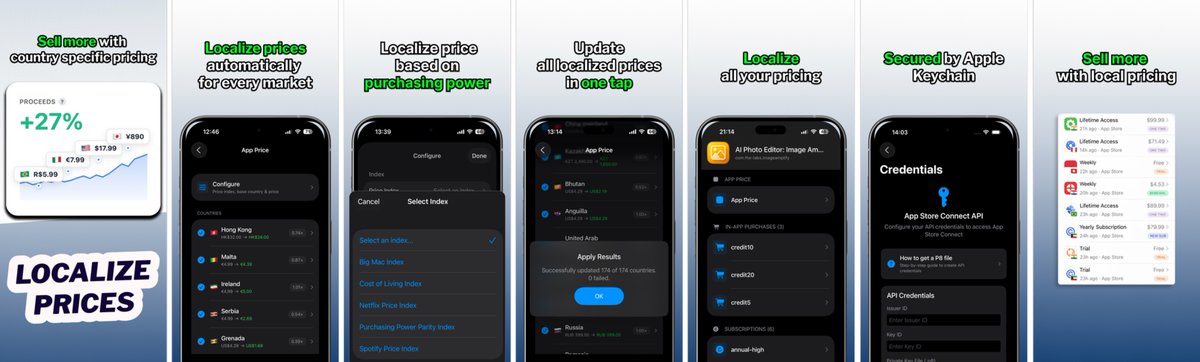
My first developer app just went live on the App Store 🚀
Giving away 20 free annual codes for developers who want to optimize pricing or run paywall experiments.
Reply "localize" - first 20 get one ⚡
The backstory: I realized flat pricing was costing me 20-40% of potential revenue. A $10/month app in the US should be $2-3 in India, Vietnam, etc.
So I built Localize Price - Parity, automatic pricing across 175 countries.
Early results:
- 41% higher LTV per customer
- Better conversion in emerging markets
apps.apple.com/us/app/locali…
#SwiftUI #iosappdev #iosdevelopers #AppDevelopment

4
4
434

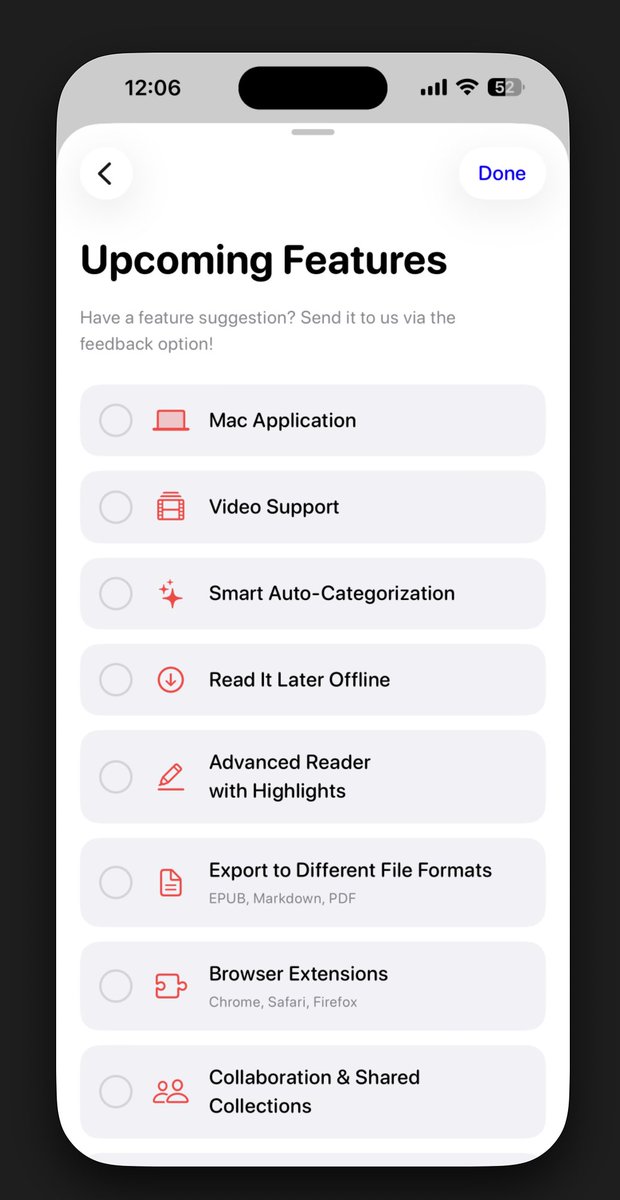
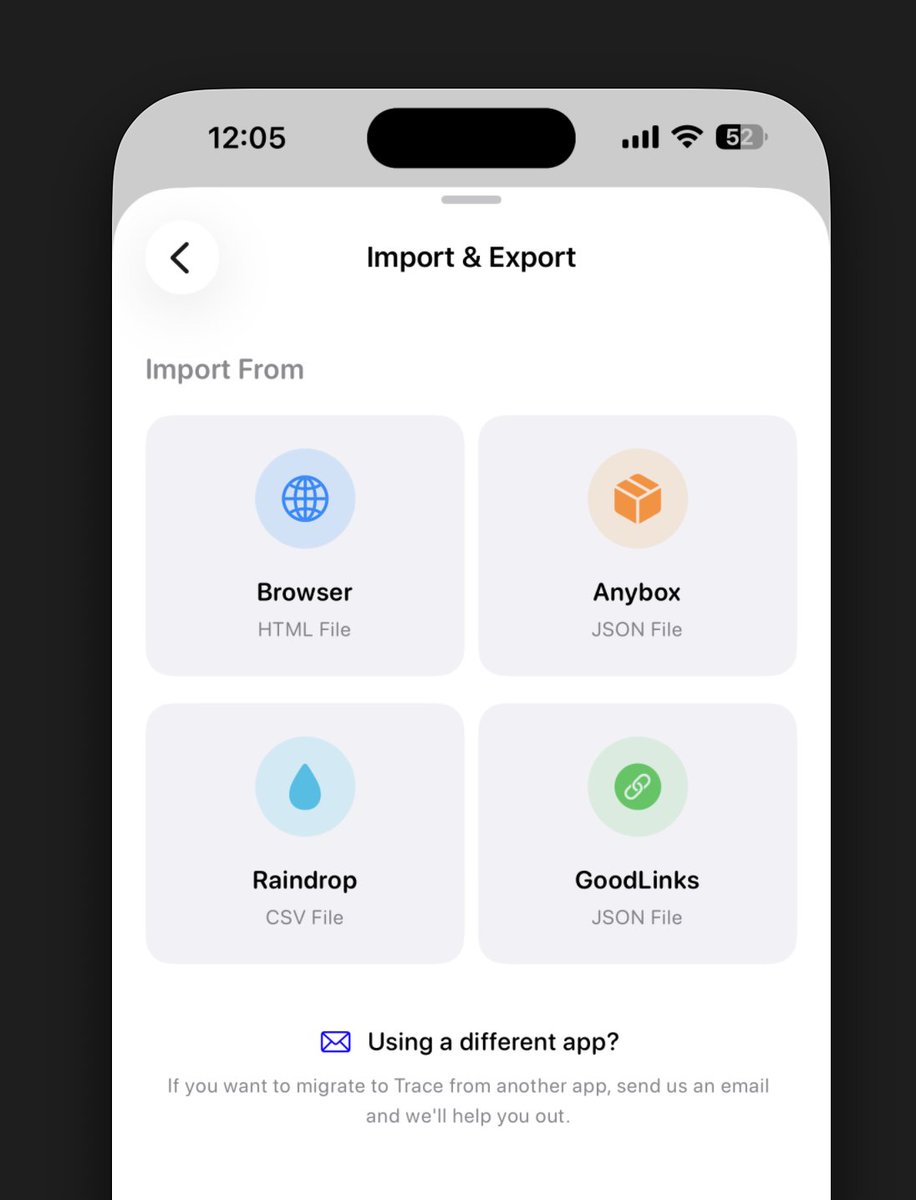
I’m really happy to share that a new update of Trace is now live on the App Store!In this version, I focused on:
• Fixing most of the bugs and improving performance
• Adapting the app to the new iOS 26 design language — and I’m super happy with how it turned out
• Adding small tweaks to make everything more accessible and quicker to reach
• And for those who already use another app to save bookmarks — you can now import your bookmarks directly into Trace!
• Introducing a new Roadmap view
#iosdevelopers
#iosappdev
#buildinpublic
1
1
1
202

10 Nov 2025
🚨 New app drop: TootTracker! 🚨
Log every toot with achievements, maps, and stats.
ARE YOU TOOTIN?
apple.co/4hZYcDW
#funny #fart #iosappdev #appstore #GutHealth

43

9 Nov 2025
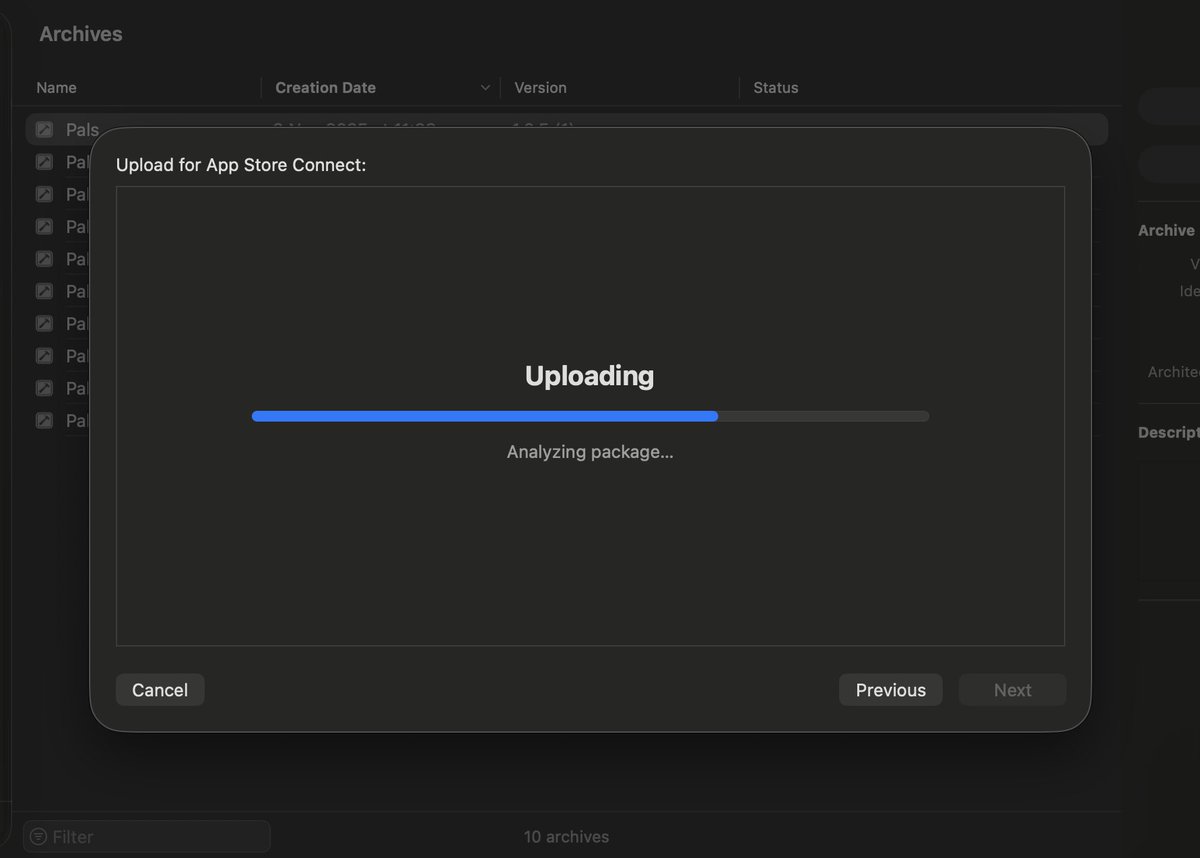
Build it. Ship it. Improve it.
Bit by bit.
It’s a marathon, not a sprint.
#buildinpublic #indiedev #iosappdev #iosappdevelopment
2
27
9 Nov 2025
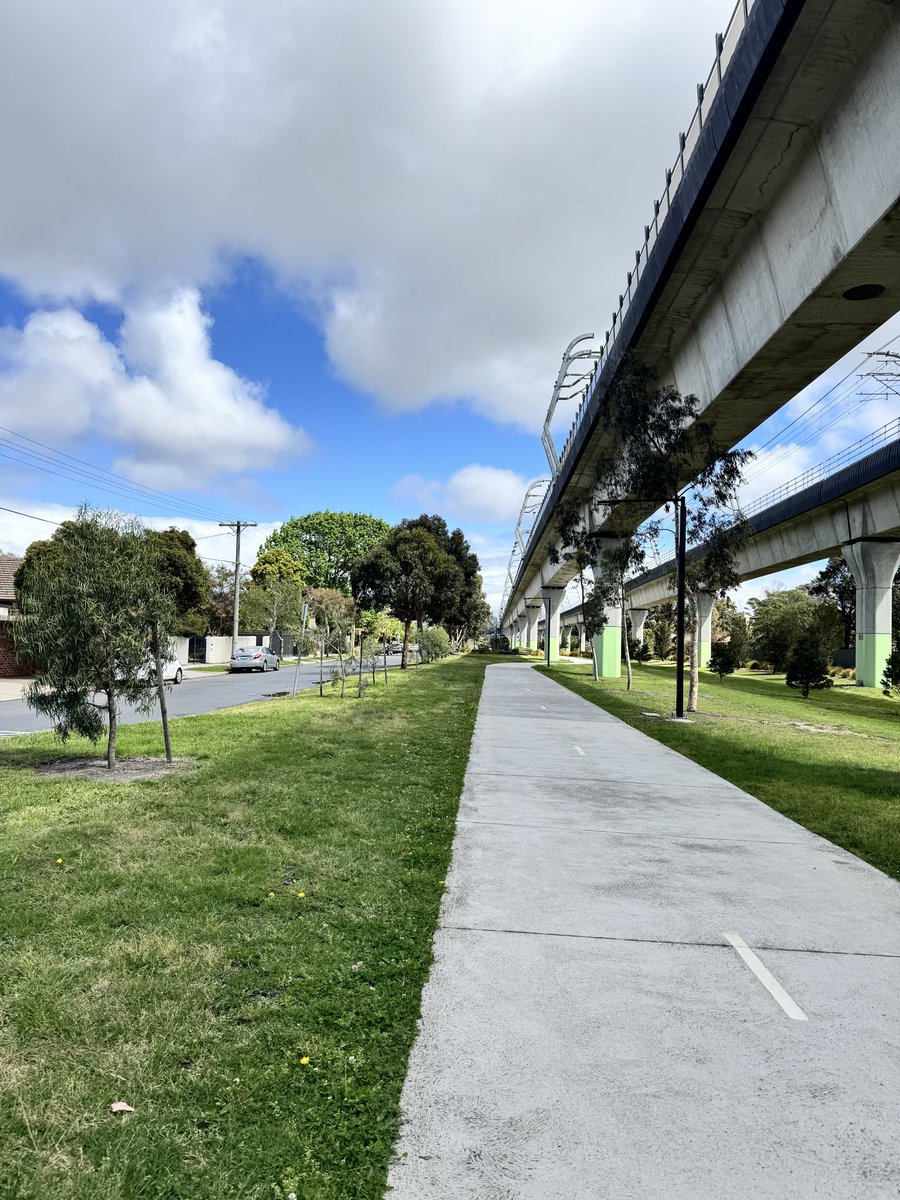
Started my day with a morning run.
It’s become the perfect space to think freely and smarter ways to grow my apps.
Sometimes the best product work happens outside the workspace.
Checkout: apps.apple.com/au/app/pals-f…
#buildinpublic #indiedev #dev #iosappdev #iosapp
2
6
100

6 Nov 2025
🚀 HairWise is here!
Snap any hair product label & let AI reveal what’s inside — ingredients, risks, and how it fits your unique hair type. 💇♀️🤖
Smarter, science-based haircare starts now.
📲 Download: apps.apple.com/us/app/hair-p…
📝 Learn more: agamdevlabs.com/posts/hairwi…
#HairWise #AI #Haircare #BeautyTech #OpenAI #iosappdev
44

5 Nov 2025
58