
Jun 14
Before installing another package, ask yourself:
"Can I solve this with native JavaScript?"
Sometimes the best dependency is no dependency.
#JavaScriptTips #WebDevelopment #CleanCode
1
5
162

Jun 9
JavaScript Debounce vs. Throttle: When and Why to Use Each
Modern web apps handle countless user interactions every day. But not every event should trigger a function immediately.
Consider a search box, infinite scrolling feed, or window resize handler. Events like typing, scrolling, and resizing can fire dozens of times per second. Without optimization, this can lead to:
📌 Excessive API requests
📌 Sluggish user interfaces
📌 Increased server load
📌 Unnecessary CPU and memory usage
This is where debouncing and throttling come in.
These techniques control how often a function executes during high-frequency events, improving performance and user experience. They solve similar problems, but in very different ways.
Understanding the Problem
Imagine a search input that fetches suggestions from a server.
Without optimization, every keystroke triggers an API call.
Typing the word JavaScript would result in 10 separate requests. Most of those requests become outdated before the response even arrives, wasting network resources and impacting both frontend and backend performance.
What is Debouncing?
Debouncing delays function execution until the user stops triggering the event for a specified period.
Think of it as waiting for silence before responding.
Every new event resets the timer. The function only executes after the activity has stopped for the configured delay period.
Best use cases:
✅ Search suggestions
✅ Form validation
✅ Auto-save functionality
✅ Filtering large datasets
With debouncing, typing "JavaScript" in a search box can result in a single API request instead of ten.
What is Throttling?
Throttling takes a different approach.
Instead of waiting for activity to stop, it limits how frequently a function can execute during continuous activity.
For example, with a throttle interval of one second:
• The first event executes immediately
• Additional events are ignored until the interval expires
• Execution continues at fixed intervals while activity remains active
Best use cases:
✅ Scroll event handlers
✅ Window resize events
✅ Mouse movement tracking
✅ Real-time dashboards
✅ Analytics and event tracking
Throttling can reduce ten search-triggered API calls to only three while still providing regular updates during user interaction.
A simple way to remember:
🔹 Debounce = Wait until the user is finished.
🔹 Throttle = Allow execution, but only at a controlled rate.
By applying the right technique, developers can reduce backend load, optimize resource usage, improve responsiveness, and build smoother web applications.
Whether you're building search functionality, dashboards, or analytics systems, knowing when to use debounce and when to use throttle is an essential JavaScript performance skill.
#JavaScript #WebDevelopment #Frontend #Performance #Programming #SoftwareDevelopment #Developers #Coding #WebPerformance #JavaScriptTips
59

Feb 22
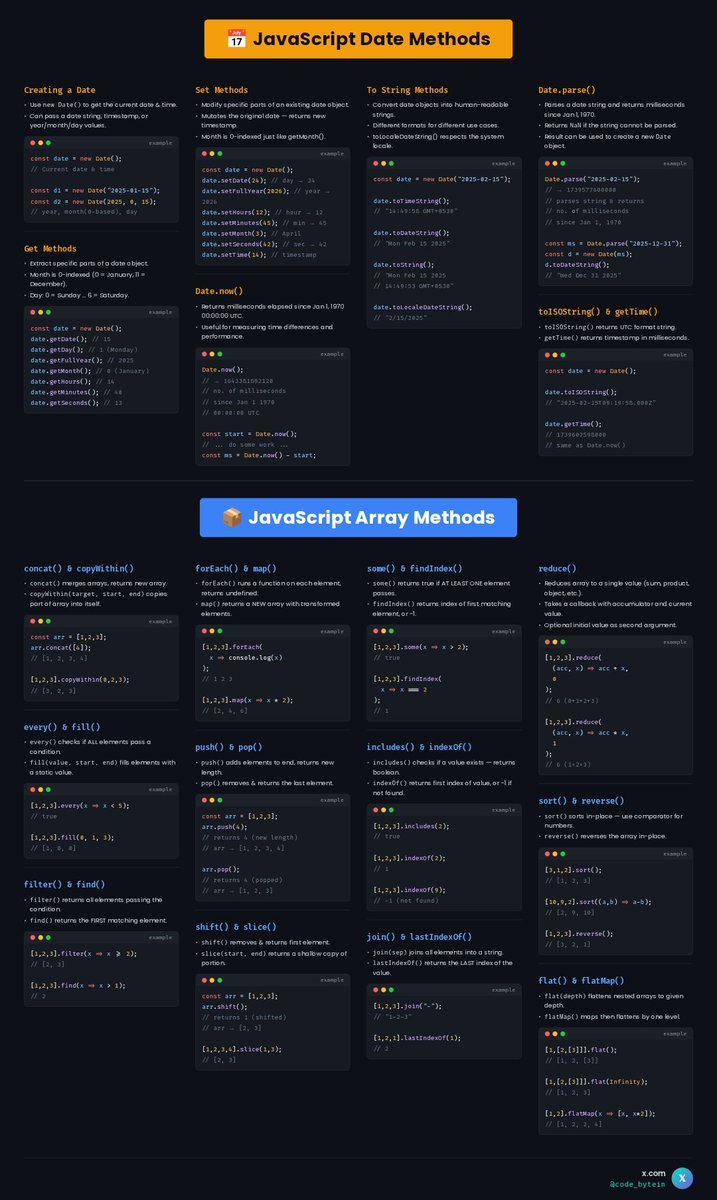
JavaScript Date Methods Array Methods One Sheet, Everything You Need!
Stop Googling the same methods every time. Save this. 🔖
✅ Get & Set Date values
✅ Parse & format dates easily
✅ filter, map, reduce & more
✅ All with real code examples
Whether you're a beginner or just need a quick reference this one's for you
Which array method do you use the most? Comment below!
#JavaScript #JavaScriptTips #WebDevelopment #Frontend #JS #Programming #WebDev #JSMethods
4
51

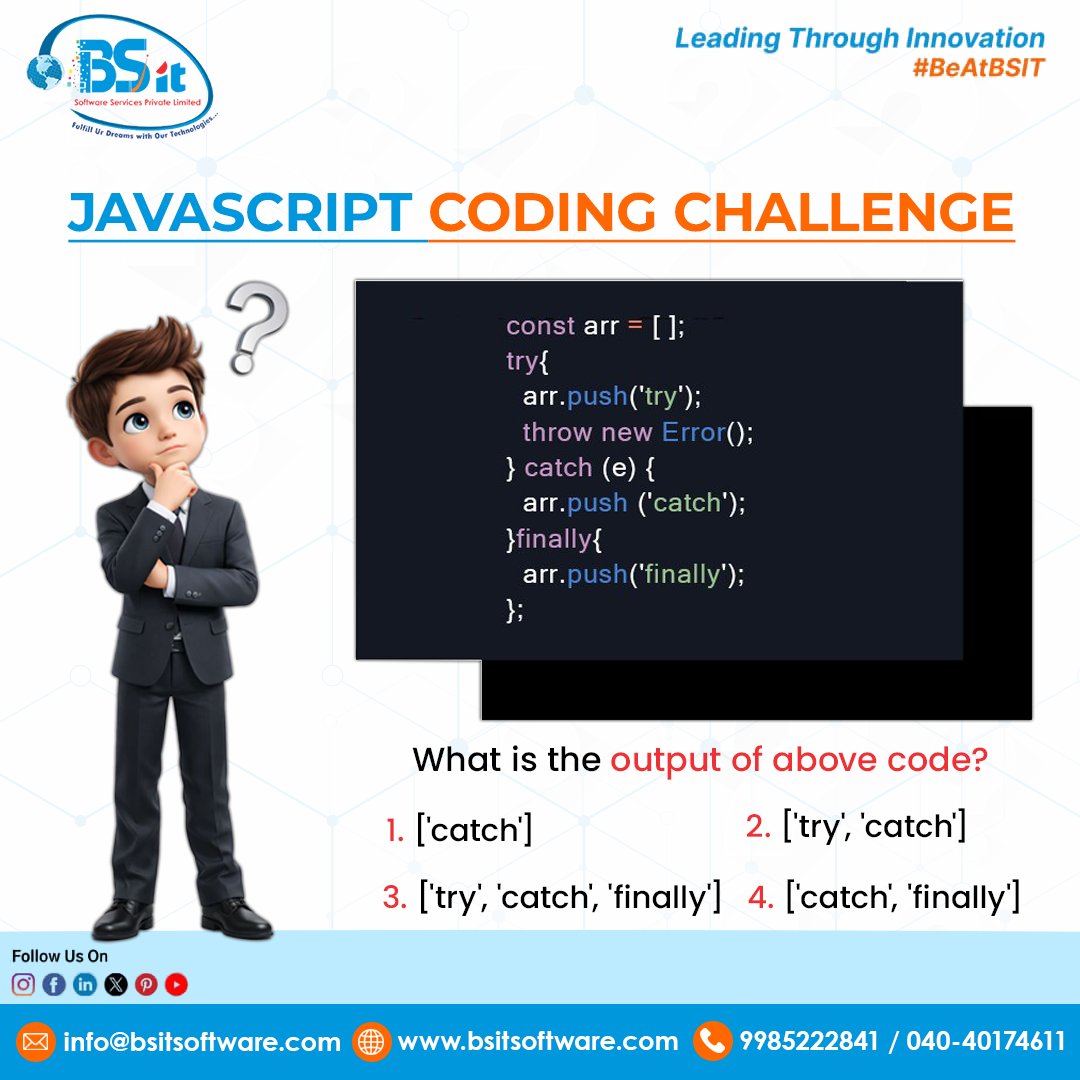
JavaScript Logic Test ⚡
A quick JavaScript challenge to test your understanding of try–catch–finally execution flow 💻🔥
At BSIT Software Services, we drive developer innovation, coding excellence, and career-focused tech growth 🚀📢
What’s the correct output? Reply with your answer and join the coding conversation!
#BSIT #BSITSoftware #BSITSoftwareServices #JavaScriptTips #CodeChallenge #DeveloperCommunity
3
12

Jan 24
Ever Accidentallly change an object and broke your state in JavaScript. That happens when you mutate an object instead of copying it.
The solution is to use ...spread operator to copy objects or arrays before making change, that way the original data stay safe.
#JavascriptTips

1
5
83

15 Oct 2025
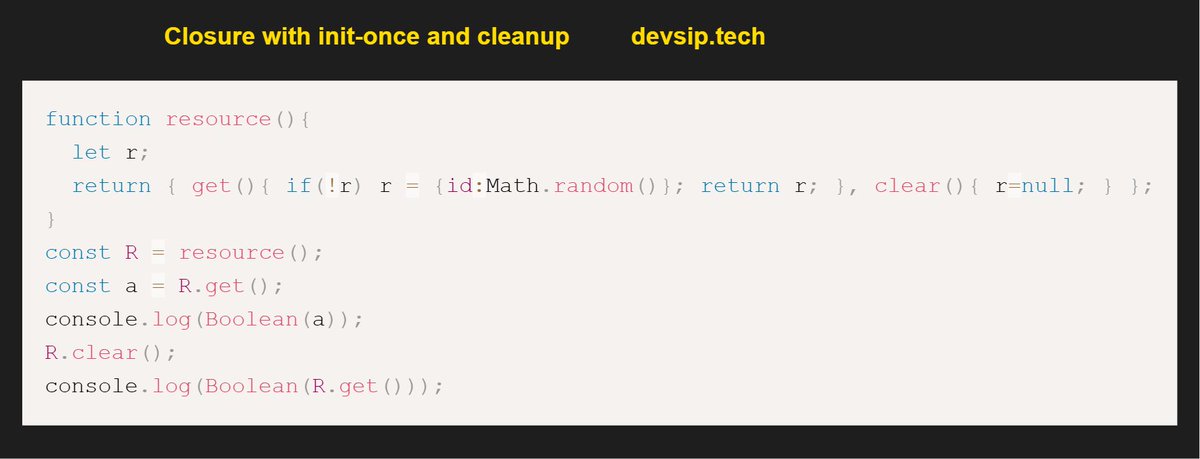
A simple cache created using Lazy init closure.
Closure challenge ->
peelcode.devsip.tech/peel/cl…
#javascriptlearning #javascripttips #SoftwareDevelopment #SoftwareEngineering #buildinpublic #letsconnect #100DaysOfCode
1
2
35

7 Oct 2025
If I filter by month, will March still come in like a lion? 🦁📈🐑 #JustCurious"
Source: devhubby.com/thread/how-to-f…
#DevTips #WebDev #JavaScriptTips #CodeNewbie #month #filter

5
8
37
1 Oct 2025
Can a font's "weight" impact the lifting capabilities of Tailwind CSS's stylus?
Source: devhubby.com/thread/how-to-u…
#Vue #JavaScriptTips #ResponsiveDesign #FontDesign
3
7
23

12 Sep 2025
💪Day 41 of #CodeStreak
Optional chaining (?.) prevents errors:
No more "Cannot read property..." nightmares.
#CodeStreak #JavaScriptTips

3
40

1 Aug 2025
null ?? 'valor'
Te da 'valor' solo si el primero es null o undefined.
Mejor que usar || cuando quieres respetar falsy como
0 o "".
#JavaScriptTips
1
24
1,031

30 Jul 2025
Is there a WebSocket equivalent of a 'do not disturb' sign for random disconnects? 🛑
Source: devhubby.com/thread/how-to-h…
#JavaScriptTips #JS #TechCommunity #ProgrammingTips #browser #websocket

3
5
73

28 Jul 2025
6/6 ) 🧵 In short: Profile, minimize DOM access, optimize loops, and manage memory well. Small changes can make a HUGE difference! Try these tips and see the speed boost! Happy coding! 🥳 WebPerformance JavaScriptTips WebDevHelp
2
80

24 Jul 2025
The DOM powers everything from responsive layouts to secure user interactions.
It’s the heartbeat of modern web experiences, no matter your tech stack.
DOM fundamentals here: talkdev.com/learning-center/…
#WebDevelopment #DOMExplained #FrontendEssentials #JavaScriptTips #UXDesign

3
45
23 Jul 2025
🧠 The DOM turns static HTML into dynamic, interactive magic.
It’s the invisible engine behind modern UX, powering real-time updates & responsive design.
Learn more about how it works and why it matters: talkdev.com/learning-center/…
#WebDevelopment #JavaScriptTips #DOMExplained
3
42

22 Jul 2025
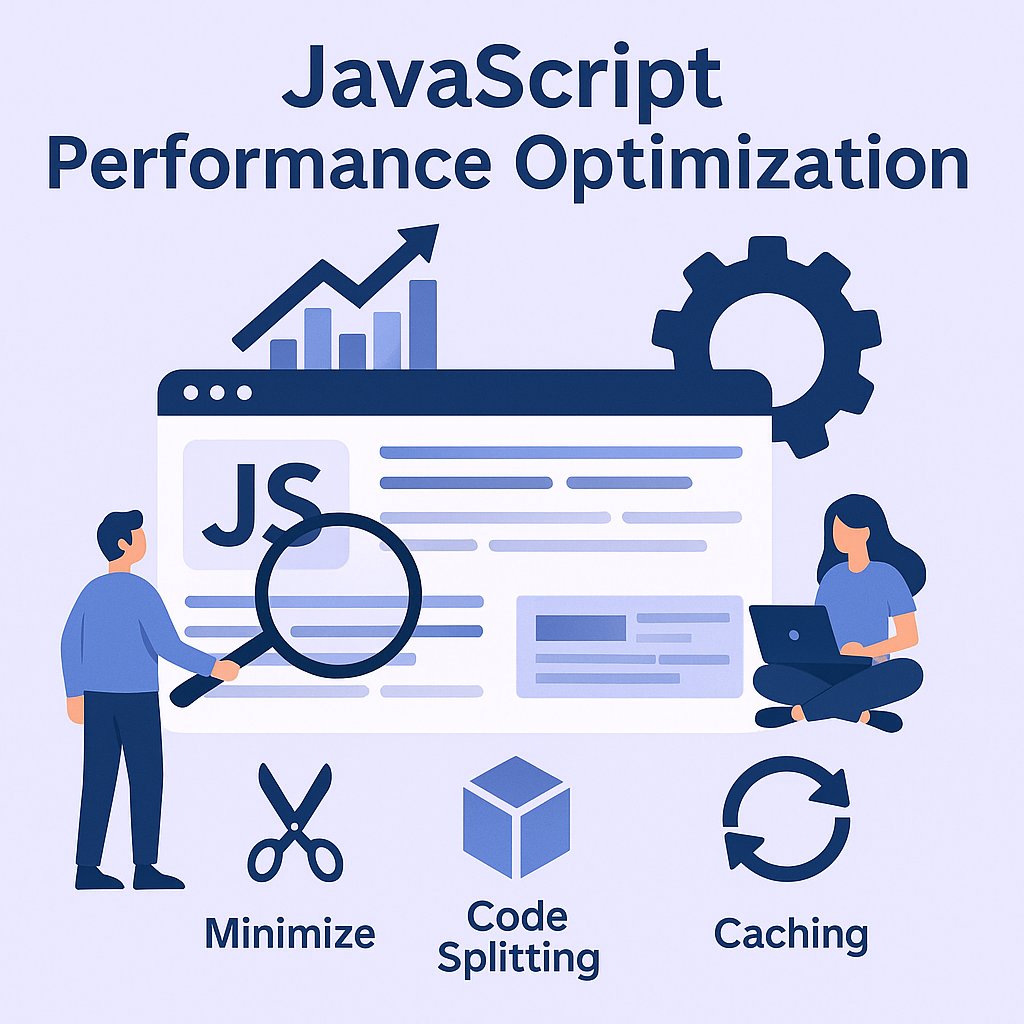
💡 Got a big web app? It’s time to supercharge your JavaScript!
Check out these 𝐩𝐞𝐫𝐟𝐨𝐫𝐦𝐚𝐧𝐜𝐞 𝐨𝐩𝐭𝐢𝐦𝐢𝐳𝐚𝐭𝐢𝐨𝐧 tips every frontend developer must know.
✅ Faster load times
✅ Better user experience
✅ Efficient memory use
𝐑𝐞𝐚𝐝 𝐡𝐞𝐫𝐞👉 c-sharpcorner.com/blogs/java…
#javascripttips #WebAppPerformance #frontendhack #sharpread #csharp #CSharpCorner
1
2
4
1,646
22 Jul 2025
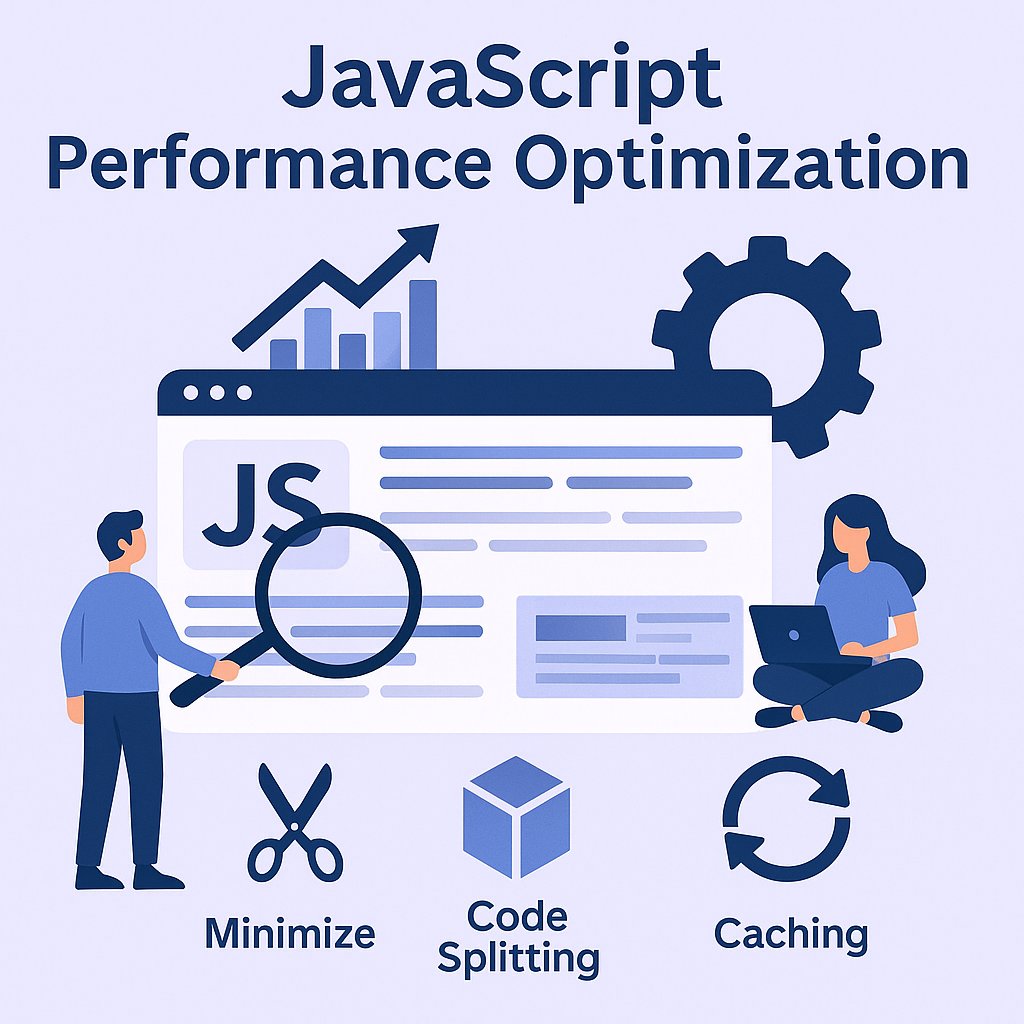
💡 Got a big web app? It’s time to supercharge your JavaScript!
Check out these 𝐩𝐞𝐫𝐟𝐨𝐫𝐦𝐚𝐧𝐜𝐞 𝐨𝐩𝐭𝐢𝐦𝐢𝐳𝐚𝐭𝐢𝐨𝐧 tips every frontend developer must know.
✅ Faster load times
✅ Better user experience
✅ Efficient memory use
𝐑𝐞𝐚𝐝 𝐡𝐞𝐫𝐞👉 c-sharpcorner.com/blogs/java…
#javascripttips #WebAppPerformance #frontendhack #sharpread #csharp #CSharpCorner
1
2
4
2,031
22 Jul 2025
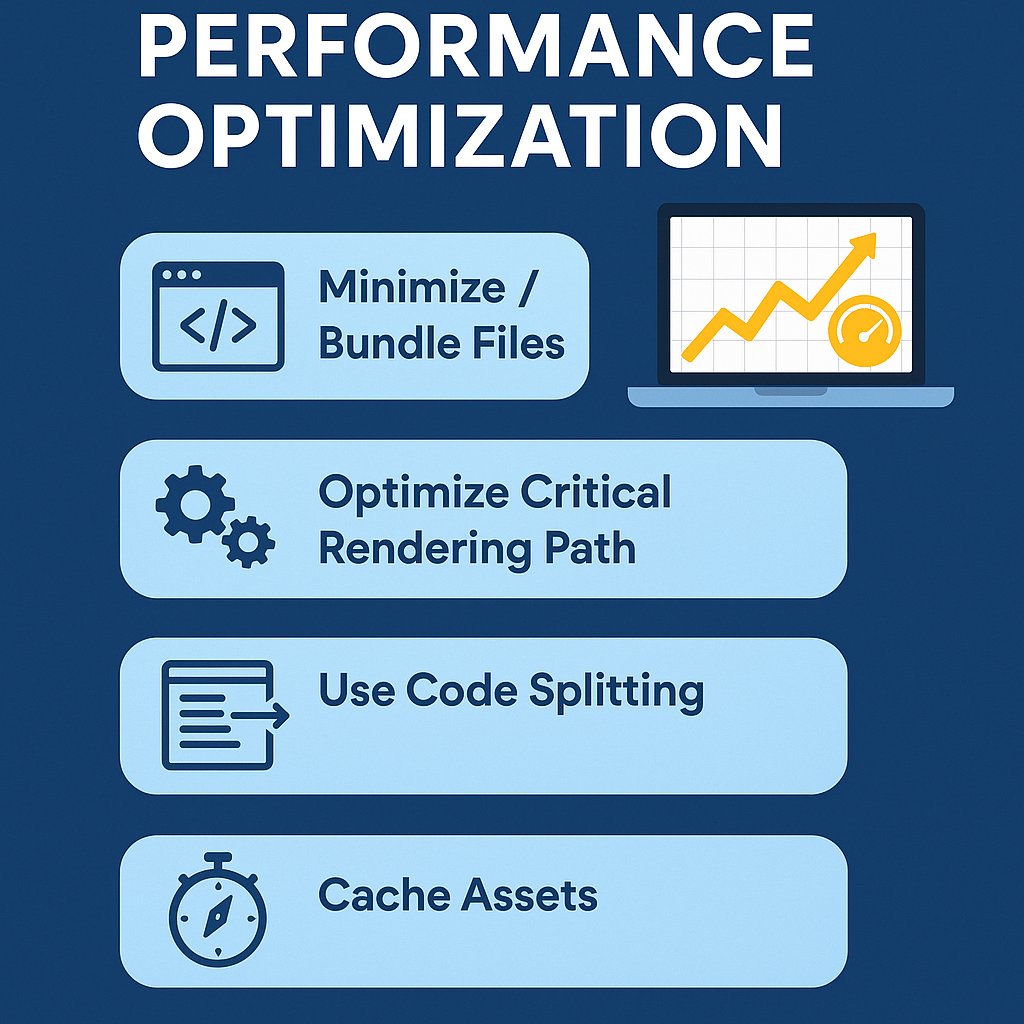
💡 Got a big web app? It’s time to supercharge your JavaScript!
Check out these 𝐩𝐞𝐫𝐟𝐨𝐫𝐦𝐚𝐧𝐜𝐞 𝐨𝐩𝐭𝐢𝐦𝐢𝐳𝐚𝐭𝐢𝐨𝐧 tips every frontend developer must know.
✅ Faster load times
✅ Better user experience
✅ Efficient memory use
𝐑𝐞𝐚𝐝 𝐡𝐞𝐫𝐞👉 c-sharpcorner.com/blogs/java…
#javascripttips #WebAppPerformance #frontendhack #sharpread #csharp #CSharpCorner
2
3
449

15 Jul 2025
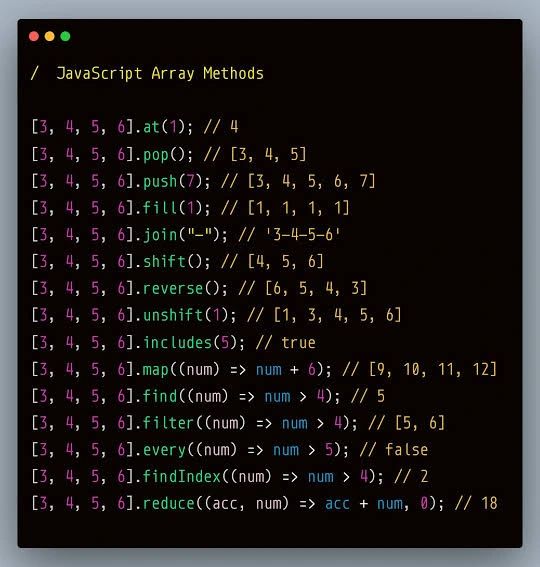
Mastering JavaScript Array Methods!
Whether you're a beginner or brushing up for interviews, understanding array methods is essential for writing clean and efficient JavaScript code.
#JavaScript #FrontendDevelopment #WebDevelopment #ReactJS #Coding #JavaScriptTips #Developers
2
5
127
15 Jul 2025
Mastering JavaScript Array Methods!
Whether you're a beginner or brushing up for interviews, understanding array methods is essential for writing clean and efficient JavaScript code.
#JavaScript #FrontendDevelopment #WebDevelopment #ReactJS #Coding #JavaScriptTips #Developers
1
2
96

11 Jul 2025
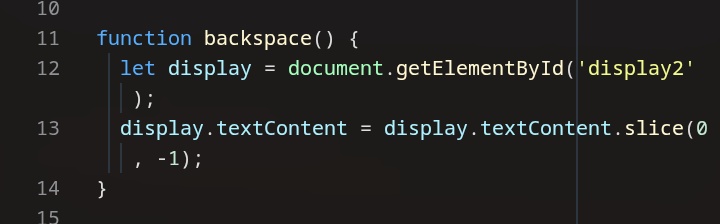
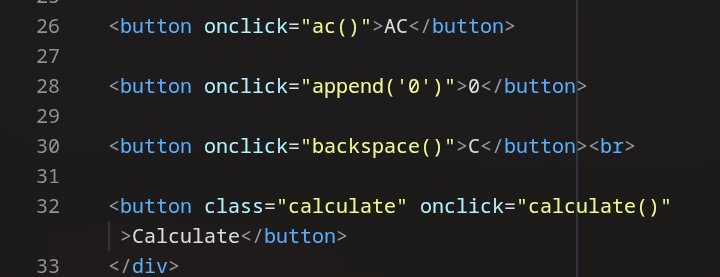
🧠 JavaScript Tip: How To Implement Backspace Using JavaScript
Need to remove the last character from any text output with the click of a button? Use the code below
Handy for backspace features or live editing tools!
#JavaScript #WebDev #JavascriptTips #CodeNewbie
2
23