
bir de bunu dene bakalım :) gece hediyesi olsun ...
{
"prompt": "Use the uploaded reference image(s) as the definitive identity source for the woman.\n\nCRITICAL IDENTITY REQUIREMENT:\nThe subject in ALL frames must be unmistakably the EXACT SAME PERSON as in the reference image(s). Facial identity preservation is the highest priority and must override styling, pose, composition, lighting, or environment.\n\nSTRICT FACE CONSISTENCY:\nPreserve with extreme precision:\n- Face shape, skull structure, jawline, cheekbones\n- Eye shape, eyelid form, spacing, gaze behavior\n- Eyebrow density, curvature, placement\n- Nose bridge, tip, nostrils\n- Lip shape, fullness, asymmetry, smile signature\n- Skin tone, undertone, pores, natural texture\n- Hairline, hair density, natural irregularities\n- Subtle asymmetry and micro-details\n\nThe person must be instantly recognizable across all frames as the SAME individual.\n\nDO NOT:\n- Alter age, ethnicity, or identity\n- Beautify, idealize, or stylize the face\n- Apply face smoothing, filters, or AI enhancement\n- Change proportions or facial ratios\n\nSKIN & REALISM:\nMaintain ultra-realistic skin:\n- Visible pores\n- Natural imperfections\n- Fine lines\n- Realistic lighting interaction\n- No plastic or CGI skin\n\nPROJECT:\nCreate an ultra-realistic cinematic luxury lifestyle fashion collage (5-frame editorial composition).\n\nCOLLAGE LAYOUT:\n- One large full-body frame on the LEFT\n- Three vertical stacked frames on the RIGHT\n- One smaller mirror-selfie frame on the LOWER LEFT\n- Clean white editorial borders between frames\n- Magazine-style high-end fashion composition\n- Balanced spacing, premium layout hierarchy\n\nWARDROBE:\n- Muted sage-olive draped blouse (soft fabric, rolled sleeves)\n- High-waisted ivory wide-leg trousers (natural folds)\n- Off-white minimalist sneakers\n- Tan leather shoulder bag\n- Minimal gold earrings\n- Slim delicate bracelet\n\nFRAMES:\nFrame 1 (Hero - Large Left):\nWalking beside a narrow canal, holding a phone casually. Natural stride motion, candid expression, authentic lifestyle moment.\n\nFrame 2 (Top Right):\nSitting cross-legged on grass, gently touching hair, dreamy calm expression, warm sunlight.\n\nFrame 3 (Middle Right):\nBack-facing near canal, looking at sunset, subtle head turn hinting identity, hair softly moving in breeze, elegant silhouette.\n\nFrame 4 (Lower Left - Mirror Selfie):\nMirror selfie, phone partially covering face, but identity still recognizable via visible features (eyes, forehead, hairline). Natural reflection, warm light.\n\nFrame 5 (Bottom Right):\nPlayful seated pose on grass, hands partially covering face, shy smile, spontaneous candid emotion.\n\nENVIRONMENT:\n- Wide green park\n- Golden hour sunset\n- Expansive grass field\n- Scattered trees\n- Reflective narrow canal\n- Warm glowing sky\n- Soft blurred distant people\n- Calm, peaceful outdoor lifestyle atmosphere\n\nPHOTOGRAPHY STYLE:\n- Ultra-realistic luxury editorial fashion photography\n- Cinematic storytelling\n- Shot on Leica full-frame system\n- Leica APO-Summicron-SL 90mm f/2 ASPH look (primary portrait rendering)\n- Leica Summilux-M 50mm f/1.4 ASPH look (secondary cinematic depth)\n- Leica APO-Summicron-M 75mm f/2 ASPH look (compressed portrait detail)\n- Signature Leica color science (natural skin tones, rich greens, warm highlights)\n- Ultra high micro-contrast (Leica clarity rendering)\n- Edge-to-edge optical sharpness\n- Crisp subject separation with smooth falloff\n- Organic, non-digital bokeh\n- No artificial sharpening artifacts\n\nLENS & DETAIL ENHANCEMENT:\n- Extreme micro-detail preservation\n- Ultra crisp focus on face and eyes\n- Natural skin texture retention (no smoothing)\n- High acutance without halos\n- True-to-life optical sharpness\n- Fine hair strand separation\n- Fabric micro-texture visibility\n- Realistic depth compression\n\nCAMERA SETTINGS (SIMULATED):\n- 85mm–90mm equivalent focal range dominance\n- Wide aperture (f/1.8 – f/2.2)\n- Low ISO (clean image)\n- Natural dynamic range\n\nLIGHTING:\n- Golden hour sunlight\n- Warm cinematic tones\n- Soft highlights\n- Natural shadow falloff\n- Subtle rim light from sunset\n- Consistent lighting logic across frames\n\nQUALITY:\n- Photorealistic\n- 8K detail\n- Ultra high definition\n- HDR realism\n- Natural color grading\n- No over-processing\n\nCONSISTENCY CONTROL:\n- Same person across all frames\n- No duplication artifacts\n- No identity drift\n- Consistent bone structure\n\nNEGATIVE PROMPT:\n- No tattoos\n- No beauty filters\n- No plastic skin\n- No CGI look\n- No AI-generated facial artifacts\n- No exaggerated makeup\n- No unrealistic proportions\n- No duplicate person\n- No duplicate face\n- No extra limbs\n- No distorted hands\n- No warped anatomy\n- No oversharpening halos\n- No cartoon style\n- No text\n- No watermark\n- No logos",
"style": "ultra-realistic Leica cinematic editorial",
"aspect_ratio": "3:4",
"resolution": "8K",
"identity_strength": "maximum",
"face_consistency": "locked",
"photorealism": "extreme",
"lens_profile": "Leica APO Summilux signature",
"sharpness": "ultra_high",
"micro_contrast": "maximum"
}
2
370

Apr 4
The orginal 6shot 357 was also an Nframe. Metallurgy got better and allowed for the smaller k frames and later 8shot Nframes.
5
2,135


Jan 8
Gemini Nano Banana Pro 🚀
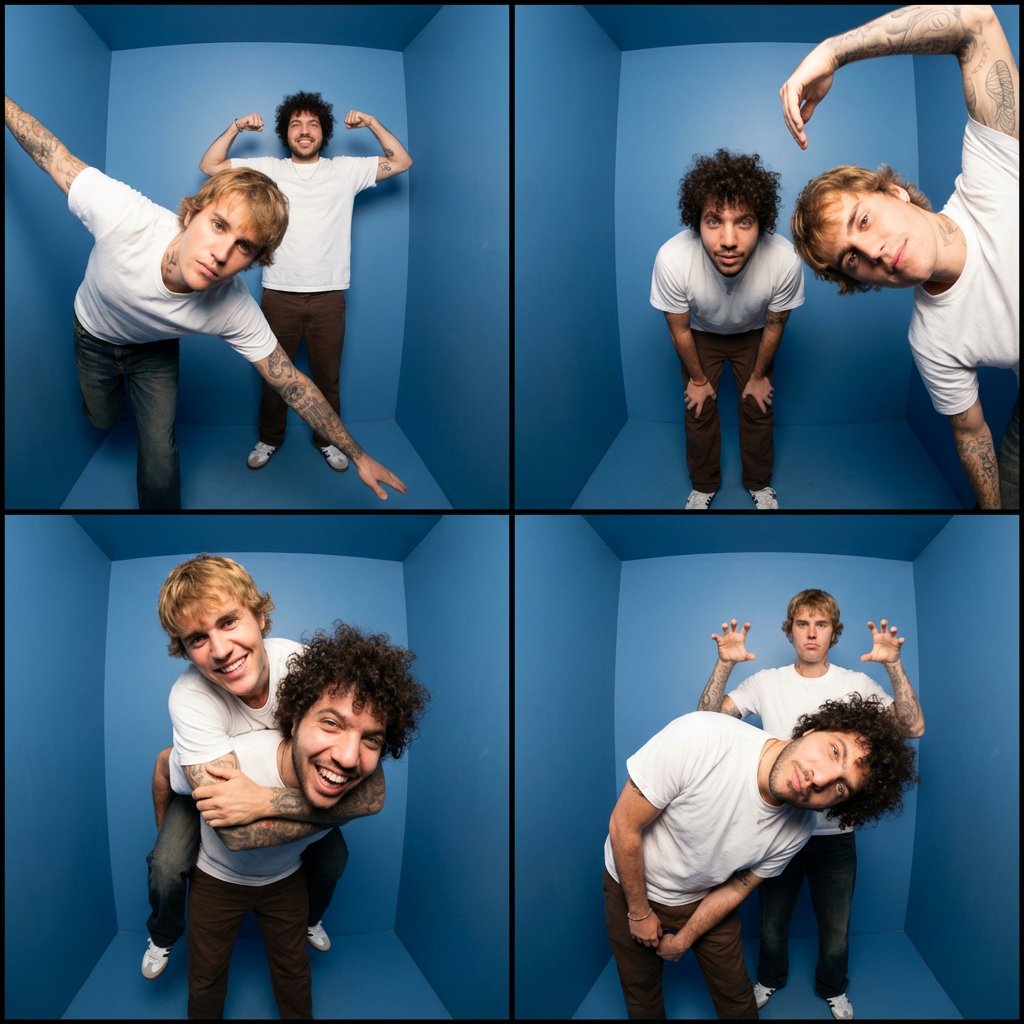
Justin Bieber and Benny Blanco
literally chaotic
Prompt:
{ "prompt": "Create an iPhone-realistic photobooth collage consisting of 4 photos arranged in a seamless 2x2 grid.\n\nSubjects:\n\t•\tJustin Bieber\nMust look EXACTLY like the uploaded reference image.\nKeep the exact same face, hairstyle, skin tone, body proportions, facial expression style, and overall appearance.\nOutfit must remain exactly the same as the reference image. Do not change clothing, accessories, or glasses.\n\t•\tBenny Blanco\nMust look EXACTLY like the uploaded reference image.\nKeep the exact same face, hairstyle, skin tone, body proportions, facial expression style, and overall appearance.\nOutfit must remain exactly the same as the reference image. Do not change clothing, accessories, or glasses.\n\nCRITICAL IDENTITY RULE (VERY IMPORTANT):\nDo NOT alter, merge, stylize, beautify, or reinterpret either person’s face.\nBoth faces must remain 100% identical to their reference images with realistic skin texture and natural proportions.\n\n⸻\n\nScene & Environment\n\t•\tLocation: Inside a small enclosed photobooth box\n\t•\tBackground: Matte blue walls and blue floor, tight enclosed corner, clean and minimal\n\t•\tCamera look: Ultra-wide photobooth lens, slight fisheye distortion typical of photo booths\n(iPhone 17 Pro photobooth wide-angle feel)\n\t•\tLighting: Bright neutral white flash, evenly lighting faces, soft shadows on blue walls\nNo warm tones, no yellow cast\n\t•\tAesthetic:\n\t•\tAmateur photobooth feel\n\t•\tHigh contrast but natural\n\t•\tNo cinematic grading\n\t•\tNo beauty filters\n\t•\tNo blur\n\t•\tNo text\n\t•\tNo watermark\n\n⸻\n\nLayout\n\t•\tFormat: 2x2 grid collage\n\t•\tAspect ratio: 9:16 vertical\n\t•\tStyle rules:\n\t•\tNO white borders\n\t•\tNO frame lines\n\t•\tNO gaps\n\t•\tNO outlines\n\t•\tEach photo fills its quadrant edge-to-edge seamlessly\n\n⸻\n\nFrames & Poses\n\nTop-Left Frame:\nJustin Bieber leans diagonally toward the camera from the front-left, one arm stretched down, playful but serious expression.\nBenny Blanco stands behind him in the center, arms raised and flexing like a playful “strongman,” smiling.\n\nTop-Right Frame:\nBenny Blanco leans forward toward the camera with hands on his knees, curious expression.\nJustin Bieber enters very close from the right side, tilting his head, one arm arched above his head in a half-heart pose, soft smile.\n\nBottom-Left Frame:\nPiggyback pose — Justin Bieber on Benny Blanco’s back.\nJustin’s arms wrapped around Benny’s shoulders.\nBoth laughing openly, faces close to the camera, dynamic playful motion.\n\nBottom-Right Frame:\nBenny Blanco bends sideways and slightly forward making a goofy face.\nJustin Bieber stands behind him, making playful “claw / horn” hand gestures above Benny’s head while slightly pouting.\n\n⸻\n\nFinal constraints:\n\t•\tPhotorealistic, non-AI look\n\t•\tNatural human proportions\n\t•\tConsistent scale between both people\n\t•\tNo added objects, text, or visual noise"}
2
2
654

4 Jun 2025
今日のMATLAB TIPS
振動・音響好きな方
MATLABでの波動はこのように表すのはいかが?
---
x = linspace(0, 2*pi, 50);
for i = 1:nFrames
y = sin(2*x - 2*pi*i/nFrames);
cla;
for j = 1:length(x)
line([x(j) x(j)], [0 y(j)], 'Color', 'b', 'LineWidth', 3);
end
end
2
22
1,652
3 Jun 2025
今日のMATLAB TIPS
こんな感じでフレームに合わせて線の色を変えることもできる
colors = hsv(nFrames);
for i = 1:nFrames
plot(x, y, 'Color', colors(i,:), 'LineWidth', 2);
end
3
10
1,423
28 May 2025
今日のMATLAB TIPS
MathWorksのサーバー攻撃したのはこいつです
-----
for i = 1:nFrames
r = 1 0.2 * rand(1, nPoints);
x = r .* cos(theta);
y = r .* sin(theta);
cla;
xlim([-1.5 1.5]); ylim([-1.5 1.5]);
end
3
16
1,564

8 Dec 2024
my python script for changing gif and mp4 into ascii animations (you need python and to save this text as a .py file.) :
import concurrent.futures
import os
import subprocess
import sys
import tempfile
import time
from tqdm import tqdm
import moviepy.editor as mp
import os as os_module
from PIL import Image, ImageSequence
import shutil
ASCII_CHARS = [" ", "@", "#", "$", "%", "?", "*", " ", ";", ":", ",", "."]
def get_float_input(prompt, default_value=0.25):
while True:
user_input = input(prompt)
if not user_input.strip(): # If the user just presses Enter, use the default value
return default_value
try:
return float(user_input)
except ValueError:
print("Invalid input. Please enter a number or press Enter for the default value.")
def convert_color_to_transparent(img, color='w'):
img = img.convert("RGBA")
data = img.getdata()
new_data = []
for item in data:
if color == 'w' and item[0] > 200 and item[1] > 200 and item[2] > 200:
new_data.append((255, 255, 255, 0))
elif color == 'b' and item[0] < 50 and item[1] < 50 and item[2] < 50:
new_data.append((0, 0, 0, 0))
elif color == 'g' and item[1] > item[0] * 4 and item[1] > item[2] * 4 and item[1] > 200:
new_data.append((0, 0, 0, 0))
else:
new_data.append(item)
img.putdata(new_data)
return img
def extract_frames(file_path, output_dir, convert_alpha=False, color='w'):
_, file_extension = os.path.splitext(file_path)
if not os.path.exists(output_dir):
os.makedirs(output_dir)
if file_extension.lower() == '.gif':
with Image.open(file_path) as im:
for i, frame in enumerate(tqdm(ImageSequence.Iterator(im), total=im.n_frames, desc="Extracting GIF frames")):
if convert_alpha:
frame = convert_color_to_transparent(frame, color)
frame.save(f"{output_dir}/frame_{i:03d}.png")
else: # Assuming it's a video file like mp4
clip = mp.VideoFileClip(file_path)
for i, frame in enumerate(tqdm(clip.iter_frames(), total=int(clip.fps * clip.duration), desc="Extracting video frames")):
img = Image.fromarray(frame)
if convert_alpha:
img = convert_color_to_transparent(img, color)
img.save(f"{output_dir}/frame_{i:03d}.png")
clip.close()
def pixel_to_ascii(image):
pixels = list(image.getdata())
ascii_str = []
for pixel in pixels:
if image.mode == "L": # Grayscale mode
# Use the pixel intensity directly
intensity = pixel
else: # Assume RGBA or RGB mode
if len(pixel) == 4 and pixel[3] < 128: # Check for transparency in RGBA
ascii_str.append(' ') # Use space for transparency
continue
intensity = sum(pixel[:3]) // 3 # Average of RGB for grayscale intensity
# Map intensity to ASCII character
index = int((intensity / 255) * (len(ASCII_CHARS) - 1))
ascii_str.append(ASCII_CHARS[index])
return ''.join(ascii_str)
def resize(image, scale, char_aspect_ratio=0.5):
width, height = image.size
new_width = int(width * scale)
new_height = int(new_width * height / width * char_aspect_ratio)
return image.resize((new_width, new_height))
def to_greyscale(image):
return image.convert("L")
def process_single_frame(frame_info):
i, img_path, scale, convert_alpha, color = frame_info
with Image.open(img_path) as img:
if convert_alpha:
img = convert_color_to_transparent(img, color)
img = resize(img, scale)
greyscale_img = to_greyscale(img)
ascii_str = pixel_to_ascii(greyscale_img)
img_width = greyscale_img.width
ascii_img = "\n".join(ascii_str[i:i img_width] for i in range(0, len(ascii_str), img_width))
return ascii_img
def process_images_to_ascii(directory, scale, convert_alpha, color):
frames_info = []
for i in range(1000): # Adjust as needed
filename = f"frame_{i:03d}.png"
img_path = os.path.join(directory, filename)
if os.path.exists(img_path):
frames_info.append((i, img_path, scale, convert_alpha, color))
else:
break
with concurrent.futures.ProcessPoolExecutor() as executor:
frames = list(tqdm(executor.map(process_single_frame, frames_info), total=len(frames_info), desc="Converting frames to ASCII"))
return frames
def get_next_filename(base_name="ascii_", extension=".py"):
"""Find the next available filename with the format ascii_001.py, ascii_002.py, etc."""
i = 1
while True:
filename = f"{base_name}{i:03d}{extension}"
if not os.path.exists(filename):
return filename
i = 1
def save_to_python_file(frames, filename=None):
if filename is None:
filename = get_next_filename()
with open(filename, 'w') as f:
# Write utility functions first
f.write('''
import sys
import time
import os as os_module
PLAYBACK_SPEED = 0.01 # Add this line for playback speed
class ErrorFilter:
# ... (keep the rest as is)
def __init__(self):
super().__init__()
self._original = sys.stderr
def write(self, message):
if not message.startswith("ALSA lib pcm.c"):
self._original.write(message)
def flush(self):
self._original.flush()
def clear_screen():
"""Clear the terminal screen."""
os_module.system('clear' if os_module.name != 'nt' else 'cls')
''')
# Write the frames list
f.write("\nframes = [\n")
for frame in frames:
f.write("'''")
f.write(frame.replace("'", "\\'")) # Escape single quotes
f.write("''',\n")
f.write("]\n")
# Add animation playback code
f.write(f'''
# Redirect stderr to suppress ALSA warnings
sys.stderr = ErrorFilter()
# Play the animation
while True:
for frame in frames:
clear_screen()
#print("\033[2J\033[H")
print(frame)
time.sleep(PLAYBACK_SPEED) # Use the PLAYBACK_SPEED variable here
''')
print(f"ASCII animation has been saved to {filename}")
return filename
def main():
# List available files
files = [f for f in os.listdir('.') if f.lower().endswith(('.gif', '.mp4', '.jpg'))]
for idx, file in enumerate(files, 1):
print(f"{idx}. {file}")
choice = int(input("Enter the number of the file to process: ")) - 1
file_path = files[choice]
output_dir = f"{file_path}_frames"
convert_alpha = input("Convert to alpha? (y/n): ").lower() == 'y'
color = 'w'
if convert_alpha:
color = input("Convert white, black, or green to transparent? (w/b/g): ").lower()
extract_frames(file_path, output_dir, convert_alpha=True, color=color)
else:
extract_frames(file_path, output_dir, convert_alpha=False, color=False)
print(f"Frames extracted to {output_dir}")
dirs = [name for name in os.listdir('.') if os.path.isdir(name)]
if not dirs:
print("No subdirectories found.")
return
for idx, dir in enumerate(dirs, 1):
print(f"{idx}. {dir}")
choice = int(input("Enter the number of the folder to process: ")) - 1
selected_dir = dirs[choice]
scale = get_float_input("Enter the scale value for ASCII conversion (e.g., 0.25 for 25%): \n", 0.25)
convert_alpha = input("Convert to alpha? (y/n): ").lower() == 'y'
color = 'w'
if convert_alpha:
color = input("Convert white, black, or green to transparent? (w/b/g): ").lower()
frames = process_images_to_ascii(selected_dir, scale, convert_alpha, color)
filename = save_to_python_file(frames) # Capture the filename here
# Assuming you've just saved your file with save_to_python_file
if filename:
print(f"Attempting to run: {filename}")
subprocess.run(["python", filename])
else:
print("Failed to get a valid filename for execution.")
if __name__ == "__main__":
main()
5
479

14 Aug 2024
haha, when I was first playing with the idea of DOM components, I floated them by @t3dotgg to see if they were too crazy. He immediately recommended calling them “nframes” or “xframes”.
7
320

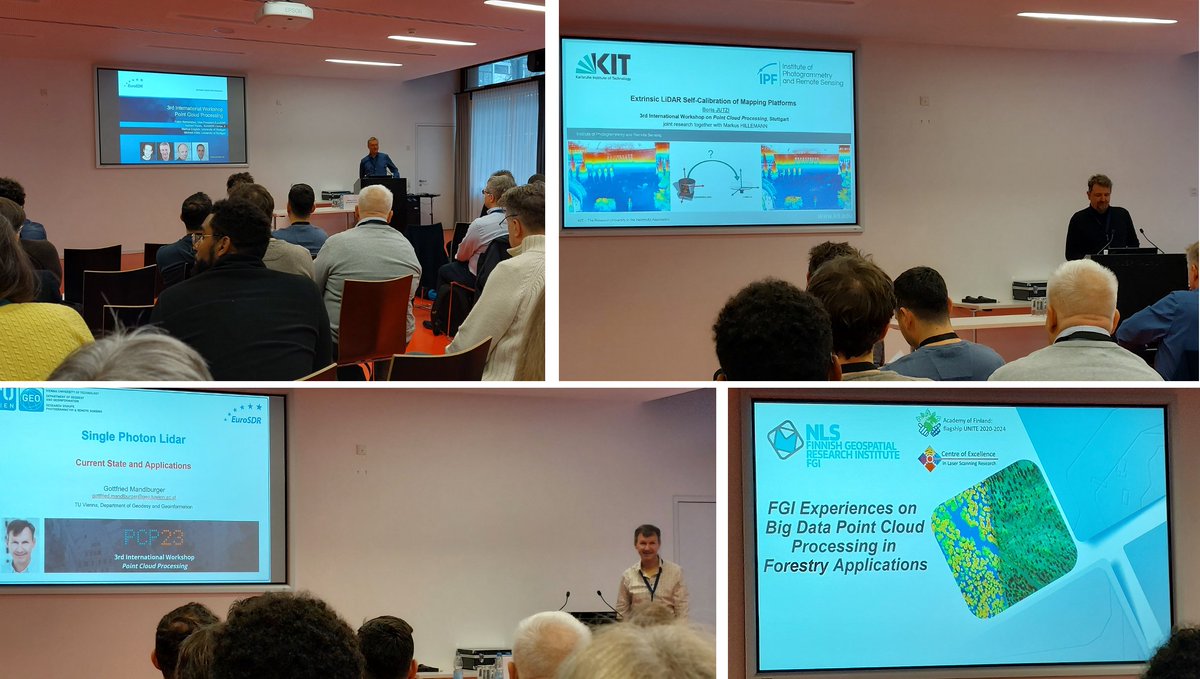
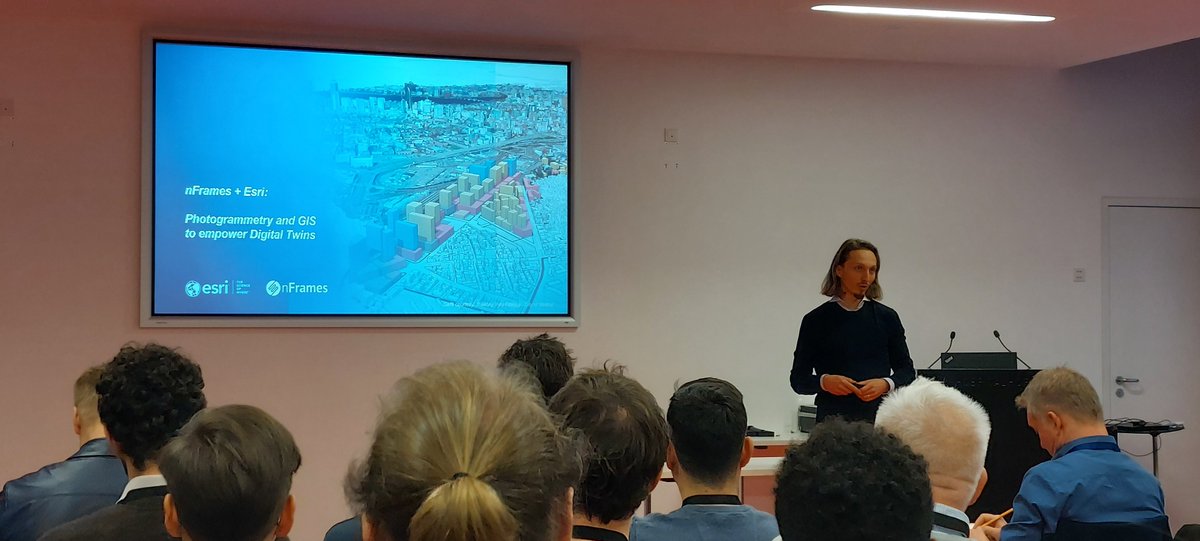
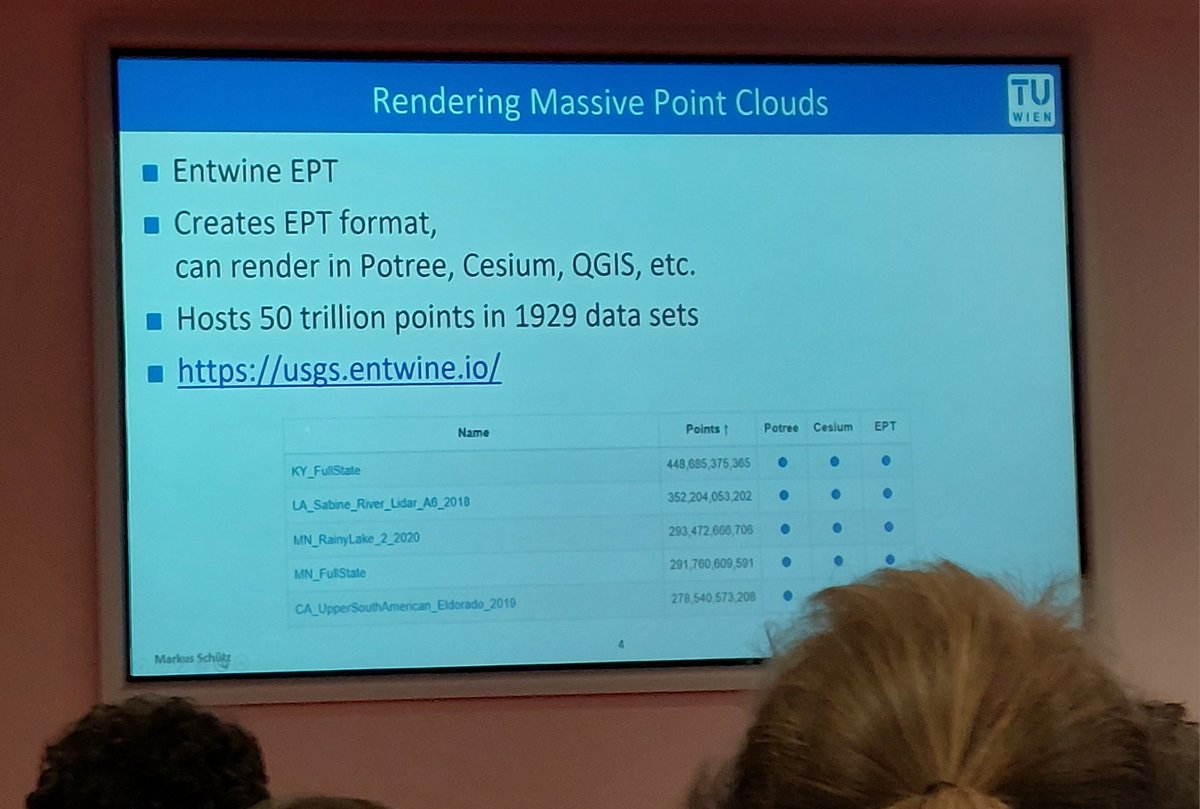
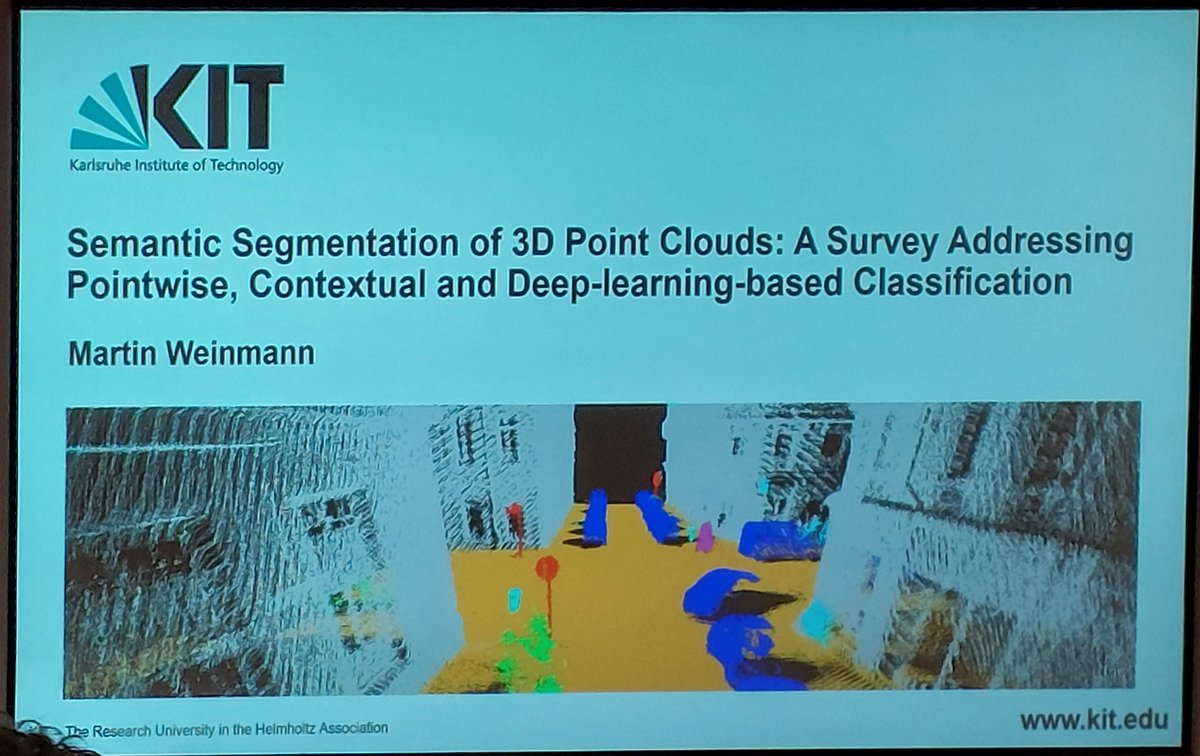
2 interesting and successful days in the @EuroSDR workshop on Point Cloud Processing
pcp2023.ifp.uni-stuttgart.de…
#AI #3D #classification #pointcloud #semantic #LiDAR #photogrammetry #geospatial #mapping #NMCA @IfpStuttgart @nframes
1
5
15
813

26 Jun 2022
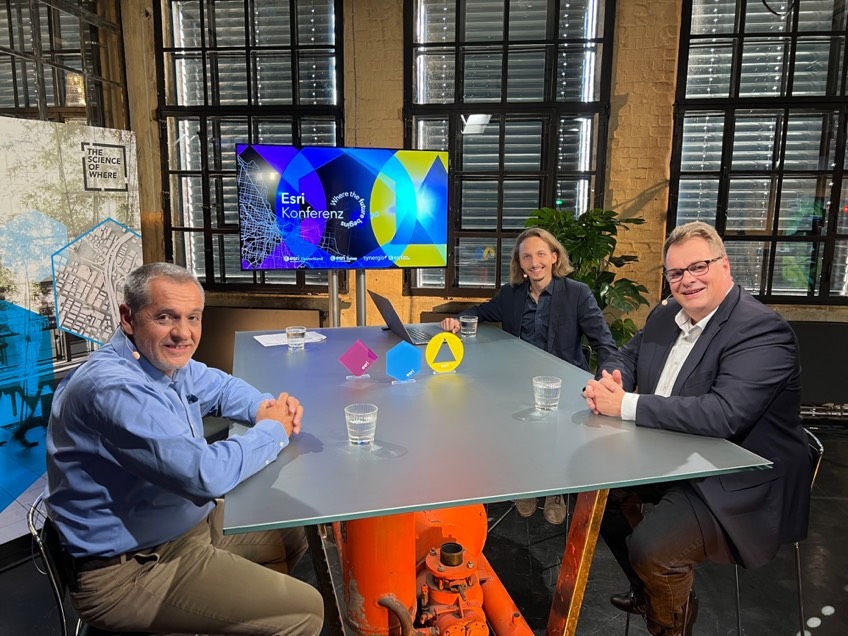
We are also privileged to have interviewed: Dr. Arzu Coltekin (@acolt)of the University of Applied Sciences and Arts Northwestern Switzerland; Dr. Suzana Dragicevic of Simon Fraser University; and Dr. Isabella Toschi, nFrames GmbH, Esri
R&D Center Stuttgart. 👩🏻💻👩🏻🔬👩🏻🏫
1
1
4


21 Sep 2021
💼 DevOps Engineer with nFrames
Location: 🇩🇪 Stuttgart
💰 €60K - 90K per year
Read the full job description → kube.careers/devops-engineer…
1
5

28 May 2021
Neuer Blog-Beitrag: Die wichtigsten 3D-Neuerungen in #ArcGIS Pro 2.8. #3D macht jetzt mehr spaß mit hochperformanten #arcgispro! Danke Leica, nframes & Esri für das 3D-Mesh von München! arcgis.esri.de/die-wichtigst…
4

21 May 2021
Die @StadtMuenchen als #3D Modell #digital entdecken!
#digitaltwin #München #nframes #esri #arcgis
@MuenchenDigital
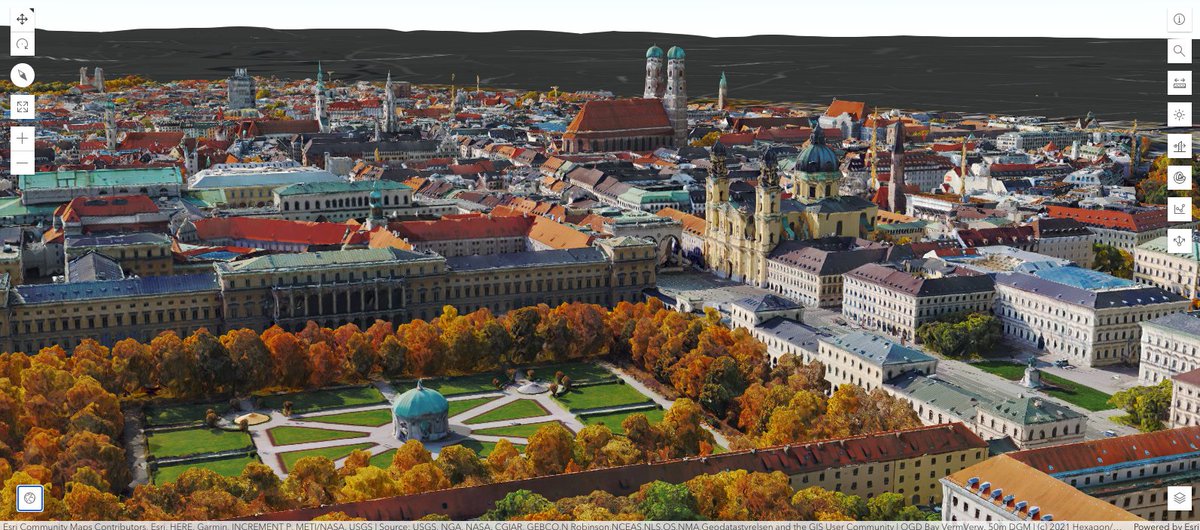
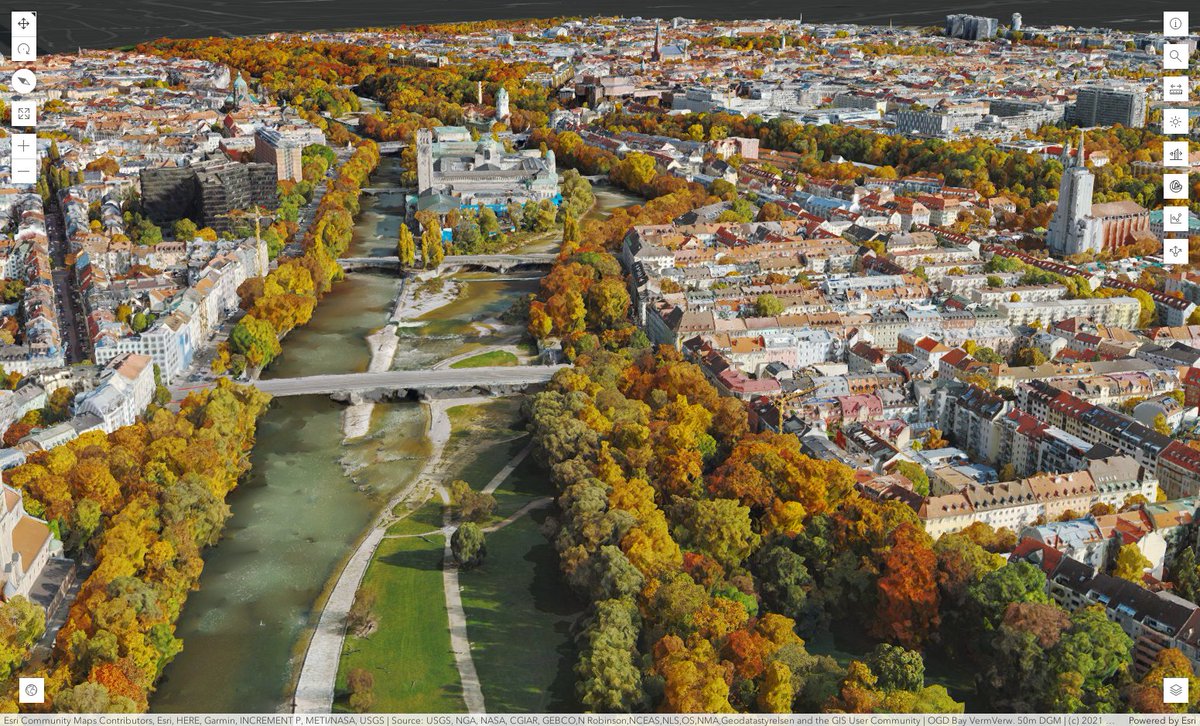
21 May 2021

The city of Munich looks lovely in 3D! 🏙️🌄
What a great scene and dataset! ✨🎇
Data Courtesy: LeicaGeosystems
Source: Captured with Leica CityMapper-2: processed with SURE by nFrames/Esri
3D Scene arcgis.com/apps/instant/3dvi…
LinkedIn linkedin.com/posts/nframes_s…
#sure #nframes #esri
4
10

21 May 2021
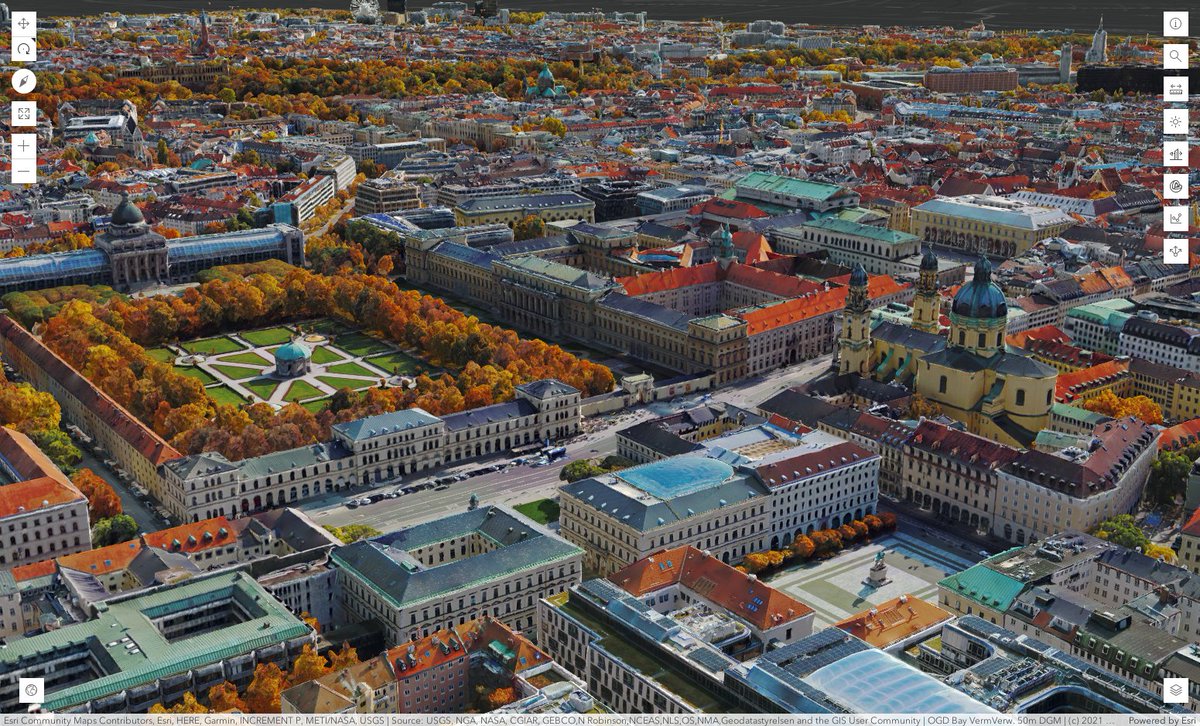
Munich 3D, based on an extraordinary data set. 😍
Copyright: Hexagon AB / ESRI Images: Leica CityMapper-2 image processing: SURE, software developed by nFrames / ESRI
arcgis.com/apps/instant/3dvi…
1
2
5

21 May 2021
The city of Munich looks lovely in 3D! 🏙️🌄
What a great scene and dataset! ✨🎇
Data Courtesy: LeicaGeosystems
Source: Captured with Leica CityMapper-2: processed with SURE by nFrames/Esri
3D Scene arcgis.com/apps/instant/3dvi…
LinkedIn linkedin.com/posts/nframes_s…
#sure #nframes #esri
1
3
13

13 Apr 2021
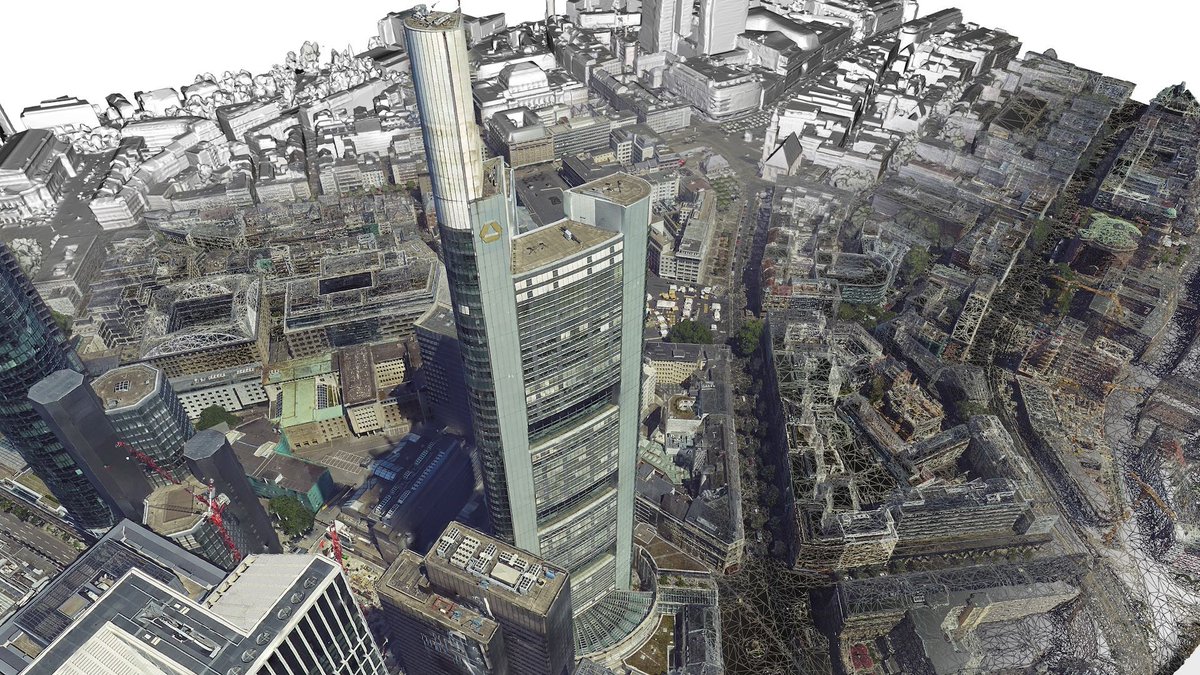
The Story Behind Esri’s Acquisition of nFrames | Richard Cooke, director of imagery at Esri, explains all about the company's acquisition of nFrames, the innovative Germany-based developer of software for 3D reconstruction from images. gim-international.com/conten…
2

7 Mar 2021
Hey Yuri, what nframes and fps arguments was this example made with? I have a very similar dataset but it's crashing R and I think I need to simplify it.
1
1

20 Feb 2021
This doesn't quite fit with the brief of the #DuBoisChallenge, but I added some {gganimate}. Having lost a battle with nframes and fps, I used an online tool to speed it up and trim the white space.
Where did I go wrong (other than not using coord_polar() in the first place!)?
1
2