
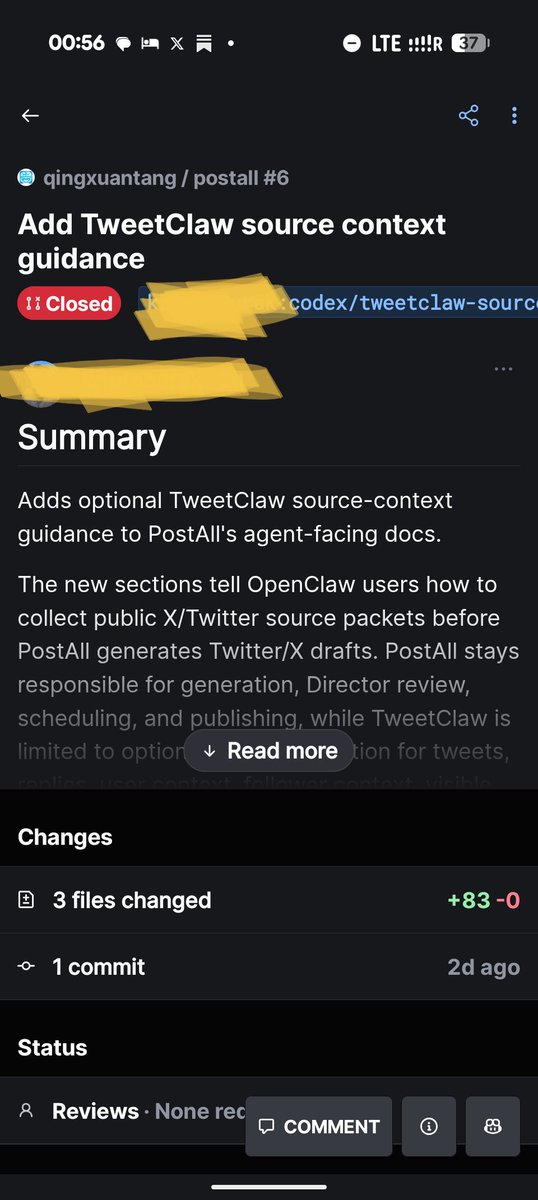
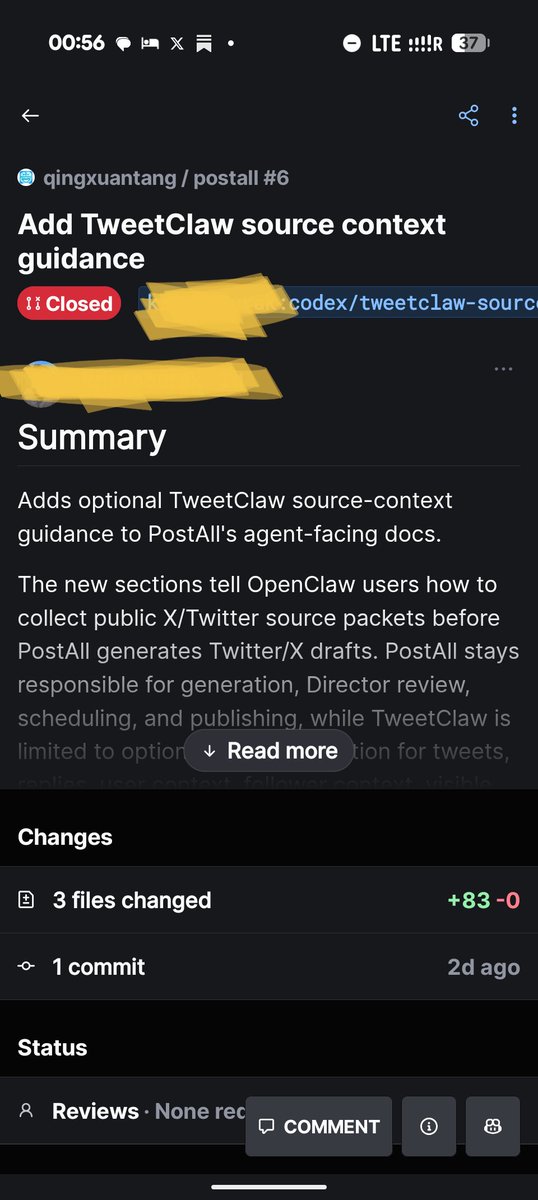
今天上午,我的 postall repo 收到 PR #6,title 是一个 "Add [某第三方工具] source context guidance" 的 docs PR。
3 个文件改动,83 行新增,0 行删除。PR 描述里有完整的 validation checklist,甚至明确写了 "Never add credentials, cookies, raw sessions to PostAll prompts"。看起来专业,看起来有安全意识。
我准备 merge。然后停了一下,决定让claude先查证。
——
3 个证据,花了不到 5 分钟。
分支名是 codex/... 这种格式。codex/ 是 OpenAI Codex agent 的默认分支命名。这是 AI agent 生成的 PR。
点进提交者的 GitHub profile:public repo 数量异常高,最近的 push 全部集中在 fork awesome-skills / awesome-mcp-servers / claude-skills 类目录列表。这个分布更像自动化的 fork queue,不像单个开发者的项目集合。
用 GitHub 搜索框输入"author 包名",返回数百个 open PR,全部同一模板,全部引用同一个 npm 包。我的 postall 是这一周收到同一份提交的 recipient 之一。
那个 npm 包是什么?是提交者自己运营的闭源 SaaS 的 wrapper,做 Twitter API 中介。包名让人联想到 OpenClaw / ClawTrader / SkillClaw 这条 Claw* 品牌带,包描述第一行还专门 name-check 了 OpenClaw,读起来像是这条生态的默认组件——这个品牌联想就是这帖的关键 lift。
——
这件事为什么是新模式。
过去那种 OSS 推广动作很好识别:typo PR、改 README 错字、刷 contributor 数。
这一波不一样:AI agent 写出格式专业、validation 完整、措辞讲究 safety 的 PR,单账号一次投放 700 repo,内容不是修 bug,是在你的官方 docs 里插入一段"安装某个第三方中间件"的推荐。
防御性的安全 framing 是这个模板的特点之一——"never log credentials"这句话恰好降低了 reviewer 的警觉。
如果 maintainer 没查证就 merge,代价是:你的 docs 在用户眼里等于背书了第三方 SaaS,用户 install 之后 credentials 流向第三方,第三方如果哪天出问题,你的整个用户群跟着进入风险敞口。入口不是代码里的 import,是 docs 里的推荐。
Docs 是真正的供应链入口。 因为用户读到 install 指令时,默认假设是 maintainer 背书过的。
——
3 步识别清单,给 OSS maintainer。
第一步,看分支前缀。codex/* / chatgpt-* / copilot-* 这类 AI agent 默认命名加上"插入式 doc 修改",基本可以判定为推广 PR。不是说 AI 写的 PR 都不能要,是说这个组合需要往下看。
第二步,看提交者 GitHub 历史。点进 profile,看 public repo 数量和近期 push 模式。几百个 fork 集中在最近几天推到 awesome-* / skills-* / mcp-* 类目录 repo,符合自动化模式。单个活跃开发者的活跃 repo 通常是 10-50 个量级,不是 1300 个。
第三步,看 PR 模板复用。在 GitHub 搜 "author:USERNAME PACKAGENAME",如果同一作者推同一包的 PR 数量是 100 ,你不是被选中,你是 batch 投放名单里的一个。
——
我做的处理已经完成。
PR Close,不 merge。在 postall 的 docs/skill.md 里加了 Third-Party Integration Policy section,明文写出"PostAll 官方 docs 不推荐、不背书、不文档化任何第三方 SaaS 中间人"——这条规则以后会被引用很多次。
——
跟上周 L06 的一个 contrast,值得记下来。
我上周 ship 了 tar-engine 的 L06 Supply Chain 审计层,解析 pip / npm / system deps,对 CVE feed 和 typosquat 数据库做匹配,防的是"skill 代码里 import 了一个被攻陷的包"这种 import-level 风险。
今天这件事让我意识到:风险不是从 import 进来的,是从 docs 推荐进来的。L06 防的是已经在代码里出现的依赖,docs policy 防的是 maintainer 自己在 docs 里加的推荐——这一层不是技术问题,是治理问题。所以要明文 codify 出来,而不是靠每次 review 时凭直觉判断。
——
这类 PR 以后会越来越多。AI agent 投放的成本在降,700 个目标只需要一次跑完。OSS 维护者面对这种规模时,"看起来专业就 merge 吧"是这个模板依赖的压力点。
识别清单是公开的,每多一个 maintainer 拒绝,下一轮投放的 ROI 就降一点。这件事属于 OSS 生态自卫。把清单写下来,就是这帖的全部目的。
213

Jun 11
This morning postall received PR #6. Title was an "Add [third-party tool] source context guidance" docs PR. 3 files changed, 83 lines added, 0 deleted. Full validation checklist in the description. Even included safety-conscious framing: "Never add credentials, cookies, raw sessions to PostAll prompts."
I was about to merge. Then I paused and checked.
Three things stopped me:
1. Branch prefix: codex/...
codex/* is OpenAI Codex agent's default naming convention. The PR was generated by an AI agent.
2. The submitter's GitHub history
An unusually high public repo count, with most recent pushes all forks of awesome-skills, awesome-mcp-servers, claude-skills style directory repos. The pattern looks like an automated fork queue, not the project list of a single developer.
3. Template reuse at scale
Searching the submitter plus the package name on GitHub returned hundreds of open PRs, all the same template, all referencing the same npm package. My postall was one of many recipients of the same submission this week.
The package being referenced is a closed-source SaaS wrapper for a Twitter API intermediary. Its name echoes the Claw* brand family — OpenClaw, ClawTrader, SkillClaw — which makes it read as a native ecosystem component, and its npm description opens by name-checking OpenClaw. The brand association is the lift.
What's the actual risk here? Not that the package has confirmed malware. The risk is the docs endorsement itself. If I merge this, my official docs now point users toward a third-party SaaS intermediary. Users follow install instructions assuming maintainer trust. If that intermediary ever changes — intentionally or through compromise — my entire user base is downstream. Docs are the real supply chain entry point, not imports.
This is different from old-school OSS noise. Typo PRs and contributor count inflation are obvious. This wave is harder to spot:
- AI agents write PRs that are structurally professional and checklist-complete
- One account submits the same template to 700 repos in one pass
- The substance isn't a bug fix — it's "install our middleware" inserted into official docs
- The safety-conscious framing reduces reviewer scrutiny at exactly the moment it should be highest
3-step check for this pattern:
1. Branch prefix. codex/*, chatgpt-*, copilot-* as default AI agent naming combined with doc-insertion content is almost always a promotional PR, not a contribution.
2. Submitter GitHub history. Open their profile. If you see hundreds of forks concentrated in recent days across awesome-* / skills-* / mcp-* repos, that fits an automation pattern. Individual active developers usually have 10–50 active repos, not 1,300.
3. PR template reuse. Search author:USERNAME PACKAGENAME on GitHub. If the same submitter is pushing the same package to 100 repos, you aren't a chosen collaborator — you're one of many batch recipients.
What I did: closed the PR and added a Third-Party Integration Policy section to postall's docs — explicitly stating that PostAll official docs do not recommend, endorse, or document any third-party SaaS intermediary. That policy will be cited often.
The contrast with last week's L06 work is worth noting. The L06 Supply Chain audit layer I shipped parses pip/npm/system deps against CVE feeds and typosquat databases — it's designed to catch import-level risk, dependencies already written into skill code. Today's PR was a different entry point entirely. It never arrived through an import. It arrived through a docs recommendation. L06 defends what's in your code. Docs policy defends what you tell users to install. Two separate layers, and until today I'd only thought about the first one.
The uncomfortable observation: as AI agents make it trivially cheap to generate professional-looking PRs and submit them at batch scale, this pattern will get more common, not less
135


Apr 21
You can pin flatpaks to a certain version with the "flatpak mask packagename" command
1
11

Apr 21
نصب پکیج پایتونی بدون وی پی ان
pip install -i mirror-pypi.runflare.com/sim… PackageName
2
214


So, found out that with this command, you can actually deprovision the widgets app. This works to prevent reinstall. Do this after the winget remove
Get-AppxProvisionedPackage -Online | Where-Object {$_.PackageName -like "*WebExperience*"} | Remove-AppxProvisionedPackage -Online
1
3
326

Mar 10
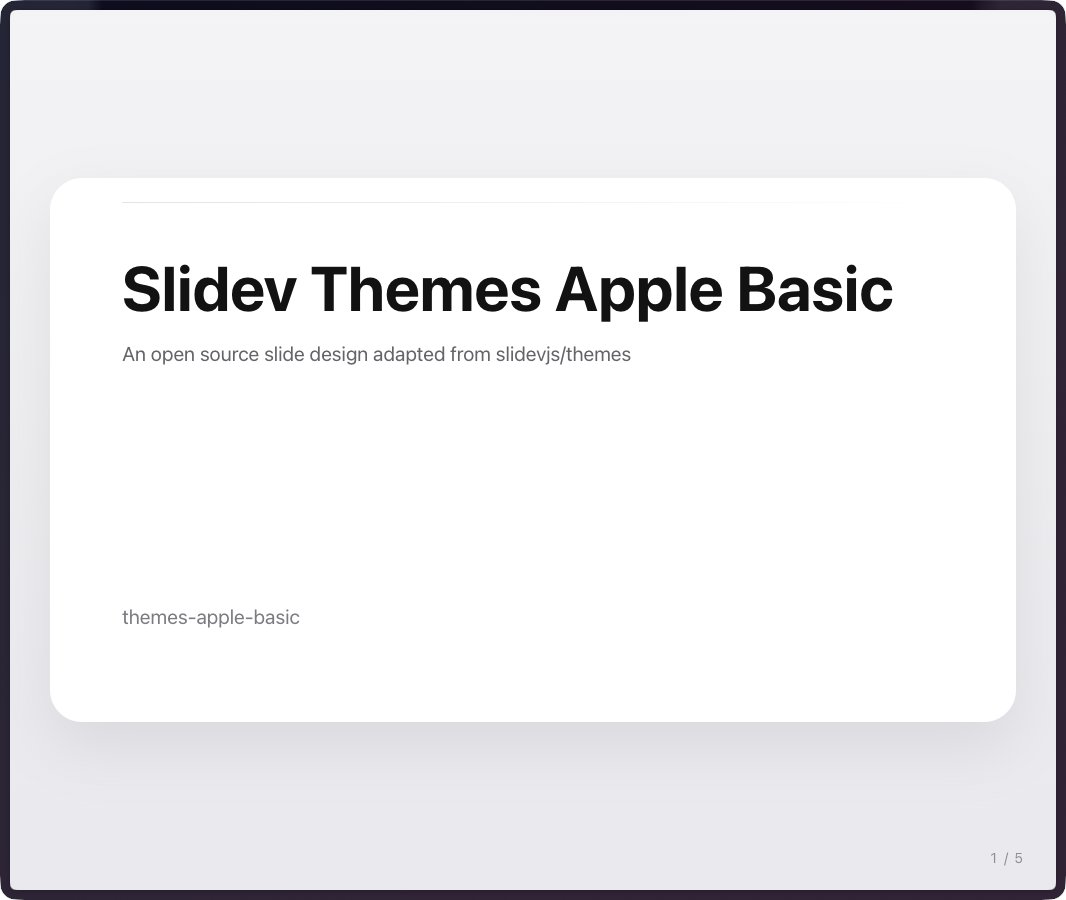
ちなみに、私はまだお披露目できるほどではないのですが、20 個くらいのテンプレートからマークダウンファイルを指定して、あるいはサンプルから下記のコマンドで一撃でスライドができあがるライブラリを絶賛開発しております!間に合うといいな...
npx <packagename> xxx.md --template yyy
6
1,028


Mar 3
bisa dicek packagenamenya.
misal kalo meneyrupai youtube jadi di apps list youtube ada dua cari aja packagename nya yang gak sesuai dengan asli.
pacakge name asli itu: com.google.android.youtube
3
666

Mar 2
¡Hola! Las apps que publicamos están analizadas por más de 70 antivirus y puedes ver toda la información junto a la descarga (packagename, firma, tamaño, etc.). En el caso del emulador que mencionas, aquí está el informe de seguridad 😊 virustotal.com/gui/file/09af…
1
39

Feb 21
Open powershell then run:
Get-AppxPackage -AllUsers *CoPilot* | Remove-AppxPackage -AllUsers
And then
-AppxProvisionedPackage -Online | where-object {$_.PackageName -like "*Copilot*"} | Remove-AppxProvisionedPackage -online
1
5
191


3 Nov 2025
ColorOS15でYoutubeMusicで
島を出す方法119.gigafile.nu/0211-cff429e…
このapkをいれる→アプリを開く→「Installed app」を押す→YoutubeMusicを押す→「Common edit」を押す→Package nameのところに「com.apple.android.music」をいれるとできます!
AppleMusicと被る方はリプに他のPackagenameのせます
2
3
740

29 Oct 2025
Powershellで
Get-AppxProvisionedPackage -Online | where PackageName -eq 7EE7776C.LinkedInforWindows | Remove-AppxProvisionedPackage -Online
と
Get-AppXPackage -Name 7EE7776C.LinkedInforWindows -AllUsers | Remove-AppxPackage -Allusers
を実行してみてください。
1
2
16
986

21 Oct 2025
Here's a way better way
Powershell > Run as admin
Get-AppxProvisionedPackage -Online | where-object {$_.PackageName -like "*Copilot*"} | Remove-AppxProvisionedPackage -online
This will remove the provisioned package, if you dont remove this it will keep coming back.
1
2
14
1,080


16 Oct 2025
Linux Shortcut Keys / Commands
Basic Navigation
`pwd` = Print working directory
`ls` = List files and directories
`ls -l` = List in long format
`ls -a` = List all files including hidden
`cd` = Change directory
`cd ..` = Move up one directory
`cd /` = Go to root directory
`cd ~` = Go to home directory
`clear` = Clear the terminal screen
`history` = Show command history
File & Directory Management
`touch filename` = Create a new empty file
`mkdir dirname` = Create a new directory
`rmdir dirname` = Remove an empty directory
`rm filename` = Delete a file
`rm -r dirname` = Delete a directory recursively
`cp source destination` = Copy file
`cp -r source_dir destination` = Copy directory recursively
`mv oldname newname` = Rename or move a file
`cat filename` = Display file contents
`less filename` = View file contents one page at a time
`head filename` = Show first 10 lines of a file
`tail filename` = Show last 10 lines of a file
`tail -f filename` = Monitor file in real-time
File Permissions & Ownership
`chmod 755 filename` = Change file permissions
`chmod u x filename` = Make file executable for user
`chown user:group filename` = Change file owner and group
`ls -l` = View file permissions
System Information
`uname -a` = Show all system information
`hostname` = Show or set system hostname
`uptime` = Show system running time
`top` = Display running processes
`htop` = Interactive process viewer
`df -h` = Show disk space usage
`du -sh *` = Show directory sizes
`free -h` = Show memory usage
`lscpu` = Display CPU information
`lsblk` = Show block devices
Process Management
`ps` = Show active processes
`ps aux` = Detailed process list
`kill PID` = Kill a process by ID
`killall processname` = Kill process by name
`bg` = Resume job in background
`fg` = Bring job to foreground
`jobs` = List background jobs
Networking Commands
`ifconfig` = Show network interfaces
`ip addr show` = Display IP addresses
`ping host` = Test connectivity
`netstat -tuln` = Show active ports
`ss -tuln` = Show listening sockets
`curl url` = Transfer data from or to a server
`wget url` = Download file from web
`scp file user@host:/path` = Copy file to remote server
`ssh user@host` = Connect to remote machine via SSH
Package Management (Ubuntu/Debian)
`sudo apt update` = Update package list
`sudo apt upgrade` = Upgrade all packages
`sudo apt install packagename` = Install a package
`sudo apt remove packagename` = Remove a package
`sudo apt autoremove` = Remove unused dependencies
`dpkg -l` = List installed packages
Package Management (RHEL/CentOS)
`sudo yum update` = Update packages
`sudo yum install packagename` = Install package
`sudo yum remove packagename` = Remove package
`sudo dnf install packagename` = Install using DNF (newer versions)
File Compression & Archiving
`tar -cvf archive.tar directory` = Create tar archive
`tar -xvf archive.tar` = Extract tar archive
`gzip filename` = Compress file
`gunzip filename.gz` = Decompress file
`zip archive.zip file1 file2` = Create zip file
`unzip archive.zip` = Extract zip file
User Management
`whoami` = Display current username
`who` = Show logged-in users
`id` = Show user and group info
`sudo adduser username` = Add a new user
`sudo passwd username` = Change user password
`sudo deluser username` = Remove user
`su username` = Switch user
`logout` = Log out current session
System Shutdown & Reboot
`sudo shutdown now` = Shut down immediately
`sudo shutdown -r now` = Reboot immediately
`reboot` = Restart the system
`poweroff` = Power off system
Search & Find
`find /path -name filename` = Search for file by name
`grep 'pattern' file` = Search text inside file
`grep -r 'pattern' /path` = Search recursively in directory
`locate filename` = Quickly find files by name
`updatedb` = Update `locate` database
EBOOK
Get the full Mastering Linux from Beginner to Pro ebook here: codewithdhanian.gumroad.com/…
28
332
1,895
91,770

28 Sep 2025
Chocolatey = a free package manager for Windows. Then you can install and update all your other apps from command line:
choco install [packagename]
choco list
choco upgrade all -y
This gets you started: choco install vscode git python chrome brave firefox ffmpeg yt-dlp irfanview
2
299

>о, точно, я же могу не скачивать ёбанные exe/msi файлы, а просто написать `winget install packagename`
>пробую
>это просто скрипт, который скачивает msi-файл и запускает его
3
9
266