
Claude Code に「スクロールで“映画みたいに動く”サイト作って」と頼んだら、こうなった🎬
タネは GreenSock【公式】の GSAP AIスキル⚡️
入れるだけで、Claude Code が正しい型で書く👇
・スクロール量に同期した演出(ScrollTrigger)
・x / y / scale の transform で 60fps(カクつかない)
・registerPlugin・cleanup まで自動で正しく
しかも今、SplitText も MorphSVG も全プラグイン無料(商用OK)。
※GitHubスター数 9,345(2026/6 実測)
導入は npx 1行。スキルと“型”メモ、ほしい人いる?
👉 フォロー+いいね+「ほしい」とコメントで送ります📩
#ClaudeCode #GSAP #フロントエンド
61

Jun 17
💚 Site of the Day - Cipher Digital
Well crafted design, motion and animation perfectly orchestatred by scroll and interaction. Sober, elegant and compelling.
Agency: ONBOX Creative (linkedin.com/company/onbox)
Development: @elliottmangham
3D: Matthew Gilbert (linkedin.com/in/mattgilbertd…)
⚙️ ScrollTrigger SplitText
🛠️ WordPress
site → cipherdigital.com
showcase → gsap.com/showcase
3
30
1,484

Jun 17
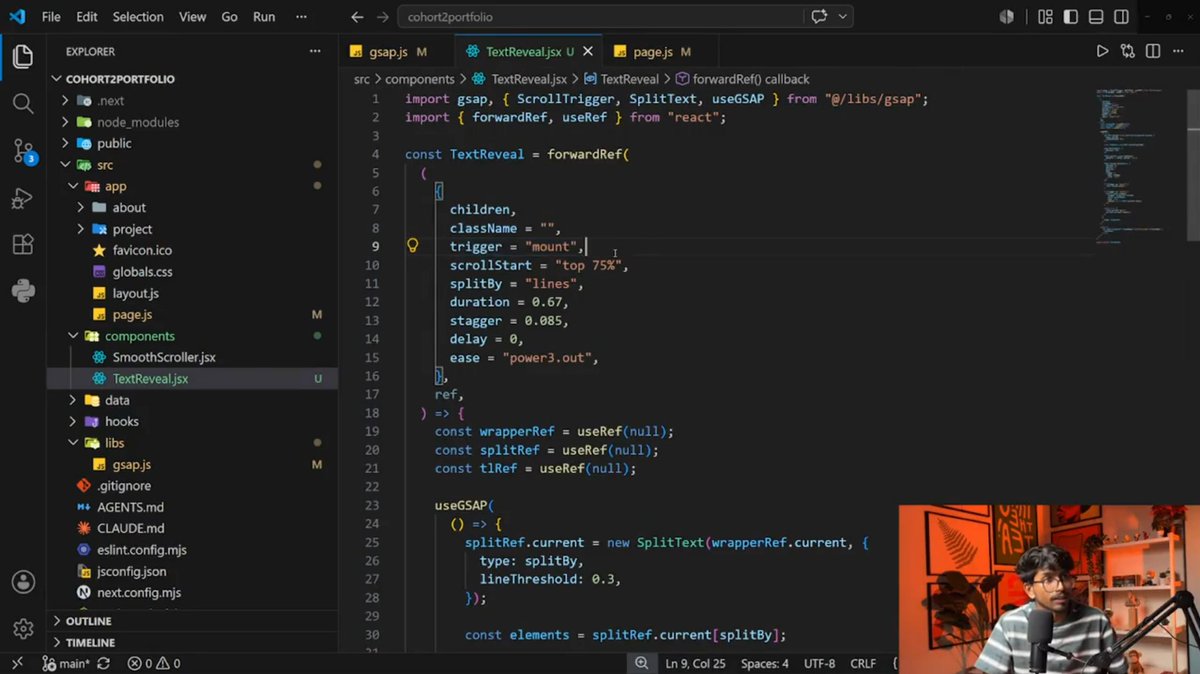
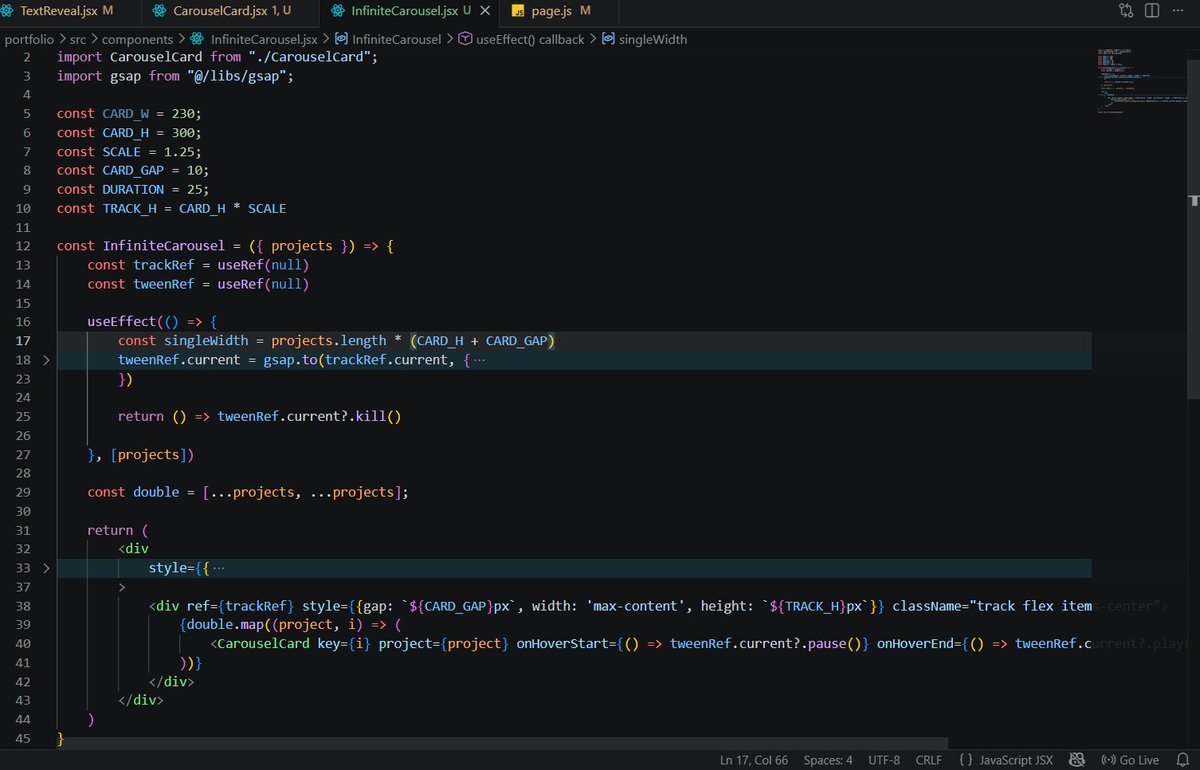
🚀 Day 231
Built some new animation features today 🎨⚡
✅ SplitText Animation Component
✅ Carousel Effect
✅ Masking Text Words Effect
Continuing to improve my Creative Frontend Animations skills 🚀
#GSAP #CreativeFrontendAnimations #BuildInPublic #sheryiansh
19
Jun 13
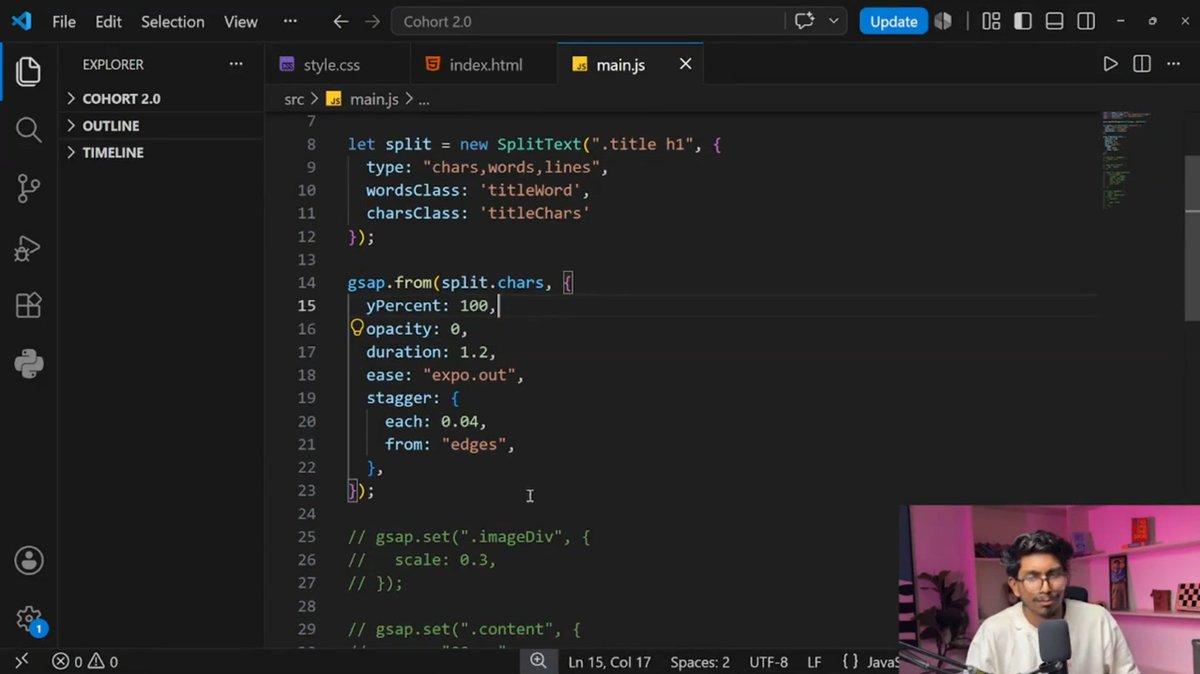
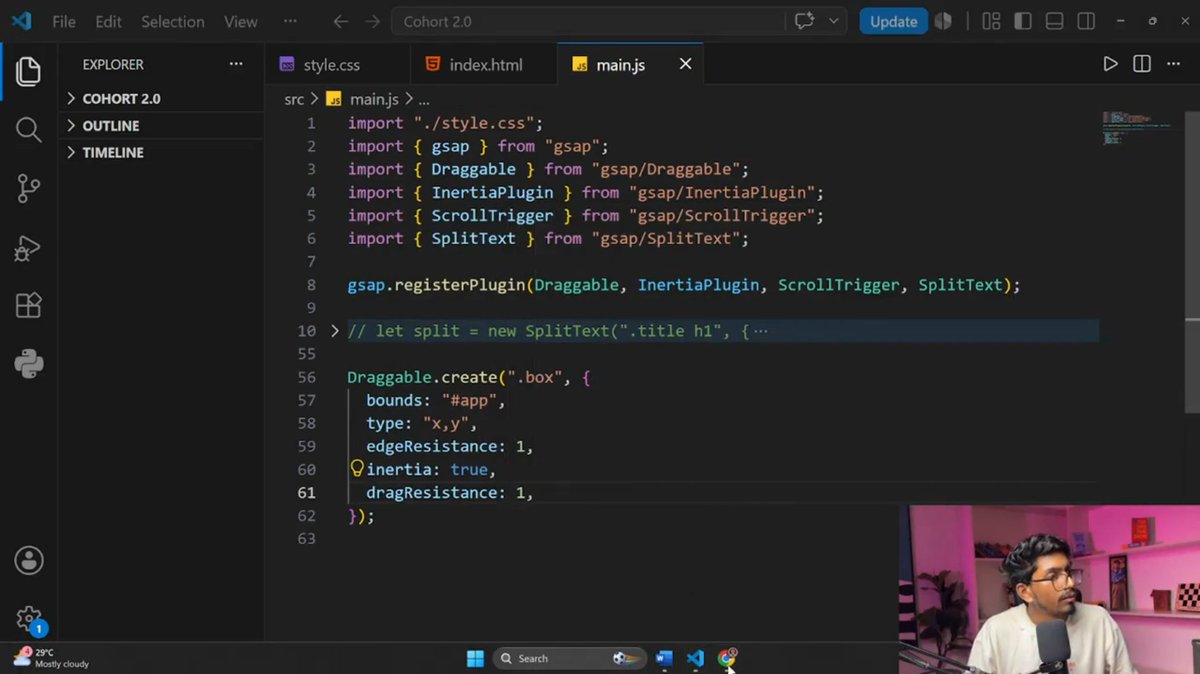
🚀 Day 228
Explored 4 GSAP plugins today 🎨⚡
✅ SplitText
✅ Draggable
✅ Inertia
✅ Flip
Learning how to create more advanced Creative Frontend Animations and interactive web experiences 🚀
#GSAP #CreativeFrontendAnimations #BuildInPublic #sheryiansh
1
25

Jun 12
038/100 Buttons.
Total time so far: 247h
Another one from the Osmo Vault. And probably one of the most used button animations 😃
I added that button to the button system I’m using here, so it’s easily adjustable through CSS variables. For example, on the “Slow” variation you can see that the stagger timing can be changed.
It’s not using GSAP’s SplitText, so basically you only need a small JS snippet for that button.
Through JS, the text gets split up and a CSS variable is set on every letter. An index variable starting at 0 and counting up (--index: 0).
By using that index variable, we can create the stagger effect through CSS.
transition-delay: calc(var(--index) * 0.036s);
With text-shadow, we can visually create a duplicate of the text.
text-shadow: 0 1em currentColor;
1lh would work too.
currentColor makes it use the same color that is set on the button. We could also define another color here. It could even be animated from one color to another.
With clip-path, we can add a mask. The cool thing about that is we can even use negative values inside inset(-10% 0), so we can easily adjust the mask to avoid letters like “g” or “y” getting cut off.
And like on Button 018, I added the JS snippet to adjust the background size based on values, so it’s always visually correct in its sizing.
That’s the coolest thing about this collection for me, and also how I’m using it. You can combine little parts from every button and craft a completely new one.
Crafted 100 Buttons with @osmosupply
Available on Osmo
1
1
18
1,113
Jun 11
💚 Site of the Day - Hashgraph Ventures
An extremely well polished scroll-telling design and development, where motion and animation with purpose take the user through an amazing journey.
Credit: @glenncatteeuw (Design), @rogierdeboeve (Creative Dev) & @thomAufresne (Front & Back End Dev)
⚙️ ScrollTrigger SplitText
🛠️ @threejs WebGL @vuejs
site → hashgraphvc.com
showcase → gsap.com/showcase
1
4
21
1,809
Jun 10
🏆 Site of the Week -Ten Years Away
Ten Years Away is an interactive comic that chronicles ten years of
Studio375. Real characters. Real stories.
Credit: Studio375 (375.studio) & @_aboutdaniel
⚙️ Observer SplitText Draggable
🛠️ Three.js WebGL React
site → ten.375.studio/en
showcase → gsap.com/showcase
5
28
1,426
Jun 10
💚 Site of the Day - Project Aperture
Project Aperture started as a way to explore and experiment with design, color, and motion, using WebGL/WebGPU, TSL (Three.js Shading Language), Lenis, and GSAP. I love taking photos when I travel. This project showcases some of my favorite shots from my recent trips. Building this site felt like a good excuse to experiment with web technologies I enjoy using.
Design & Development: Isaak De Coninck (isaakdeconinck.com)
⚙️ ScrollTrigger SplitText
🛠️ @threejs WebGL @vuejs
site → project-aperture.com
showcase → gsap.com/showcase
1
1
55
1,800

Jun 9
How to submit a website here, we built our site using gsap scroll smoother, scroll trigger and svg draw SplitText,
also we use WebGL ThreeJS for the image reveal on the hero section, project section, and halftone shader for pricing section background
Jun 2

For years I helped other startups and studios to build other people's brands & products.
Today I'm launching mine.
@componine is a digital creative studio that crafts websites, products, and brands under one roof.
New site is live. Link in below 👇
1
2
286
Jun 9
💚 Site of the Day - Volt
Really nice scroll animations and motion in this one. Lovely transitions between sections in the home page, makes for a great landing page will lots of tiny details like the mouse follower. To finish with great route transitions and interactions across all pages.
Credit: Amin Salehi (linkedin.com/in/amin-salehi-…)
Eugene Cilliers (linkedin.com/in/eugene-cilli…)
⚙️ ScrollTrigger Observer Flip SplitText
🛠️ @threejs WebGL
site → voltlites.com
showcase → gsap.com/showcase
2
3
58
3,338
Jun 6
032/100 Buttons.
Total time so far: 221h
This is a button animation I built for the Future Three website.
It’s not exactly the same, but rebuilt in another way which makes this button more usable. I also adjusted the animation slightly.
Basically, we have a stagger animation on the chars. I’m using GSAP’s SplitText here to split the text into chars. Then using CSS to animate every char with a text-shadow.
Through JS, we get a --index variable on each char that counts up from 0.
The red color in the animation comes from text-shadow, as you can define a color there too and animate it to the current color.
Another part here is the icon. It animates too when a data attribute is set. And it also animates correctly when it’s placed before or after the text.
Crafted 100 Buttons with @osmosupply
Available on Osmo
2
1
26
1,790
Jun 3
🏆 Site of the Week - The Power of Digital Storytelling
Absolutely brilliant, don't take our word for it, visit the link! Another masterpiece by @NoomoAgency
⚙️ ScrollTrigger ScrollSmoother SplitText
🛠️ @threejs WebGL @vuejs
site → storytelling.noomoagency.com
showcase → gsap.com/showcase
3
8
81
3,756
Jun 3
💚 Site of the Day - Diamond Rose Sanctuary
Diamond Rose Sanctuary is a retreat and sanctuary project centered around breathwork, restoration, nature, and immersive experiences designed to help people slow down, reconnect with themselves, and step away from the intensity of everyday life.
The visual direction focused on calm editorial layouts, cinematic pacing, atmospheric typography, and a strong connection between digital space and nature.
credit: @artemiulebedev (Design & Development)
⚙️ ScrollTrigger SplitText
site → diamondrosesanctuary.com
showcase → gsap.com/showcase
3
3
57
2,921

终于有一个 skill 能拯救 AI 的动画审美了!
GSAP 官方开源了 gsap-skills,专门为 Cursor、Claude、Copilot 等 AI 工具提供了专业的动画能力拓展和审美设计能力,前端 AI 动画的短板终于被彻底补齐~
以前 AI 写动画经常像 PPT:僵硬、呆板、没质感
现在 AI 能写出专业的动效了:丝滑 Timeline、ScrollTrigger 滚动叙事、Flip 流畅切换、SplitText 文字动画、SVG 形变等等,质感提升明显。
需要提高你的ai审美的朋友们可以试试~
地址:github.com/greensock/gsap-sk…
211
145
815
239,689
May 30
💚 Site of the Day - Fame Real Estate
Every animation, motion and interaction is filled with elegance and balance!
credit: The First The Last (thefirstthelast.agency)
⚙️ ScrollTrigger ScrollToPlugin CustomEase SplitText
🛠️ @vuejs @nuxt_js Swiper Lenis
site → fame-estate.com
showcase → gsap.com/showcase
1
1
35
2,027
May 27
🏆 Site of the Week - Lucas Aufrere portfolio
Editorial portfolio of a creative front-end freelancer. GSAP drives the entire motion layer — ScrollTrigger for section reveals and project transitions, SplitText for typographic reveals, with Lenis synced to the GSAP ticker for smooth scroll. Built with Next.js, no UI kit, every line written for the project. Restraint over decoration: motion serves the reading rhythm, never the opposite.
credit: Lucas Aufrere (linkedin.com/in/lucas-aufrer…)
⚙️ ScrollTrigger SplitText
🛠️ Three.js WebGL React
site → lucas-aufrere.com
showcase → gsap.com/showcase
2
32
2,816
May 27
💚 Site of the Day - Ponder AI
Ponder AI is a product exploring how AI can reshape the future of film editing and video production. Built around a timeline driven workflow, the platform aims to make complex creative processes feel more intuitive, structured, and accessible for modern filmmaking.
credit: @ArtemiuLebedev
⚙️ ScrollTrigger ScrollSmoother Flip MorphSVG SplitText
site → ponder.ai
showcase → gsap.com/showcase
2
4
33
2,311

May 26
Today featured in the Osmo Showcase: Hildén & Kaira, using 12 Osmo Resources. Created by Dylan Brouwer & Studio Debuut
Here’s what they used:
1. Masked Text Reveal (GSAP SplitText)
2. Button with Rotating Icon
3. Flick Cards Slider
9 more
🔗 hildenkaira.fi
1
4
80
2,637
May 25
💚 Site of the Day - Podium
A high-performance digital platform where design, motion, and storytelling converge to create a bold and immersive brand experience.
credit: San Rita (linkedin.com/company/sanrita), Benoît Delorme (linkedin.com/in/bdelorme) and Sébastien Lempens (linkedin.com/in/sebastien-le…)
⚙️ ScrollTrigger Flip SplitText
🛠️ Scroll Animation SVG Animation Three.js WebGL React
site → podium.global
showcase → gsap.com/showcase
1
2
53
2,990
May 25
021/100 Buttons.
Total time so far: 166h
A clean hover for a more serious/high-quality site, I would say.
I’m using GSAP here to animate the hover effect and SplitText for splitting the text into chars.
In the JavaScript, I have a few event listeners like pointerenter, pointerleave, focusin, and focusout.
For every state, I add separate functions where the animation happens.
We can see here that when we focus the button, the animation plays too. Just because the keyboard is being used doesn’t mean you shouldn’t show an animation. The animation just shouldn’t be visible when reduced motion is turned on.
In JS, we can use the focusin event listener for that. But as this also gets triggered when we click the button, we need to check if our element matches the CSS :focus-visible state, because that only works when using the keyboard.
If the check is true, we simply play the timeline with the hover animation.
On pointerleave, we overwrite our hover timeline to set every char back to its original state.
Crafted 100 Buttons with @osmosupply
Available on Osmo
5
1
48
3,120