
So this was made in aura.build using Fable 5 when it was available:
neon-oiran.aura.build
It's insanely good with a one-shot prompt. You can do it with GPT 5.5 but it will make more mistakes.
Prompt:
Recreate the website "NEON OIRAN - Cyber Geisha Action RPG" with high visual fidelity as a single-page React TypeScript Tailwind CSS site. Use inline styles wherever exact sizing, transforms, object positioning, filters, or background textures are needed. Use GSAP 3.12.5 with ScrollTrigger, lucide-react icons, and Iconify icons where useful.
The result must match the supplied reference website, not a cleaned-up reinterpretation. Preserve source quirks:
- Browser/page title says "Neon Oiran - Cyber Geisha Action RPG".
- The visible brand often says "NEON ORIAN" and "About NEON ORIAN"; reproduce this spelling exactly.
- Desktop hero headline is two lines: "NEON" then "ORIAN".
- Mobile hero headline is "Neon › Oiran".
- The first carousel has 4 panels but only 3 visible progress dots, matching the reference.
- The late-scroll CTA heading text is black, while its paragraph is white/82.
GLOBAL STYLE
- Background: #0a0608 / black. Body font defaults to Imprima; section UI uses Montserrat or Inter as specified.
- Set html to scrollbar-gutter: stable; body margin/padding 0; background #0a0608; scroll-behavior auto.
- Load fonts:
- Viaoda Libre for cinematic serif headings.
- Imprima for the hero body fallback.
- Montserrat for most technical sections.
- Inter Oswald for the patch carousel.
- Optional Didot, Bodoni 72, Bodoni MT, Playfair Display fallbacks for desktop hero.
- Use a premium cyberpunk action-RPG look: near-black panels, white technical borders, white/cyan accents, glassy black overlays, thin corner brackets, subtle grid fields, grayscale/luminosity media that clears on hover, hardware-accelerated transform motion.
- Use rounded cards as in the source: hero media cards rounded 28px, arsenal cards rounded 24px, roster/pricing cards rounded 16px/2xl.
- Common glass pill style: border-white/10, bg-black/40 or bg-white/5, backdrop-blur-md, uppercase 0.2em-0.24em tracking, thin font weight.
- Use object-position scroll animation from 50% 0% to 50% 100% for article/product images.
- Add @keyframes bobUp: 0/100 translateY(0), 50 translateY(-6px). Add @keyframes scan: top -5% to 105% with opacity fade.
ASSET MAP
Hero world video:
cdn.midjourney.com/video/3d9…
Portal frame:
hoirqrkdgbmvpwutwuwj.supabas…
Curtains:
Left: hoirqrkdgbmvpwutwuwj.supabas…
Right: hoirqrkdgbmvpwutwuwj.supabas…
Hero cards:
Mobile/tablet:
hoirqrkdgbmvpwutwuwj.supabas…
hoirqrkdgbmvpwutwuwj.supabas…
hoirqrkdgbmvpwutwuwj.supabas…
Desktop:
hoirqrkdgbmvpwutwuwj.supabas…
hoirqrkdgbmvpwutwuwj.supabas…
hoirqrkdgbmvpwutwuwj.supabas…
Calibration carousel images:
Shibuya Slums: hoirqrkdgbmvpwutwuwj.supabas…
Corp Towers: hoirqrkdgbmvpwutwuwj.supabas…
Neon Alleys: hoirqrkdgbmvpwutwuwj.supabas…
Echo District: hoirqrkdgbmvpwutwuwj.supabas…
Patch carousel images:
Eclipse: hoirqrkdgbmvpwutwuwj.supabas…
Void: hoirqrkdgbmvpwutwuwj.supabas…
Hotfix: hoirqrkdgbmvpwutwuwj.supabas…
Launch: hoirqrkdgbmvpwutwuwj.supabas…
Gameplay video:
cdn.midjourney.com/video/f41…
Arsenal images:
Neural Kinetics: hoirqrkdgbmvpwutwuwj.supabas…
Plasma Katana: hoirqrkdgbmvpwutwuwj.supabas…
Ocular Uplink: hoirqrkdgbmvpwutwuwj.supabas…
Character images:
Valkyrie: hoirqrkdgbmvpwutwuwj.supabas…
Juggernaut: hoirqrkdgbmvpwutwuwj.supabas…
Spectre: hoirqrkdgbmvpwutwuwj.supabas…
Pulse: hoirqrkdgbmvpwutwuwj.supabas…
Aegis: hoirqrkdgbmvpwutwuwj.supabas…
Pricing/table images:
Standard card: hoirqrkdgbmvpwutwuwj.supabas…
Collection card: hoirqrkdgbmvpwutwuwj.supabas…
Table Standard: hoirqrkdgbmvpwutwuwj.supabas…
Table Deluxe: hoirqrkdgbmvpwutwuwj.supabas…
Table Ultimate: hoirqrkdgbmvpwutwuwj.supabas…
Table Collection: hoirqrkdgbmvpwutwuwj.supabas…
SECTION 1 - SCROLL HERO
Create a 480vh scroll track with a sticky top-0 100vh stage, overflow hidden. Layer order:
1. #world absolute inset -6%, z-index 0, object-cover video, transform scale(1 to 1.18) plus mouse parallax.
2. #portal absolute inset -10%, z-index 10, transform-origin 50% 45%, object-cover image, transform scale(1 to 7.5), opacity fades after p .65.
3. #curtainL top left, height 100%, width 64%, z-index 20, image object-right.
4. #curtainR top right, height 100%, width 64%, z-index 20, image object-left.
5. #hero absolute inset-0, z-index 40.
6. #cta absolute inset-0 centered, z-index 46.
7. #nav absolute top full width, z-index 50.
Hero mobile/tablet:
- Flex column centered, text-center, px-6, gap-6.
- H1 "Neon › Oiran", color #3b1a0a, Viaoda Libre, clamp(2.25rem, 8vw, 3.5rem), line-height 1.08.
- Paragraph: "Step into the neon-drenched underworld of Neo-Edo. A cyberpunk action-RPG where tradition meets chrome."
- One 148x148 card on mobile, three cards on md. Rounded 28px, shadow-2xl, bottom black gradient with backdrop-filter blur(6px).
- Card labels: Watch Trailer, 12 Cyber Augments, Gameplay. Play icon uses solar:play-linear or lucide Play.
Hero desktop >=1100px:
- Left text absolute top 46%, left 60px, translateY(-50%), max-width 440px.
- H2 uppercase white, Didot/Bodoni/Playfair, text 5xl to 9xl, leading .86, lines: NEON / ORIAN.
- Paragraph same as mobile, white/80, mt-5, max-width 400px.
- Right cards absolute top 50%, right 40px, translateY(-50%), display flex gap 16px.
- Cards 158x158, rounded 28px, hover image scale 1.10 over 700ms.
- Dots bottom 40px: at desktop left 60px; first pill width 28px white, next three 14px white/35.
- Scroll cue bottom 36px centered, hidden below min-[1100px], text "Descend", circular 34x34 chevron down with bobUp animation.
Nav:
- Absolute top, full width, border-b border-white/10, backdrop-blur-sm.
- Three-column grid, h-14 mobile and h-16 desktop.
- Left links: Lore, Augments, Missions. Right links: Armory, Factions, Buy Now. Hide side links on mobile, use md:flex.
- Center badge: 36x36 clipped square with border-white/40 and cyan gamepad icon (#67e8f9). The clip path is polygon(0 0, 100% 0, 100% 78%, 78% 100%, 0 100%).
- Link style: uppercase, 12px, tracking 0.3em, text-white/90, hover cyan-300.
Hero scroll math:
- Helpers: easeInOut(t) = t < 0.5 ? 2*t*t : -1 (4 - 2*t)*t; lerp(a,b,t); clamp(v,min,max).
- MAG = { world: 6, portal: 7, curtainL: 14, curtainR: 14 }.
- Mouse targetX/targetY normalized -1..1, smooth rx/ry with lerp step .07 in RAF.
- scrollProgress = scrollY / (document height - viewport height), clamped 0..1.
- Entrance: after 100ms set entryOpen true; after 600ms show nav and hero opacity 1; after 2200ms disable transitions and set entryDone true.
- Curtains: openShift 62 when entryOpen; totalShift = openShift eased*88, reaching 150%; curtain scale lerps 1 to 1.3.
- Left transform: translateX(calc(-totalShift% cRx*14px)) translateY(cRy*14*.3 px) scale(curtainScale) translateZ(0).
- Right transform: translateX(calc(totalShift% cRx*14px)) translateY(cRy*14*.3 px) scale(curtainScale) translateZ(0).
- Hero opacity after entryDone = clamp(1 - p/.22, 0, 1).
- CTA opacity = clamp((p - .68)/.16, 0, 1).
Late-scroll CTA:
- Centered text, pointer-events none until visible.
- H2: "Code &" line break "Steel"; Viaoda Libre, clamp(2.375rem, 7vw, 4.875rem), letter-spacing .03em, line-height 1.05, text color #000000, text-shadow 0 2px 20px rgba(0,0,0,.4).
- Paragraph: "Master cybernetic fans and energy katanas in a dystopian future." max-width 260 mobile / 480 desktop, white rgba(255,255,255,.82), line-height 1.6.
SECTION 2 - CALIBRATION CAROUSEL
- Full-screen black section, Montserrat, min-h-screen, p-3 sm:p-5 lg:p-8.
- Add transparent WebGL canvas absolute inset, opacity .4, mix-blend-screen.
- Center frame max-w-[min(100vw,160vh)], aspect-ratio 4/3, border-white/10, bg-black/60, shadow-2xl, backdrop-blur-xl.
- Frame background grid: two linear gradients rgba(255,255,255,.02) at 1px with background-size 4rem 4rem.
- Add inner border white/5, four 32px corner brackets border-white/40, and vertical guide lines at left/right 6.5% with small 6px nodes at 7% and 93%.
- Inside #carousel use flex h-full w-full overflow-hidden.
- Panel active width animates to 52%, inactive to 24%, duration .9, ease cubic-bezier(0.22,1,0.36,1). setActive(0) on init. Autoplay 3500ms. Hover/click dot activates. Mouse parallax on .product x=14, y=10 with intensity 1 active/.35 inactive.
- Each panel uses radial/linear dark background, opacity .30 inner grid 2rem, a vertical guide line, rotating .ring-field circles/crosshair, right header code/subtitle, left .title-wrap, product card, play button, bottom telemetry pills.
- Use 4 panels but only 3 visible dot buttons in the bottom-right progress pill.
- Top-left status pill: glowing white dot "System Uplink".
Calibration panel content:
1. Label Calibration 01; title SHIBUYA / SLUMS; code OS; subtitle ALPHA-TANGENT; image Shibuya Slums; nav pills Telemetry/Array with radar icon and Compute/Core with cpu icon.
2. Label Calibration 02; title CORP / TOWERS; code MT; subtitle VECTOR PROTOCOL; image Corp Towers; nav Data/Node, Pulse/Grid, Link/Hub.
3. Label Calibration 03; title NEON / ALLEYS; code CX; subtitle RADIANT CORE; image Neon Alleys; nav Optic/Relay, Void/Station, Forge/Bay.
4. Label Sector 09; title ECHO / DISTRICT; code EQ; subtitle NEXUS PROTOCOL; image Echo District; nav Cyber/Link, Core/Hub, Tech/Lab.
SECTION 3 - PATCH CAROUSEL
- Wrap in a div with Inter font, background #0a0608, white text, relative width 100%, overflow hidden.
- Add a subtle SVG turbulence/noise layer: absolute inset 0, pointer-events none, z-index 50, opacity .035, mix-blend-mode multiply.
- Section is min-h-screen, p-3 sm:p-5 lg:p-8, bg #0a0608, Inter.
- Frame h-[85vh], min-h 600px, max-h 900px, max-w 1600px, border-white/10, bg-black/60, shadow-2xl, backdrop-blur-xl, same grid/corner/guide treatment.
- Panels animate active width 40%, inactive 20%; duration .9; autoplay 4000ms; dots width 48 active / 32 inactive.
- Product is bottom 10%, right 5%, h 80%, w 45%, rounded 16px, border-white/15.
- Patch title font is Oswald, uppercase, thin, text-4xl sm:5xl md:7xl, leading .86.
- Active image filter grayscale(0%) brightness(1); inactive grayscale(60%) brightness(.75).
- Top-left status pill: "System Changelog Online".
Patch panel content:
1. Header V 1.3.0 / ECLIPSE; pill MAJOR UPDATE; title ECLIPSE; text "Major expansion adding new maps, operatives, and overhauling the ranked system."; image Eclipse; nav Ranked/Overhaul and New Map/Zenith.
2. Header V 1.2.4 / VOID; pill CONTENT PATCH; title VOID; text "Introduces the Aether operative class and addresses multiple systemic stability issues."; image Void; nav Class/Aether and Stability/Fixes.
3. Header V 1.1.0 / HOTFIX; pill BALANCE; title HOTFIX; text "Weapon balancing, hit registration improvements, and neural interface tweaks."; image Hotfix; nav Weapon/Tuning and Hit Reg/Improved.
4. Header V 1.0.0 / LAUNCH; pill GLOBAL; title LAUNCH; text "The official global release of the game. Servers are now live across all regions."; image Launch; nav Global/Servers and Launch/Roster.
SECTION 4 - ARSENAL
- Section id arsenal. Background #0a0608, border-t border-white/10, py-24 md:py-32, px-4 sm:px-6 md:px-12, Montserrat.
- Add top centered glow: max-w 1000px, h 500px, from white/[.03] to transparent, opacity .5, blur-3xl.
- Header max-width 2xl. Label row: 32px line "Equipment & Augments".
- H2: "About NEON ORIAN" with a visible extra space/nonbreaking gap between About and NEON. Viaoda Libre, uppercase, text 5xl to 8xl, leading .9.
- Paragraph: "Customize your playstyle with over 50 cybernetic enhancements, lethal traditional weaponry, and experimental neural mods forged in the underworld."
- Button: "View Full Arsenal" with arrow, rounded full, border-white/20, bg-white/5, hover bg-white text-black.
- Cards grid: 1 col, md 2, lg 3, gap 6/8, mt-16.
- Cards h 450/500/600, rounded 24px, bg-black/40, border-white/10, shadow-2xl, hover border-white/30 and bg-white/5.
- Card image absolute full, opacity .40, mix-blend-luminosity, hover scale 1.05 opacity .70 mix-blend-normal, object-position 50% 100%.
- Add bottom black gradient, 3 corner brackets, content p-6/8 rising -8px on hover.
- Card 1 Neural Kinetics: description "Enhance reaction times and unlock physics-defying combat maneuvers with military-grade spinal implants."; footer Tier III / Agility.
- Card 2 Plasma Katana: "High-frequency thermal blades capable of slicing through reinforced corporate security armor with ease."; footer Tier IV / Lethality.
- Card 3 Ocular Uplink: "Real-time threat assessment HUD, thermal vision, and biometric tracking of high-value bounties."; footer Tier II / Utility.
SECTION 5 - ELITE OPERATIVES VIDEO
- Full-screen #0a0608 section, border-t border-white/10, centered, Montserrat, py-24.
- Add subtle central white/[.02] rounded glow max-w 1000px h 800px blur 120px.
- Center label "Class Archives" between two 32px white/40 lines.
- H2 "Elite Operatives", Viaoda Libre, uppercase, text 4xl to 7xl, leading .9.
- Paragraph: "Choose your path through the neon-drenched underworld. Each class brings unique cybernetic enhancements, lethal proficiencies, and distinct tactical advantages to the battlefield."
- Video panel: max-w 7xl, h 700px, w-full, border-white/10, bg-black/40, ring-white/5, shadow-2xl, square corners, px-8.
- Overlay 2rem grid at opacity .30 mix-blend-overlay.
- Video uses gameplay video, autoplay loop muted playsInline, w/h full object-cover, opacity .70, mix-blend-luminosity, initial style filter brightness(.3) blur(20px), hover opacity 1 mix-blend-normal scale 1.05.
- Bottom gradient from black/90 via black/20 to transparent.
- Overlays: top-left red pulsing dot "REC // LIVE FEED"; top-right hidden below sm stats "FPS: 60.00", "RES: 4K UHD", "BITRATE: AUTO".
- Bottom-left title "Class: Spectre" and line "Role: Stealth & Infiltration" with target icon.
- Bottom-right circular play button.
- Four 32px corner brackets border-white/30.
- Scanline element: h-1 bg-white/10 blur 2px, box-shadow 0 0 15px 2px rgba(255,255,255,.1), animation scan 6s linear infinite.
- Below video chips: Assault Specialist, Stealth Assassin, Heavy Enforcer with swords/crosshair/shield icons.
SECTION 6 - CHARACTER ROSTER
- Full-screen black technical frame, Montserrat, p-3 sm:p-5 lg:p-8, min-h-screen.
- WebGL particle canvas like previous technical sections.
- Frame h-[85vh], min-h 600px, max-h 900px, max-w 1600px, border-white/10, bg-black/60, grid 4rem, corner brackets, hidden md vertical guide lines.
- Top-left pill "Roster Selection".
- #character-carousel flex h-full, overflow-x-auto, snap-x mandatory, scroll-smooth, hide scrollbar, gap 4/6, py-8, px 5vw sm 10vw.
- Cards: h 85%/90%, w 85vw sm 400px lg 460px, flex-none, snap-center, rounded 2xl, border-white/10, bg-black/40, backdrop-blur-md, hover border-white/30 bg-white/5.
- Each card image is absolute full, opacity .50, mix-blend-luminosity, hover opacity .80 scale 1.05 mix-blend-normal, object-position 50% 100%, with bottom black gradient.
- Top chip number class. Bottom title, description, Damage/Mobility 4-bar stats, "Select Character" pill button.
- Characters:
01 Valkyrie, Assault Class. Description "High mobility aerial combat specialist equipped with advanced thrust mechanics and targeted ordinance." Damage 3/4, Mobility 4/4.
02 Juggernaut, Heavy Class. Description "Frontline defense unit featuring reinforced exoskeleton plating and heavy area-denial weaponry." Damage 4/4, Mobility 1/4.
03 Spectre, Stealth Class. Description "Infiltration expert utilizing cloaking technology and silent melee takedowns for covert operations." Damage 2/4, Mobility 4/4.
04 Pulse, Support Class. Description "Tactical medic providing squad restorative fields and synchronized sensory upgrades." Damage 1/4, Mobility 2/4.
05 Aegis, Defense Class. Description "Cybernetic bulwark capable of deploying localized kinetic barriers and redirecting hostile fire." Damage 2/4, Mobility 1/4.
- Bottom-right prev/next buttons 40/48px circles, bg-black/60, border-white/20, hover bg-white text-black. Scroll by one card width 24px.
SECTION 7 - PRICING
- Section id pricing, black, min-h-screen, px-4 py-24, Montserrat.
- Add absolute 4rem grid overlay opacity .4 mix-blend-screen and top white/[.02] glow.
- Header badge "New To Neo-Edo?" then H2 "The Adventure Starts Now", Viaoda Libre, uppercase, text 4xl to 6xl, white, text-shadow 0 0 30px rgba(255,255,255,.25).
- Two edition cards in max-w 5xl grid, 1 col mobile, 2 col md, gap 6/8, mb-24.
- Pricing cards: bg-black/60, border-white/10, rounded 2xl, backdrop-blur-xl, shadow-2xl, hover border-white/30 bg-white/5; image h 240/300, opacity .50 luminosity, hover opacity .80 normal blend scale 1.05; content centered, -mt-20.
- Standard card: label "Standard Edition"; H3 "Neon Oiran"; paragraph "Experience the ultimate action RPG. Embark on an epic campaign and explore the neon-drenched underworld of Neo-Edo."; includes Base Game; button Buy Now.
- Collection card: label "Neon Oiran Void Echoes"; H3 "Age of Chrome"; paragraph "The ultimate way to begin your journey. Instantly unlock the base game, plus the Void Echoes expansion and premium bundles."; includes Base Game, Void Echoes Expansion, & More; button Buy Now.
- Desktop separator: hidden below md, max-w 6xl, horizontal border-white/10 with centered CPU icon in bg-black px-6 text-white/20.
- Compare Editions panel: max-w 1200px, border-white/10, bg-black/60, shadow-2xl, backdrop-blur-xl, py-12, px 4/8, four corner brackets.
- Title "Compare Editions"; paragraph "Instantly unlock the first expansion, Void Echoes, with any edition above Standard."
- Horizontal table min-width 900px, grid-cols-5. Columns after feature column: Standard Edition, Deluxe Edition, Ultimate Edition, Age of Chrome Collection. Each has 4:3 or 32x32 thumbnail, "Select" button.
- Feature rows and checks:
Neon Oiran Base Game, sublabel Instant Unlock: checked in all four editions.
Void Echoes Expansion: checked Deluxe, Ultimate, Age of Chrome.
1 Extra Stash Tab, sublabel Instant Unlock: checked Deluxe, Ultimate, Age of Chrome.
2 Additional Character Slots: checked Deluxe, Ultimate, Age of Chrome.
Crimson Guard Cosmetic: checked Ultimate, Age of Chrome.
Cyber-Basilisk Mount: checked Ultimate, Age of Chrome.
Premium Battle Pass: checked Ultimate, Age of Chrome.
3,000 Credits: checked Age of Chrome only.
SECTION 8 - NEWSLETTER AND FOOTER
Newsletter:
- id newsletter, background #0a0608, border-t border-white/10, px-6 md:px-12, py-24 md:py-32.
- Centered max-w 4xl.
- Label "Initiate Protocol", uppercase, text-white/60, tracking .22em.
- H2 "Enter the Underworld", Viaoda Libre, uppercase, clamp(2rem, 5vw, 3.5rem), line-height 1.1.
- Paragraph: "Register your neural implant for exclusive beta access and early weapon drops."
- Form max-w-md, flex column then row on sm, gap 4. Input placeholder "Enter your network alias...", rounded full, bg-white/5, border-white/20, focus border #ff3333/50. Button white bg, black text, label "Connect", arrow-right icon.
Footer:
- Background #0a0608, border-t border-white/10, pt-16 pb-8, px-6 md:px-12.
- Top row max-w 6xl, flex column to md row, items center, gap 8.
- Brand "NEON ORIAN" in Viaoda Libre, uppercase, text 4xl on mobile and sm:text-lg due source quirk.
- Text: "A cyberpunk action-RPG where tradition meets chrome in the heart of Neo-Edo."
- Links: Lore, Press, Support.
- Social icons: Twitter, Twitch, YouTube via Iconify lucide icons.
- Bottom row: "© 2024 Neo-Edo Interactive. All rights reserved." plus Privacy Policy and Terms of Service.
WEBGL PARTICLE CANVAS
Implement for each technical section canvas:
- Transparent WebGL canvas, opacity .4, mix-blend-screen.
- Use 240 points in a 24-column grid. Positions: col = i % 24, row = floor(i/24), x = -1 col/11.5, y = -1 row/5.5.
- Cap devicePixelRatio at 2.
- Vertex shader waves:
wave = sin((p.x*6.0) u_time*.7)*.035 cos((p.y*7.0)-u_time*.55)*.028;
p.x = wave;
p.y = sin(u_time*.35 p.x*4.0)*.018;
gl_PointSize = 1.6;
v_alpha = .12 .12 * sin(u_time p.x*4.0 p.y*5.0).
- Fragment shader: radial point alpha via smoothstep, color mix vec3(.5,.5,.55) to vec3(.9,.9,.95), blend SRC_ALPHA, ONE.
GLOBAL GSAP SCROLLTRIGGER MOTION
- Register ScrollTrigger on load.
- Animate section h2, section p, .info-text, section ul li, .title-wrap h1 from opacity 0, y 40, filter blur(10px) to opacity 1, y 0, blur 0, duration 1.2, ease power3.out, trigger start top 85%, reverse on leave.
- Animate section .grid and #character-carousel cards from opacity 0, y 80, blur(15px) to visible, stagger .15, duration 1.5, ease expo.out, start top 80%.
- Animate article img and .product img objectPosition from 50% 0% to 50% 100%, scrubbed from trigger top bottom to bottom top.
- Move all canvas backgrounds yPercent 30 with scrub 1.
- For the gameplay video element, ScrollTrigger from scale 1.15 and filter brightness(.3) blur(20px) to scale 1 and filter brightness(1) blur(0), start top 95%, end center center, scrub 1.5.
- Footer divs and form reveal from opacity 0, y 30, blur(8px) to visible, duration 1.2, ease power3.out, start top 90%.
IMPLEMENTATION REQUIREMENTS
- Build the actual landing page as the first screen; no explanatory page, no placeholder boxes, no stock replacements.
- Use the exact text, assets, section order, IDs, and visual states above.
- Preserve responsive behavior: mobile hero is centered and dark-brown, desktop hero is split white editorial type; side nav hides on mobile; roster/table scroll horizontally where needed.
- All videos must autoplay, loop, mute where appropriate, and use playsInline.
- Hover states must remove grayscale/luminosity and increase clarity exactly as specified.
- Use CSS and JS safely in React effects with cleanup for event listeners, RAF, intervals, and ScrollTriggers.
- Final page should feel like a cinematic, technical cyberpunk game site with black/crimson base, white technical frame language, cyan navigation accent, and precise scroll choreography.
2
592

ayo. retweeted

22 Nov 2025
Image gallery with barrel distortion effect made with threejs, custom shaders and gsap.
Link - lambent-faloodeh-ce23d1.netl…
#webgl #threejs #gsap
5
10
41
2,547

Suggest me some Good UI Components Libraries
And also some animation libraries except
Shadcn, framer motion, three.js , GSAP and Acternuity UI
5

最近バタバタしすぎて、Xを全然見れてませんでした😂
〜最近のダイジェスト〜
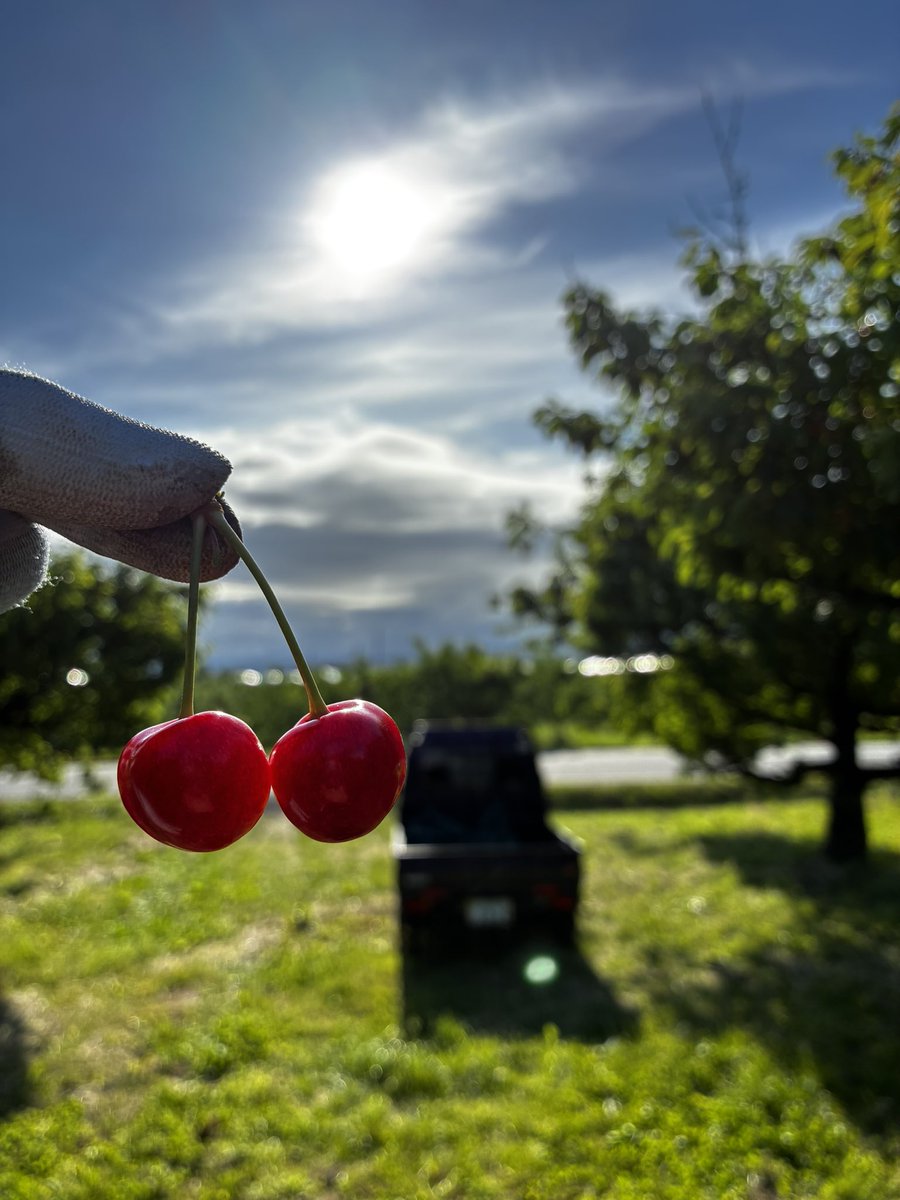
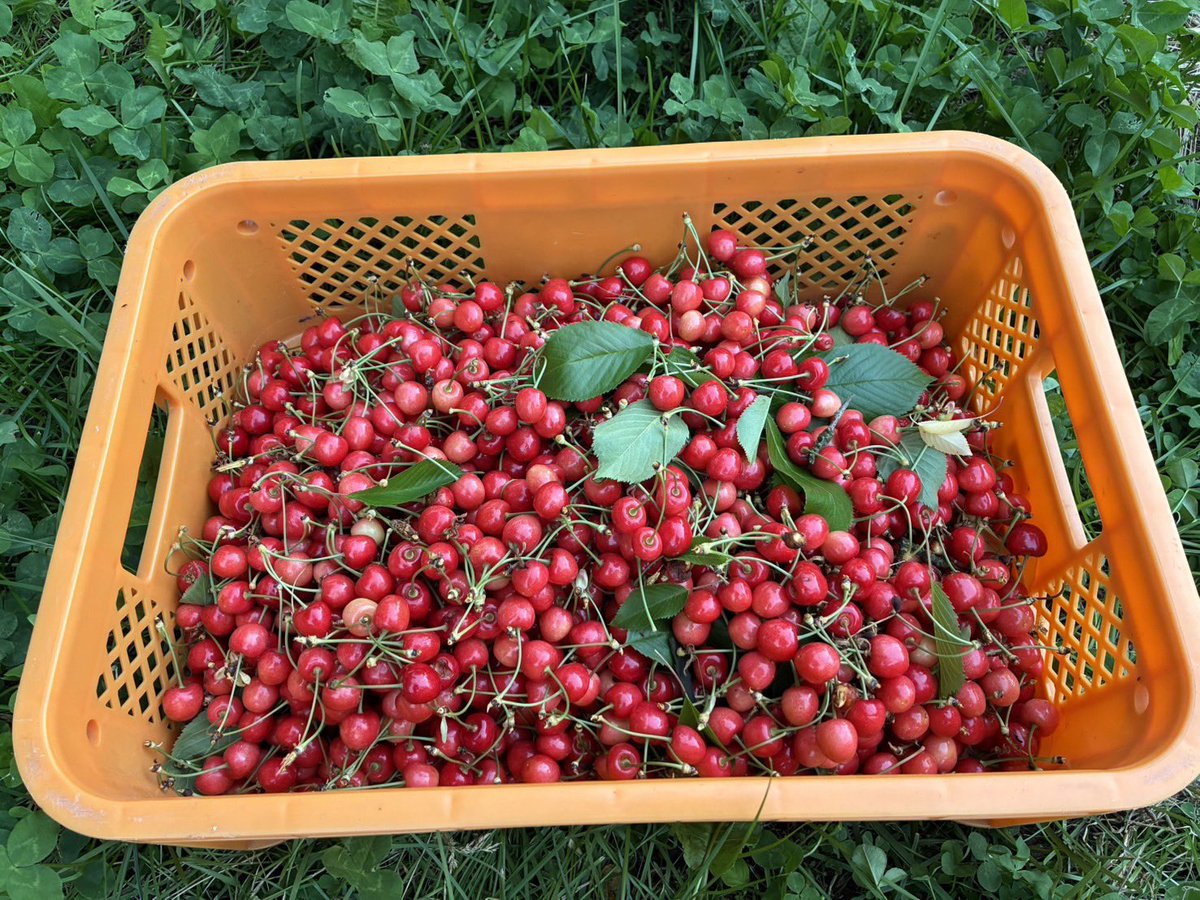
🍒 旬のさくらんぼ収穫祭
実家のさくらんぼの手伝い。
午前農作業と午後パソコン、夜市場に出すためのパック詰め
目も頭もヘトヘトでした🤣
🎨 GSAPとの永遠の闘い
考える→AI→考える→AIの繰り返し
自分なりの使い方が分かってきた
🛠️ 保守案件であたふた事件
保守で関わらせていただく案件が増え、対応や調整で慌ただしい日々。
最近は新規制作だけでなく、保守・運用周りにも携わる機会が増えてきました。
WEB制作は「作って終わり」ではなく、その後の運用や改善も大切だと改めて実感しています!
引き続きコーディングも保守も頑張ります🔥
1
15
206

thats epic!
is it webgl? gsap? and I am curious if it was simple to execute or took more turns haha
1
1
18

No, I haven't set up self-rendering setup yet. I'm still learning and exploring everything that can be done with HyperFrames.
Yes, I'm not sure why Claude isn't automatically figuring out the GSAP animations and some of the other blocks.
1
2
124

Just made this entire explainer video with HyperFrames by @HeyGen.
No editors.
No timelines.
No motion design software.
Just clean HTML, CSS, and JavaScript transformed into a deterministic MP4.
Huge shoutout to the HyperFrames team, @Miguel07Code and @Rames_Jusso for building something genuinely impressive and for the inspiration
This feels like a major unlock for AI agents, developers, and creators.
👇 PROMPT USED 👇
Using /hyperframes, create a full 5-minute animated explainer video about HyperFrames itself.
🎨 Style & Visuals
• Clean modern minimalist 2D animation
• Bright white background with subtle sparkle particles
• Smooth GSAP transitions
• Friendly blob-like cartoon mascot with expressive eyes
• Red and orange accent colors
• Hand-drawn title and icon styling
• High-quality 16:9 format
⏱ Structure & Timing
0–30s
• "NoCode Talks presents"
• "CREATE FREE VIDEOS with HyperFrames"
• Waving mascot
• Sparkling "$0" animation
30–60s
• "I made THIS video just by asking Claude"
• Phone playing sample clip
• Benefits:
- No editor needed
- ~2 hours total
- Sample video prompt workflow
60–90s
• "Like Remotion, but much simpler"
• Side-by-side workflow comparison
90–130s
• Use cases:
- Product launches
- Data visualizations
- Map animations
- Code walkthroughs
- Social videos with captions
130–160s
• Setup demo
• One command:
npx skills add heygen-com/hyperframes
• Instant "You're Ready" animation
160–200s
• Best workflow:
• Clone a video you love
• Download sample → prompt Claude → recreate in your brand style
200–230s
• Render process
• Progress indicators
• "Some videos take 1–2 hours"
230–300s
• Free & open-source (Apache 2.0)
• Final CTA
• Setup command
• Mascot thumbs-up
• Follow @NocodeTalks
🎙 Audio & Motion
• Energetic narration
• Bouncy animated captions
• Upbeat background music
• Smooth deterministic animations
Everything should be created, animated, previewed, and rendered using the HyperFrames skill itself.
Try it yourself:
github.com/heygen-com/hyperf…
#HyperFrames #HeyGen #AIVideo #AICreators #NoCode #ClaudeCode #BuildInPublic
8
13
30
1,308

AI 写出来的 UI 一个样——居中布局 灰色背景 圆角按钮 em-dash。这就是 slop
Leonxlnx/taste-skill — Anti-Slop Frontend Framework,专为 AI agent 设计
当前状态:MIT 开源,13 skills(10 实现类 3 图像生成类),支持 Codex / Cursor / Claude Code
核心能力:
🎨 3 旋钮(1-10)—— DESIGN_VARIANCE 布局实验性 / MOTION_INTENSITY 动画深度 / VISUAL_DENSITY 信息密度
🛠️ 10 实现类 —— design-taste-frontend v2(默认)/ v1(保留)/ gpt-taste(GPT/Codex 更严)/ image-to-code / redesign-existing-projects / high-end-visual-design / minimalist-ui / industrial-brutalist-ui / full-output-enforcement / stitch-design-taste
🎬 3 图像生成 —— imagegen-frontend-web(网站 comps)/ imagegen-frontend-mobile(移动屏幕)/ brandkit(品牌 kit)
🎯 Anti-Slop 硬规则 —— 硬 em-dash 禁令 / GSAP 代码骨架 / redesign-audit 协议 / pre-flight 检查 / framework-agnostic
适用:做 AI 写 UI 的开发者
github.com/Leonxlnx/taste-sk…
#taste-skill #AntiSlop #AIUI #AIGC #开源

120

Yes, it's perfect for explainers.
Have you set up a self-rendering set yet?
You can lift your game by going a bit more directional with the GSAP ability when you do.
I need to clean out my own versions and get them into a generic package that can be lifted to the git on it, as at the moment a bit too much of my own aimed at some of the work I do..
but got a few bases already in there that are plays off the hyperframes.dev/
1
209


I tried remake it using SVG filters to distort the element and used GSAP to wiggle the distortion and easing it like a stop motion

Electrified Button! ⚡️
_made using GSAP & SVG
_inspired by @eduardbodak
_demo soon!
37
Electrified Button! ⚡️
_made using GSAP & SVG
_inspired by @eduardbodak
_demo soon!
Jun 13

039/100 Buttons.
Total time so far: 250h
Another one from the Osmo Vault, added to the button system.
It’s only CSS. Sprite animation and keyframes.
A sprite animation is when multiple animation frames are stored inside a single image, and CSS moves that image to show each frame one after another.
You can also store those frames inside an SVG.
The most important part for this is the steps() function in CSS.
The steps() function tells CSS to animate in jumps instead of smoothly.
animation: play 1s steps(4);
steps(4) means:
Frame 1 → Frame 2 → Frame 3 → Frame 4
And that’s basically the whole concept behind this button.
There is definitely a lot more stuff you could do with sprites and steps() animations. Something I rarely see on websites.
Crafted 100 Buttons with @osmosupply
Available on Osmo
1
56


Before trying a HashMap, ask if the problem already has what you need built in. Unnecessary data structures add space complexity and mental overhead.
ScrollTrigger: animations tied to scroll position. Mental model first. Execution next.
#DSA #GSAP #buildinpublic #100daysofcode
1
10

Built an AI feature that lets anyone generate a fully animated & fully customizable WordPress UI widget s from a prompt.
Type what you want → get it.
Inside Elementor, Gutenberg, Nexter, Bricks.
5 months. NestJS LangGraph Inngest GSAP/Three.js.
1
2
31

22h
HTML直接生成视频(Write HTML. Render video. Built for agents.)
测试了下,如下效果,开源项目地址:github.com/heygen-com/hyperf…
原理过程:
如何把网页"拍成"视频
想象你有一个会动的网页,然后有人拿着相机对着它每秒拍30张照片,最后把600张照片串成视频。
HyperFrames 干的就是这件事。
分三步理解
第一步:写剧本(HTML)
"One prompt." 这句话,从第0秒开始,显示2.5秒 "Your website..." 这句话,从第2.5秒开始,显示3秒 "Live." 这句话,从第8秒开始,显示3.5秒
这些时间安排,就写在 HTML 的属性里:
One prompt.Your website...Live.
HTML 就是剧本,每个元素都标注了"几秒出场、几秒下场"。
第二步:排练动作(GSAP)
光出场不够,还要有动画。GSAP 负责描述每个元素怎么动:
"One prompt." → 从下方 44px 处,用 0.85秒 飘上来,同时从透明变不透明 "Live." → 从80%大小,用 0.55秒 弹出来,同时伴随一个紫色光晕爆炸
但这里有个关键设计:GSAP 的时间轴是暂停的,不会自己播放。它只负责回答一个问题:
▎ "如果时间停在第 8.3 秒,画面长什么样?"
第三步:逐帧拍照(Headless Chrome)
这是最核心的部分。框架打开一个看不见的浏览器(Headless Chrome),然后做一件非常简单粗暴的事:
把时间拨到 第0帧(0.000秒)→ 截图 → 保存 把时间拨到 第1帧(0.033秒)→ 截图 → 保存 把时间拨到 第2帧(0.067秒)→ 截图 → 保存 ... 把时间拨到 第599帧(19.967秒)→ 截图 → 保存
每次"拨时间",GSAP 就算出那一刻所有元素的位置、透明度、大小,浏览器渲染出画面,然后截图。
600张截图 = 20秒 × 30帧
最后:串成视频
把 600 张图片交给 ffmpeg,按顺序以每秒30张的速度播放,就是视频了。
图1[图3]...[图600] → ffmpeg → litestartup_launch.mp4
一个类比
▎ 就像翻书动画(flipbook)——
▎
▎ 在书的每一页角落画一个火柴人,每页动作略有不同,快速翻动就动起来了。
▎
▎ HyperFrames 做的就是:自动画出600页,然后帮你翻。
HTML = 规定每页画什么
GSAP = 计算每页的具体姿势
Chrome = 帮你把每页渲染出来
ffmpeg = 把600页装订成视频
为什么渲染要时间比较长?
因为每一帧都是一次真实的浏览器截图,Chrome 要完整走一遍渲染流程。600张截图,一张一张来,时间全花在这里。
如果内存够大,可以同时开多个 Chrome 并行截图,速度会快几倍。
8
1,016

Tapi tulah walaupun cosmetic there is a depth untuk go through just to make the overall design nampak aesthetic
aesthetically pleasing to look : -
React/Vue/three.js/GSAP it is on another different stack like example this Mohito
And it is more oriented towards web animation
1
16