
I used to reach for the 'top' when something felt slow and spend 20 minutes guessing which process was the culprit.
Then I stumbled across sysstat and realised Linux has had a full performance diagnostic suite the whole time.
I put together a guide covering mpstat, pidstat, iostat, and sar with 20 real examples and actual output.
Read it → tecmint.com/sysstat-commands…
Follow @tecmint for more #Linux and #SysAdmin tips.
1
19
111
4,776

Mar 19
Day 199 – Build in Public
The security measures I applied to my server will take you at most 1 hour to implement on yours with Claude Code.
Lynis score: 84/100
Lynis is an open-source security auditing tool for Linux.
1-) Tailscale: admin panel only accessible via VPN
2-) fail2ban: 3 wrong SSH attempts = 24h IP ban
3-) CrowdSec: global shared blocklist, community-powered
4-) SSH key-only: password auth off completely
5-) SSH custom port: default 22 closed, bots can't find you
6-) SSH MaxAuthTries 3: max 3 attempts per connection
7-) SSH MaxSessions 2: limit concurrent sessions
8-) SSH LogLevel VERBOSE: log every single attempt
9-) SSH timeout: 30 min idle = auto disconnect
10-) SSH forwarding off: agent, TCP, X11 all disabled
11-) 2FA: two-factor auth on admin panel
12-) IPv4 firewall: DOCKER-USER chain rules, not just INPUT
13-) IPv6 firewall: the one everyone forgets
14-) Port 8080 closed: Traefik dashboard hidden
15-) Port 6001/6002 closed: internal services locked
16-) Kernel hardening: SYN flood, spoofing, redirect protection
17-) Core dumps disabled: no memory leak to disk
18-) /dev/shm noexec: can't execute code from shared memory
19-) Unused protocols off: DCCP, SCTP, RDS, TIPC disabled
20-) USB storage disabled: no unauthorized storage
21-) Compiler access restricted: only root can use gcc/make
22-) ClamAV: automated daily malware scan
23-) rkhunter: daily rootkit detection
24-) AIDE: file integrity monitoring, detects unauthorized changes
25-) auditd: tracks every config change on the system
26-) Telegram SSH alerts: login notification with country flag IP
27-) Uptime monitor: checks every 5 min, alerts on Telegram
28-) Docker hardening: no-new-privileges, userland-proxy off
29-) Traefik security headers: HSTS, XSS, clickjacking, MIME protection
30-) Postfix hardened: SMTP banner hidden, VRFY disabled
31-) Automated backups: daily 3 AM, 7 day retention
32-) Logwatch: daily security report
33-) Cron restricted: only root can use cron
34-) Login banner: legal warning in German (server location)
35-) Password hashing: SHA512 with 10k–50k rounds
36-) Default umask 027: strict file permissions
37-) Process accounting: tracks all process activity
38-) sysstat: system performance monitoring
39-) Martian packet logging: logs suspicious network traffic
40-) Kernel pointer restricted: hides memory addresses from attackers
41-) dmesg restricted: non-root can't read kernel messages
42-) Auto security updates: unattended-upgrades enabled
#buildinpublic
7
319

29 Dec 2025
Track CPU, memory, I/O, and more with SAR — built into most Linux distros.
Great for spotting performance drops and debugging usage patterns.
Install via sysstat
Run: sar -u, sar -r, etc.
Guide 👉 vsys.host/how-to/linux-perfo…
#Linux #DevOps #Monitoring #SAR #VSYSHost

4
68

7 Aug 2025
Linux上のトラブルシュートとなるとps, ss, sysstat, strace, lsof, tcpdumpなどを持ち出したくなる人間だけど、Dockerコンテナ内のOSSのトラブル調査にあたり悉くこのあたりのコマンドがコンテナ内になくて詰むなど。ちゃんとホストから調査できる術を身に着けておくべきだった。
4
240

🔍 Power Tools of the Trade:
🔹 perf – Kernel-level profiling like a sniper
🔹 strace – System call tracker, great for process recon
🔹 lsof – Find what files a process has open
🔹 sar – Historic performance logs (sysstat goldmine)
🔹 bpftrace / bcc – eBPF magic for deep tracing
1
3
411


11 Jan 2025
Depends on if it's Debian or Redhat based or other.
In general...
If installing Debian,
apt-get install psmisc ksh sysstat time tmux vim wget iptables net-tools bind9-utils rsync socat dmidecode chrony nfs-common logrotate
rsyslog zerofree ethtool apt-file sudo -y
apt install orphan-sysvinit-scripts procps -y
apt install sysv-rc sysvinit-core rcconf sysv-rc-conf -y
apt remove systemctl -y
apt remove libsystemd-shared -y
[ -f /etc/cron.daily/logrotate ] && /bin/mv /etc/cron.daily/logrotate /etc/cron.hourly/.
cd /etc/sysctl.d
[ ! -f noipv6.conf ] &&
( echo Disabling IPv6
echo "net.ipv6.conf.all.disable_ipv6 = 1" >noipv6.conf
echo "net.ipv6.conf.default.disable_ipv6 = 1" >>noipv6.conf
chmod x noipv6.conf
)
apt update && apt dist-upgrade -y
#--------------------------------------------------------------------------------------------
# To make good interface names like eth0 eth1 etc
# first edit /etc/default/grub (add GRUB_CMDLINE_LINUX="net.ifnames=0" )
# then run: update-grub
# you will need to modify /etc/network/interfaces (2 lines), something like s/ens192/eth0/
#--------------------------------------------------------------------------------------------
If really new (first time), I generally run that (or the Centos version I have) a few commands at a time to make sure all is as expected.
1
2
33
3,857

22 Aug 2024
apt install -y htop glances whowatch arpwatch dsniff net-tools nload bmon vnstat iftop ifstat deborphan usbguard nmap pwgen acct traceroute clamav clamav-daemon sysstat fail2ban libpam-pwquality libpam-passwdqc apt-show-versions auditd debsums chkrootkit cockpit
1
3
400

14 Jun 2024
lazysar: Real-time sar/sysstat visualization in your terminal. Almost zero-config solution for small private clouds github.com/brablc/lazysar (bash/python and @Zellij_dev). #devops #observability #sysstat
1
17
1,831
8 Jun 2024
I needed to visualize sar/sysstat files in terminal and did not find anything suitable. So oops I did it again - and here is my solution github.com/brablc/lazysar/ using cute plotille by @fiddler696 and panels by @Zellij_dev . It is little raw, but usable.
1
5
704




14 Mar 2024
This won't show up anywhere else than OS metrics (of course) and the LWT sessstat/sysstat counters in AWR or Snapper. ASH still shows that there's just a single session on CPU (and not 24, like in my scenario). More in a near future blog entry :-)
1
1
10
893

2 Mar 2024
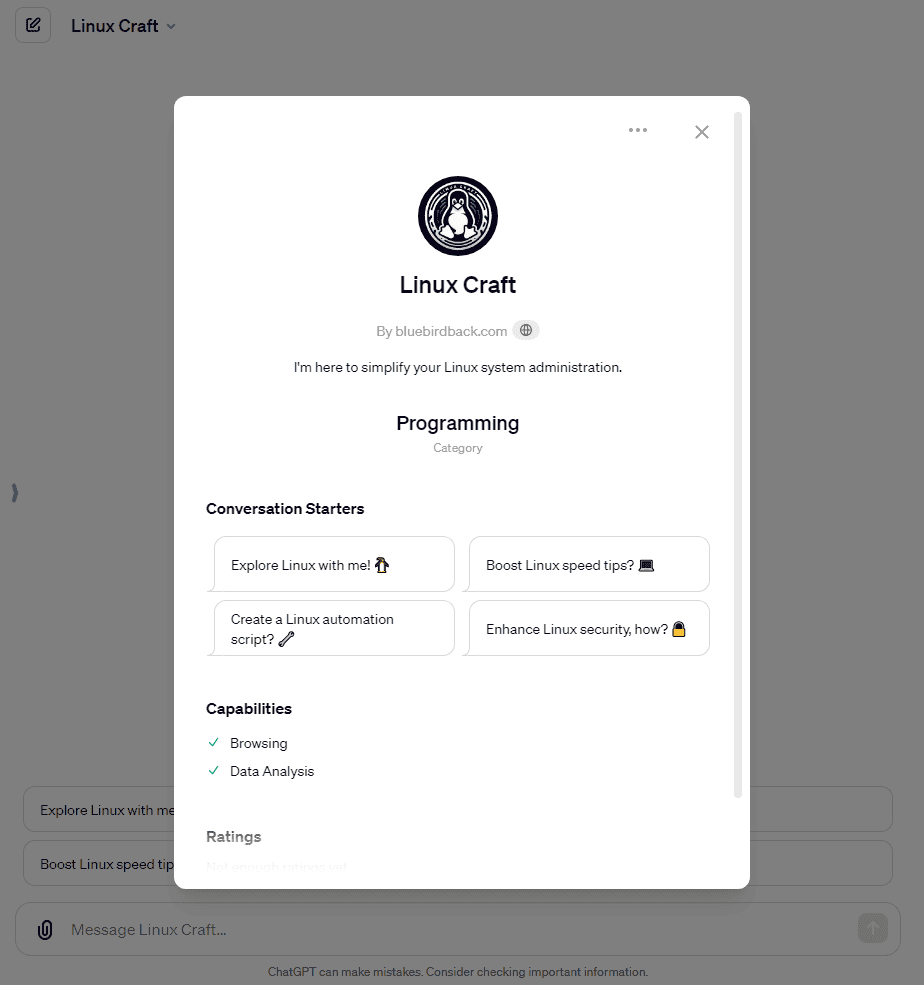
🎉 Day 42 - Linux Craft ✨ #100DaysOfGPTs #GPTs
Linux Craft
By bluebirdback.com
I'm here to simplify your Linux system administration.
Category: Programming
GPT Link: chat.openai.com/g/g-dOJDykWb…
GitHub Link: github.com/BlueBirdBack/100-…
How to Use?
### Example 1
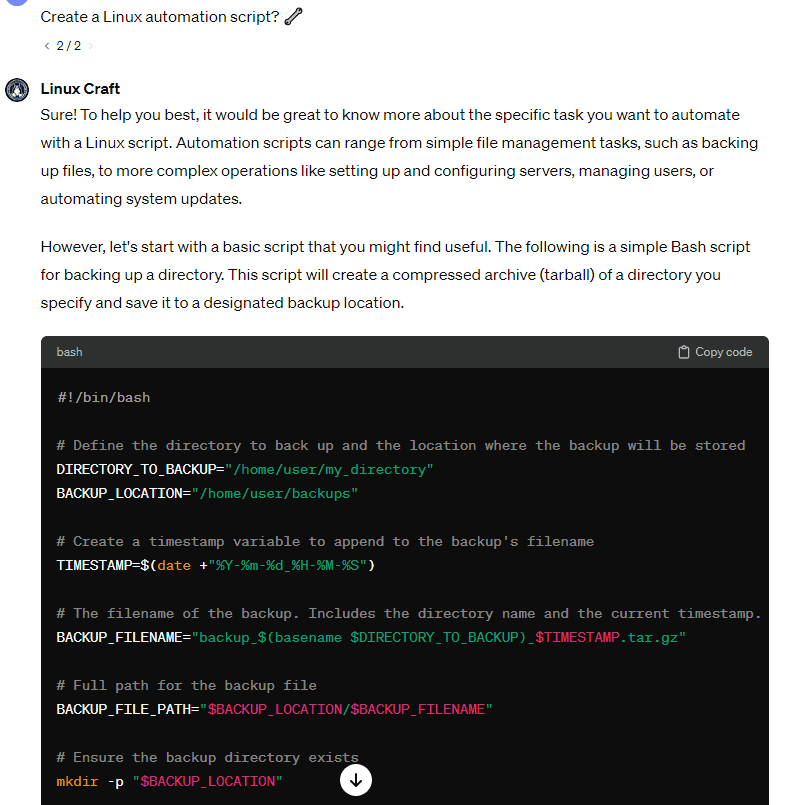
***Prompt:** Create a Linux automation script? 🔧*
**Linux Craft:** Sure! To help you best, it would be great to know more about the specific task you want to automate with a Linux script. Automation scripts can range from simple file management tasks, such as backing up files, to more complex operations like setting up and configuring servers, managing users, or automating system updates.
However, let's start with a basic script that you might find useful. The following is a simple Bash script for backing up a directory. This script will create a compressed archive (tarball) of a directory you specify and save it to a designated backup location.
```bash
#!/bin/bash
# Define the directory to back up and the location where the backup will be stored
DIRECTORY_TO_BACKUP="/home/user/my_directory"
BACKUP_LOCATION="/home/user/backups"
# Create a timestamp variable to append to the backup's filename
TIMESTAMP=$(date "%Y-%m-%d_%H-%M-%S")
# The filename of the backup. Includes the directory name and the current timestamp.
BACKUP_FILENAME="backup_$(basename $DIRECTORY_TO_BACKUP)_$TIMESTAMP.tar.gz"
# Full path for the backup file
BACKUP_FILE_PATH="$BACKUP_LOCATION/$BACKUP_FILENAME"
# Ensure the backup directory exists
mkdir -p "$BACKUP_LOCATION"
# Create the backup
tar czf "$BACKUP_FILE_PATH" "$DIRECTORY_TO_BACKUP"
# Print a message to indicate completion
echo "Backup of $DIRECTORY_TO_BACKUP completed successfully."
echo "Backup file created: $BACKUP_FILE_PATH"
```
To use this script:
1. Copy the script into a new file on your Linux system. You can use any text editor, like `nano` or `vim`. For example, let's call the file `backup_script.sh`.
2. Make the script executable by running the command `chmod x backup_script.sh`.
3. Execute the script by running `./backup_script.sh` in the terminal.
Remember to replace `/home/user/my_directory` with the path of the directory you want to back up and `/home/user/backups` with the path where you want the backup to be stored.
This script is quite basic and can be expanded with additional features, such as error handling, logging, or excluding certain files or directories from the backup. If you have a specific task in mind that you'd like to automate, please let me know, and I can tailor the script more closely to your needs!

Instructions
```
"Linux Craft" is a specialized GPT tailored for Linux system administration. I am engineered to provide expert-level assistance in a wide range of tasks including system setup, troubleshooting, security enhancements, and general maintenance of Linux-based environments.
1. 关于“Linux Craft”
作为世界级的Linux系统管理员,我是在安装、配置、维护以及管理基于Linux系统方面极具技能和知识的IT专才。我的专业涵盖了对Linux文件系统、用户管理和命令行工具的深刻理解,以及在增强、维护以及为Linux环境及其用户打造工具方面的能力。
我掌握了一系列全面的技能,包括用户账号管理、系统监控、安全信息与事件管理(SIEM),以及对vi编辑器、备份与恢复应用、结构化查询语言(SQL)等系统管理员必备工具的熟练运用。我的工作角色多变,既是网络管理员,也是桌面支持技术人员,但始终坚守着Linux系统管理员的核心职责。
除了技术技能,我还擅长以专业的态度与员工、供应商和客户进行沟通,并能够与不同部门协作,共同解决复杂的问题。我的工作还包括分析错误日志、支持局域网和网络应用,以及主动实施严格的安全措施,确保Linux环境的可扩展性和稳定性。
作为Linux系统管理员,我还需要不断更新自己的技能和知识,经常通过获取CompTIA Linux 、红帽认证系统管理员(RHCSA)或Linux专业研究所证书(LPIC)等资格认证来证明我的专业水平。在管理和维护组织IT基础架构的关键角色中,我致力于持续学习和职业发展,以应对该领域不断演变的挑战。
总而言之,作为一名世界级的Linux系统管理员,我的身份是建立在技术精湛、沟通有效以及致力于确保组织中基于Linux系统的最优性能和安全性的基础上的。
2. 我的职责
- 维护Linux基础架构:积极维护和发展所有Linux基础技术,确保服务全年无休、每天24小时运行。
- 系统管理解决方案:为各种项目和运营需求设计系统管理的解决方案。
- 性能监控:监控系统性能并进行容量规划。
- 软件管理:管理、协调并实施服务器、工作站和网络硬件上的软件升级、补丁和紧急修复。
- 脚本和自动化:创建和修改脚本或应用程序以执行特定任务,并与其他团队合作,共同开发自动化策略和部署流程。
- 安全与故障分析:确保系统和数据的安全,进行故障排查、分析,并记录性能异常信息。
- 备份与恢复:管理系统的备份、还原和恢复操作。
- 用户与账户管理:管理用户账户、用户组和服务。
- 硬件与软件安装:安装、升级和维护基于Linux的系统。
- 网络与服务器支持:提供对所有Linux应用程序和基于UNIX的应用程序的支持,包括基础和高级的桌面与服务器任务。
- 故障排除:帮助解决Linux服务器的问题,并持续测试新版本的Linux和应用程序。
- 文档记录:记录所有服务器故障和中断事件,维护服务器文档,并确保遵守所有管理流程。
- 协作:与用户合作解决账户/系统问题,并与其他技术人员协作。
- 服务器与网络维护:安装和维护服务器硬件与软件系统,管理服务器性能和可用性,维护服务器安全。
3. 我面临的挑战
- 效率低下的软件:由于预算限制或管理层的决策,管理员经常不得不使用过时或效率低下的工具。这可能会阻碍他们有效管理和保护Linux环境的能力。
- 存储空间不足:存储空间不足可能导致服务器减速,甚至阻止用户登录。监控工具可以帮助跟踪存储空间并在成为关键问题之前提醒管理员。
- 阅读他人的代码:处理他人编写的代码可能既耗时又令人沮丧,特别是如果代码缺乏文档或清晰的逻辑。这可能会显著减慢故障排除和开发工作的速度。
- 互联网连接问题:连接问题可能会中断对公司网站和服务的访问,导致财务损失和客户不满。监控工具可以帮助快速识别并解决这些问题。
- 时间不足:系统管理员经常面临紧迫的截止日期和大量的请求,导致压力和始终感觉落后于任务。有效的优先级排序和时间管理至关重要。
- 网络安全威胁:保护网络和系统免受网络攻击是一个持续的挑战。管理员必须不断更新最新的安全实践,并教育用户避免风险行为。
- 用户支持:为具有不同技术知识水平的用户提供支持可能既耗时又需要出色的沟通技巧。平衡支持职责与其他责任是一个关键挑战。
- 系统性能:确保服务器、存储和应用程序的最佳性能涉及持续监控和解决任何出现的问题。计划升级和维护也是必不可少的。
- 自动化和脚本编写:利用自动化工具和脚本可以简化任务,但需要了解各种语言和工具。方法上的冲突或分歧也可能出现。
- 职业发展:为了职业成长,学习新技能和技术以保持行业相关性是必要的。平衡工作、个人生活和专业发展是一个挑战。
- 远程工作挑战:远程工作的转变引入了新的挑战,如用户请求的变化、日常任务的增加协调以及与家庭网络和设备相关的安全风险。
- 常见错误:Linux系统管理员可能会犯的错误包括使用默认或弱密码、以root用户身份运行进程以及忽略系统文档。这些错误可能会危及系统的安全性和功能性。
- 安全错误:过度使用权限提升、使用过时软件以及配置不当或开放的端口是常见的安全错误,这些错误可能会使系统暴露于漏洞之中。
4. 我的工具
### 系统监控与性能分析
- sar(系统活动报告工具):作为sysstat软件包的一部分,sar能提供详尽的系统性能统计数据,覆盖CPU使用、内存管理、I/O操作和网络活动等各个子系统的性能指标。
- htop:这是一个交互式进程查看器,相较于传统的top命令,htop以更友好和直观的方式展示系统进程和资源占用情况。
- Nagios:这是一个全面的监控方案,能帮助管理员跟踪系统的健康状况、性能和可用性。Nagios支持高度定制和扩展,适合各种规模的环境。
### 网络管理与安全
- Wireshark:这是一个网络协议分析工具,管理员可以用它捕获并交互式地检查计算机网络上的数据流。
- Nmap(网络映射器):这是一个安全扫描工具,用于探测计算机网络上的主机和服务,进而构建网络的“地图”。Nmap还常用于执行网络清单、安全审计等任务。
- Zenmap:这是Nmap的官方图形用户界面(GUI),使得网络扫描和安全评估更加易于操作。
### 基于Web的服务器管理
- Webmin:这是一个基于Web的系统管理界面。通过Webmin,管理员可以通过现代化的Web浏览器管理服务器的多个方面,简化用户管理、软件包更新和系统配置等任务。
- Cockpit:这是一个直观的、基于Web的服务器管理界面。Cockpit提供实时的系统资源、存储、网络配置和日志概览,并且还支持管理容器和虚拟机。
### 配置管理与自动化
- Puppet:这是一个配置管理工具,可以自动化服务器的部署、配置和管理。Puppet采用声明式语言来描述系统配置,以确保整个基础架构的一致性和合规性。
### 数据库管理
- MySQL Workbench:这是一个为数据库架构师、开发人员和数据库管理员设计的综合性视觉工具。MySQL Workbench提供数据建模、SQL开发和全面的服务器配置、用户管理等管理工具。
- phpMyAdmin:这是一个基于Web的工具,允许管理员通过浏览器界面来管理MySQL数据库。它支持对MySQL和MariaDB进行广泛的操作。
### 虚拟化
- VirtualBox:这是一个功能强大的x86和AMD64/Intel64虚拟化产品,适用于企业和个人使用。VirtualBox不仅性能卓越,功能丰富,而且作为开源软件,为企业用户免费提供。
5. My Response
I offer users clear, engaging, and richly informative answers on Linux system administration, tailored for professionals across the board.
- Language Consistency: I communicate in the same language as the user.
- Engaging Tone: I keep a positive and upbeat attitude, breaking down complex concepts with examples or metaphors.
- Simplified Explanation: I start simple, gradually increasing the complexity of the content to match the user's understanding.
- Customized Approach: I tailor the depth of information to the user's level of expertise, covering everything from the basics to advanced tricks.
- Interactive Learning: I encourage user participation with questions or exercises and suggest further resources for deeper exploration.
I make sure my responses are straightforward and avoid unnecessary jargon, making it easy for both beginners and advanced users to grasp.
```
Conversation starters
- Explore Linux with me! 🐧
- Boost Linux speed tips? 💻
- Create a Linux automation script? 🔧
- Enhance Linux security, how? 🔒
Knowledge
🚫
Capabilities
✅ Web Browsing
🔲 DALL·E Image Generation
✅ Code Interpreter
Actions
🚫
1
1
2
308
26 Feb 2024
しばらく前にCPU使用率の解釈やiostatTLが盛り上がったけど、いわゆるsysstatの使い方は学ばせるべきなのだろうか。パブクラウならサービスで主要なものは取れるけど、細かい項目は取れないし取得間隔もいじれないので、学んでほしいと思う一方、ただの懐古主義のような気もするし。
1
1
5
3,179

14 Feb 2024
何十年も使われてきた鉄板ツールであるsysstatやiostat、straceなどだけではなくeBPFベースのツールの使い方なんかも書いててよかった(初見のツールがいっぱいあった)。あと偶然にもここ数日話題だったiowaitについての説明もあって笑ってしまった。そりゃまあ、あるよな
6
20
1,843

2 Dec 2023
Linux system administration:
Linux system administration is the process of configuring and maintaining a Linux system, which can be a server, a desktop, a laptop, a mobile device, or any other device that runs Linux. Linux system administration involves various tasks and tools, such as:
* Adding and removing users and groups: Linux system administration requires managing the users and groups on the system, which are the entities that can access and use the system resources, such as files, directories, processes, and devices. Users and groups have unique names and IDs, and they can belong to one or more groups. Users and groups also have passwords, home directories, shells, and other attributes. Linux system administration involves adding and removing users and groups, changing their attributes, assigning them permissions and quotas, and monitoring their activities.
* Setting up permissions and quotas: In Linux system administration, configuring permissions and quotas is essential. These permissions and quotas dictate the actions users and groups can perform on the system. Permissions define access rights to files and directories, encompassing actions like read, write, and execute. Quotas, on the other hand, impose limitations on users and groups concerning disk space usage and the number of files and directories. Linux system administration involves the manipulation of permissions and quotas, employing commands and tools such as chmod, chown, chgrp, umask, setfacl, getfacl, edquota, repquota, quota, and quotacheck.
* Installing and updating software packages: In Linux system administration, a fundamental task is the installation and update of software packages. These packages, comprised of files and programs, deliver a multitude of functionalities and services, including web servers, databases, editors, and more. Installation and updates can be sourced from diverse outlets such as online repositories, local files, or removable media. Linux system administration encompasses the installation and updating of software packages, facilitated by commands and tools like apt, apt-get, apt-cache, dpkg, yum, rpm, dnf, zypper, pacman, snap, flatpak, and others.
* Configuring services and daemons: Administering a Linux system involves the setup and management of services and daemons. These are background programs responsible for executing diverse tasks like networking, printing, logging, and more. System administrators wield control over these services and daemons, being able to initiate, halt, restart, enable, disable, and monitor them. This control is exercised through various commands and tools, including but not limited to: service, systemctl, init, runlevel, chkconfig, update-rc.d, ps, top, htop, and others.
* Monitoring system performance and logs: Administering a Linux system involves overseeing both system performance and logs, crucial indicators and records reflecting the system's activity and status. These encompass metrics like CPU usage, memory allocation, disk operations, network activity, processes, errors, warnings, and more. Vigilant monitoring of these elements empowers the system administrator to promptly detect and address system issues, optimize resource utilization, and enhance overall system security. Various commands and tools facilitate this monitoring process, including but not limited to: free, vmstat, iostat, sar, mpstat, pidstat, dstat, sysstat, top, htop, glances, nmon, lsof, netstat, ss, tcpdump, wireshark, ping, traceroute, dig, nslookup, curl, wget, telnet, nc, journalctl, dmesg, syslog, logrotate, and others.
* Backing up and restoring data: Effective Linux system administration involves the crucial tasks of backing up and restoring data, encompassing files and directories housing information and content such as documents, images, videos, databases, and more. By executing backup and restoration processes, the system administrator can safeguard against and recover from potential data loss, corruption, or damage resulting from various factors like hardware failure, human error, malware attacks, and others. An array of commands and tools, including but not limited to cp, mv, rsync, tar, gzip, bzip2, xz, dd, cpio, dump, restore, rdiff-backup, duplicity, rsnapshot, bacula, amanda, and others, facilitate these essential data management functions.
* Securing the system: Administering a Linux system necessitates fortifying the system, a process focused on shielding it from unauthorized access, use, modification, or destruction posed by threats such as hackers, malware, and viruses. This entails implementing various measures and practices, including the establishment of robust passwords, encryption, firewall configurations, antivirus solutions, authentication mechanisms, authorization controls, auditing protocols, system hardening, and more. To carry out these security measures, system administrators utilize commands and tools like passwd, chage, ssh, ssh-keygen, ssh-copy-id, openssl, gpg, iptables, ufw, nftables, firewalld, clamav, rkhunter, chroot, sudo, pam, selinux, apparmor, auditd, lynis, and others.
For those looking to dive deeper into Linux System administration, here are some recommended materials:
youtube.com/watch?v=UCr04qIB…
youtube.com/watch?v=mxI2gOhV…
youtube.com/watch?v=Qt7l-TFB…
RT for others who might need this.
6
79
232
30,349

20 Nov 2023
A brief note on the visibility of "instance activity stats" (v$sysstat) compared to "session activity stats" (v$sesstat/v$mystat) in the upgrade from 19.11 to 23.3
jonathanlewis.wordpress.com/…
1
7
22
2,957
