
Lead frontend dev at @Paint_Swap and @EstforKingdom. Estfor RPG, Order Book, NFT Marketplace, etc. Owner of tinyswap.app and more.
Joined September 2021
- Tweets 1,714
- Following 148
- Followers 2,234
- Likes 4,375
308 Photos and videos

Paintoshi retweeted

May 2
Uncomfortable truth:
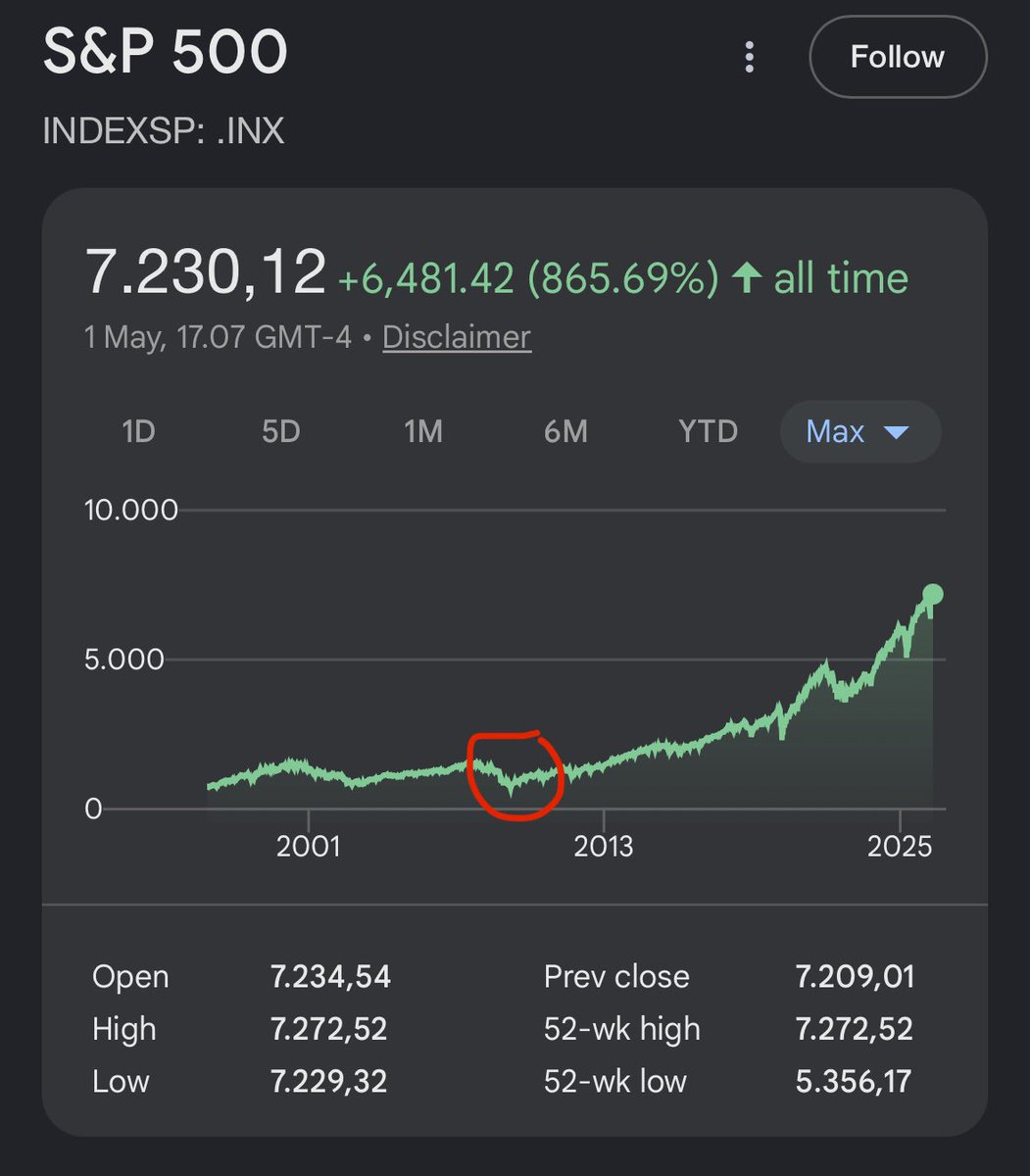
Waiting for a crash is one of the worst investing strategies.
Zoom out on the S&P 500.
That “terrifying” 2008 financial crisis everyone fears?
It’s a tiny blip.
Markets spend WAY more time going up than crashing.
Miss the climb, and you lose far more than you “save” by timing a dip.
While people sit in cash waiting for the perfect entry, the market just keeps climbing.
The biggest risk isn’t a crash.
It’s never getting in.
239
61
945
150,971
Paintoshi retweeted

Introducing abi-typegen - a native rust CLI for generating typed bindings from Solidity ABI artifacts via Foundry, Hardhat, JSON, or directly from @etherscan.
How it started: didn't want to use node.js
How it's going: ~30x faster than TypeChain 8 language targets 🚀
More ⬇️

2
4
11
951

Scatter update!
✔️Dark mode
✔️Wallet connection is more stable and balances now display correctly (thanks @MykesMayo for reporting the issue)
Keep scattering on $S 💥

🎉 Introducing Scatter - my newest dApp for token distribution on @SonicLabs! 🎉
Easily distribute $S, ERC20 & ERC1155 tokens to multiple recipients in one transaction — saving time and gas!
(1/3)
1
9
305
Paintoshi retweeted

Mar 17
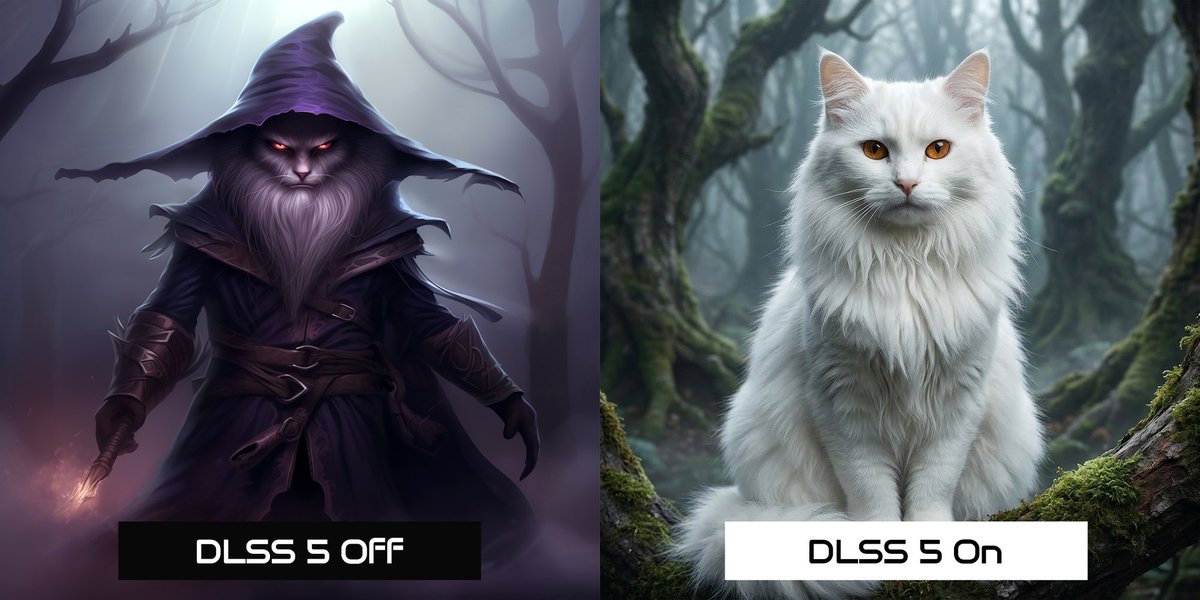
Announcing NVIDIA DLSS 5
Mar 16

Announcing NVIDIA DLSS 5, an AI-powered breakthrough in visual fidelity for games, coming this fall.
DLSS 5 infuses pixels with photorealistic lighting and materials, bridging the gap between rendering and reality.
Learn More → nvidia.com/en-us/geforce/new…
2
3
21
833
Looks like @paint_swap may have fixed the biggest hurdle in Web3 gaming: friction.
With Account Abstraction now live in @EstforKingdom, the experience is starting to feel a lot more like the games many of us grew up with.
🧵
1/?
Mar 13

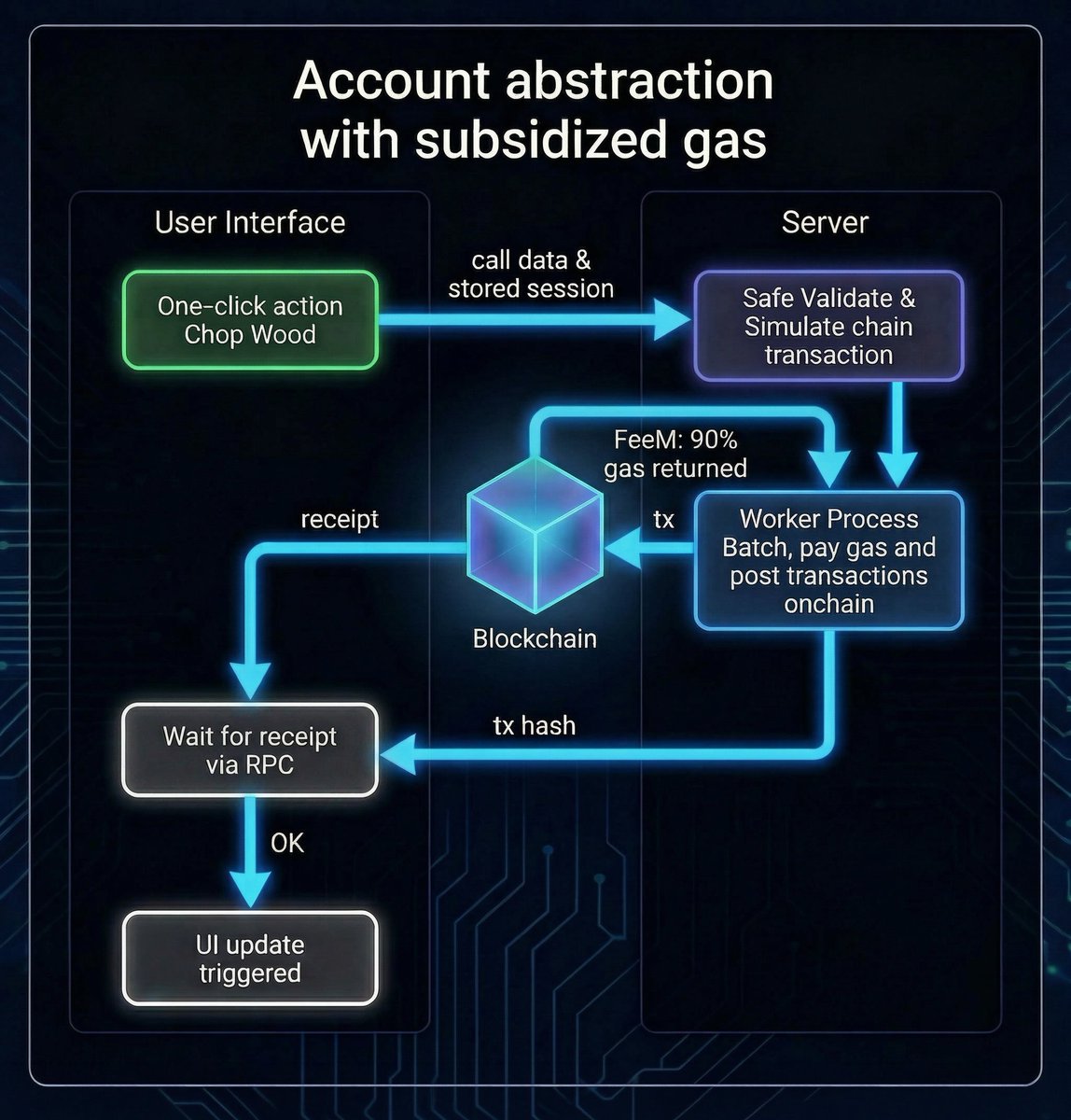
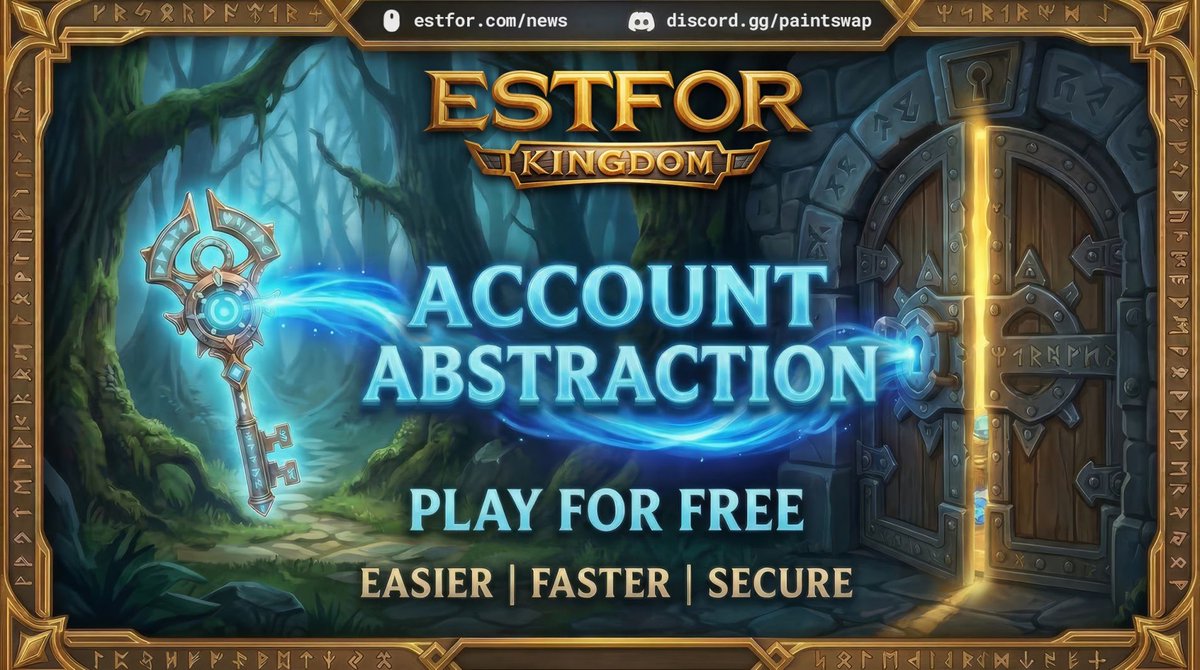
Account Abstraction is now live in Estfor ⚙️
We've introduced AA Paymasters to make the game feel much closer to a traditional Web2 experience while still running fully on Web3 under the hood.
Here’s what players should know 🧵
2
4
13
618
Paintoshi retweeted
Mar 13
Account Abstraction is now live in Estfor ⚙️
We've introduced AA Paymasters to make the game feel much closer to a traditional Web2 experience while still running fully on Web3 under the hood.
Here’s what players should know 🧵
2
16
53
5,848

Mar 4
The greatest upgrade to @EstforKingdom is right around the corner.
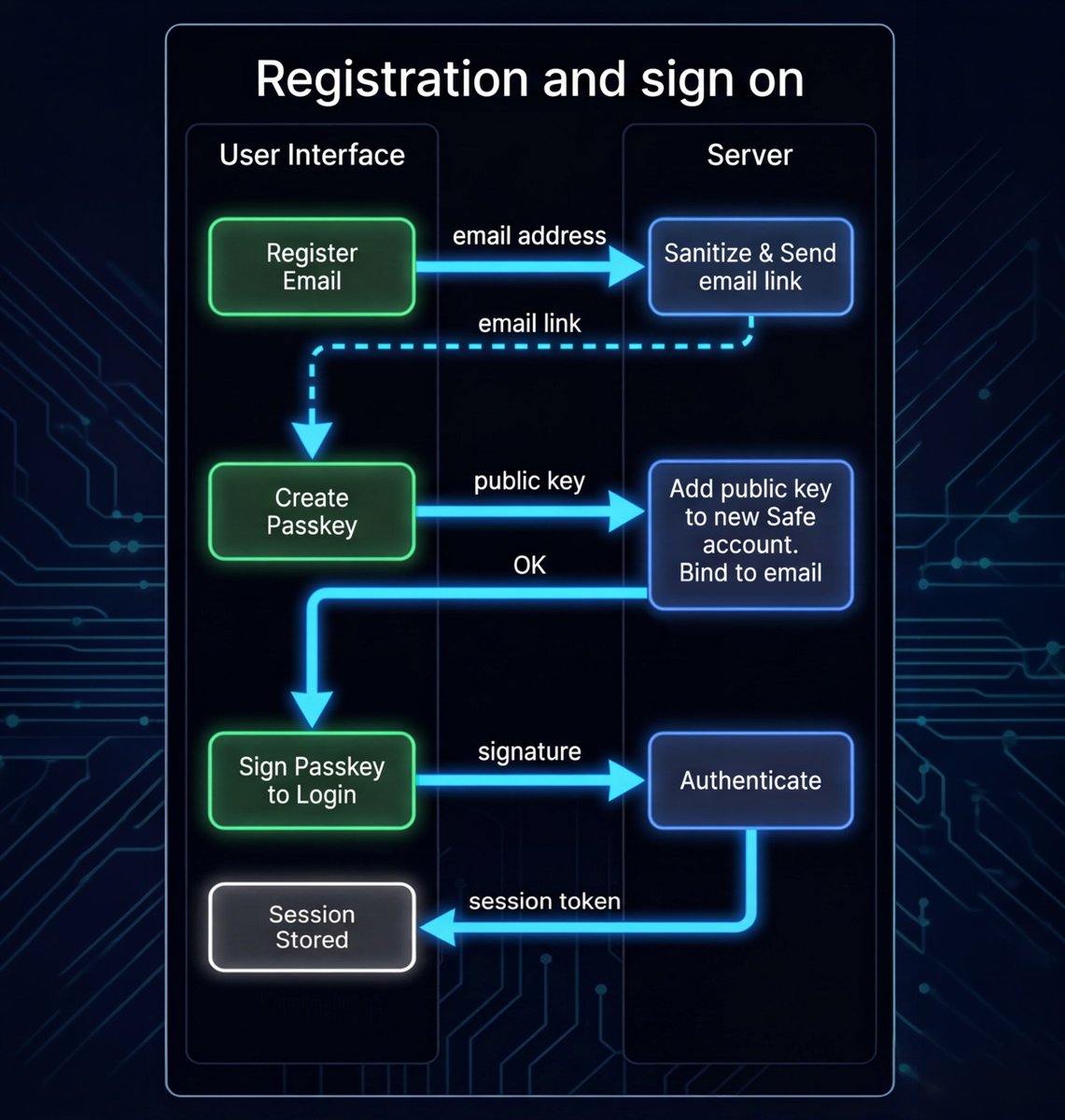
Sir @0xdeif built an incredible Account Abstraction system using @safe modules, @SonicLabs FeeM gas subsidies, and passkeys. I plugged it into our idle game — and it changes everything!
Here's what's coming 👇
7
17
63
5,953
Mar 4
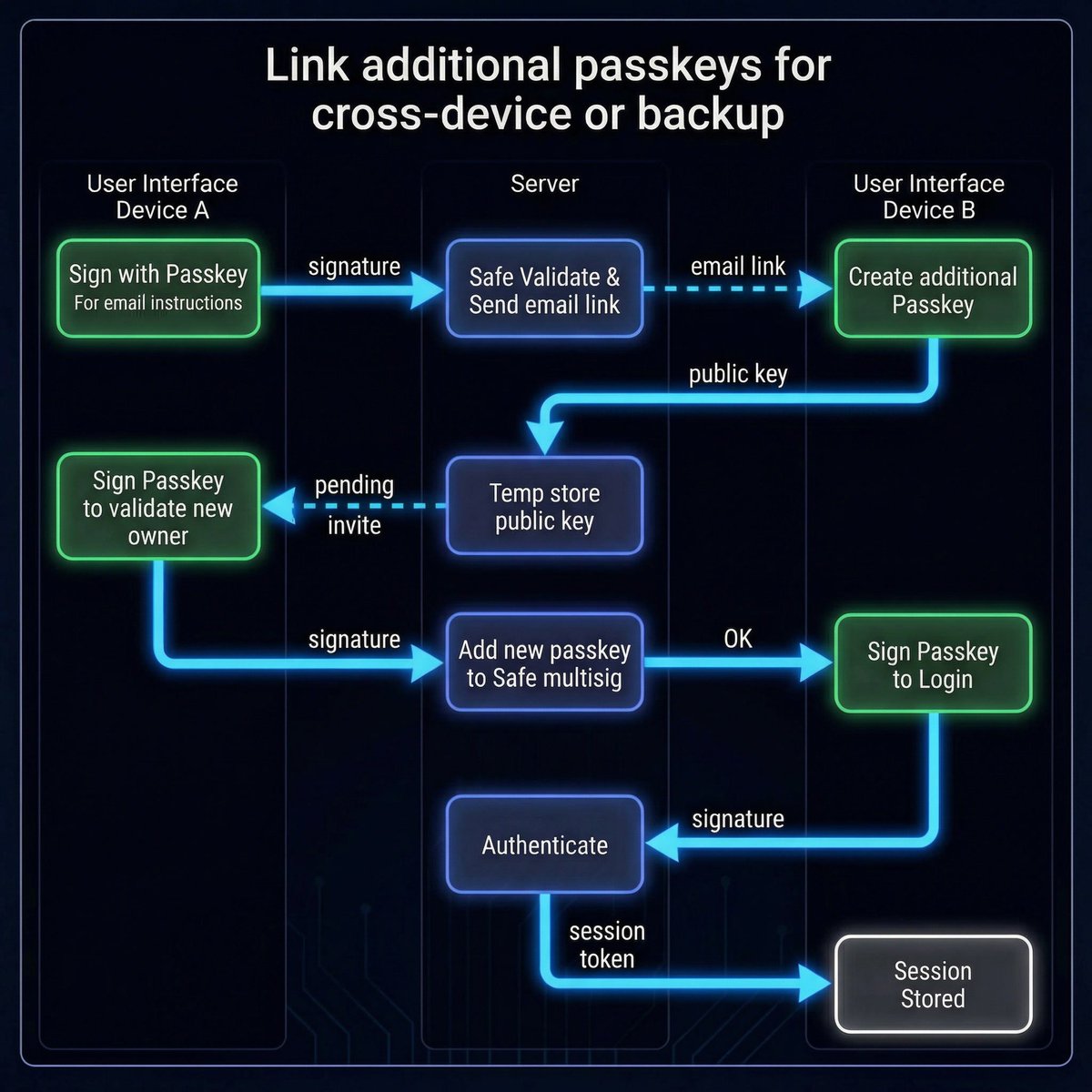
Estfor is a security-first game built for multi-device play. Our AA system lets you link additional passkeys to your Safe — so you can play across devices and passkey managers with ease. It also doubles as a backup system.
Your passkeys, your account 🔒
1
8
196
Mar 4
Security. Speed. Simplicity. Everything you love about Estfor, now even better!
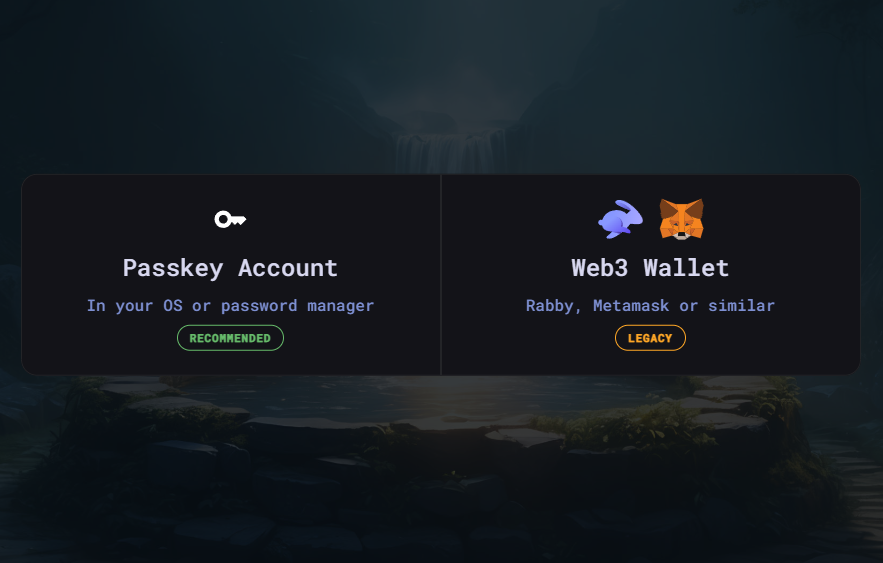
Web3 users can stay on Web3 or migrate to passkeys for free play — totally up to you.
It's dropping soon. What do you think? 🔥
1
11
231
Feb 28
It's scary how many still thinking AI is just a boom that will fade, not realizing it's the greatest power (maybe the last) humans have ever created.
The political debate just got real, as a script for any good sci-fi movie. Maybe the leaders should question the ultimate goal?
6
168

We're on active development for account abstraction for Estfor. I haven't seen a single implementation like what I've done - completely free for the user with trustless setup and deterministic keys (so if we lose the tracking database we can recreate from the users)
2
4
21
2,304
Feb 26
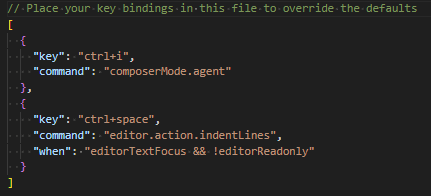
I just solved one of the most annoying problems in the world when coding in VS Code or Cursor!
The problem:
Tab works both for indentation and AI auto-complete. As AI gets faster, it's almost impossible to indent without adding code.
The solution:
Bind ctrl space to do indentLines. Or shift space if you prefer.
* Press ctrl shift P
* Type Preferences: Open Keyboard Shortcuts (JSON)
* Also located in ...Cursor/User/keybindings.json
* Add the following:
{
"key": "ctrl space",
"command": "editor.action.indentLines",
"when": "editorTextFocus && !editorReadonly"
}
ENJOY! Been disturbing me for years.
2
2
5
208
Feb 26
Will only work on a single line, but better than nothing. If anyone knows how to program Cursor to multi-line-indent on ctrl space, let me know!
1
52
Feb 21
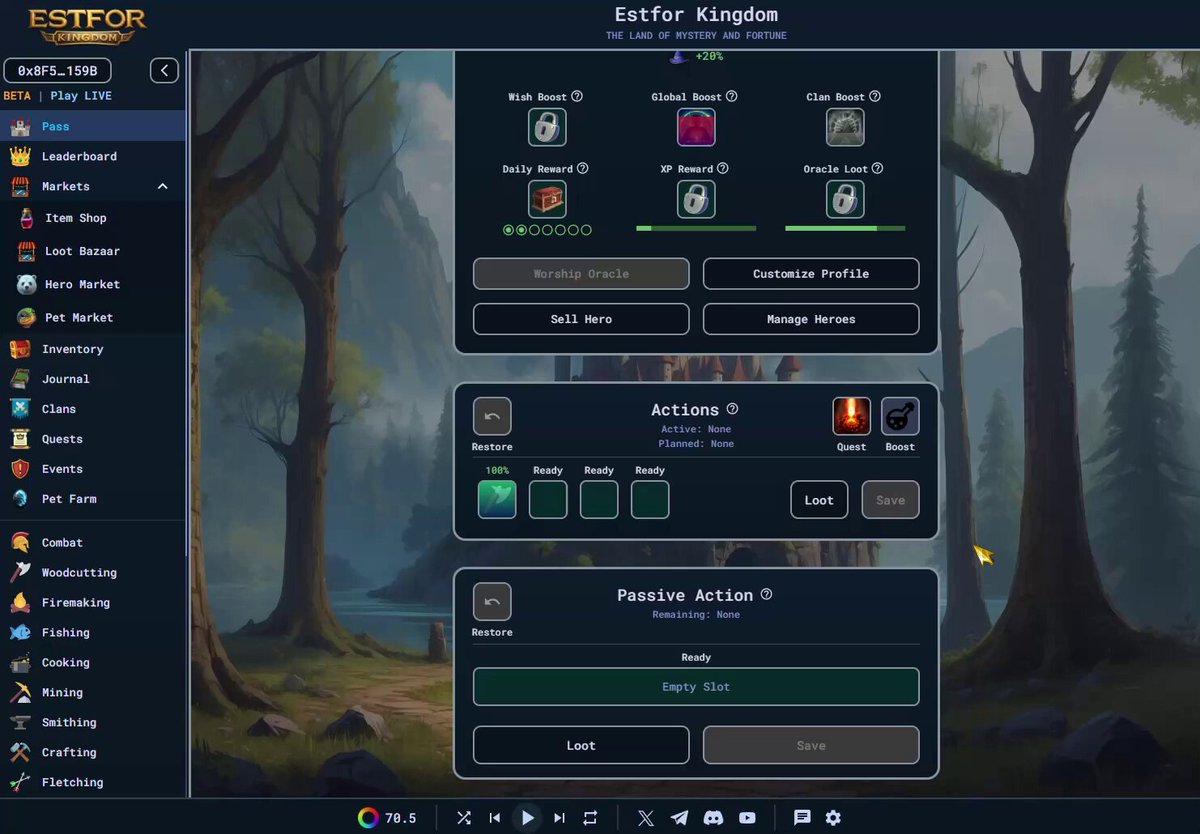
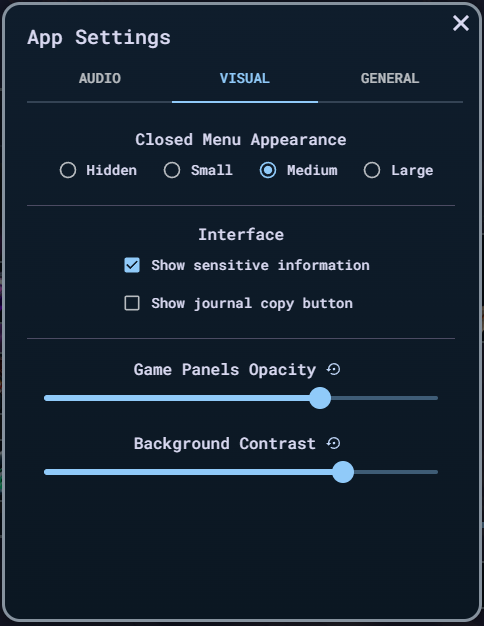
A visual appearance feature has been added to @EstforKingdom app settings. Can now adjust the background contrast throughout the game.
Combine it with the panel opacity to create your custom look!
4
17
495
Paintoshi retweeted
Feb 20
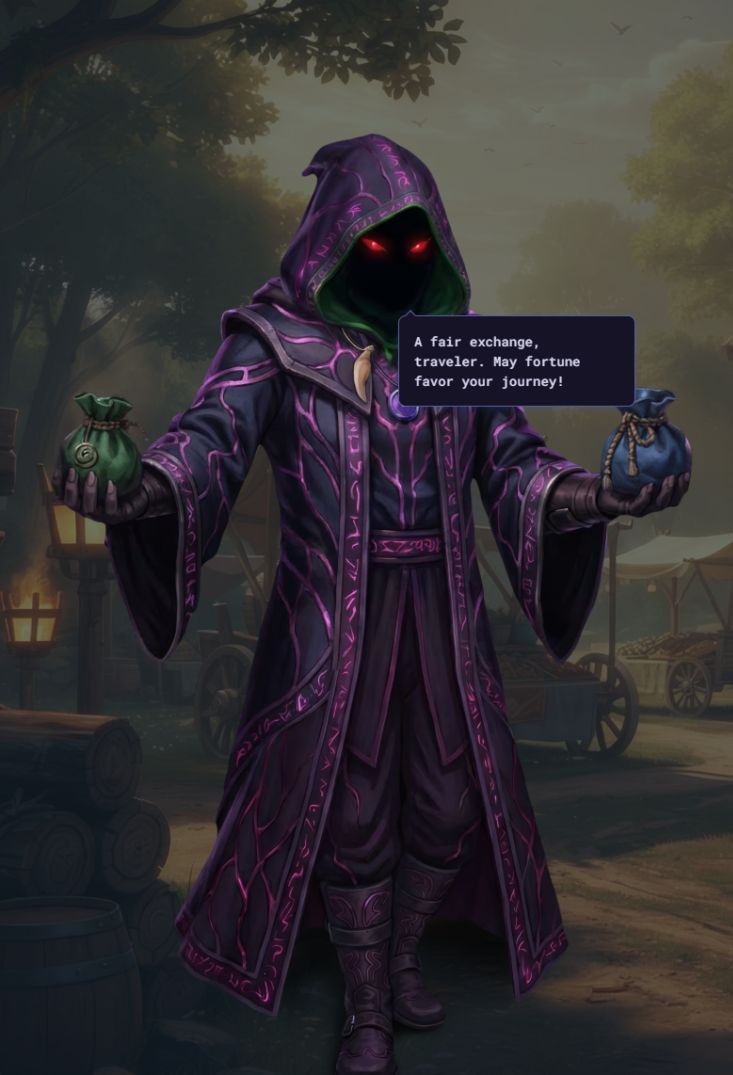
Citizens of Estfor Kingdom, The Black Market Trader has arrived. From now until Sunday, he can be found dealing in rare and exclusive goods in exchange for Event Coins.
- Appears Thurs-Sun, on a 3-week cycle
- Stock is determined daily via VRF
1
7
30
804
Feb 18
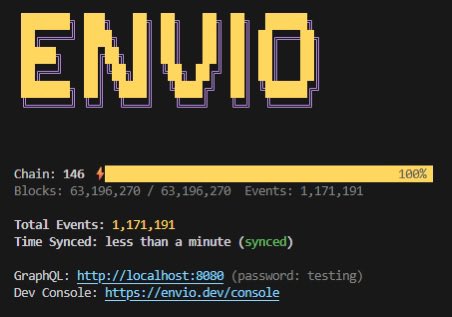
The @envio_indexer needs more attention @SonicLabs
Re-index Sonic chain from 0 used to take days with other products, now done in minutes with the latest update!
This is game-changing speed. Less than a min on beta so likely below 30min on live 😮
3
9
52
2,249
Feb 18
This is for the whole @EstforKingdom game state that's been live since Sonic inception, which is near 30 million events for our game on live
10
259